ASUSTOR NAS Australia: Drivestor, Nimbustor, Lockerstor & Flashstor
ASUSTOR is the NAS maker founded in 2011 with investment from ASUSTeK, behind the Drivestor, Nimbustor, Lockerstor and Flashstor ranges and the ADM operating system. ARC IP Networks is a trusted ASUSTOR supplier in Australia: genuine ASUSTOR NAS and accessories at competitive prices, with the full ASUSTOR manufacturer warranty, Australia-wide delivery and trade pricing.
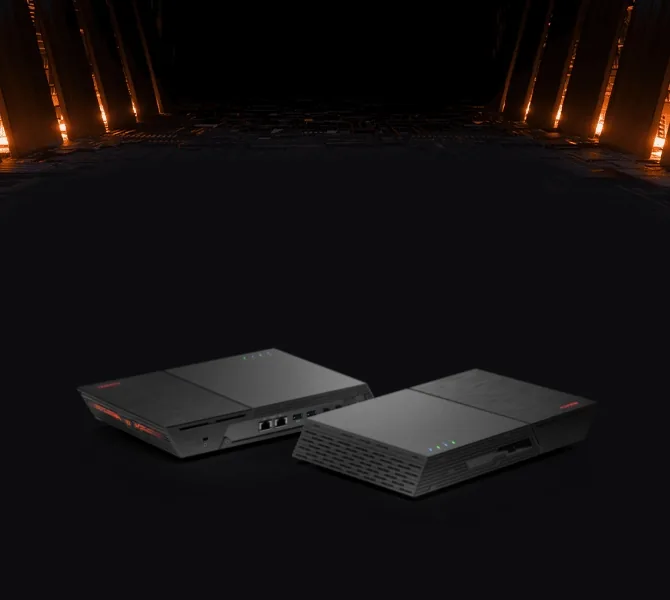
Genuine ASUSTOR
NAS, bundles and upgrade cards
3-year ASUSTOR warranty
On every NAS, 5 years on Lockerstor R Pro Gen2
Australia-wide delivery
To homes, offices and job sites
Trade pricing
Accounts for installers, integrators and MSPs
ASUSTOR in numbers
Fast networking, lots of flash, room to grow
Every NAS we stock has 2.5GbE or faster networking. Step up for M.2 NVMe slots, dual 10GbE, USB4 and server-grade ECC memory.
2011
Founded
ASUSTOR founded, with investment from ASUSTeK
12
M.2 NVMe slots
In the Flashstor 12 Pro all-flash NAS
10GbE
Dual 10GbE
Plus two 5GbE ports on the Lockerstor Gen3
40Gbps
USB4
On the Lockerstor Gen3 and Flashstor 6 Gen2
192GB
Max memory
ECC DDR5 on the Lockerstor R Pro Gen2 rackmounts
5 years
Warranty
On the Lockerstor R Pro Gen2; 3 years on the other models
Source: ASUSTOR specifications. Last reviewed October 2026.
Shop by series
Shop ASUSTOR by series
Seven ways into the range, from a first home NAS to all-flash and business storage.
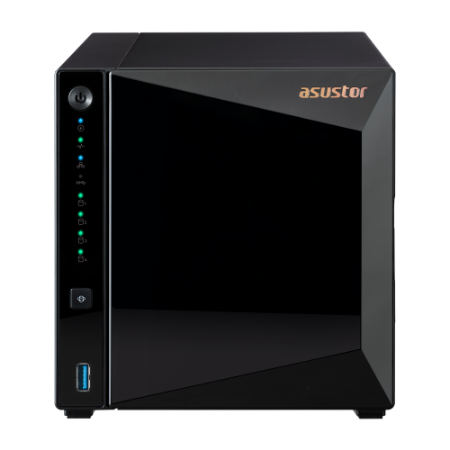
Personal to Home
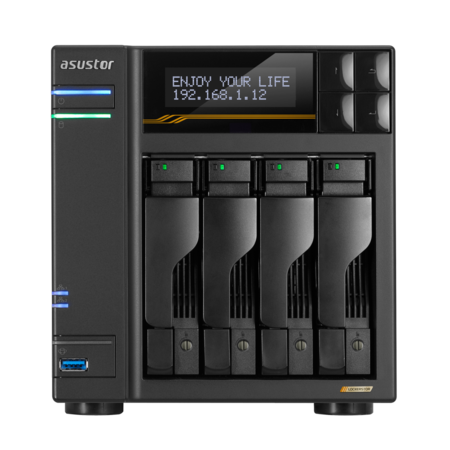
Drivestor
2 or 4 bays, 2.5GbE and smooth 4K transcoding for home backups and media
Shop now
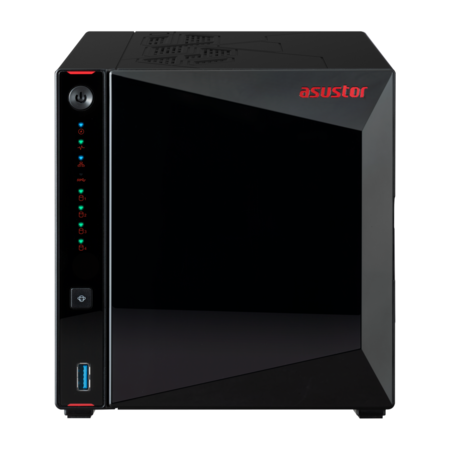
Power User to Business
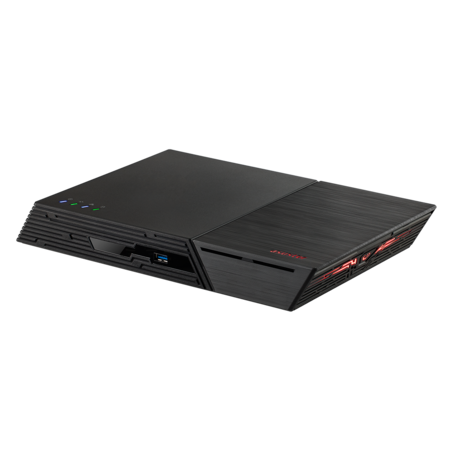
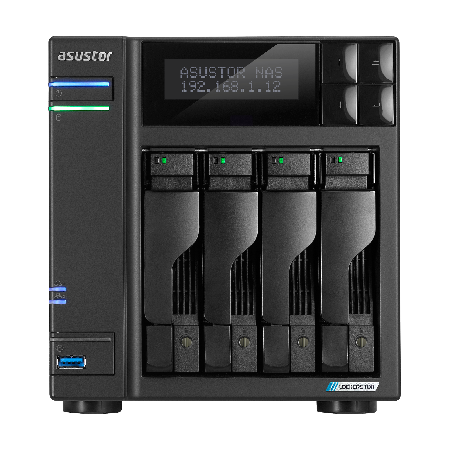
Lockerstor
Dual 5GbE on Gen2+, dual 10GbE and USB4 on Gen3, 2 to 8 bays
Shop now
Small & Medium Business
Lockerstor rackmount
Rackmount Lockerstor models for server and comms racks
Shop now
Ready to run
NAS + drive bundles
Every hard-drive NAS we stock with a Seagate NAS drive, set up as one order
Shop now
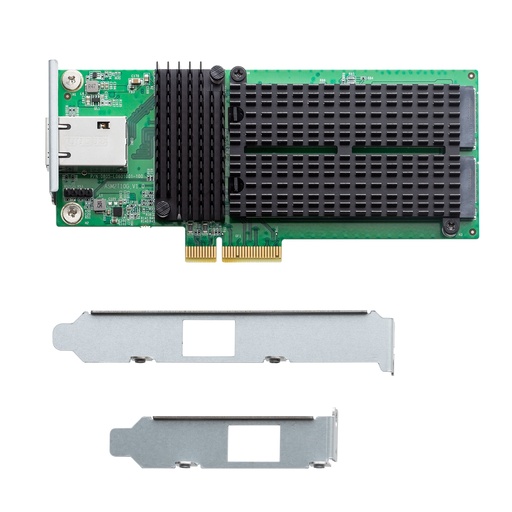
Every ASUSTOR product
All NAS, bundles and accessories in one list, with filters for bays and networking.
View all
The ASUSTOR range
Four NAS families, one operating system
Every ASUSTOR NAS runs ADM. The family decides the processor, memory, networking and how many drives and SSDs it takes.
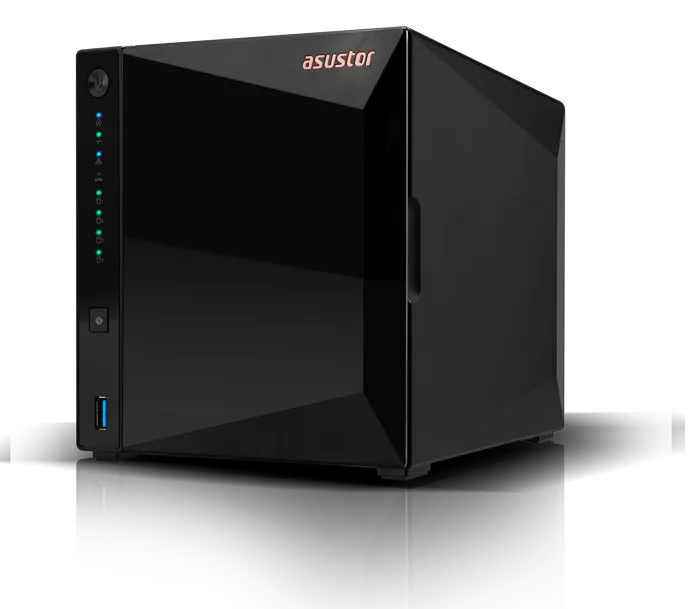
Personal to Home
Drivestor Gen2 and Drivestor Pro Gen2
The first NAS for a household or home office: replace a drawer of USB drives with one backed-up store you can reach from anywhere.
- 2 or 4 bays, Realtek RTD1619B quad-core at 1.7GHz
- 1GB (Gen2) or 2GB (Pro Gen2) DDR4
- 2.5GbE, 10-bit 4K H.265 transcoding with hardware decoding
- Btrfs snapshots; expand to 14 or 16 bays
Models we stock: AS1202T · AS1204T · AS3302T v2 · AS3304T v2
Home to Power User
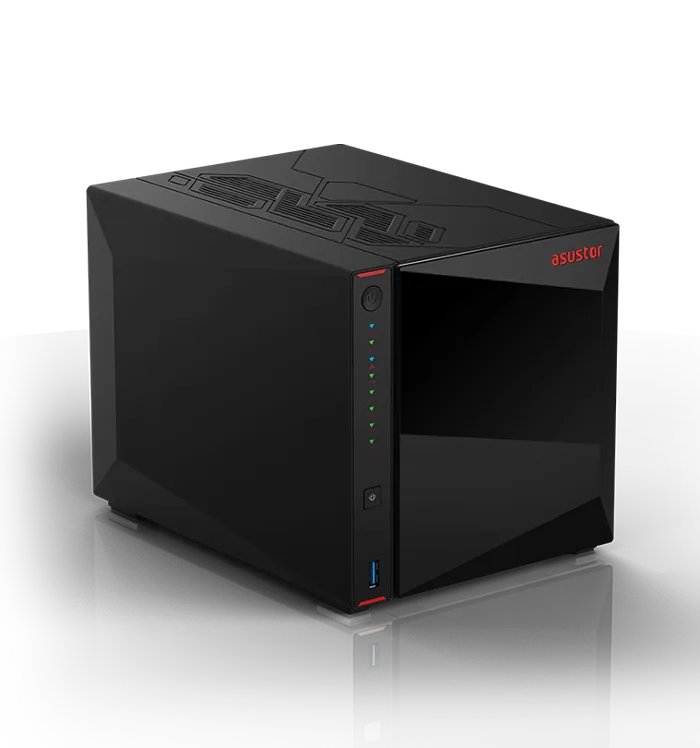
Nimbustor Gen2
For creators, gamers and media fans who want SSD speed and a direct HDMI output for 4K HDR.
- Intel Celeron N5105, 2.0GHz bursting to 2.9GHz
- 4GB, expandable to 16GB
- Dual 2.5GbE and four M.2 NVMe slots
- HDMI 2.0b and USB 3.2 Gen 2 (10Gbps)
Models we stock: AS5402T · AS5404T
Power User to Business
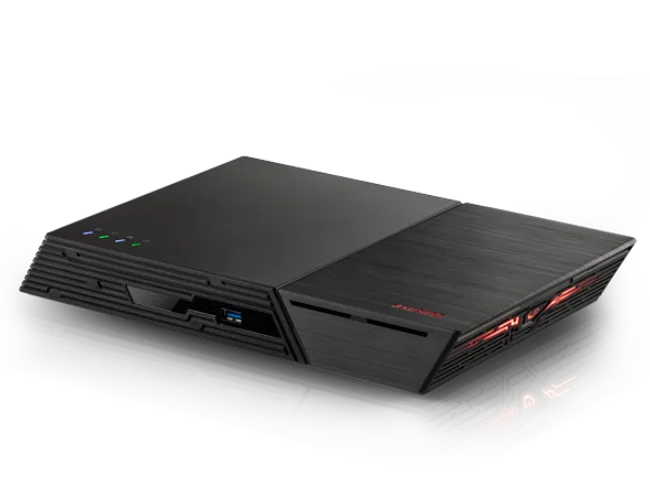
Lockerstor Gen2+ and Gen3
The workhorse for studios and small offices. Gen2+ doubles up to dual 5GbE; Gen3 steps up to AMD Ryzen, dual 10GbE and USB4.
- Gen2+: 2, 4 or 6 bays, dual 5GbE, four M.2 slots
- Gen2+ 4 and 6-bay: PCIe slot for a 10GbE card
- Gen3: 4, 6 or 8 bays, Ryzen V3C14 up to 3.8GHz, 16GB ECC DDR5 (max 64GB)
- Gen3: 2 × 10GbE + 2 × 5GbE, 2 × USB4, PCIe 4.0 M.2
Models we stock: AS6702T v2 · AS6704T v2 · AS6706T v2 · AS6804T · AS6806T · AS6808T
All-Flash Storage
Flashstor
No hard drives at all: M.2 NVMe SSDs in a slim, quiet box for editing suites and anyone who wants silence and speed.
- Flashstor 12 Pro: 12 M.2 slots, Celeron N5105, 10GbE
- Flashstor 6 Gen2: 6 M.2 slots, Ryzen V3C14, 10GbE
- Flashstor 6 Gen2: 2 × USB4 and up to 64GB memory
- 48.3mm tall Flashstor 6 Gen2 weighs 1.4kg
Models we stock: FS6806X · FS6712X
Which ASUSTOR NAS do I need?
Which ASUSTOR NAS do I need?
Pick by what you will store and how fast it needs to move. Every desktop model we stock carries a 3-year ASUSTOR warranty.
Short answer
For home backups, photos and Plex, a Drivestor is enough. For SSD caching, 4K HDR over HDMI and heavier apps, choose a Nimbustor Gen2. For a studio or small office, a Lockerstor Gen2+, or the Lockerstor 4 Gen3 for dual 10GbE, USB4 and ECC memory. For silent, all-SSD speed, a Flashstor.
Personal to Home
Drivestor
Best for: Home backups, photos and 4K streaming
Shop Drivestor- 2 or 4 bays
- Realtek quad-core, 1 or 2GB
- 2.5GbE
- 4K H.265 hardware decoding
- No M.2 slots
Home to Power User
Nimbustor Gen2
Best for: Creators, gamers, Plex and 4K HDR
Shop Nimbustor Gen2- 2 or 4 bays
- Intel N5105, 4GB (max 16GB)
- Dual 2.5GbE
- Four M.2 NVMe slots
- HDMI 2.0b
Power User to Business
Lockerstor Gen2+ / Gen3
Best for: Studios and small offices
Shop Lockerstor Gen2+- 2 to 8 bays
- N5105 (Gen2+) or Ryzen with ECC (Gen3)
- Dual 5GbE; Gen3 adds dual 10GbE
- Four M.2 NVMe slots
- USB4 on Gen3
All-Flash Storage
Flashstor
Best for: Editing suites and silent all-SSD storage
Shop Flashstor- 6 or 12 M.2 NVMe slots
- N5105 or Ryzen V3C14
- 10GbE
- USB4 on Flashstor 6 Gen2
- No 3.5-inch bays
| Model | Bays | M.2 slots | Processor | Memory | Network | USB4 | Warranty |
|---|---|---|---|---|---|---|---|
| Drivestor 2 Gen2 AS1202T | 2 | — | Realtek RTD1619B | 1GB DDR4 max not expandable | 1 × 2.5GbE | No | 3 Years |
| Drivestor 4 Gen2 AS1204T | 4 | — | Realtek RTD1619B | 1GB DDR4 max not expandable | 1 × 2.5GbE | No | 3 Years |
| Drivestor 2 Pro Gen2 AS3302T v2 | 2 | — | Realtek RTD1619B | 2GB DDR4 max not expandable | 1 × 2.5GbE | No | 3 Years |
| Drivestor 4 Pro Gen2 AS3304T v2 | 4 | — | Realtek RTD1619B | 2GB DDR4 max not expandable | 1 × 2.5GbE | No | 3 Years |
| Nimbustor 2 Gen2 AS5402T | 2 | 4 | Intel Celeron N5105 | 4GB max 16GB | 2 × 2.5GbE | No | 3 Years |
| Nimbustor 4 Gen2 AS5404T | 4 | 4 | Intel Celeron N5105 | 4GB max 16GB | 2 × 2.5GbE | No | 3 Years |
| Lockerstor 2 Gen2+ AS6702T v2 | 2 | 4 | Intel Celeron N5105 | 4GB max 16GB | 2 × 5GbE | No | 3 Years |
| Lockerstor 4 Gen2+ AS6704T v2 | 4 | 4 | Intel Celeron N5105 | 4GB max 16GB | 2 × 5GbE | No | 3 Years |
| Lockerstor 6 Gen2+ AS6706T v2 | 6 | 4 | Intel Celeron N5105 | 8GB max 16GB | 2 × 5GbE | No | 3 Years |
| Lockerstor 4 Gen3 AS6804T | 4 | 4 | AMD Ryzen V3C14 | 16GB max 64GB | 2 × 10GbE + 2 × 5GbE | Yes | 3 Years |
| Lockerstor 6 Gen3 AS6806T | 6 | 4 | AMD Ryzen V3C14 | 16GB max 64GB | 2 × 10GbE + 2 × 5GbE | Yes | 3 Years |
| Lockerstor 8 Gen3 AS6808T | 8 | 4 | AMD Ryzen V3C14 | 16GB max 64GB | 2 × 10GbE + 2 × 5GbE | Yes | 3 Years |
| Flashstor 6 Gen2 FS6806X | — | 6 | AMD Ryzen V3C14 | 8GB max 64GB | 1 × 10GbE | Yes | 3 Years |
| Flashstor 12 Pro FS6712X | — | 12 | Intel Celeron N5105 | 4GB max 16GB | 1 × 10GbE | No | 3 Years |
| Lockerstor 4RS AS6504RS | 4 | — | Intel ATOM C3538 | 8GB max 128GB | 2 × 2.5GbE + 2 × 1GbE | No | 3 Years |
| Lockerstor 4RD AS6504RD | 4 | — | Intel ATOM C3538 | 8GB max 128GB | 2 × 2.5GbE + 2 × 1GbE | No | 3 Years |
| Lockerstor 12RD AS6512RD | 12 | — | Intel ATOM C3538 | 8GB max 128GB | 2 × 2.5GbE + 2 × 1GbE | No | 3 Years |
| Lockerstor 12R Pro Gen2 AS7212RDX | 12 | 1 | AMD Ryzen 7 Pro 7745 | 16GB max 192GB | 2 × 10GbE + 2 × 1GbE | No | 5 Years |
| Lockerstor 16R Pro Gen2 AS7216RDX | 16 | 1 | AMD Ryzen 7 Pro 7745 | 16GB max 192GB | 2 × 10GbE + 2 × 1GbE | No | 5 Years |
| Lockerstor 24R Pro Gen2 AS7224RDX | 24 | 1 | AMD Ryzen 7 Pro 7745 | 16GB max 192GB | 2 × 10GbE + 2 × 1GbE | No | 5 Years |
Popular models
Popular ASUSTOR NAS, bundles and upgrades
One model from each family, a ready-to-run bundle and the 10GbE upgrade card.
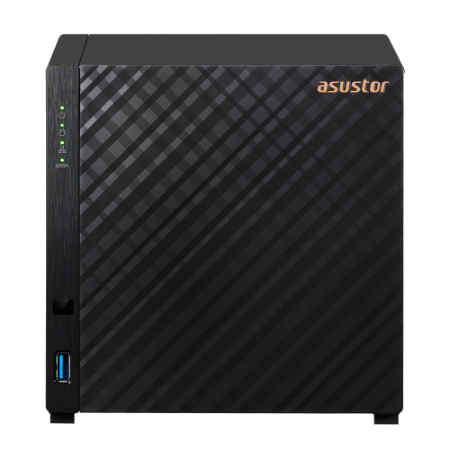
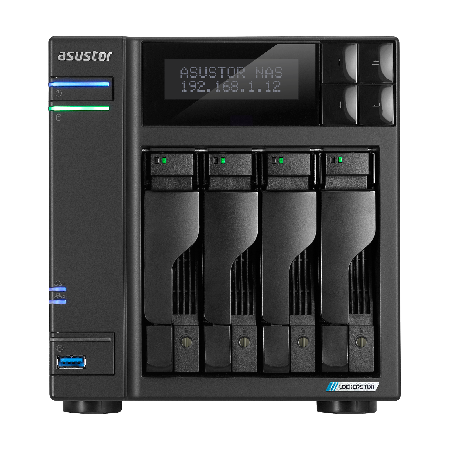
AS6704T-V2-4TB
Choose by use case
Match the ASUSTOR NAS to the job
Six setups we quote most often, and the family that fits each one.
Family photos and home backups
Drivestor Gen2 with Photo Gallery and the AiFoto app; ADM 5.1 groups people with on-device AI facial recognition.
Plex and 4K streaming
Drivestor Pro Gen2 transcodes 10-bit 4K H.265 with hardware decoding; Nimbustor Gen2 adds HDMI 2.0b for 4K HDR.
Video editing and creative studios
Lockerstor 4 Gen3: ASUSTOR measured 1675 MB/s read with SMB Multichannel over 2 × 10GbE in RAID 5.
Small office file server
Lockerstor Gen2+ with dual 5GbE, snapshots, VPN and the Network Recycle Bin for deleted files.
Silent all-flash speed
Flashstor keeps everything on M.2 NVMe: no spinning drives, 10GbE, and 18.6dB on the Flashstor 6 Gen2.
Ready on day one
Bundles pair the NAS with a Seagate NAS drive, so it arrives ready to set up.
ASUSTOR solutions
ASUSTOR solutions by category
ASUSTOR publishes 22 solution guides, from 4K editing and Plex to VMware, Docker and private AI. Each card shows the ASUSTOR family suggested for that job; ARC IP Networks supplies them Australia-wide at competitive prices.
Creators, video and photography
Fast shared storage for editing timelines, Adobe libraries and photo catalogues.

Best NAS for video editing
External and Thunderbolt drives are fast for one machine but give up easy sharing and data protection. ASUSTOR pairs 2.5GbE and 10GbE NAS with high capacity so a whole team can edit from one store.
ASUSTOR suggests: Nimbustor Gen2, Lockerstor 4 Gen3, Flashstor
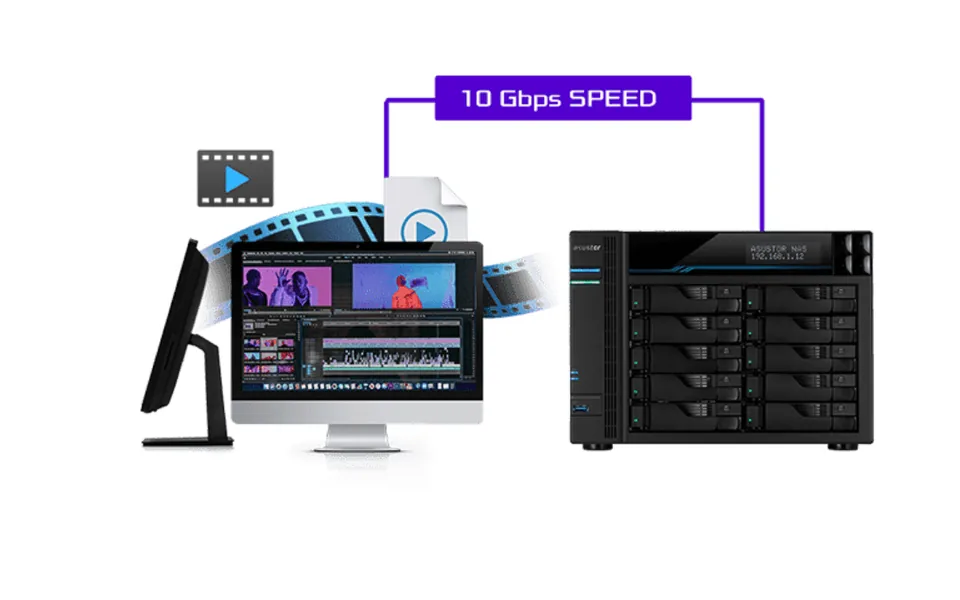
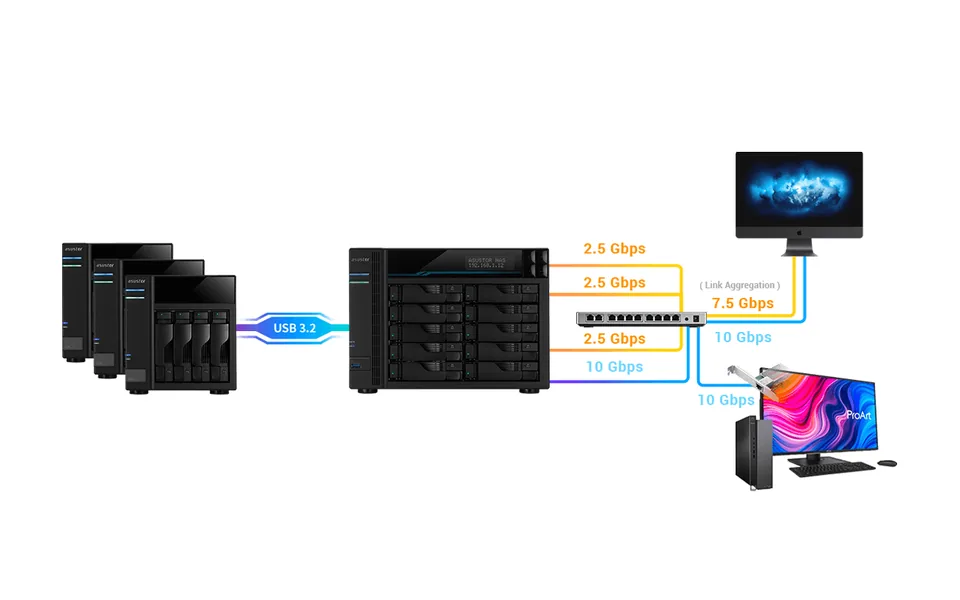
Premiere Pro 4K editing over 10GbE
High-bitrate 4K needs fast reads and writes, especially with several video tracks at once. ASUSTOR shows how a 10GbE NAS keeps multi-track Premiere Pro timelines responsive.
ASUSTOR suggests: Nimbustor 2 Gen2, Lockerstor Gen2 and Gen3, Flashstor
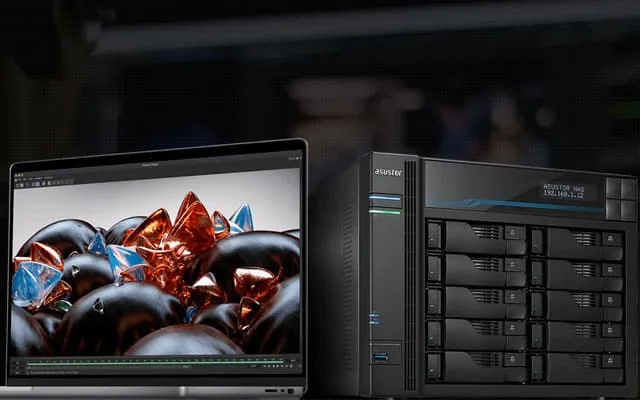
MacBook and Final Cut Pro
MacBook storage is soldered in and limited to what you bought. Final Cut Pro 10.3 and later supports SMB3, so libraries can live on the NAS and grow to tens of terabytes.
ASUSTOR suggests: Nimbustor 2 Gen2, Lockerstor 4 Gen2, Flashstor
Storage for Adobe Creative Cloud
Back up and sync Creative Cloud project folders to a NAS volume and share them across the studio. ASUSTOR describes itself as an Adobe partner for video and audio solutions.
ASUSTOR suggests: Nimbustor 4 Gen2, Lockerstor 4 Gen2, Flashstor

WebDAV with Adobe Lightroom
Photographers on location can reach photo libraries and assets remotely over WebDAV instead of carrying external drives, then edit and catalogue in Lightroom.
ASUSTOR suggests: Nimbustor 2 Gen2, Lockerstor 4 Gen2, Flashstor 12 Pro
Home and entertainment
Photos, music, games and streaming on storage you own.

Gaming and live streaming
iSCSI drives on the NAS appear as local drives, so games that will not run from a network share can still be installed on it, and recordings land on a big shared store.
ASUSTOR suggests: Nimbustor Gen2, Lockerstor 4 Gen2
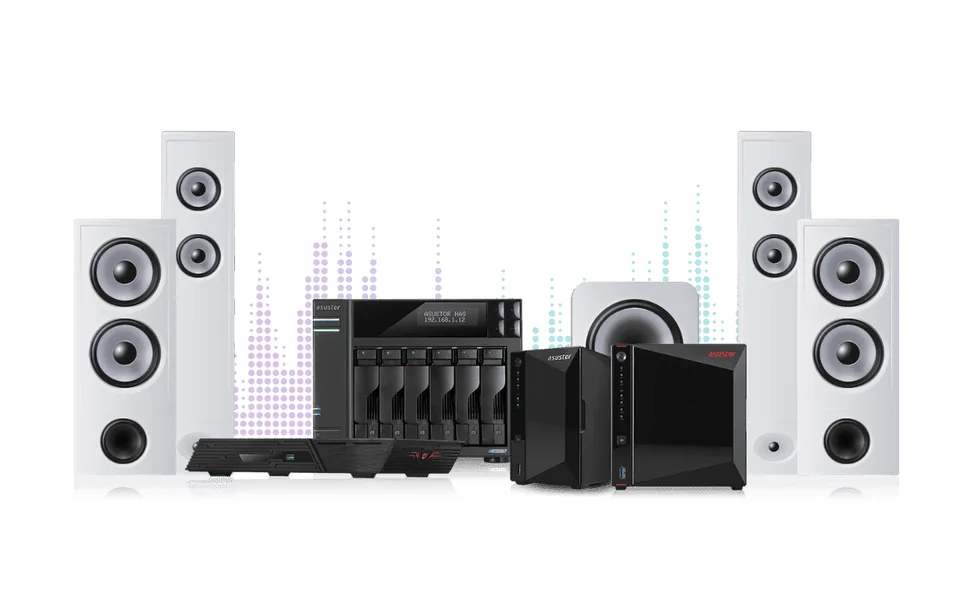
Roon Server for hi-fi streaming
Run Roon Server on the NAS for lossless playback and Roon's music management, with the library stored on drives you control.
ASUSTOR suggests: Nimbustor Gen2, Lockerstor 2 and 4 Gen2, Flashstor

Move off Google Photos
Google Photos ended free unlimited storage in June 2021. Moving photos to a NAS gives you far more space on drives you own, with Photo Gallery and the AiFoto app.
ASUSTOR suggests: Drivestor 2, Nimbustor 2 Gen2, Lockerstor 4 Gen2

What is a NAS?
Network attached storage is a small private storage computer for home or office that plugs into your router or switch and serves files to many users and devices.
ASUSTOR suggests: Drivestor, Drivestor Pro, Nimbustor
Business and IT
File serving, virtualisation, containers and remote teams for Australian offices.
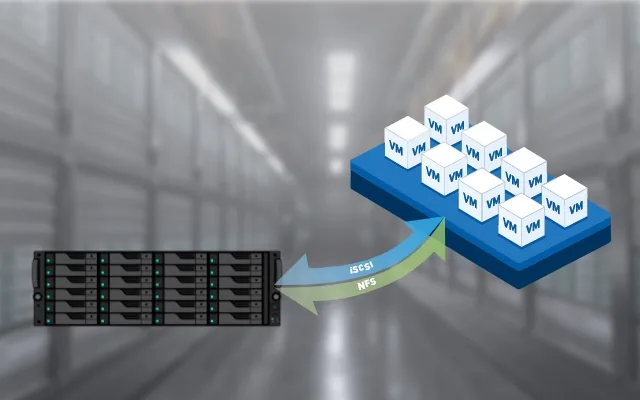
ASUSTOR with VMware vSphere
ASUSTOR NAS is VMware certified and supports iSCSI and NFS, giving vSphere hosts shared storage for their virtual machines.
ASUSTOR suggests: Lockerstor R Pro Gen2 (rackmount)

Working from home
Cross-platform file sharing for Windows, macOS and Linux, a Network Recycle Bin for deleted files, VPN and EZ-Connect remote access for staff at home.
ASUSTOR suggests: Drivestor 2, Nimbustor 2 Gen2, Lockerstor 4 Gen2, Flashstor 12 Pro

Edge storage
Process and analyse data close to where it is created, easing the load on networks and cloud servers.
ASUSTOR suggests: Lockerstor Gen3, Flashstor Gen2
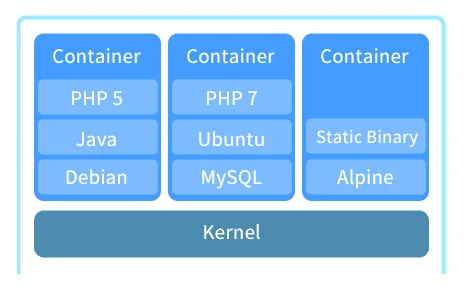
Docker on ASUSTOR
Docker packages software in containers using OS-level virtualisation, so you can build, test and deploy apps on the NAS. ASUSTOR lists support from Drivestor Pro Gen2 to Lockerstor Gen3.
ASUSTOR suggests: Drivestor Pro Gen2, Lockerstor Gen2+ and Gen3
2.5GbE networking
2.5 times Gigabit speed over the Cat 5e or Cat 6 cabling you already have. ASUSTOR was one of the first to put 2.5GbE on a NAS.
ASUSTOR suggests: Nimbustor 2 Gen2, Lockerstor 4 Gen2, Flashstor 12 Pro

Saving power
Power schedules, disk hibernation, S3 sleep and Wake on LAN or WAN cut running costs, and LED, buzzer and fan settings trim the rest.
ASUSTOR suggests: Drivestor 2, Nimbustor 2 Gen2, Lockerstor 4 Gen2
Data protection
Backups, snapshots and the security settings that keep ransomware out.
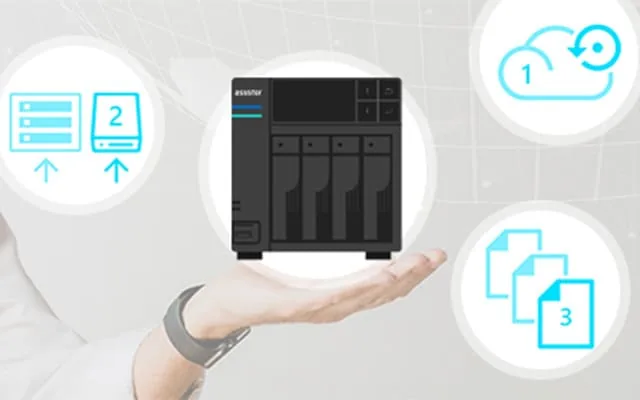
3-2-1 backups
Three copies of your data, on two types of media, with one off site: the minimum standard for safe backups, with the NAS at the centre.
ASUSTOR suggests: Drivestor 2, Nimbustor 2 Gen2, Lockerstor 4 Gen2, Flashstor 12 Pro

Fighting ransomware
Ransomware encrypts files and demands payment. Wake on LAN and WAN keep the NAS off when idle, and ADM Defender with whitelists and auto-blacklists blocks unwanted logins.
ASUSTOR suggests: Drivestor 2, Nimbustor 2 Gen2, Lockerstor 4 Gen2, Flashstor 12 Pro

Is your NAS secure?
The 2022 Deadbolt attacks hit NAS devices from many makers. ASUSTOR's checklist: change default ports, use strong passwords, whitelist IPs and turn off services you do not use.
ASUSTOR suggests: Drivestor 2, Nimbustor 2 Gen2, Lockerstor 4 Gen2, Flashstor 12 Pro
AI on your own hardware
Keep training data and private knowledge bases on premises.

AI datasets on a NAS
An economical, easy-to-deploy AI platform: run tools such as TensorFlow in Docker and keep training data on the NAS. ASUSTOR points to Lockerstor Gen3.
ASUSTOR suggests: Lockerstor Gen3, Flashstor Gen2

Private AI and RAG
Retrieval-augmented generation lets a language model search your own documents before it answers, with the vector database kept on your NAS.
ASUSTOR suggests: Lockerstor Gen3, Flashstor Gen2
Cloud and remote access
How a NAS compares with cloud storage, and how to reach it from anywhere.

NAS or cloud storage?
Cloud services rent you space on someone else's servers. A NAS is a private cloud you own, reachable from anywhere, with no monthly storage fee for the capacity you buy.
ASUSTOR suggests: Drivestor, Nimbustor, Lockerstor

Wake on WAN
Power the NAS on remotely when you need it and let it sleep the rest of the time. ASUSTOR's S3 sleep wakes in about 1.5 seconds.
ASUSTOR suggests: Lockerstor, Flashstor
Applications and suggested series from ASUSTOR's solution pages. Photos: ASUSTOR. Last reviewed October 2026.
Buying guide
Six decisions that settle most NAS orders
Choose the bays and RAID level, decide how much flash you want, match the network speed to your switch, then size memory and drives. Bundles take care of the last step.

Bays and RAID
Two bays give you RAID 1, a mirror. Four or more open up RAID 5 (survives one drive failure), RAID 6 (two) and RAID 10. ASUSTOR does not offer hybrid RAID and recommends drives of the same capacity in an array. RAID is not a backup: keep a copy elsewhere too.
Hard drives, SSD cache or all-flash
Hard drives give the most terabytes for the money. An M.2 SSD cache keeps frequently used data on flash to speed up apps and file access. Flashstor goes all-SSD, with 6 or 12 M.2 slots and no hard drives.
2.5GbE, 5GbE or 10GbE
Every model we stock has 2.5GbE or faster; 2.5GbE runs on existing Cat 5e or Cat 6. Lockerstor Gen2+ has dual 5GbE, and Lockerstor Gen3, the Lockerstor R Pro Gen2 rackmounts and both Flashstors have 10GbE. Match the NAS to your switch and PCs.
M.2 NVMe slots
Nimbustor Gen2, Lockerstor Gen2+ and Gen3 each have four M.2 2280 NVMe slots: PCIe 3.0 x1 on the Intel models and PCIe 4.0 x1 on Gen3. If M.2 SSDs hold the system volume, ASUSTOR recommends at least two.
Memory
Drivestor memory is fixed at 1GB or 2GB. Nimbustor Gen2 and Lockerstor Gen2+ take up to 16GB, Lockerstor Gen3 and Flashstor 6 Gen2 up to 64GB, Lockerstor 4RS, 4RD and 12RD up to 128GB and the Lockerstor R Pro Gen2 up to 192GB, with ECC memory as standard on Lockerstor Gen3 and Lockerstor R Pro Gen2. More memory helps Docker, virtual machines and many users.
IronWolf or Exos drives
Most of our bundles use Seagate IronWolf (4, 8 or 10TB, rated 180TB a year, 3-year limited warranty) or Exos X24 12TB (7200 RPM, rated 550TB a year, 5-year limited warranty). ADM supports Seagate IronWolf Health Management for IronWolf drives.
ADM operating system
ADM: one operating system on every ASUSTOR NAS
ASUSTOR Data Master (ADM) runs in a web browser and on the ASUSTOR mobile apps. The current release, ADM 5.1, adds post-quantum encryption, stricter password rules, duplicate-file scanning, AI facial recognition and fan control.
Apps from App Central
Install apps such as Plex Media Server, Docker and Roon Server from ASUSTOR's App Central.
Snapshots and backups
Scheduled snapshots for quick restores, Cloud Backup Center for off-site copies and the Network Recycle Bin.
Remote access
EZ-Connect with a Cloud ID, VPN server and client, and WebDAV for working away from the office.
Security built in
ADM Defender firewall with whitelists and auto-blacklists, password rules, and post-quantum (PQC) hybrid TLS in ADM 5.1.
Power control
Power schedules, disk hibernation, S3 sleep, and Wake on LAN or WAN.
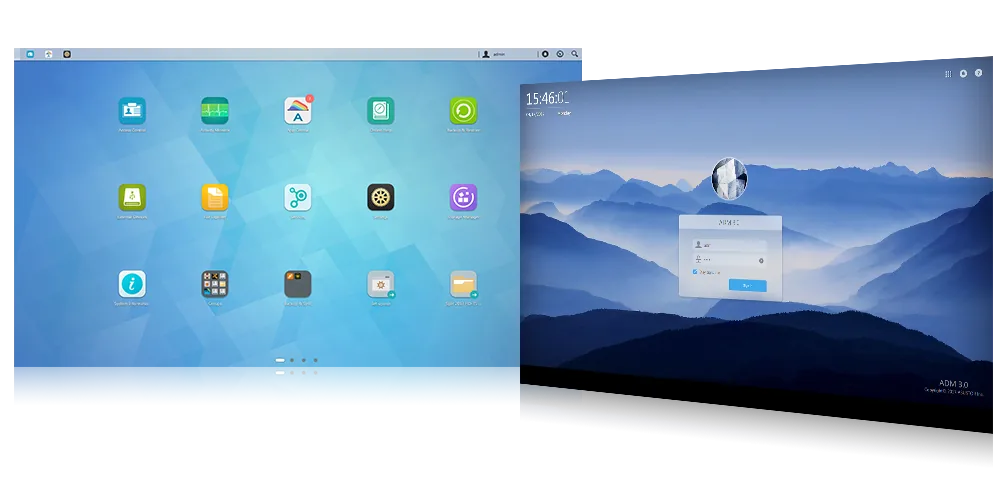

AI facial recognition, run locally

PQC-ready encrypted connections

New fan control settings
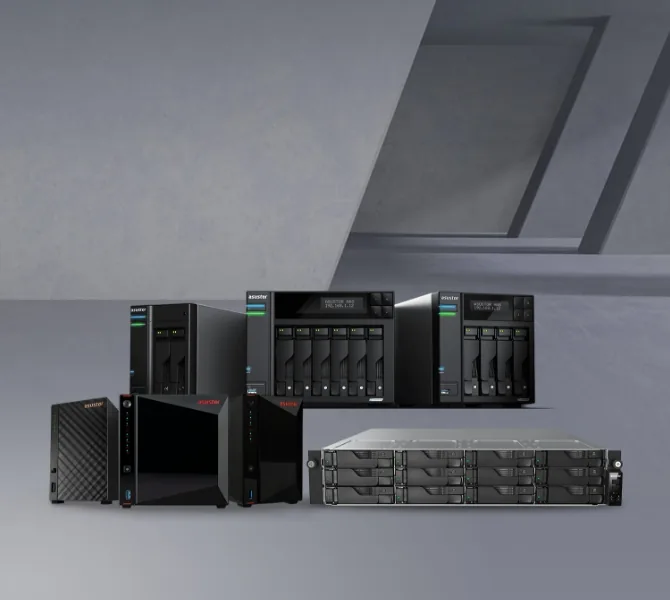
About ASUSTOR
Who makes ASUSTOR?
ASUSTOR Inc. was founded in 2011 through direct investment from ASUSTeK Computer Inc., the company behind ASUS. ASUSTOR makes network attached storage and network video recorders, and develops its own firmware, hardware and apps.
"The ASUSTOR brand name was created as a portmanteau of “ASUS” and “Storage”."
Founded 2011
ASUSTOR Inc.
ASUSTeK investment
Direct investment at founding
NAS and NVR
Storage and video surveillance
Own software
ADM, apps and firmware
Source: About ASUSTOR. The ASUSTOR range explained
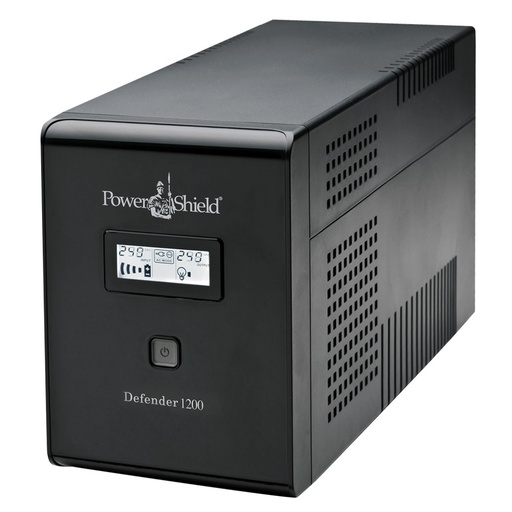
Protect your NAS
Add a UPS so a blackout does not corrupt your data
ASUSTOR calls a UPS a very good investment for anyone who values their data. Connect it by USB and ADM unmounts storage safely (Safe Mode) or shuts down when the power fails, then returns to its previous state when power is restored.
We stock PowerShield, the Australian-owned UPS brand, with silent Defender towers that suit a desktop NAS.
Shop PowerShield UPSBest UPS for a NASUPS selection for a NAS (Synology guide)
Why buy ASUSTOR from ARC IP Networks
A trusted ASUSTOR supplier that builds the whole network
- Genuine ASUSTOR at competitive prices, with the full ASUSTOR warranty (3 years, or 5 on the Lockerstor R Pro Gen2 rackmounts) and Australian Consumer Law protection.
- Claims worked with you. If a unit fails, we handle it with you and ASUSTOR.
- Specced before you buy. Bays, RAID, drives and network speed matched to the job.
- One order for the rack. ASUSTOR NAS alongside PowerShield UPS, Ubiquiti UniFi networking and Yealink phones.
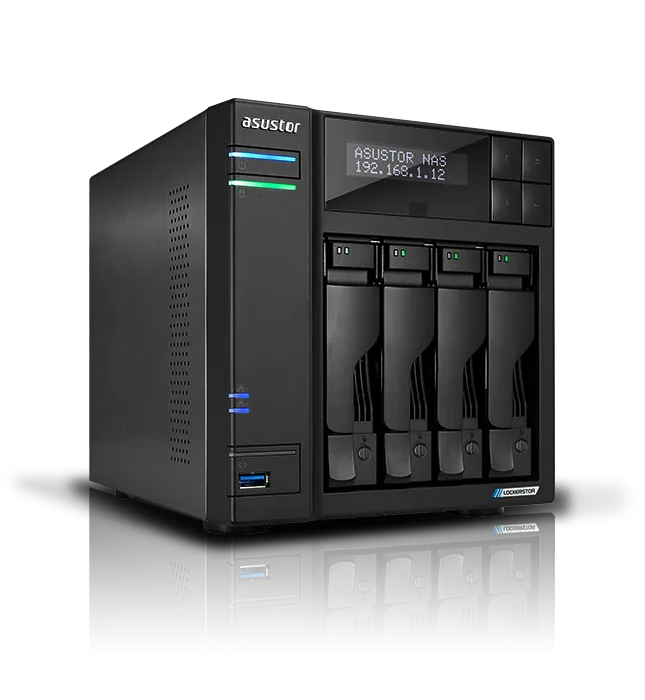
Guides
ASUSTOR and NAS guides for Australia
From our NAS & Storage Guides: choosing a model, RAID, drives, backups and remote access.
Choosing ASUSTOR
ASUSTOR Drivestor vs Lockerstor vs Flashstor: Which Series Is Right for You?
Read the guideBest NAS in Australia 2026: ASUSTOR NAS Buying Guide
Read the guideASUSTOR vs Synology vs QNAP: Which NAS Brand Suits You? (Australia)
Read the guideWhere to Buy Genuine ASUSTOR NAS in Australia (Warranty and Support)
Read the guideNAS With Drives Included: Are NAS Bundles Worth It? (Australia)
Read the guideSSD and NVMe NAS Explained: ASUSTOR Flashstor All-Flash NAS (Australia)
Read the guideASUSTOR ADM Explained: The NAS Operating System and Its Apps
Read the guideNAS know-how
What Is a NAS? Network Attached Storage Explained (Australia)
Read the guideNAS RAID Explained: RAID 1, 5, 6 and 10 for ASUSTOR (Australia)
Read the guideBest Hard Drives for a NAS: Seagate IronWolf vs Exos (Australia)
Read the guideSSD Cache and M.2 on a NAS: Do You Need It?
Read the guideHow Much NAS Storage Do You Need? TB Explained (Australia)
Read the guideAccess Your NAS Remotely: Cloud ID, DDNS and EZ-Connect (Australia)
Read the guideBack Up Windows, Mac and Linux to an ASUSTOR NAS (with Snapshots)
Read the guideBest NAS for Plex: Build a Plex Server at Home (Australia)
Read the guideASUSTOR Surveillance Center: Record IP Cameras on Your NAS
Read the guideDoes a NAS Need a UPS? Protect Your ASUSTOR NAS (Australia)
Read the guideSpeccing a NAS for a home, a studio or an office?
Tell us how many users, how much data and your network speed. We will match the ASUSTOR model, drives, SSDs and UPS and quote it as one order at competitive prices.
ASUSTOR in Australia: common questions
Straight answers on buying, warranty, Plex, adding drives, bundles, racks and UPS. Last reviewed October 2026 by ARC IP Networks.
ARC IP Networks is a trusted ASUSTOR supplier in Australia: genuine ASUSTOR NAS and accessories at competitive prices, with the full ASUSTOR manufacturer warranty, Australia-wide delivery and trade pricing. We stock the Drivestor, Nimbustor, Lockerstor and Flashstor ranges, ready-to-run NAS and Seagate drive bundles, and ASUSTOR upgrade cards, and we help you choose the model before you order.
ASUSTOR lists a 3-year warranty on every desktop NAS we stock and on the Lockerstor 4RS, 4RD and 12RD rackmounts, and 5 years on the Lockerstor R Pro Gen2 rackmounts. In our bundles the Seagate drive carries Seagate's own warranty: 3-year limited on IronWolf and 5-year limited on Exos X24. If something fails, ARC IP Networks works the claim with you, on top of your rights under the Australian Consumer Law.
ASUSTOR NAS supports Plex Media Server, alongside its own LooksGood app and DLNA. For a home library, Drivestor Gen2 and Drivestor Pro Gen2 transcode 10-bit 4K H.265 with hardware decoding. For 4K HDR and more users, Nimbustor Gen2 adds an Intel Celeron N5105, HDMI 2.0b and up to 16GB of memory; ASUSTOR notes Plex Pass or a third-party player for 4K HDR playback.
Yes. Most bundles ship with one Seagate drive (a few include two; each product page states the count), so you can fill the empty bays later and move to a RAID level with redundancy; ASUSTOR recommends drives of the same capacity in an array. You can also add AS6004U or AS5004U expansion units: up to three on Drivestor Gen2, Drivestor Pro Gen2, Nimbustor Gen2, Lockerstor Gen3 and Flashstor 6 Gen2, and up to two on Lockerstor Gen2+ and Flashstor 12 Pro. Drives in an expansion unit cannot join the NAS's own RAID array.
All three make capable NAS for homes and businesses, and ARC IP Networks also sells QNAP, so compare on the specifications you need: bays, network speed, M.2 slots, memory and warranty. ASUSTOR's strengths are 2.5GbE or faster networking on every model we stock, dual 10GbE and USB4 on Lockerstor Gen3, the all-M.2 Flashstor range, a 3-year warranty (5 years on the Lockerstor R Pro Gen2 rackmounts) and its ADM operating system. ASUSTOR deliberately does not offer hybrid RAID, so plan arrays with matching drives.
A bundle is the ASUSTOR NAS plus one or two Seagate NAS drives in a single order, in most cases IronWolf 4TB, 8TB or 10TB, or Exos X24 12TB; each product page names its drive. Seagate rates IronWolf for 180TB a year of workload and Exos X24 for 550TB a year. ADM includes Seagate IronWolf Health Management for IronWolf drives.
Yes. We list the Lockerstor R Pro Gen2: the 12-bay Lockerstor 12R Pro Gen2 (AS7212RDX, 2U), 16-bay Lockerstor 16R Pro Gen2 (AS7216RDX, 3U) and 24-bay Lockerstor 24R Pro Gen2 (AS7224RDX), with AMD Ryzen 7 Pro 7745, ECC DDR5 expandable to 192GB, dual 10GbE, redundant power supplies and a 5-year ASUSTOR warranty; ASUSTOR recommends them for VMware vSphere. For smaller racks we list the 4-bay Lockerstor 4RS and 4RD (AS6504RS, AS6504RD, 1U) and the 12-bay Lockerstor 12RD (AS6512RD, 2U): Intel Atom C3538, dual 2.5GbE plus dual Gigabit, a PCIe slot for a 10GbE card and a 3-year warranty, with redundant power supplies on the 4RD and 12RD. Ask us about rail kits and drives.
ASUSTOR says a UPS is not a necessity but a very good investment if you value your data, and recommends one where outages are frequent or the NAS runs critical services. Connect the UPS by USB and ADM can unmount storage in Safe Mode or shut down, then return to its previous state when power comes back. ARC IP Networks stocks PowerShield UPSs that suit a NAS.
Lockerstor 4, 6 and 8 Gen3 have two 10GbE and two 5GbE ports, the Lockerstor R Pro Gen2 rackmounts have two 10GbE and two Gigabit ports, and both Flashstor 12 Pro and Flashstor 6 Gen2 have one 10GbE port. Lockerstor 4 and 6 Gen2+ have dual 5GbE plus a PCIe slot for an optional 10GbE card. Every other model we stock has 2.5GbE, which runs on existing Cat 5e or Cat 6 cabling.
Yes. ARC IP Networks offers trade accounts for installers, integrators and MSPs, with project pricing on larger ASUSTOR orders, and delivers Australia-wide. Open a trade account online or call 1300 100 440.