A UPS is not strictly required, but it is a very good investment for any NAS that holds data you care about. ASUSTOR's own guidance: a UPS gives the NAS time to shut down safely in a blackout, avoids data damage and reduces the risk of drive damage from sudden power loss. Connect the UPS to the NAS with its USB cable and ADM detects it under External Devices > UPS, where you choose Safe Mode (unmount storage, then restart when power returns) or Shutdown.
A small home NAS draws about 12 to 40 W, so a compact UPS gives plenty of shutdown time. ARC IP Networks is a trusted ASUSTOR supplier in Australia: genuine ASUSTOR NAS and accessories at competitive prices, with the full ASUSTOR manufacturer warranty, Australia-wide delivery and trade pricing. We also supply genuine PowerShield UPS.
Does your NAS need a UPS? At a glance
| Situation | UPS? | Why (ASUSTOR guidance) |
|---|---|---|
| Frequent blackouts or storms where you live or work | Recommended | Power cuts are the main risk to data and drives |
| Important data: business files, client work, family photos | Recommended | A clean shutdown avoids data damage |
| Services that must stay up: file server, cameras, backups | Recommended | Keeps the NAS running through short outages |
| Occasional home backups, data also stored elsewhere | Optional but worthwhile | Reduces drive and file-system risk |
| Recording security cameras | Strongly recommended | Cameras and NAS keep recording through short outages |
Based on ASUSTOR's knowledge base, "Does a NAS need a UPS?".
Why a NAS needs protection from power cuts
A NAS is always writing something: file changes, backups, snapshots, camera footage, app databases. If power drops mid-write, files can be left half-written and the volume may need repair. ASUSTOR lists three reasons to use a UPS:
- Data protection: short-term battery power gives the NAS time to shut down safely.
- Uninterrupted service: 24/7 services keep running through brief outages.
- Drive protection: sudden power loss can damage hard drives; a UPS reduces that risk.
ASUSTOR also notes when a UPS is most needed: frequent outages, high-value data, and critical services such as file servers and monitoring systems. Australian summer storms, rural lines, building works and brief dips when big appliances start all count. A UPS also smooths surges and sags that never become a full blackout.
RAID and snapshots do not protect against power loss corrupting data mid-write, which is why our 3-2-1 backup guide lists a UPS alongside backups.
How to set up a UPS on an ASUSTOR NAS
Plug the NAS power cable into a battery-backed outlet on the UPS and connect the UPS USB cable to a USB port on the NAS. ADM then shows the UPS under External Devices > UPS. ASUSTOR describes two setups:
Scenario 1: Safe Mode (recommended for most)
- In ADM > External Devices > UPS > Preference, set Method to Safe Mode. The NAS unmounts storage and stops services when the battery runs low.
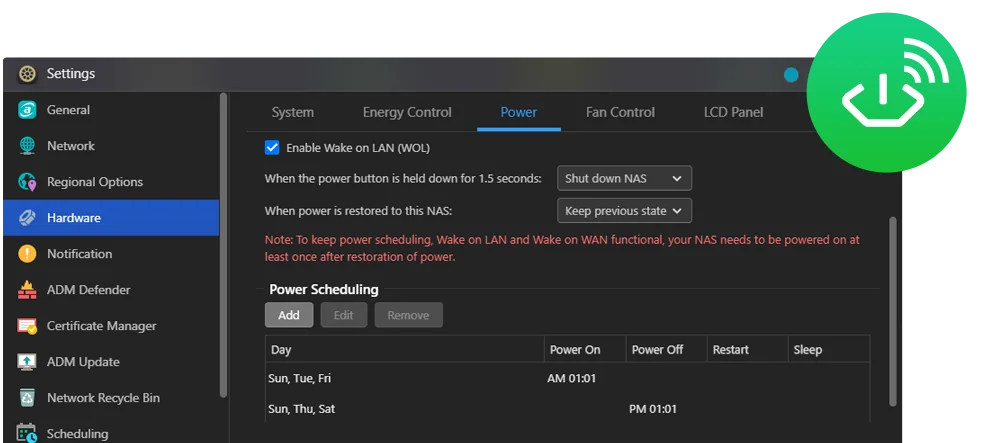
- In ADM > Settings > Hardware > Power, disable EuP and enable the option to return the NAS to its previous state once power is restored.
- When mains power returns, the NAS restarts automatically.
Scenario 2: Shutdown (when devices must start in order)
- Set Method to Shut down. The NAS powers off when there is an unexpected power cut.
- In Settings > Hardware > Power, set When power is restored to this NAS to Keep previous state.
- Power the NAS on manually once the rest of your network is back, for example when a server or switch must start first.
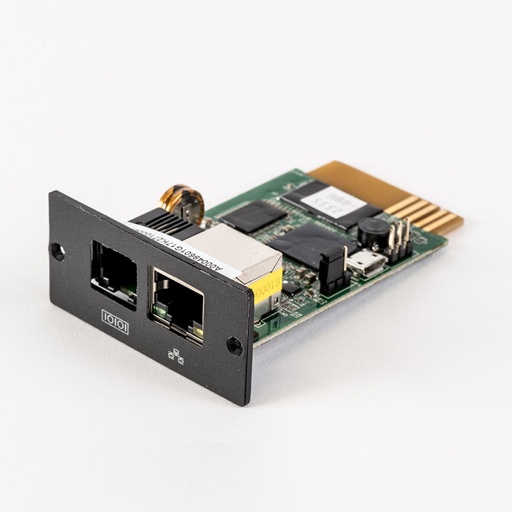
Also set how long the NAS waits on battery before shutting down. Short blips should not trigger a shutdown, but leave enough battery for a clean one. For several NAS or servers on one larger UPS, a network management card such as the PowerShield SNMP card lets multiple devices receive the shutdown signal over the network.
How much power does an ASUSTOR NAS use?
ASUSTOR's knowledge base notes a NAS uses much less power than a desktop computer or server; the hard drives and processor are the main consumers. Here are ASUSTOR's figures in operation:
Swipe the table sideways to compare all models →
| Model | Power in operation (ASUSTOR) | Power adapter or PSU | Bays |
|---|---|---|---|
| Drivestor 2 Gen2 (AS1202T) | 11.6 W | 65 W | 2 |
| Drivestor 4 Gen2 (AS1204T) | 22.8 W | 90 W | 4 |
| Drivestor 4 Pro Gen2 (AS3304T v2) | 25.1 W | 90 W | 4 |
| Nimbustor 4 Gen2 (AS5404T) | 38.3 W | 90 W | 4 |
| Lockerstor 4 Gen2+ (AS6704T v2) | 35 W | 90 W | 4 |
| Lockerstor 6 Gen2+ (AS6706T v2) | 48.5 W | 250 W | 6 |
| Lockerstor 4 Gen3 (AS6804T) | 34 W | 90 W | 4 |
| Flashstor 6 Gen2 (FS6806X) | 17.9 W | 90 W | 6 x M.2 |
Source: ASUSTOR specification pages, measured with drives installed. Add your router, modem and switch if they share the UPS.
For a quick sizing rule, add the NAS, the NBN modem or router and the switch, then choose a UPS rated comfortably above that in watts, not just VA. Leaving headroom gives longer runtime and room for a second drive set or a PoE switch later.
Which PowerShield UPS for an ASUSTOR NAS?
These are PowerShield models ARC IP Networks supplies, with figures from PowerShield's own specifications and its official run chart (minutes at the load shown, calculated at a 0.7 power factor under optimal conditions). A typical NAS plus router sits well below 300 VA, so real runtime is longer than the first column.
Swipe the table sideways to compare all models →
| PowerShield model | Rating | Type | Comms | Runtime at 300 VA | Runtime at 400 VA | Suits |
|---|---|---|---|---|---|---|
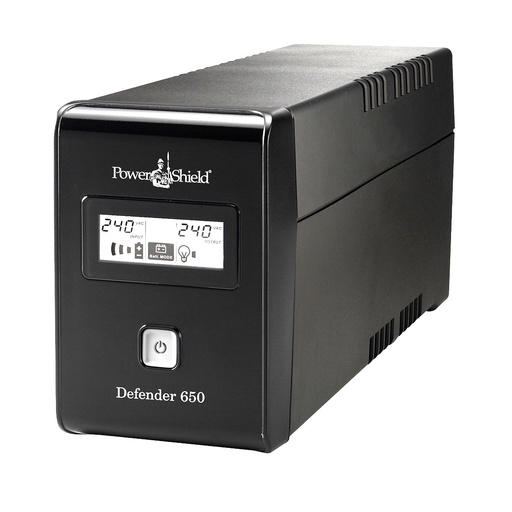
| Defender 650VA | 650 VA / 390 W | Line Interactive Simulated Sine Wave, Tower | USB | 12 min | 8 min | Two-bay home NAS plus modem |
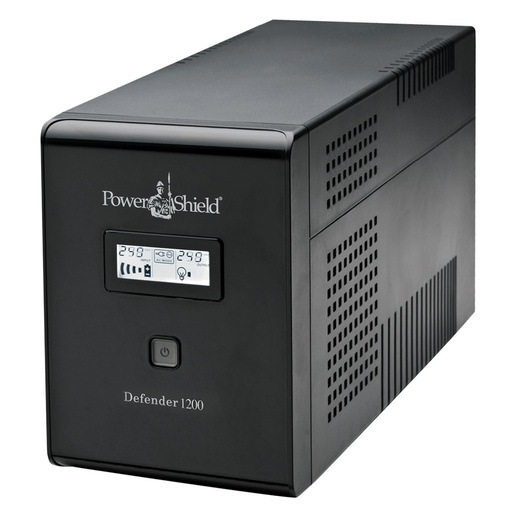
| Defender 1200VA | 1200 VA / 720 W | Line Interactive Simulated Sine Wave, Tower | USB | 25 min | 19 min | Four-bay home or home office NAS, router and switch |
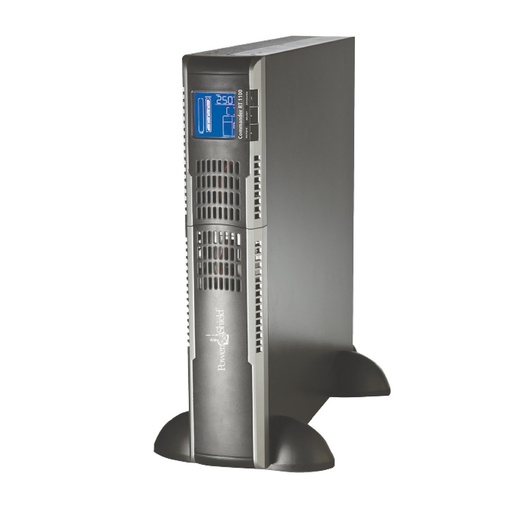
| Commander RT 1100VA | 1100 VA / 990 W | Line Interactive Pure Sine Wave, Rack / Tower | USB | Not listed in chart | Not listed in chart | Office NAS in a rack or on a shelf, pure sine output |
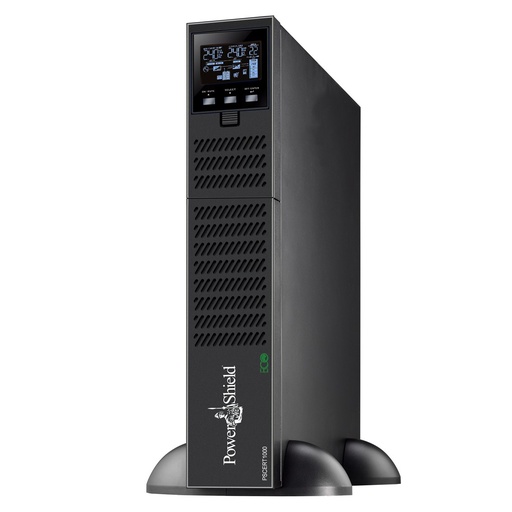
| Centurion RT 1000VA | 1000 VA / 900 W | True Online Double Conversion, Rack / Tower | USB | Not listed in chart | 32 min | Business NAS, true online protection |
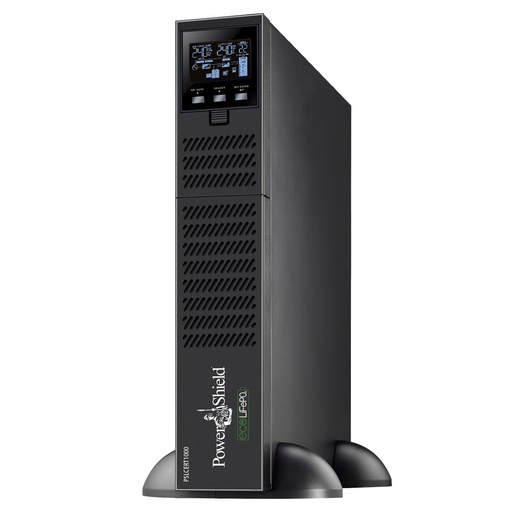
| Centurion RT LiFePO4 1000VA | 1000 VA / 900 W | True Online Double Conversion, Rack / Tower | USB (HID) | 44 min | 42 min | Business NAS, LiFePO4 battery |
Sources: PowerShield product specifications and PowerShield Comparison Run Chart. ARC IP Networks suggestions in the last column.
Line-interactive or online?
The Defender range is line-interactive with boost and buck voltage regulation and USB communication with PowerShield's NetGuard software, which suits most home NAS. The Commander RT adds pure sine wave output in a rack or tower case, with a USB port and an optional SNMP slot. The Centurion RT is true online double conversion, so the NAS always runs from the inverter, with the LiFePO4 version for a longer-life battery.
For more detail, see our best UPS for a NAS in Australia guide, the NAS UPS selection guide, the PowerShield runtime chart and the full PowerShield range.
Power settings in ADM that work with a UPS
- Power scheduling: ADM can shut the NAS down and power it on at set times, for example overnight on weekdays and all weekend, saving power.
- Disk hibernation: drives spin down after an idle period. ASUSTOR notes this saves power, reduces wear and lowers noise on lightly used NAS.
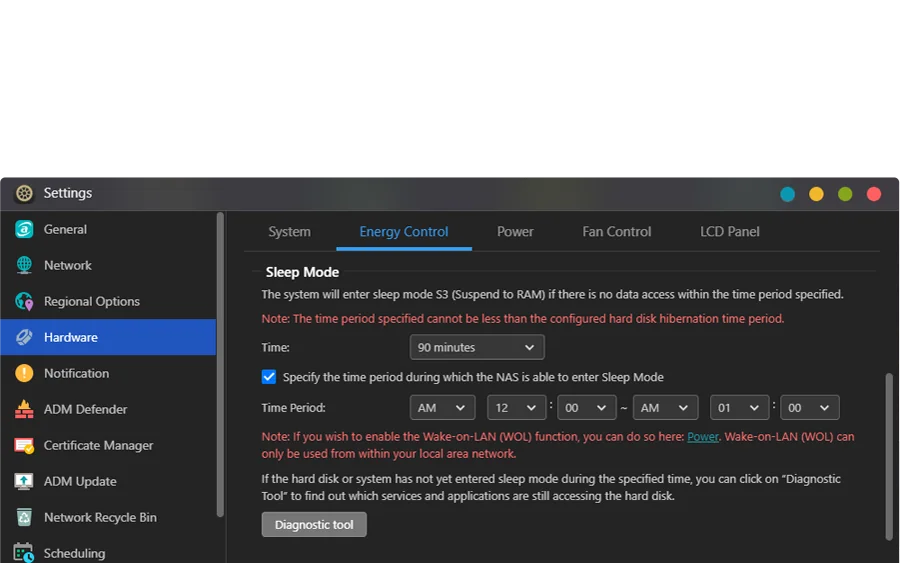
- Sleep mode (S3): on supported models the whole NAS sleeps when idle, with Wake on LAN and Wake on WAN to wake it.
- Power restore behaviour: as above, choose whether the NAS returns to its previous state after a blackout. ASUSTOR notes the NAS must be powered on at least once after power is restored for scheduling, Wake on LAN and Wake on WAN to keep working.
ASUSTOR also recommends shutting down and restarting the NAS periodically, for example around updates or maintenance, and keeping it in a dry, ventilated place.
PowerShield UPS for your NAS
Genuine PowerShield UPS. Current pricing is on each product page.
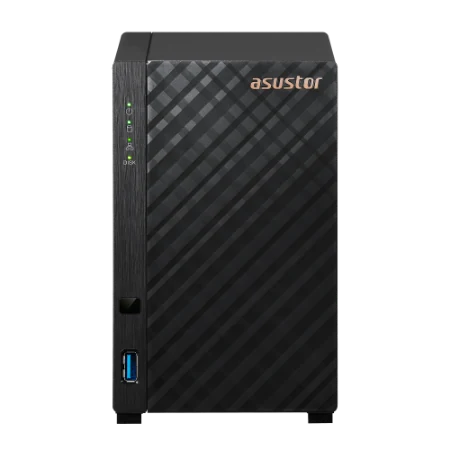
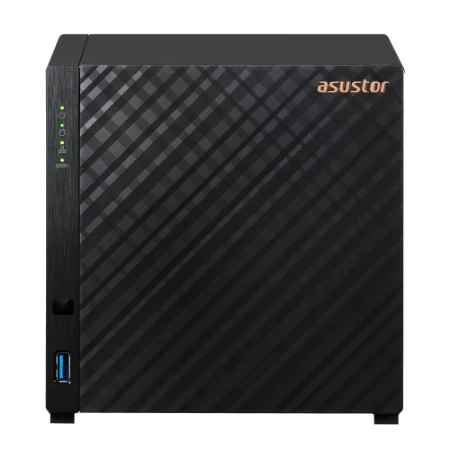
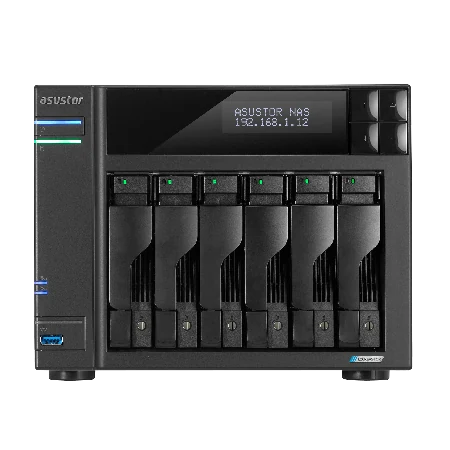
Genuine ASUSTOR NAS
Genuine ASUSTOR with the 3-year ASUSTOR warranty. Current pricing is on each product page.



Build it with ARC IP Networks
We supply genuine ASUSTOR NAS and genuine PowerShield UPS at competitive prices, and size the two together.
- UPS sized in watts for your NAS, modem, router and switch
- ADM Safe Mode or Shutdown set up and tested with a real power pull
- SNMP card network shutdown for several NAS or servers
- Battery replacement planning and warranty registration
- Trade and project pricing for installers and IT providers
Common questions
Straight answers from the ARC IP Networks team. Last reviewed October 2026.
Not strictly, but ASUSTOR calls a UPS a very good investment for anyone who values data security and availability. It lets the NAS shut down safely in a blackout, keeps 24/7 services running and reduces the risk of drive damage.
Plug the NAS into a battery outlet on the UPS and connect the UPS USB cable to the NAS. ADM shows the UPS under External Devices, UPS, where you choose Safe Mode or Shutdown under Preference.
Safe Mode unmounts all storage when power fails and restarts the NAS automatically when power returns. Shutdown powers the NAS off and, with Keep previous state set, waits for you to turn it on, which suits networks that need a start-up order.
Add the NAS power draw from its specification, plus your modem, router and switch, and choose a UPS rated comfortably above that in watts. ASUSTOR lists most two-bay and four-bay models between about 12 and 40 W in operation.
It depends on the load and battery. PowerShield's run chart lists the Defender 1200 at 25 minutes at 300 VA and the Centurion RT LiFePO4 1000 at 44 minutes at 300 VA. A NAS and router usually draw less, so runtime is longer.
A line-interactive UPS such as the PowerShield Defender suits most home and home office NAS. A true online UPS such as the Centurion RT always powers the NAS from its inverter, which suits business NAS and sites with poor power.
If you choose Safe Mode, disable EuP and enable the option to return to the previous state, the NAS restarts automatically when power is restored. In Shutdown mode with Keep previous state, you power it on manually.
ARC IP Networks is a trusted ASUSTOR supplier in Australia and also supplies genuine PowerShield UPS, with the full manufacturer warranty, Australia-wide delivery and competitive prices. Call 1300 100 440 for trade and project pricing.
Protect your NAS from blackouts
Tell us your NAS model and what else shares the power. We will size a PowerShield UPS and set up safe shutdown, with trade and project pricing.