RAID is not a backup. RAID keeps a NAS running when a drive fails, but it copies deletions, ransomware and corruption instantly. Follow the 3-2-1 backup rule: keep 3 copies of your data, on 2 different types of storage, with 1 copy offsite. For the array itself, RAID 5 (3+ drives) survives one drive failure and loses one drive of capacity; RAID 6 (4+ drives) survives two failures and loses two.
Quick pick: 2-bay NAS → RAID 1 plus a cloud or USB backup; 4-bay home NAS → RAID 5 plus snapshots and a cloud copy; business data on 4 to 6 bays → RAID 6, snapshots, Cloud Backup Center and an offline MyArchive drive. ARC IP Networks is a trusted ASUSTOR supplier in Australia, with genuine ASUSTOR NAS, the full manufacturer warranty and Australia-wide delivery.
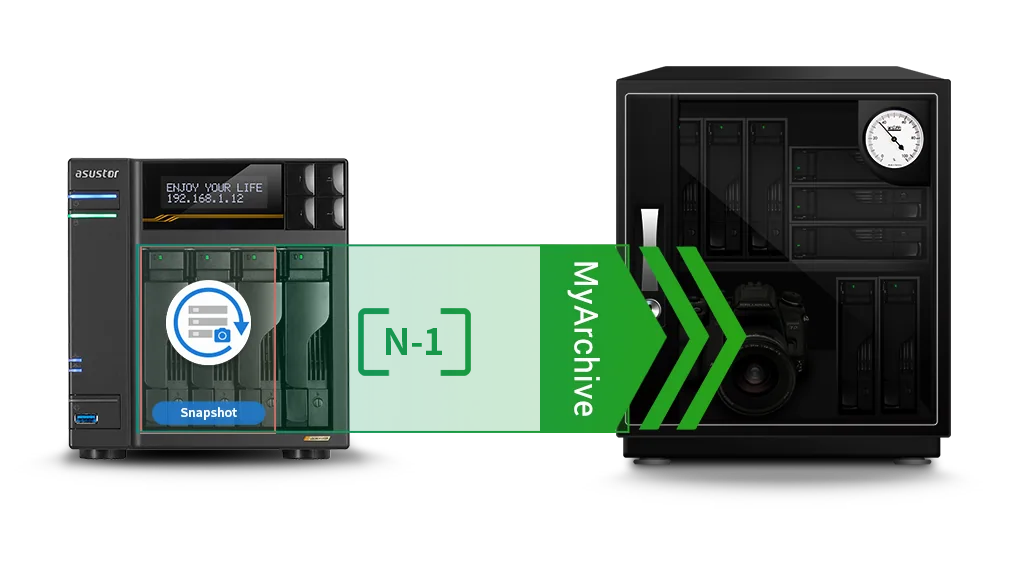
RAID is not a backup: what each layer protects against
RAID (redundant array of independent disks) spreads data across drives so that one or two drive failures do not take the NAS offline. It does nothing when the data itself goes wrong: a deleted folder, an overwritten spreadsheet, ransomware or a fire. Every change is written to every drive straight away. That is why a NAS needs three layers: RAID for uptime, snapshots for quick rollback, and real backups on separate storage.
| Threat | RAID | Snapshots | Offsite backup |
|---|---|---|---|
| One drive fails | Protected | No | Protected |
| Two drives fail at once | RAID 6 only | No | Protected |
| File deleted or overwritten | No | Protected | Protected |
| Ransomware encrypts shares | No | Usually | Protected |
| NAS stolen, fire, flood | No | No | Protected |
| NAS hardware fails | No | No | Protected |
General guide. Snapshots live on the same NAS, so they do not survive the loss of the NAS itself.
The 3-2-1 backup rule explained
The 3-2-1 rule is the standard way to make sure no single event can destroy your data:
- 3 copies of every important file: the working copy plus two backups.
- 2 different types of storage, for example the NAS plus a cloud bucket, or the NAS plus an external or removable drive, so one fault cannot hit both.
- 1 copy offsite, in another building or in the cloud, so a fire, flood, break-in or power surge at your home or office leaves a copy safe.
Many businesses now add one more step: keep one copy offline or immutable, which ransomware cannot reach, and test a restore regularly. A backup you have never restored from is only a hope.
A 3-2-1 plan on an ASUSTOR NAS
| Copy | Where it lives | ASUSTOR tool |
|---|---|---|
| 1. Working data | NAS volume in RAID 1, 5 or 6 | Storage Manager, Snapshot Center for rollback |
| 2. Second medium | USB drive or MyArchive removable drive | USB one-touch backup, MyArchive (on supported models) |
| 3. Offsite | Cloud storage or a second NAS at another site | Cloud Backup Center, DataSync Center |
ARC IP Networks example plan. Tool names from ASUSTOR's product overview and specification pages.
RAID 5 vs RAID 6: which should you use?
RAID 5 stores one block of parity across the drives; RAID 6 stores two. Parity is the maths that lets the NAS rebuild a missing drive. More parity means more protection but less usable space and a little more work on every write.
Swipe the table sideways to compare all models →
| RAID 1 | RAID 5 | RAID 6 | RAID 10 | |
|---|---|---|---|---|
| Minimum drives | 2 | 3 | 4 | 4 |
| Drive failures survived | 1 | 1 | 2 | 1 per mirrored pair |
| Usable capacity | 1 drive | All drives minus 1 | All drives minus 2 | Half the drives |
| 4 × 8 TB usable | - | 24 TB | 16 TB | 16 TB |
| 4 × 12 TB usable | - | 36 TB | 24 TB | 24 TB |
| 6 × 10 TB usable | - | 50 TB | 40 TB | 30 TB |
| Best for | 2-bay NAS | Home, media, small office | Business data, large drives | Speed and databases |
Standard RAID formulas, usable capacity before formatting. Drive makers count 1 TB as one trillion bytes, so ADM shows slightly less.
Why RAID 6 matters more as drives get bigger
When a drive fails in RAID 5, the NAS rebuilds onto the replacement by reading every other drive end to end. With 8, 10 or 12 TB drives that takes many hours, and the array has no protection until it finishes. A second failure, or an unreadable sector on another drive, during that window can lose the volume. RAID 6 keeps one drive's worth of protection during the rebuild. For irreplaceable business data on four or more large drives, RAID 6 is the safer choice; for a home media library that is also backed up elsewhere, RAID 5 gives more space.
ASUSTOR's specification pages list migration from RAID 5 to RAID 6 on every 4 and 6-bay model in this guide, as well as from a single drive or RAID 1 to RAID 5, 6 or 10. They also list hot spare support for RAID 1 and RAID 5 on the 4-bay hard-drive models. Read our IronWolf vs Exos drive guide to size the drives.
Which ASUSTOR NAS models support RAID 6?
RAID 6 needs at least four drives, so it is available on every ASUSTOR model in our range with four or more bays or M.2 slots. Two-bay models support Single, JBOD, RAID 0 and RAID 1.
Swipe the table sideways to compare all models →
| Model | Bays | Supported RAID levels | RAID 6 |
|---|---|---|---|
| Drivestor 2 Gen2 AS1202T | 2 | Single, JBOD, RAID 0, RAID 1 | No (2 bays) |
| Drivestor 4 Gen2 AS1204T | 4 | Single, JBOD, RAID 0, RAID 1, RAID 5, RAID 6, RAID 10 | Yes |
| Drivestor 2 Pro Gen2 AS3302T v2 | 2 | Single, JBOD, RAID 0, RAID 1 | No (2 bays) |
| Drivestor 4 Pro Gen2 AS3304T v2 | 4 | Single, JBOD, RAID 0, RAID 1, RAID 5, RAID 6, RAID 10 | Yes |
| Nimbustor 2 Gen2 AS5402T | 2 | Single, JBOD, RAID 0, RAID 1 | No (2 bays) |
| Nimbustor 4 Gen2 AS5404T | 4 | Single, JBOD, RAID 0, RAID 1, RAID 5, RAID 6, RAID 10 | Yes |
| Lockerstor 2 Gen2+ AS6702T v2 | 2 | Single, JBOD, RAID 0, RAID 1 | No (2 bays) |
| Lockerstor 4 Gen2+ AS6704T v2 | 4 | Single, JBOD, RAID 0, RAID 1, RAID 5, RAID 6, RAID 10 | Yes |
| Lockerstor 6 Gen2+ AS6706T v2 | 6 | Single, JBOD, RAID 0, RAID 1, RAID 5, RAID 6, RAID 10 | Yes |
| Lockerstor 4 Gen3 AS6804T | 4 | Single, JBOD, RAID 0, RAID 1, RAID 5, RAID 6, RAID 10 | Yes |
| Flashstor 12 Pro FS6712X | 12 x M.2 SSD | Single, JBOD, RAID 0, RAID 1, RAID 5, RAID 6, RAID 10 | Yes |
| Flashstor 6 Gen2 FS6806X | 6 x M.2 SSD | Single, JBOD, RAID 0, RAID 1, RAID 5, RAID 6, RAID 10 | Yes |
Source: ASUSTOR specification pages ("Supported RAID levels").
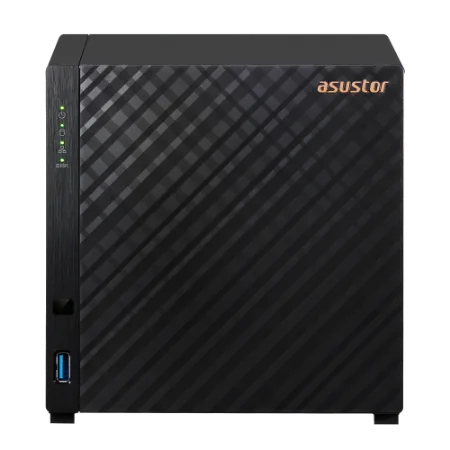
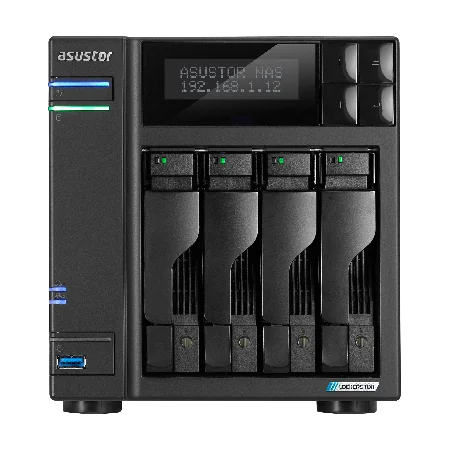
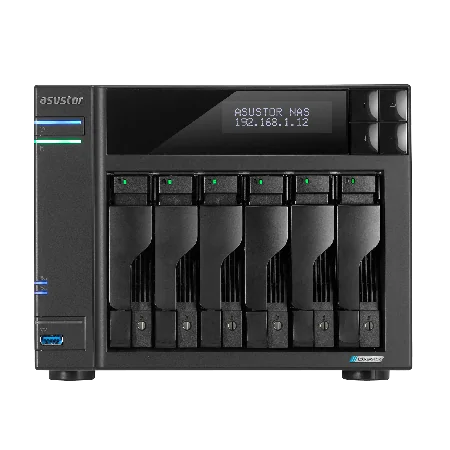
Snapshots: undo button for deletions and ransomware
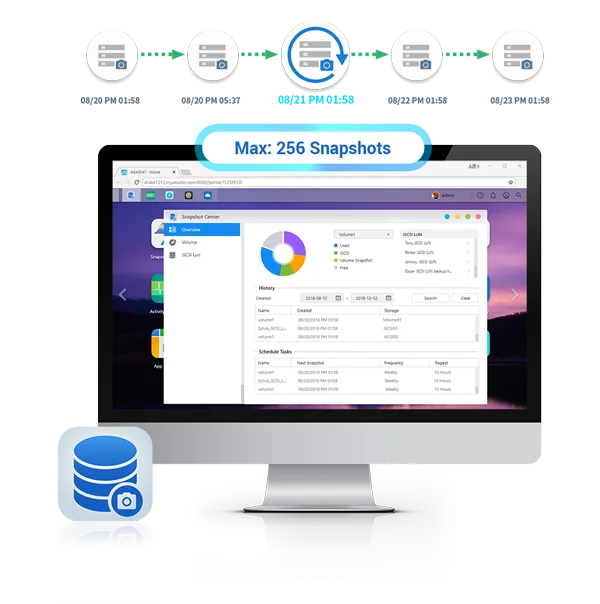
A snapshot records the state of a volume at a point in time. Because Btrfs only stores the blocks that change, snapshots are quick to take and use little space, and you can roll a folder back to how it was an hour ago. ASUSTOR's Snapshot Center works with Btrfs and iSCSI volumes. On the AS5402T, AS5404T, Lockerstor and Flashstor models, ASUSTOR states it keeps up to 256 snapshots of a volume and can take one every five minutes. ASUSTOR also lists Btrfs snapshots for the Drivestor Gen2 (AS1202T, AS1204T) and the Drivestor Pro Gen2, which ASUSTOR describes as its first ARM NAS to support Btrfs.
ASUSTOR notes that snapshots can be used to respond to ransomware. Keep in mind that snapshots live on the same NAS: they are a fast first line of recovery, not a substitute for an offsite copy.
ASUSTOR backup tools for the offsite copy
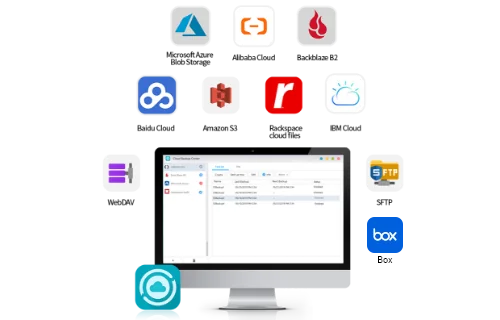
Cloud Backup Center
Cloud Backup Center backs up the NAS to business cloud storage on a schedule. Across the model pages, ASUSTOR lists services including Amazon S3, Backblaze B2, Microsoft Azure Blob Storage, IBM Cloud, Rackspace Cloud Files, Alibaba Cloud, SFTP and WebDAV, and on most models Google Cloud Storage, Box and Lyve Cloud too. This is the simplest way to get the "1 offsite" copy without a second building.
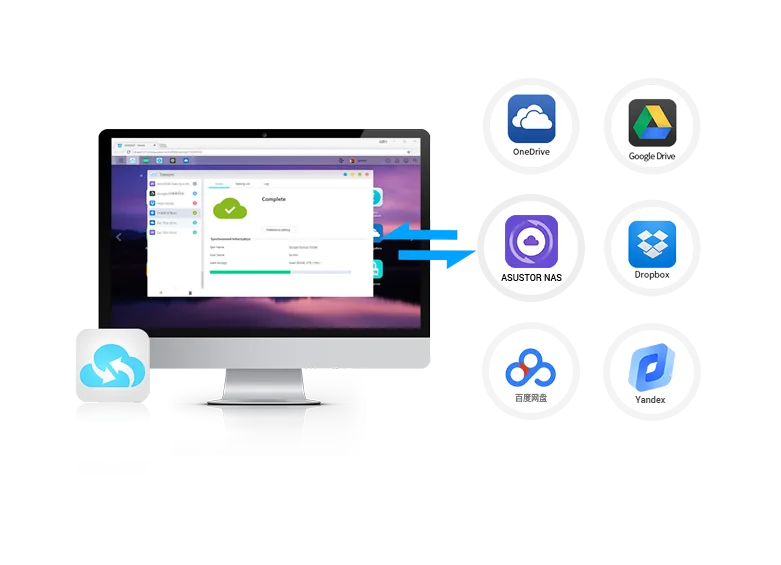
DataSync Center
DataSync Center combines personal cloud services in one app, including Google Drive, Dropbox, OneDrive and Yandex, with support for multiple accounts. It suits syncing a team's cloud folders down to the NAS so there is a local copy of what lives in the cloud.
MyArchive: removable cold backup drives
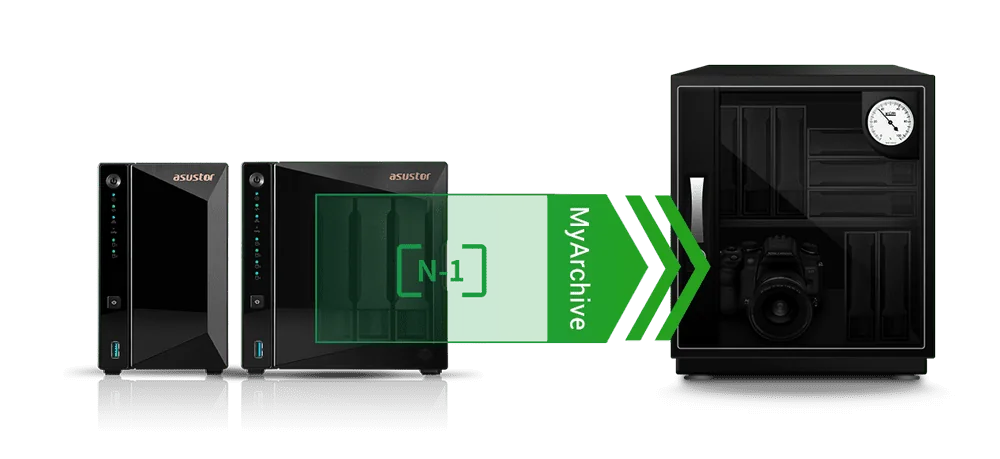
MyArchive turns a normal NAS hard drive into a removable archive drive. You back up to it in a free bay, pull it out and store it somewhere else: a safe, a drawer at a second office or a family member's house. An unplugged drive is out of reach of ransomware and power surges. ASUSTOR lists hot-swap support, AES 256-bit encryption and Btrfs snapshots for MyArchive drives.
Check your model: MyArchive appears in the specifications of the Drivestor Pro Gen2 (AS3302T v2, AS3304T v2), AS5402T, AS5404T, Lockerstor Gen2+ and Lockerstor 4 Gen3. It is not listed for the Drivestor Gen2 (AS1202T, AS1204T) or the all-flash Flashstor models, and ASUSTOR's overview notes MyArchive is not applicable to the AS10 and AS11 Drivestor series. On those models, use USB backup or Cloud Backup Center for the second medium.
Protecting a NAS from ransomware
Ransomware targets network shares, so a NAS needs the same care as a server. ASUSTOR lists a built-in firewall, ADM Defender, ClamAV antivirus, 2-Step Verification, VPN and SSL connections, automatic logout and AES-256 folder encryption in ADM. Good practice on top of that:
- Keep ADM and apps updated, and do not expose the admin page directly to the internet.
- Turn on 2-Step Verification and use separate accounts with only the access each person needs.
- Schedule frequent snapshots so you can roll back an encrypted share.
- Keep one backup offline (a MyArchive or USB drive) or in a cloud bucket the NAS cannot delete from.
- Test a restore every few months.
The Australian Cyber Security Centre's Essential Eight lists regular backups as one of its core mitigation strategies for organisations.
Power protection: the step most NAS owners skip
A blackout or brownout in the middle of a write can corrupt a volume or start a long RAID resync. A UPS keeps the NAS running long enough for ADM to shut down cleanly. Every Lockerstor Gen2+ model has a USB 2.0 port that ASUSTOR says is there for UPS devices, printers and similar low-speed gear. Storms, summer heatwaves and rural power all make this worthwhile in Australia: see our best UPS for a NAS in Australia guide.
Backups in Australia: fire, flood and privacy
Bushfires, floods, cyclones and severe storms can take out a home or office and everything in it. An offsite copy needs to be far enough away not to share the same risk, so a cloud region or a second site in another suburb or town is safer than a drive in the same building. Plan for the first cloud upload to take a while on an NBN connection, since upload speeds are lower than download; after that, only changes are sent.
If your business holds personal information about customers, patients or staff, privacy obligations such as the Privacy Act 1988 may apply, and good backups and access control are part of looking after that information. This guide is general information, not legal advice; check your own obligations with a professional.
Which backup setup for which Australian buyer
ARC IP Networks suggestions.
| Buyer | NAS and RAID | Backup copies |
|---|---|---|
| Family photos and home backups | AS1204T, RAID 5 | Btrfs snapshots + USB drive + cloud backup |
| Single user, two bays | AS1202T, RAID 1 | USB drive + cloud backup |
| Home studio or Plex | AS5404T-8TB, RAID 5 | Snapshots + MyArchive drive + cloud for projects |
| Trades or real estate office | AS6704T v2, RAID 6 | Snapshots + Cloud Backup Center + MyArchive |
| Accounting, law or medical practice | AS6706T-V2-10TB, RAID 6 | Snapshots + cloud + offline MyArchive rotated offsite |
| Video team | AS6804T, RAID 6 | Snapshots + second NAS or cloud + MyArchive archive |
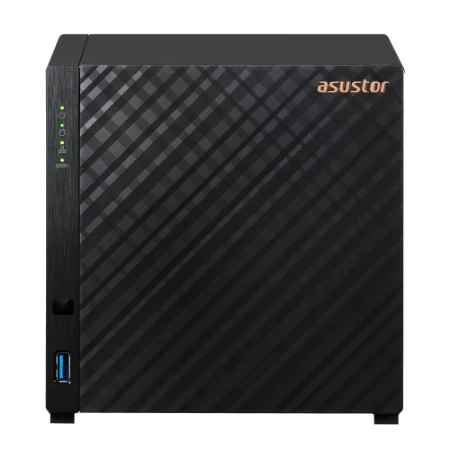
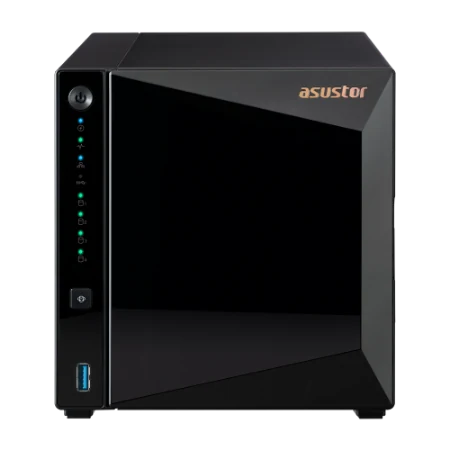
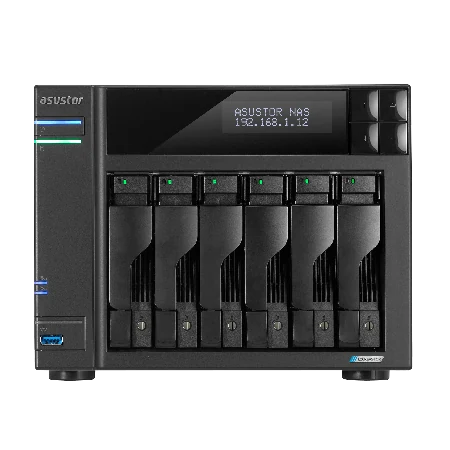
Shop ASUSTOR NAS for RAID 6 and backup
Live Australian pricing (inc. GST) is on each product page.



Common questions
Straight answers from the ARC IP Networks team. Last reviewed October 2026.
The 3-2-1 backup rule means keeping 3 copies of your data, on 2 different types of storage, with 1 copy offsite. For a NAS, that is usually the NAS itself, a USB or removable drive, and a cloud or second-site copy.
No. RAID keeps a NAS running when a drive fails, but deletions, ransomware and corruption are written to every drive instantly. You still need snapshots and a separate backup, ideally offsite.
RAID 5 needs at least 3 drives, survives 1 drive failure and uses one drive of capacity for parity. RAID 6 needs at least 4 drives, survives 2 drive failures and uses two drives of capacity. With four 8 TB drives, RAID 5 gives about 24 TB usable and RAID 6 about 16 TB.
Use RAID 5 when you want more space and the data is also backed up elsewhere, such as a home media library. Use RAID 6 for business data or large drives, because it stays protected if a second drive fails during a rebuild.
Every ASUSTOR model in our range with four or more bays supports RAID 6: AS1204T, AS3304T v2, AS5404T, AS6704T v2, AS6706T v2, AS6804T, FS6712X and FS6806X. Two-bay models support RAID 0 and RAID 1.
Yes, on ASUSTOR 4 and 6-bay models. ASUSTOR's specifications list migration from RAID 5 to RAID 6, and from a single drive or RAID 1 to RAID 5, RAID 6 or RAID 10. Back up before any migration.
Use Cloud Backup Center in ADM. ASUSTOR lists services including Amazon S3, Backblaze B2, Microsoft Azure Blob Storage, Alibaba Cloud, SFTP and WebDAV, and Google Cloud Storage on most models.
Snapshots help. ASUSTOR says snapshots can be used to respond to ransomware, and Snapshot Center keeps up to 256 snapshots of a volume on supported models. Because snapshots stay on the NAS, keep an offline or offsite backup as well.
MyArchive is listed in the specifications of the Drivestor Pro Gen2 (AS3302T v2, AS3304T v2), AS5402T, AS5404T, Lockerstor Gen2+ and Lockerstor 4 Gen3. It is not listed for the Drivestor Gen2 (AS1202T, AS1204T) or the Flashstor models.
ARC IP Networks is a trusted ASUSTOR supplier in Australia, with genuine ASUSTOR NAS and Seagate drive bundles, competitive prices and Australia-wide delivery. Order at arcip.com.au or call 1300 100 440 for help planning RAID and backups.
Want a backup plan that actually restores?
Tell us what you store and how much downtime you can live with. ARC IP Networks will design the NAS, RAID level, snapshots, cloud backup and UPS, with trade and project pricing.
More ASUSTOR guides
- Back Up Windows, Mac and Linux to an ASUSTOR NAS (with Snapshots)
- NAS Ransomware Protection: Prevent, Resist and Recover With ASUSTOR (Australia)
- Is Your NAS Secure? 7 Ways to Lock Down an ASUSTOR NAS (Australia)
- NAS RAID Explained: RAID 1, 5, 6 and 10 for ASUSTOR (Australia)
- Does a NAS Need a UPS? Protect Your ASUSTOR NAS (Australia)
- NAS vs Cloud Storage: What is Right for Australians?