Cloud storage keeps your files on a provider's servers that you reach over the internet; a NAS is your own "private cloud" at home or in the office. For most Australians the best answer is both, a hybrid cloud: keep everyday files on a NAS for fast local access, large capacity and no per-terabyte fees, and back the NAS up to a public cloud for an offsite copy.
ASUSTOR compares the two to renting versus owning a home: the cloud has no upfront cost and the landlord maintains it; a NAS costs more at the start but you own it and control it. ARC IP Networks is a trusted ASUSTOR supplier in Australia: genuine ASUSTOR NAS and accessories at competitive prices, with the full ASUSTOR manufacturer warranty, Australia-wide delivery and trade pricing.
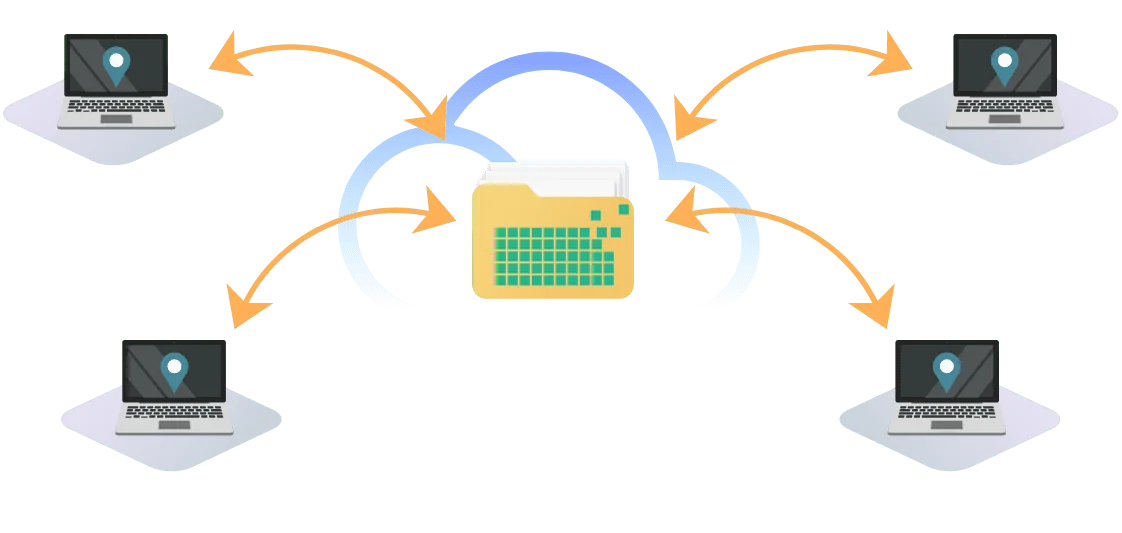
NAS vs cloud storage at a glance
| Public cloud | NAS (private cloud) | |
|---|---|---|
| Upfront cost | None: pay for what you use | Buy the NAS and drives once |
| Ongoing fees | Monthly or yearly, rising with usage | Power and occasional drive upgrades |
| Speed | Limited by your NBN, especially upload | Local network speed: ASUSTOR lists 2.5GbE at 298 MB/s |
| Capacity | Scales on demand | As many drives as you install, expandable |
| Privacy and control | Provider's servers and terms | Data stays on your premises; you set the permissions |
| IT effort | Low for simple use | Some setup; ASUSTOR's ADM keeps it straightforward |
| Offsite protection | Built in | Add a cloud or second-site backup |
Pros and cons from ASUSTOR's cloud storage solution page, summarised by ARC IP Networks.
What is cloud storage?
ASUSTOR defines cloud storage as storing and managing data "in the cloud": providers keep your files on internet-connected servers, and you reach them from any device with a connection. It is used for access across devices, backups, sharing and collaboration, remote work and data processing.
Is it secure? ASUSTOR's view is that cloud storage can be secure when configured properly, but security depends on the provider's measures, on how users behave, and on whether proper 3-2-1 backups exist. Both public cloud services and a NAS can back up and sync automatically, and for ASUSTOR NAS owners a public cloud makes a useful extra backup.
Common services and their free tiers
ASUSTOR lists Google Drive, Dropbox, Microsoft OneDrive, Amazon Web Services and iCloud as common services. The free allowances it recorded are below.
| Service | Free storage (ASUSTOR, 2024) | Typical audience (ASUSTOR) |
|---|---|---|
| Google Drive | 15 GB | Widely used |
| Dropbox | 2 GB | Personal and business users |
| Microsoft OneDrive | 5 GB | Widely used |
| Amazon Web Services | Not applicable | Businesses and developers |
| iCloud | 5 GB | Personal users and Apple product users |
| Private cloud NAS | Unlimited by subscription: limited only by your drives | Widely used |
Compiled by ASUSTOR from public information, last updated 2024, for information only. Check each provider for current Australian plans.
Public cloud vs private cloud: renting vs owning
Public cloud: remote use and offsite backups
Third-party providers run the hardware and charge by usage, which keeps costs low for light users. ASUSTOR's list of advantages: no initial investment, quick deployment, low IT overhead in simple cases, and the flexibility to scale storage and computing up or down at any time. The downsides it lists are possible privacy issues and slow transfer rates.
Private cloud (NAS): always nearby
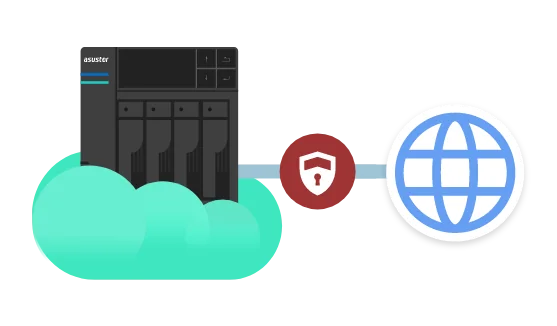
A NAS keeps data on your own premises and, unless you open it up, inside your own network, which ASUSTOR says reduces the risk of leaks. Because storage is local, access is usually faster than the public cloud, which matters for large files. There are no fees for accessing your own files, and you have full control over permissions and settings. The trade-off is the initial hardware purchase.

The Australian factor: your NBN upload speed
Cloud storage is only as fast as your internet connection, and on most NBN plans the upload speed is a fraction of the download. That matters most when you first back up a large library to the cloud. The table is simple arithmetic for uploading 1 TB.
| NBN upload speed | Time to upload 1 TB | On a local 2.5GbE NAS |
|---|---|---|
| 20 Mbps | About 4.6 days | About 58 minutes (ASUSTOR figure) |
| 50 Mbps | About 1.9 days | About 58 minutes |
| 100 Mbps | About 22 hours | About 58 minutes |
Upload times are theoretical (1 TB x 8 / upload speed) with no overhead. The NAS figure is ASUSTOR's 1 TB transfer time over 2.5GbE.
This is why the hybrid approach works so well in Australia. Work at local-network speed on the NAS, and let the NAS trickle changes to the cloud overnight. After the first upload, daily backups only send what changed.
Hybrid cloud: public cloud plus a NAS
ASUSTOR explains that hybrid clouds have become mainstream because they combine the strengths of both: run files and apps on the private NAS, and use the public cloud as a backup. It lists five benefits:
- Flexible deployment and easy expansion: burst into the cloud when you need more resources, then come back to local storage when demand drops.
- Data security: keep sensitive data on premises for more control, and put non-sensitive or compute-heavy work in the cloud.
- Cost-effectiveness: public clouds can get expensive for long-term storage; a hybrid lets you balance cost and benefit.
- Disaster recovery and offsite backups: copies in different environments protect against a disaster at one site.
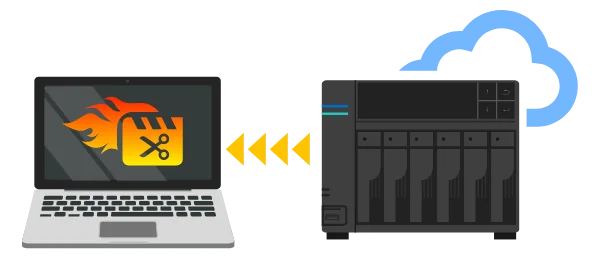
- Performance and lower latency: files that need fast access stay close to the computers that use them, such as a media studio on its local network.



Setting up a hybrid cloud with an ASUSTOR NAS
- Make the NAS your main store. Map shared folders on every computer and point phone backups and photo apps at the NAS.
- Protect it locally. Use RAID and turn on snapshots for quick rollback after a mistake or ransomware.
- Back up to the cloud. ASUSTOR's Cloud Backup Center and DataSync Center send copies of NAS folders to cloud services you choose.
- Keep an offline copy. A USB drive or a MyArchive drive stored away from the NAS covers the worst case.
That is the 3-2-1 rule in practice. Our 3-2-1 backup guide covers each step, and our Google Photos replacement guide shows how to bring a photo library home.
Which is right for you?
| You are... | Best fit | Why |
|---|---|---|
| A light user with a few GB of documents | Public cloud free tier | No hardware needed |
| A family with years of photos and videos | NAS plus a cloud backup | Large capacity without a growing monthly bill |
| A small business with shared files | NAS plus a cloud backup | Fast local access, permissions, offsite copy |
| A creative studio with large media | NAS first, cloud for finished work | Local network speed for editing |
| A business with sensitive client data | NAS with encrypted offsite backup | You know where the data is stored |
ARC IP Networks guidance based on ASUSTOR's comparison.
Still deciding whether you need a NAS at all? Read what is a NAS and do you need one.
ASUSTOR NAS for a private or hybrid cloud
Swipe the table sideways to compare all models →
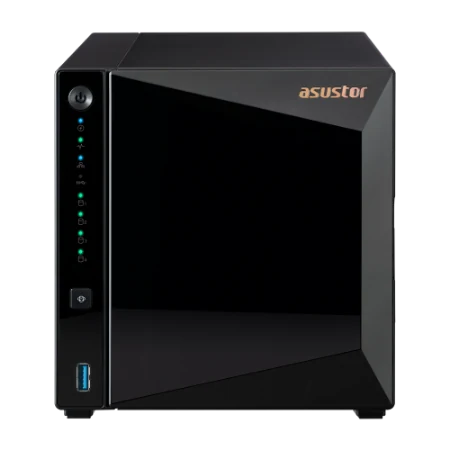
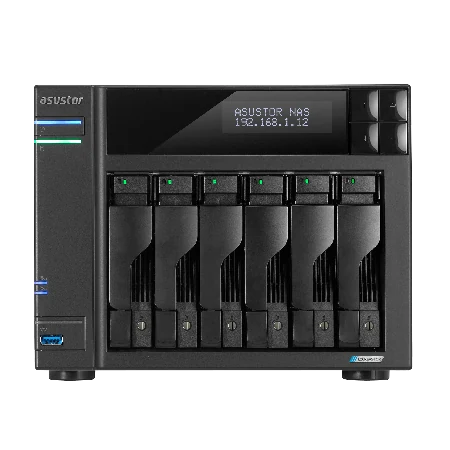
| Spec | AS1204T | AS3304T v2 | AS5404T | AS6704T v2 | AS6706T v2 | AS6804T |
|---|---|---|---|---|---|---|
| Name | Drivestor 4 Gen2 | Drivestor 4 Pro Gen2 | Nimbustor 4 Gen2 | Lockerstor 4 Gen2+ | Lockerstor 6 Gen2+ | Lockerstor 4 Gen3 |
| Drive bays | 4 | 4 | 4 + 4 x M.2 | 4 + 4 x M.2 | 6 + 4 x M.2 | 4 + 4 x M.2 |
| Processor | Realtek RTD1619B | Realtek RTD1619B | Celeron N5105 | Celeron N5105 | Celeron N5105 | Ryzen V3C14 |
| Memory | 1 GB | 2 GB | 4 GB | 4 GB | 8 GB | 16 GB |
| Network | 2.5GbE | 2.5GbE | Dual 2.5GbE | Dual 5GbE | Dual 5GbE | Dual 10GbE + Dual 5GbE |
| Max raw capacity | 72 TB | 72 TB | 72 TB | 72 TB | 108 TB | 72 TB |
| Warranty | 3 Years | 3 Years | 3 Years | 3 Years | 3 Years | 3 Years |
Source: ASUSTOR specifications. Maximum raw capacity is ASUSTOR's figure with 18 TB drives.
Homes usually start with the Drivestor 4 Gen2 or Drivestor 4 Pro Gen2; households that also stream choose the AS5404T; offices pick the Lockerstor 4 Gen2+, Lockerstor 6 Gen2+ or Lockerstor 4 Gen3. Our buying guide compares them in detail.
Build your private cloud with ARC IP Networks
| Use | Suggested ARC IP order |
|---|---|
| Family private cloud | AS1204T with IronWolf 4 TB |
| Home office plus media | AS5404T with IronWolf 8 TB |
| Small business file server | AS6704T v2 with IronWolf 10 TB |
| Growing business with an archive | AS6706T v2 with Exos X24 12 TB |
Bundles include one drive; add matching drives for RAID. Trade and project pricing is available for MSPs and integrators.
Compare every bundle in our ASUSTOR bundles guide and drive options in our NAS hard drive guide.
Shop genuine ASUSTOR NAS for your private cloud
Genuine ASUSTOR at competitive prices. Live Australian pricing (inc. GST) and availability are on each product page.



Common questions
Straight answers from the ARC IP Networks team. Last reviewed October 2026.
Cloud storage keeps your files on a provider's internet-connected servers, so you can reach them from any device with a connection. It is used for backups, sharing, collaboration and remote work.
For large amounts of data, a NAS is usually faster on your local network, has no per-terabyte fees and keeps data on your premises. Cloud storage needs no upfront hardware and is offsite by nature. Most Australians get the best result from both: a NAS backed up to the cloud.
A hybrid cloud combines a private cloud, such as a NAS, with a public cloud. ASUSTOR lists five benefits: flexible expansion, data security, cost-effectiveness, disaster recovery with offsite backups, and better performance with lower latency.
ASUSTOR's view is that cloud storage can be secure when configured correctly, but security depends on the provider, on user behaviour and on whether proper 3-2-1 backups exist.
At 20 Mbps upload it takes about 4.6 days in theory; at 100 Mbps, about 22 hours. On a local 2.5GbE NAS, ASUSTOR gives about 58 minutes for 1 TB. After the first upload, backups only send changes.
Yes. ASUSTOR offers Cloud Backup Center and DataSync Center to send copies of NAS folders to cloud services, which gives you an offsite copy for the 3-2-1 rule.
Yes. A NAS gives you cloud-style access to your own files from computers and phones, but the data stays on hardware you own, in your home or office.
ARC IP Networks is a trusted ASUSTOR supplier in Australia, with genuine ASUSTOR NAS and Seagate drive bundles at competitive prices, the full manufacturer warranty and Australia-wide delivery. Call 1300 100 440 for advice or trade pricing.
Weighing up NAS vs cloud?
Tell us how much data you have, who needs access and your NBN plan. We will design a NAS plus cloud backup setup, with trade and project pricing.