A NAS bundle is a NAS sold with a hard drive already included. At ARC IP Networks each ASUSTOR bundle pairs the NAS with one Seagate drive: an IronWolf 4, 8 or 10 TB NAS drive or an Exos X24 12 TB enterprise drive. Bundles are worth it when you want a NAS that works on day one, and some 4 TB bundles cost about the same as the diskless unit. The catch: one drive has no RAID protection, so plan to add a matching second drive and back up.
Quick pick: first home NAS → AS1204T + 4 TB; Plex or creators → AS5402T + 4 TB; small business → AS6704T v2 + 4 TB; video teams → AS6804T + Exos 12 TB. ARC IP Networks is a trusted ASUSTOR supplier in Australia, with genuine stock and Australia-wide delivery.
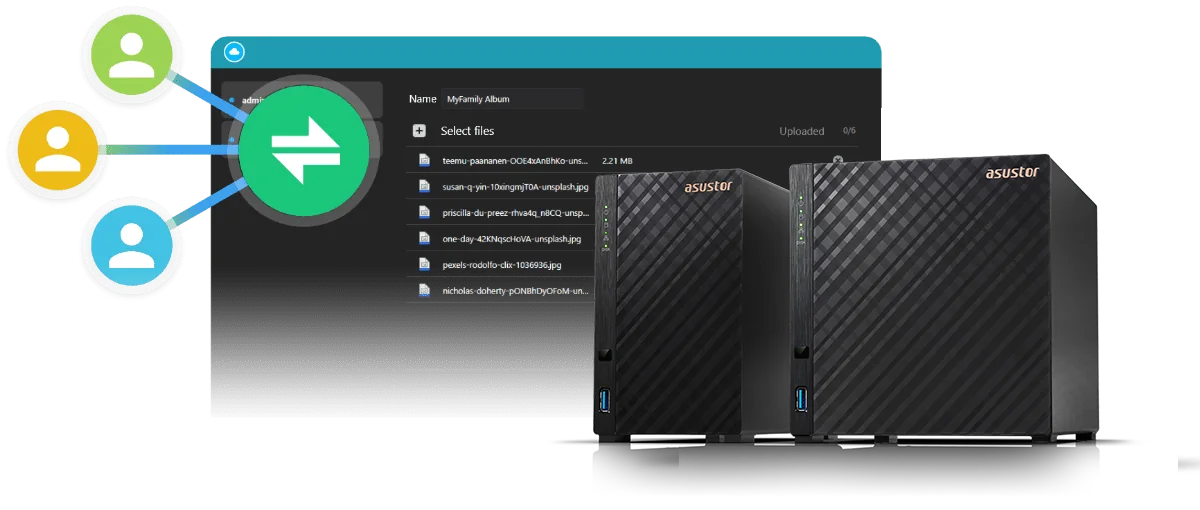
What is in an ASUSTOR NAS bundle?
Most NAS units are sold diskless: you buy the enclosure and the drives separately. A bundle includes one Seagate drive in the box, so you can set up the NAS, create a volume and start backing up straight away. Each bundle is the same genuine ASUSTOR NAS with its 3-year ASUSTOR warranty; the drive carries Seagate's own warranty.
Swipe the table sideways to compare all models →
| Drive in the bundle | Type | Spindle speed | Cache | Workload rating | Seagate warranty |
|---|---|---|---|---|---|
| IronWolf 4TB (ST4000VN006) | NAS drive | 5400 RPM class | 256 MB | 180 TB/year | 3 years |
| IronWolf 8TB (ST8000VN004) | NAS drive | 7200 RPM | 256 MB | 180 TB/year | 3 years |
| IronWolf 10TB (ST10000VN000) | NAS drive | 7200 RPM | 256 MB | 180 TB/year | 3 years |
| Exos X24 12TB (ST12000NM002H) | Enterprise drive | 7200 RPM | 512 MB | 550 TB/year | 5 years |
Source: Seagate product datasheets. All four drives are 3.5-inch SATA 6Gb/s.
IronWolf is Seagate's NAS range, built for drives that run around the clock in a multi-bay enclosure. Exos X24 is Seagate's enterprise range, with a higher workload rating (550 TB a year against 180 TB) and a 5-year warranty, which suits busy offices and video teams.
Which ASUSTOR NAS models come with drives?
ARC IP Networks offers every NAS below with a 4, 10 or 12 TB drive, and the AS5404T with an 8 TB IronWolf as well. Click a capacity to open that bundle.
Swipe the table sideways to compare all models →
| NAS | Bays | With IronWolf 4 TB | With IronWolf 8 TB | With IronWolf 10 TB | With Exos X24 12 TB |
|---|---|---|---|---|---|
| AS1202T | 2 | 4 TB | - | 10 TB | 12 TB |
| AS3302T v2 | 2 | 4 TB | - | 10 TB | 12 TB |
| AS5402T | 2 | 4 TB | - | 10 TB | 12 TB |
| AS6702T v2 | 2 | 4 TB | - | 10 TB | 12 TB |
| AS1204T | 4 | 4 TB | - | 10 TB | 12 TB |
| AS3304T v2 | 4 | 4 TB | - | 10 TB | 12 TB |
| AS5404T | 4 | 4 TB | 8 TB | 10 TB | 12 TB |
| AS6704T v2 | 4 | 4 TB | - | 10 TB | 12 TB |
| AS6804T | 4 | 4 TB | - | 10 TB | 12 TB |
| AS6706T v2 | 6 | 4 TB | - | 10 TB | 12 TB |
Live Australian pricing (inc. GST) and stock are on each product page.
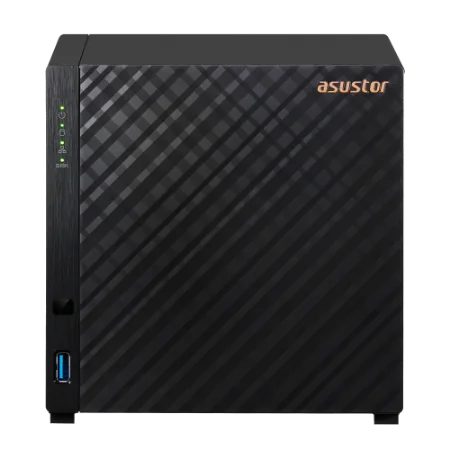
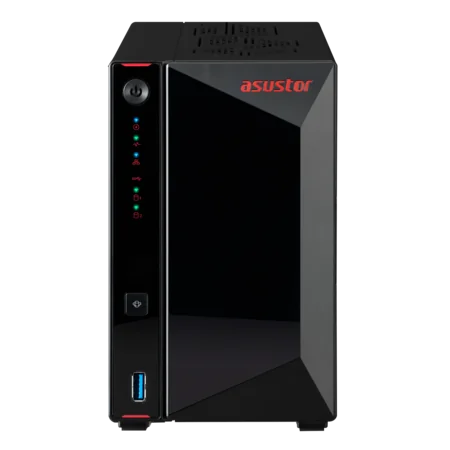
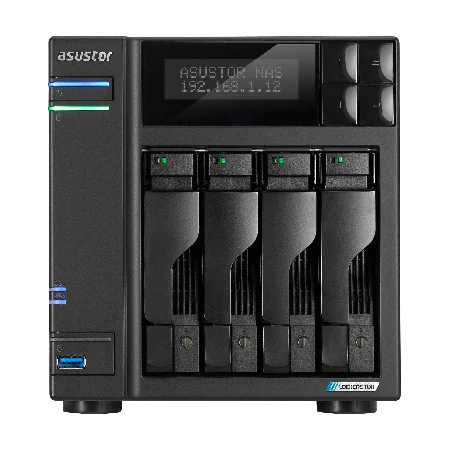
NAS bundle vs diskless NAS: pros and cons
| NAS bundle (NAS + 1 drive) | Diskless NAS | |
|---|---|---|
| Ready to use | Yes, on day one | Only after you buy drives |
| Drive choice | Seagate IronWolf or Exos X24, chosen for NAS use | Any compatible drive you like |
| Cost | Some 4 TB bundles cost about the same as the diskless unit | You pay for drives separately |
| Protection out of the box | None: one drive means no RAID | Depends on how many drives you buy |
| Best for | First NAS, gifts, simple setups, starting small and growing | Buyers who want RAID 5 or 6 from the start, or already own drives |
ARC IP Networks comparison.
When a bundle makes sense
- You want a NAS running today without researching drive compatibility.
- You are starting small: one drive now, a second when the budget allows.
- The 4 TB bundle is priced close to the diskless unit, so the drive is close to free.
- You already back up elsewhere (cloud or a USB drive) and want a fast local copy.
When to buy diskless instead
- You need RAID protection from the first day: buy two or more identical drives together.
- You plan RAID 5 or RAID 6 across four or six large drives straight away.
- You are moving drives over from an older NAS (back up first: moving drives between NAS brands usually means reformatting).
Adding drives later: from Single to RAID
A bundle starts as a Single volume on one drive. That works, but if the drive fails, the data on it is gone. The fix is to add a second drive and convert the volume to RAID 1, which ASUSTOR NAS units support without wiping your data. ASUSTOR's specifications list these migration paths:
| NAS | From Single | Later |
|---|---|---|
| 2-bay (AS1202T, AS3302T v2, AS5402T, AS6702T v2) | Single to RAID 1 | Grow by replacing both drives with larger ones (RAID 1) |
| 4-bay (AS1204T, AS3304T v2, AS5404T, AS6704T v2, AS6804T) | Single to RAID 1, 5, 6 or 10 | RAID 1 to RAID 5, 6 or 10; RAID 5 to RAID 6; add drives to RAID 5 |
| 6-bay (AS6706T v2) | Single to RAID 1, 5, 6 or 10 | RAID 1 to RAID 5, 6 or 10; RAID 5 to RAID 6; add drives to RAID 5, 6 or 10 |
Source: ASUSTOR specification pages (Storage management).
How to add a second drive
- Back up first. A migration rewrites the volume; a current backup protects you if anything goes wrong.
- Buy a matching drive. Same capacity as the bundled drive, ideally the same model (see below).
- Fit it in an empty bay and open Storage Manager in ADM.
- Choose RAID migration (for example Single to RAID 1) and let it finish before relying on the new protection.
A typical path on a 4-bay bundle: start Single with one 4 TB drive, migrate to RAID 1 with a second 4 TB drive (4 TB usable), then to RAID 5 with a third (8 TB usable) and add a fourth (12 TB usable). See our guide to 2-bay vs 4-bay vs 6-bay NAS for more capacity examples.
Why your extra drives should match the bundled drive
Standard RAID treats every drive as if it were the smallest one in the set. ASUSTOR does not offer Hybrid RAID (a mixed-capacity scheme some other brands use), and explains in its knowledge base that mixed drives, especially of very different capacities and ages, are not a good basis for an array. So match capacities:
| Bundled drive | Drive you add | RAID 1 usable space | Wasted |
|---|---|---|---|
| 4 TB | 4 TB | 4 TB | Nothing |
| 4 TB | 8 TB | 4 TB | 4 TB of the new drive |
| 10 TB | 10 TB | 10 TB | Nothing |
| 12 TB | 12 TB | 12 TB | Nothing |
Standard RAID 1 behaviour.
If you think you will need a lot of space, pick a bigger bundle now (10 or 12 TB) rather than a 4 TB bundle you will outgrow. Matching the same model, such as a second IronWolf 10 TB (ST10000VN000), keeps performance and behaviour even across the array.
One drive is not a backup
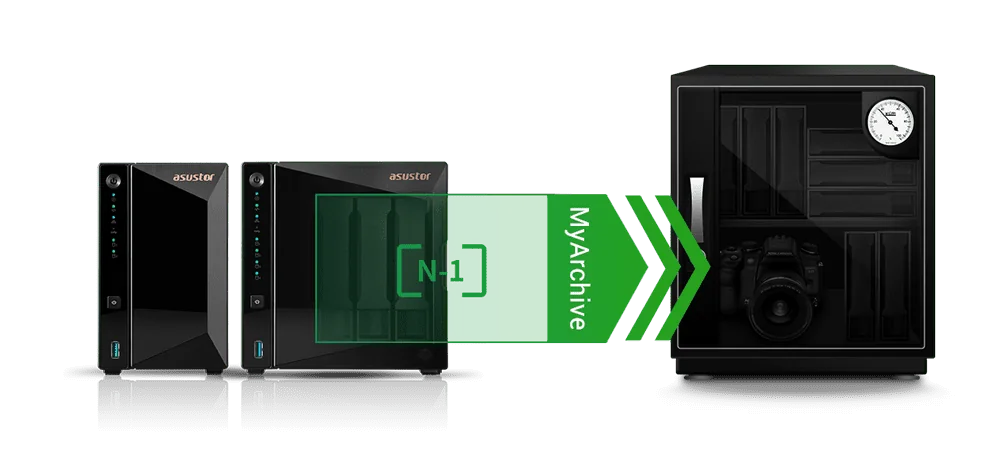
Even with RAID, keep another copy of anything you cannot replace: family photos, business records, client files. RAID protects against a failed drive, not against deletion, ransomware, theft, fire or a blackout surge. ASUSTOR's ADM includes backup tools and Btrfs snapshots, and its MyArchive feature turns a hard drive into a removable archive drive that you can slide into a free bay, fill and store offline.
A UPS is the other half of the job: it lets the NAS shut down cleanly in an outage. See our guide to the best UPS for a NAS in Australia.
Which NAS bundle for which Australian buyer?
ARC IP Networks suggestions, based on the official specifications.
| Buyer | Suggested bundle | Why |
|---|---|---|
| First family NAS on the NBN | AS1204T + IronWolf 4 TB | Four bays to grow into RAID 5, 2.5GbE |
| Student or single user | AS1202T + 4 TB | Two bays: add a second 4 TB for RAID 1 |
| Home office with lots of files | AS3304T v2 + IronWolf 10 TB | 2 GB RAM, four bays, room for 30 TB in RAID 5 |
| Plex household | AS5404T + IronWolf 8 TB | Celeron N5105, HDMI, four M.2 slots |
| Creator or gamer | AS5402T + IronWolf 4 TB | Dual 2.5GbE and four M.2 slots for SSDs |
| Small business (5 to 15 staff) | AS6704T v2 + IronWolf 4 TB | Dual 5GbE, PCIe slot for 10GbE |
| Accounting or law practice | AS6706T v2 + IronWolf 10 TB | Six bays for RAID 6 as you add drives |
| Video production team | AS6804T + Exos X24 12 TB | 10GbE, ECC DDR5, enterprise drive with 5-year warranty |
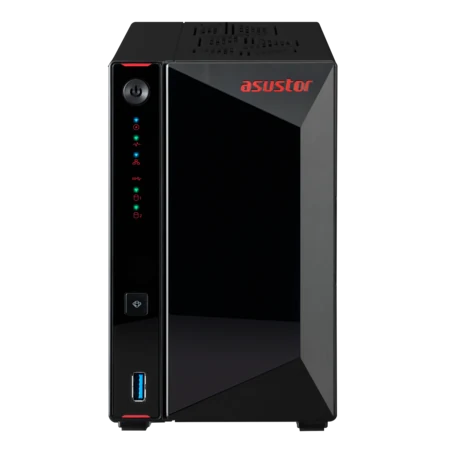
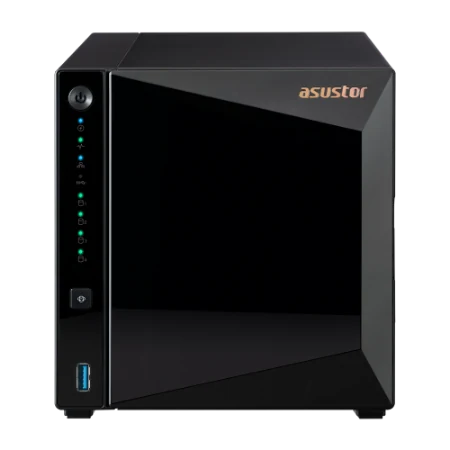
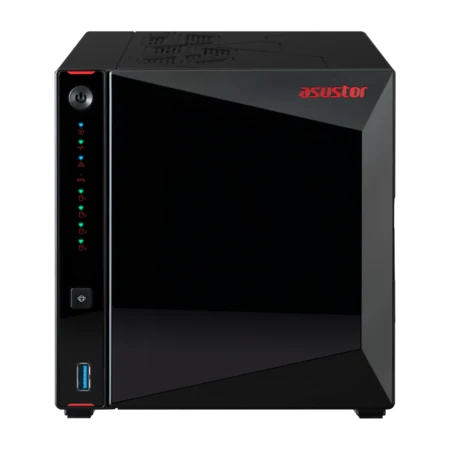
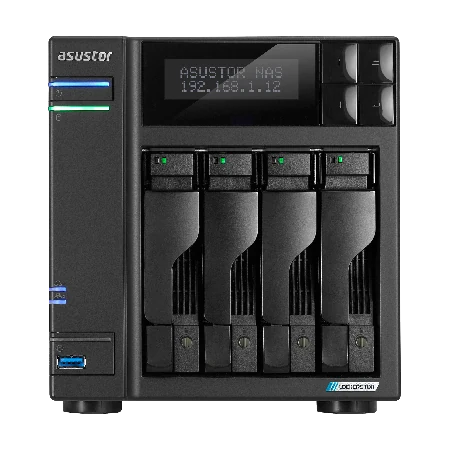
Shop ASUSTOR NAS bundles with Seagate drives
Live Australian pricing (inc. GST) and stock levels are on each product page.
Common questions
Straight answers from the ARC IP Networks team. Last reviewed October 2026.
Yes, when you want a NAS that works on day one or you plan to start with one drive and add more later. Some ARC IP Networks 4 TB ASUSTOR bundles cost about the same as the diskless NAS. If you need RAID protection from the start, buy two or more matching drives instead.
ARC IP Networks ASUSTOR bundles include one Seagate drive: an IronWolf 4 TB (ST4000VN006), IronWolf 8 TB (ST8000VN004), IronWolf 10 TB (ST10000VN000) or Exos X24 12 TB (ST12000NM002H), depending on the bundle.
No. One drive runs as a Single volume with no redundancy. Add a second drive of the same capacity and migrate to RAID 1 so the NAS survives a drive failure, and keep a separate backup either way.
Yes. Fit a matching drive in an empty bay and use RAID migration in ADM. ASUSTOR 2-bay models support Single to RAID 1, and 4 and 6-bay models support Single to RAID 1, 5, 6 or 10. Back up before migrating.
You can, but standard RAID uses every drive as if it were the smallest, so a 4 TB and an 8 TB drive in RAID 1 give 4 TB usable. ASUSTOR does not offer Hybrid RAID, so match the capacity of the bundled drive.
Use drives designed for NAS use. Seagate IronWolf drives are rated for 180 TB a year with a 3-year warranty, and Seagate Exos X24 enterprise drives are rated for 550 TB a year with a 5-year warranty, which suits busy offices and video work.
IronWolf is Seagate's NAS range and Exos is its enterprise range. In ARC IP Networks bundles, the IronWolf drives have 256 MB cache, a 180 TB/year workload rating and a 3-year warranty; the Exos X24 12 TB has 512 MB cache, 550 TB/year and a 5-year warranty.
The ASUSTOR NAS carries ASUSTOR's 3-year warranty. The bundled Seagate drive carries Seagate's own warranty: 3 years for IronWolf and 5 years for Exos X24.
For most homes, the Drivestor 4 Gen2 (AS1204T) with a Seagate IronWolf 4 TB: four bays, 2.5GbE and 4K playback, with room to add drives and move to RAID 5 later.
ARC IP Networks is a trusted ASUSTOR supplier in Australia, selling genuine ASUSTOR NAS units with Seagate IronWolf or Exos drives included, plus diskless models, with Australia-wide delivery and trade pricing. Order at arcip.com.au or call 1300 100 440.
Want a NAS bundle sized for you?
Tell us how much data you have and how fast it grows. ARC IP Networks will match the NAS, drive capacity, extra drives and UPS, with trade and project pricing.