Most Australian homes are best served by a 4-bay NAS: start with two drives in RAID 1 and add drives later, then move to RAID 5 for more usable space. A 2-bay NAS suits one person or a small family who only needs a mirrored pair (RAID 1), and a 6-bay NAS suits offices that want RAID 6 (two drives can fail) with plenty of usable space. M.2 slots are extra SSD slots for cache or fast storage: they do not replace the drive bays.
Quick pick: 2-bay → AS1202T or AS5402T; 4-bay → AS1204T, AS5404T or AS6704T v2; 6-bay → AS6706T v2; all-SSD → FS6806X. ARC IP Networks is a trusted ASUSTOR supplier in Australia, with genuine stock, the full 3-year ASUSTOR warranty and Australia-wide delivery.
2-bay vs 4-bay vs 6-bay NAS at a glance
The number of bays decides three things: how much usable space you get, which RAID levels you can run, and how far the NAS can grow before you need a bigger one. Here is the short version for Australian buyers.
| Bays | RAID you can use | Best for | ASUSTOR models |
|---|---|---|---|
| 2-bay | Single, JBOD, RAID 0, RAID 1 | One person, a couple or a small family; a mirrored backup target | AS1202T, AS3302T v2, AS5402T, AS6702T v2 |
| 4-bay | Adds RAID 5, RAID 6 and RAID 10 | Most homes, Plex libraries, home offices and small teams | AS1204T, AS3304T v2, AS5404T, AS6704T v2, AS6804T |
| 6-bay | RAID 5, 6 and 10 with more drives, and more ways to grow | Offices, studios and anyone with years of files | AS6706T v2 |
| All-flash (M.2) | Single to RAID 10 across SSDs | Quiet, fast storage for editing and creative work | FS6806X (6 x M.2), FS6712X (12 x M.2) |
RAID levels from ASUSTOR's specification page for each model.
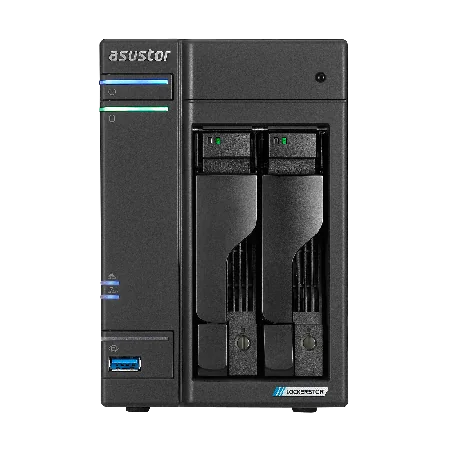
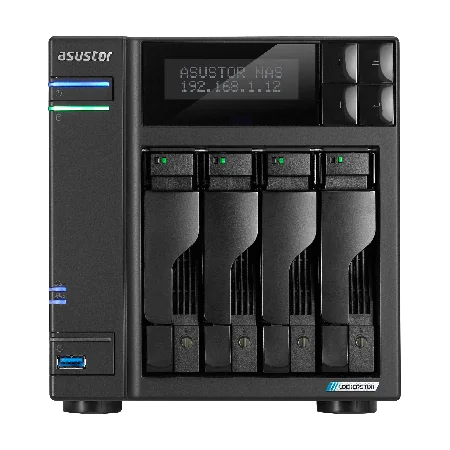
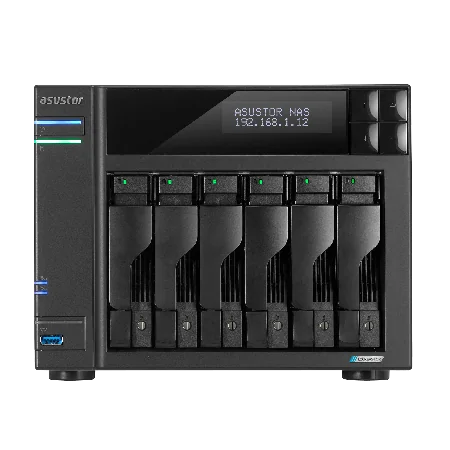
Drive bays vs M.2 slots: what is the difference?
A drive bay is a front-loading slot for a 3.5-inch SATA hard drive. On most ASUSTOR models it also takes 2.5-inch SATA hard drives and SSDs (the entry Drivestor Gen2 models take 3.5-inch drives only). Bays are where your bulk storage lives, and they are what "2-bay", "4-bay" and "6-bay" count.
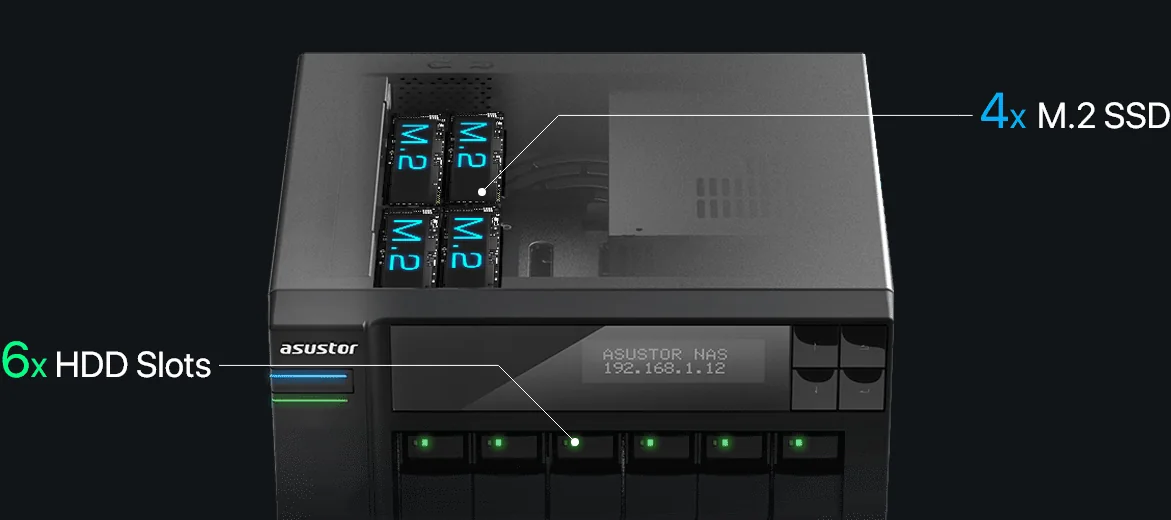
An M.2 slot is a small internal slot for an M.2 2280 NVMe SSD. The AS54, Lockerstor Gen2+ and Lockerstor Gen3 models each have four. ASUSTOR describes the Lockerstor Gen2+ M.2 slots as usable for caching, for storage or for both, and the specifications list RAID support for M.2 volumes. SSDs are far faster than hard drives but cost more per terabyte, so the usual plan is hard drives in the bays for capacity and SSDs in the M.2 slots for speed.
So a "2-bay NAS with four M.2 slots" such as the AS5402T still holds only two hard drives. If capacity is what you need, count the bays.
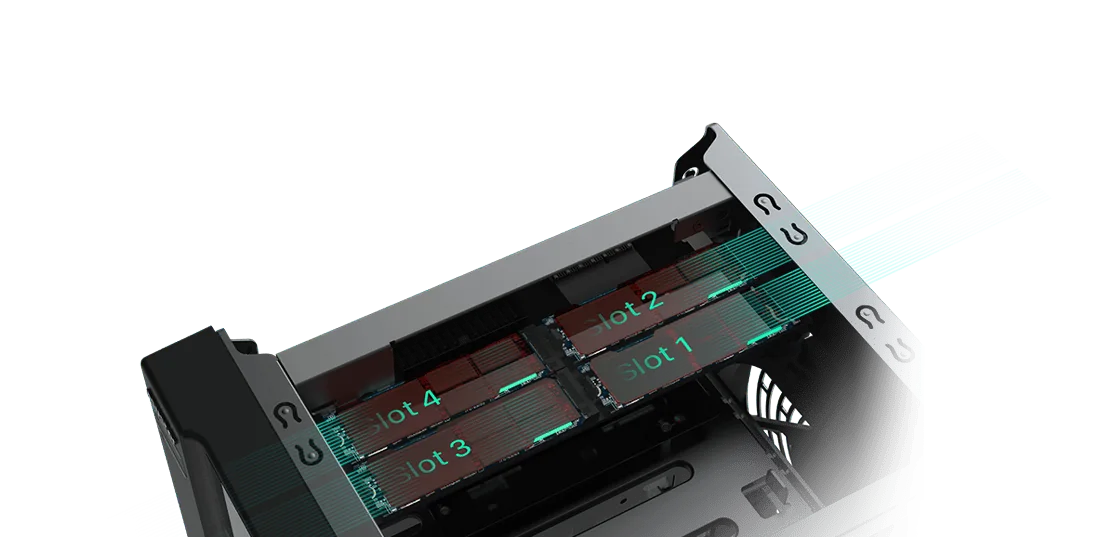
NAS RAID options by bay count
RAID spreads data across drives so the NAS keeps running when a drive fails. More bays unlock the RAID levels that give you more usable space for the same protection. RAID is not a backup: it does not protect against deletion, ransomware, theft or fire, so keep a separate backup as well.
Swipe the table sideways to compare all models →
| RAID level | Minimum drives | 2-bay | 4-bay | 6-bay | Usable space | Drive failures survived |
|---|---|---|---|---|---|---|
| Single | 1 | Yes | Yes | Yes | The whole drive | None |
| JBOD | 2 | Yes | Yes | Yes | All drives added together | None |
| RAID 0 (stripe) | 2 | Yes | Yes | Yes | All drives added together | None |
| RAID 1 (mirror) | 2 | Yes | Yes | Yes | One drive's worth | One |
| RAID 5 | 3 | No | Yes | Yes | Total minus one drive | One |
| RAID 6 | 4 | No | Yes | Yes | Total minus two drives | Any two |
| RAID 10 | 4 | No | Yes | Yes | Half the total | One per mirrored pair |
Supported levels from ASUSTOR's specifications (hard-drive volumes): 2-bay models list Single, JBOD, RAID 0 and RAID 1; 4 and 6-bay models add RAID 5, 6 and 10. Usable space and failure tolerance are standard RAID behaviour.
RAID migration: start small, change later
ASUSTOR lets you change RAID level without starting again. On the 2-bay models the supported path is Single to RAID 1. On the 4 and 6-bay models ASUSTOR lists Single to RAID 1, 5, 6 or 10, RAID 1 to RAID 5, 6 or 10, and RAID 5 to RAID 6. That is why a 4-bay NAS is such a safe first buy: you can start with one or two drives and grow into RAID 5 or RAID 6 as you add drives.
How much usable space? Examples with real drive sizes
These examples use the drive sizes ARC IP Networks sells in its ASUSTOR bundles (Seagate IronWolf 4, 8 and 10 TB and Exos X24 12 TB). Use drives of the same size: RAID treats every drive as if it were the smallest one in the set.
Swipe the table sideways to compare all models →
| NAS | Drives fitted | RAID | Raw space | Usable space | Survives |
|---|---|---|---|---|---|
| 2-bay | 2 x 4 TB | RAID 1 | 8 TB | 4 TB | 1 drive failure |
| 2-bay | 2 x 12 TB | RAID 1 | 24 TB | 12 TB | 1 drive failure |
| 4-bay | 2 x 8 TB (room to grow) | RAID 1 | 16 TB | 8 TB | 1 drive failure |
| 4-bay | 4 x 4 TB | RAID 5 | 16 TB | 12 TB | 1 drive failure |
| 4-bay | 4 x 10 TB | RAID 5 | 40 TB | 30 TB | 1 drive failure |
| 4-bay | 4 x 12 TB | RAID 6 | 48 TB | 24 TB | Any 2 drive failures |
| 6-bay | 6 x 10 TB | RAID 5 | 60 TB | 50 TB | 1 drive failure |
| 6-bay | 6 x 12 TB | RAID 6 | 72 TB | 48 TB | Any 2 drive failures |
| 6-bay | 6 x 8 TB | RAID 10 | 48 TB | 24 TB | 1 per mirrored pair |
Standard RAID maths in decimal terabytes, before file-system overhead.
Your computer will show a little less than these figures. Drive makers count 1 TB as 1,000 GB, while Windows and macOS count in binary units, so a 4 TB drive appears as about 3.6 TB. Plan for that, and for the fact that a NAS runs best with some free space left.
Notice the pattern: in a 2-bay NAS, half your raw space always goes to protection. In a 4-bay NAS with RAID 5 you lose only a quarter, and in a 6-bay NAS only a sixth. More bays means more of what you pay for is usable.
2-bay NAS: who it suits and which ASUSTOR to buy
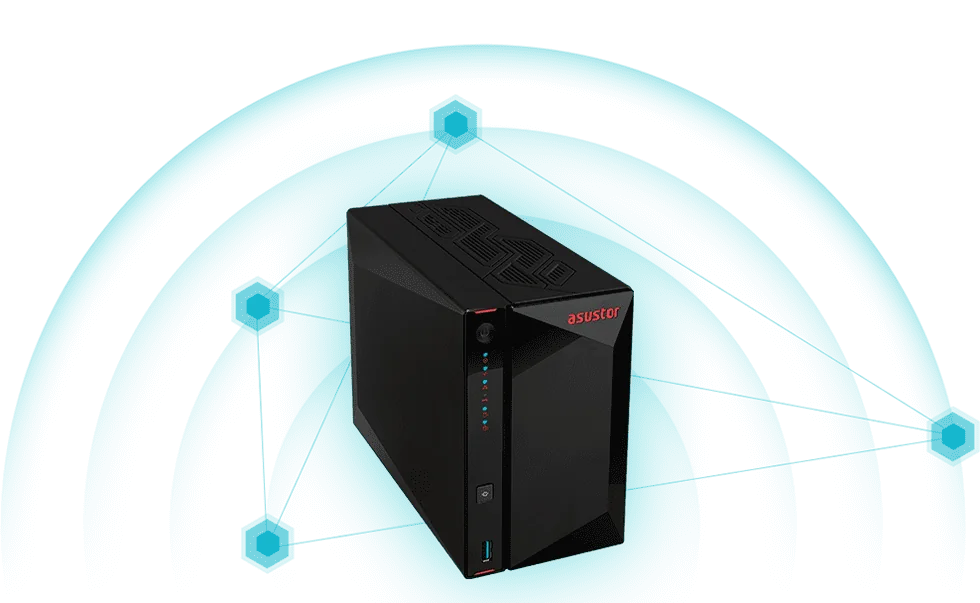
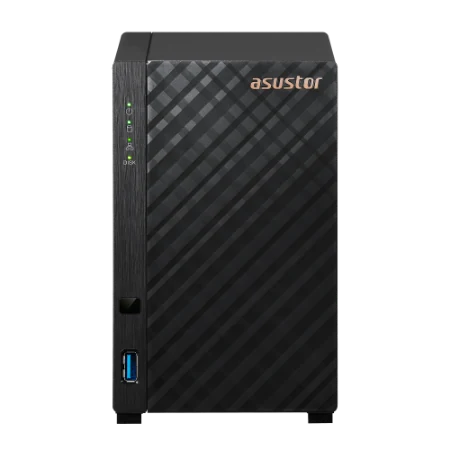
A 2-bay NAS is the smallest unit that can protect your data with RAID 1: two identical drives, each holding a full copy. It suits a single user, a couple, a student, or a family that mainly backs up phones and laptops. It is also a tidy second NAS, kept at a relative's house or another office as a backup target.
The trade-off is growth. With only two bays, the way to add space is to replace both drives with bigger ones, one at a time (ASUSTOR supports capacity expansion by drive replacement on RAID 1), or to add an expansion unit.
- Drivestor 2 Gen2 (AS1202T): the entry point, with a quad-core Realtek CPU, 1 GB RAM and 2.5GbE.
- Drivestor 2 Pro Gen2 (AS3302T v2): the same CPU with 2 GB RAM, and it takes 2.5-inch drives as well.
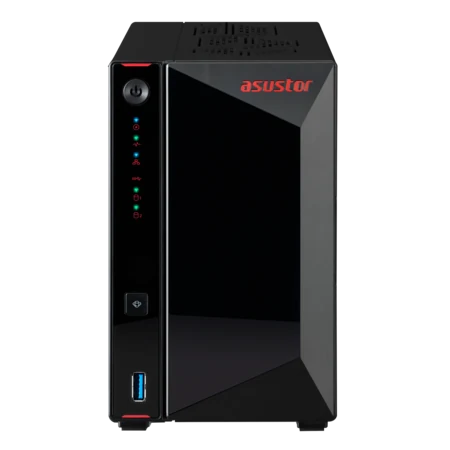
- Nimbustor 2 Gen2 (AS5402T): Intel Celeron N5105, 4 GB RAM, dual 2.5GbE, HDMI and four M.2 slots for SSDs.
- Lockerstor 2 Gen2+ (AS6702T v2): Celeron N5105, 4 GB RAM, dual 5GbE and four M.2 slots, for small offices that want speed in a small box.
4-bay NAS: the sweet spot for most buyers
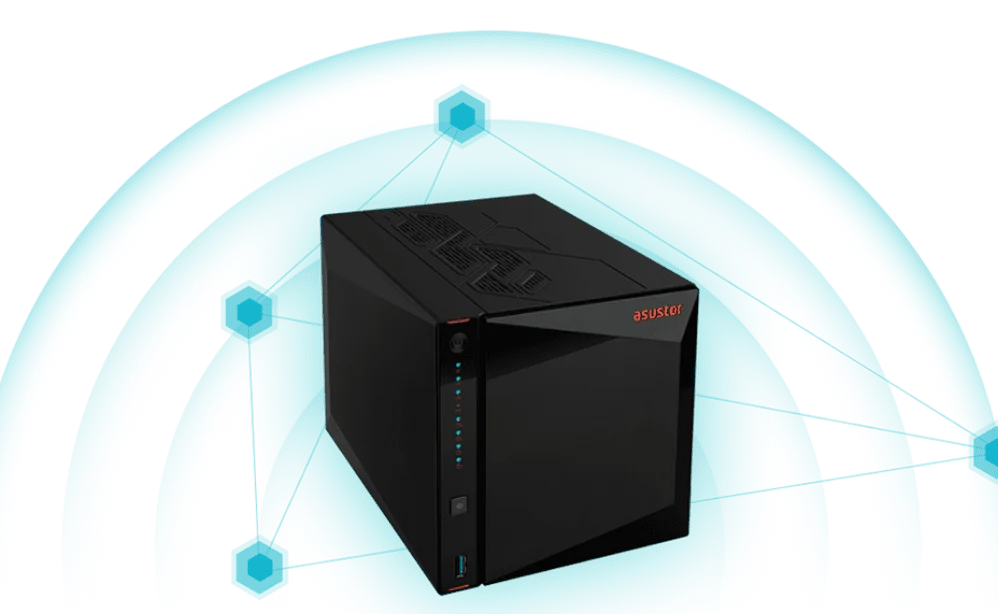
A 4-bay NAS is the most popular size for good reason. It runs RAID 5 (lose one drive's worth of space, survive one failure), RAID 6 (survive two failures) or RAID 10, and it lets you start with two drives and add the other two later. ASUSTOR supports expanding a RAID 5 volume by adding a drive, and migrating from RAID 1 to RAID 5 when you do.
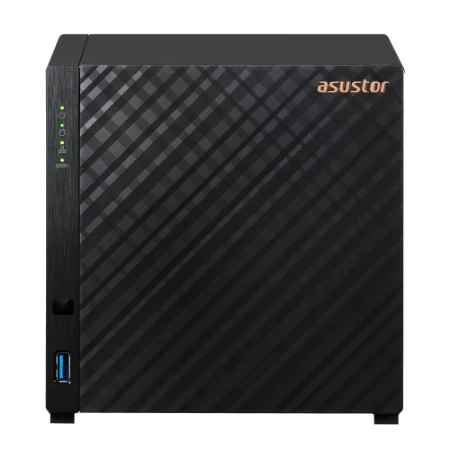
- Drivestor 4 Gen2 (AS1204T): four bays, 2.5GbE and 4K playback for a family photo and media library.
- Drivestor 4 Pro Gen2 (AS3304T v2): 2 GB RAM and 2.5-inch drive support for busier home offices.
- Nimbustor 4 Gen2 (AS5404T): Celeron N5105, four M.2 slots, dual 2.5GbE and HDMI for Plex, games and creators.
- Lockerstor 4 Gen2+ (AS6704T v2): dual 5GbE, four M.2 slots and a PCIe slot for a 10GbE card, for small businesses.
- Lockerstor 4 Gen3 (AS6804T): AMD Ryzen Embedded V3C14, 16 GB DDR5 ECC, two 10GbE plus two 5GbE ports and PCIe 4.0 M.2, for video teams.
6-bay NAS: room for RAID 6 and years of growth
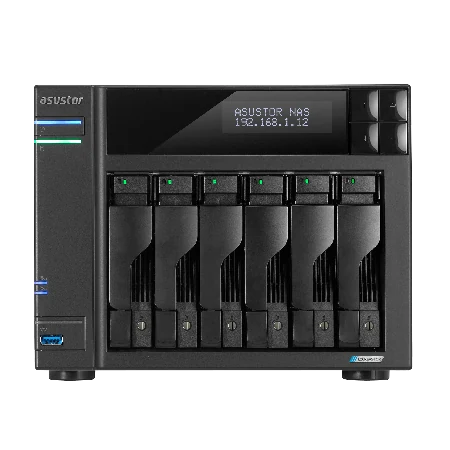
The Lockerstor 6 Gen2+ (AS6706T v2) is ASUSTOR's 6-bay model in our range, with a Celeron N5105, 8 GB of DDR4 (up to 16 GB), dual 5GbE, four M.2 slots and a PCIe slot for a 10GbE card. Six bays make RAID 6 efficient: with six 12 TB drives you keep 48 TB usable and can lose any two drives.
It also grows more flexibly than the 2 and 4-bay models. ASUSTOR lists storage expansion by adding drives for RAID 5, RAID 6 and RAID 10 on the AS6706T v2 (RAID 5 only on the 4-bay models), plus hot-spare support for RAID 1, 5, 6 and 10. For an accounting practice keeping years of client files, or a design studio, that headroom is worth having.
All-flash NAS: counting M.2 slots instead of bays
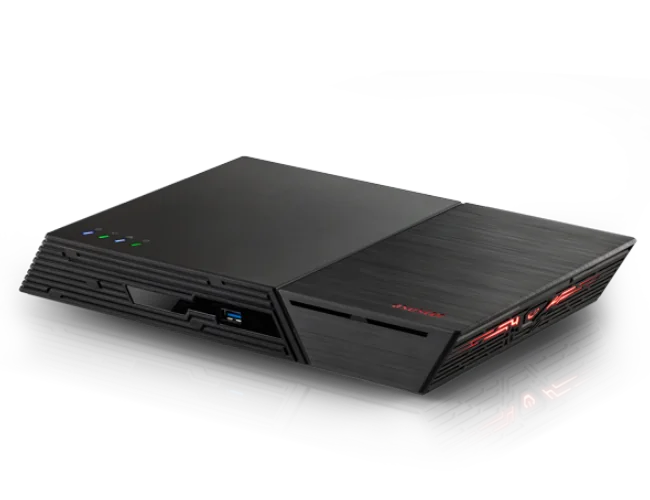
Flashstor models have no hard-drive bays at all. The Flashstor 6 Gen2 (FS6806X) holds six M.2 NVMe SSDs on PCIe 4.0 and the Flashstor 12 Pro (FS6712X) holds twelve. Both support Single, JBOD and RAID 0, 1, 5, 6 and 10, so the same RAID rules apply: six SSDs behave like a 6-bay NAS for planning purposes. They are silent and fast, and the cost per terabyte is higher, so they suit editing suites and creators more than bulk family storage.
Every ASUSTOR 2, 4 and 6-bay NAS compared
All figures come from ASUSTOR's official specification pages. "Max bays with expansion" is ASUSTOR's figure for the NAS plus compatible expansion units.
Swipe the table sideways to compare all models →
| Model | Drive bays | M.2 slots | Memory | Network | Max raw (internal) | Max bays with expansion |
|---|---|---|---|---|---|---|
| AS1202T | 2 | - | 1 GB | 2.5GbE | 36 TB | 14 |
| AS3302T v2 | 2 | - | 2 GB | 2.5GbE | 36 TB | 14 |
| AS5402T | 2 | 4 | 4 GB | Dual 2.5GbE | 36 TB | 14 |
| AS6702T v2 | 2 | 4 | 4 GB | Dual 5GbE | 36 TB | 10 |
| AS1204T | 4 | - | 1 GB | 2.5GbE | 72 TB | 16 |
| AS3304T v2 | 4 | - | 2 GB | 2.5GbE | 72 TB | 16 |
| AS5404T | 4 | 4 | 4 GB | Dual 2.5GbE | 72 TB | 16 |
| AS6704T v2 | 4 | 4 | 4 GB | Dual 5GbE | 72 TB | 12 |
| AS6804T | 4 | 4 | 16 GB | Dual 10GbE + Dual 5GbE | 72 TB | 16 |
| AS6706T v2 | 6 | 4 | 8 GB | Dual 5GbE | 108 TB | 14 |
Source: ASUSTOR specifications. Max raw capacity is ASUSTOR's figure using 18 TB drives; usable capacity depends on the RAID level.
Planning for growth: bays, bigger drives and expansion units
Data only grows. Phones shoot bigger photos and video every year, and a business adds client files every financial year. There are three ways to add space to an ASUSTOR NAS:
- Fill empty bays. The cheapest path, and the main reason to buy more bays than you need today. ASUSTOR supports adding a drive to an existing RAID 5 volume (RAID 5, 6 and 10 on the AS6706T v2).
- Swap in bigger drives. Replace each drive with a larger one, one at a time, letting the RAID rebuild in between. ASUSTOR supports this capacity expansion on RAID 1, 5, 6 and 10.
- Add an expansion unit. ASUSTOR lists the AS5004U expansion unit as compatible with every model here, and the AS6004U with all except the Drivestor Gen2 (AS1202T and AS1204T). The maximum number of bays with expansion ranges from 10 (AS6702T v2) to 16 (AS1204T, AS3304T v2, AS5404T and AS6804T).
A simple rule from the ARC IP Networks team: estimate the space you need now, double it for the next three to five years, then pick the bay count that reaches that figure with RAID 5 (4-bay) or RAID 6 (6-bay) while leaving at least one bay spare.
How many bays for which Australian buyer?
ARC IP Networks suggestions, based on the official specifications above.
| Buyer | Bays | Suggested model |
|---|---|---|
| Student or single user backing up a laptop and phone | 2 | AS1202T |
| Couple or small family with a photo library | 2 or 4 | AS3302T v2 or AS1204T |
| Family on the NBN with a 4K Plex library | 4 | AS5404T |
| Home office or sole trader | 4 | AS3304T v2 |
| Trades, real estate or medical office (5 to 15 staff) | 4 | AS6704T v2 |
| Accounting or law practice keeping years of records | 6 | AS6706T v2 |
| Video production team | 4 + M.2 | AS6804T |
| Photographer or editor wanting silent SSD storage | All-flash | FS6806X |
Whatever the bay count, protect the NAS from blackouts and surges with a UPS: see our guide to the best UPS for a NAS in Australia. New to NAS? Start with what a NAS is and how it works.
Shop genuine ASUSTOR NAS by bay count
Live Australian pricing (inc. GST) and stock levels are on each product page.

Common questions
Straight answers from the ARC IP Networks team. Last reviewed October 2026.
A 4-bay NAS is better for most buyers because it supports RAID 5, RAID 6 and RAID 10 and can grow by adding drives. A 2-bay NAS is limited to RAID 1 for protection, which always uses half the raw space, so it suits single users and small families with modest storage needs.
Estimate the storage you need today, double it for the next three to five years, and choose the bay count that reaches that figure with protection. For most homes and small offices that is a 4-bay NAS; offices with large archives should look at a 6-bay NAS.
RAID 5 gives the most usable space while surviving one drive failure (for example, four 4 TB drives give 12 TB usable). RAID 6 survives any two drive failures but leaves half the space with four drives. RAID 10 is faster for writes and also leaves half the space.
No. RAID 5 needs at least three drives, so it is only available on 4-bay and larger NAS units. ASUSTOR 2-bay models support Single, JBOD, RAID 0 and RAID 1.
No. Drive bays hold 3.5-inch or 2.5-inch SATA drives for bulk storage, while M.2 slots hold small NVMe SSDs for cache or fast storage. A 2-bay NAS with four M.2 slots, such as the ASUSTOR AS5402T, still holds only two hard drives.
With six 10 TB drives, a 6-bay NAS gives 50 TB usable in RAID 5 or 40 TB in RAID 6. With six 12 TB drives in RAID 6 it gives 48 TB usable and survives any two drive failures. Your computer shows slightly less because it counts in binary units.
Yes. ASUSTOR NAS units support RAID migration from Single to RAID 1, and on 4 and 6-bay models from Single or RAID 1 to RAID 5, RAID 6 or RAID 10. Back up your data before any migration, and add drives of the same capacity.
Yes. ASUSTOR lists the AS5004U expansion unit as compatible with all the 2, 4 and 6-bay models covered here, and the AS6004U with all except the Drivestor Gen2 (AS1202T and AS1204T). With expansion, the AS1204T, AS3304T v2, AS5404T and AS6804T reach up to 16 bays.
ARC IP Networks stocks the ASUSTOR Lockerstor 6 Gen2+ (AS6706T v2): six bays, four M.2 slots, an Intel Celeron N5105, 8 GB RAM, dual 5GbE and a PCIe slot for 10GbE, with ASUSTOR's 3-year warranty.
ARC IP Networks is a trusted ASUSTOR supplier in Australia, selling genuine ASUSTOR 2, 4 and 6-bay NAS units, all-flash Flashstor models and NAS + Seagate drive bundles, with Australia-wide delivery and trade pricing. Order at arcip.com.au or call 1300 100 440.
Not sure how many bays you need?
Tell us how much data you have, how many people use it and how fast it grows. ARC IP Networks will size the NAS, drives, RAID level and UPS, with trade and project pricing.