Most home NAS do not need an SSD cache. An SSD cache keeps frequently used data on fast M.2 SSDs in front of slower hard drives, which helps when many people open lots of small files, run virtual machines or databases, or edit from the NAS. For backups, photo libraries and streaming, hard drives alone are enough. On ASUSTOR, SSD cache works on models with M.2 slots (the AS54 series and Lockerstor), in read-only or read-write mode; you can also use M.2 SSDs as a fast storage volume.
ARC IP Networks is a trusted ASUSTOR supplier in Australia: genuine ASUSTOR NAS and accessories at competitive prices, with the full ASUSTOR manufacturer warranty, Australia-wide delivery and trade pricing.
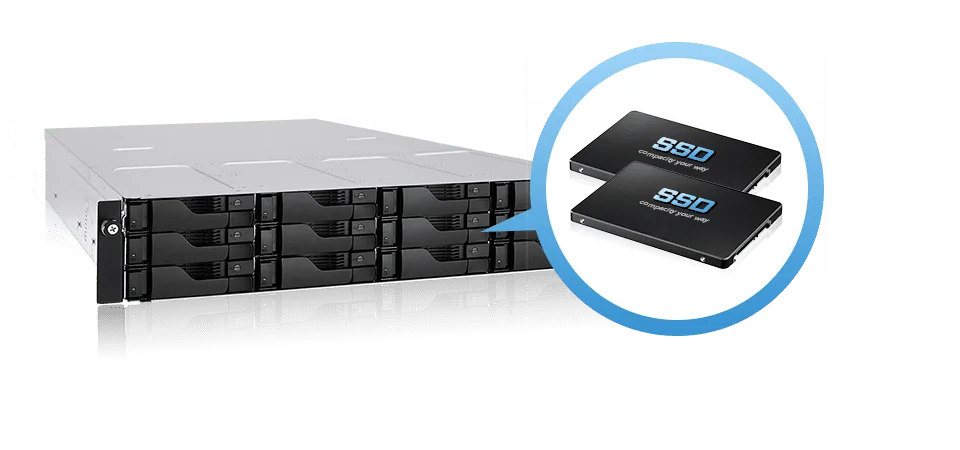
SSD cache vs M.2 volume vs hard drives only
| Option | How it works | Best for | Worth it? |
|---|---|---|---|
| Hard drives only | All data on HDDs in RAID | Backups, media, photo libraries, 4K streaming | Yes for most homes |
| SSD read-only cache | Copies hot data to SSD to speed up reads | Many users reading the same files; app and VM boot times | Often, for offices |
| SSD read-write cache | Also absorbs writes on SSD before they reach the HDDs | Busy shared folders, databases, VMs | For heavy random workloads |
| M.2 SSD volume | SSDs as their own fast volume (not a cache) | Docker, app data, Plex database, active projects | Yes, if you have spare slots |
| All-flash (Flashstor) | Every drive is an M.2 NVMe SSD | Video editing, silent desk storage | See our Flashstor guide |
Cache modes from ASUSTOR's SSD Cache page; recommendations are ARC IP Networks guidance.
What is SSD cache?
ASUSTOR's knowledge base defines SSD caching as using part of an SSD as a cache that stores frequently used data. When that data is requested, the NAS reads it from the SSD instead of waiting for the hard drives, so apps launch faster, files load faster and the whole NAS feels more responsive.
Hard drives are great at big, sequential transfers such as copying a movie, but slow at random access: many small files, thumbnails, database records and virtual machine disks. That is where an SSD cache helps most. It does not add capacity: the cache is a copy, and your data still lives on the hard-drive volume.
Read-only vs read-write cache
ASUSTOR NAS support both read-only and read-write cache modes, set up with a wizard in Storage Manager.
- Read-only speeds up repeated reads. If a cache SSD fails, the original data is still on the hard drives.
- Read-write also speeds up writes, but new data sits on the SSDs before it reaches the hard drives, so the cache SSDs must be reliable. Use a matched pair: ASUSTOR's M.2 guide recommends two identical SSD models for best performance.
Do you need SSDs in your NAS?
ASUSTOR's own answer: a NAS does not necessarily need an SSD. If the NAS is mainly for file storage and sharing, traditional hard drives meet most needs. SSDs make sense for high-speed transfers and large working files such as video, audio and virtual machines.
| Your use | SSD cache? | Why |
|---|---|---|
| Family photos, phone and PC backups | No | Mostly sequential writes overnight; HDDs are fine |
| Plex and media streaming | Not usually | Streams are sequential; an M.2 volume for the Plex database helps more |
| Small office file server (5 to 20 users) | Read-only cache helps | Many users opening the same documents and folders |
| Virtual machines and databases | Yes, read-write | Heavy random reads and writes |
| Docker containers | M.2 volume | Keep container and app data on SSD |
| 4K video editing from the NAS | M.2 volume or all-flash | Projects need sustained speed, not just cache hits |
ARC IP Networks guidance based on ASUSTOR's knowledge base.
Network speed matters too. Over a single Gigabit port, a few hard drives already approach the link limit for large files, so SSDs mainly improve responsiveness. On the Lockerstor 4 Gen2+ with dual 5GbE, ASUSTOR's lab result is 1,146 MB/s read in RAID 5, and on the Lockerstor 4 Gen3 with dual 10GbE it is 1,675 MB/s, so fast storage pays off there.
How big should an SSD cache be?
ASUSTOR does not give a single number, because the right size depends on your workload. Its knowledge base lists what to weigh up:
- File size and pattern: lots of small files may need only a small cache; large files or constant reading and writing need a larger one.
- How much "hot" data you have: the cache only needs to hold what is used often, such as this month's projects or the VMs that run every day.
- Performance needs: many programs that need high-speed access call for a larger cache.
- Budget: higher-capacity SSDs cost more.
- Other uses: you may want some SSDs as primary storage rather than cache.
A practical approach: estimate the data your team touches in a typical week, size the cache around that, and check ADM's cache statistics after a few weeks. If you want SSDs both as a cache and as a fast volume, models with four M.2 slots let you do both.
Using M.2 SSDs as primary storage
Instead of caching, you can create a separate M.2 volume. ASUSTOR describes M.2 storage as giving sequential and random performance most hard drives cannot reach, which suits photo libraries, music, raw video and audio projects. Files stay on the SSD volume however often they are used.
ASUSTOR's safety advice if an M.2 SSD becomes Volume 1 (the volume ADM is installed on):
- Use at least two M.2 SSDs in RAID. With a single SSD as Volume 1, the NAS may not boot if it fails, and data on hard-drive volumes then has to be recovered on a Linux computer.
- ADM volumes cannot be migrated between different ADM installations.
- To use M.2 for Volume 1, select the M.2 SSD (or the PCIe SSD on an AS-T10G3 card) when you initialise the NAS.
Want an all-SSD NAS? Our Flashstor and NVMe NAS guide covers the Flashstor 12 Pro and Flashstor 6 Gen2.

Which ASUSTOR NAS have M.2 slots?
ASUSTOR lists SSD cache support for the AS54 and all Lockerstor generations. The Drivestor Gen2 and Drivestor Pro Gen2 have no M.2 slots, and Flashstor is all-flash.
Swipe the table sideways to compare all models →
| Model | M.2 slots (ASUSTOR spec) | Hard-drive bays | Use M.2 for |
|---|---|---|---|
| Nimbustor 2 Gen2 (AS5402T) | 4 x M.2 2280 NVMe (PCIe 3.0 x1) | 2 | Cache or M.2 volume |
| Nimbustor 4 Gen2 (AS5404T) | 4 x M.2 2280 NVMe (PCIe 3.0 x1) | 4 | Cache or M.2 volume |
| Lockerstor 2 Gen2+ (AS6702T v2) | 4 x M.2 2280 NVMe (PCIe 3.0 x1) | 2 | Cache or M.2 volume |
| Lockerstor 4 Gen2+ (AS6704T v2) | 4 x M.2 2280 NVMe (PCIe 3.0 x1) | 4 | Cache or M.2 volume |
| Lockerstor 6 Gen2+ (AS6706T v2) | 4 x M.2 2280 NVMe (PCIe 3.0 x1) | 6 | Cache or M.2 volume |
| Lockerstor 4 Gen3 (AS6804T) | 4 x M.2 2280 NVMe (PCIe 4.0 x1) | 4 | Cache or M.2 volume |
| Flashstor 12 Pro (FS6712X) | 12 x M.2 2280 NVMe (PCIe 3.0 x1) | None (all-flash) | All storage |
| Flashstor 6 Gen2 (FS6806X) | 6 x M.2 2280 NVMe (1 x PCIe 4.0 x4, 3 x PCIe 4.0 x2, 2 x PCIe 4.0 x1) | None (all-flash) | All storage |
| Drivestor 4 Gen2 (AS1204T) | None | 4 | Not applicable |
| Drivestor 4 Pro Gen2 (AS3304T v2) | None | 4 | Not applicable |
Source: ASUSTOR specification pages and SSD Cache system requirements.
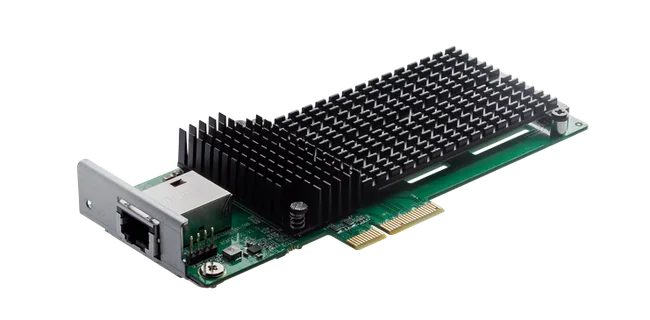
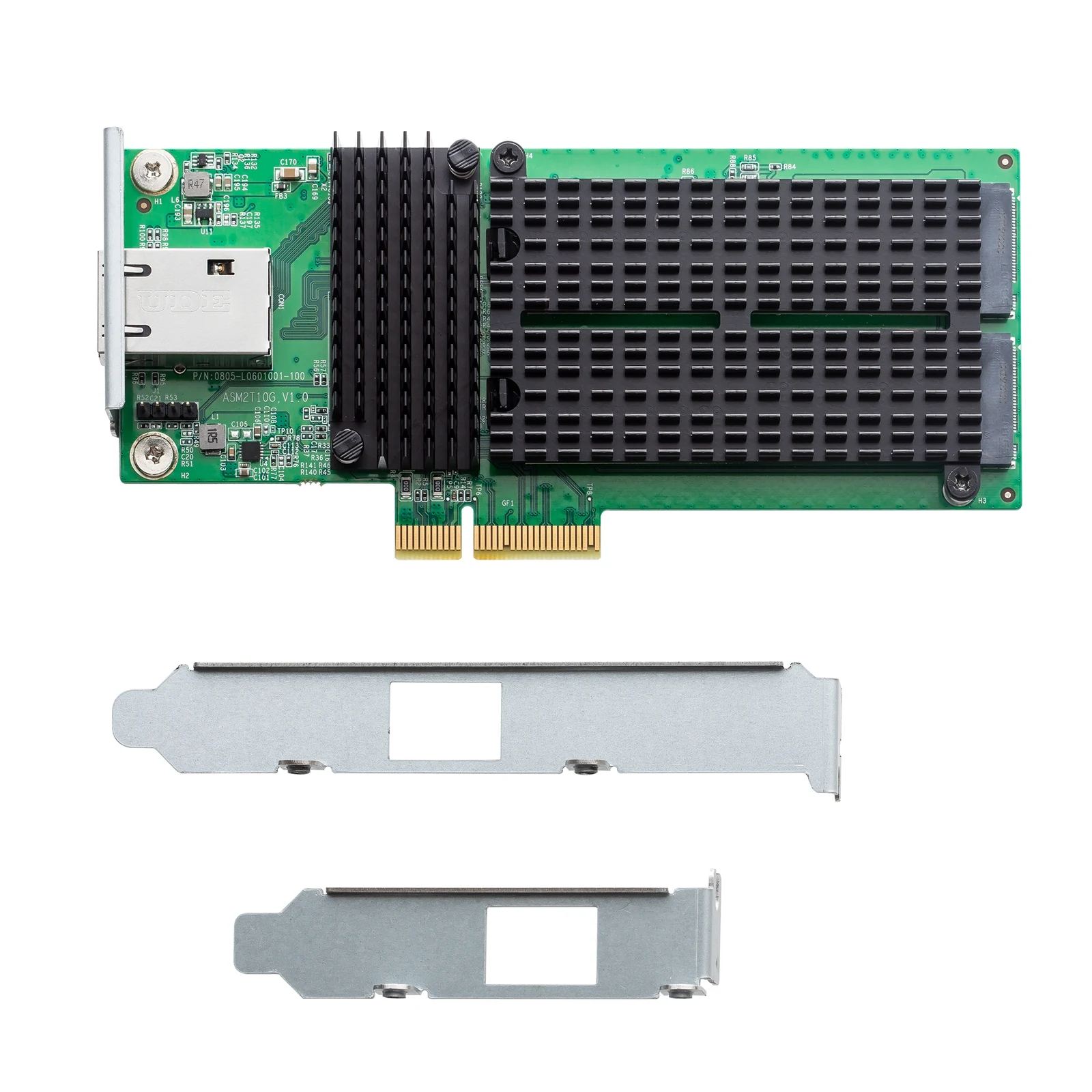
On the Lockerstor 4 and 6 Gen2+ and the Lockerstor 4 Gen3, the PCIe slot also takes the AS-T10G3, a PCIe 3.0 x4 card with a 10GbE RJ-45 port plus two M.2 2280 NVMe slots.
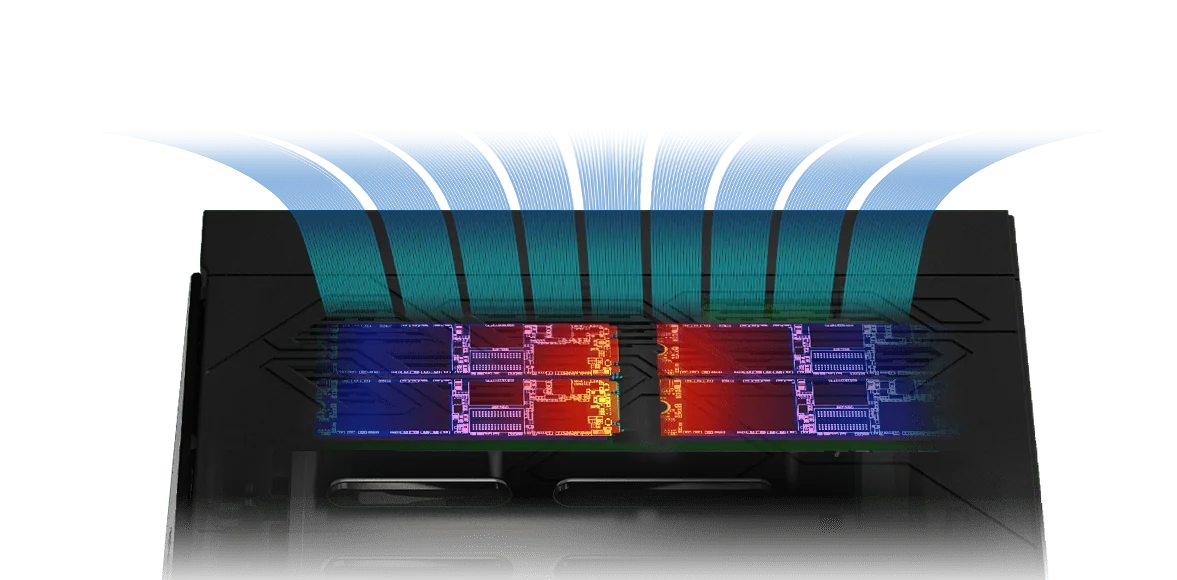
Installing M.2 SSDs and how long they last
Before you install
- Power off first. ASUSTOR states that no model supports hot-swapping M.2 SSDs. Shut down from the ADM menu and unplug all cables.
- Check compatibility. Use SSDs on ASUSTOR's compatibility list; ASUSTOR does not guarantee third-party M.2 SSDs.
- Static and care. Avoid carpet, touch metal outside the NAS first, align the notch, and do not force the connector. ASUSTOR warns that repair costs apply if a slot or module is damaged during self-installation, so if you are not comfortable, ask us to fit them.
- Follow the slot order printed on the M.2 board. ASUSTOR's step-by-step guide covers the AS54, AS67 (Lockerstor Gen2 and Gen2+), AS68 and FS67 series.
How long does an SSD last in a NAS?
ASUSTOR's knowledge base says modern SSDs typically last several years, often 5 to 10 years or more with typical use, depending on workload, SSD type and quality. A read-write cache writes far more than a read-only cache, so choose NAS-rated SSDs with a high endurance rating and check the maker's specification.
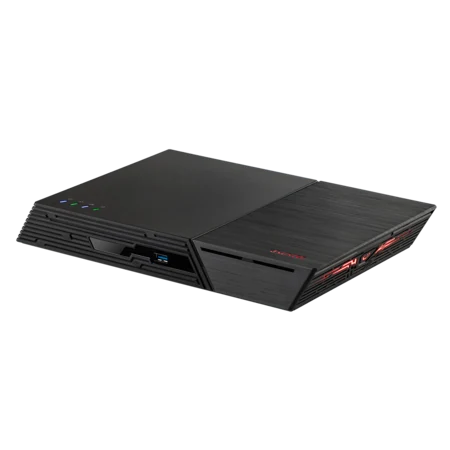
Genuine ASUSTOR NAS with M.2 slots
Genuine ASUSTOR with the 3-year ASUSTOR warranty. Current pricing is on each product page.
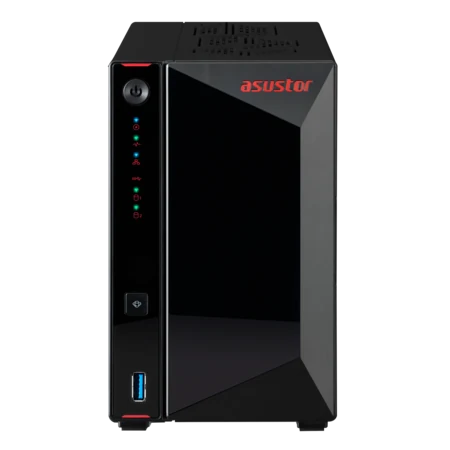



Build it with ARC IP Networks
We supply genuine ASUSTOR NAS and accessories at competitive prices, and we can spec and fit the SSDs for you.
- Decide between cache, M.2 volume or all-flash for your workload
- Matched SSD pairs from the compatibility list
- M.2 SSDs fitted and the NAS initialised before delivery on request
- 10GbE upgrades with the AS-T10G3 and a switch to match
- Trade and project pricing for studios, offices and IT providers
Common questions
Straight answers from the ARC IP Networks team. Last reviewed October 2026.
Usually not for home use. ASUSTOR notes a NAS does not necessarily need an SSD, and hard drives meet most file storage and sharing needs. An SSD cache helps offices with many users, virtual machines, databases and lots of small files.
A read-only cache speeds up repeated reads and the data is always also on the hard drives. A read-write cache also speeds up writes by holding new data on the SSDs first, so use a matched pair of reliable SSDs.
It depends on your workload. ASUSTOR suggests weighing file sizes, how often data is read and written, performance needs, budget and whether you also want SSD storage. Size the cache around the data you use most often, not your total capacity.
ASUSTOR lists SSD cache support for the AS54 series and the Lockerstor range, including Gen2+ and Gen3, which have four M.2 slots. The Drivestor Gen2 and Drivestor Pro Gen2 have no M.2 slots, and Flashstor models are all-flash.
Yes. You can create an M.2 volume for fast storage. If an M.2 SSD is Volume 1, ASUSTOR recommends at least two SSDs, because a single failed SSD can stop the NAS booting.
No. ASUSTOR states that all models with M.2 slots require the NAS to be powered off before adding or replacing M.2 SSDs.
ASUSTOR says modern SSDs typically last several years, often 5 to 10 years or more with typical use. Read-write caching wears SSDs faster, so choose high-endurance NAS SSDs and check the endurance rating in the SSD specification.
ARC IP Networks is a trusted ASUSTOR supplier in Australia, with genuine AS54, Lockerstor and Flashstor models, the AS-T10G3 card, the full manufacturer warranty, Australia-wide delivery and competitive prices. Call 1300 100 440.
Speed up your NAS
Tell us how many users you have and what they open all day. We will recommend cache, M.2 volume or all-flash, with trade and project pricing.