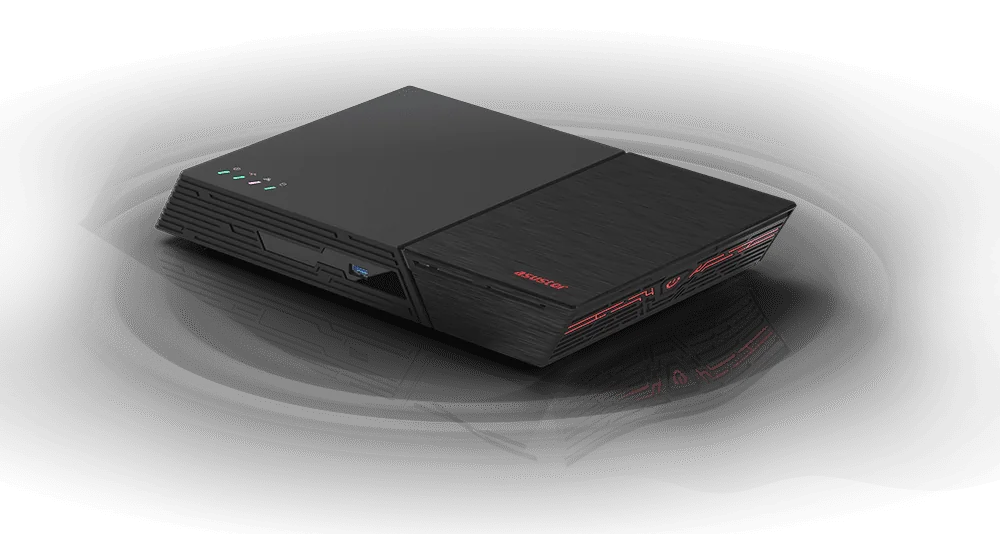
An SSD NAS (or all-flash NAS) stores everything on solid-state drives instead of spinning hard drives, so it is silent, compact and quick to respond. An NVMe NAS goes a step further and uses M.2 NVMe SSDs on the PCIe bus, which are much faster than SATA. ASUSTOR's all-flash range is the Flashstor: the Flashstor 12 Pro (FS6712X) holds twelve M.2 NVMe SSDs with an Intel Celeron and 10GbE, and the Flashstor 6 Gen2 (FS6806X) holds six PCIe 4.0 M.2 SSDs with an AMD Ryzen, DDR5 with ECC support, 10GbE and two USB4 ports.
Quick pick: most M.2 slots for the money → FS6712X; fastest per-SSD bandwidth, more memory and USB4 for editing → FS6806X; want hard-drive capacity plus some NVMe → a hybrid NAS such as the AS5404T. ARC IP Networks is a trusted ASUSTOR supplier in Australia, with genuine stock, the full 3-year ASUSTOR warranty and Australia-wide delivery.
M.2 NVMe vs SATA SSD vs hard drive: what is the difference?
All three store data, but they connect and behave differently. A hard drive (HDD) spins magnetic platters and moves a read head, so it is cheap per terabyte but slow at small random reads and writes. A SATA SSD uses flash memory with no moving parts, but it sits on the SATA III interface, which tops out at 6 Gb/s (roughly 550 MB/s in practice). An M.2 NVMe SSD talks to the processor over PCIe lanes: each PCIe 3.0 lane carries about 1 GB/s and each PCIe 4.0 lane about 2 GB/s, so an NVMe drive on four lanes is many times faster than SATA.
| Hard drive (HDD) | SATA SSD | M.2 NVMe SSD | |
|---|---|---|---|
| How it stores data | Spinning magnetic platters | Flash memory | Flash memory |
| Interface | SATA (6 Gb/s) | SATA (6 Gb/s) | PCIe lanes (x1, x2 or x4) |
| Typical sequential speed | Hundreds of MB/s | Up to about 550 MB/s | About 1 GB/s per PCIe 3.0 lane, 2 GB/s per PCIe 4.0 lane |
| Small random reads and writes | Slow (moving head) | Fast | Fastest |
| Noise and vibration | Audible spin and seek | Silent | Silent |
| Cost per terabyte | Lowest | Higher | Higher |
| Best NAS use | Bulk storage, backups, archives | Fast volumes in 2.5-inch bays | All-flash NAS, SSD cache, active projects |
General interface figures from the SATA and PCI Express standards. Real speeds depend on the drive model.
In a NAS there is one more limit: the network. A 10GbE port carries at most 1,250 MB/s, a 2.5GbE port 312 MB/s. That is why even PCIe 3.0 x1 slots can keep a 10GbE link busy once several SSDs work together in RAID. New to NAS? Start with our guide What is a NAS?.
All-flash NAS vs hybrid NAS with M.2 cache slots
You do not need an all-flash NAS to get SSD speed. ASUSTOR offers two ways to use NVMe:
- All-flash (Flashstor): every drive is an M.2 NVMe SSD. No hard-drive bays, no spinning noise, very compact.
- Hybrid (AS54 series and Lockerstor): hard-drive bays for capacity plus four M.2 NVMe slots. On the AS5402T and AS5404T the M.2 slots accelerate volumes or hold active work. ASUSTOR says the Lockerstor Gen2+ M.2 slots can be used for caching, storage or both, and the Lockerstor 4 Gen3 (AS6804T) moves its M.2 slots to PCIe 4.0.
| All-flash (Flashstor) | Hybrid (AS54, Lockerstor) | |
|---|---|---|
| Drives | M.2 NVMe SSDs only | 3.5/2.5-inch drive bays + 4 x M.2 NVMe |
| Capacity per dollar | Lower (SSDs only) | Higher (hard drives for bulk data) |
| Noise | Very low, no spinning drives | Depends on the hard drives |
| Size | 48.3 mm high, A4 footprint | Desktop tower |
| Best for | Editing from the NAS, quiet desks, portable studios | Large libraries with a fast SSD tier or cache |
Summary from ASUSTOR's product and specification pages.
ASUSTOR Flashstor 12 Pro vs Flashstor 6 Gen2 at a glance
| Model | In one line | Best for |
|---|---|---|
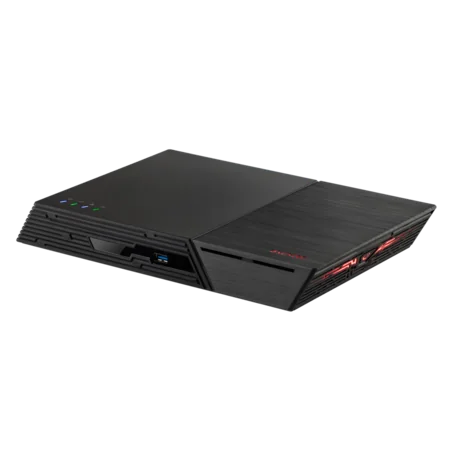
| Flashstor 12 Pro (FS6712X) | 12 x M.2 NVMe (PCIe 3.0 x1), Celeron N5105, 4 GB DDR4, 10GbE, HDMI | Maximum SSD count, media and shared project storage |
| Flashstor 6 Gen2 (FS6806X) | 6 x M.2 NVMe (PCIe 4.0), Ryzen V3C14, 8 GB DDR5 (ECC supported), 10GbE, 2 x USB4 | 4K editing, content creators and heavier apps |
Positioning summarised from ASUSTOR's official product pages.
Flashstor 12 Pro FS6712X vs Flashstor 6 Gen2 FS6806X: full specifications
Every figure comes from ASUSTOR's specification pages. Lab speeds are ASUSTOR's Windows sequential results over a single 10GbE port and depend on your SSDs, network and client computer.
Swipe the table sideways to compare all models →
| Spec | Flashstor 12 Pro (FS6712X) | Flashstor 6 Gen2 (FS6806X) |
|---|---|---|
| M.2 SSD slots | 12 x M.2 2280 NVMe | 6 x M.2 2280 NVMe |
| M.2 PCIe interface | PCIe 3.0 x1 | 1 x PCIe 4.0 x4, 3 x PCIe 4.0 x2, 2 x PCIe 4.0 x1 |
| Processor | Intel Celeron N5105, quad-core 2.0 GHz (burst 2.9 GHz) | AMD Ryzen Embedded V3C14, quad-core 2.3 GHz (burst 3.8 GHz) |
| Memory | 4 GB DDR4 (1 x 4 GB), 2 slots | 8 GB DDR5-4800 (1 x 8 GB), 2 slots |
| Maximum memory | 16 GB (2 x 8 GB) | 64 GB |
| ECC memory | Not listed | Supported (needs ECC modules) |
| Network | 1 x 10GbE (10G, 5G, 2.5G, 1G, 100M, 10M) | 1 x 10GbE (10G, 2.5G, 1G, 100M) |
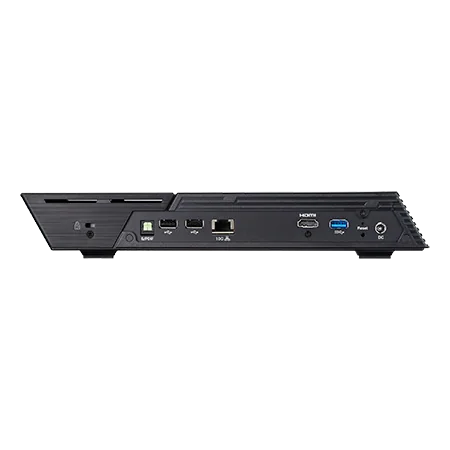
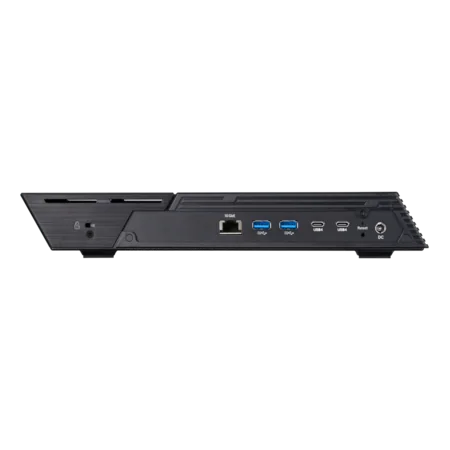
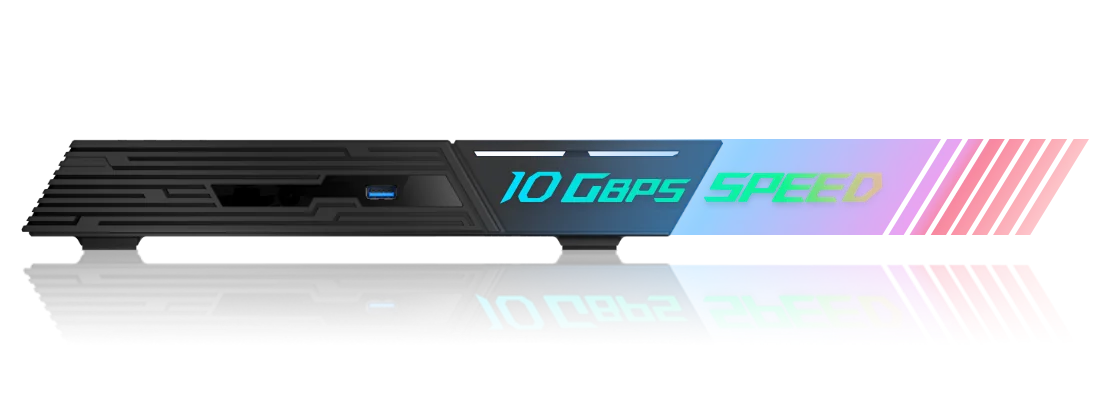
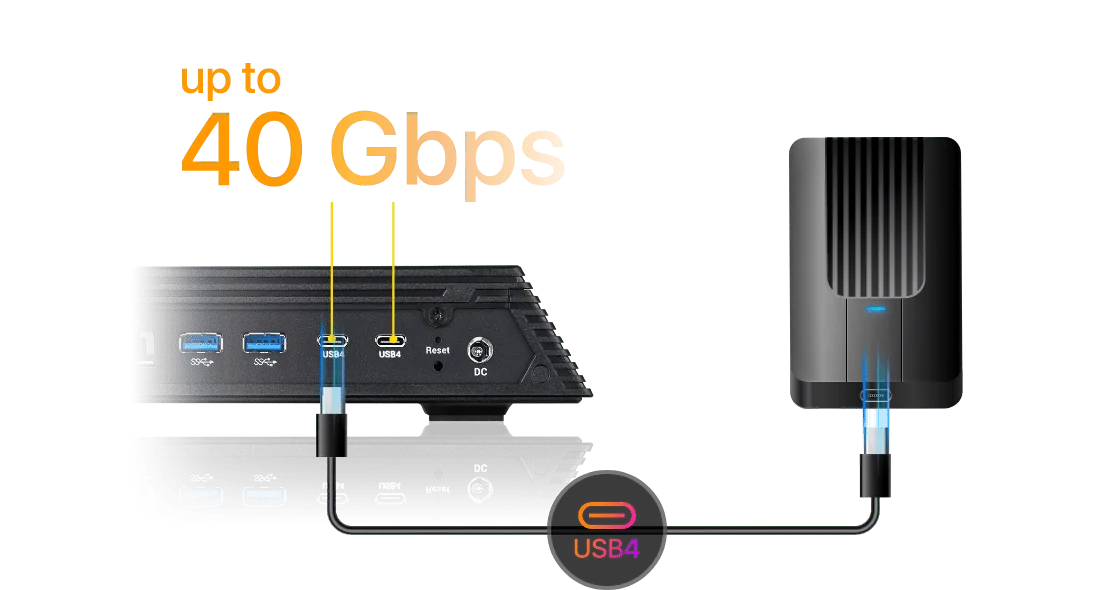
| USB | 2 x USB 3.2 Gen 2 (10 Gbps), 2 x USB 2.0 | 3 x USB 3.2 Gen 2 (10 Gbps) Type-A, 2 x USB4 (40 Gbps per port) |
| HDMI / audio | 1 x HDMI 2.0b, 1 x S/PDIF | No HDMI listed |
| Drives with expansion unit | 8 | 12 |
| Lab read / write | 1,181 / 1,027 MB/s (RAID 5, 1 x 10GbE) | 1,179 / 1,181 MB/s (RAID 5, 1 x 10GbE) |
| Noise level | 18.7 dB | 18.6 dB |
| Power consumption | 26 W (operation) | 17.9 W (operation), 1.2 W (sleep) |
| Power adapter | 90 W | 90 W |
| Size (H x W x D) | 48.3 x 308.26 x 193 mm | 48.3 x 308.26 x 193 mm |
| Weight | 1.37 kg | 1.4 kg |
| Warranty | 3 years | 3 years |
Source: ASUSTOR specifications for FS6712X and FS6806X. ASUSTOR lists ECC as disabled if non-ECC memory is installed or mixed with ECC memory.
M.2 slots and PCIe lanes: twelve vs six
The FS6712X gives you twelve M.2 slots, each on a single PCIe 3.0 lane (about 1 GB/s per SSD). That suits RAID 5 or RAID 6 across many smaller, more affordable SSDs, and the total easily fills its 10GbE port. The FS6806X has half the slots but much wider lanes: one PCIe 4.0 x4, three PCIe 4.0 x2 and two PCIe 4.0 x1. Each PCIe 4.0 lane carries roughly twice a PCIe 3.0 lane, so individual SSDs have far more headroom for snapshots, apps and future network upgrades.
In ASUSTOR's lab both reach about 1,180 MB/s read over 10GbE. The difference shows in writes: 1,027 MB/s on the FS6712X against 1,181 MB/s on the FS6806X (both RAID 5).
Processor, memory and ECC
The Flashstor 12 Pro runs a 10 nm Intel Celeron N5105 with 4 GB of DDR4, expandable to 16 GB. It handles file serving, media streaming and 10-bit 4K H.265 hardware transcoding. The Flashstor 6 Gen2 moves to a 6 nm AMD Ryzen Embedded V3C14 with Zen 3 cores, 8 GB of DDR5-4800 and room for 64 GB. It also supports ECC (error-correcting code) memory, which detects and corrects memory errors. That matters for long-running file servers, databases and virtual machines. To use ECC, fit ASUSTOR ECC DDR5 modules, because ECC turns off if non-ECC memory is installed or mixed in.
10GbE, USB4 and HDMI
Both models have one 10GbE port and include a Cat 6a cable in the box. To get 10GbE speeds you need a 10GbE port on your computer and a 10GbE-capable switch. The ports also run at 2.5G and 1G, so you can start on a 2.5G network and upgrade later.
The FS6806X adds two USB4 Type-C ports at 40 Gbps per port, for USB4 or Thunderbolt 3/4 storage devices. Note that ASUSTOR says these ports do not support host-to-host networking, so you cannot plug a laptop straight into USB4 to use the NAS. The FS6712X instead keeps HDMI 2.0b and S/PDIF optical audio, which suits a media room or a Roon music server.
SSD endurance and heat in a NAS
Flash memory wears a little with every write. SSD makers rate endurance as TBW (terabytes written) or DWPD (drive writes per day). A NAS that takes heavy daily writes, such as video ingest or surveillance recording, should use SSDs with a higher endurance rating. RAID 5 or RAID 6 and regular backups protect you when a drive does wear out.
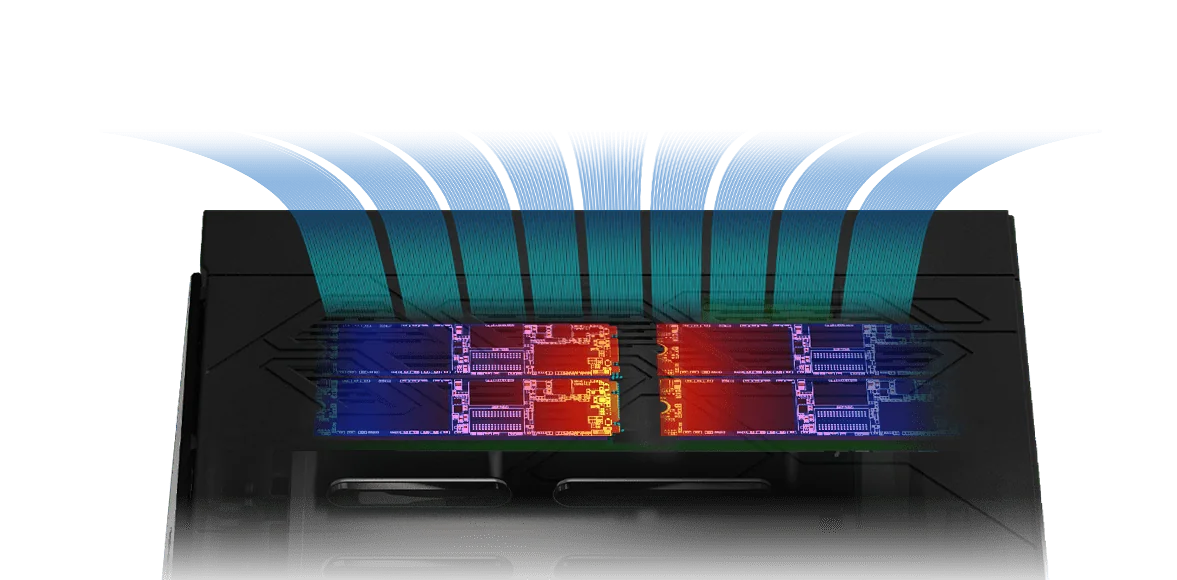
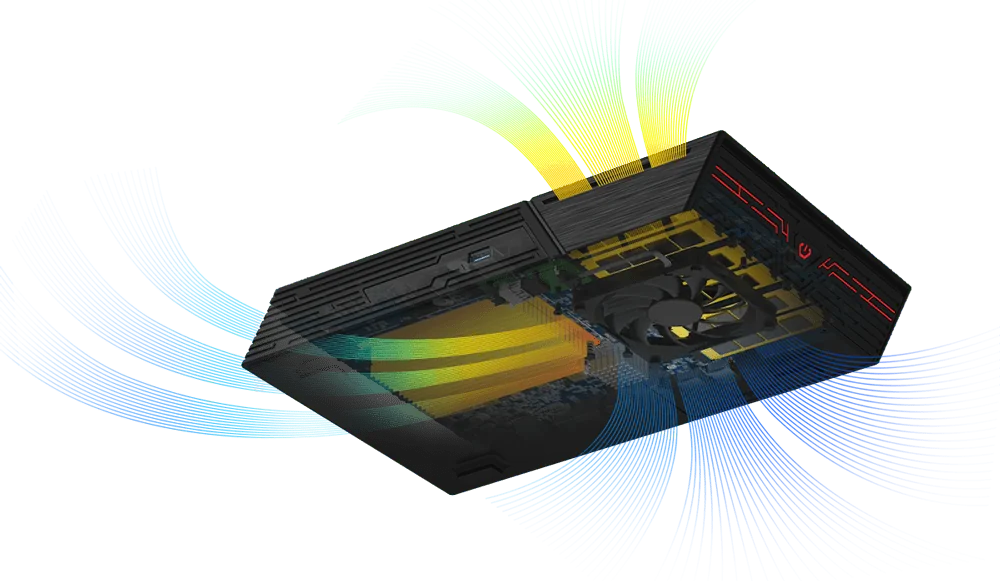
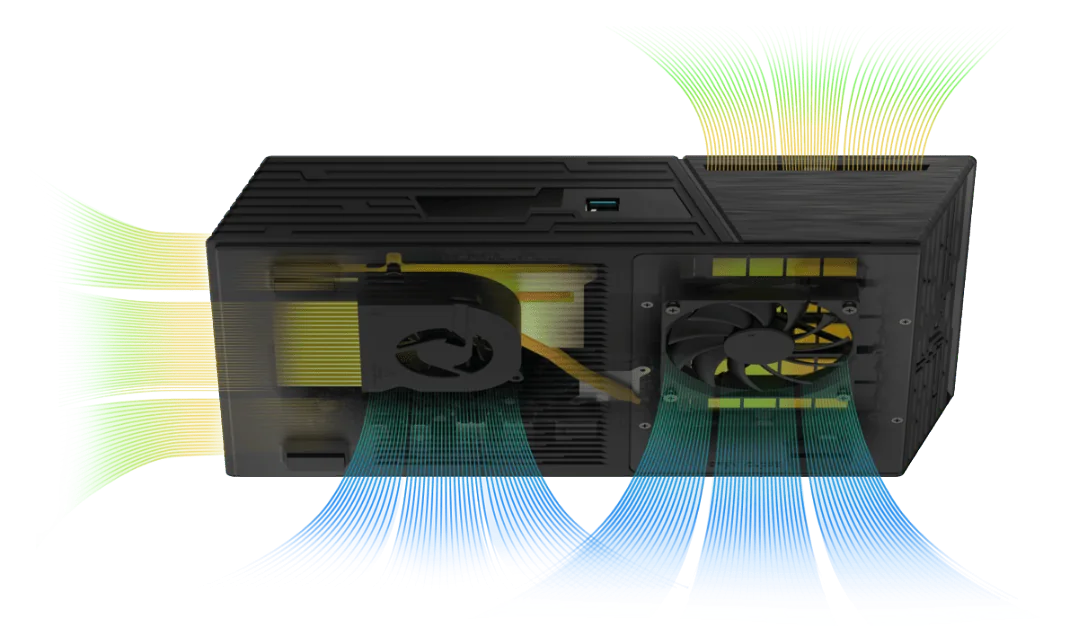
NVMe SSDs also slow themselves down (throttle) when they get too hot. ASUSTOR designs the Flashstor around airflow: the Flashstor 12 Pro uses a quiet fan and an air duct to move heat off the SSDs, and the Flashstor Gen2 adds strategically placed fans to cool every high-performance component while staying quiet. ASUSTOR also lists an optional M.2 heatsink with thermal pad (AS-HK1) for the FS67 and FS68 series. Both units are rated for 0–40 °C ambient, so keep them out of hot cupboards and away from direct sun in an Australian summer.
Noise, power and size
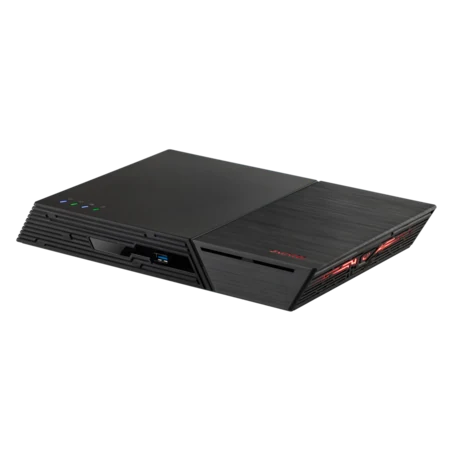
ASUSTOR rates the FS6712X at 18.7 dB and the FS6806X at 18.6 dB, quiet enough for a desk in a home office or a small edit suite. Power draw is low: 26 W in operation for the FS6712X and 17.9 W for the FS6806X, which also has a 1.2 W sleep mode. Both share the same 48.3 x 308.26 x 193 mm chassis, no longer or wider than an A4 sheet, and weigh about 1.4 kg, so they travel well between home, office and shoot.
Who should buy an all-flash NAS?
All-flash makes the most sense when people work directly from the NAS rather than just storing files on it.
| Buyer | Suggested model | Why |
|---|---|---|
| Video editor cutting 4K from the NAS | FS6806X | PCIe 4.0 SSD lanes, 10GbE, USB4 for card readers and shuttle drives |
| Photographer with a large Lightroom library | FS6712X or FS6806X | Fast catalogue browsing, silent, RAID protection |
| Small creative studio sharing projects | FS6806X | More memory headroom, ECC support, 10GbE |
| Home media room or music server | FS6712X | HDMI 2.0b, S/PDIF for Roon, 4K transcoding |
| Large archive with an SSD tier | AS5404T or AS6704T v2 | Hard-drive capacity plus four M.2 slots |
| Office needing heavy apps and capacity | AS6804T | Ryzen, ECC DDR5, PCIe 4.0 M.2, 10GbE, four drive bays |
ARC IP Networks suggestions based on ASUSTOR's official specifications.

Flashstor accessories and spare parts
ASUSTOR lists DDR4 modules for the FS6712X, DDR5 and ECC DDR5 modules for the FS6806X, the AS-HK1 M.2 heatsink, the AS-U2.5G2 2.5GbE USB adapter, and the AS5004U and AS6004U expansion units, which add hard-drive capacity over USB when you need it. ARC IP Networks also supplies the FSHOOKCHIP spare part for Flashstor M.2 slots. ASUSTOR does not publish a specification page for it, so please call us on 1300 100 440 to confirm the fit for your unit before ordering.
Comparing all ASUSTOR families? See our best NAS in Australia buying guide or AS5402T vs AS5404T comparison.
Shop genuine ASUSTOR SSD and NVMe NAS
Live Australian pricing (inc. GST) and stock levels are on each product page.



Common questions
Straight answers from the ARC IP Networks team. Last reviewed October 2026.
An SSD NAS is network attached storage that uses solid-state drives instead of spinning hard drives. It is silent, compact and responds quickly to small random reads and writes. ASUSTOR's all-SSD range is the Flashstor.
An NVMe NAS uses M.2 NVMe SSDs, which connect over PCIe lanes rather than SATA. Each PCIe 3.0 lane carries about 1 GB/s and each PCIe 4.0 lane about 2 GB/s, against roughly 550 MB/s for SATA. The ASUSTOR Flashstor 12 Pro and Flashstor 6 Gen2 are NVMe NAS units.
The Flashstor 12 Pro (FS6712X) has twelve PCIe 3.0 x1 M.2 slots, an Intel Celeron N5105, 4 GB DDR4, 10GbE, HDMI 2.0b and S/PDIF. The Flashstor 6 Gen2 (FS6806X) has six PCIe 4.0 M.2 slots, an AMD Ryzen V3C14, 8 GB DDR5 with ECC support (up to 64 GB), 10GbE and two USB4 ports.
It is worth it when people work directly from the NAS, such as editing video or browsing large photo catalogues, or when you need a silent unit on a desk. For bulk storage at the lowest cost per terabyte, a hybrid NAS with hard drives and M.2 slots, such as the AS5404T, is better value.
ASUSTOR's lab measured 1,181 MB/s read and 1,027 MB/s write for the FS6712X, and 1,179 MB/s read and 1,181 MB/s write for the FS6806X, both in RAID 5 over a single 10GbE port with Windows sequential transfers.
No. ASUSTOR lists M.2 2280 NVMe as the compatible drive type for both Flashstor models. For 2.5-inch SATA SSDs, choose a NAS with drive bays such as the AS5402T or AS5404T.
Flash memory wears slowly with writes, and SSD makers rate this as TBW or DWPD. For write-heavy work, choose SSDs with a higher endurance rating, use RAID 5 or RAID 6 and keep a backup.
ASUSTOR does not list an HDMI port for the FS6806X. It has 10GbE, three USB 3.2 Gen 2 Type-A ports and two USB4 ports. The Flashstor 12 Pro (FS6712X) has HDMI 2.0b and S/PDIF.
Yes, through an ASUSTOR expansion unit such as the AS5004U connected over USB. ASUSTOR lists up to 8 drives with expansion for the FS6712X and up to 12 for the FS6806X.
ARC IP Networks is a trusted ASUSTOR supplier in Australia, with genuine Flashstor NAS units, the full 3-year ASUSTOR warranty, Australia-wide delivery and trade pricing. Order online at arcip.com.au or call 1300 100 440.
Planning an all-flash NAS?
Tell us your workflow, team size and how much active data you edit. ARC IP Networks will size the Flashstor, SSDs, network and UPS, with trade and project pricing.