Yes, for most homes and small offices 2.5GbE is the best-value upgrade for a NAS. It runs at 2.5 times Gigabit speed, works over the Cat5e or Cat6 cable you probably already have, and needs only three things: a 2.5GbE NAS, a 2.5GbE switch and a 2.5GbE port or USB adapter on the computer. In line-rate terms that is about 312 MB/s instead of about 125 MB/s.
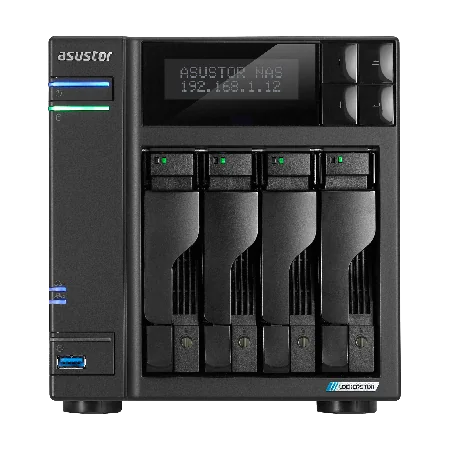
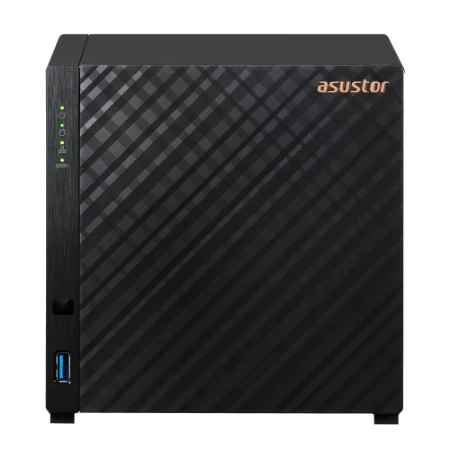
Quick pick: one 2.5GbE port on a budget → Drivestor 4 Gen2 (AS1204T); two 2.5GbE ports for SMB Multichannel → AS5404T; more headroom with 5GbE (also runs at 2.5GbE) → Lockerstor 4 Gen2+ (AS6704T v2). ARC IP Networks is a trusted ASUSTOR supplier in Australia: genuine ASUSTOR NAS and accessories at competitive prices, with the full ASUSTOR manufacturer warranty, Australia-wide delivery and trade pricing.
Gigabit vs 2.5GbE vs 10GbE at a glance
| Gigabit (1GbE) | 2.5GbE | 10GbE | |
|---|---|---|---|
| Line rate | 1 Gbps | 2.5 Gbps | 10 Gbps |
| Approx. maximum throughput | 125 MB/s | 312 MB/s | 1,250 MB/s |
| Typical cable | Cat5e | Cat5e or Cat6 (ASUSTOR) | Cat6a (Cat6 for shorter runs) |
| Rewiring needed? | No | Usually no | Often |
| Cost to upgrade | Already in place | Low | Higher: switches, cards, cabling |
| Best for | Basic backups, documents | Homes, creators, small offices, Wi-Fi 6 clients | Video teams, virtualisation, all-flash NAS |
Throughput is the theoretical line rate divided by 8 (before protocol overhead). Real speeds depend on drives, RAID and the client computer.
What is 2.5 Gigabit Ethernet?
ASUSTOR puts it simply: 2.5GbE is 2.5 times Gigabit speed. File transfers, real-time streaming and recording increasingly need more than Gigabit, and while 10GbE, 25GbE and 40GbE exist, ASUSTOR notes they are mainly found in enterprise settings where performance at any cost is needed. 2.5GbE gives a big jump while being mature, affordable technology that fits easily in a compact NAS.
ASUSTOR was one of the first companies to put 2.5GbE on a NAS, and most ASUSTOR NAS now have one or more 2.5GbE ports. On models with more than one port, ASUSTOR suggests link aggregation through a managed switch for better stability and performance across several computers.
Using Wi-Fi 6? Gigabit is not enough
ASUSTOR makes the point that Wi-Fi 6 clients can outrun a Gigabit link to the NAS. If a few laptops on a Wi-Fi 6 network all pull files at once, a single Gigabit NAS port becomes the bottleneck. A 2.5GbE NAS and a 2.5GbE uplink from the access point remove it.
How to upgrade to 2.5GbE without rewiring
ASUSTOR says your Category 5e or Category 6 cabling already supports 2.5GbE, so most Australian homes and offices wired in the last decade can upgrade without new cable. ASUSTOR lists three things to get started:
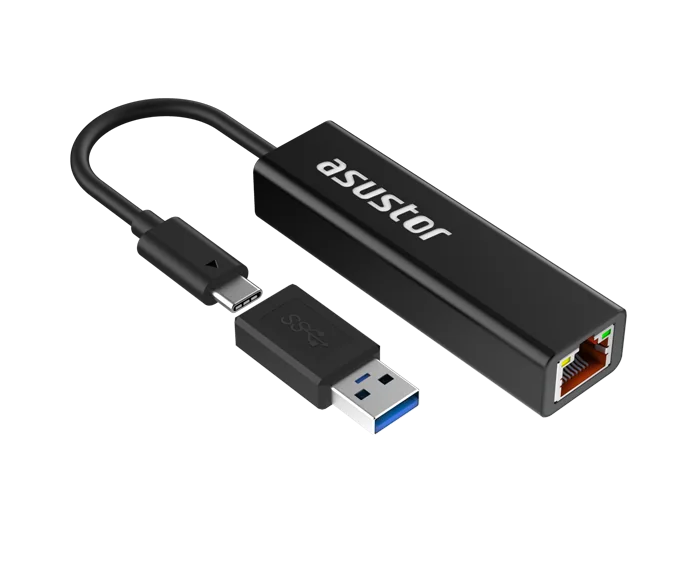
- A 2.5GbE adapter for the computer: many recent desktop motherboards have 2.5GbE built in. For laptops, ASUSTOR makes the AS-U2.5G2 USB adapter: USB Type-C with a Type-A adapter, an integrated cable, an aluminium case, USB power and a weight of 33 g, backwards compatible with Gigabit and 100 Mb Ethernet.
- A 2.5GbE switch: ASUSTOR's own example is the Switch'nstor ASW205T, an unmanaged, plug-and-play, fanless 2.5GbE switch that ASUSTOR says uses 10 W, is 14 cm long, weighs 340 g and can be wall-mounted. Any quality 2.5GbE switch does the job; choose a managed switch if you want link aggregation.
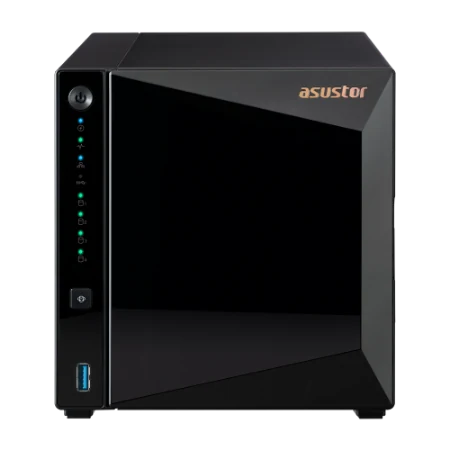
- A 2.5GbE NAS: every Drivestor Gen2, Drivestor Pro Gen2 and AS54 model in our range, plus the Lockerstor and Flashstor models whose 5GbE and 10GbE ports also run at 2.5GbE.
Ask us when you order and we will suggest a matching 2.5GbE switch and adapters for your setup.
ASUSTOR NAS with 2.5GbE (and faster)
| Model | Network ports (ASUSTOR) | Bays |
|---|---|---|
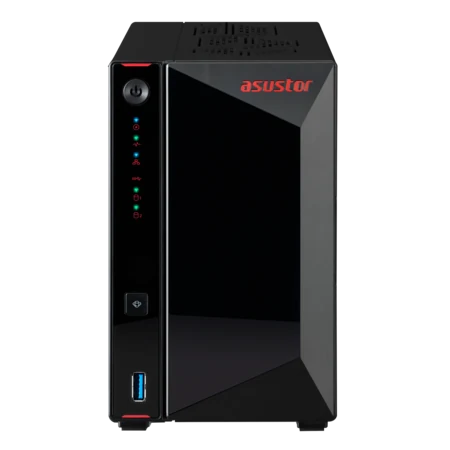
| AS1202T | 1 x 2.5GbE (2.5G/1G/100M) | 2 |
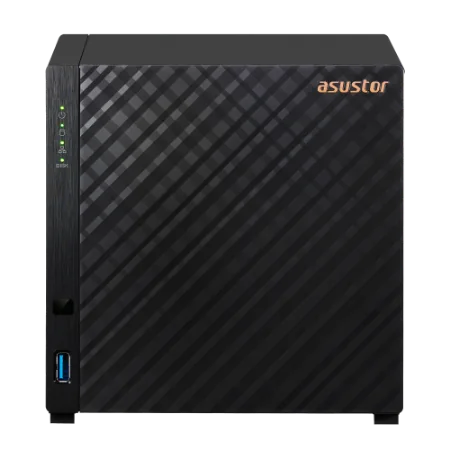
| AS1204T | 1 x 2.5GbE (2.5G/1G/100M) | 4 |
| AS3304T v2 | 1 x 2.5GbE (2.5G/1G/100M) | 4 |
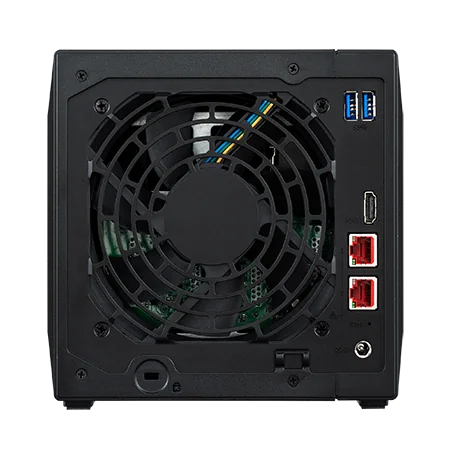
| AS5402T | 2 x 2.5GbE (2.5G/1G/100M) | 2 + 4 M.2 |
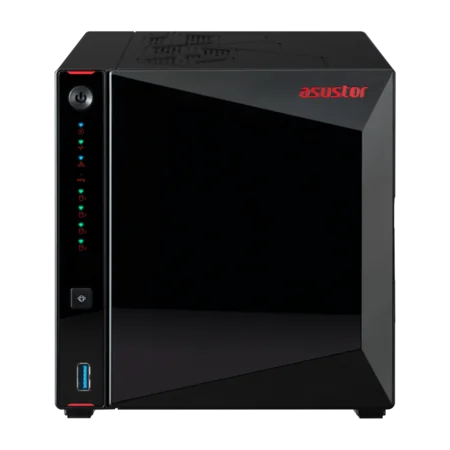
| AS5404T | 2 x 2.5GbE (2.5G/1G/100M) | 4 + 4 M.2 |
| AS6704T v2 | 2 x 5GbE (5G/2.5G/1G/100M) | 4 + 4 M.2 |
| AS6804T | 2 x 5GbE (5G/2.5G/1G/100M) + 2 x 10GbE (10G/2.5G/1G/100M) | 4 + 4 M.2 |
| FS6712X | 1 x 10GbE (10G/5G/2.5G/1G/100M/10M) | 12 x M.2 SSD |
Source: ASUSTOR specifications. Speeds in brackets are the speeds each port supports, so 5GbE and 10GbE ports also connect at 2.5GbE.
Two ports: SMB Multichannel and link aggregation
A NAS with two network ports can use both at once in two different ways:
| SMB Multichannel | Link aggregation | |
|---|---|---|
| What it does | Spreads one SMB session across several network paths | Bonds ports into one logical link |
| Benefit | Faster single-client transfers when the computer also has multiple ports | More total bandwidth for many clients, plus failover |
| Needs | Windows client with matching ports, ADM 5.0 or later | A managed switch that supports aggregation |
General description; ASUSTOR mentions both on its 2.5GbE and remote-work pages.
ASUSTOR's lab figures for the AS5404T using SMB Multichannel across its dual 2.5GbE ports are 576 MB/s read and 566 MB/s write (RAID 5, Windows sequential, optimised lab conditions). That is well beyond what one 2.5GbE link can carry.
Who gains most from 2.5GbE
ASUSTOR highlights three groups:
- Gamers: store games on an iSCSI volume, or stream to several platforms at once and archive live streams with ASUSTOR Live.
- Audio-visual work: editing and watching high-resolution content is faster and smoother. Photographers browsing RAW files and editors scrubbing 4K footage feel the difference straight away.
- Backups: back up and restore at more than double Gigabit speed, which shortens nightly backup windows and gets people working again sooner after a restore.
For a household, 2.5GbE also helps when several people stream from a media server while a PC backs up. See our Plex NAS guide for media setups.


Not getting 2.5GbE speeds? Check these first
A 2.5GbE link only shows its full speed when every part of the path keeps up. Before blaming the NAS, work through this list:
- Link speed: check the NAS, switch and computer all report 2.5 Gbps. One Gigabit hop, such as an old switch in a wall cabinet, caps the whole path.
- Cable and patch leads: damaged or very old patch leads can force a link down to Gigabit. Swap in a known-good Cat5e or Cat6 lead.
- The drives: a single hard drive cannot fill a 2.5GbE link on its own. Several drives in RAID 5 or RAID 10, or SSD caching on models with M.2 slots, get you closer.
- The computer: copying to a slow internal drive or a USB stick limits the transfer, whatever the network speed.
- Wi-Fi in the middle: wireless speeds vary with distance and interference. Test with a cable first to set a baseline.
- Small files: thousands of tiny files move slower than one big file at any network speed. Zip large folders of small files before moving them.
ASUSTOR's own quick test is to plug a 2.5GbE USB adapter into the PC and connect it straight to the NAS LAN port, which removes the switch from the equation.
When to skip 2.5GbE and go to 10GbE
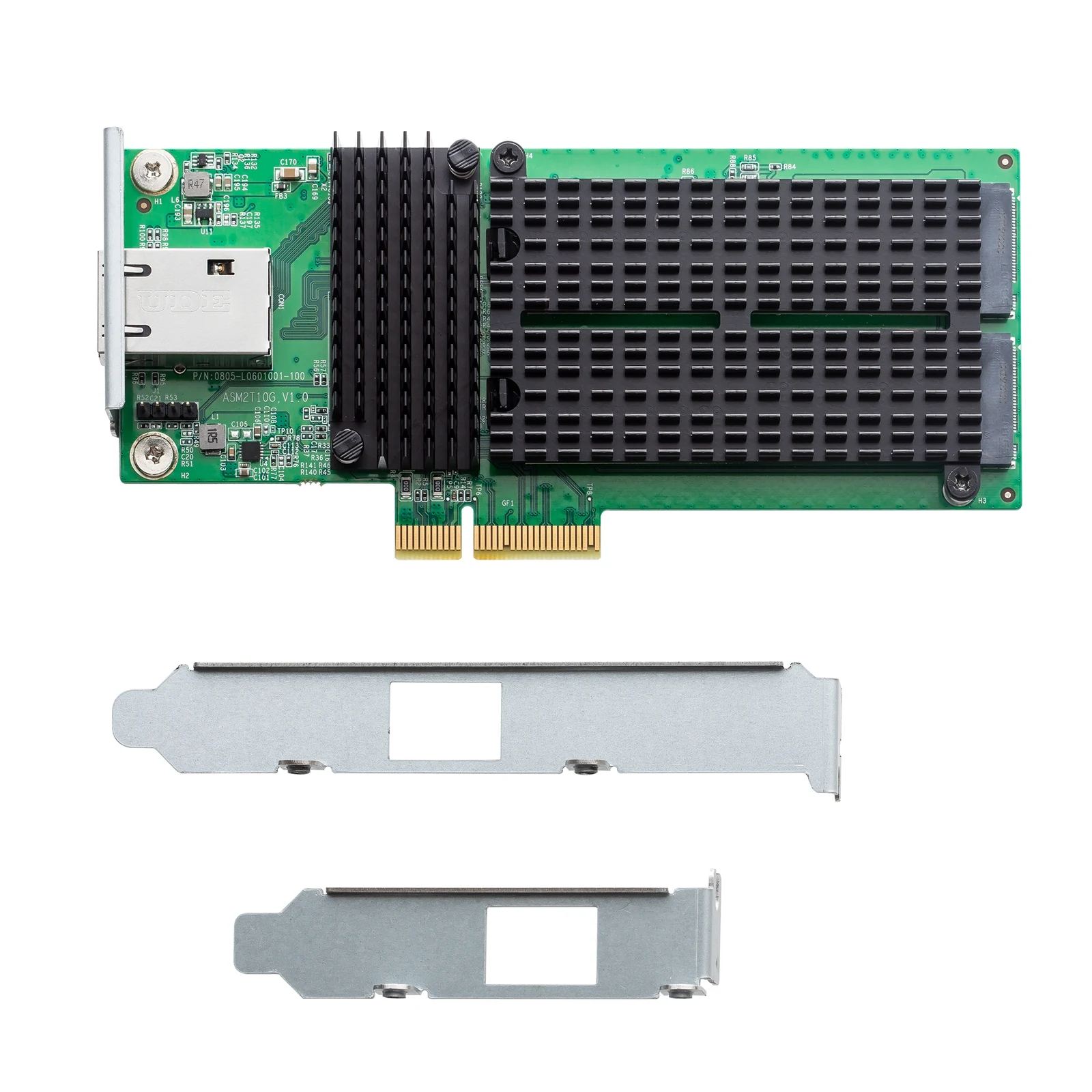
2.5GbE suits most homes and small offices. Move to 10GbE when several editors work on 4K or 8K footage directly from the NAS, when the NAS is shared storage for virtual machines, or when you buy an all-flash NAS whose SSDs can outrun 2.5GbE. The AS6804T has two 10GbE ports built in, the FS6712X has a 10GbE port, and the Lockerstor Gen2+ models have a PCIe slot for an optional 10GbE card such as the AS-T10G3. Our Flashstor guide covers all-flash options.
Build it with ARC IP Networks
ARC IP Networks is a trusted ASUSTOR supplier in Australia, and we also supply the switching to go with it. Order the NAS, drives, switch and UPS together, with trade and project pricing for installers.
| Setup | What we suggest | Why |
|---|---|---|
| Home backup and media, one 2.5GbE link | AS1204T with IronWolf 4 TB | Single 2.5GbE, four bays, low power |
| Creator or small studio | AS5404T with IronWolf 8 TB | Dual 2.5GbE for SMB Multichannel, M.2 slots |
| Office of 10 to 25 on Wi-Fi 6 | AS6704T v2 with 10 TB drives | Dual 5GbE (runs at 2.5GbE today), 10GbE-ready |
| Video team moving to 10GbE | AS6804T | Dual 10GbE plus dual 5GbE |
For an office NAS, add a UPS from our PowerShield range; our best UPS for a NAS guide explains why. Call 1300 100 440 for a quote.
Shop genuine ASUSTOR 2.5GbE NAS
Genuine ASUSTOR with the full 3-year manufacturer warranty. Current Australian pricing (inc. GST) is on each product page.


Common questions
Straight answers from the ARC IP Networks team. Last reviewed October 2026.
For most homes and small offices, yes. 2.5GbE runs at 2.5 times Gigabit speed, about 312 MB/s instead of 125 MB/s in line-rate terms, usually over existing Cat5e or Cat6 cable, and the switches and adapters cost far less than 10GbE.
Usually not. ASUSTOR says existing Category 5e or Category 6 cabling fully supports 2.5GbE, so you can upgrade the NAS, switch and computer without rewiring.
Three things: a 2.5GbE NAS, a 2.5GbE switch and a 2.5GbE port or USB adapter on the computer. If any link in the chain is Gigabit, the transfer runs at Gigabit speed.
The Drivestor Gen2 and Drivestor Pro Gen2 models have one 2.5GbE port, the AS5402T and AS5404T have two, and the Lockerstor Gen2+ 5GbE ports and the AS6804T and Flashstor 10GbE ports also connect at 2.5GbE.
SMB Multichannel spreads a file transfer across several network ports. ASUSTOR's lab figures for the AS5404T across its dual 2.5GbE ports are 576 MB/s read and 566 MB/s write in RAID 5.
Yes. ASUSTOR notes that with Wi-Fi 6, Gigabit is not enough, because several fast wireless clients can saturate a single Gigabit NAS port.
Choose 10GbE for multi-editor 4K or 8K video, virtual machine storage or an all-flash NAS. The AS6804T has dual 10GbE built in, and Lockerstor Gen2+ models take an optional 10GbE card.
ARC IP Networks is a trusted ASUSTOR supplier in Australia with genuine ASUSTOR NAS, competitive prices, the full manufacturer warranty and Australia-wide delivery. Call 1300 100 440 for trade and project pricing.
Upgrading your network to 2.5GbE?
Tell us what is plugged in today. ARC IP Networks will match the ASUSTOR NAS, switch, adapters and UPS, with trade and project pricing.