Yes, you can run Adobe Premiere Pro projects from a NAS. ASUSTOR states that Premiere Pro supports network drives as storage for projects and media, and that nearly all ASUSTOR NAS models work with Premiere Pro over SMB. For smooth 4K editing, choose a NAS with a quad-core processor, M.2 NVMe SSD slots and faster-than-Gigabit networking: 2.5GbE for one editor, 5GbE or 10GbE for a team.
Quick pick: solo editor → AS5404T; small team → Lockerstor 4 Gen2+ (AS6704T v2) with a 10GbE card; daily 4K team work → Lockerstor 4 Gen3 (AS6804T); all-flash → Flashstor 12 Pro (FS6712X). ARC IP Networks is a trusted ASUSTOR supplier in Australia: genuine ASUSTOR NAS and accessories at competitive prices, with the full ASUSTOR manufacturer warranty, Australia-wide delivery and trade pricing.
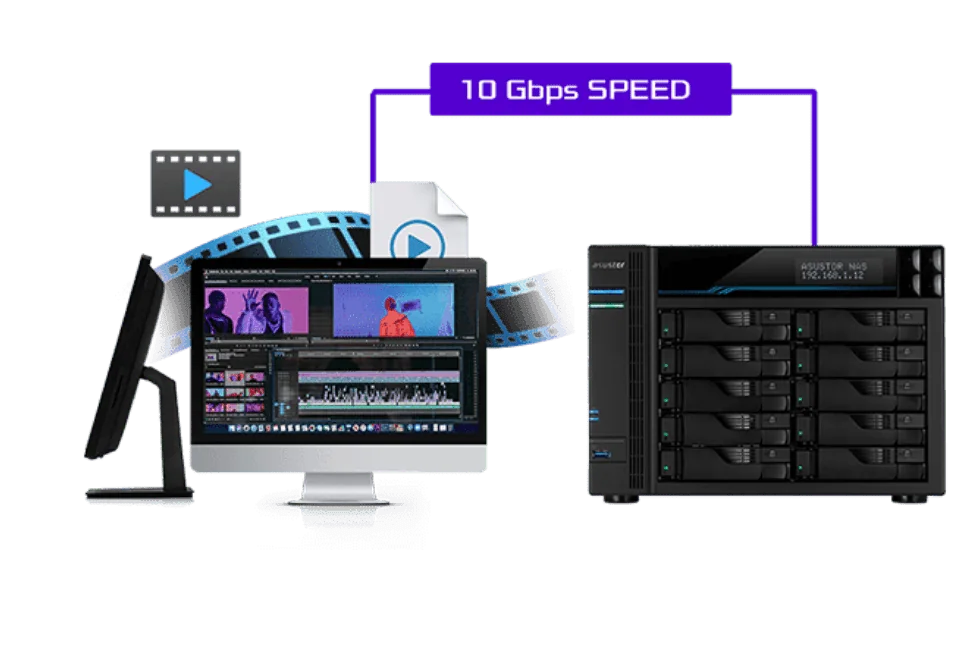
The five 4K editing problems a NAS solves
ASUSTOR lists five problems that come up again and again in video editing. Here is each one, and how a NAS addresses it.
| Problem (ASUSTOR) | What goes wrong | How a NAS helps |
|---|---|---|
| Not enough performance | Effects and higher resolutions cause lag or crashes | Offload exports, transcodes and storage work from the edit machine |
| Slow drives | High-bitrate 4K and several video tracks need fast reads and writes | NVMe SSD cache plus 2.5GbE, 5GbE or 10GbE |
| Not enough capacity | Footage spread across many external drives is hard to find | One shared library with room to add drives |
| Drive damage | Portable drives get knocked or dropped | The NAS stays put, and RAID survives a failed drive |
| Only one backup | Large projects are hard to copy more than once | Snapshots, NAS-to-NAS and cloud backups on a schedule |
Problems from ASUSTOR's Premiere Pro and 4K solution page; fixes summarised by ARC IP Networks.
Premiere Pro and network storage
Adobe Premiere Pro is professional editing software for cutting video, merging audio, adding effects and grading colour. It is part of Adobe Creative Cloud and is used by everyone from hobbyists to film crews.
According to ASUSTOR, Premiere Pro supports network drives as storage space for projects and source material, and nearly all ASUSTOR NAS models support SMB for this. In practice that means you map a shared folder on the NAS as a drive on your Windows PC or Mac, then import footage and save projects there just as you would on a local disk. Because the files live on the NAS, they do not fill up the edit machine, and a teammate can open the same media library from their own computer.
Two ways to work
- Edit in place: open projects straight from the NAS. ASUSTOR says many of its models with 10GbE, or a 10GbE upgrade, let a team edit this way without noticeable slowdowns.
- Copy, edit, return: each editor copies the job to a local SSD, edits, then saves back. Slower to start, but useful on slower links or when working away from the studio.
ASUSTOR also notes that Mac computers can connect over SMB, AFP or NFS, and that the AiData app gives phones and tablets access to the same files.

Choosing a NAS for Premiere Pro: ASUSTOR's checklist
ASUSTOR's guidance for picking a 4K video storage server comes down to seven points. We have added which ASUSTOR models in our range meet each one.
| ASUSTOR advice | What to look for | Models that fit |
|---|---|---|
| Enough capacity for 4K material | Several to tens of terabytes | Four or six bays: AS5404T, AS6704T v2, AS6706T v2, AS6804T |
| M.2 SSDs and faster-than-Gigabit Ethernet | NVMe slots plus 2.5GbE or faster | Every model in this guide has four or more M.2 slots |
| An Intel quad-core processor and enough memory | Quad-core CPU, expandable RAM | Celeron N5105 models (AS5404T, Lockerstor Gen2+, FS6712X); Ryzen in the AS6804T and FS6806X |
| More bays than you need today | Room to grow without replacing the NAS | AS6706T v2 (six bays), or a four-bay with free bays |
| Data protection features | RAID, snapshots, WORM, backups | All models run ADM with Snapshot Center and backup apps |
| File sharing and collaboration | Multi-user access, share links | All models |
| Remote connection features | Secure access from outside the studio | All models |
Advice from ASUSTOR's Premiere Pro and 4K solution page. Model mapping by ARC IP Networks from ASUSTOR specifications.
ASUSTOR NAS for Premiere Pro compared
Swipe the table sideways to compare all models →
| Spec | AS5404T | AS6704T v2 | AS6706T v2 | AS6804T | FS6712X | FS6806X |
|---|---|---|---|---|---|---|
| Name | Nimbustor 4 Gen2 | Lockerstor 4 Gen2+ | Lockerstor 6 Gen2+ | Lockerstor 4 Gen3 | Flashstor 12 Pro | Flashstor 6 Gen2 |
| Drive bays | 4 | 4 | 6 | 4 | None (all-flash) | None (all-flash) |
| M.2 NVMe slots | 4 | 4 | 4 | 4 | 12 | 6 |
| Processor | Intel Celeron N5105 | Intel Celeron N5105 | Intel Celeron N5105 | AMD Ryzen V3C14 | Intel Celeron N5105 | AMD Ryzen V3C14 |
| Memory | 4 GB DDR4 (max 16 GB) | 4 GB DDR4 (max 16 GB) | 8 GB DDR4 (max 16 GB) | 16 GB DDR5 ECC (max 64 GB) | 4 GB DDR4 (max 16 GB) | 8 GB DDR5 (max 64 GB) |
| Network | Dual 2.5GbE | Dual 5GbE | Dual 5GbE | Dual 10GbE + Dual 5GbE | 10GbE | 10GbE |
| 10GbE | No | Optional card | Optional card | Built in | Built in | Built in |
| ASUSTOR read speed | 576 MB/s | 1,146 MB/s | 992 MB/s | 1,675 MB/s | 1,181 MB/s | 1,179 MB/s |
| Warranty | 3 Years | 3 Years | 3 Years | 3 Years | 3 Years | 3 Years |
Source: ASUSTOR specifications. Read speeds are ASUSTOR's published RAID 5 results and depend on the connection used in its test.
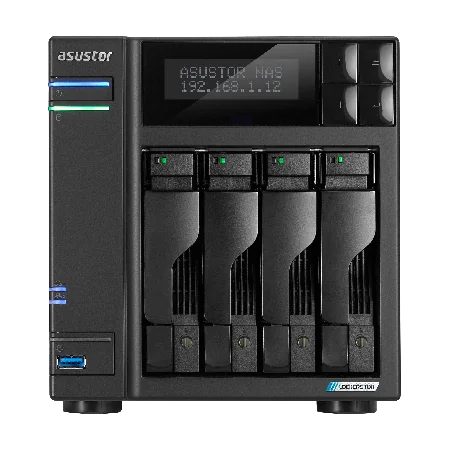
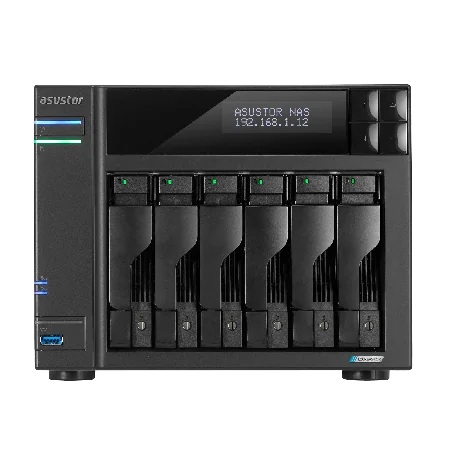

10GbE and NVMe SSDs: why they matter for 4K
High-quality 4K usually means a high bitrate, and a multi-track timeline reads several streams at once. ASUSTOR's advice is to pair NVMe SSDs, which handle both sequential and random reads well, with faster-than-Gigabit networking. On a Gigabit link the network is slower than a single hard drive, so even a fast NAS feels sluggish.
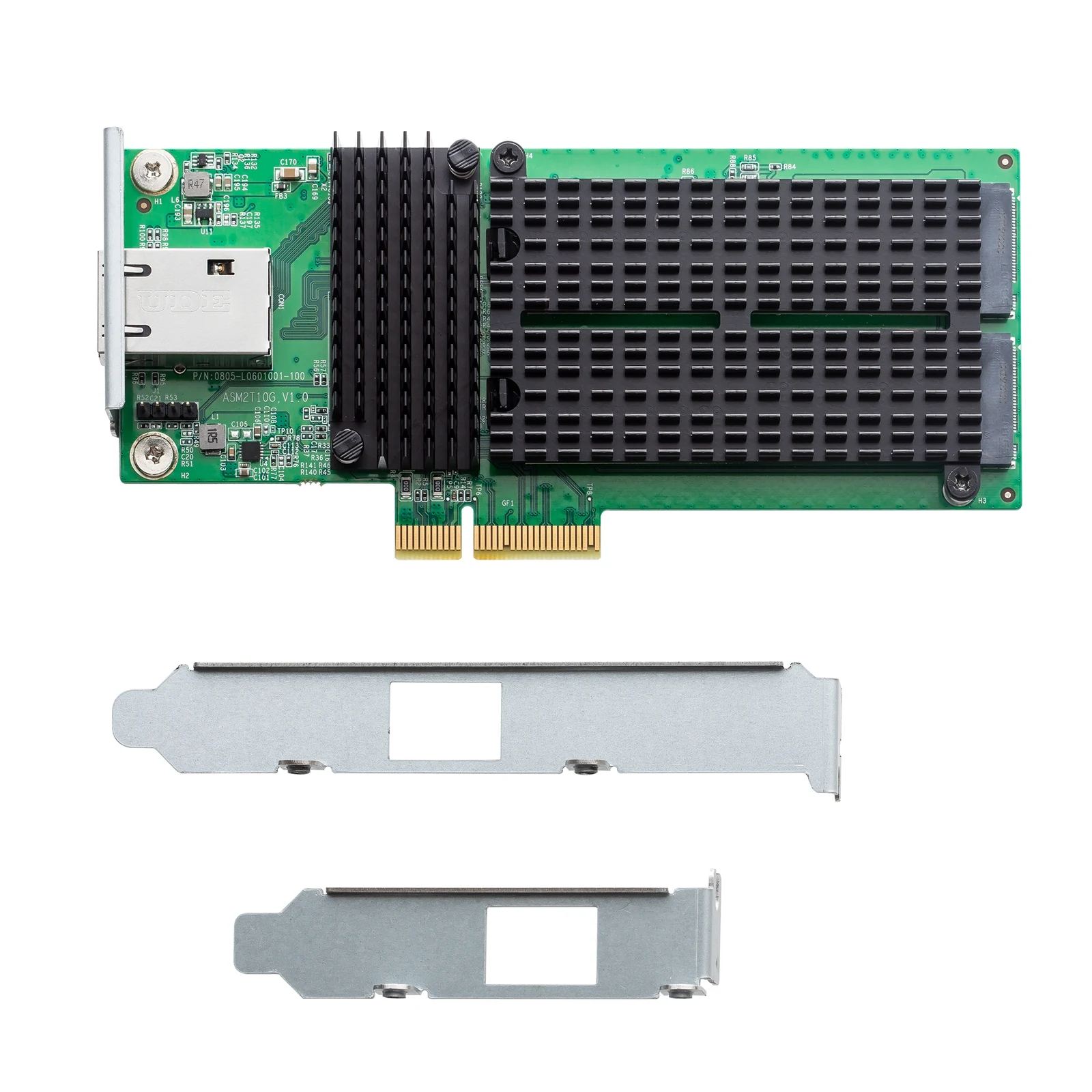
The Lockerstor 4 Gen2+ and Lockerstor 6 Gen2+ ship with dual 5GbE and a PCIe slot for the AS-T10G3 card, which adds a 10GbE port and two more M.2 slots. The Lockerstor 4 Gen3 has two 10GbE ports built in, and both Flashstor models have 10GbE. ASUSTOR also points to its expansion units when a NAS runs out of bays, so a growing archive does not mean a new server.
For a full breakdown of network speeds and transfer times, see our best NAS for video editing guide.
Export to the NAS and give your PC a break
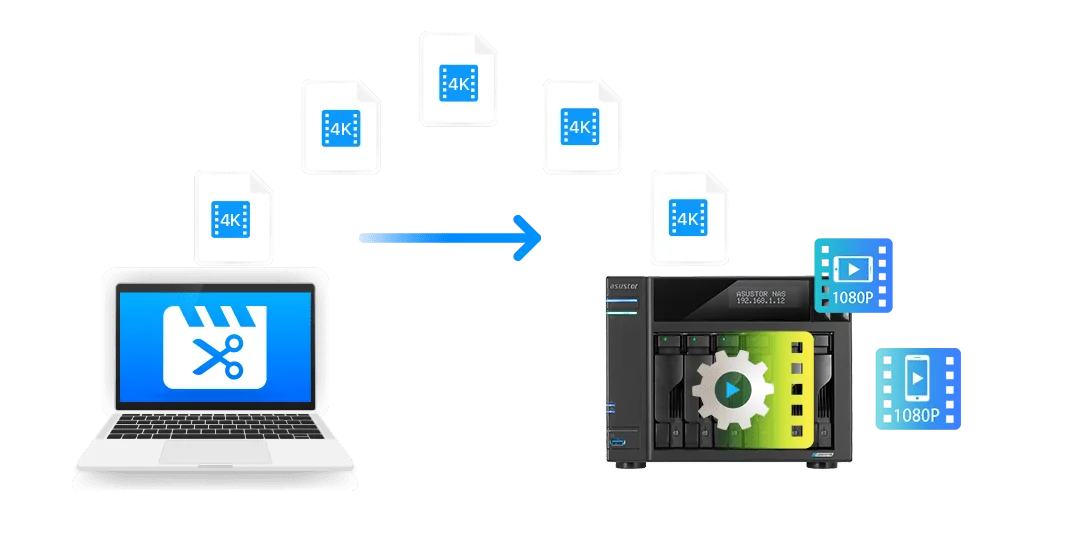
ASUSTOR suggests exporting finished masters from Premiere Pro straight to the NAS. That keeps the originals safely stored and backed up, and lets the NAS handle playback conversions so the edit machine stays free for the next job. In ASUSTOR's example the NAS-side transcoding tool is HandBrake, installed on the NAS.
ASUSTOR recommends an Intel quad-core processor or better for 4K creators who want the NAS to take on this work, which in our range means the Celeron N5105 models. ASUSTOR also says its NAS units with transcoding convert files on the fly to suit the screen they are played on, so clients can review cuts on a phone, laptop or TV.

Protecting projects: RAID, snapshots, WORM and backups
RAID
Install at least two drives and build a RAID array so one failed drive does not lose the project. ASUSTOR's NAS warns you when a drive fails; replace it and the array rebuilds with your data intact.
Snapshot Center
On Btrfs volumes, Snapshot Center keeps up to 256 snapshots per volume and can take one every five minutes, so an overwritten project file or a ransomware hit can be rolled back quickly.
WORM
ADM's WORM (write once, read many) feature locks archived data so it cannot be deleted or modified, which suits finished client deliverables.
Backups and MyArchive
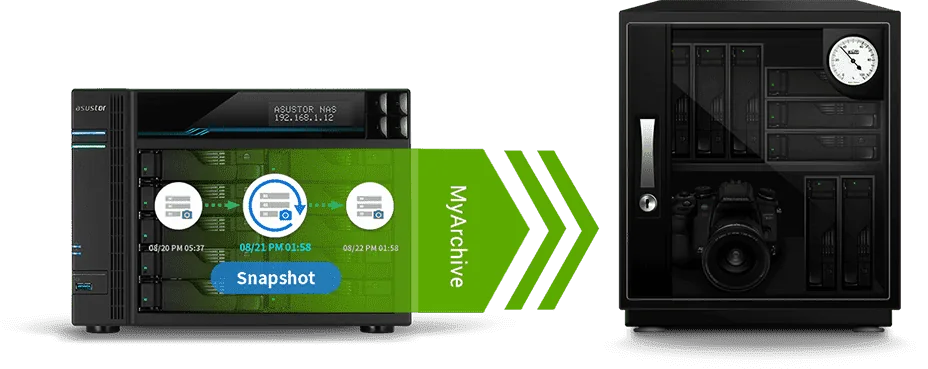
ASUSTOR lists local backups, NAS-to-NAS backups, EZ Sync remote synchronisation and DataSync Center cloud backups. MyArchive drives, now with Btrfs and snapshots, are removable archive disks for projects you have finished but may need again.
Our 3-2-1 backup guide shows how to combine these so that one fire or one mistake never costs you a job.

Editing across cities and time zones
ASUSTOR's example is a project "started in Canada, finished in Italy": the NAS holds the library, and remote editors stay in sync through NAS-to-NAS backups, EZ Sync and cloud backups. The same model works for an Australian team split between Sydney and Perth, or a crew filming in regional areas. Keep the master library on the studio NAS, sync the active project to editors who need it, and use share links for client review.
Remember that remote access runs through your NBN upload speed, which is usually much lower than download. Send proxies or review files over the internet and keep full-resolution footage on the local network wherever you can.
Build your Premiere Pro storage with ARC IP Networks
ARC IP Networks supplies genuine ASUSTOR NAS on their own or bundled with Seagate drives, plus the 10GbE card and accessories to finish the setup.
| Your workload | Suggested ARC IP order |
|---|---|
| One editor, 4K YouTube or corporate video | AS5404T with IronWolf 10 TB plus NVMe SSDs for cache |
| Two to four editors sharing a library | AS6704T v2 with Exos X24 12 TB and the AS-T10G3 card |
| Studio with years of archive | AS6706T v2 with IronWolf 10 TB, add drives as you grow |
| Daily 4K team editing | AS6804T with IronWolf 10 TB on 10GbE |
| Silent all-flash edit suite | FS6712X or FS6806X with NVMe SSDs |
Bundles include one drive; add matching drives to build RAID. Trade and project pricing is available.
Compare drive choices in our NAS hard drive guide and every bundle in our ASUSTOR bundles guide.
Shop genuine ASUSTOR NAS for Premiere Pro
Genuine ASUSTOR at competitive prices. Live Australian pricing (inc. GST) and availability are on each product page.




Common questions
Straight answers from the ARC IP Networks team. Last reviewed October 2026.
Yes. ASUSTOR states that Premiere Pro supports network drives as storage for projects and materials, and nearly all ASUSTOR NAS models support SMB for this. Map a NAS shared folder as a drive and work from it.
For one editor, the ASUSTOR AS5404T. For a small team, the Lockerstor 4 Gen2+ (AS6704T v2) with an AS-T10G3 10GbE card. For daily 4K team work, the Lockerstor 4 Gen3 (AS6804T) with two 10GbE ports. For all-flash, the Flashstor 12 Pro (FS6712X).
Not always. One editor with compressed 4K can work over 2.5GbE. ASUSTOR recommends 10GbE, or a 10GbE upgrade, when several people edit from the same NAS at once.
ASUSTOR recommends an Intel quad-core processor and enough memory for 4K work and rendering outputs. The Celeron N5105 models in our range are quad-core and take up to 16 GB of RAM; the AS6804T uses a quad-core AMD Ryzen V3C14 with 16 GB of ECC DDR5.
ASUSTOR suggests exporting masters to the NAS and letting it handle playback conversions, with HandBrake as the NAS transcoding tool in its example. NAS models with transcoding also convert video on the fly for playback on different screens.
Snapshot Center on Btrfs volumes keeps up to 256 snapshots per volume and can take one every five minutes, so you can roll back an overwritten or deleted project quickly. Keep a separate backup as well.
Yes. ASUSTOR lists NAS-to-NAS backups, EZ Sync and DataSync Center cloud backups for teams in different locations. Over the internet, speed depends on your NBN upload, so share proxies or review files and keep full-resolution media local.
ARC IP Networks is a trusted ASUSTOR supplier in Australia, with genuine ASUSTOR NAS, Seagate drive bundles and the AS-T10G3 card at competitive prices, the full manufacturer warranty and Australia-wide delivery. Call 1300 100 440 for trade or project pricing.
Planning Premiere Pro storage for your team?
Tell us how many editors, your footage formats and your NBN plan. We will quote the NAS, drives, 10GbE card, switch and UPS, with trade and project pricing.