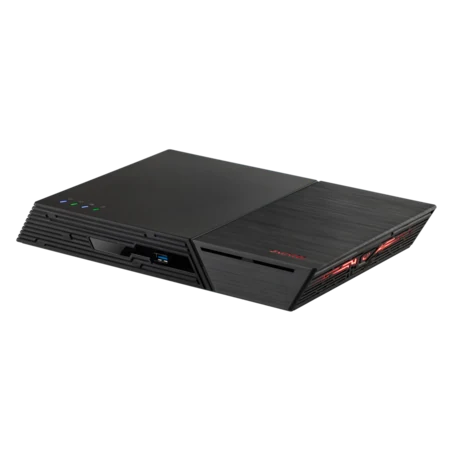
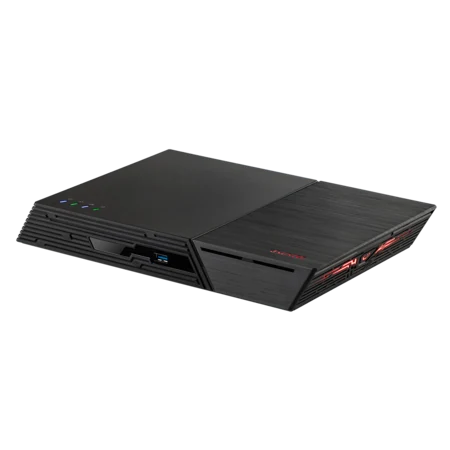
The best ASUSTOR NAS for most Adobe Creative Cloud creators in Australia is the Nimbustor 4 Gen2 (AS5404T): ASUSTOR recommends it for every Adobe workflow it covers, from Premiere Pro and After Effects to Lightroom, Photoshop and InDesign. Photographers on a budget can start with the Drivestor 4 Pro Gen2 (AS3304T v2); teams that need several fast connections should look at the Lockerstor 4 Gen2+ (AS6704T v2); all-flash fans at the Flashstor range.
A NAS gives Creative Cloud users expandable storage, snapshot version history, shared folders for collaboration and proper backups, without a monthly fee per terabyte. ARC IP Networks is a trusted ASUSTOR supplier in Australia: genuine ASUSTOR NAS and accessories at competitive prices, with the full ASUSTOR manufacturer warranty, Australia-wide delivery and trade pricing.
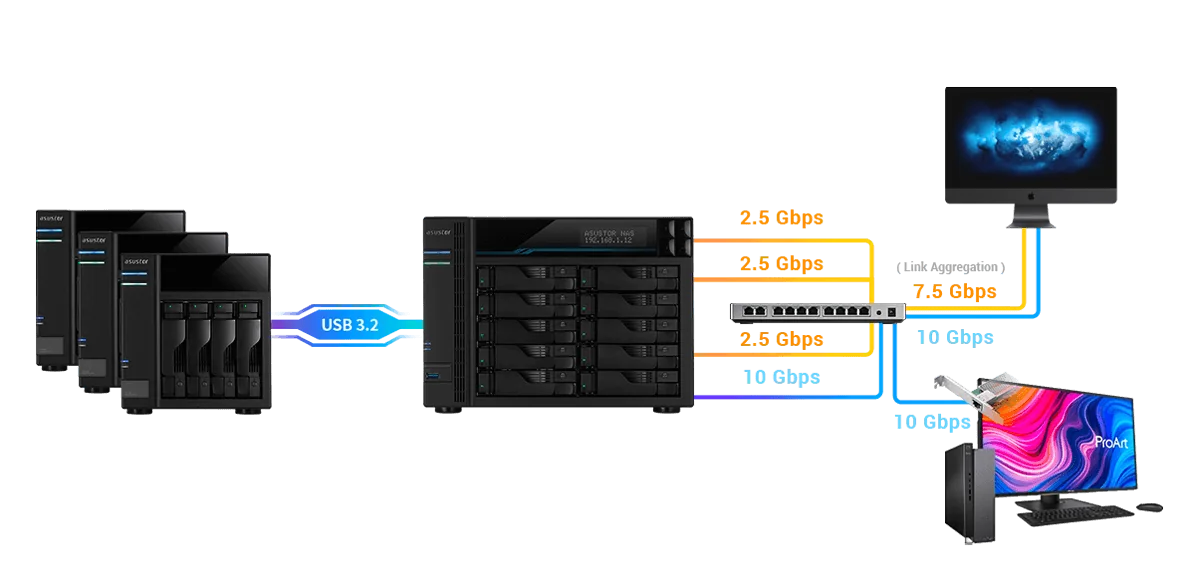
Which ASUSTOR NAS for which Adobe apps
ASUSTOR groups Adobe apps by workload and recommends models for each. The table shows ASUSTOR's advice, with the matching models we stock. Where ASUSTOR names an earlier generation, we list the current version.
| Adobe apps (ASUSTOR grouping) | What matters (ASUSTOR) | ARC IP stocks |
|---|---|---|
| Premiere Pro, Photoshop, After Effects, Audition, Animate, Media Encoder | High capacity, high connection speeds | AS5404T, FS6712X |
| Lightroom, Lightroom Classic, Photoshop, Bridge | High value, high capacity | AS3304T v2, AS5404T, AS6706T v2 |
| Premiere Pro, Photoshop, Audition, Media Encoder | Speed, performance, capacity, transcoding | AS5404T, AS6704T v2 |
| Illustrator, Dimension, Photoshop, InDesign, Bridge, Acrobat | Multiple Ethernet ports for collaboration | AS5404T, AS6704T v2, FS6806X |
| Dreamweaver, XD, Flash Builder | Performance, virtualisation support | AS5402T, AS6704T v2 |
App groupings and priorities from ASUSTOR's Adobe Creative Cloud solution page. ASUSTOR also lists models ARC IP does not stock; ask us about them.
How a NAS helps Creative Cloud creators
ASUSTOR sums up its pitch to creators in six points: high and expandable capacity, snapshot version history for Creative Cloud files, live collaboration on projects, security, a varied backup toolkit and recording of live streams. Here is what each means day to day.
Room to grow without downtime
ASUSTOR says you can grow storage without taking the NAS offline: swap drives for larger ones, add a drive to the volume, or attach an expansion unit when the bays are full. Photographers adding a few hundred gigabytes a month, or video creators adding terabytes, never have to stop work to upgrade.
Sync and version history for Creative Cloud files
Build a volume, create a folder for your Creative Cloud files, and keep it in sync between your PC and the NAS with ASUSTOR EZ Sync. On a Btrfs volume, Snapshot Center keeps up to 256 snapshots, so you or your team can roll back a corrupted file, an accidental deletion or a ransomware attack.
Collaboration across locations
ASUSTOR lists shared folders, network drives, DataSync Center and EZ Sync for moving and sharing files between local and remote co-workers. That suits an Australian agency with a designer in Brisbane, a retoucher in Adelaide and a client in Singapore. Any device with a web browser can upload and download files over the internet.



ASUSTOR NAS for creators compared
Swipe the table sideways to compare all models →
| Spec | AS3304T v2 | AS5402T | AS5404T | AS6704T v2 | AS6706T v2 | FS6712X | FS6806X |
|---|---|---|---|---|---|---|---|
| Name | Drivestor 4 Pro Gen2 | Nimbustor 2 Gen2 | Nimbustor 4 Gen2 | Lockerstor 4 Gen2+ | Lockerstor 6 Gen2+ | Flashstor 12 Pro | Flashstor 6 Gen2 |
| Storage | 4 bays | 2 bays + 4 x M.2 | 4 bays + 4 x M.2 | 4 bays + 4 x M.2 | 6 bays + 4 x M.2 | 12 x M.2 SSD | 6 x M.2 SSD |
| Processor | Realtek RTD1619B | Celeron N5105 | Celeron N5105 | Celeron N5105 | Celeron N5105 | Celeron N5105 | Ryzen V3C14 |
| Memory | 2 GB | 4 GB (max 16 GB) | 4 GB (max 16 GB) | 4 GB (max 16 GB) | 8 GB (max 16 GB) | 4 GB (max 16 GB) | 8 GB (max 64 GB) |
| Network | 2.5GbE | Dual 2.5GbE | Dual 2.5GbE | Dual 5GbE | Dual 5GbE | 10GbE | 10GbE |
| ASUSTOR read / write | 283 / 280 MB/s | 576 / 566 MB/s | 576 / 566 MB/s | 1,146 / 536 MB/s | 992 / 557 MB/s | 1,181 / 1,027 MB/s | 1,179 / 1,181 MB/s |
| Power (operation) | 25.1 W | 22.9 W | 38.3 W | 35 W | 48.5 W | 26 W | 17.9 W |
| Warranty | 3 Years | 3 Years | 3 Years | 3 Years | 3 Years | 3 Years | 3 Years |
Source: ASUSTOR specifications. Speeds are ASUSTOR's published RAID 5 results.
How to choose between them
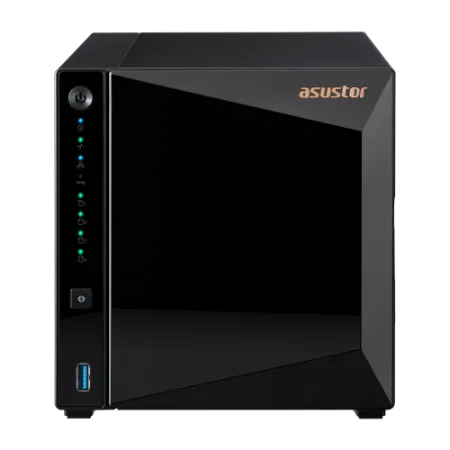
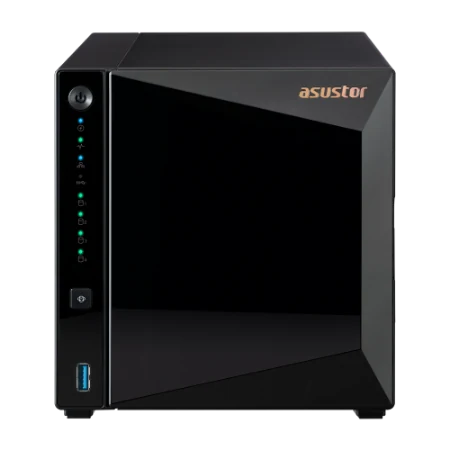
- Photographers and designers on a budget: the Drivestor 4 Pro Gen2 has four hot-swappable bays and 2.5GbE. Its memory is fixed at 2 GB, so it suits storage and backup rather than heavy apps.
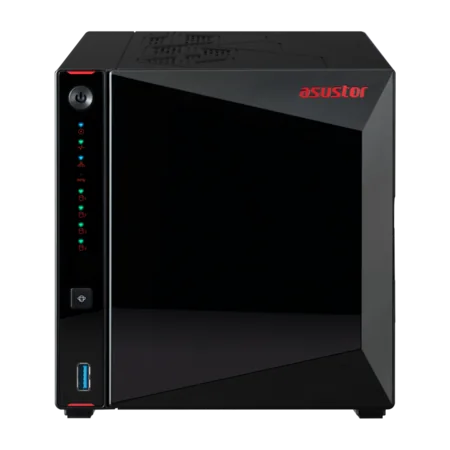
- Most creators: the AS5404T adds a quad-core Celeron, memory to 16 GB, four M.2 NVMe slots and dual 2.5GbE. It is the one model ASUSTOR recommends for every Adobe group.
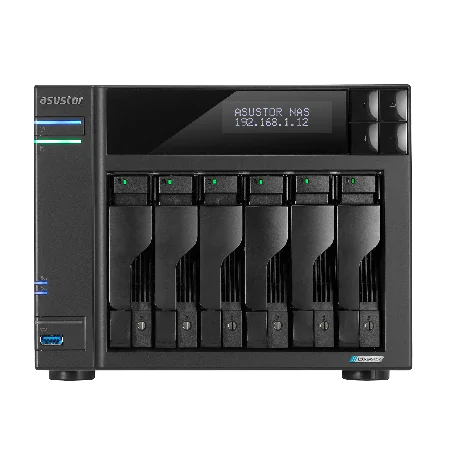
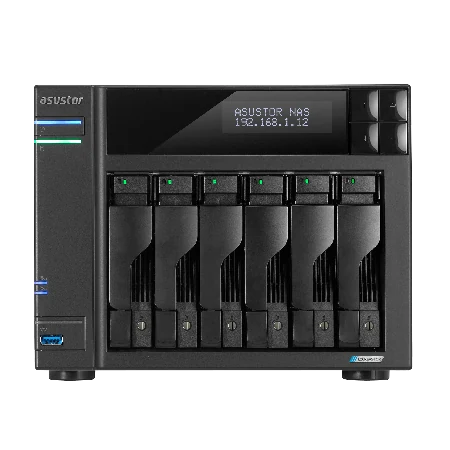
- Teams: the Lockerstor 4 Gen2+ and Lockerstor 6 Gen2+ have dual 5GbE and a 10GbE upgrade slot, which helps when several people open large files at once.
- All-flash: the Flashstor 12 Pro and Flashstor 6 Gen2 hold NVMe SSDs only, with 10GbE, for quiet, fast project storage.
Working on a Mac
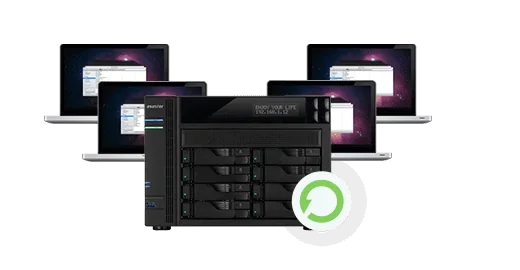
Many Creative Cloud users work on a Mac. ASUSTOR NAS units support Safari, the AFP protocol and the AiData app for iPhone and iPad, plus built-in Time Machine support for backing up the Mac itself. Several Macs can each be backed up separately, and ASUSTOR's backup tools add scheduling, two-way transfers, one-touch backups of USB drives and a Mission Mode that makes sure backup jobs finish. Windows and Linux machines connect just as easily, and you can map the NAS as a network drive on any of them.
Editing in Final Cut Pro as well? See our NAS for MacBook and Final Cut Pro guide.
Backups that follow the 3-2-1 rule
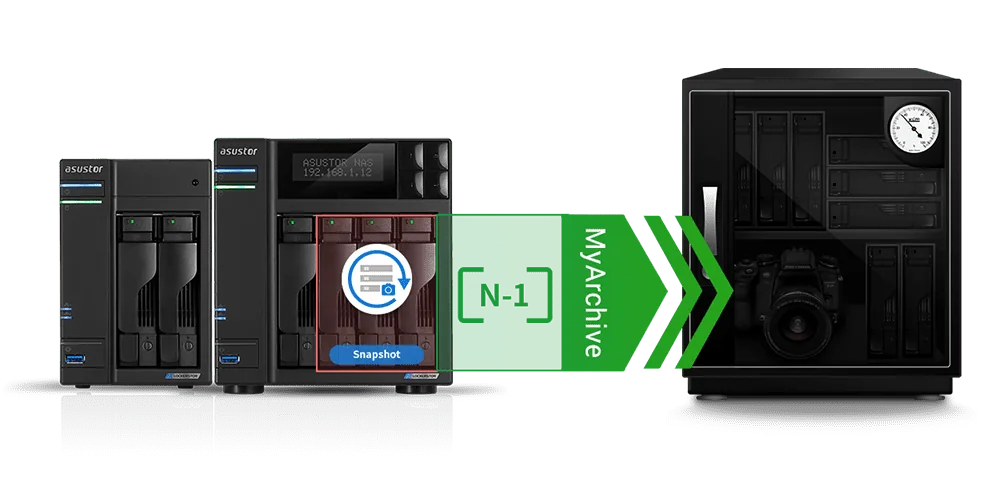
ASUSTOR recommends the 3-2-1 rule for creative work: three copies of your data (the original plus two backups), on two different types of media, with one copy offsite. The NAS makes that practical. Keep working files on the NAS, snapshots on the same volume for quick rollbacks, a cloud or NAS-to-NAS copy offsite, and an offline copy on a MyArchive drive.
MyArchive turns NAS drives into removable archive disks: put one into a free bay, back up or share terabytes of content, then take it out and store it somewhere safe. Our 3-2-1 backup guide walks through the full setup.
ASUSTOR Live, App Central and easy setup
ASUSTOR Live turns the NAS into a streaming centre. ASUSTOR says it can restream from a phone, tablet or computer to several platforms at once, including Twitch, YouTube, Facebook, Instagram, Restream or any RTMP-compatible service, without the fees that some multistreaming services charge, and save the recordings to the NAS. Gamers and streamers will find more in our NAS for gaming and streaming guide.
App Central offers more than 200 apps for backup, media, business and website hosting. Setup is quick: ASUSTOR says initialisation takes four steps, and you can choose apps to install automatically.
Security for client work
Client files, unreleased campaigns and raw shoots need protecting. ASUSTOR lists four layers of security for creators:
| Layer | ASUSTOR features |
|---|---|
| Network attack protection | Firewall, ADM Defender, Cloud Backup Center offsite backups |
| Secure data transmission | VPN connections, SSL certificate connections, automatic logout |
| Internal data | MyArchive on-site and offsite backups, AES-256 folder encryption, antivirus software |
| Access control | File, folder and app isolation, 2-step verification, Wake-on-LAN and Wake-on-WAN |
From ASUSTOR's Adobe Creative Cloud solution page.
Wake-on-WAN lets you keep the NAS asleep when you are not using it; see our Wake on WAN guide.
Build your creative storage with ARC IP Networks
ARC IP Networks supplies the ASUSTOR models above, on their own or as bundles with a Seagate drive so you can start straight away.
| Creator | Suggested ARC IP order |
|---|---|
| Photographer starting out | AS3304T v2 with IronWolf 4 TB |
| Photographer or designer with a large catalogue | AS5404T with IronWolf 10 TB |
| Video creator or small agency | AS6704T v2 with IronWolf 10 TB |
| Studio with a big archive | AS6706T v2 with Exos X24 12 TB |
| All-flash project storage | FS6806X or FS6712X with NVMe SSDs |
Bundles include one drive; add matching drives for RAID. Trade and project pricing is available.
See every bundle in our ASUSTOR bundles guide, or compare all models in our ASUSTOR buying guide.
Shop genuine ASUSTOR NAS for creators
Genuine ASUSTOR at competitive prices. Live Australian pricing (inc. GST) and availability are on each product page.


Common questions
Straight answers from the ARC IP Networks team. Last reviewed October 2026.
For most creators, the ASUSTOR AS5404T, which ASUSTOR recommends for every Adobe workflow it covers. Budget photographers can start with the Drivestor 4 Pro Gen2 (AS3304T v2); teams should look at the Lockerstor 4 Gen2+ (AS6704T v2).
Yes. ASUSTOR suggests creating a folder for Creative Cloud files on the NAS and keeping it in sync with your PC using EZ Sync. Snapshot Center on Btrfs volumes adds up to 256 snapshots for version history.
For Lightroom, Lightroom Classic, Photoshop and Bridge, ASUSTOR recommends high-value, high-capacity models such as the Drivestor 4 Pro, the AS5404T and the Lockerstor 6. ARC IP Networks stocks the AS3304T v2, AS5404T and AS6706T v2.
Over several years, usually yes for large libraries. You buy the NAS and drives once and own the capacity, instead of paying a monthly fee that grows with every terabyte. Keep a cloud or offsite copy as part of a 3-2-1 backup.
Yes. ASUSTOR lists shared folders, network drives, DataSync Center and EZ Sync for sharing files between local and remote co-workers, and any device with a web browser can upload and download files over the internet.
Yes. ASUSTOR supports Safari, AFP, the AiData app for iPhone and iPad, and Time Machine backups. Several Macs can each keep a separate backup on the NAS.
Yes. ASUSTOR Live can restream to platforms including Twitch, YouTube, Facebook and Instagram, or any RTMP-compatible service, and save the recordings to the NAS.
ARC IP Networks is a trusted ASUSTOR supplier in Australia, with genuine ASUSTOR NAS and Seagate drive bundles at competitive prices, the full manufacturer warranty and Australia-wide delivery. Call 1300 100 440 for trade or project pricing.
Building storage for your creative studio?
Tell us which Adobe apps you use, how many people share files and how much you shoot. We will quote the NAS, drives, networking and UPS, with trade and project pricing.