The best ASUSTOR NAS for video editing in Australia depends on how many editors share it. A solo 4K editor is well served by the AS5404T (four bays, four M.2 NVMe slots, dual 2.5GbE). A small studio should start at the Lockerstor 4 Gen3 (AS6804T), with an AMD Ryzen processor, 16 GB of ECC DDR5, two 10GbE and two 5GbE ports. For an all-SSD edit server, choose the Flashstor 6 Gen2 (FS6806X).
The network link matters more than anything else. ASUSTOR's own comparison puts a 1 TB transfer at about 2 hours 27 minutes over Gigabit, and about 15 minutes over 10GbE. ARC IP Networks is a trusted ASUSTOR supplier in Australia: genuine ASUSTOR NAS and accessories at competitive prices, with the full ASUSTOR manufacturer warranty, Australia-wide delivery and trade pricing.

Best NAS for video editing at a glance
| If you are... | Start with | Why |
|---|---|---|
| A solo editor or YouTuber cutting 4K | AS5404T | Four bays, four M.2 slots for SSD cache, dual 2.5GbE, RAM to 16 GB |
| Editing on a 2-bay budget | AS5402T | Same Celeron N5105 platform in a two-bay box |
| A two to four person studio | Lockerstor 4 Gen2+ (AS6704T v2) | Dual 5GbE, a PCIe slot for a 10GbE card |
| A studio with a big archive | Lockerstor 6 Gen2+ (AS6706T v2) | Six bays and 8 GB of RAM |
| A team editing 4K and higher every day | Lockerstor 4 Gen3 (AS6804T) | 2 x 10GbE + 2 x 5GbE, Ryzen, 16 GB ECC DDR5, USB4 |
| Wanting silent, all-flash storage | Flashstor 6 Gen2 (FS6806X) | Six PCIe 4.0 M.2 slots, 10GbE, USB4 |
ARC IP Networks suggestions, based on ASUSTOR's specifications and the models ASUSTOR recommends for video editing.
Why editors outgrow external drives
ASUSTOR points out that a single raw photo is typically 40 to 100 MB and that a normal shoot can easily produce 100 GB or more. Video is heavier again: phones now record 4K at 60 frames per second, a professional camera can fill hundreds of gigabytes in an hour, and a finished project with all of its source media can run to a couple of thousand gigabytes. Most Australian editors start with USB or Thunderbolt drives on the desk, and they work well for one person on one computer. The trouble starts when the business grows.
- One computer at a time: an external drive has to be unplugged and handed over before anyone else can use the footage, which makes delivering projects to clients slow.
- No built-in protection: a single drive has no redundancy and no automatic backups, and portable drives get dropped, knocked and lost.
- Footage scattered everywhere: after a year of shoots, nobody remembers which drive holds which job.
A NAS fixes all three. It sits on the network, many people can open the same media library at once, RAID protects against a failed drive, and backups run on a schedule. If you are new to network storage, our guide on whether you need a NAS covers the basics.
Network speed decides how a NAS feels for editing
ASUSTOR publishes a simple comparison of external drives and NAS connections. The figures below are ASUSTOR's, including its estimated time to move a 1 TB file.
| Connection | Speed (ASUSTOR) | 1 TB transfer | Sharing and backups |
|---|---|---|---|
| USB 2.0 external drive | 57.2 MB/s | 5 h 5 min | No |
| USB 3.0 external drive | 596 MB/s | 29 min | No |
| USB-C / Thunderbolt external drive | 4.8 GB/s | 3 min 50 s | No |
| NAS on 1GbE | 119.2 MB/s | 2 h 27 min | Yes |
| NAS on 2.5GbE | 298 MB/s | 58 min | Yes |
| NAS on 5GbE | 596 MB/s | 29 min | Yes |
| NAS on 10GbE | 1.2 GB/s | 14 min 40 s | Yes |
Source: ASUSTOR's video editing solution page. Real speeds depend on drives, RAID level, the computer and the network switch.
What the table means in practice
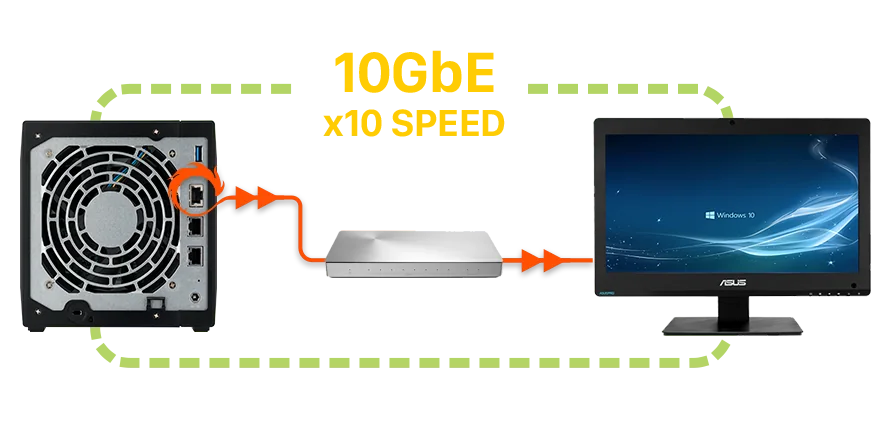
Gigabit Ethernet, still the default port on many Australian office PCs, is the bottleneck: it is slower than a basic USB 3.0 drive. 2.5GbE roughly matches a fast single hard drive, which is enough for one editor working with compressed 4K footage. 5GbE and 10GbE are where several people can scrub timelines at the same time. A Thunderbolt SSD is still faster for one machine, but it cannot be shared and it is not backed up, which is the trade-off ASUSTOR highlights.
Editing directly on the NAS
ASUSTOR's recommended workflow is to keep a shared media library on the NAS and work on projects there, instead of copying each job to every editor's computer. That keeps local drives free for cache and scratch files, and finished videos are ready to share as soon as they are exported.
Solo editor
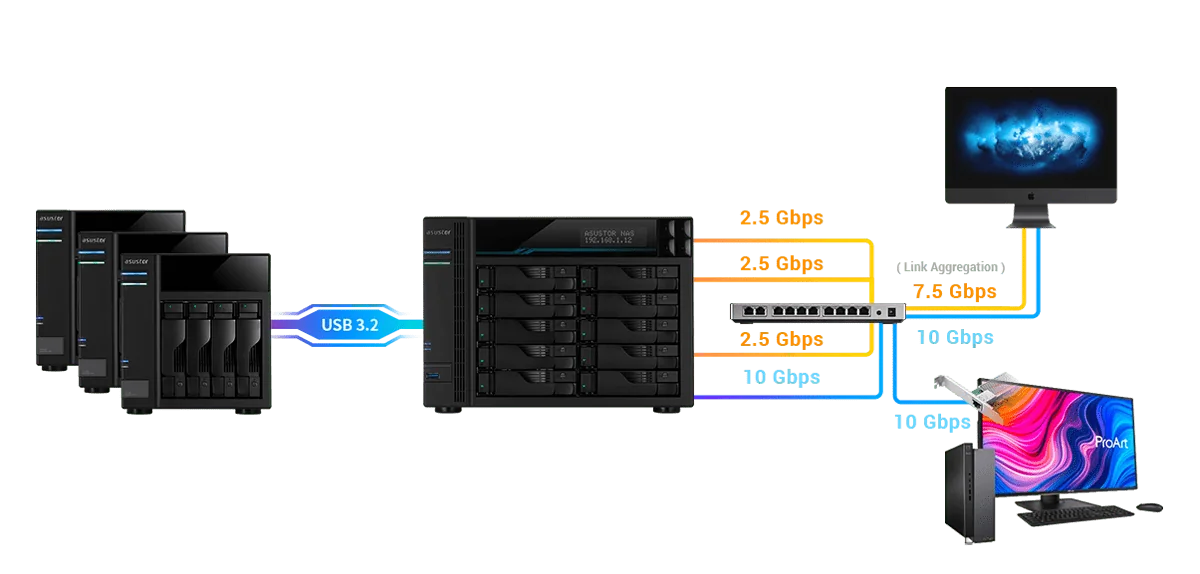
Plug the NAS straight into a 2.5GbE port on your computer or into a 2.5GbE switch. Keep current projects on the NAS, add NVMe SSDs in the M.2 slots as a cache for faster access, and let the hard drives hold the archive. When a client needs a file, send a share link rather than a courier bag of drives.
Small team
ASUSTOR says its multi-gig NAS lets several editors open and edit files at the same time without slowing each other down. Give each edit workstation a 10GbE or 5GbE connection to a multi-gig switch, and connect the NAS with two ports for more total bandwidth. The AS6804T has two 10GbE and two 5GbE ports; ASUSTOR lists up to 1,675 MB/s read with SMB Multichannel over two 10GbE links in RAID 5.
Growing without downtime
ASUSTOR notes that you can expand storage without turning the NAS off: swap installed drives for larger ones, add another drive to the volume, or attach an ASUSTOR expansion unit when the bays are full. Projects keep running while the capacity grows.
ASUSTOR NAS for video editing compared
Every figure is from ASUSTOR's specifications. Read and write speeds are ASUSTOR's published results for each model, measured in RAID 5 with the connection shown.
Swipe the table sideways to compare all models →
| Spec | AS5402T | AS5404T | AS6704T v2 | AS6706T v2 | AS6804T | FS6712X | FS6806X |
|---|---|---|---|---|---|---|---|
| Name | Nimbustor 2 Gen2 | Nimbustor 4 Gen2 | Lockerstor 4 Gen2+ | Lockerstor 6 Gen2+ | Lockerstor 4 Gen3 | Flashstor 12 Pro | Flashstor 6 Gen2 |
| Storage | 2 bays + 4 x M.2 | 4 bays + 4 x M.2 | 4 bays + 4 x M.2 | 6 bays + 4 x M.2 | 4 bays + 4 x M.2 | 12 x M.2 SSD | 6 x M.2 SSD |
| Processor | Celeron N5105 | Celeron N5105 | Celeron N5105 | Celeron N5105 | Ryzen V3C14 | Celeron N5105 | Ryzen V3C14 |
| Memory | 4 GB DDR4 (max 16 GB) | 4 GB DDR4 (max 16 GB) | 4 GB DDR4 (max 16 GB) | 8 GB DDR4 (max 16 GB) | 16 GB DDR5 ECC (max 64 GB) | 4 GB DDR4 (max 16 GB) | 8 GB DDR5 (max 64 GB) |
| Network | Dual 2.5GbE | Dual 2.5GbE | Dual 5GbE | Dual 5GbE | Dual 10GbE + Dual 5GbE | 10GbE | 10GbE |
| 10GbE upgrade slot | No | No | Yes (PCIe) | Yes (PCIe) | Yes (PCIe) | Built in | Built in |
| ASUSTOR read / write | 576 / 566 MB/s | 576 / 566 MB/s | 1,146 / 536 MB/s | 992 / 557 MB/s | 1,675 / 791 MB/s | 1,181 / 1,027 MB/s | 1,179 / 1,181 MB/s |
| Test link | SMB Multichannel | SMB Multichannel | 2 x 5GbE, SMB Multichannel | 2 x 5GbE, SMB Multichannel | 2 x 10GbE, SMB Multichannel | 1 x 10GbE, Windows sequential | 1 x 10GbE, Windows sequential |
| HDMI | HDMI 2.0b | HDMI 2.0b | HDMI 2.0b | HDMI 2.0b | No | HDMI 2.0b, S/PDIF | No |
| Warranty | 3 Years | 3 Years | 3 Years | 3 Years | 3 Years | 3 Years | 3 Years |
Source: ASUSTOR specifications. ASUSTOR's speed figures are best-case sequential results, not a guarantee for your footage.
Which model for which edit suite
AS5404T and AS5402T: the solo editor's NAS
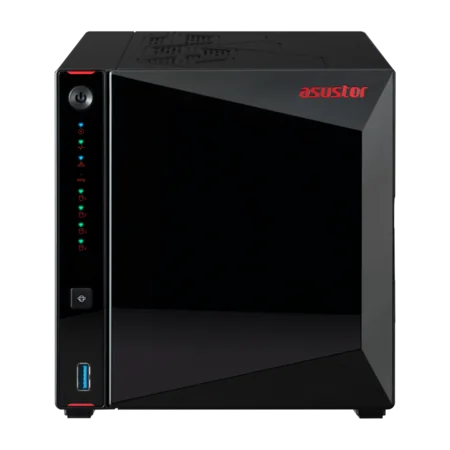
ASUSTOR lists both on its video editing page. They run a quad-core Intel Celeron N5105 with 4 GB of DDR4 (expandable to 16 GB), four M.2 NVMe slots and two 2.5GbE ports. ASUSTOR's figure for the AS5404T is 576 MB/s read and 566 MB/s write using SMB Multichannel. That is plenty for one person editing compressed 4K, and the HDMI 2.0b output lets you preview finished work on a TV.
Lockerstor 4 Gen2+ and Lockerstor 6 Gen2+: the step-up for small studios
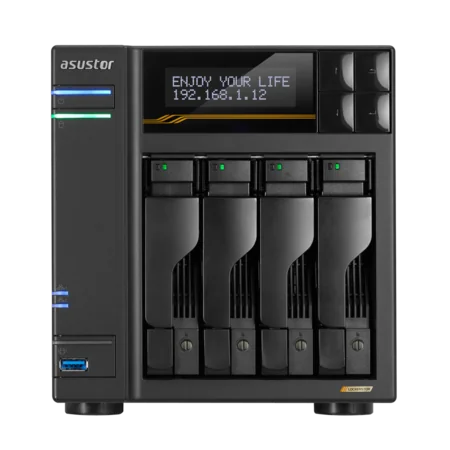
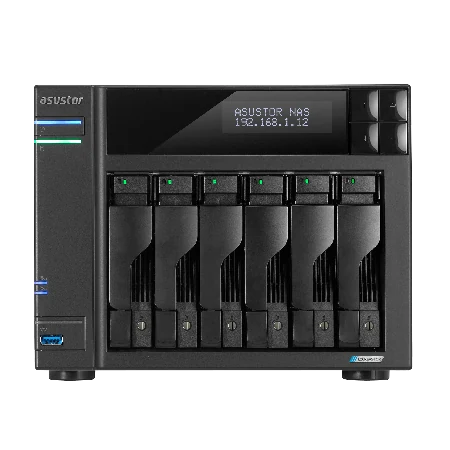
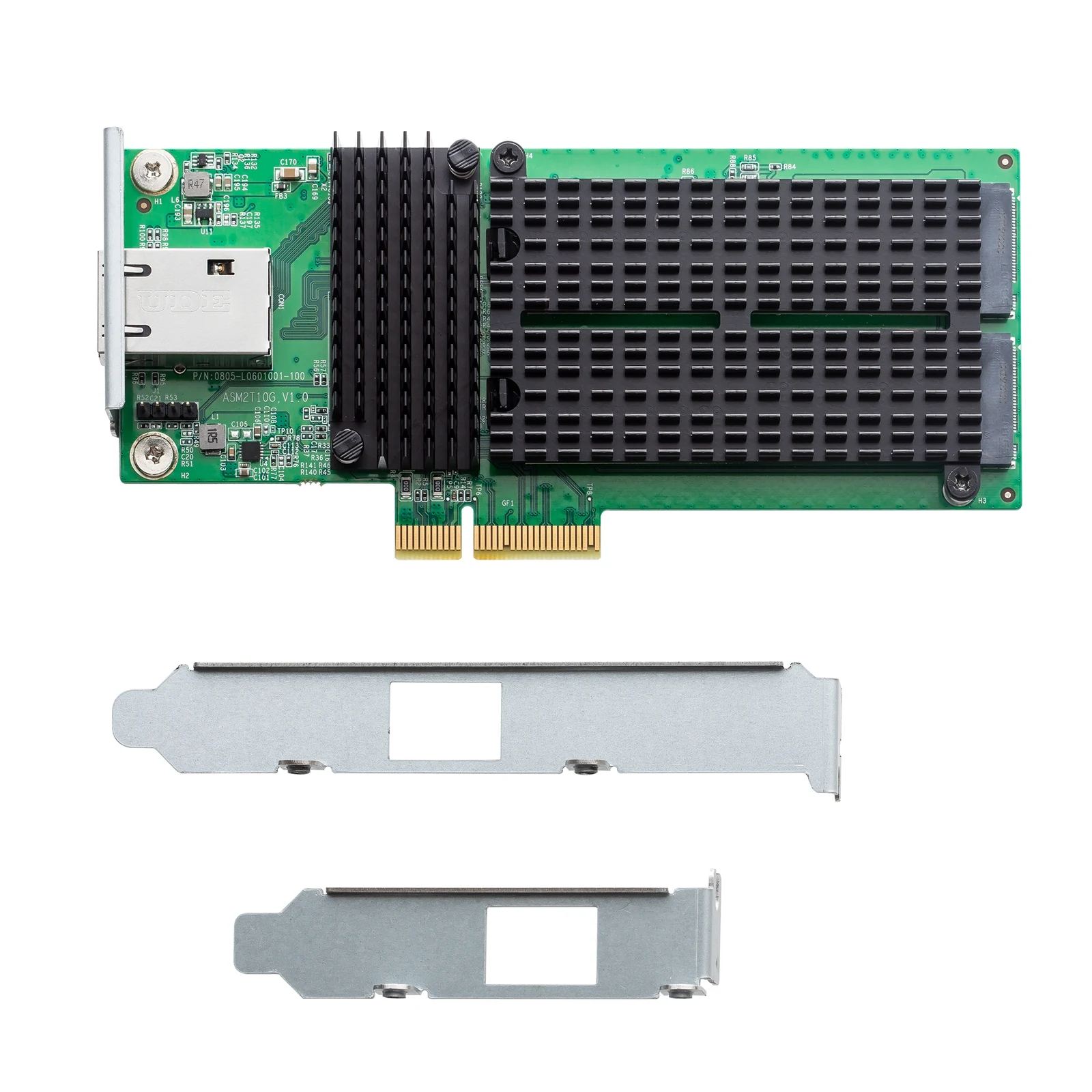
Dual 5GbE ports, an LCD status panel and a PCIe slot for a 10GbE card. ASUSTOR lists up to 1,146 MB/s read on the four-bay model over 2 x 5GbE. Add the AS-T10G3 card for a 10GbE port plus two more M.2 slots when the studio grows. The six-bay AS6706T v2 adds capacity for long-term archives.
Lockerstor 4 Gen3 (AS6804T): the team edit server
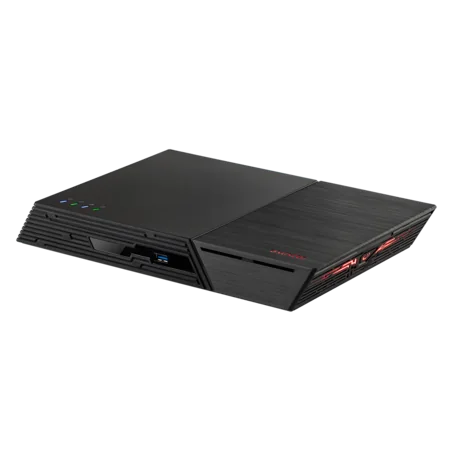
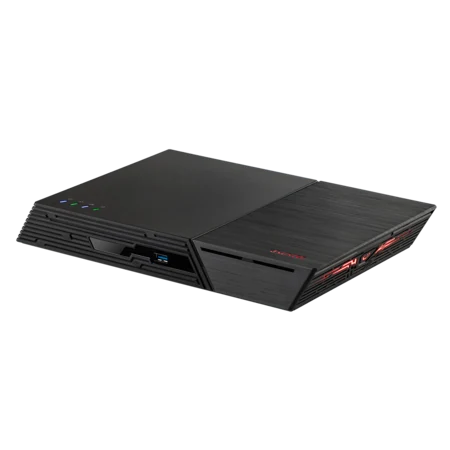
An AMD Ryzen Embedded V3C14 with 16 GB of ECC DDR5 (expandable to 64 GB), two 10GbE and two 5GbE ports, PCIe 4.0 M.2 slots and two USB4 ports. It is the model ASUSTOR recommends for heavier editing, and the one we suggest when three or more people work from the same footage.
Flashstor 6 Gen2 and Flashstor 12 Pro: all-flash
All-SSD NAS units have no spinning drives, so they are quiet enough for an edit suite or a home studio. The FS6806X has six PCIe 4.0 M.2 slots, a Ryzen processor and 10GbE; the FS6712X has twelve M.2 slots and 10GbE. SSD capacity costs more per terabyte, so many studios pair a Flashstor for active projects with a hard-drive Lockerstor for the archive.
Upgrading your studio to 10GbE
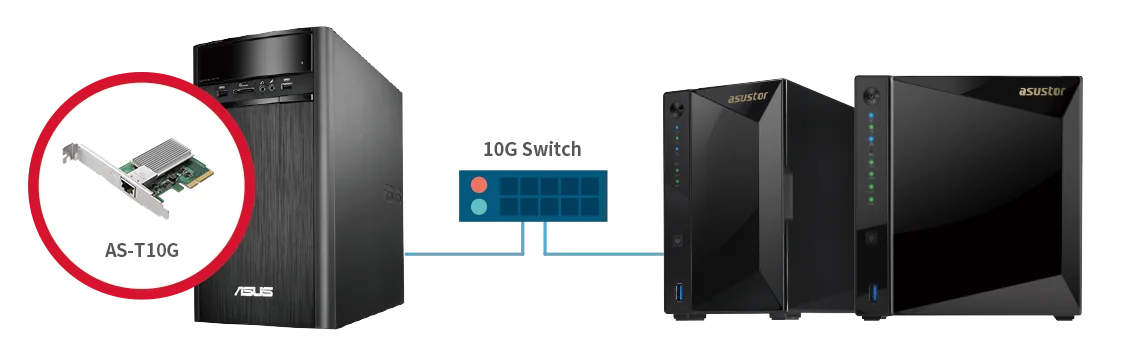
A fast NAS only helps if the rest of the path keeps up. For 10GbE editing you need three things:
- A 10GbE port on the NAS: built into the AS6804T, FS6806X and FS6712X, or added to a Lockerstor Gen2+ with the AS-T10G3 card.
- A multi-gig switch: with enough 10GbE ports for the NAS and each workstation. ARC IP Networks can quote the switching with the NAS.
- A 10GbE adapter in each computer: many desktop PCs need a PCIe card; laptops can use a Thunderbolt or USB network adapter.
Use Cat 6a cabling for 10GbE runs and keep the NAS wired. Editing over Wi-Fi is fine for reviewing proxies, not for full-resolution timelines.
Protecting client footage
ASUSTOR NAS units support RAID, so one failed drive does not stop the job. On four or more bays, RAID 5 or RAID 6 balances capacity with protection. RAID is not a backup, though: a deleted project disappears from every drive at once. Keep snapshots on the NAS and a second copy somewhere else. Our 3-2-1 backup guide explains how, and our NAS hard drive guide covers IronWolf and Exos drives for 24/7 use.
Build your edit server with ARC IP Networks
We stock genuine ASUSTOR NAS and ready-to-go bundles with Seagate drives, so you can start storing footage on day one and add drives later. See our ASUSTOR bundle guide for every drive option.
| Your setup | Suggested ARC IP order |
|---|---|
| Solo editor, 4K | AS5404T with IronWolf 8 TB plus two NVMe SSDs for cache |
| Two to four editors | AS6704T v2 with IronWolf 10 TB plus the AS-T10G3 10GbE card |
| Studio with a long archive | AS6706T v2 with Exos X24 12 TB |
| Team editing every day | AS6804T with Exos X24 12 TB and a 10GbE switch |
| Quiet all-SSD edit suite | FS6806X with your choice of NVMe SSDs |
Bundles include one drive; add matching drives to build RAID. Trade and project pricing is available for studios and integrators.
Not sure where to start? Read our ASUSTOR buying guide or call 1300 100 440 for a quote on the NAS, drives, switch and UPS together.
Shop genuine ASUSTOR NAS for video editing
Genuine ASUSTOR at competitive prices. Live Australian pricing (inc. GST) and availability are on each product page.



Common questions
Straight answers from the ARC IP Networks team. Last reviewed October 2026.
For a solo 4K editor, the ASUSTOR AS5404T with four bays, four M.2 NVMe slots and dual 2.5GbE. For a team, the Lockerstor 4 Gen3 (AS6804T) with two 10GbE ports, a Ryzen processor and 16 GB of ECC DDR5. For an all-SSD edit server, the Flashstor 6 Gen2 (FS6806X).
Yes. ASUSTOR recommends keeping a shared media library on the NAS and working on projects there, so editors do not copy every job to their own computer. A 2.5GbE connection suits one editor; 5GbE or 10GbE suits teams.
For one editor working with compressed 4K footage, usually yes. ASUSTOR lists 2.5GbE at 298 MB/s. Several editors, or heavy formats such as raw or high-bitrate intermediate codecs, benefit from 5GbE or 10GbE.
ASUSTOR's comparison gives 1.2 GB/s for a NAS on 10GbE and 119.2 MB/s on Gigabit, so a 1 TB transfer takes about 15 minutes instead of about two and a half hours.
A Thunderbolt SSD is faster for a single computer, but it cannot be shared and has no RAID or automatic backups. A NAS lets several people use the same footage, protects it with RAID and runs scheduled backups.
Yes, on the Lockerstor 4 Gen2+, Lockerstor 6 Gen2+ and Lockerstor 4 Gen3, which have a PCIe slot (the two-bay Lockerstor 2 Gen2+ does not support 10GbE). The ASUSTOR AS-T10G3 card adds a 10GbE port and two M.2 NVMe slots. The AS6804T, FS6806X and FS6712X already have 10GbE built in.
ASUSTOR notes that a single shoot can produce 100 GB or more and a finished project a couple of thousand gigabytes. Plan for active projects plus at least a year of archive, and leave free bays so you can expand without downtime.
ARC IP Networks is a trusted ASUSTOR supplier in Australia, with genuine ASUSTOR NAS and Seagate drive bundles at competitive prices, the full manufacturer warranty, Australia-wide delivery and trade pricing. Call 1300 100 440 for a project quote.
Setting up an edit server?
Tell us how many editors, which cameras and codecs, and how much footage you keep. We will match the NAS, drives, 10GbE switching and UPS, with trade and project pricing.