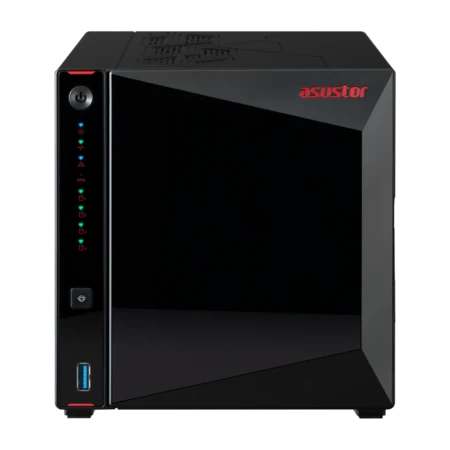
The best ASUSTOR NAS for gaming and live streaming in Australia is the AS5404T (or the two-bay AS5402T): an Intel Celeron N5105, 4 GB of RAM expandable to 16 GB, dual 2.5GbE, four M.2 NVMe slots and an HDMI 2.0b output. ASUSTOR features both on its gaming page, alongside the Lockerstor 4. They can hold a game library on an iSCSI drive, record and restream your broadcasts with ASUSTOR Live, and play highlights back on the TV.
Quick pick: one gamer → AS5402T; streamer with a big library → AS5404T; gaming household or eSports team → Lockerstor 4 Gen2+ (AS6704T v2). ARC IP Networks is a trusted ASUSTOR supplier in Australia: genuine ASUSTOR NAS and accessories at competitive prices, with the full ASUSTOR manufacturer warranty, Australia-wide delivery and trade pricing.
What a NAS does for gamers and streamers
| Task | ASUSTOR feature | What you get |
|---|---|---|
| Store installed games | iSCSI drive | The NAS appears to Windows as a local disk, so games that refuse network shares can install there |
| Record while you stream | ASUSTOR Live | Restream to several platforms and save the recording to the NAS |
| Multi-camera eSports | ASUSTOR Live with RTMP | Rebroadcast the mixer's RTMP feed and keep the footage |
| Console gameplay | Capture box + ASUSTOR Live | Record and stream console play, stored on the NAS |
| Watch highlights | HDMI output | Play recordings on an HDMI TV or monitor |
| Keep VODs | Takeasy | Download videos for archival from supported sites |
| Undo mistakes | Snapshot Center | Version history for iSCSI and NAS volumes |
| Team voice chat | TeamSpeak server | A private voice server for your team |
Features from ASUSTOR's gaming and live streaming solution page.
Store games on an iSCSI drive
Modern games are huge, and a gaming PC's SSD fills up fast. A NAS adds terabytes, but there is a catch: many games and launchers will not install to a normal network share. ASUSTOR's answer is iSCSI. An iSCSI drive (a LUN) appears to the operating system as a local disk, so programs that cannot be installed on a network share can be installed on it. ASUSTOR's own example is installing Steam and choosing the iSCSI drive as the game library.
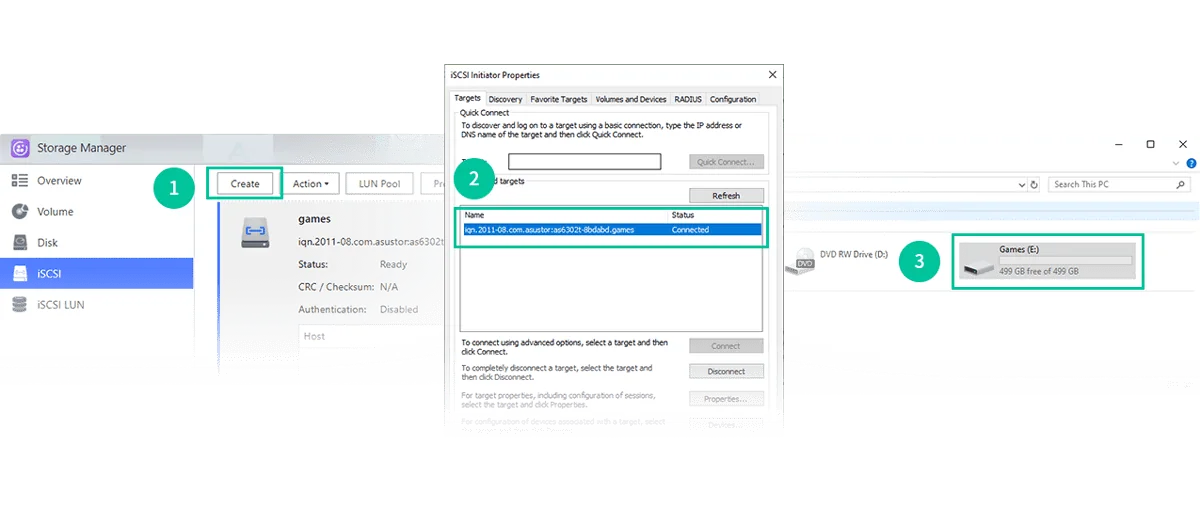
Setting it up in three steps (ASUSTOR's method)
- Create an iSCSI LUN on the NAS in ADM.
- Open iSCSI Initiator on Windows and connect to the LUN.
- Set up a partition in Disk Management, then point your game library at the new drive.
Getting good load times
An iSCSI drive is only as fast as the network between the PC and the NAS. A Gigabit link is slower than a single modern hard drive. The AS54 and Lockerstor models have 2.5GbE or 5GbE ports, and their M.2 slots take NVMe SSDs. Keep your current favourites on the PC's internal SSD and park the rest of the library on the NAS, where reinstalling is a quick local copy instead of a long download over the NBN.
Note: an iSCSI LUN should be connected to one PC at a time. For shared folders between several computers, use a normal SMB share.
Live stream and record at the same time with ASUSTOR Live
ASUSTOR Live turns the NAS into your own streaming hub. Send your broadcast to the NAS from streaming software on your PC (ASUSTOR shows OBS) and ASUSTOR Live restreams it to platforms such as Twitch and YouTube while saving a recording on the NAS. You get a full-quality archive of every stream, ready to edit into highlights, without filling the gaming PC.
ASUSTOR Live requirements
ASUSTOR notes that ASUSTOR Live is only available on x86-64 models, and it recommends a model above the AS5202T level with at least 4 GB of RAM. In our range that means the Celeron and Ryzen models: AS5402T, AS5404T, the Lockerstor Gen2+ range and the AS6804T. The Realtek-based Drivestor models are not suitable. ASUSTOR also says ASUSTOR Live needs an outside network with a WAN IP and is not supported through EZ Connect.
Australian upload speeds
A NAS cannot make your NBN upload faster. Every platform you restream to uses upload bandwidth from your connection, so check your plan's typical evening upload speed before you add destinations. Some providers use CGNAT, which can stop the WAN IP access ASUSTOR Live needs; ask your provider for a public or static IP if it will not connect.
eSports, consoles and replays
Never lose an eSports match
Bigger broadcasts use several cameras, a switcher or video mixer, and an RTMP output. ASUSTOR says ASUSTOR Live can rebroadcast that signal and record it on the NAS at the same time, so a school eSports club or a LAN event keeps every match for editing and replays.
Console gameplay
Use a capture box with your console and ASUSTOR Live to record and stream gameplay, with the recordings saved straight to the NAS.
Replay highlights on the TV
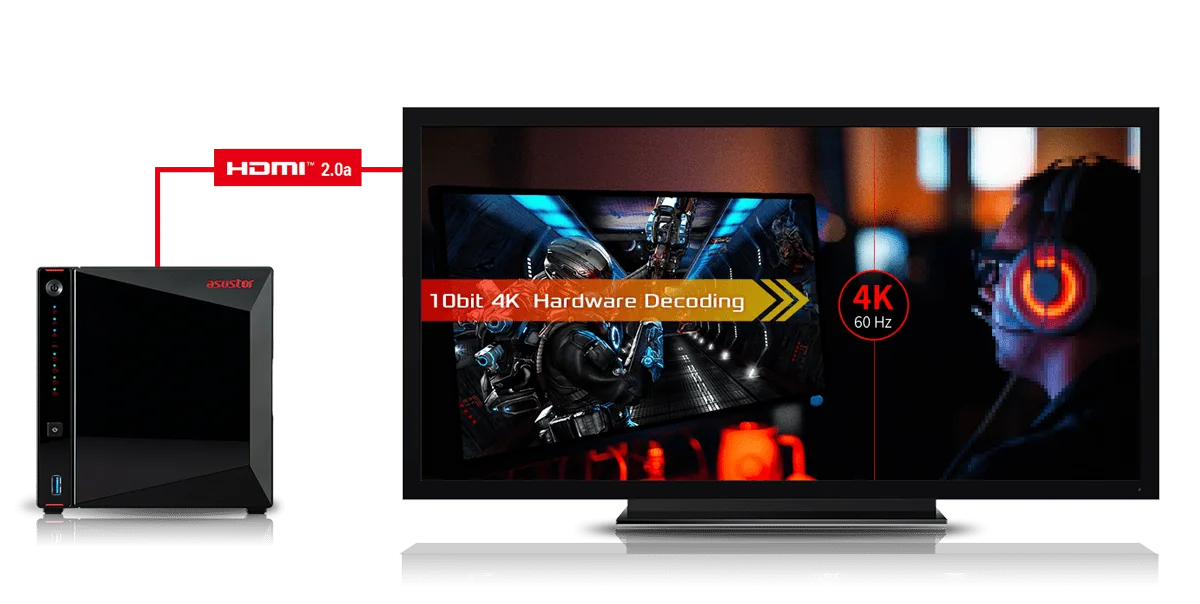
Models with HDMI play back recordings on an HDMI TV or monitor. ASUSTOR lists an HDMI 2.0b output and 10-bit 4K hardware decoding on the AS5402T and AS5404T. For a full movie and TV library too, see our Plex on a NAS guide.
Collect your videos with Takeasy
ASUSTOR points out that cloud video platforms do not always keep content for the long term, and videos can vanish without notice. Its Takeasy app downloads videos for archival, and can automatically download all public content from a channel. Only download videos you have the right to keep, such as your own streams.
Snapshots for game data, and your own voice server
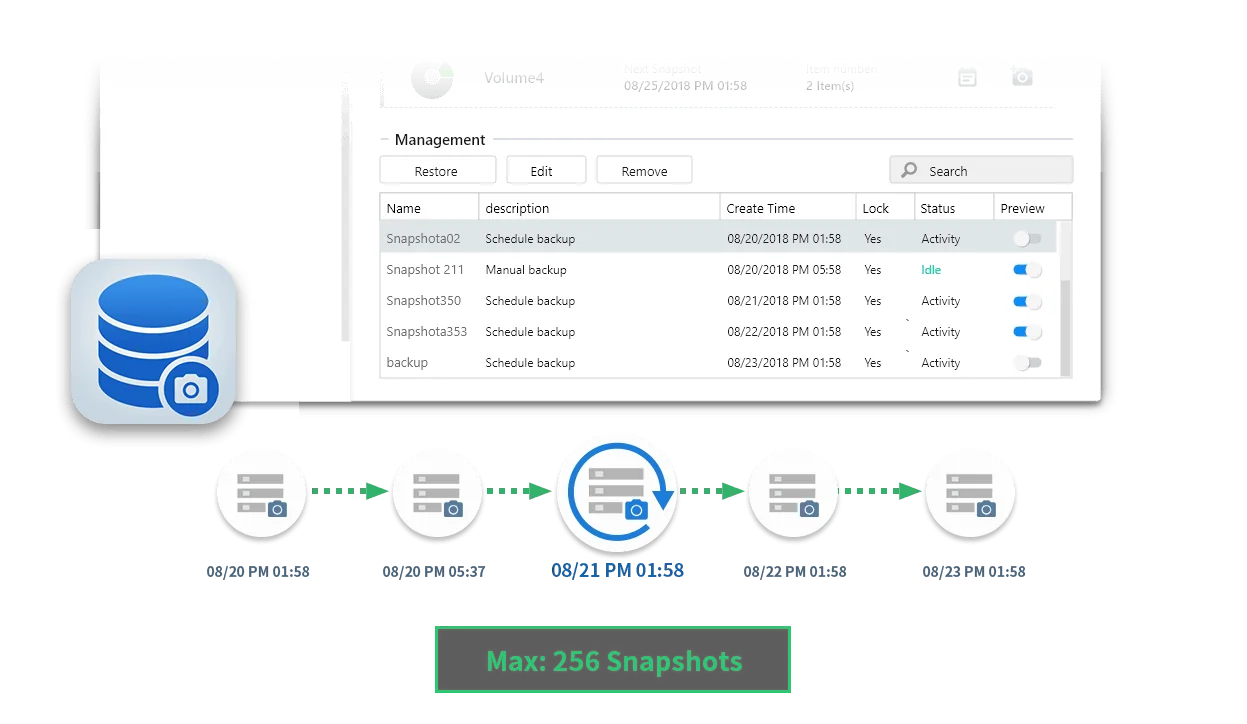
Snapshot Center supports iSCSI volumes as well as normal NAS volumes, and keeps version history automatically, so a corrupted save or a bad mod install can be rolled back. ASUSTOR lists up to 256 snapshots.
ASUSTOR also lets you build a private TeamSpeak server on the NAS, so your team has its own voice chat for practice and matches without relying on a public server.
ASUSTOR NAS for gaming compared
Swipe the table sideways to compare all models →
| Spec | AS1204T | AS5402T | AS5404T | AS6702T v2 | AS6704T v2 | AS6804T |
|---|---|---|---|---|---|---|
| Name | Drivestor 4 Gen2 | Nimbustor 2 Gen2 | Nimbustor 4 Gen2 | Lockerstor 2 Gen2+ | Lockerstor 4 Gen2+ | Lockerstor 4 Gen3 |
| Drive bays + M.2 | 4 | 2 + 4 x M.2 | 4 + 4 x M.2 | 2 + 4 x M.2 | 4 + 4 x M.2 | 4 + 4 x M.2 |
| Processor | Realtek RTD1619B | Celeron N5105 | Celeron N5105 | Celeron N5105 | Celeron N5105 | Ryzen V3C14 |
| Memory | 1 GB | 4 GB (max 16 GB) | 4 GB (max 16 GB) | 4 GB (max 16 GB) | 4 GB (max 16 GB) | 16 GB (max 64 GB) |
| Network | 2.5GbE | Dual 2.5GbE | Dual 2.5GbE | Dual 5GbE | Dual 5GbE | Dual 10GbE + Dual 5GbE |
| HDMI | No | HDMI 2.0b | HDMI 2.0b | HDMI 2.0b | HDMI 2.0b | No |
| ASUSTOR Live (x86-64) | No | Yes | Yes | Yes | Yes | Yes |
| USB | 3 x USB 5Gbps Type-A | 3 x USB 3.2 Gen 2 (10Gbps) | 3 x USB 3.2 Gen 2 (10Gbps) | 2 x USB 3.2 Gen 2 ( 10Gbps ) Type-A | 2 x USB 3.2 Gen 2 ( 10Gbps ) Type-A | 3 x USB 3.2 Gen 2 ( 10Gbps ) Type-A |
| Warranty | 3 Years | 3 Years | 3 Years | 3 Years | 3 Years | 3 Years |
Source: ASUSTOR specifications and ASUSTOR's ASUSTOR Live notes. USB row shows the main Type-A ports.
Which one is right for you?
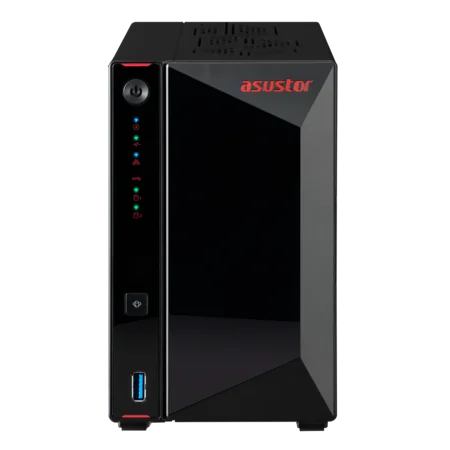
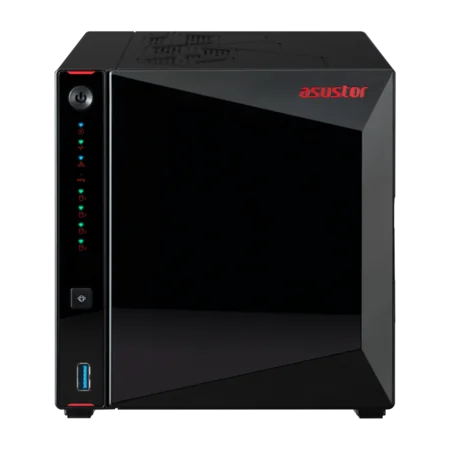
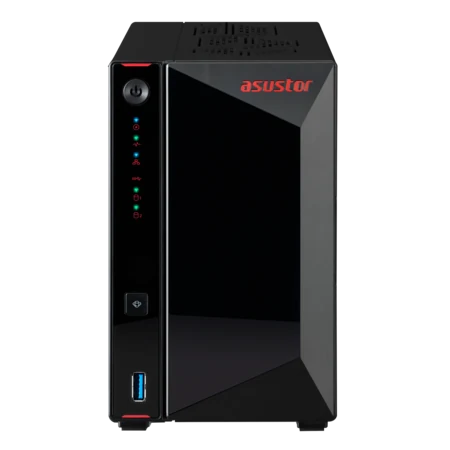
- AS5402T: two bays, four M.2 slots, HDMI and dual 2.5GbE in a compact box for one gamer and streamer.
- AS5404T: the same platform with four bays for a big game library plus years of stream recordings.
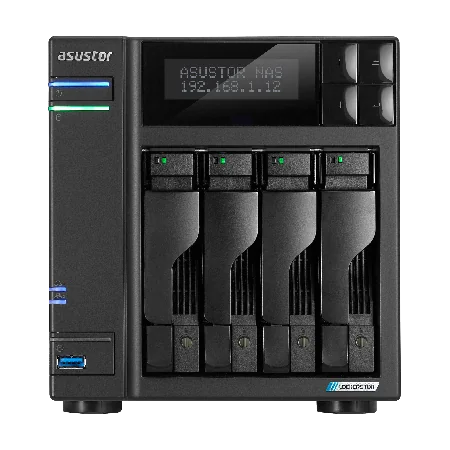
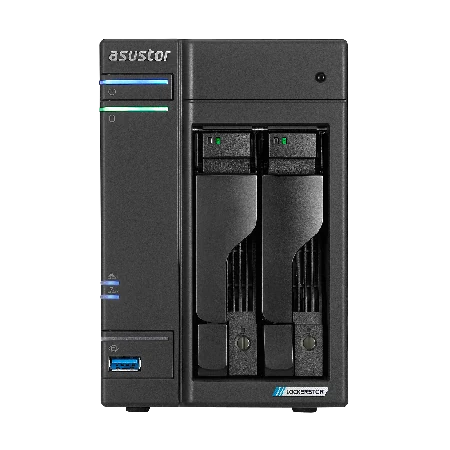
- Lockerstor 2 Gen2+ and Lockerstor 4 Gen2+: dual 5GbE and HDMI for a gaming household or a club where several PCs use the NAS at once.
- Lockerstor 4 Gen3 (AS6804T): Ryzen power and 10GbE for creators who also edit their streams. It has no HDMI output.
- Drivestor 4 Gen2: fine for backups and media, but its ARM processor does not run ASUSTOR Live.
Your home network matters
Wire the NAS and the gaming PC to the router or a multi-gig switch; never run a game library over Wi-Fi. If your PC has a 2.5GbE port, a 2.5GbE switch lets you use the AS54 ports at full speed. Add a UPS so a blackout does not corrupt the iSCSI drive mid-write. ARC IP Networks can quote the switch and UPS with the NAS.
Need help picking drives? Read our NAS hard drive guide.
Build your gaming NAS with ARC IP Networks
| Player | Suggested ARC IP order |
|---|---|
| One gamer, streams on weekends | AS5402T with IronWolf 4 TB plus an NVMe SSD |
| Streamer with a big library and VOD archive | AS5404T with IronWolf 10 TB |
| Gaming household or school eSports club | AS6704T v2 with Exos X24 12 TB |
| Streamer who edits on 10GbE | AS6804T |
Bundles include one drive; add matching drives for RAID. Trade and project pricing is available for schools and clubs.
See all bundles in our ASUSTOR bundles guide or compare series in our range explained guide.
Shop genuine ASUSTOR NAS for gaming
Genuine ASUSTOR at competitive prices. Live Australian pricing (inc. GST) and availability are on each product page.



Common questions
Straight answers from the ARC IP Networks team. Last reviewed October 2026.
The ASUSTOR AS5404T, or the two-bay AS5402T: an Intel Celeron N5105, RAM expandable to 16 GB, dual 2.5GbE, four M.2 NVMe slots and HDMI 2.0b. For a gaming household or eSports team, the Lockerstor 4 Gen2+ (AS6704T v2) adds dual 5GbE.
Yes, using an iSCSI drive. ASUSTOR explains that an iSCSI LUN appears to the operating system as a local drive, so programs that cannot be installed on a network share can be installed on it. ASUSTOR's example is a Steam library on an iSCSI drive.
ASUSTOR's three steps: create an iSCSI LUN on the NAS, connect to it with iSCSI Initiator on Windows, then set up a partition in Disk Management and point your game library at it.
ASUSTOR Live is an ASUSTOR app that restreams your broadcast to platforms such as Twitch and YouTube while recording it on the NAS. ASUSTOR says it runs on x86-64 models, recommends at least 4 GB of RAM, and needs a WAN IP rather than EZ Connect.
No. ASUSTOR Live is only available on x86-64 models, and the Drivestor 4 Gen2 uses an ARM-based Realtek processor. Choose the AS5402T, AS5404T or a Lockerstor model instead.
Yes. ASUSTOR describes using a capture box with ASUSTOR Live to record and stream console gameplay, with the recordings saved on the NAS.
A NAS records and restreams, but your stream is still limited by your NBN upload speed. Check your plan's typical evening upload before adding more platforms, and ask about a public IP if your provider uses CGNAT.
ARC IP Networks is a trusted ASUSTOR supplier in Australia, with genuine ASUSTOR NAS and Seagate drive bundles at competitive prices, the full manufacturer warranty and Australia-wide delivery. Call 1300 100 440 for advice or club and school pricing.
Building a gaming or streaming setup?
Tell us about your PCs, consoles, streaming platforms and NBN plan. We will quote the NAS, drives, switch and UPS, with trade and project pricing for clubs and schools.