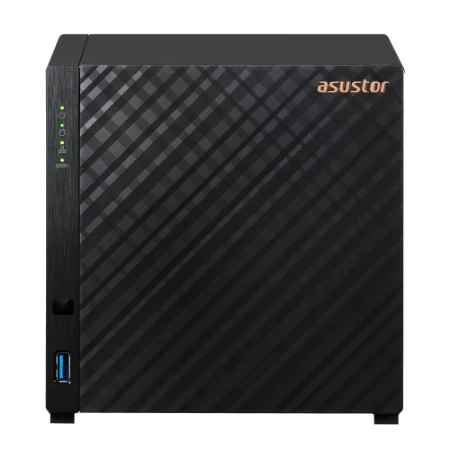
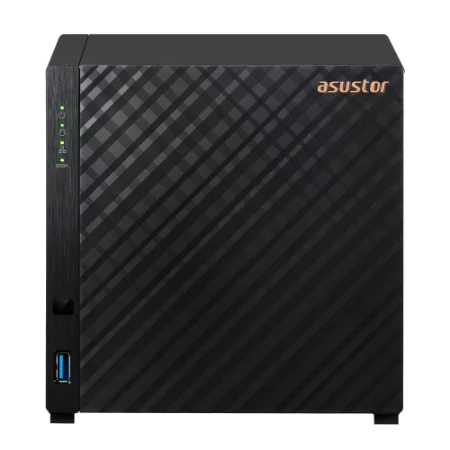
The best home NAS for most Australian families is the ASUSTOR Drivestor 4 Gen2 (AS1204T): four drive bays, 2.5GbE, low power and quiet operation, with apps that back up every phone, PC and Mac and keep the family photo library in one place. Choose the Drivestor 4 Pro Gen2 (AS3304T v2) for double the memory and hot-swappable bays, or the AS5404T if you also want a Plex server, M.2 SSD slots and HDMI to the TV. Two-bay versions of each suit smaller households.
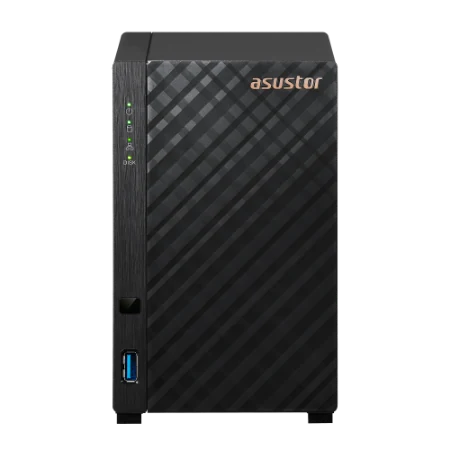
Quick pick: couple or small family → AS1202T; family of four or more → AS1204T; family plus home office → AS3304T v2; family media centre and Plex → AS5404T; complete beginners → a NAS and Seagate drive bundle. ARC IP Networks is a trusted ASUSTOR supplier in Australia, with genuine stock, the full 3-year ASUSTOR warranty and Australia-wide delivery.

What does a home NAS do for a family?
A home NAS is a small, always-on box of hard drives that plugs into your NBN router. Everyone in the house can save to it, back up to it and stream from it, and the files stay in your home rather than in a paid cloud plan. If the idea is new, our guide what is a NAS explains the basics.
| Family job | How an ASUSTOR NAS does it |
|---|---|
| Back up everyone's phone photos | AiFoto 3 uploads photos from the phone to the NAS automatically |
| Back up Windows PCs | ASUSTOR Backup Plan for Windows runs scheduled or real-time backups |
| Back up Macs | Time Machine backs up a Mac to the NAS, with separate space for each user |
| One shared family photo library | Photo Gallery 3: timelines, smart albums (places, favourites, duplicates) and shared albums |
| Shared folders for school and household paperwork | Separate user accounts and permissions, with access from any PC, Mac or phone |
| Movies and music on the TV | LooksGood and SoundsGood, Chromecast and DLNA streaming, Plex from App Central |
| Get files while away from home | EZ Connect and the ASUSTOR mobile apps |
| Copy to the cloud as well | Cloud Backup Center and DataSync Center (Google Drive, Dropbox, OneDrive and more) |
Features from ASUSTOR's official product, specification and backup solution pages.
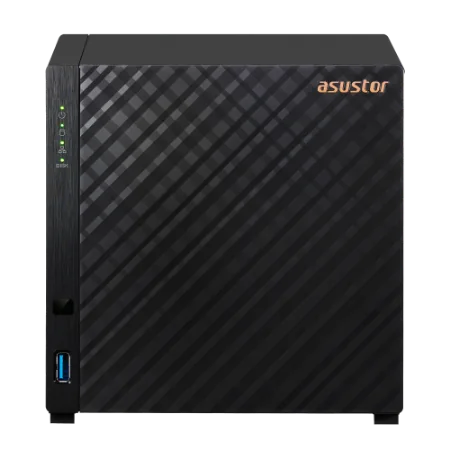
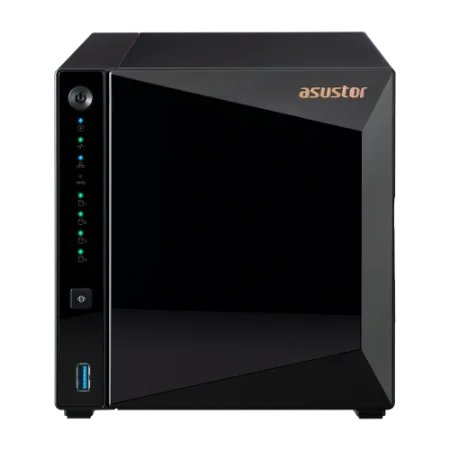
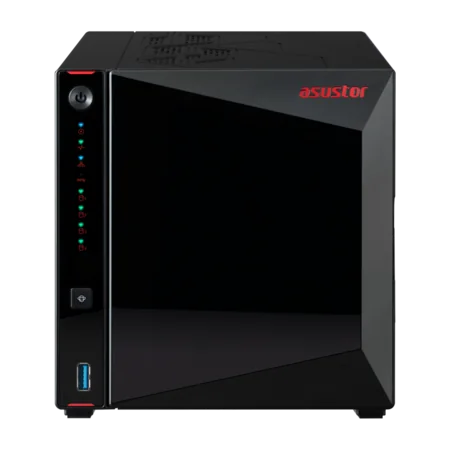
Drivestor Gen2 vs Drivestor Pro Gen2 vs AS54 for homes
All six models suit a home. The differences are memory, whether drives can be swapped while running, SSD slots, HDMI and networking.
Swipe the table sideways to compare all models →
| Spec | AS1202T | AS1204T | AS3302T v2 | AS3304T v2 | AS5402T | AS5404T |
|---|---|---|---|---|---|---|
| Series | Drivestor 2 Gen2 | Drivestor 4 Gen2 | Drivestor 2 Pro Gen2 | Drivestor 4 Pro Gen2 | AS54 (Nimbustor) 2 Gen2 | AS54 (Nimbustor) 4 Gen2 |
| Drive bays | 2 | 4 | 2 | 4 | 2 + 4 x M.2 | 4 + 4 x M.2 |
| Processor | Realtek RTD1619B | Realtek RTD1619B | Realtek RTD1619B | Realtek RTD1619B | Celeron N5105 | Celeron N5105 |
| Memory | 1GB | 1GB | 2GB | 2GB | 4GB (max 16GB) | 4GB (max 16GB) |
| Hot-swappable bays | Not listed | Not listed | Yes | Yes | Yes | Yes |
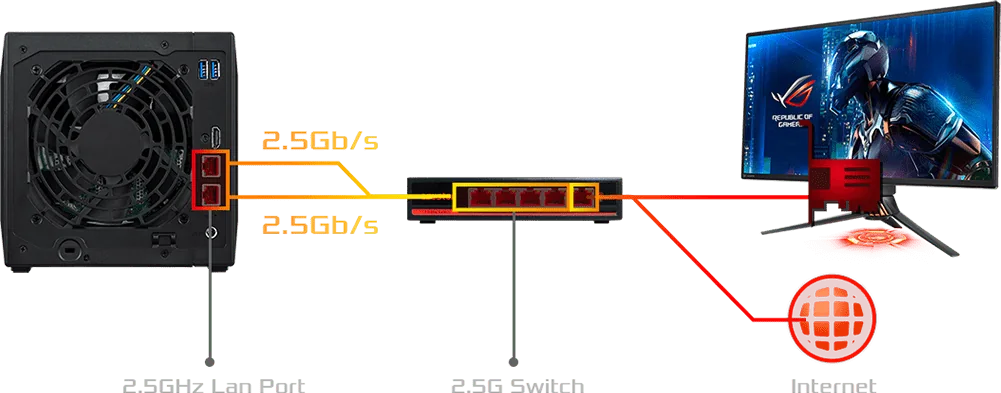
| Network | 2.5GbE | 2.5GbE | 2.5GbE | 2.5GbE | Dual 2.5GbE | Dual 2.5GbE |
| HDMI | No | No | No | No | HDMI 2.0b | HDMI 2.0b |
| Noise, drives idle | 18.6 dB | 19.7 dB | 18.6 dB | 19.7 dB | 18.6 dB | 19.7 dB |
| Power | 11.6 W in use; 5.97 W drives asleep | 22.8 W in use; 9.41 W drives asleep | 13.1 W in use; 4.5 W drives asleep | 25.1 W in use; 8.4 W drives asleep | 22.9 W in use; 12.7 W drives asleep; 0.71 W sleep | 38.3 W in use; 17.7 W drives asleep; 0.81 W sleep |
| Warranty | 3 Years | 3 Years | 3 Years | 3 Years | 3 Years | 3 Years |
Source: ASUSTOR specifications. Power figures are ASUSTOR's measurements with drives installed.
Drivestor 2 Gen2 and Drivestor 4 Gen2: the simple family NAS
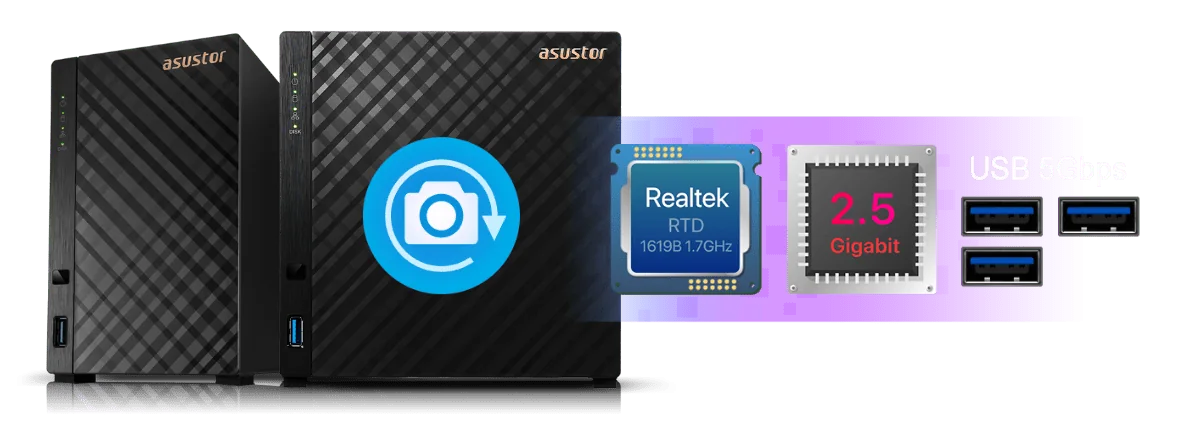
The Drivestor 2 Gen2 (AS1202T) and Drivestor 4 Gen2 (AS1204T) are ASUSTOR's entry home models. A 1.7 GHz quad-core Realtek RTD1619B, 1 GB of DDR4 and a 2.5GbE port handle backups, photo libraries and streaming for a household, and three USB 5Gbps ports (one front, two rear) take an external drive for an extra copy. ASUSTOR lists Btrfs snapshots, so you can roll back a folder after an accidental delete, plus tool-free drive installation.
The four-bay AS1204T is our usual pick for families: start with two drives mirrored and add more as the photo library grows. At 22.8 W in use and 9.41 W with the drives asleep (ASUSTOR figures), it costs little to leave running all year.
Drivestor 2 Pro Gen2 and Drivestor 4 Pro Gen2: more memory, hot-swap bays
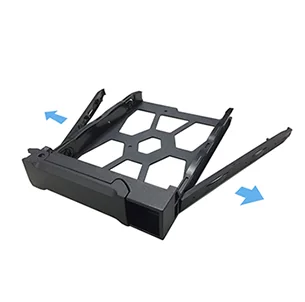
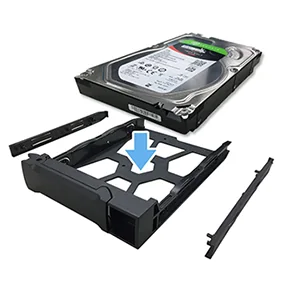
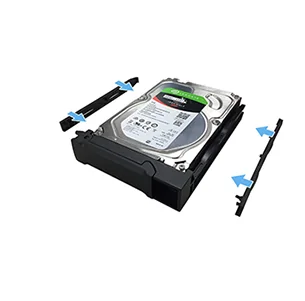
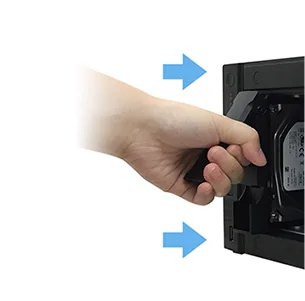
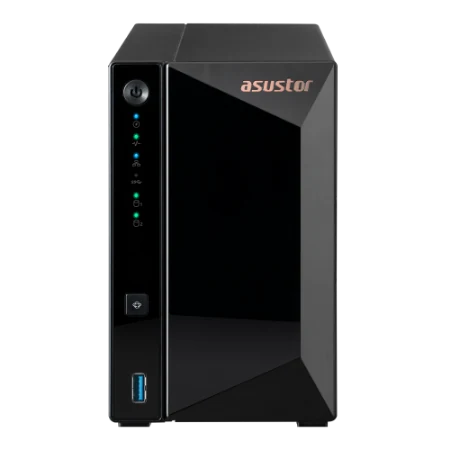
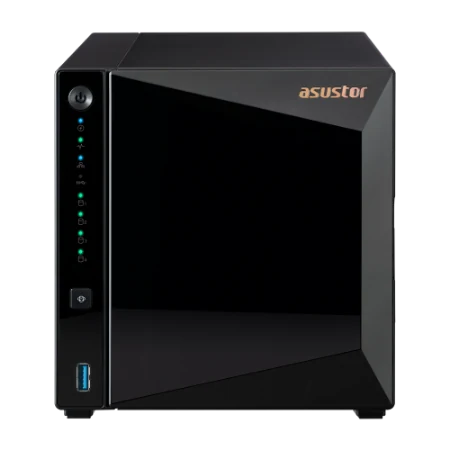
The Drivestor 2 Pro Gen2 (AS3302T v2) and Drivestor 4 Pro Gen2 (AS3304T v2) keep the same processor and 2.5GbE port but double the memory to 2 GB, which helps when several family members use apps at the same time. ASUSTOR's tool-free caddies make fitting drives a two-minute job, the bays are hot-swappable so a drive can be replaced without switching the NAS off, and the bays accept 2.5-inch drives and SSDs as well as 3.5-inch hard drives.
Choose a Pro Gen2 if someone in the house also works from home, or if you plan to run more apps than backups and photos.
AS5402T and AS5404T: for media-loving families
If the NAS will also be the family media centre, step up to the AS5402T or AS5404T. An Intel Celeron N5105 with 4 GB of DDR4 (expandable to 16 GB), four M.2 NVMe SSD slots, dual 2.5GbE ports and an HDMI 2.0b output give much more headroom for Plex, several users and extra apps. ASUSTOR lists 10-bit 4K hardware decoding, tool-free drives and SSDs, and a magnetic dust-resistant front panel.
Building mainly for movies? Read our guide to the best NAS for Plex.
Phone photo backup and the ASUSTOR mobile apps
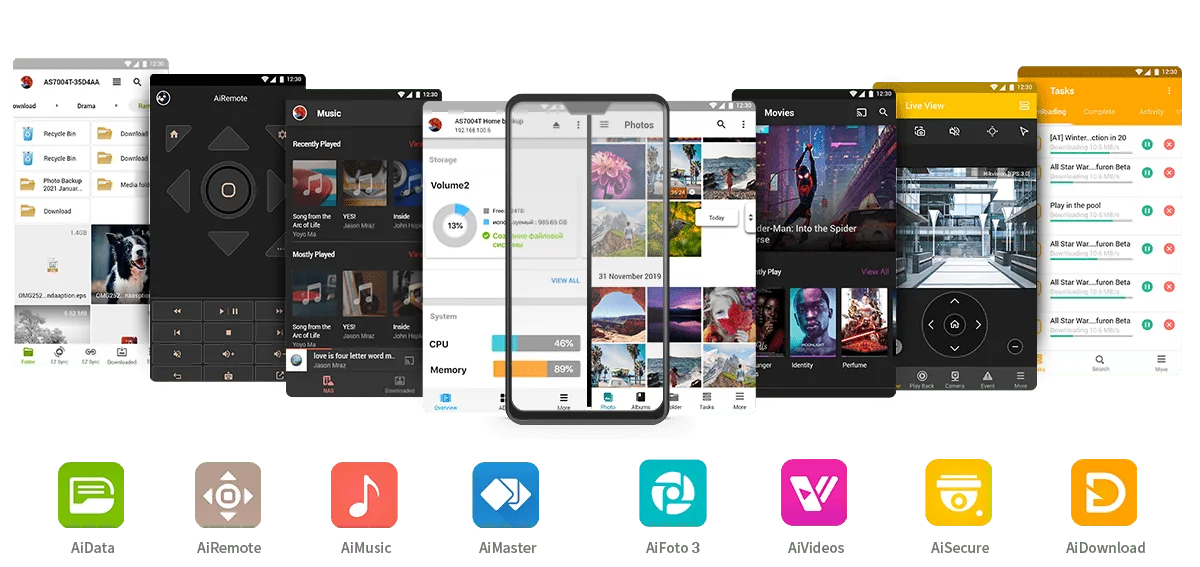
Most families buy a NAS because the phones are full and the cloud plan keeps going up. ASUSTOR's apps for Android and iOS cover the everyday jobs:
- AiFoto 3: automatic, instant upload of phone photos to the NAS, and browsing of the whole family library. It pairs with Photo Gallery 3 on the NAS, which adds timelines, smart albums and duplicate detection.
- AiData: browse, move and share the NAS folders from a phone or tablet.
- AiVideos and AiMusic: watch and listen to the family's video and music collections (LooksGood and SoundsGood on the NAS). ASUSTOR also lists an AiVideos version for Apple TV.
- AiMaster: set up and manage the NAS from a phone, including users, apps and updates.
ASUSTOR's mobile apps support a passcode lock and HTTPS connections for privacy.
Back up every PC and Mac, then keep a copy away from home
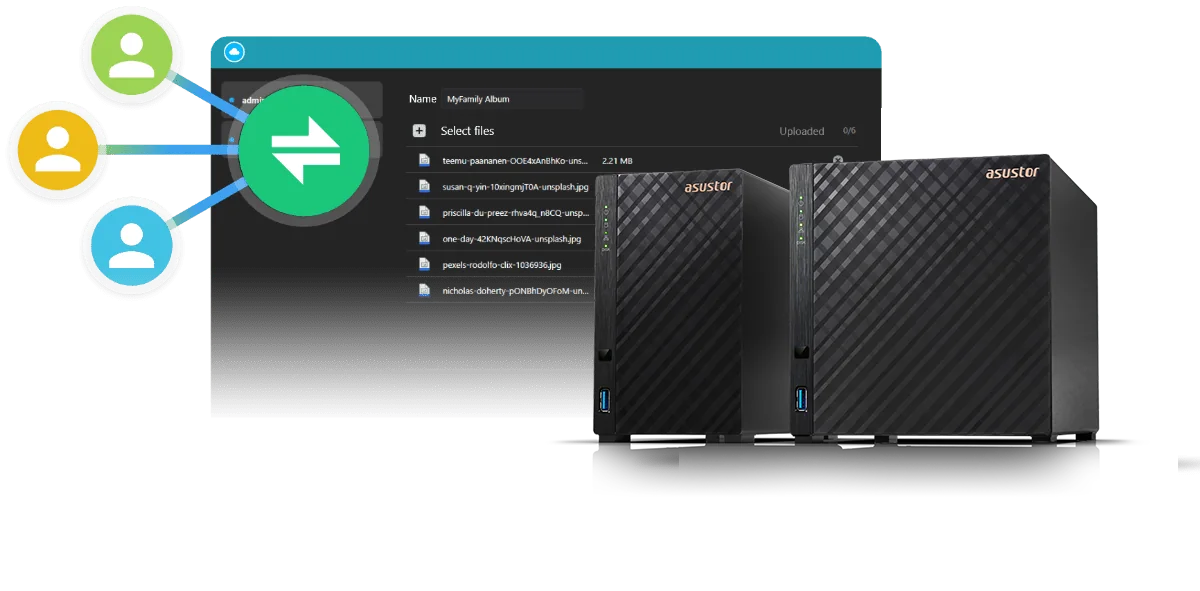
ASUSTOR's Backup Plan for Windows backs up PCs to the NAS on a schedule or in real time, and Macs back up with Apple's own Time Machine, which ASUSTOR supports for multiple Mac users. Share links let you send a folder of holiday photos to grandparents, or let them upload theirs, without email attachments.
A good family rule is 3-2-1: three copies of anything important, on two kinds of storage, with one away from home. With a NAS that looks like this:
- The original files on phones and computers.
- The backup on the NAS, ideally in RAID 1 or RAID 5 so one failed drive loses nothing.
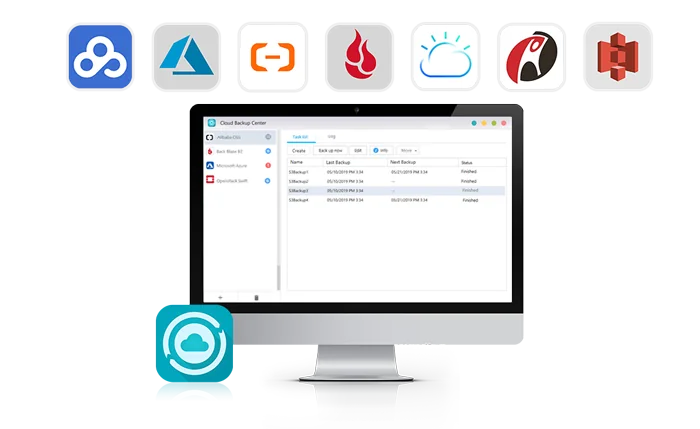
- An offsite copy: Cloud Backup Center sends one to a cloud storage service, or rotate a USB drive to a relative's house.
RAID protects against a failed drive, not against deletion or ransomware, so turn on snapshots as well; ASUSTOR lists Btrfs snapshots on all the models in this guide.
Reaching your files from anywhere on the NBN
EZ Connect, listed in the specifications of every model here, lets the ASUSTOR mobile apps and web interface find your NAS from outside the house without setting up port forwarding yourself. ASUSTOR also lists DDNS, Wake on LAN and Wake on WAN.
- Upload speed matters: opening a photo or document from away uses your NBN upload, which on most plans is far lower than download. Browsing photos and documents is fine; large videos may need a lower quality setting.
- CGNAT: some Australian providers share public IP addresses between customers. If remote connections are unreliable, ask your provider for a public IP.
- Security basics: use strong, unique passwords, keep ADM updated and enable two-step verification. ADM includes a firewall and ADM Defender, and ASUSTOR lists support for post-quantum (PQC) encrypted HTTPS connections.
Easy setup, power, noise and blackouts
Setting it up
Fit the drives (tool-free on all six models), plug the NAS into the NBN router with the supplied Ethernet cable, then follow the setup in a web browser or the AiMaster app. Create an account for each family member, a shared "Family" folder, and turn on phone and PC backups. Most families are up and running in an afternoon.
Noise and placement
ASUSTOR rates the two-bay models at 18.6 dB and the four-bay models at 19.7 dB with drives idle, quiet enough for a study or living room. Hard drives are audible when busy, so a hallway cupboard with some airflow, or the study, is better than a bedroom. ASUSTOR specifies 0 to 40 °C operating temperature, so avoid a hot garage in summer.
Blackouts and storms
Summer storms and brief outages can corrupt files if the NAS loses power mid-write. ASUSTOR lists UPS support, so a small UPS connected by USB can tell the NAS to shut down safely. See our guide to the best UPS for a NAS in Australia.
Beginner-friendly: NAS and drive bundles
Choosing drives is the step that puts most beginners off. ARC IP Networks sells ASUSTOR NAS bundled with Seagate NAS drives (IronWolf 4, 8 or 10 TB, or Exos X24 12 TB), so you can order one product and start backing up. Examples: AS1202T with IronWolf 4 TB, AS1204T with IronWolf 4 TB, AS3304T v2 with IronWolf 4 TB and AS5404T with IronWolf 8 TB.
| Household | Typical needs | Starting point |
|---|---|---|
| Couple, phones and two laptops | A few years of photos and backups | AS1202T with two drives mirrored |
| Family of four | Phones, PCs, a growing photo library | AS1204T, start with two drives, add more later |
| Family plus home office | Work files, client documents, more apps | AS3304T v2 |
| Family media centre | Photos, backups and a Plex movie library | AS5404T |
ARC IP Networks suggestions. Bundled Seagate drives carry Seagate's own warranty.
Shop genuine ASUSTOR home NAS
Live Australian pricing (inc. GST) and stock levels are on each product page.

Common questions
Straight answers from the ARC IP Networks team. Last reviewed October 2026.
For most families, the ASUSTOR Drivestor 4 Gen2 (AS1204T): four bays, a 1.7 GHz quad-core processor, 2.5GbE, 19.7 dB with drives idle and 22.8 W in use. It backs up phones, PCs and Macs and holds the family photo library.
A home NAS backs up every phone and computer in the house, keeps one shared family photo library, holds shared folders, and streams movies and music to TVs and phones. Files stay at home, with remote access when you need it.
Yes. ASUSTOR's AiFoto 3 app for Android and iOS uploads photos from your phone to the NAS automatically, and Photo Gallery 3 on the NAS organises them with timelines and smart albums.
Yes. ASUSTOR supports Apple Time Machine, including separate backups for multiple Mac users. Windows PCs can use ASUSTOR Backup Plan for scheduled or real-time backups.
Both use a 1.7 GHz quad-core Realtek processor and 2.5GbE. The Drivestor Pro Gen2 has 2 GB of memory instead of 1 GB, hot-swappable bays and support for 2.5-inch drives and SSDs.
ASUSTOR rates its two-bay home models at 18.6 dB and four-bay models at 19.7 dB with drives idle. Drives are audible when busy, so a study or cupboard with airflow suits better than a bedroom.
Yes. ASUSTOR EZ Connect lets the mobile apps and web interface reach your NAS from anywhere. Speed depends on your NBN upload, and some providers use CGNAT, which can need a public IP for reliable access.
It is strongly recommended. ASUSTOR lists UPS support, so a UPS connected by USB can shut the NAS down safely during a blackout and protect files from corruption.
Yes. ARC IP Networks sells ASUSTOR NAS bundled with Seagate IronWolf 4, 8 or 10 TB or Exos X24 12 TB drives, so beginners can order one product and start backing up.
ARC IP Networks is a trusted ASUSTOR supplier in Australia, with genuine ASUSTOR NAS, the full 3-year ASUSTOR warranty, Australia-wide delivery and competitive prices. Order online at arcip.com.au or call 1300 100 440.
Not sure which home NAS to choose?
Tell us how many people, phones and computers are in the house and how many photos you have. ARC IP Networks will suggest the NAS, drives and UPS that fit.
More ASUSTOR guides
- Replace Google Photos with a NAS in Australia
- Roon Server on a NAS: Build a Roon Core with ASUSTOR (Australia)
- Access Your NAS Remotely: Cloud ID, DDNS and EZ-Connect (Australia)
- Back Up Windows, Mac and Linux to an ASUSTOR NAS (with Snapshots)
- Working From Home With a NAS: Remote Access, VPN and File Sync (Australia)