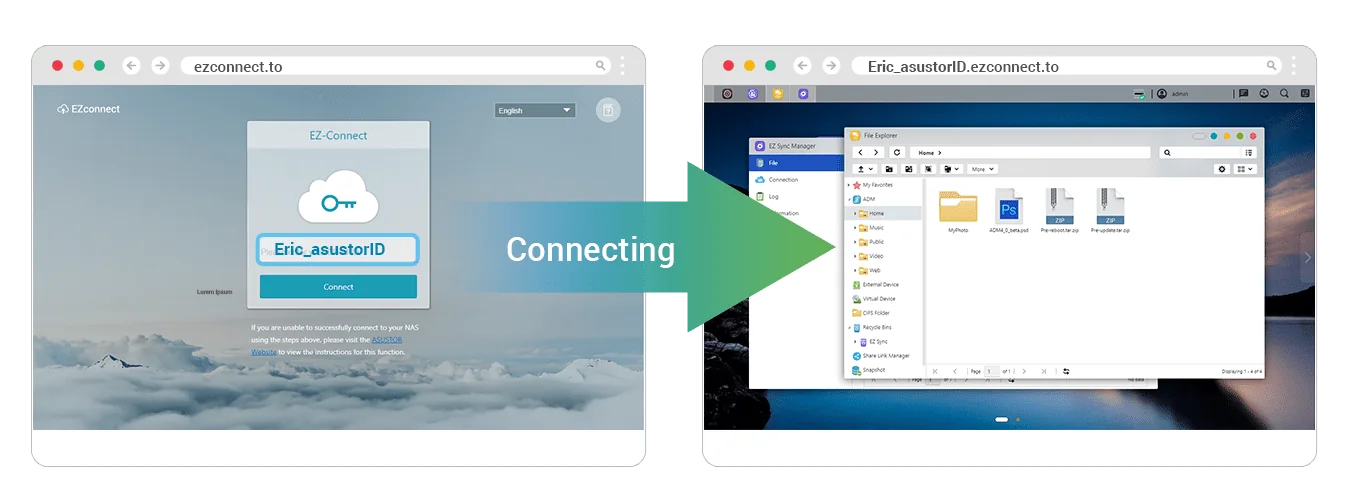
The easiest way to reach an ASUSTOR NAS from outside your home or office is EZ-Connect. Turn it on in ADM to get a Cloud ID, then sign in from any browser at your-Cloud-ID.ezconnect.to or with ASUSTOR's mobile apps; no IP address to remember. For more control, use DDNS with port forwarding (EZ-Router can set this up on compatible routers), or the most private option, a VPN into the NAS.
On the NBN, check whether your connection sits behind CG-NAT: without a public IP address, port forwarding and DDNS cannot work inbound. ARC IP Networks is a trusted ASUSTOR supplier in Australia: genuine ASUSTOR NAS and accessories at competitive prices, with the full ASUSTOR manufacturer warranty, Australia-wide delivery and trade pricing.
Remote access options at a glance
Swipe the table sideways to compare all models →
| Method | How you connect | Router setup | Works behind CG-NAT? | Best for |
|---|---|---|---|---|
| EZ-Connect (Cloud ID) | Browser at Cloud-ID.ezconnect.to, ASUSTOR apps, or the EZ Connect utility for Windows | None for the relay; optional port forwarding | Designed for complex networks: test on your connection | Most homes |
| DDNS + port forwarding | A hostname that follows your public IP, plus forwarded ports | Port forwarding (manual or EZ-Router via UPnP) | No: needs a public IP | Plex, WebDAV, faster direct access |
| VPN to the NAS | VPN client on your laptop or phone (WireGuard, OpenVPN, L2TP/IPsec, PPTP) | Forward the VPN port only | No: needs a public IP | Business access, the most private |
| Static public IP | Connect by IP address | Port forwarding | Yes, if your provider gives you one | Offices with a fixed address |
Methods from ASUSTOR's knowledge base and ADM pages; CG-NAT column is general networking guidance.
The basics: IP addresses, domain names and fixed IPs
An IP address is a device's address on a network, such as 192.168.1.100 on your home network. ASUSTOR's knowledge base explains that most addresses are IPv4, with IPv6 introduced because IPv4 addresses are running out. Your NAS has a local IP from your router, and your NBN connection has a public IP on the internet.
A domain name (or hostname) is an easy-to-remember name that DNS translates into an IP address. ASUSTOR's view on which to use: at home on the local network, the IP is simple and fast; from outside, a domain name is more convenient because it keeps working when your public IP changes.
Does a NAS need a fixed IP?
Not strictly, says ASUSTOR, but a fixed local IP is usually better: other devices and backup software always find the NAS, and port forwarding rules keep pointing to it. Set it in ADM or reserve it in your router's DHCP settings. A fixed public IP from your provider is a separate thing, useful for offices but not required if you use DDNS or EZ-Connect.
EZ-Connect and Cloud ID: the easy way in
EZ-Connect is ADM's built-in remote access service. You enable it under Settings > EZ-Connect and register a Cloud ID, which then works three ways:
- In a browser: go to your Cloud ID followed by .ezconnect.to and log in to ADM from anywhere with an internet connection.
- On a phone or tablet: sign in to AiMaster, AiData, AiFoto, AiMusic, AiSecure or AiDownload with your Cloud ID.
- On a Windows PC: install the ASUSTOR EZ Connect (AEC) utility, sign in with your Cloud ID, and it can also map NAS shared folders as network drives.
ADM's Internet Passthrough is designed for local networks with multiple routers, where port forwarding is difficult. When ADM detects a complex network, EZ-Connect enables passthrough automatically. If you want other apps reachable directly, EZ-Connect's advanced settings can turn on the port forwarding they need.
Things to know: a Cloud ID is tied to the NAS hardware, so to move it to a new NAS you first rename it on the old one (ADM > Settings > EZ-Connect > Rename). After moving drives to a new NAS with system migration, re-enable EZ-Connect. And in ADM 5.1, ADM Defender's firewall can block client IP addresses that connect through EZ-Connect.
DDNS: a hostname that follows your public IP
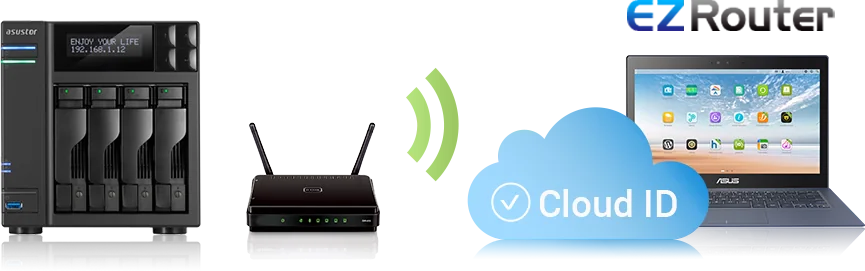
Most home NBN plans use a public IP that can change. DDNS (dynamic DNS) gives you a fixed hostname that updates automatically when it does. ADM supports ASUSTOR's own DDNS service (your Cloud ID becomes a personal hostname) and third-party providers including no-ip.com, freedns.afraid.org, dyndns.org, changeip.com, dnsexit.com and OVH.
How to set up DDNS on an ASUSTOR NAS
- Log in to ADM and open Settings.
- Select Manual Connect, then the DDNS tab.
- Tick Enable DDNS service and choose your provider.
- Enter your DDNS account, password and hostname (or Cloud ID), then click Apply.
DDNS only finds your connection. For anything to answer, the router must also forward the right ports to the NAS. Enable EZ-Router (Settings > Manual Connect > EZ-Router) with UPnP turned on in a compatible router, or create the forwarding rules yourself. ADM supports Let's Encrypt certificates through Certificate Manager, so you can use HTTPS on your hostname.
DDNS not working?
ASUSTOR's troubleshooting order: confirm the DDNS settings in ADM, then confirm port forwarding for each service. Some routers reserve ports such as 80, 443, 21 and 22 for themselves; ASUSTOR's fix is to move the NAS service to another port (for example, web server 80 to 8080 and 443 to 4430, FTP 21 to 2100). If DDNS and ports look right but nothing connects, suspect CG-NAT (below).
Which ports does an ASUSTOR NAS use?
Forward only what you need. These defaults are from ASUSTOR's port list:
| Service | Default port(s) | Expose to the internet? |
|---|---|---|
| ADM web interface (HTTP / HTTPS) | 8000 / 8001 TCP | HTTPS only, and change the default |
| WebDAV (HTTP / HTTPS) | 9800 / 9802 TCP | HTTPS (9802) only |
| Plex Media Server | 32400 TCP/UDP | If you stream remotely |
| Surveillance Center | 554, 1884, 8884, 12000, 14000, 60000 TCP | Prefer the AiSecure app or VPN |
| VPN Server | 1194, 1195, 1723, 1812, 1813 | Only the protocol you use |
| Samba (SMB file sharing) | 137, 138, 139, 445 | No: keep local or use VPN |
| SSH | 22 TCP | No: turn off when not needed |
Ports from ASUSTOR's "What network ports are used by ASUSTOR NAS services?". Exposure advice combines ASUSTOR's security recommendations and ARC IP Networks guidance.
VPN: the most private way to reach your NAS
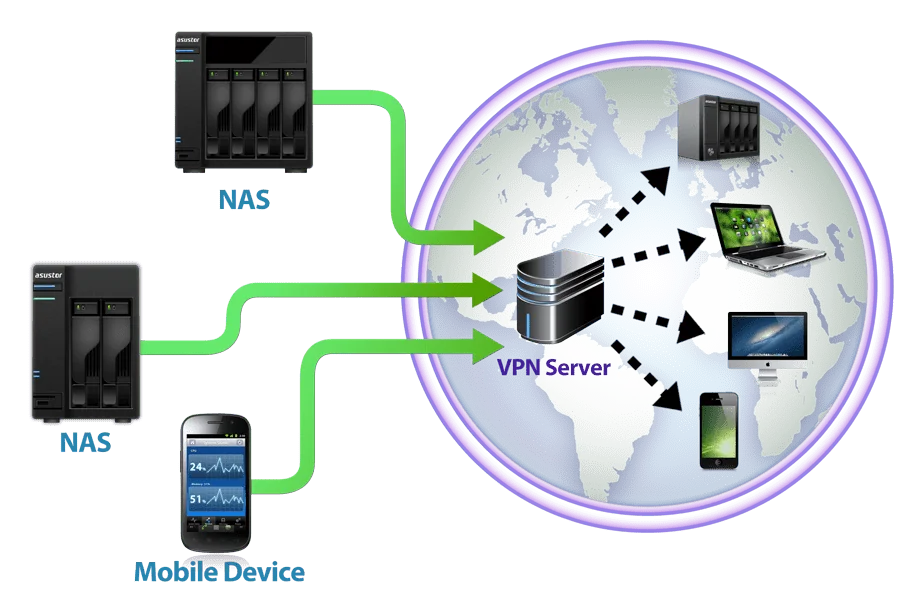
With a VPN, your laptop or phone joins your home or office network securely, and you use the NAS as if you were on site, including SMB file shares. ADM's VPN Server supports WireGuard, OpenVPN, L2TP/IPsec and PPTP, shows live connections and lets you disconnect suspicious ones. Only one port needs forwarding, which is why ASUSTOR recommends an encrypted channel such as a VPN or SSL for remote connections. Prefer WireGuard or OpenVPN over PPTP. If your router has a built-in VPN server, that works too.
Remote access on the NBN: CG-NAT, upload speed and Wi-Fi
What is CG-NAT?
Carrier-grade NAT (CG-NAT) means your provider shares one public IPv4 address between many customers. Outbound internet works normally, but nothing can connect in to your router, so port forwarding, DDNS and direct VPNs fail. Some NBN providers and many 4G and 5G home internet services use CG-NAT on some or all plans.
How to tell, and what to do
- Compare addresses: if the WAN IP shown in your router differs from the IP a "what is my IP" website shows, or starts with 100.64 to 100.127, you are probably behind CG-NAT.
- Ask your provider whether you can opt out of CG-NAT or get a public or static IP. Options and conditions vary by provider and plan.
- Try EZ-Connect first: it is ASUSTOR's option for networks where port forwarding is not possible. Test it from a mobile connection outside your Wi-Fi.
- IPv6: if your plan includes IPv6, some services can be reached that way.
Upload speed matters
Everything you open remotely leaves home through your NBN upload, which is usually much slower than download. Remote file access and photo browsing work well; large video files and 4K streams may need transcoding. Our Plex NAS guide covers remote streaming.
Keep the NAS wired
ASUSTOR's knowledge base notes a NAS is normally connected to a router or switch, and a wired Ethernet connection is recommended for large transfers. Plug it into the router or a switch, not Wi-Fi.
Secure your NAS before you open it to the internet
ASUSTOR's security recommendations, which it repeats in its alerts:
- Use strong, unique passwords and turn on 2-step verification.
- Change the default ADM ports 8000 and 8001.
- Turn off Terminal/SSH, SFTP and any service you do not use.
- Keep ADM and apps updated, and keep backups and snapshots current.
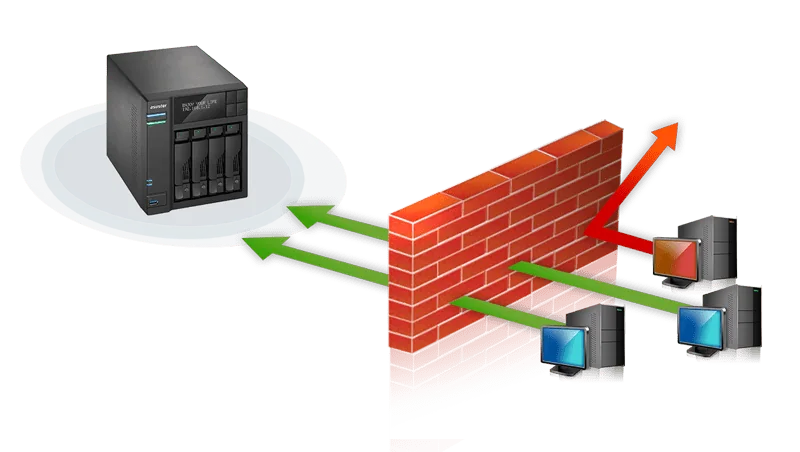
- Enable ADM Defender: firewall profiles, the automatic blacklist (which blocks an IP after repeated failed logins within a short period) and the AbuseIPDB risk-detection greylist.
Locked yourself out? ADM may have blacklisted your IP after failed logins; remove it under Settings > ADM Defender > Network Defender. Mobile app logins also need the matching ADM app installed (for example, AiFoto needs Photo Gallery).
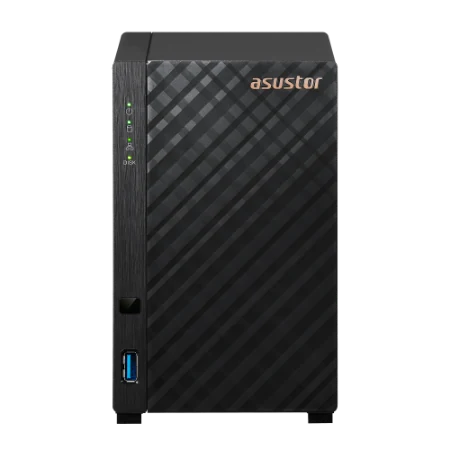
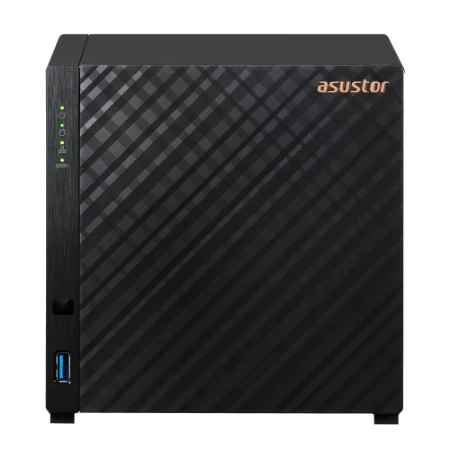
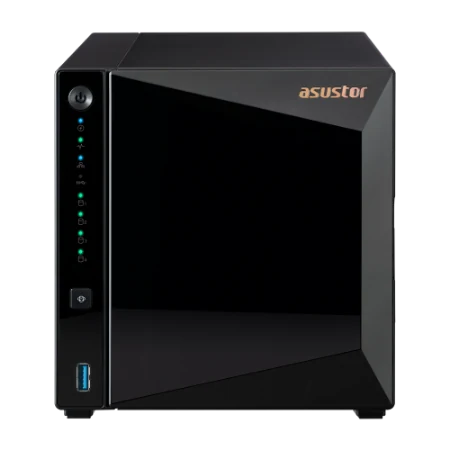
Genuine ASUSTOR NAS for remote access
Genuine ASUSTOR with the 3-year ASUSTOR warranty. Current pricing is on each product page.



Build it with ARC IP Networks
We supply genuine ASUSTOR NAS at competitive prices and can design remote access that is secure and works on your NBN connection.
- Check your connection for CG-NAT and choose EZ-Connect, DDNS or VPN
- Routers, switches and firewalls from our networking range to match
- ADM Defender, 2-step verification and port hardening before go-live
- Snapshots and an off-site backup so remote access never risks your data
- Trade and project pricing for IT providers managing client sites
Common questions
Straight answers from the ARC IP Networks team. Last reviewed October 2026.
Enable EZ-Connect in ADM and register a Cloud ID, then sign in from a browser at your Cloud ID followed by .ezconnect.to, or with ASUSTOR mobile apps. Alternatives are DDNS with port forwarding, or a VPN into the NAS.
A Cloud ID is the name you register in EZ-Connect. It identifies your NAS for remote access in a browser, in ASUSTOR mobile apps and in the EZ Connect utility for Windows. It is tied to the NAS hardware and can be released by renaming it.
In ADM, open Settings, Manual Connect, DDNS. Tick Enable DDNS service, choose a provider, enter your account, password and hostname, and click Apply. Then forward the required ports with EZ-Router or manually on your router.
Not strictly. ASUSTOR recommends a fixed local IP so devices and backup software always find the NAS. A static public IP is optional if you use DDNS or EZ-Connect.
Check that DDNS is configured in ADM and that port forwarding is set for each service. Some routers reserve ports 80, 443, 21 and 22, so change the NAS service port. If everything looks right, your NBN connection may be behind CG-NAT.
CG-NAT blocks inbound connections, so port forwarding, DDNS and direct VPNs will not work without a public IP. Ask your provider about a public or static IP, or try EZ-Connect, which ASUSTOR designed for networks where port forwarding is difficult.
ADM uses 8000 for HTTP and 8001 for HTTPS by default. WebDAV uses 9800 and 9802, Plex 32400 and Samba 137 to 139 and 445. ASUSTOR recommends changing the default ADM ports and turning off services you do not use.
ARC IP Networks is a trusted ASUSTOR supplier in Australia, with genuine ASUSTOR NAS, the full manufacturer warranty, Australia-wide delivery and competitive prices. Call 1300 100 440 for help with remote access and trade pricing.
Need secure remote access?
Tell us your NBN connection and who needs access. We will set up EZ-Connect, DDNS or VPN properly, with trade and project pricing.