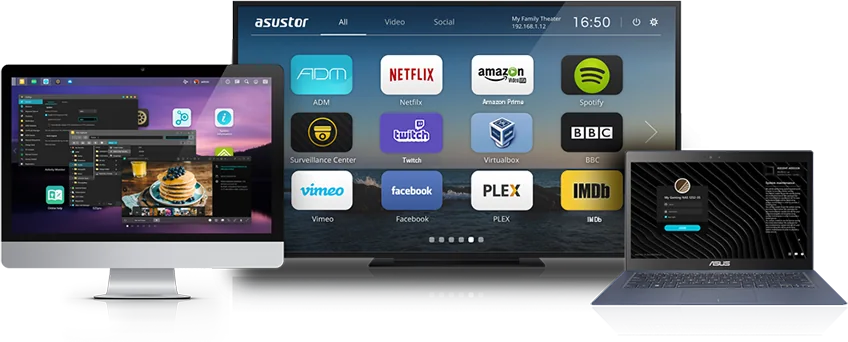
ADM (ASUSTOR Data Master) is the Linux-based operating system that runs on every ASUSTOR NAS. You use it in a web browser to manage storage, users and shared folders, and you add features from App Central, ASUSTOR's app store with more than 200 apps. Out of the box, ADM includes backup tools (Backup & Restore, Cloud Backup Center, DataSync Center), Btrfs snapshots in Snapshot Center, MyArchive removable archive drives, and Surveillance Center for IP cameras, with four free camera channels.
ARC IP Networks is a trusted ASUSTOR supplier in Australia: genuine ASUSTOR NAS and accessories at competitive prices, with the full ASUSTOR manufacturer warranty, Australia-wide delivery and trade pricing. This guide explains what each part of ADM does, which apps you actually need, and which models support which features.
ADM at a glance: the parts that matter
| ADM feature | What it does | Where you find it |
|---|---|---|
| File sharing | Shared folders over SMB, AFP, NFS, FTP and WebDAV for Windows, macOS and Linux | Built in (Access Control, File Explorer) |
| App Central | App store with more than 200 apps: media, backup, surveillance, Docker and more | Built in |
| Backup & Restore | Remote (Rsync), SMB, FTP, external USB and internal MyArchive backups on a schedule | Built in |
| Cloud Backup Center and DataSync Center | Back up or sync to business and personal cloud services | App Central |
| Snapshot Center | Up to 256 Btrfs snapshots per NAS, scheduled or manual | App Central (Btrfs volumes) |
| MyArchive | Hard drives used as removable, swappable archives for cold backup | Built in (supported models) |
| Surveillance Center | Record and view IP cameras; four channels free | App Central |
| ADM Defender and 2-step verification | Firewall, automatic blacklist and login protection | Built in (Settings) |
| EZ-Connect and mobile apps | Remote access with a Cloud ID; AiMaster, AiData, AiFoto and more | Built in, plus App Store and Google Play |
Summarised from ASUSTOR's ADM feature pages and knowledge base.
What is ASUSTOR ADM?
ASUSTOR describes ADM as an optimised, Linux-based operating system designed specifically for NAS. It is the dedicated operating system for all ASUSTOR NAS devices, so a Drivestor at home and a Lockerstor in an office run the same software. You open it in a browser on your network or with the AiMaster app, and it behaves like a tablet home screen: apps on a desktop, a settings panel and notifications.
Underneath, ADM handles RAID volumes, users and permissions, network settings, updates and hardware such as fans and power scheduling. Everything else, from Plex to camera recording, is an app you choose to install.
What is new in ADM 5.1
ASUSTOR's current release notes for ADM 5.1 list these additions:
- Post-quantum cryptography (PQC): hybrid TLS using X25519 plus ML-KEM 768, enabled automatically over TLS 1.3 when your browser supports it.
- Password rules: administrators can enforce password strength and expiry, and password resets now need authentication.
- ADM Defender firewall upgrades: it can now block client IP addresses connecting through EZ-Connect, and add profiles that block access to Docker containers.
- Also new: duplicate file scanning in File Explorer, local AI facial recognition in Photo Gallery, new fan controls and 7-day temporary service accounts for remote support.
Before you update: ASUSTOR recommends backing up important data first, notes that you cannot downgrade after installing ADM 5.1, and advises updating your App Central apps afterwards. Its knowledge base adds that updates bring security fixes and new features, but you should check that your existing apps and devices are compatible first.
App Central: how you add features to ADM
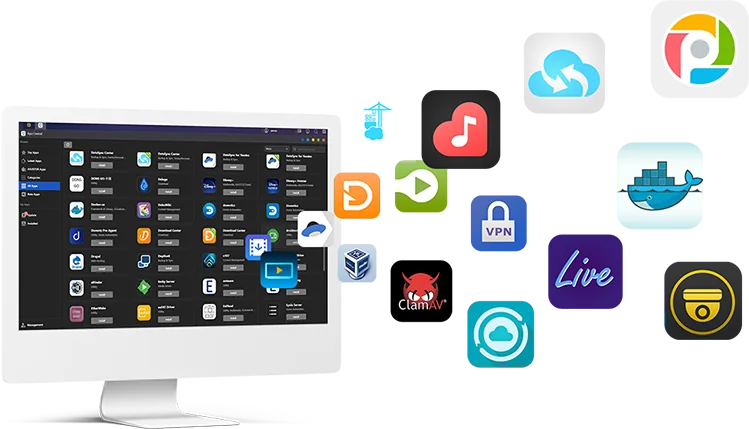
ADM ships with a core set of apps, and App Central is where you find the rest. ASUSTOR lists more than 200 apps, which you can search by keyword or browse by category, popularity and recommendation. Installing an app is one click, and App Central can also complete the router port forwarding an app needs when you use EZ-Connect.
ASUSTOR's knowledge base sums up the range as file sharing, media servers, download tools and monitoring software. In practice, the apps people install first are:
- Media: Plex Media Server, LooksGood (video), SoundsGood (music) and Photo Gallery 3, plus a DLNA/UPnP media server for smart TVs. See our Plex NAS guide.
- Backup: Cloud Backup Center, DataSync Center and Snapshot Center.
- Security: Surveillance Center and an antivirus app.
- Power users: Docker and virtualisation apps on models with enough memory.
Keep apps to what you use. ASUSTOR notes that some apps, including media servers and Surveillance Center, scan or write to disks regularly, which can stop hard drives from hibernating.
ADM backup apps explained
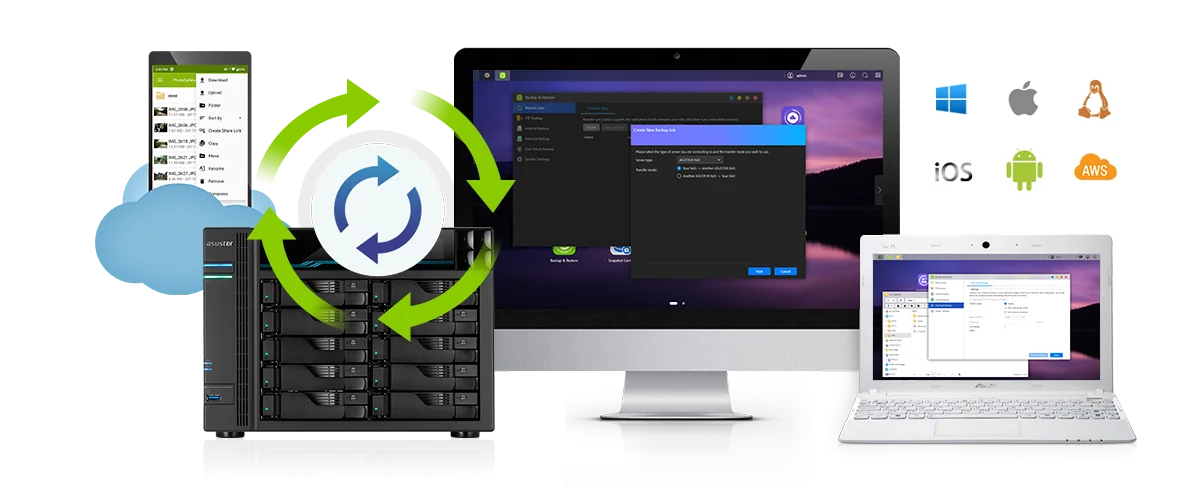
ADM covers both directions: backing up your computers to the NAS, and backing up the NAS itself somewhere else. ASUSTOR's knowledge base groups NAS backups into four types: local (USB drive or another ASUSTOR NAS), cloud, remote (Rsync, FTP or another server) and snapshots.
| App or feature | Backs up | Good for |
|---|---|---|
| Backup Plan (Windows utility) | Windows PCs to the NAS: one-off, scheduled or real-time sync | Home and office PCs |
| Time Machine support | Macs to the NAS, each Mac user with its own account and location | Mac households and studios |
| Backup & Restore: Remote Sync (Rsync) | NAS to another NAS or Rsync server, incremental and encrypted | Off-site copy to a second site |
| Backup & Restore: SMB and FTP backup | To and from SMB or FTP devices on Windows, macOS and Linux | Existing file servers |
| External Backup and One Touch Backup | NAS to or from USB drives, two-way, incremental | Rotating USB drives |
| Internal Backup (MyArchive) | NAS to a MyArchive drive in a spare bay | Cold backups you take off-site |
| Cloud Backup Center | NAS to Amazon S3, Backblaze B2, Microsoft Azure Blob, Google Cloud Storage, Box and others | Business cloud copies |
| DataSync Center | Sync with Google Drive, Dropbox and OneDrive, with multiple accounts | Hybrid cloud for personal accounts |
Service lists from ASUSTOR's Cloud Backup Center and DataSync Center pages.
ADM backup jobs can run as often as every five minutes and can back up several folders in one job. ASUSTOR also notes which system settings ADM can back up: users and groups, shared folders and their permissions, most system settings and firewall blacklist entries, but not your Cloud ID or ASUSTOR ID.
For step-by-step setup on Windows, Mac and Linux, read back up Windows, Mac and Linux to an ASUSTOR NAS. For the strategy behind it, our 3-2-1 backup guide explains why one NAS is never the only copy.
Snapshot Center: Btrfs snapshots in ADM
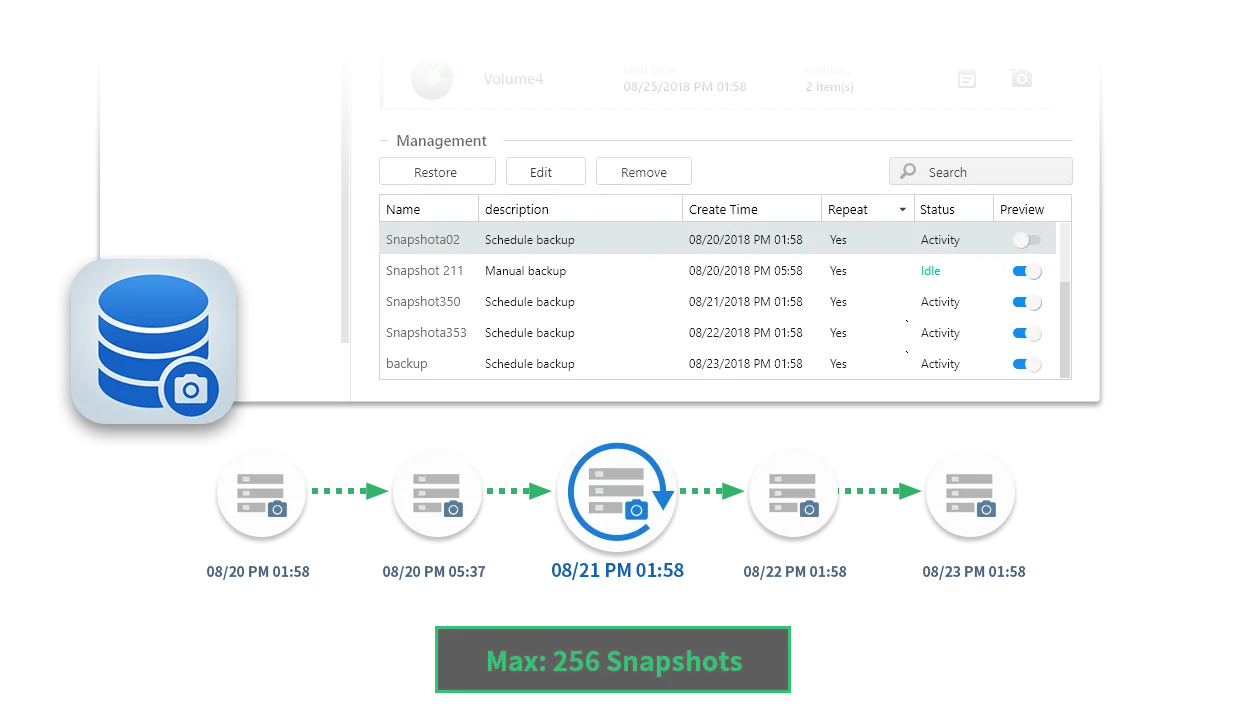
A snapshot is a point-in-time record of a volume. On a Btrfs volume, ADM can take snapshots almost instantly without slowing the NAS, and you can roll back a file, a folder or the whole volume if something is deleted, overwritten or encrypted by ransomware. Snapshot Center manages, schedules and restores up to 256 snapshots, and File Explorer can mount a snapshot so you browse it like a normal folder.
ASUSTOR's system requirements for Snapshot Center include every current model ARC IP Networks stocks: Drivestor Gen2 (AS12), Drivestor Pro Gen2 (AS33 v2), the AS54 series, Lockerstor Gen2+, Lockerstor Gen3, Flashstor and Flashstor Gen2. Choose Btrfs when you create the volume, because snapshots need it.
Two things to know. Snapshots live on the same drives as your data, so they protect against mistakes and ransomware, not against the NAS failing. And when a volume approaches 95% full, Snapshot Center can delete older snapshots so the volume does not fill completely. ASUSTOR also warns that restoring a snapshot overwrites the current data.
MyArchive: hard drives as removable archives
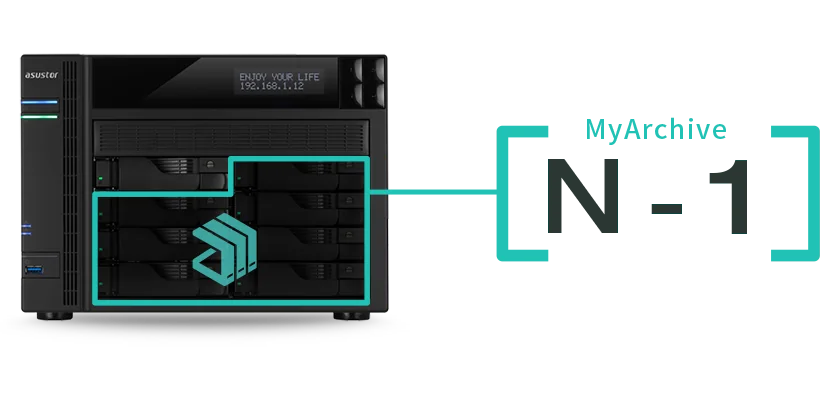
MyArchive is an ASUSTOR feature that turns a hard drive in a spare bay into a removable archive. You plug it in, back up or browse it, then pull it out and store it somewhere safe, which is a simple way to keep an off-site copy. Unused archives draw no power once they are out of the NAS.
- N-1 drives at once: on a four-bay NAS you can mount up to three MyArchive drives at the same time, with an alias so you know which is which.
- File systems: MyArchive drives can be formatted EXT4, exFAT, NTFS, HFS+ or Btrfs, so a retired archive can be read on a Windows PC (NTFS) or Mac (HFS+) in a USB enclosure.
- Encryption: AES 256-bit, with automatic mounting on up to 20 trusted NAS units.
- Scheduled backups: ADM mounts the MyArchive drive when a backup starts and ejects it when the job finishes.
- Btrfs and snapshots on MyArchive are supported on the AS33 v2, AS54 and Lockerstor ranges, among others.
ASUSTOR also suggests MyArchive for old, smaller drives when you upgrade, rather than mixing them into a RAID array.
Surveillance Center: recording IP cameras in ADM
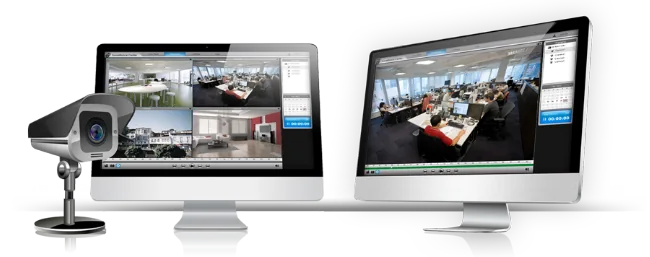
Surveillance Center is a free add-on app from App Central that turns an ASUSTOR NAS into a network video recorder. It includes four free camera channels, supports cameras through ONVIF Profile S and T or RTSP, and offers manual, continuous, scheduled, motion-triggered and alarm-triggered recording. You watch live and recorded video in a browser on Windows or with the AiSecure app, which also sends push notifications.
Extra channels need camera licences. ASUSTOR lists up to 12 channels on the Drivestor 4 Gen2, 25 on the Drivestor 4 Pro Gen2, 44 on the AS54 and Lockerstor Gen2+ models, and 72 on the Lockerstor 4 Gen3. Our Surveillance Center guide covers camera setup, privileges and storage.
Security tools built into ADM
A NAS that is reachable from the internet needs looking after. ADM includes the tools; ASUSTOR's advice is to keep ADM and apps updated, use strong unique passwords, turn on two-step verification, back up regularly and use the firewall.
- ADM Defender: a firewall that allows or denies IP addresses, ranges or whole countries, with intranet-only and location profiles, an automatic blacklist for repeated failed logins, a trusted list, and an optional risk-detection greylist fed by the AbuseIPDB database.
- 2-step verification for ADM accounts.
- AES 256-bit encrypted shared folders, and encrypted MyArchive drives.
- VPN server and client supporting PPTP, OpenVPN, L2TP/IPsec and WireGuard (WireGuard, OpenVPN and PPTP as a client).
The single best defence against ransomware is a snapshot schedule plus an offline or off-site backup, because you can roll back without paying anyone.
Storage management: RAID, SSD cache and expansion
ADM's Storage Manager creates the volumes your shared folders live on. It supports Single, JBOD, RAID 0, 1, 5, 6 and 10 (on four-bay and larger models), RAID migration to a higher level without deleting the volume, online capacity expansion by swapping in larger drives, and RAID scrubbing to check RAID 5 and 6 consistency. Models with M.2 slots can use SSDs as a read-only or read-write SSD cache or as a fast M.2 volume. ASUSTOR expansion units add more bays over USB.
Read NAS RAID explained to choose a RAID level, SSD cache and M.2 on a NAS for SSDs, and 2-bay vs 4-bay vs 6-bay to size the NAS itself.
Remote access and ASUSTOR mobile apps
EZ-Connect gives your NAS a Cloud ID, so you can reach it from anywhere in a browser through ezconnect.to or with ASUSTOR's apps. ADM also supports DDNS, EZ-Router automatic port forwarding on compatible routers, and VPN. Each mobile app pairs with an ADM app: AiFoto 3 needs Photo Gallery, AiVideos needs LooksGood, AiMusic needs SoundsGood and AiSecure needs Surveillance Center, while AiMaster and AiData manage the NAS and its files.
Remote access is where NBN details such as CG-NAT matter. Our remote access guide explains Cloud ID, DDNS and EZ-Connect for Australian connections.
ADM feature support by ASUSTOR model
All ASUSTOR NAS run the same ADM, but hardware decides some features. This table uses ASUSTOR's system requirements and specification pages for the models ARC IP Networks stocks.
Swipe the table sideways to compare all models →
| Model | Memory | Btrfs snapshots | SSD cache | Camera channels (with licences) |
|---|---|---|---|---|
| Drivestor 4 Gen2 AS1204T | 1GB DDR4 | Yes | No M.2 slots | 12 |
| Drivestor 4 Pro Gen2 AS3304T v2 | 2GB DDR4 | Yes | No M.2 slots | 25 |
| Nimbustor 4 Gen2 AS5404T | 4GB DDR4 | Yes | Yes (4 x M.2) | 44 |
| Lockerstor 4 Gen2+ AS6704T v2 | 4GB DDR4 | Yes | Yes (4 x M.2) | 44 |
| Lockerstor 4 Gen3 AS6804T | 16GB DDR5 ECC | Yes | Yes (4 x M.2) | 72 |
| Flashstor 6 Gen2 FS6806X | 8GB DDR5 | Yes | All-flash (SSD volume) | 72 |
Sources: ASUSTOR Snapshot Center and SSD Cache system requirements; model specification and overview pages. Four camera channels are free on every model.
Shop genuine ASUSTOR NAS running ADM
Genuine ASUSTOR with the 3-year ASUSTOR warranty. Current pricing is on each product page.



Build it with ARC IP Networks
We supply genuine ASUSTOR NAS with the full manufacturer warranty, Australia-wide delivery and competitive prices, and we help you get ADM set up properly from day one.
- Match the model to the ADM apps you plan to run (Plex, Surveillance Center, Docker, backups)
- Choose drives and SSDs, or pick a NAS and Seagate drive bundle
- Plan snapshots, an off-site copy and remote access before you go live
- Add a PowerShield UPS so ADM can shut down safely in a blackout
- Trade and project pricing for installers, IT providers and multi-site rollouts
Common questions
Straight answers from the ARC IP Networks team. Last reviewed October 2026.
ADM (ASUSTOR Data Master) is the Linux-based operating system on every ASUSTOR NAS. You manage storage, users, shared folders, backups and apps from a web browser or the AiMaster app, and add features from App Central.
Yes. ADM comes with every ASUSTOR NAS, and ASUSTOR describes App Central apps as free to install. Some features have optional paid licences, such as Surveillance Center camera channels beyond the four included free.
App Central is the app store built into ADM. ASUSTOR lists more than 200 apps, including Plex, LooksGood, Photo Gallery, Surveillance Center, Cloud Backup Center, DataSync Center and Docker, installed with one click.
Yes. On a Btrfs volume, Snapshot Center can schedule, create and restore up to 256 snapshots, and File Explorer can mount a snapshot to browse old versions. All current Drivestor Gen2, AS54, Lockerstor and Flashstor models are supported.
MyArchive lets you use a hard drive in a spare bay as a removable archive. You back up to it, eject it and store it elsewhere. A NAS with N bays can mount up to N-1 MyArchive drives, and drives can be encrypted with AES 256-bit.
Yes. Cloud Backup Center backs up to services such as Amazon S3, Backblaze B2, Microsoft Azure Blob Storage, Google Cloud Storage and Box, and DataSync Center syncs with Google Drive, Dropbox and OneDrive.
Yes. Surveillance Center is a free app from App Central with four free camera channels. It connects ONVIF Profile S or T cameras and RTSP cameras, and extra channels are added with camera licences.
ARC IP Networks is a trusted ASUSTOR supplier in Australia, with genuine ASUSTOR NAS, the full manufacturer warranty, Australia-wide delivery and competitive prices. Order online at arcip.com.au or call 1300 100 440 for trade and project pricing.
Planning an ASUSTOR NAS?
Tell us which ADM apps you need and how much data you have. We will match the NAS, drives, UPS and backup plan, with trade and project pricing.