ASUSTOR, Synology and QNAP all make capable NAS for Australian homes and businesses, and the right choice depends on the software you want to live with. ASUSTOR runs ADM and pairs it with well-specified hardware, a 3-year warranty on every model, MyArchive removable drives and four free camera channels. Synology runs DSM, with its own backup suite (Hyper Backup, Active Backup for Business) and Synology Hybrid RAID. QNAP offers two operating systems: QTS (ext4) and QuTS hero (ZFS, with self-healing and inline deduplication).
ARC IP Networks is a trusted ASUSTOR supplier in Australia: genuine ASUSTOR NAS and accessories at competitive prices, with the full ASUSTOR manufacturer warranty, Australia-wide delivery and trade pricing. We also sell QNAP NAS, so this comparison is about fit, not favourites. Every brand fact below comes from that brand's own published pages.

ASUSTOR vs Synology vs QNAP at a glance
Each cell is taken from the brand's own operating-system, software or knowledge pages. Where a brand does not publish a comparable figure on the pages we checked, the cell says so rather than guessing.
Swipe the table sideways to compare all models →
| Category | ASUSTOR | Synology | QNAP |
|---|---|---|---|
| Operating system | ADM (ASUSTOR Data Master), Linux-based, on every ASUSTOR NAS | DSM (DiskStation Manager), on every Synology NAS | QTS (Linux kernel, ext4) or QuTS hero (Linux kernel, ZFS); QES for dual-controller models |
| App store | App Central, more than 200 apps | Synology packages, installed from DSM | App Center, install-on-demand apps |
| File system for snapshots | Btrfs | Btrfs (Snapshot Replication) | ZFS on QuTS hero |
| Snapshot app | Snapshot Center, up to 256 snapshots | Snapshot Replication, including immutable (WORM) snapshots | Up to 65,536 snapshots per shared folder or LUN on QuTS hero |
| Mixed-size drive RAID | Not offered: ASUSTOR recommends same-capacity drives | SHR or SHR-2, recommended for different-capacity drives | ZFS RAID-Z, including triple parity, on QuTS hero |
| Computer backup | Backup Plan for Windows, Time Machine for Mac, Rsync for Linux | Active Backup for Business for PCs and Macs, with bare-metal recovery | Hybrid Backup Sync for NAS backup, sync and recovery |
| Remote access | EZ-Connect with a Cloud ID | QuickConnect | myQNAPcloud Link |
| Surveillance app | Surveillance Center, 4 free camera channels | Surveillance Station, over 20,000 compatible IP camera models | QVR Pro, 8 built-in channels, up to 128 |
| Removable archive drives | MyArchive (N-1 drives at once, AES-256) | Not listed on the pages checked | Not listed on the pages checked |
| NAS warranty | 3 years on every model in this guide | See Synology's product pages | See QNAP's product pages |
Sources: ASUSTOR ADM pages and knowledge base; Synology DSM, Snapshot Replication, Active Backup for Business and Surveillance Station pages, and Synology Knowledge Center (SHR, QuickConnect); QNAP QTS and QuTS hero pages. Checked October 2026.
The real difference: ADM vs DSM vs QTS and QuTS hero
All three brands sell hardware, but you spend your time in the software. Each operating system runs in a web browser, has mobile apps, and handles RAID, users, shared folders, backups and an app store. The differences are in emphasis.
ASUSTOR ADM
ADM is Linux-based and looks like a tablet home screen. ASUSTOR's current release, ADM 5.1, adds post-quantum (PQC) TLS encryption, stronger password rules, firewall profiles for EZ-Connect and Docker, and local facial recognition in Photo Gallery. ASUSTOR-only features include MyArchive, which turns a spare bay into a removable archive slot, and Btrfs snapshots on its ARM-based Drivestor Gen2 and Drivestor Pro Gen2 as well as its Intel and AMD models. Our ADM explained guide goes deeper.
Synology DSM
Synology describes DSM as the operating system that powers every Synology NAS, with DSM 7.4 as its current release. Its package list leans into business data protection: Hyper Backup, Snapshot Replication on Btrfs (including immutable snapshots), and Active Backup for Business, which Synology says backs up Windows PCs and Macs with bare-metal recovery and global deduplication. Synology also offers Synology Hybrid RAID (SHR and SHR-2), which it recommends for drives of different capacities.
QNAP QTS and QuTS hero
QNAP is the only one of the three to offer a choice of operating system. QTS uses the Linux kernel and ext4. QuTS hero uses ZFS, which QNAP says checksums every data block and repairs errors automatically (self-healing), supports inline deduplication and RAID-Z with triple parity, and allows up to 65,536 snapshots. QNAP also notes that ZFS benefits from as much memory as possible, so QuTS hero suits higher-specification hardware.

RAID, mixed drives and snapshots
This is where the brands genuinely differ in philosophy.
- ASUSTOR deliberately does not offer hybrid RAID. Its knowledge base explains why: mixed drive sizes and ages can slow an array, rebuilds carry more risk with old drives, and capacity is wasted. ASUSTOR recommends same-capacity drives, and suggests MyArchive for old drives instead. Standard RAID 1, 5, 6 and 10 are all available on four-bay models.
- Synology recommends SHR or SHR-2 (Synology Hybrid RAID) when you combine drives of different capacities, to minimise unused space.
- QNAP QuTS hero uses ZFS RAID-Z, with triple parity and triple mirror options, and QNAP says RAID-Z capacity can be expanded with a single drive.
If you buy matched drives up front, as most people do, all three approaches work well. Our NAS RAID guide explains RAID 1, 5, 6 and 10 on ASUSTOR, and choosing NAS hard drives covers which drives to buy.
Hardware: compare models, not logos
Each brand sells a wide range of models, and hardware changes with every generation, so compare the exact models you are considering rather than the brands. Look at:
- Processor and memory: x86 (Intel or AMD) for Docker, virtual machines and Plex transcoding; ARM for simple file serving and backups.
- Network ports: 2.5GbE suits most homes; 5GbE and 10GbE matter for video teams.
- M.2 slots for SSD cache or fast storage, and whether they are PCIe 3.0 or 4.0.
- Warranty and local support, and whether drives are included.
For reference, here is what ASUSTOR publishes for the models we stock most often:
Swipe the table sideways to compare all models →
| ASUSTOR model | Processor | Memory | Network | M.2 slots |
|---|---|---|---|---|
| Drivestor 4 Gen2 (AS1204T) | Realtek RTD1619B | 1GB DDR4 | 2.5GbE | None |
| Drivestor 4 Pro Gen2 (AS3304T v2) | Realtek RTD1619B | 2GB DDR4 | 2.5GbE | None |
| Nimbustor 4 Gen2 (AS5404T) | Intel Celeron N5105 | 4GB DDR4 | Dual 2.5GbE | 4 |
| Lockerstor 4 Gen2+ (AS6704T v2) | Intel Celeron N5105 | 4GB DDR4 | Dual 5GbE | 4 |
| Lockerstor 4 Gen3 (AS6804T) | AMD Ryzen V3C14 | 16GB DDR5 ECC | Dual 10GbE + Dual 5GbE | 4 |
| Flashstor 6 Gen2 (FS6806X) | AMD Ryzen V3C14 | 8GB DDR5 | 10GbE | 6 |
Source: ASUSTOR specification pages. Every model carries a 3-year ASUSTOR warranty.
Which NAS brand suits you?
| If you... | Consider | Why |
|---|---|---|
| Want strong hardware for the money and a simple, tablet-style OS | ASUSTOR | ADM, 3-year warranty on every model, M.2 slots and fast networking from the AS54 up |
| Want removable archive drives for off-site copies | ASUSTOR | MyArchive is an ASUSTOR feature |
| Plan to mix different-sized drives | Synology | SHR or SHR-2, recommended for mixed capacities |
| Already use Synology Active Backup for Business across many PCs | Synology | Staying on DSM keeps your existing backup jobs |
| Want ZFS with self-healing and deduplication | QNAP (QuTS hero) | ZFS file system, RAID-Z, up to 65,536 snapshots |
| Need a home or small-office camera recorder in the NAS | Any of the three | Surveillance Center, Surveillance Station or QVR Pro; check camera compatibility |
ARC IP Networks suggestions based on each brand's published features.
Already own one brand? Staying with it is usually the easiest path, because accounts, apps and backup jobs carry over. ASUSTOR's system migration lets you move drives from one ASUSTOR NAS to a newer one; moving between brands means copying data across.
Where ASUSTOR stands out
- Warranty: ASUSTOR lists 3 years for every model in our range, from the Drivestor 2 Gen2 to the Flashstor 6 Gen2.
- Fast networking for the price: 2.5GbE on the Drivestor Gen2, dual 2.5GbE on the AS5404T, dual 5GbE on the Lockerstor 4 Gen2+ and dual 10GbE on the Lockerstor 4 Gen3.
- MyArchive: removable, encryptable archive drives for cold, off-site backups.
- Snapshots on entry models: Btrfs Snapshot Center runs on the ARM-based Drivestor Gen2 and Drivestor Pro Gen2.
- Four free camera channels in Surveillance Center.
- All-flash options: Flashstor models hold only M.2 NVMe SSDs.

Buying a NAS in Australia: what to check with any brand
- Genuine local stock with the full manufacturer warranty, and a supplier who will help with claims.
- Drives on the brand's compatibility list, ideally NAS-rated drives such as Seagate IronWolf.
- A UPS, so the NAS shuts down cleanly in a blackout (see does a NAS need a UPS).
- Your NBN connection type if you need remote access, because CG-NAT can affect direct connections on any brand (see remote access).
ARC IP Networks stocks genuine ASUSTOR and QNAP NAS, so we can quote either and tell you honestly which fits.
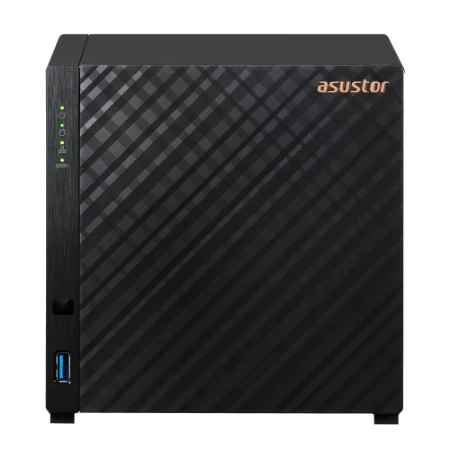
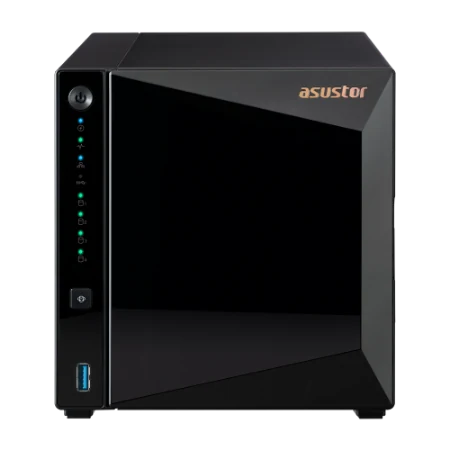
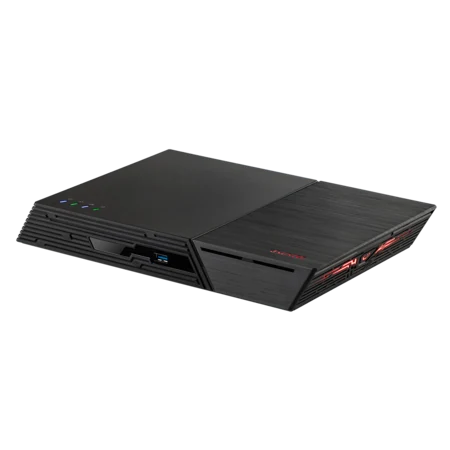
Shop genuine ASUSTOR NAS
Genuine ASUSTOR with the 3-year ASUSTOR warranty. Current pricing is on each product page.



Not sure which brand? Ask ARC IP Networks
We sell genuine ASUSTOR and QNAP NAS at competitive prices, with the full manufacturer warranty and Australia-wide delivery. Tell us how you work and we will recommend a fit.
- Side-by-side quote on comparable ASUSTOR and QNAP models
- Drives, SSD cache and 10GbE upgrades matched to the chassis
- Backup and remote-access plan, including NBN CG-NAT checks
- PowerShield UPS sized for the NAS and network gear
- Trade and project pricing for IT providers and installers
Common questions
Straight answers from the ARC IP Networks team. Last reviewed October 2026.
Neither is better for everyone. ASUSTOR pairs ADM with well-specified hardware, a 3-year warranty on every model, MyArchive and four free camera channels. Synology DSM offers Synology Hybrid RAID and Active Backup for Business. Choose by the software features you need.
It depends on your priorities. ASUSTOR ADM is simple and runs Btrfs snapshots even on entry models. QNAP offers QTS on ext4 and QuTS hero on ZFS, with self-healing, inline deduplication and up to 65,536 snapshots. ARC IP Networks sells both.
ASUSTOR uses ADM (ASUSTOR Data Master), which is Linux-based. Synology uses DSM (DiskStation Manager). QNAP uses QTS, based on the Linux kernel and ext4, or QuTS hero, based on the Linux kernel and ZFS.
No. ASUSTOR has chosen not to offer hybrid RAID, citing speed, rebuild risk and wasted capacity with mixed drives. It recommends same-capacity drives in an array and suggests MyArchive for older drives.
All three include strong backup tools. ASUSTOR offers Backup and Restore, Cloud Backup Center, DataSync Center, Backup Plan for Windows and Time Machine support. Synology offers Hyper Backup and Active Backup for Business. QNAP offers Hybrid Backup Sync.
Yes. ASUSTOR Surveillance Center includes four free camera channels, Synology Surveillance Station lists over 20,000 compatible IP camera models, and QNAP QVR Pro includes 8 channels, expandable to 128.
Not directly. ASUSTOR system migration moves drives between ASUSTOR NAS models. To change brands, copy your data to the new NAS over the network or from a backup.
ARC IP Networks is a trusted ASUSTOR supplier in Australia and also sells QNAP, with genuine stock, the full manufacturer warranty, Australia-wide delivery and competitive prices. Call 1300 100 440 for trade and project pricing.
Compare ASUSTOR and QNAP with us
Send us your requirements and we will quote comparable genuine ASUSTOR and QNAP NAS, with drives, UPS and trade and project pricing.