No NAS is ransomware-proof, but an ASUSTOR NAS gives you three layers of defence. Prevention: keep the NAS off when idle with Wake on LAN/WAN, and block intruders with ADM Defender, the firewall, a whitelist and automatic blacklisting. Resistance: ADM is Linux-based, which ASUSTOR says makes it immune by design to Windows and macOS ransomware. Recovery: Btrfs and iSCSI snapshots roll files back, and an offline MyArchive or offsite copy survives the worst case.
Quick pick: small office that wants snapshots plus an offline drive → Drivestor 4 Pro Gen2 (AS3304T v2) or AS5404T; business data with RAID 6 → Lockerstor 4 or 6 Gen2+ (AS6704T v2, AS6706T v2). ARC IP Networks is a trusted ASUSTOR supplier in Australia: genuine ASUSTOR NAS and accessories at competitive prices, with the full ASUSTOR manufacturer warranty, Australia-wide delivery and trade pricing.

ASUSTOR ransomware defences at a glance
| Layer | ASUSTOR feature | What it does |
|---|---|---|
| Prevent | Wake on LAN / Wake on WAN, power schedules | A NAS that is off cannot run code or be reached |
| Prevent | ADM Defender, firewall, whitelist, auto blacklist | Blocks repeated failed logins and unknown addresses |
| Prevent | 2-Step Verification, VPN, SSL, automatic logout | Protects accounts and connections |
| Resist | Linux-based ADM; NAS reached through the router | ASUSTOR says ADM is immune by design to Windows and macOS ransomware |
| Resist | Custom admin account names, strong passwords, ClamAV antivirus | Harder for malware to find and open shares |
| Recover | Snapshot Center (Btrfs and iSCSI volumes) | Roll changed files back to an earlier point |
| Recover | MyArchive, Cloud Backup Center, remote NAS backup | An offline or offsite copy the attack cannot reach |
Features from ASUSTOR's ransomware page and product security lists. Availability varies by model.
What is ransomware, and why are NAS targets?
ASUSTOR describes ransomware as malicious software that encrypts your files so you cannot open them, then demands money to give back control. Your data becomes a hostage, hence the name.
A NAS is attractive to attackers because it holds everything in one place: shared folders, backups, accounts and photos. Two routes are common. A PC on the network is infected and encrypts every share it can reach, or an internet-exposed NAS with weak passwords or old firmware is attacked directly. Paying does not guarantee your files come back, and it funds the next attack.
For Australian businesses, the Australian Cyber Security Centre's Essential Eight includes regular backups, patching, multi-factor authentication and restricting administrative privileges among its mitigation strategies. Every one of those maps to a setting on your NAS. (General reference only; check the ACSC's current guidance for your organisation.)
Layer 1: prevention
ASUSTOR's first point is simple: a NAS that is off is far less vulnerable than a NAS that is always on, because a powered-down NAS cannot execute code. Wake on LAN and Wake on WAN let you control exactly when the NAS is on, and power schedules can shut it down overnight. See our energy-saving guide for how to set schedules.
When the NAS is on, ADM Defender, the whitelist and the automatic blacklist work together to block unwanted attempts to log in. Auto blacklisting blocks an IP address after repeated failed logins within a set time; a whitelist allows only addresses you trust. ASUSTOR's product pages also list a built-in firewall, VPN and SSL connections, automatic logout and 2-Step Verification.
Prevention checklist
- Keep ADM and every app up to date.
- Do not expose the ADM login page directly to the internet; use a VPN.
- Turn on 2-Step Verification for every administrator.
- Enable auto blacklisting and, where practical, a whitelist.
- Give each person only the shares they need, and keep backup destinations out of everyday users' reach.
Our NAS security checklist walks through seven hardening steps in detail.

Layer 2: resistance built into ADM
ASUSTOR says the design of an ASUSTOR NAS confers immunity from certain forms of ransomware:
- Linux-based ADM: ASUSTOR states that ADM is by design immune to Windows and macOS ransomware and malware.
- Network separation: a NAS is not directly connected to a PC but reached through the router, which ASUSTOR says stops most forms of desktop ransomware.
- Account hygiene: ADM supports alternative administrator account names and strong passwords, which help stop ransomware searching for and accessing network shares.
An important caveat: if an infected PC has write access to a share, it can still encrypt the files in that share, because to the NAS it looks like a normal user saving files. That is why permissions and snapshots matter as much as the operating system. ADM also includes ClamAV antivirus and AES-256 folder encryption, which ASUSTOR lists among its internal data protections.
Layer 3: the cure, recovering your files
ASUSTOR is frank: prevention is better than a cure, but if good backup practices are in place, an ASUSTOR NAS makes data "more than likely easily recoverable".
Snapshots: roll back the damage
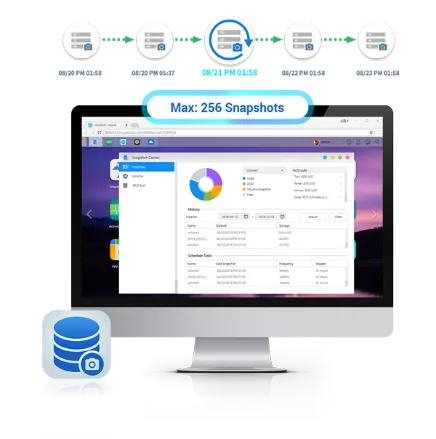
ASUSTOR NAS support snapshots on Btrfs and iSCSI volumes, so if ransomware strikes, the changes are reversible. Snapshot Center keeps up to 256 snapshots of a volume and can take one every five minutes. Schedule frequent snapshots on business shares and keep enough history to cover a weekend or a long holiday break.
Offline and offsite copies
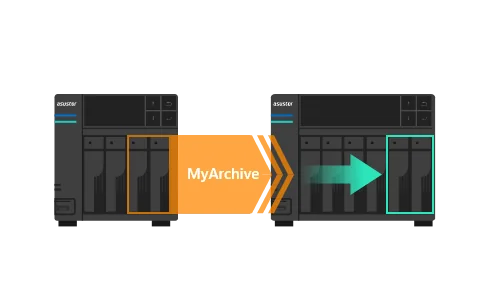
ASUSTOR pairs snapshots with the 3-2-1 backup rule: three copies, on at least two types of media, one of them offsite. A MyArchive drive that is backed up and then removed is out of reach of any network attack. Cloud Backup Center or a second NAS gives you the offsite copy. Our 3-2-1 backup and RAID guide covers the full plan.
What to do if ransomware hits your NAS
- Disconnect: unplug the infected PC from the network and, if the NAS itself is under attack, take the NAS offline.
- Do not delete snapshots or backups: they are your way back. Make sure no infected device can reach your backup destinations.
- Find the source: work out which device or account made the changes before restoring, or the files will be encrypted again.
- Restore: roll back the affected shares from a snapshot taken before the attack, or restore from your offline or offsite copy.
- Harden and report: change passwords, update ADM, review exposed services, and report the incident through the ACSC's ReportCyber service. Businesses holding personal information should check their obligations under the Privacy Act.
This is general guidance, not legal or incident-response advice. For serious incidents, engage a qualified cyber security provider.
ASUSTOR models for ransomware-resilient storage
Swipe the table sideways to compare all models →
| Model | RAID levels | Snapshots | MyArchive | Network |
|---|---|---|---|---|
| AS1204T | RAID 0, RAID 1, RAID 5, RAID 6, RAID 10 | Btrfs snapshots | Not listed | 2.5GbE |
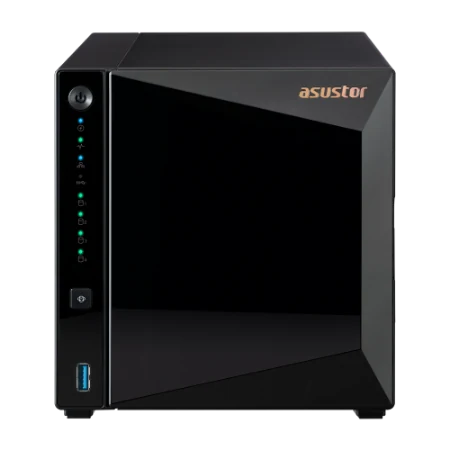
| AS3304T v2 | RAID 0, RAID 1, RAID 5, RAID 6, RAID 10 | Snapshot Center (256) | Yes | 2.5GbE |
| AS5404T | RAID 0, RAID 1, RAID 5, RAID 6, RAID 10 | Snapshot Center (256) | Yes | Dual 2.5GbE |
| AS6704T v2 | RAID 0, RAID 1, RAID 5, RAID 6, RAID 10 | Snapshot Center (256) | Yes | Dual 5GbE |
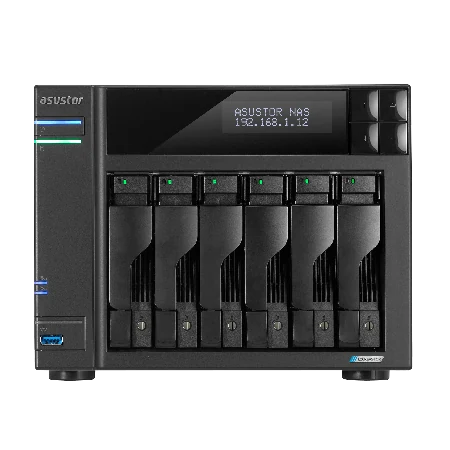
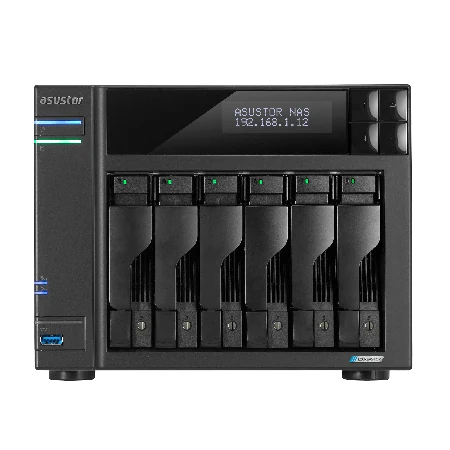
| AS6706T v2 | RAID 0, RAID 1, RAID 5, RAID 6, RAID 10 | Snapshot Center (256) | Yes | Dual 5GbE |
| AS6804T | RAID 0, RAID 1, RAID 5, RAID 6, RAID 10 | Snapshot Center (256) | Yes | Dual 10GbE + Dual 5GbE |
Source: ASUSTOR specifications and product overview pages. MyArchive is not listed for the Drivestor Gen2 (AS1202T, AS1204T); use USB or cloud backup on those.
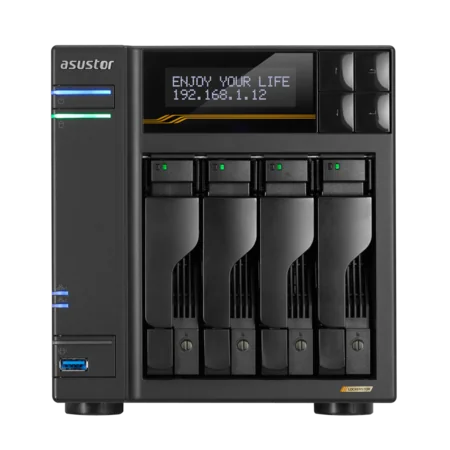
Build it with ARC IP Networks
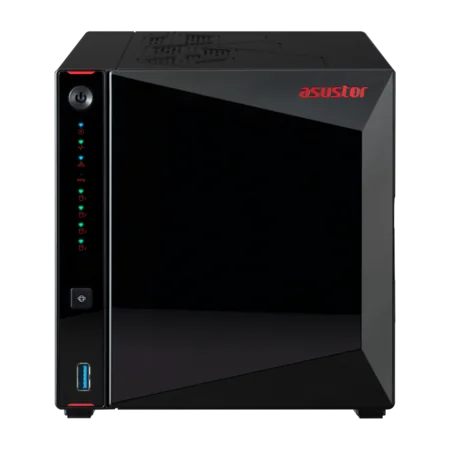
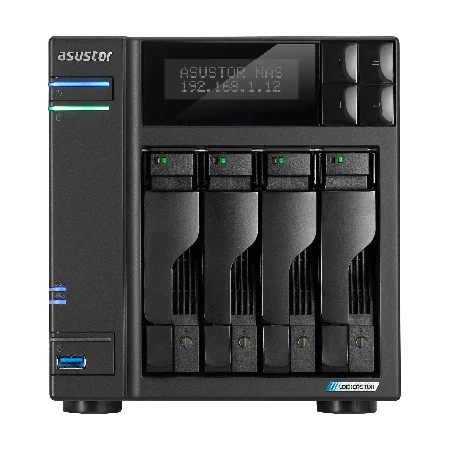
ARC IP Networks is a trusted ASUSTOR supplier in Australia. We supply genuine ASUSTOR NAS, spare drives for MyArchive rotation, NAS and Seagate drive bundles and UPS units, with trade and project pricing for IT providers building ransomware-resilient storage for clients.
| Business | What we suggest | Why |
|---|---|---|
| Sole trader or home office | AS3304T v2 | Btrfs snapshots, MyArchive, hot-swap bays |
| Small office, 5 to 10 staff | AS5404T with IronWolf 8 TB | Snapshot Center, MyArchive, M.2 slots |
| Practice or agency, 10 to 25 staff | AS6704T v2 with 10 TB drives | RAID 6, dual 5GbE, MyArchive |
| Accounting, legal or medical | AS6706T v2 with 12 TB drives | Six bays, RAID 6, room for a MyArchive bay |
| Heavier workloads | AS6804T | ECC DDR5, dual 10GbE, MyArchive |
A clean shutdown matters during an incident or a blackout. Add a UPS from our PowerShield range and read our best UPS for a NAS guide. Call 1300 100 440 to plan a resilient setup.
Shop genuine ASUSTOR NAS with snapshots and MyArchive
Genuine ASUSTOR with the full 3-year manufacturer warranty. Current Australian pricing (inc. GST) is on each product page.



Common questions
Straight answers from the ARC IP Networks team. Last reviewed October 2026.
Yes. Ransomware can encrypt files on a NAS through an infected PC that has access to its shares, or by attacking an internet-exposed NAS directly. Snapshots, limited permissions and an offline backup are the best defence.
ASUSTOR says its Linux-based ADM is immune by design to Windows and macOS ransomware, and that reaching the NAS through a router stops most desktop ransomware. An infected PC with write access can still encrypt files in shared folders, so snapshots and backups remain essential.
Snapshots record the state of a Btrfs or iSCSI volume at a point in time, so you can roll files back to before the attack. ASUSTOR Snapshot Center keeps up to 256 snapshots of a volume and can take one every five minutes.
ADM Defender is ASUSTOR's network protection in ADM. With the whitelist and automatic blacklist it helps block unwanted login attempts, for example by blocking an IP address after repeated failed logins.
ASUSTOR points out that a NAS that is off cannot execute code, so it is far less vulnerable. Wake on LAN, Wake on WAN and power schedules let you keep it off when not needed and wake it on demand.
Paying does not guarantee you get your files back and funds further attacks. Restore from snapshots or an offline or offsite backup instead, and report the incident through the ACSC's ReportCyber service.
MyArchive is listed for the Drivestor Pro Gen2, AS5402T, AS5404T, Lockerstor Gen2+ and Lockerstor 4 Gen3 models. It is not listed for the Drivestor Gen2 AS1202T and AS1204T, which can use USB or cloud backup instead.
ARC IP Networks is a trusted ASUSTOR supplier in Australia with genuine ASUSTOR NAS, competitive prices, the full manufacturer warranty and Australia-wide delivery. Call 1300 100 440 for trade and project pricing.
Worried about ransomware?
Tell us what you store and who needs access. ARC IP Networks will design the ASUSTOR NAS, snapshots, offline backup and UPS, with trade and project pricing.