A NAS is only as secure as its settings. ASUSTOR sets defaults for easy setup, so if your NAS is reachable from the internet, tighten it with seven steps: 1 schedule snapshots, 2 keep an offsite backup, 3 connect through a VPN, 4 turn on auto blacklisting and a whitelist, 5 change the default ports 8000, 8001, 80 and 443, 6 disable services you do not use, such as SSH, and 7 let the NAS sleep with Wake on WAN.
ASUSTOR is clear that there is no guaranteed solution: every step lowers overall risk, and backups with at least one offline copy are the safest protection. ARC IP Networks is a trusted ASUSTOR supplier in Australia: genuine ASUSTOR NAS and accessories at competitive prices, with the full ASUSTOR manufacturer warranty, Australia-wide delivery and trade pricing.
The 7 steps at a glance
| Step | Where in ADM | Protects against |
|---|---|---|
| 1. Snapshot Center | Snapshot Center app | Deleted, changed or encrypted files |
| 2. Offsite backup | Cloud Backup Center, MyArchive, Remote Sync, USB backup | Loss of the NAS itself |
| 3. VPN connections | VPN Server | Exposing ADM directly to the internet |
| 4. Auto blacklist and whitelist | ADM Defender | Password guessing and unknown IP addresses |
| 5. Change default ports | Settings, ADM and Web Server | Automated scans for known ports |
| 6. Disable unused services | Services (SSH, SFTP, FTP) | Attacks on services nobody uses |
| 7. Wake on WAN and sleep | Hardware, power settings | Attacks while the NAS is idle |
Steps from ASUSTOR's "Is your NAS secure?" guide. Menu names are approximate and can vary between ADM versions.
Why NAS security matters
ASUSTOR's security guide opens with the Deadbolt ransomware, which from early 2022 attacked NAS devices from many manufacturers around the world. On an affected NAS almost every file was encrypted and given a ".deadbolt" extension, with a ransom demanded to unlock them. ASUSTOR notes there is no guarantee criminals will unlock files after payment.
What ASUSTOR wants every owner to know
- Criminal groups are active online, and fixing software vulnerabilities is a race against time; no internet-exposed software is fully secure.
- Any device or information exposed on the internet is at risk of attack.
- A NAS has many safety features, but as a network device it is not infallible. Proper backups, with at least one copy offline and disconnected, are the safest protection.
- If you need higher security, you must change the matching settings to lower the risk.
- Using only default values carries a higher risk of attack.
ASUSTOR explains that defaults are chosen for compatibility and an easy first setup. Beginners get a NAS that just works; advanced users can tighten settings to the level of risk they accept. "The more rigorous the setting, the safer it is."
Step 1: schedule snapshots
Snapshot Center takes snapshots of Btrfs and iSCSI volumes. ASUSTOR says it supports up to 256 snapshots of a volume, as often as every five minutes, giving you a restore point if data is damaged or lost. MyArchive drives also support Btrfs with snapshots and version history, which protects against accidental deletions and changes.
Step 2: back up to somewhere else
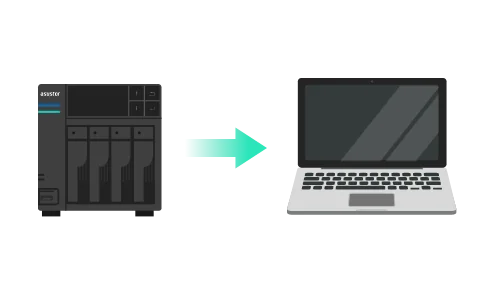
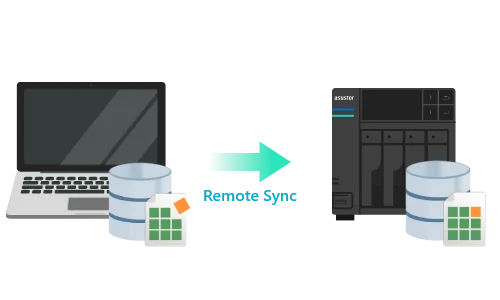
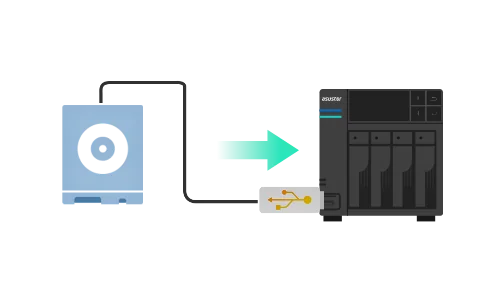
ASUSTOR lists five backup destinations: public cloud services such as Dropbox, Google Drive and Microsoft OneDrive; a MyArchive hard drive; a local computer; a remote NAS; and external storage. Use at least one that is offsite and one that is offline. Our 3-2-1 backup guide explains how to combine them.
Step 3: connect through a VPN
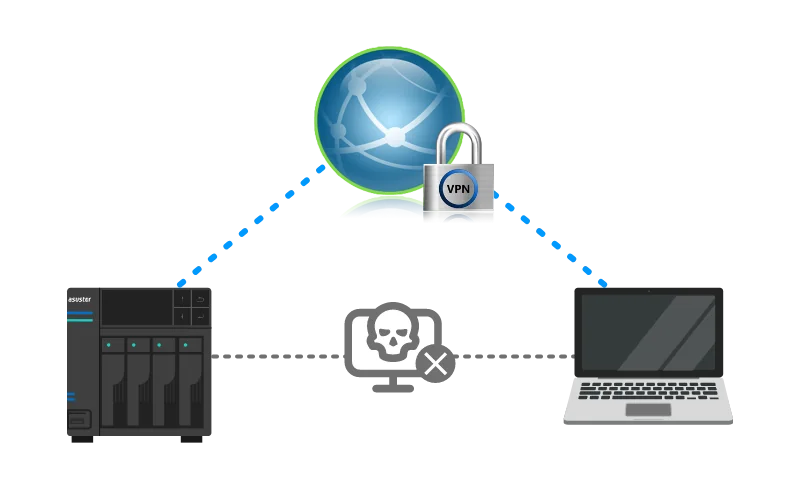
Rather than opening ADM to the internet, run the NAS as a VPN server (or connect it to an existing VPN as a client). Remote users, branch offices, partners and travelling staff then connect securely first. ASUSTOR lists PPTP, OpenVPN and L2TP/IPsec on this page (and WireGuard on its remote-work page), plus the ability to view live VPN connections and disconnect suspicious ones. We recommend OpenVPN or WireGuard over the older PPTP.
Step 4: auto blacklist and whitelist
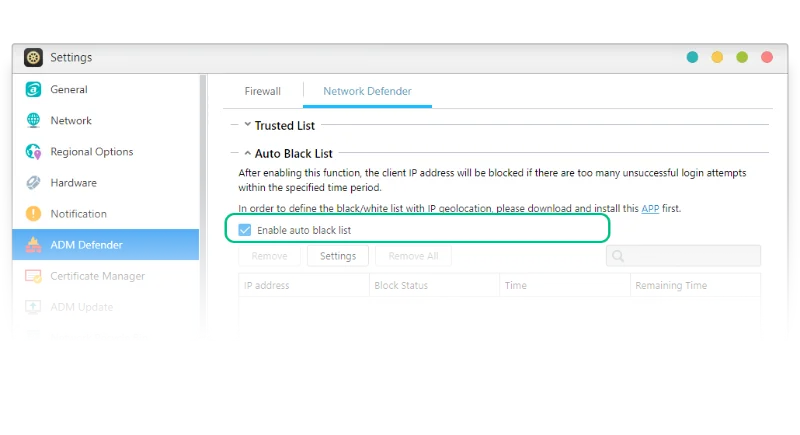
- Auto blacklisting: if an unknown user fails to log in more than a set number of times within a set period, their IP address is blocked automatically.
- VPN monitoring: view connections on the VPN server and disconnect anything suspicious straight away.
- Whitelist: allow only specific IP addresses to reach the NAS and refuse everything else.
For a small business with a static office IP, a whitelist is one of the most effective settings available.
Step 5: change the default ports
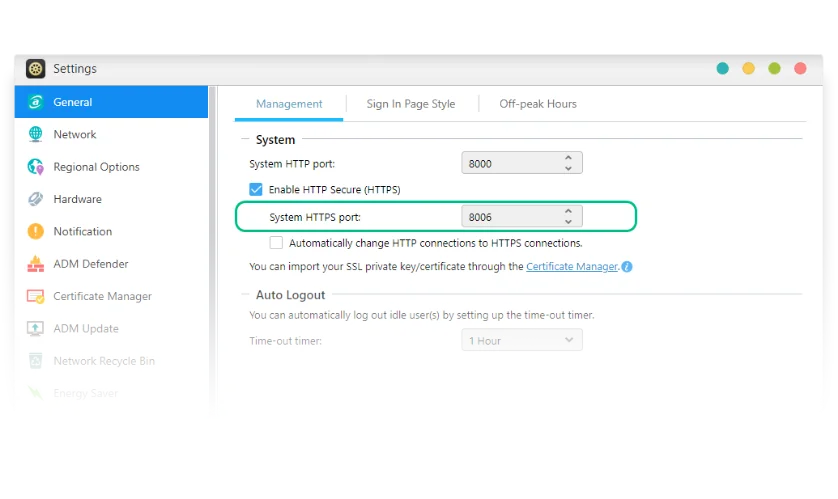
ASUSTOR warns that the default ports 8000, 8001, 80 and 443 can easily reveal your NAS, and recommends setting your own random four-digit port numbers for ADM and the web server. It will not stop a determined attacker, but it removes you from the easiest automated scans.
Step 6: disable services you do not use
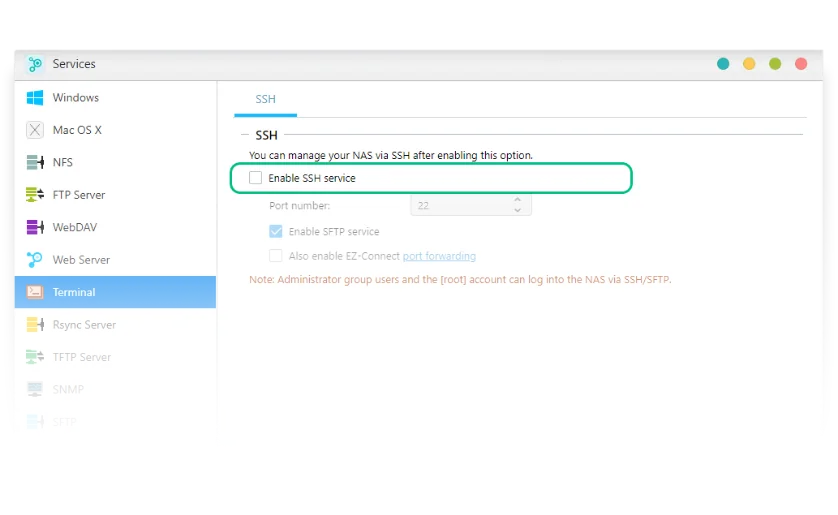
If you do not need SSH and SFTP, turn them off and enable them only when required. ASUSTOR notes that SFTP is needed for EZ-Connect, while most customers rarely need SSH. If remote use is needed, open only the ports you need, whitelist the devices that should connect and deny connections from unknown devices.
Step 7: let the NAS sleep, wake it on demand
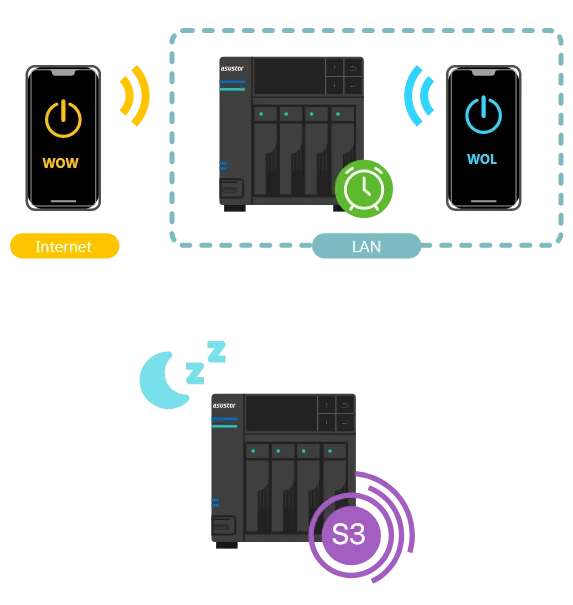
ASUSTOR supports System Sleep Mode (S3) and Wake on WAN. When you do not need the NAS, for example late at night, put it into hibernation. ASUSTOR says its instant wake-up can bring the NAS out of hibernation in 1.5 seconds, so you can wake it remotely when needed and keep it out of reach the rest of the time. See our energy-saving guide for schedules.
More settings ASUSTOR recommends
- Passwords: ASUSTOR's security reminder asks owners to change their password, use a strong one and change the default HTTP and HTTPS ports.
- TLS version: ADM shows the minimum TLS version for HTTPS connections; browsers that do not meet it cannot connect. ASUSTOR has dropped TLS 1.0 for security reasons.
- Post-quantum TLS: ASUSTOR says ADM 5.1 and later automatically enable PQC hybrid TLS (X25519 + ML-KEM 768) through TLS 1.3 for browsers that support it, to guard against "harvest now, decrypt later" attacks.
- 2-Step Verification: ASUSTOR lists it in ADM and EZ Sync; turn it on for every administrator.
- UPS: an unexpected power cut can corrupt data. ASUSTOR's FAQ explains connecting a UPS by USB and setting it under External Devices > UPS.
- Updates: keep ADM and apps current; ASUSTOR says each update strengthens defences.
The Australian angle
The ACSC's Essential Eight includes patching applications and operating systems, multi-factor authentication, restricting administrative privileges and regular backups. The steps above cover each of these on your NAS. (General reference only; check the ACSC's current guidance.)
Security features across our ASUSTOR range
Swipe the table sideways to compare all models →
| Model | Snapshots | MyArchive | Wake on LAN / WAN | Network |
|---|---|---|---|---|
| AS1204T | Btrfs snapshots | Not listed | Yes | 2.5GbE |
| AS3304T v2 | Snapshot Center | Yes | Yes | 2.5GbE |
| AS5404T | Snapshot Center | Yes | Yes | Dual 2.5GbE |
| AS6704T v2 | Snapshot Center | Yes | Yes | Dual 5GbE |
| AS6706T v2 | Snapshot Center | Yes | Yes | Dual 5GbE |
| AS6804T | Snapshot Center | Yes | Yes | Dual 10GbE + Dual 5GbE |
Source: ASUSTOR specifications and product overview pages. ADM Defender, firewall, VPN and 2-Step Verification are listed across these models.
Build it with ARC IP Networks
ARC IP Networks is a trusted ASUSTOR supplier in Australia. We supply genuine ASUSTOR NAS, spare drives for offline backups, NAS and Seagate drive bundles and UPS units, with trade and project pricing for IT providers who harden NAS for clients.
| Who | What we suggest | Why |
|---|---|---|
| Home user, remote photo access | AS1204T | Btrfs snapshots, Wake on WAN, 2.5GbE |
| Home office with offline backups | AS3304T v2 | MyArchive, hot-swap bays |
| Small business, remote staff | AS5404T with IronWolf 8 TB | Snapshot Center, VPN, dual 2.5GbE |
| Office of 10 to 25 | AS6704T v2 with 10 TB drives | RAID 6, dual 5GbE, MyArchive |
| Business with heavier workloads | AS6804T | ECC DDR5, dual 10GbE |
Protect the NAS from power cuts with a UPS from our PowerShield range; our best UPS for a NAS guide explains USB shutdown. Call 1300 100 440 for help.
Shop genuine ASUSTOR NAS
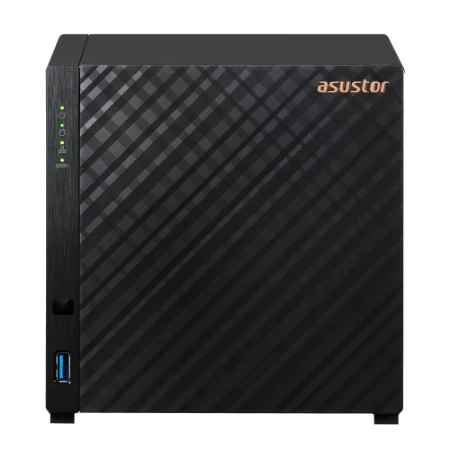
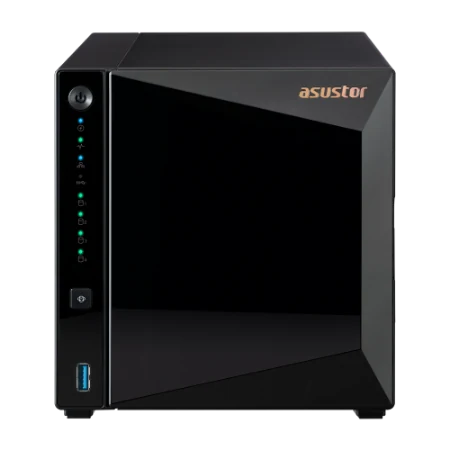
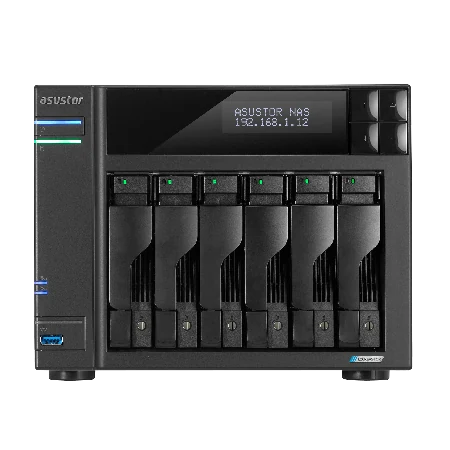
Genuine ASUSTOR with the full 3-year manufacturer warranty. Current Australian pricing (inc. GST) is on each product page.



Common questions
Straight answers from the ARC IP Networks team. Last reviewed October 2026.
Defaults are chosen for compatibility and easy setup, and ASUSTOR warns that using only default values carries a higher risk of attack. If the NAS is reachable from the internet, tighten the settings: VPN, auto blacklisting, new ports, unused services off and snapshots on.
ASUSTOR recommends changing the default ports 8000, 8001, 80 and 443 for ADM and the web server to your own random four-digit port numbers.
Yes, unless you need it. ASUSTOR says most customers rarely need SSH, and recommends disabling SSH and SFTP when not required. Note that SFTP is needed for EZ-Connect.
Auto blacklisting blocks an IP address automatically if it fails to log in more than a set number of times within a set period. Combined with a whitelist of trusted addresses, it stops most password-guessing attacks.
Yes. With the NAS as a VPN server, users connect to the VPN first and ADM is not exposed directly. ASUSTOR lists PPTP, OpenVPN and L2TP/IPsec, and WireGuard on its remote-work page; we recommend OpenVPN or WireGuard.
ASUSTOR describes Deadbolt as ransomware that from early 2022 attacked NAS devices from many manufacturers, encrypting almost all files and adding a .deadbolt extension. Updates, hardened settings and offline backups are the best protection.
No. ASUSTOR states there is no guaranteed solution and that no internet-exposed software is fully secure. Each step lowers the overall risk, and backups with at least one offline copy remain the safest protection.
ARC IP Networks is a trusted ASUSTOR supplier in Australia with genuine ASUSTOR NAS, competitive prices, the full manufacturer warranty and Australia-wide delivery. Call 1300 100 440 for trade and project pricing.
Want your NAS hardened properly?
Tell us how your NAS is accessed today. ARC IP Networks will recommend the ASUSTOR NAS, backup drives and UPS, with trade and project pricing.