A NAS uses far less power than a desktop PC left on, and ASUSTOR adds tools to cut it further: disk hibernation, S3 sleep mode, power schedules, and Wake on LAN / Wake on WAN so you can switch the NAS off and wake it from a phone. ASUSTOR's figures range from 11.6 W (Drivestor 2 Gen2) up to 48.5 W (Lockerstor 6 Gen2+) in operation, with the all-flash Flashstor 6 Gen2 at 17.9 W, and as little as 0.71 W in S3 sleep.
Quick pick: lowest power in operation → Drivestor 2 Gen2 (AS1202T); silent and frugal all-flash → Flashstor 6 Gen2 (FS6806X); best sleep figures with four bays → AS5404T or Lockerstor 4 Gen2+ (AS6704T v2). ARC IP Networks is a trusted ASUSTOR supplier in Australia: genuine ASUSTOR NAS and accessories at competitive prices, with the full ASUSTOR manufacturer warranty, Australia-wide delivery and trade pricing.

ASUSTOR NAS power consumption at a glance
ASUSTOR publishes three power figures: in operation, with drives hibernating, and in S3 sleep (on models that support it). The last column is simple arithmetic: operating wattage running 24 hours a day for a year.
Swipe the table sideways to compare all models →
| Model | Operation | Disk hibernation | S3 sleep | kWh per year at 24/7 operation |
|---|---|---|---|---|
| AS1202T | 11.6 W | 5.97 W | Not listed | about 102 kWh |
| AS1204T | 22.8 W | 9.41 W | Not listed | about 200 kWh |
| AS3302T v2 | 13.1 W | 4.5 W | Not listed | about 115 kWh |
| AS3304T v2 | 25.1 W | 8.4 W | Not listed | about 220 kWh |
| AS5402T | 22.9 W | 12.7 W | 0.71 W | about 201 kWh |
| AS5404T | 38.3 W | 17.7 W | 0.81 W | about 336 kWh |
| AS6702T v2 | 21 W | 13.5 W | 0.79 W | about 184 kWh |
| AS6704T v2 | 35 W | 17.3 W | 0.88 W | about 307 kWh |
| AS6706T v2 | 48.5 W | 27.7 W | 0.81 W | about 425 kWh |
| AS6804T | 34 W | Not listed | 2.3 W | about 298 kWh |
| FS6712X | 26 W | Not listed | Not listed | about 228 kWh |
| FS6806X | 17.9 W | Not listed | 1.2 W | about 157 kWh |
Source: ASUSTOR specifications. "Not listed" means ASUSTOR does not publish that figure for the model. Real use varies with drives, load and settings; a NAS that hibernates or sleeps part of the day uses less.
Wake on LAN and Wake on WAN: off when idle, on when needed
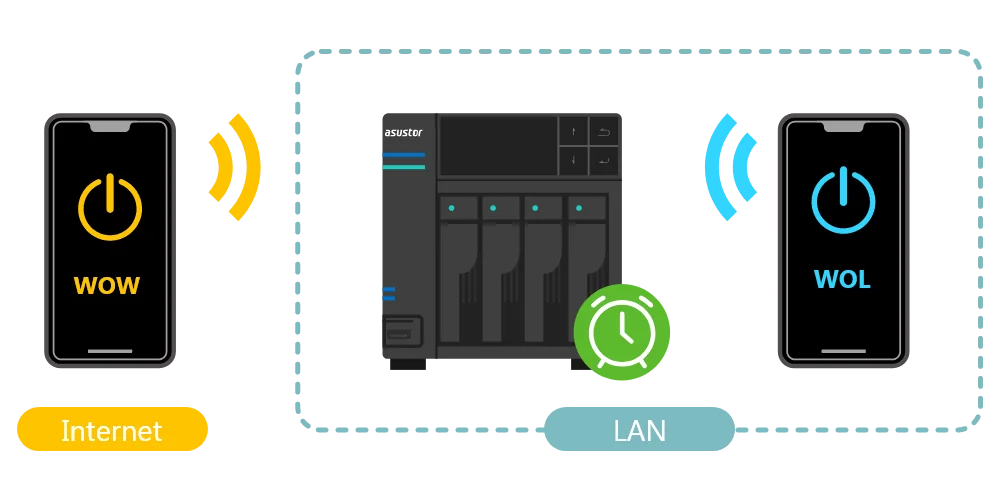
ASUSTOR's view is that the most efficient NAS is one that is off when nobody needs it. Wake on LAN powers the NAS on from your local network, and Wake on WAN does the same from outside the home or office. ASUSTOR compares it to a remote control: turn the NAS on, off or to sleep and still reach your data when you need it.
ASUSTOR lists AiMaster, AiFoto 3, AiMusic, AiData, AiDownload and AiSecure 2 for Android as apps that can wake the NAS. A NAS that is switched off also cannot be attacked over the network, which is why ASUSTOR presents Wake on WAN as a security feature too (see our ransomware guide).
S3 sleep mode and power schedules
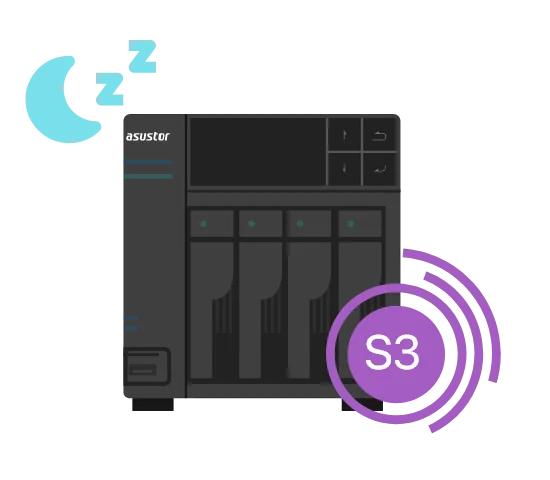
S3 sleep
ASUSTOR calls S3 sleep an industry first for a NAS. Set up properly, the NAS hibernates its hard drives and then puts the whole system into S3 sleep after a period of inactivity. ASUSTOR says this prolongs the life of the NAS and drives, saves energy and keeps data conveniently available, and that S3 sleep nearly matches the power use of being switched off while waking quickly.
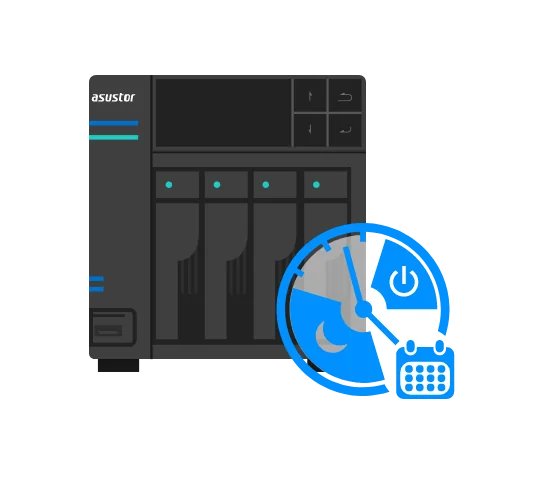
Power schedules
"You know your routine best." ADM can schedule shutdown, start-up and hibernation, so an office NAS can sleep overnight and at weekends and be ready at 8 am. ASUSTOR's own example: a Lockerstor Gen2 kept on for eight hours a day and asleep for sixteen saves up to 67% of its power.
Which power-saving option suits you?
ASUSTOR compares three approaches:
| Wake on LAN/WAN + S3 sleep | Scheduled shutdown + disk hibernation | MyArchive drives | |
|---|---|---|---|
| Wake-up | Quick | Slow (full boot) | Not applicable |
| Power saving | S3 sleep nearly matches power-off | S5 shutdown gives maximum saving | A removed drive uses no power |
| Convenience | Works with ASUSTOR mobile and desktop apps | No need to switch on and off by hand | Bay uses no power once disconnected |
| Best for | People who want access at any time | Fixed business hours | People who keep data on offline storage |
Summary of ASUSTOR's energy-saving comparison.
MyArchive with backup schedules
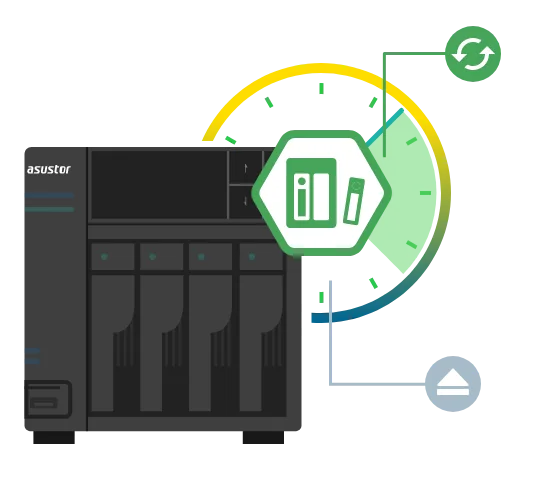
ASUSTOR's updated MyArchive can mount an unmounted MyArchive drive at a scheduled time, run the backup and unmount it again, which is safer and saves power while the drive sits idle. The drive can then be removed and stored onsite or offsite as part of a 3-2-1 plan. ASUSTOR lists MyArchive on series including the Drivestor Pro Gen2 (AS33) and Lockerstor Gen2+ (AS67). For the full backup approach see our 3-2-1 backup guide.
More ways to save: LEDs, buzzer, fans and dark mode
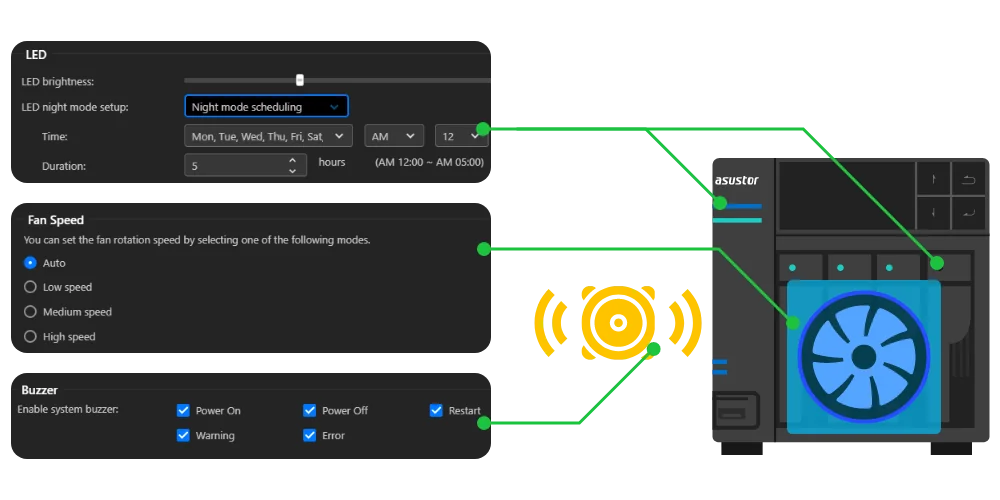
- LED brightness and night mode: dim or schedule the front-panel lights.
- Buzzer off: turn off the system buzzer.
- Fan speed: lower the fan speed. ASUSTOR notes temperatures may rise, but ADM's smart cooling keeps components from overheating.
- Dark mode: reduces brightness on OLED screens in ADM and ASUSTOR mobile apps (Photo Gallery 3, SoundsGood, LooksGood, AiData, AiFoto 3, AiMusic, AiVideos, AiSecure and AiRemote).
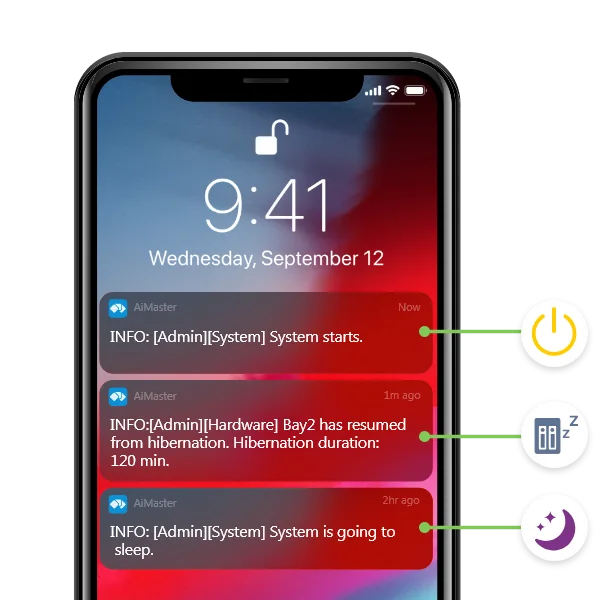
- Notifications: push notifications show when the NAS sleeps, wakes and hibernates, so you can check your settings are working.
ASUSTOR also notes that its metal-chassis NAS dissipate heat well, keeping fan speeds and power use low.
Energy tips from the ARC IP Networks team
- Fewer, larger drives: each hard drive adds to the power draw. Four 10 TB drives use less power than eight 5 TB drives for the same raw capacity.
- Consider all-flash: where capacity needs are modest, a Flashstor uses a fraction of the power of a hard-drive NAS and is silent. See our Flashstor guide.
- Check what keeps drives awake: ASUSTOR's FAQ notes that apps such as Surveillance Center can stop disk hibernation; check Settings > Hardware > Energy Control > Disk Hibernation.
- Restart now and then: ASUSTOR says its NAS can run continuously for long periods but recommends periodic shutdown and reboot to clear caches and memory.
- Solar homes: schedule backups and heavy tasks for the middle of the day when rooftop solar is generating, and let the NAS sleep overnight.
- Protect against outages: a UPS keeps the NAS running through short blackouts and shuts it down cleanly during long ones.
Build it with ARC IP Networks
ARC IP Networks is a trusted ASUSTOR supplier in Australia. We supply genuine ASUSTOR NAS, NAS and Seagate drive bundles and PowerShield UPS units in one order, with trade and project pricing.
| Priority | What we suggest | Why |
|---|---|---|
| Lowest-power hard-drive NAS | AS1202T | 11.6 W in operation, 5.97 W hibernating (ASUSTOR) |
| Four bays on a budget | AS1204T with IronWolf 4 TB | 22.8 W in operation (ASUSTOR) |
| Four bays with S3 sleep | AS5404T | 0.81 W in S3 sleep (ASUSTOR) |
| Office NAS on a schedule | AS6704T v2 with 10 TB drives | 0.88 W in S3 sleep, dual 5GbE |
| Silent all-flash | FS6806X | 17.9 W in operation, 1.2 W in sleep (ASUSTOR) |
Add a UPS from our PowerShield range to ride out short outages; our best UPS for a NAS guide explains sizing. Call 1300 100 440 for a quote.
Shop energy-efficient genuine ASUSTOR NAS
Genuine ASUSTOR with the full 3-year manufacturer warranty. Current Australian pricing (inc. GST) is on each product page.



Common questions
Straight answers from the ARC IP Networks team. Last reviewed October 2026.
It depends on the model and drives. ASUSTOR lists the Drivestor 2 Gen2 AS1202T at 11.6 W in operation, the AS5404T at 38.3 W and the six-bay Lockerstor 6 Gen2+ at 48.5 W, far less than a typical desktop PC left on.
Not much. At ASUSTOR's operating figure, an AS1204T running all year uses about 200 kWh. Disk hibernation, S3 sleep and power schedules cut that further.
S3 sleep puts the whole NAS into a low-power state after it has been idle. ASUSTOR says it nearly matches the power use of being switched off, wakes quickly and helps extend the life of the NAS and drives.
Wake on WAN lets you power on an ASUSTOR NAS from outside your home or office using ASUSTOR apps such as AiMaster. Wake on LAN does the same on your local network, so the NAS can stay off when not needed.
For a NAS that is idle for long periods, yes: drives are among the biggest power users. ASUSTOR notes that some apps, such as Surveillance Center, can stop drives hibernating, so check your Energy Control settings.
ASUSTOR's example is a Lockerstor Gen2 kept on eight hours a day and asleep for sixteen, which it says saves up to 67% of its power.
ASUSTOR says its NAS can run continuously for long periods, but recommends periodic shutdowns and reboots to clear caches and memory and protect the hardware and data.
ARC IP Networks is a trusted ASUSTOR supplier in Australia with genuine ASUSTOR NAS, competitive prices, the full manufacturer warranty and Australia-wide delivery. Call 1300 100 440 for trade and project pricing.
Want a NAS that sips power?
Tell us how many hours a day you use it and how much you store. ARC IP Networks will match the ASUSTOR NAS, drives and UPS, with trade and project pricing.