Short answer: PowerShield's own UPS Selection Guide for Synology pairs desktop Synology NAS units with the Defender (PSD650, PSD1200, PSD1600) and the pure sine Commander Tower (PSCM1100, PSCM2000), and rackmount Synology units with the Defender Rackmount PSDR800, Commander RT (PSCRT1100, PSCRT2000) and the online Centurion RT (PSCERT1000, PSCERT2000SB, PSCERT2000). Its worked examples: a PSD1600 runs a DS1817 for 116 minutes, and a PSCERT2000SB runs an FS3600 for 42 minutes.
Quick pick: 1 to 8 bay desktop NAS → Defender PSD1200 (112 min in the guide) · 12 bay desktop → Commander PSCM2000 · rackmount RS or SA series → Commander RT PSCRT2000 or Centurion RT PSCERT2000. ARC IP Networks is a trusted PowerShield supplier in Australia: genuine stock at competitive prices, with the full PowerShield Australian warranty, Australia-wide delivery and trade pricing.
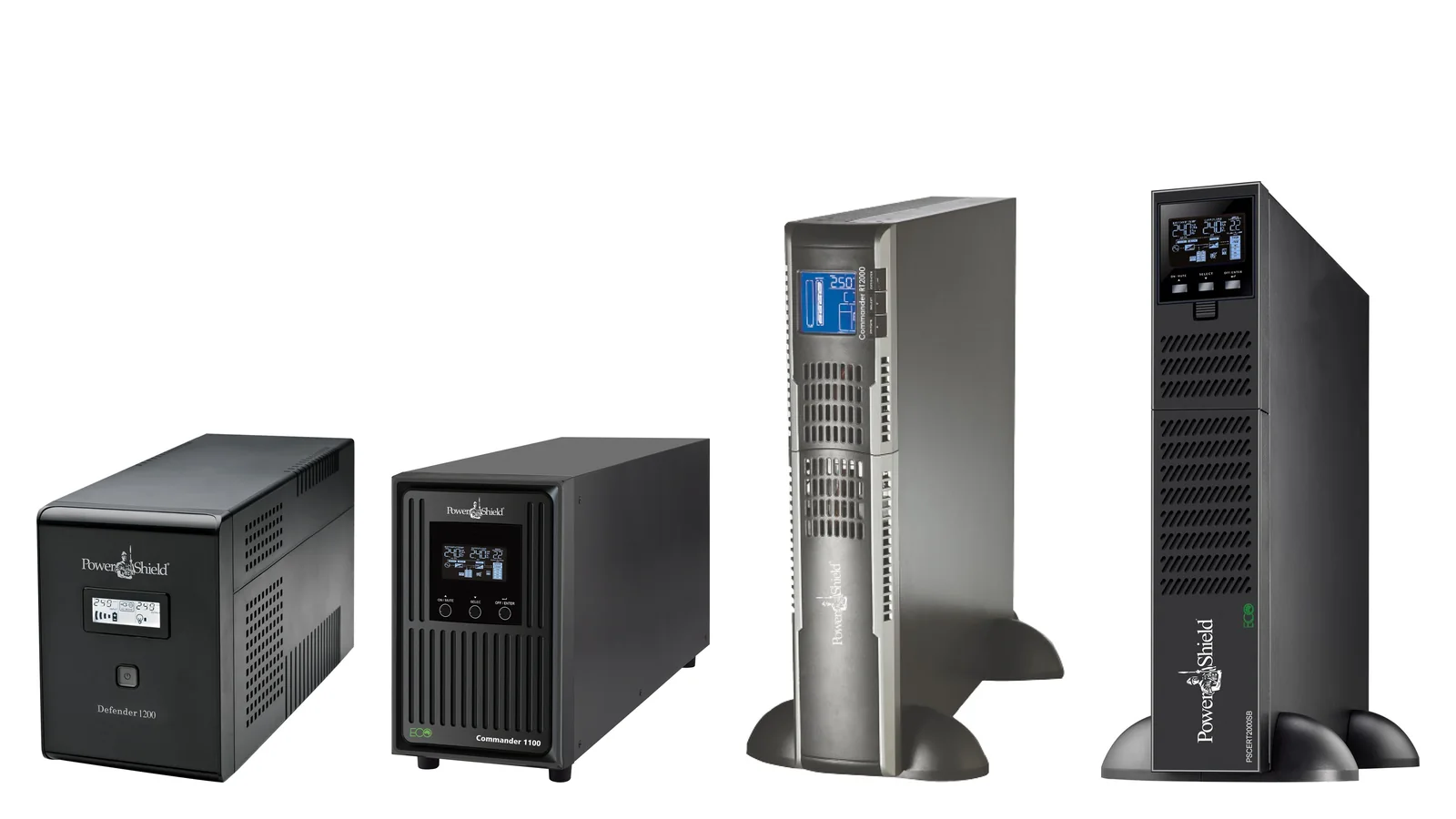
Synology NAS to PowerShield UPS at a glance
Summarised from the guide. Runtimes are PowerShield's published minutes on battery for the NAS alone.
Swipe the table sideways to compare all models →
| Synology NAS (guide load) | UPS options in the guide | Guide runtime | ARC IP pick |
|---|---|---|---|
| J and Value desktop, 1 to 4 bay (9 to 27 W) | PSD650 to PSCM2000 | 52 to 267 min | Defender PSD1200 |
| Plus and XS desktop, 2 to 8 bay (15 to 63 W) | PSD650 to PSCM2000 | 52 to 267 min | PSD1200 or PSCM1100 |
| DS1817 8 bay (69 W) | PSD650 to PSCM2000 | 52 to 267 min | Defender PSD1600 |
| XS and Plus 12 bay desktop (102 to 108 W) | PSD650 to PSCM2000 | 30 to 125 min | Commander PSCM2000 |
| RS 4 to 8 bay rack (28 to 69 W) | PSDR800 to PSCERT2000 | 52 to 460 min | Commander RT PSCRT2000 |
| RS 12 to 16 bay rack (140 to 146 W) | PSDR800 to PSCERT2000 | 15 to 130 min | Centurion RT PSCERT2000 |
| FS 24 bay all-flash rack | PSDR800 to PSCERT2000 | 3 to 67 min | Centurion RT PSCERT2000 |
| SA and UC 12 bay rack (137 to 417 W) | PSDR800 to PSCERT2000 | 3 to 122 min | Centurion RT PSCERT2000 |
Source: PowerShield UPS Selection Guide for Synology. ARC IP picks favour runtime headroom and, for dual power supply rack units, a rack UPS.
How to read PowerShield's Synology guide
PowerShield built the two-page guide "to select the optimum PowerShield Uninterruptible Power Supply for the chosen Synology product". Each Synology model has five columns:
- Synology model, grouped by series.
- Actual running load in watts: what the NAS draws in use, not its power supply rating.
- Input power supplies: single or dual. Every rackmount model except the RS819 has dual supplies.
- UPS model: the PowerShield UPSs the guide pairs with that NAS.
- Battery run time in minutes for that NAS on that UPS.
Pick your NAS row, then the UPS whose runtime covers your longest likely outage plus shutdown time. The figures are for the NAS alone, so size up if a switch or router shares the UPS.
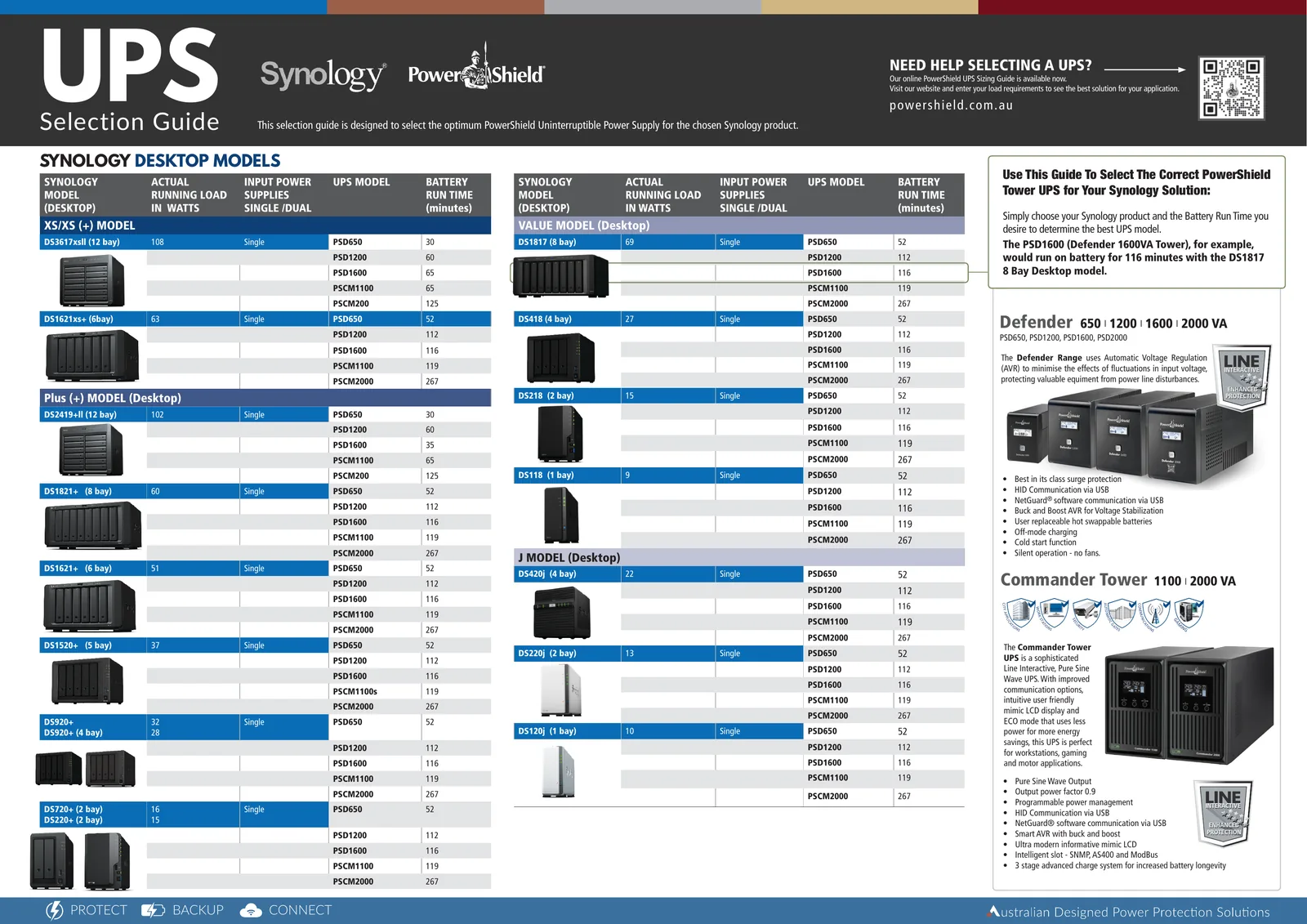
Synology desktop models: recommended PowerShield UPS and runtime
Battery runtime in minutes, exactly as printed in PowerShield's guide.
Swipe the table sideways to see every UPS →
| Synology model | Load (W) | PSU | PSD650 | PSD1200 | PSD1600 | PSCM1100 | PSCM2000 |
|---|---|---|---|---|---|---|---|
| XS/XS(+) model | |||||||
| DS3617xsII (12 bay) | 108 | Single | 30 | 60 | 65 | 65 | 125* |
| DS1621xs+ (6 bay) | 63 | Single | 52 | 112 | 116 | 119 | 267 |
| Plus (+) model (desktop) | |||||||
| DS2419+II (12 bay) | 102 | Single | 30 | 60 | 35 | 65 | 125* |
| DS1821+ (8 bay) | 60 | Single | 52 | 112 | 116 | 119 | 267 |
| DS1621+ (6 bay) | 51 | Single | 52 | 112 | 116 | 119 | 267 |
| DS1520+ (5 bay) | 37 | Single | 52 | 112 | 116 | 119† | 267 |
| DS920+ / DS920+ (4 bay)‡ | 32 / 28 | Single | 52 | 112 | 116 | 119 | 267 |
| DS720+ (2 bay) / DS220+ (2 bay) | 16 / 15 | Single | 52 | 112 | 116 | 119 | 267 |
| Value model (desktop) | |||||||
| DS1817 (8 bay) | 69 | Single | 52 | 112 | 116 | 119 | 267 |
| DS418 (4 bay) | 27 | Single | 52 | 112 | 116 | 119 | 267 |
| DS218 (2 bay) | 15 | Single | 52 | 112 | 116 | 119 | 267 |
| DS118 (1 bay) | 9 | Single | 52 | 112 | 116 | 119 | 267 |
| J model (desktop) | |||||||
| DS420j (4 bay) | 22 | Single | 52 | 112 | 116 | 119 | 267 |
| DS220j (2 bay) | 13 | Single | 52 | 112 | 116 | 119 | 267 |
| DS120j (1 bay) | 10 | Single | 52 | 112 | 116 | 119 | 267 |
* Printed against "PSCM200" in the guide; the column is the PSCM2000. † Printed as "PSCM1100s". ‡ The guide lists "DS920+" twice, with 32 W and 28 W loads; confirm your exact model with us. The DS2419+II row shows 35 minutes on the PSD1600 against 60 minutes on the smaller PSD1200, as printed.
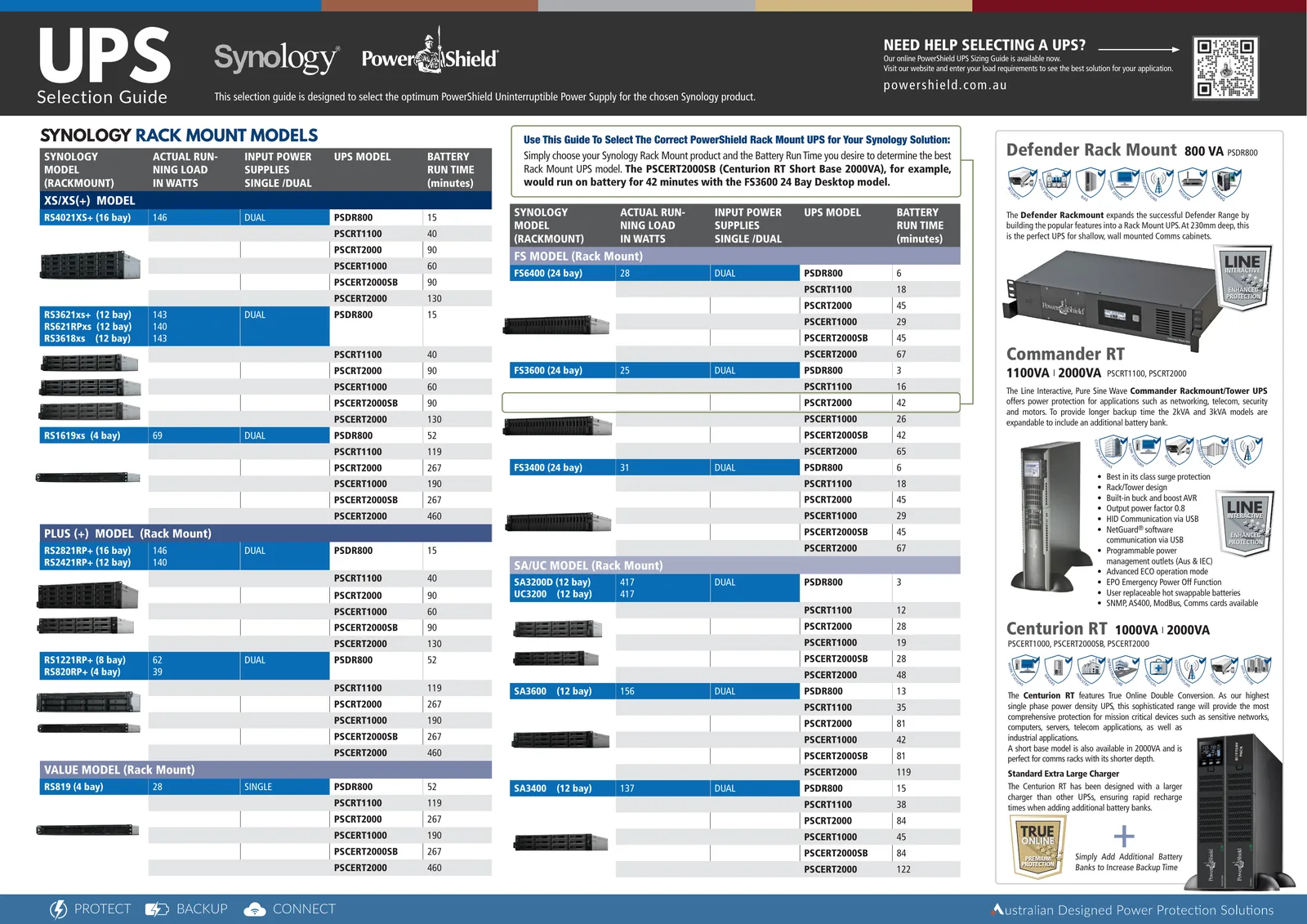
Synology rack mount models: recommended PowerShield UPS and runtime
Battery runtime in minutes, exactly as printed. Where the guide groups several models in one row, their loads are listed in the same order.
Swipe the table sideways to see every UPS →
| Synology model | Load (W) | PSU | PSDR800 | PSCRT1100 | PSCRT2000 | PSCERT1000 | PSCERT2000SB | PSCERT2000 |
|---|---|---|---|---|---|---|---|---|
| XS/XS(+) model | ||||||||
| RS4021XS+ (16 bay) | 146 | Dual | 15 | 40 | 90 | 60 | 90 | 130 |
| RS3621xs+ / RS621RPxs / RS3618xs (12 bay) | 143 / 140 / 143 | Dual | 15 | 40 | 90 | 60 | 90 | 130 |
| RS1619xs (4 bay) | 69 | Dual | 52 | 119 | 267 | 190 | 267 | 460 |
| Plus (+) model (rack mount) | ||||||||
| RS2821RP+ (16 bay) / RS2421RP+ (12 bay) | 146 / 140 | Dual | 15 | 40 | 90 | 60 | 90 | 130 |
| RS1221RP+ (8 bay) / RS820RP+ (4 bay) | 62 / 39 | Dual | 52 | 119 | 267 | 190 | 267 | 460 |
| Value model (rack mount) | ||||||||
| RS819 (4 bay) | 28 | Single | 52 | 119 | 267 | 190 | 267 | 460 |
| FS model (rack mount) | ||||||||
| FS6400 (24 bay) | 28 | Dual | 6 | 18 | 45 | 29 | 45 | 67 |
| FS3600 (24 bay) | 25 | Dual | 3 | 16 | 42 | 26 | 42 | 65 |
| FS3400 (24 bay) | 31 | Dual | 6 | 18 | 45 | 29 | 45 | 67 |
| SA/UC model (rack mount) | ||||||||
| SA3200D / UC3200 (12 bay) | 417 / 417 | Dual | 3 | 12 | 28 | 19 | 28 | 48 |
| SA3600 (12 bay) | 156 | Dual | 13 | 35 | 81 | 42 | 81 | 119 |
| SA3400 (12 bay) | 137 | Dual | 15 | 38 | 84 | 45 | 84 | 122 |
Source: PowerShield UPS Selection Guide for Synology, rack mount page. PSCERT2000SB is the Centurion RT 2000VA Short Base.
What the guide tells you about each UPS
Desktop NAS: Defender or Commander Tower
Every desktop model up to 69 W gets the same runtimes, from 52 minutes on the PSD650 to 267 on the PSCM2000; only the 102 to 108 W 12-bay units drop, to 30 to 65 minutes on the Defenders and PSCM1100.
The Defender range uses buck and boost AVR, HID communication over USB, user-replaceable hot-swappable batteries, cold start and silent operation with no fans, which suits a NAS in an office. The Commander Tower adds a pure sine wave output, a 0.9 output power factor, programmable power management, a mimic LCD and an intelligent slot for SNMP, AS400 and ModBus cards.
Rackmount NAS: Defender Rackmount, Commander RT or Centurion RT
The PSDR800 is 230 mm deep, built for shallow wall-mounted comms cabinets, and gives 52 minutes with the small RS819, RS820RP+ or RS1619xs, but only 15 minutes with the 140 to 146 W RS units. The PSCRT1100 and PSCRT2000 are line-interactive, pure sine rack/tower UPSs; the 2000VA (and 3000VA) Commander RT can add a battery bank. The Centurion RT is true online double conversion and PowerShield's highest single-phase power density UPS, with a standard extra-large charger for battery banks. Its PSCERT2000 gives the longest runtime in every rack row: 130 minutes with a 16-bay RS4021XS+ and 460 minutes with an RS819.
The PSCERT2000SB Short Base matches the PSCRT2000's runtimes in every row and is, in PowerShield's words, "perfect for comms racks with its shorter depth": it is 480 mm deep against 600 mm for the standard PSCERT2000.
Safe shutdown: USB and SNMP
The guide lists HID communication via USB and NetGuard software communication via USB for the Defender, Commander Tower and Commander RT. PowerShield's product data says HID support covers Windows, Apple, Linux and NAS devices, so a single Synology connected to the UPS USB port can see the battery state and shut itself down before the battery runs flat. Our UPS for NAS guide walks through the DSM settings.
For a rack with a NAS, hypervisors and switches on one UPS, USB reaches only one device. The guide lists an intelligent slot for SNMP, AS400 and ModBus on the Commander Tower and SNMP, AS400, ModBus comms cards for the Commander RT; the Centurion RT and Defender Rackmount also take PowerShield network cards. The PSSNMPV4 SNMP card puts the UPS on the network for monitoring and scheduled shutdowns.
Read the guide's figures with care
The tables reproduce PowerShield's guide exactly, oddities included:
- Identical desktop runtimes. The same 52 / 112 / 116 / 119 / 267 minutes appear for loads from 9 W to 69 W, so treat them as the guide's figure for a desktop NAS of up to about 69 W rather than a measurement for each model.
- FS series loads. The FS6400, FS3600 and FS3400 are listed at 25 to 31 W but get only 3 to 67 minutes, much shorter than the 28 W RS819 (52 to 460 minutes). Size all-flash FS units on a measured load.
When in doubt, measure the load at the wall and follow our UPS sizing guide, or send us the model list.
Need more runtime than the guide shows?
Only the expandable models can grow. In the guide's line-up that is the Commander RT 2000VA (PSCRT2000, with the PSRTBB8 battery bank) and the Centurion RT (PSCERT1000 with PSRTBB6; PSCERT2000SB with PSRTBB8; PSCERT2000 with PSRTBB12). The Defender, Defender Rackmount, Commander Tower and Commander RT 1100VA are not expandable. Our battery bank runtime guide has PowerShield's matching chart and its published runtime example.
PowerShield UPS picks from the Synology guide
Live Australian pricing (inc. GST) and availability are shown on each product page.
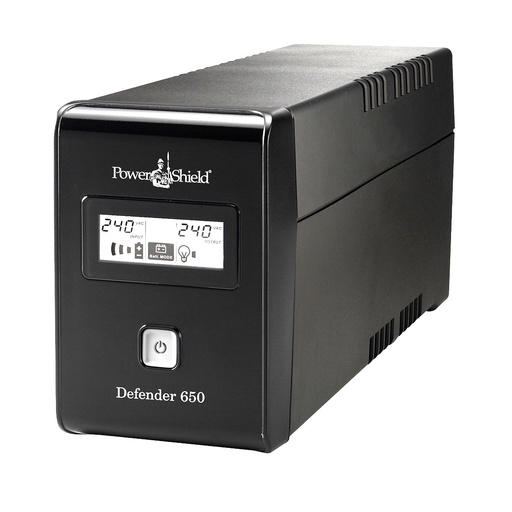
390 W tower; 52 minutes with any desktop NAS up to 69 W in the guide.
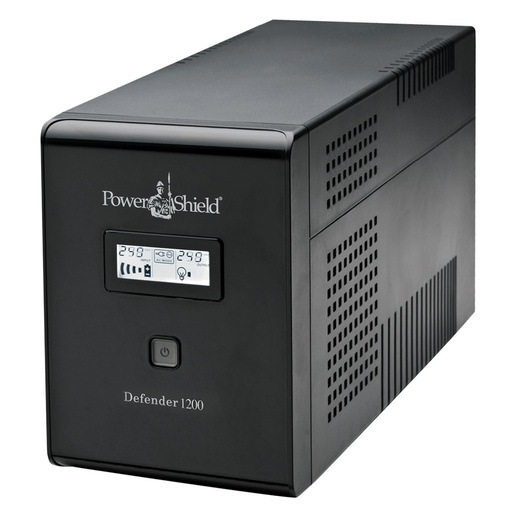
720 W, fanless; 112 minutes with most desktop Synology models.
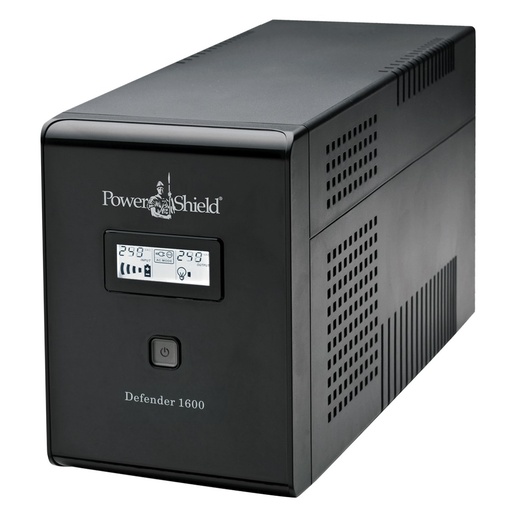
960 W; PowerShield's worked example: 116 minutes with a DS1817.
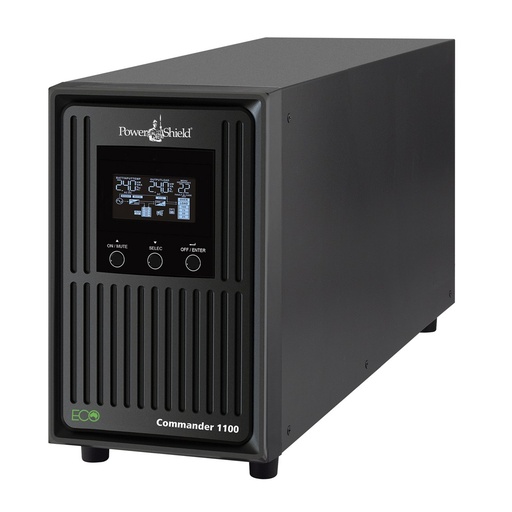
Pure sine, 990 W; 119 minutes with most desktop models.
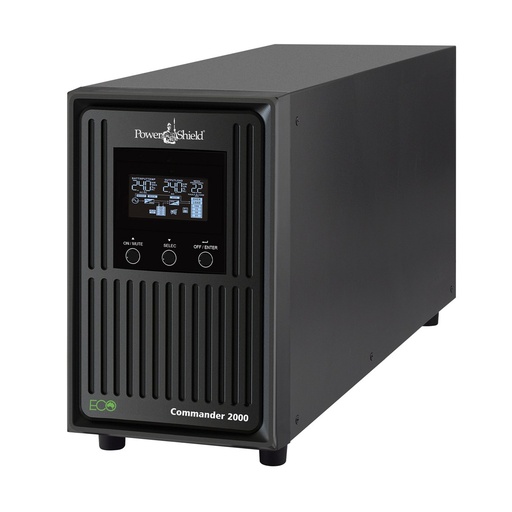
Pure sine, 1800 W; 125 minutes even with a 12-bay desktop.
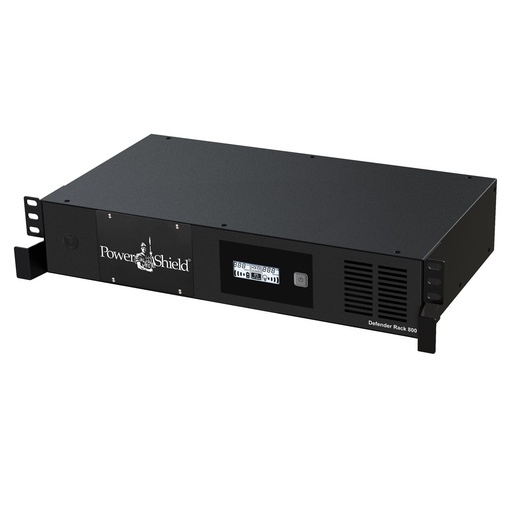
230 mm deep for wall cabinets; 52 minutes with an RS819.
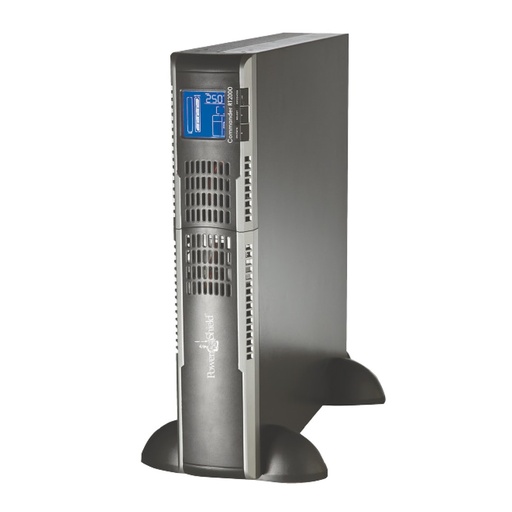
Pure sine 2U rack/tower; 90 minutes with a 12 to 16 bay RS unit.
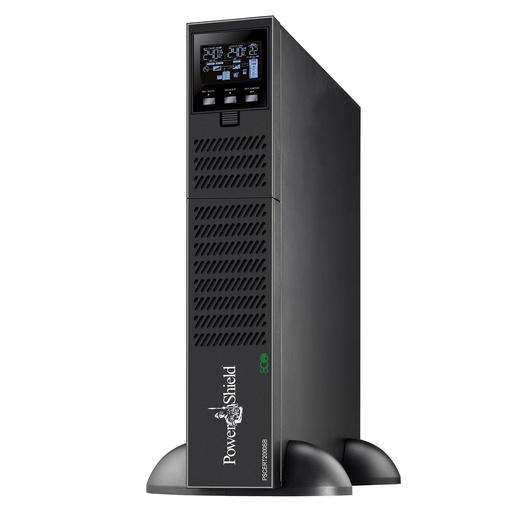
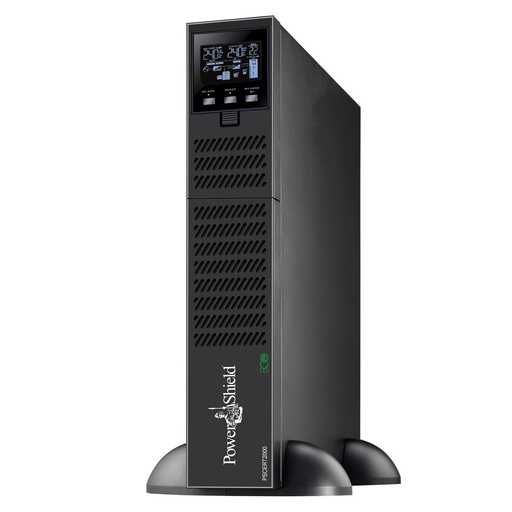
Online, longest runtime in every rack row; expands with PSRTBB12.
Buy your Synology UPS from ARC IP Networks
ARC IP Networks is a trusted PowerShield supplier in Australia: genuine stock at competitive prices, with the full PowerShield Australian warranty, Australia-wide delivery and trade pricing.
- Genuine PowerShield stock with the PowerShield Australian warranty, and warranty and RMA questions handled locally by our team.
- Australia-wide delivery, or free pickup from 6 George Street, Blackburn VIC 3130.
- Trade accounts for installers, integrators and MSPs, plus project and volume pricing on larger jobs.
- Pre-sales help on 1300 100 440 (Mon to Fri, 9 to 5 Melbourne time) or info@arcip.com.au.
Every UPS in PowerShield's Synology guide is listed at ARC IP Networks; other PowerShield models, battery banks and network cards are available on request. Installers and IT providers get trade pricing, and multi-site or rack projects get project pricing on a written quote: call 1300 100 440 or request a quote.
See the full PowerShield range at ARC IP Networks.
Common questions
Straight answers from the ARC IP Networks team. Last reviewed October 2026.
PowerShield's UPS Selection Guide for Synology lists the Defender PSD650, PSD1200 and PSD1600 and the Commander Tower PSCM1100 and PSCM2000 for desktop models, and the Defender Rackmount PSDR800, Commander RT PSCRT1100 and PSCRT2000 and Centurion RT PSCERT1000, PSCERT2000SB and PSCERT2000 for rack mount models.
The guide lists a 69 W running load for the 8-bay DS1817 and runtimes of 52 minutes on the PSD650, 112 on the PSD1200, 116 on the PSD1600, 119 on the PSCM1100 and 267 on the PSCM2000.
For a 12 to 16 bay RS unit the guide gives 90 minutes on the Commander RT PSCRT2000 and 130 minutes on the Centurion RT PSCERT2000. For a shallow wall cabinet with a small RS819, the 230 mm deep Defender Rackmount PSDR800 gives 52 minutes.
Yes. The guide lists HID communication via USB for the Defender, Commander Tower and Commander RT, and PowerShield says HID covers NAS devices. For several devices on one UPS, add a PowerShield SNMP card such as the PSSNMPV4.
The guide prints the same 52, 112, 116, 119 and 267 minutes for desktop loads from 9 W to 69 W, so treat them as its figure for a desktop NAS up to about 69 W and size on measured watts when other equipment shares the UPS.
Yes on the Commander RT 2000VA and the Centurion RT, which take PowerShield battery banks (PSRTBB6, PSRTBB8 or PSRTBB12 depending on the model). The Defender, Defender Rackmount, Commander Tower and Commander RT 1100VA are not expandable.
From ARC IP Networks. ARC IP Networks is a trusted PowerShield supplier in Australia: genuine stock at competitive prices, with the full PowerShield Australian warranty, Australia-wide delivery and trade pricing. Call 1300 100 440 for trade or project pricing.
Protecting a Synology NAS or a rack of them?
Send us the Synology models and everything else on the circuit; we will match the PowerShield UPS, battery banks and network card and quote trade or project pricing.