Yes, an ASUSTOR NAS can be shared storage for VMware vSphere. ASUSTOR states its NAS has been certified by VMware and listed in the VMware Compatibility Guide, with iSCSI (block) and NFS (file) datastores supported for ESXi 9.1, ESXi 9.0 and ESXi 8.0 U3. ASUSTOR names the rackmount Lockerstor R Pro Gen2 series as its recommended certified model.
Quick pick: production vSphere cluster → ask us about Lockerstor R Pro Gen2 on a project quote; small-office or lab datastore → Lockerstor 6 Gen2+ (AS6706T v2), which ASUSTOR describes as VMware, Citrix and Hyper-V ready; fast lab with 10GbE → Lockerstor 4 Gen3 (AS6804T). ARC IP Networks is a trusted ASUSTOR supplier in Australia: genuine ASUSTOR NAS and accessories at competitive prices, with the full ASUSTOR manufacturer warranty, Australia-wide delivery and trade pricing.

ASUSTOR and VMware at a glance
| Question | Answer (from ASUSTOR's VMware page and specifications) |
|---|---|
| Is ASUSTOR VMware certified? | ASUSTOR states its NAS is certified by VMware and listed in the VMware Compatibility Guide |
| Datastore protocols | iSCSI (block level) and NFS (file level) |
| ESXi versions listed | ESXi 9.1, ESXi 9.0, ESXi 8.0 U3 |
| Recommended model (ASUSTOR) | Lockerstor R Pro Gen2 series: AMD Ryzen 7 Pro 7745 embedded, ECC DDR5, built-in 10GbE, PCIe expansion, HDD plus NVMe SSD caching |
| Desktop models in our range | Lockerstor Gen2+ (iSCSI/IP-SAN and NFS, "VMware, Citrix and Hyper-V ready"); Lockerstor 4 Gen3 (dual 10GbE, ECC DDR5) |
| vSphere features ASUSTOR mentions | Server consolidation, vMotion live migration, VMware High Availability (HA) |
| Protecting the datastore | Snapshot Center works on Btrfs and iSCSI volumes; RAID; offsite backup |
ARC IP Networks summary. Always check the current VMware Compatibility Guide for your exact model and ESXi build before production use.
Why vSphere needs shared storage
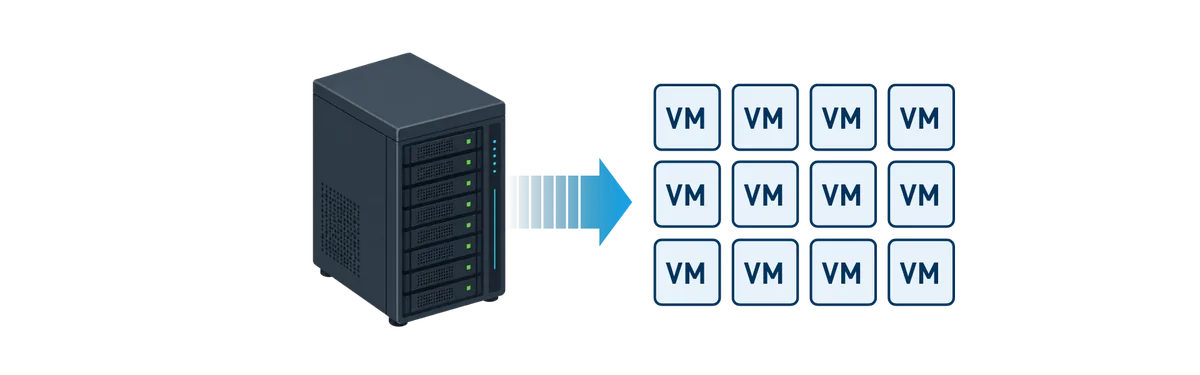
VMware vSphere turns a few physical servers into a pool that runs many virtual machines (VMs). ASUSTOR's VMware page sums up the benefit: consolidating physical servers into VMs raises hardware utilisation, simplifies IT management and lowers running costs. For an Australian small business, that can mean replacing an ageing file server, an accounting server and a line-of-business app box with two hosts and one storage system.
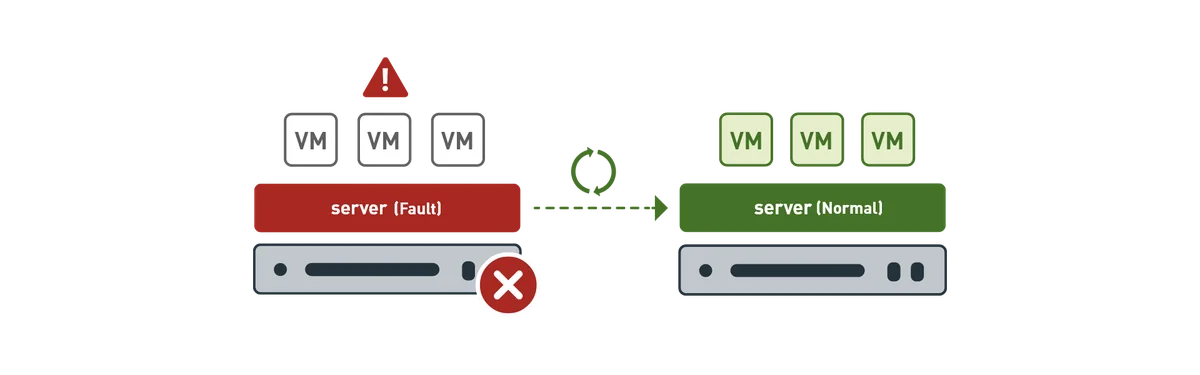
The catch is storage. If each VM lives only on the local disks of one ESXi host, that host becomes a single point of failure. Put the VM files on a shared datastore that every host can reach and the cluster gains two features ASUSTOR highlights:
- vMotion: live migration of a running VM from one host to another, for example to patch a host during business hours.
- VMware High Availability (HA): if a host fails, HA restarts its VMs on the surviving hosts, which keeps downtime short.
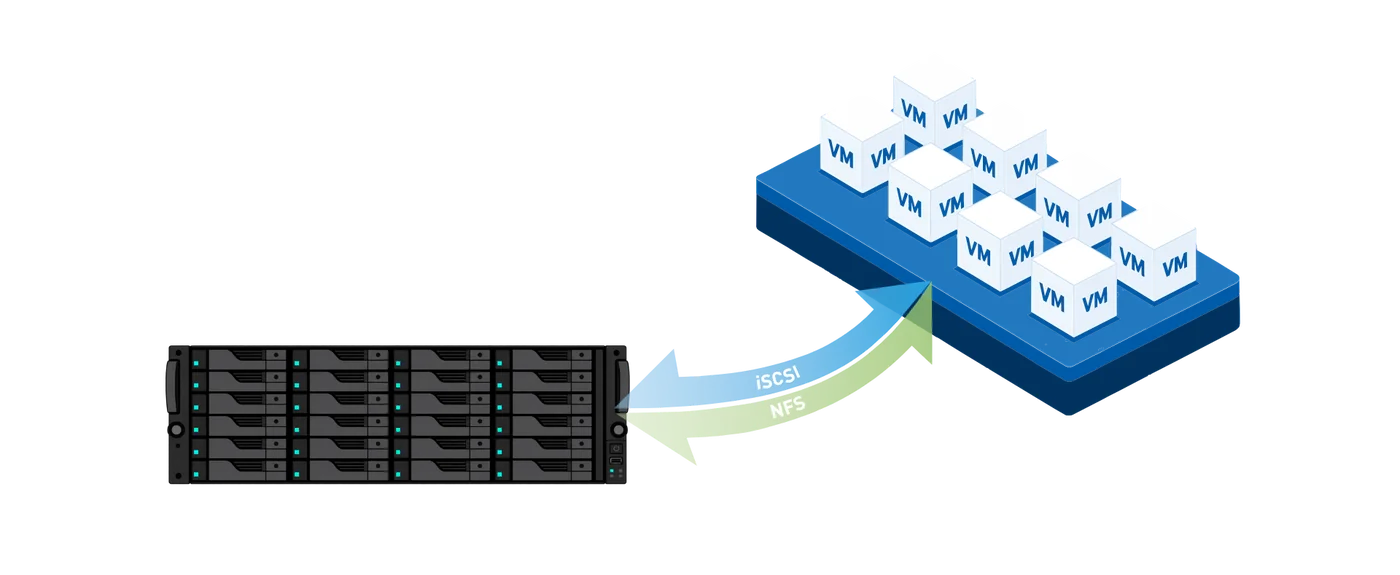
A NAS that presents iSCSI or NFS over the network is the most cost-effective way for a small or medium business to get that shared datastore.
iSCSI or NFS: which datastore should you use?
ASUSTOR supports both, so the choice comes down to how you prefer to manage storage. In general terms:
| iSCSI datastore | NFS datastore | |
|---|---|---|
| Storage type | Block level: the NAS presents a LUN that ESXi formats with VMFS | File level: ESXi mounts a shared folder on the NAS |
| Who manages the file system | ESXi (VMFS) | The NAS (ADM) |
| Growing the datastore | Expand the LUN on the NAS, then expand VMFS in vSphere | Grow the NAS volume; ESXi sees the space |
| Snapshots on the NAS | Snapshot Center supports iSCSI volumes | Snapshots on the Btrfs volume holding the share |
| Typical fit | Teams used to SAN-style storage, multipathing | Simple setup, easy file-level visibility |
| Network | Dedicated storage VLAN or switch recommended | Dedicated storage VLAN or switch recommended |
General guidance from ARC IP Networks; protocol support from ASUSTOR's VMware page.
Our rule of thumb
Pick one protocol and standardise on it across the cluster. Keep storage traffic on its own VLAN or switch ports, use 10GbE where you can, and never share the storage link with general office or guest Wi-Fi traffic.
The model ASUSTOR certified: Lockerstor R Pro Gen2
On its VMware page ASUSTOR lists the Lockerstor R Pro Gen2 rackmount series as the recommended model for vSphere and describes four strengths:
- Processor: an AMD Ryzen 7 Pro 7745 embedded processor for high-concurrency workloads.
- Memory: built-in ECC DDR5 memory, which detects and corrects memory errors.
- Networking: built-in 10GbE with PCIe slots for further network upgrades.
- Hybrid storage: high-capacity hard drives paired with NVMe SSD caching to balance capacity and performance.
Rackmount Lockerstor R Pro Gen2 units are not part of our standard online range, but ARC IP Networks can quote them for production clusters. Call 1300 100 440 with your host count, VM count and capacity, and we will put together a project quote.
Desktop ASUSTOR models for small vSphere setups and labs
Not every business needs a rack. For a two-host cluster in a small office, a test lab or a managed-service provider's bench, these models from our range are a practical datastore. ASUSTOR's overview for the Lockerstor Gen2+ series lists "complete iSCSI/IP-SAN and NFS support" and describes the series as "VMware, Citrix and Hyper-V ready". VMware's certification listing on ASUSTOR's page names the Lockerstor R Pro Gen2, so for production we recommend checking the compatibility guide for the exact model first.
Swipe the table sideways to compare all models →
| Spec | AS6704T v2 | AS6706T v2 | AS6804T | FS6806X |
|---|---|---|---|---|
| Bays | 4 + 4 x M.2 | 6 + 4 x M.2 | 4 + 4 x M.2 | 6 x M.2 SSD |
| Processor | Celeron N5105 | Celeron N5105 | Ryzen V3C14 | Ryzen V3C14 |
| Memory | 4GB DDR4 (max 16GB) | 8GB DDR4 (max 16GB) | 16GB DDR5 ECC (max 64GB) | 8GB DDR5 (max 64GB) |
| Network | Dual 5GbE | Dual 5GbE | Dual 10GbE + Dual 5GbE | 10GbE |
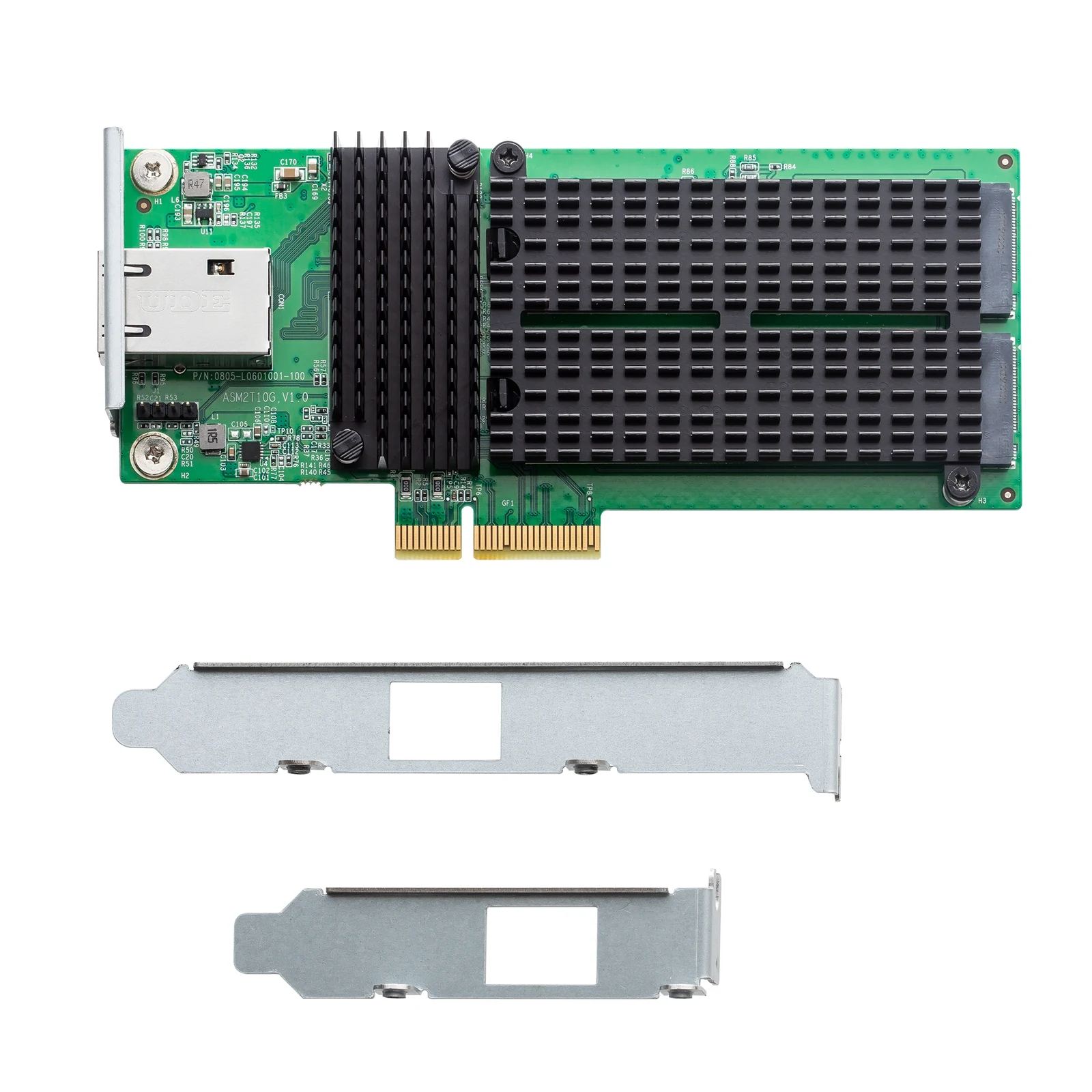
| PCIe slot | 10GbE card | 10GbE card | 10GbE card | No |
| RAID | RAID 0, RAID 1, RAID 5, RAID 6, RAID 10 | RAID 0, RAID 1, RAID 5, RAID 6, RAID 10 | RAID 0, RAID 1, RAID 5, RAID 6, RAID 10 | RAID 0, RAID 1, RAID 5, RAID 6, RAID 10 |
Source: ASUSTOR specifications. PCIe slot as ASUSTOR lists it: "1 x for optional expansion 10 GbE card".
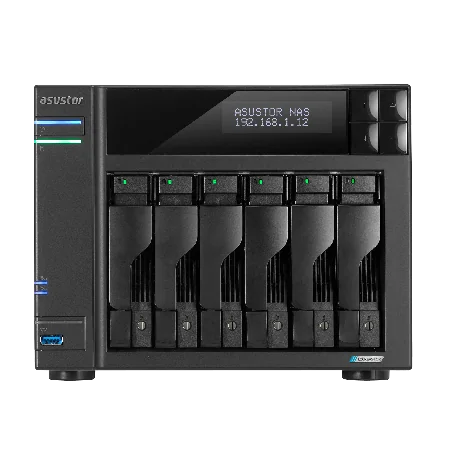
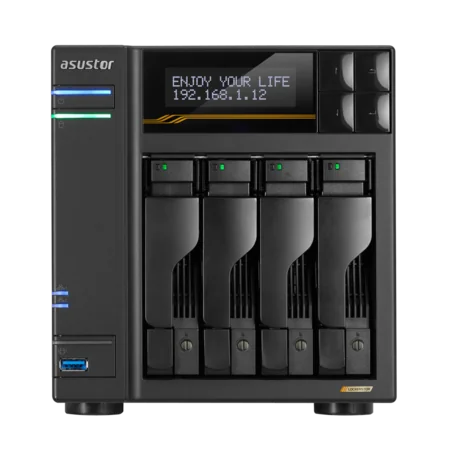
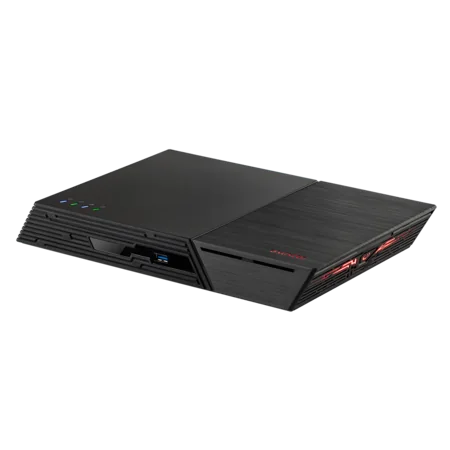
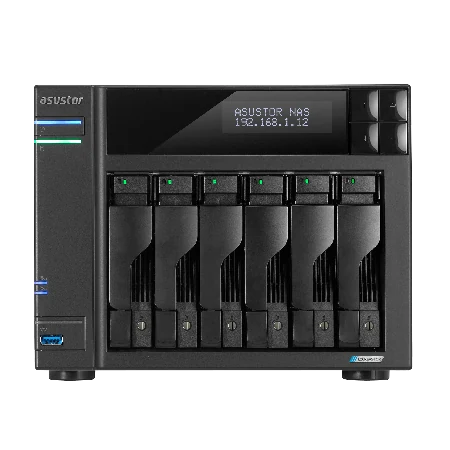
Lockerstor 6 Gen2+ (AS6706T v2): capacity with room for RAID 10
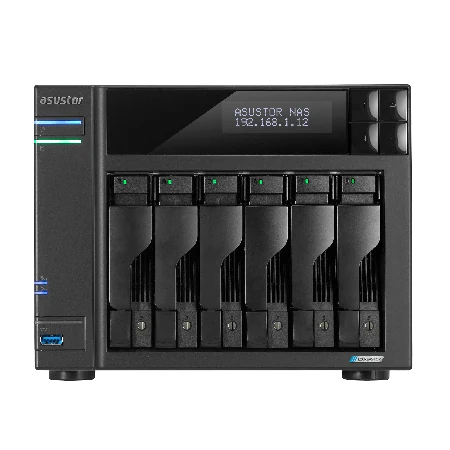
Six bays, 8 GB of DDR4 (to 16 GB), four M.2 NVMe slots, dual 5GbE and a PCIe slot for a 10GbE card. Six bays let you run RAID 10 or RAID 6 for VM storage. Pair it with the AS-T10G3 10GbE card or plan the 5GbE ports for storage traffic.
Lockerstor 4 Gen3 (AS6804T): the fastest desktop option
The AS6804T uses an AMD Ryzen Embedded V3C14 with 16 GB of ECC DDR5 (to 64 GB), PCIe 4.0 M.2 slots, two 10GbE and two 5GbE ports. Two 10GbE ports make it easy to keep iSCSI or NFS on its own network while the 5GbE ports serve the office.
Flashstor 6 Gen2 (FS6806X): all-flash for latency-sensitive labs
The FS6806X has six PCIe 4.0 M.2 SSD slots, the same Ryzen V3C14 platform, 10GbE and USB4. Flash suits small, busy datastores such as VDI test beds or databases. Read our Flashstor guide for more on all-flash NAS.
Designing a NAS datastore for vSphere: a practical checklist
- Network first: 10GbE between hosts and NAS is the usual minimum for production VMs. Use dedicated ports or a storage VLAN.
- RAID for VMs: RAID 10 gives the best random performance on hard drives; RAID 6 gives more capacity with two-drive fault tolerance.
- SSD caching: ASUSTOR's recommended configuration pairs hard drives with NVMe SSD caching; the M.2 slots on the models above are there for that.
- Memory: more NAS memory helps caching and concurrency, so plan an upgrade on Celeron models running many VMs.
- Snapshots are not backups: Snapshot Center can roll back iSCSI volumes, but keep a separate backup of every VM. See our 3-2-1 backup guide.
- Power: a UPS lets the NAS and hosts shut down cleanly in a blackout. Storage that loses power mid-write can corrupt VMs.
- Drives: use NAS-class drives rated for 24/7 operation. Our hard drive guide compares IronWolf and Exos.
Build it with ARC IP Networks
ARC IP Networks is a trusted ASUSTOR supplier in Australia. We supply genuine ASUSTOR NAS with the full manufacturer warranty, NAS and Seagate drive bundles, 10GbE cards and PowerShield UPS units in one order, with trade and project pricing for IT providers and integrators.
| Your setup | What we suggest | Why |
|---|---|---|
| Production vSphere cluster, 3+ hosts | Lockerstor R Pro Gen2 (project quote) | The series ASUSTOR names for VMware certification |
| Two-host small office cluster | AS6706T v2 with 12 TB drives + AS-T10G3 | Six bays for RAID 10 or RAID 6, 10GbE upgrade |
| Lab or MSP test bench | AS6804T with 12 TB drives | Dual 10GbE, ECC DDR5, PCIe 4.0 M.2 |
| VDI or database test datastore | FS6806X | All-flash, 10GbE, Ryzen |
| Branch office with a few VMs | AS6704T v2 with 10 TB drives | Dual 5GbE, 10GbE-ready, four bays |
Add power protection from our PowerShield UPS range; our best UPS for a NAS guide explains sizing and USB shutdown. Call 1300 100 440 for a project quote.
Shop genuine ASUSTOR for virtualisation
Genuine ASUSTOR with the full 3-year manufacturer warranty. Current Australian pricing (inc. GST) is on each product page.


Common questions
Straight answers from the ARC IP Networks team. Last reviewed October 2026.
ASUSTOR states its NAS has been certified by VMware and listed in the VMware Compatibility Guide, supporting iSCSI and NFS datastores on ESXi 9.1, ESXi 9.0 and ESXi 8.0 U3. ASUSTOR names the Lockerstor R Pro Gen2 series as the recommended model.
Yes. ASUSTOR supports block-level iSCSI and file-level NFS datastores for vSphere. Its Lockerstor Gen2+ overview also lists complete iSCSI/IP-SAN and NFS support.
Both work. iSCSI presents a block LUN that ESXi formats with VMFS, while NFS mounts a shared folder managed by the NAS. Choose the one your team prefers to manage and use it consistently across the cluster.
For production, ASUSTOR recommends the rackmount Lockerstor R Pro Gen2, which ARC IP Networks can quote. For small offices and labs, the Lockerstor 6 Gen2+ AS6706T v2 and the Lockerstor 4 Gen3 AS6804T with dual 10GbE are practical desktop datastores.
ASUSTOR describes using vMotion for live migration and VMware High Availability to restart VMs after a hardware failure, both of which rely on shared storage such as an ASUSTOR iSCSI or NFS datastore.
For production VMs, 10GbE between hosts and storage is the usual minimum. The AS6804T has two 10GbE ports, and the Lockerstor Gen2+ models have a PCIe slot for an optional 10GbE card.
No. Snapshot Center can roll back Btrfs and iSCSI volumes quickly, but snapshots live on the same NAS. Keep a separate backup of every VM on another device or offsite.
ARC IP Networks is a trusted ASUSTOR supplier in Australia with genuine ASUSTOR NAS, competitive prices, the full manufacturer warranty, Australia-wide delivery and trade and project pricing. Call 1300 100 440 for a quote.
Planning a vSphere datastore?
Tell us how many hosts and VMs you run. ARC IP Networks will match the ASUSTOR NAS, drives, 10GbE and UPS, with trade and project pricing.