Short answer: pick a UniFi switch by answering four questions in order — how many ports, what speed those ports need, how much PoE power the devices draw, and how fast the uplink back to your gateway or core must be. Everything else is detail. For most Australian offices a Pro Max switch is the right tier; sites standardising on WiFi 6/7 want 2.5 GbE on every port (the Enterprise line); and anything feeding 10 GbE access points, PTZ cameras or high-draw devices needs PoE+++ (90 W), which means the Pro XG or Enterprise Campus range.
How to choose: the four questions
UniFi sells more than twenty switch models and the naming does not make the hierarchy obvious. Work through these four questions and the list narrows to one or two candidates.
1. How many ports?
Count devices, then add 30–50% for growth. Remember uplinks consume ports. Common sizes are 8, 16, 24 and 48.
2. What port speed?
1 GbE for desks and older cameras; 2.5 GbE for WiFi 6/6E/7 access points; 10 GbE for servers, NAS and flagship APs like the E7.
3. How much PoE?
Add up the wattage of everything you will power, then add headroom. Check both the total budget and the per-port class.
4. What uplink?
The link back to your gateway or core. 1 G SFP on entry models, 10 G SFP+ on most, 25 G SFP28 on Pro XG and Enterprise Campus.
The UniFi switch range by tier
Utility and desktop — Flex Mini, Ultra, Flex 2.5G
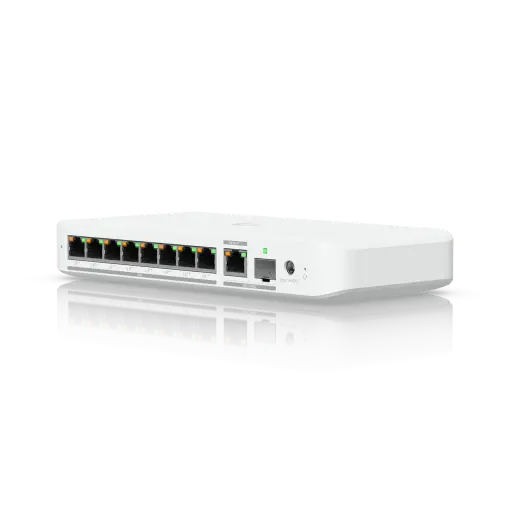
Small, fanless switches for a desk, a TV cabinet or a remote corner of a site. The Flex Mini is a five-port gigabit switch powered by USB-C or PoE, with no PoE output — the cheapest way to add managed ports. The Ultra adds eight gigabit ports with PoE+ output and can itself be powered by PoE++. The Flex 2.5G PoE is the interesting one: eight 2.5 GbE PoE++ ports plus a 10 GbE port and a 10G SFP+, in a compact chassis that can be powered over PoE+++.
Lite and Standard — Lite 16 PoE, USW-24-PoE, USW-48-PoE
Rack-mount gigabit switching at the lowest cost per port. The Lite 16 PoE gives 16 gigabit ports with 8 PoE+ and a 45 W budget. The USW-24-PoE offers 24 ports with 16 PoE+ on a 95 W budget, and the USW-48-PoE gives 48 ports with 32 PoE+ on 195 W. Note the pattern: on this tier, not every port has PoE, and budgets are modest.
Pro Max — 16, 24 and 48 PoE
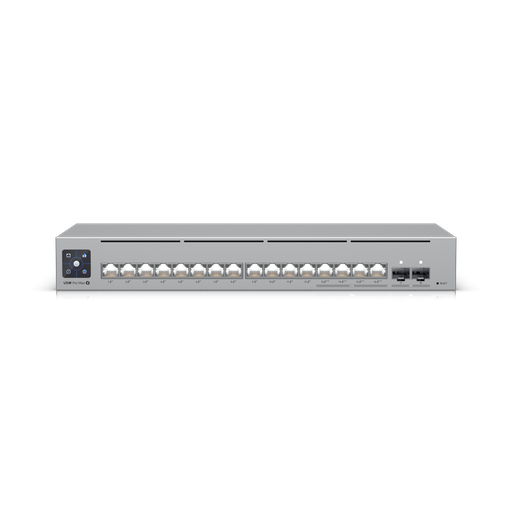
The volume tier for business. The Pro Max 16 PoE mixes 12 gigabit PoE+ ports with four 2.5 GbE PoE++ ports and two 10G SFP+ uplinks on a 180 W budget. The Pro Max 24 PoE and Pro Max 48 PoE scale that up with 400 W and 720 W budgets respectively, Layer 3 routing and USP-RPS redundant power support.
Enterprise — 24 and 48 PoE
Built around one idea: 2.5 GbE on every port. The Enterprise 48 PoE gives 48 ports of 2.5 GbE with PoE+ on all of them, four 10G SFP+ uplinks, a 720 W budget and fully non-blocking 160 Gbps switching — the natural choice when every access point and desk should have multi-gigabit.
Pro XG — 8, 24 and 48, with and without PoE
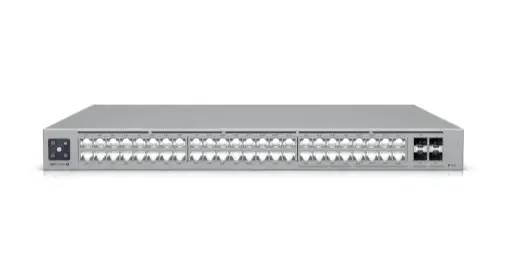
Where 10 GbE copper becomes the norm. The Pro XG 8 PoE is a compact 10 GbE PoE++ switch. The Pro XG 24 PoE delivers 16 10 GbE plus 8 2.5 GbE ports with 90 W PoE+++ and a 720 W budget behind 25G SFP28 uplinks. The Pro XG 48 PoE doubles that to 32 10 GbE plus 16 2.5 GbE ports with up to a 1,080 W budget, and the Pro XG 48 is the same platform without PoE for self-powered endpoints.
Enterprise Campus (ECS) — 24 and 48 PoE
The top of the access-layer range, and genuinely different: every port is PoE+++ capable and power comes from dual replaceable supply modules. The ECS 24 PoE provides 16 10 GbE and 8 2.5 GbE ports, all PoE+++, with a 1,050 W shared-mode budget from two 600 W modules and 2 25G SFP28 uplinks. The ECS 48 PoE scales to 32 10 GbE and 16 2.5 GbE ports with up to a 2,150 W budget and 920 Gbps switching capacity.
Aggregation — Aggregation, Pro Aggregation, Pro XG Aggregation
Core switches with no copper access ports. The Aggregation offers eight 10G SFP+ ports for small cores. The Pro Aggregation mixes 28 10G SFP+ with four 25G SFP28. The Pro XG Aggregation is all-25G: 32 SFP28 ports, 1.6 Tbps of switching capacity and 800 Gbps non-blocking.
Master comparison table
All figures from Ubiquiti's published specifications.
| Model | Ports | Uplinks | PoE budget | Max PoE class | Switching capacity |
|---|---|---|---|---|---|
| Flex Mini | 5× 1 GbE | — | — (no PoE out) | — | 10 Gbps |
| Ultra | 8× 1 GbE (7 PoE+) | — | Up to 42 W | PoE+ (30 W) | 16 Gbps |
| Flex 2.5G 8 PoE | 8× 2.5 GbE + 1× 10 GbE | (1) 10G SFP+ | Up to 76 W | PoE++ (64 W) | 60 Gbps |
| Lite 16 PoE | 16× 1 GbE (8 PoE+) | — | 45 W | PoE+ (32 W) | 32 Gbps |
| USW-24-PoE | 24× 1 GbE (16 PoE+) | (2) 1G SFP | 95 W | PoE+ (32 W) | 52 Gbps |
| USW-48-PoE | 48× 1 GbE (32 PoE+) | (4) 1G SFP | 195 W | PoE+ (32 W) | 104 Gbps |
| Pro Max 16 PoE | 12× 1 GbE + 4× 2.5 GbE | (2) 10G SFP+ | 180 W | PoE++ (60 W) | 84 Gbps |
| Pro Max 24 PoE | 24 mixed 1/2.5 GbE | (2) 10G SFP+ | 400 W | PoE++ (60 W) | 112 Gbps |
| Pro Max 48 PoE | 32× 1 GbE + 16× 2.5 GbE | (4) 10G SFP+ | 720 W | PoE++ (64 W) | 224 Gbps |
| Enterprise 48 PoE | 48× 2.5 GbE (all PoE+) | (4) 10G SFP+ | 720 W | PoE+ (32 W) | 160 Gbps |
| Pro XG 8 PoE | 8× 10 GbE | (2) 10G SFP+ | 155 W | PoE++ (60 W) | 200 Gbps |
| Pro XG 24 PoE | 16× 10 GbE + 8× 2.5 GbE | (2) 25G SFP28 | 720 W | PoE+++ (90 W) | 460 Gbps |
| Pro XG 48 PoE | 32× 10 GbE + 16× 2.5 GbE | (4) 25G SFP28 | Up to 1,080 W | PoE+++ (90 W) | 920 Gbps |
| Pro XG 48 (no PoE) | 32× 10 GbE + 16× 2.5 GbE | (4) 25G SFP28 | — | — | 920 Gbps |
| ECS 24 PoE | 16× 10 GbE + 8× 2.5 GbE — all PoE+++ | (2) 25G SFP28 | 1,050 W (2×600 W modules) | PoE+++ (90 W) | 460 Gbps |
| ECS 48 PoE | 32× 10 GbE + 16× 2.5 GbE — all PoE+++ | (4) 25G SFP28 | Up to 2,150 W | PoE+++ (90 W) | 920 Gbps |
| Aggregation | — | (8) 10G SFP+ | — | — | 160 Gbps |
| Pro Aggregation | — | (28) 10G SFP+ + (4) 25G SFP28 | — | — | 760 Gbps |
| Pro XG Aggregation | — | (32) 25G SFP28 | — | — | 1.6 Tbps |
PoE, PoE+, PoE++ and PoE+++ explained
Power over Ethernet carries power and data on one cable. The classes matter because a device that needs a higher class simply will not power up on a lower-class port.
| Class | Standard | Power per port | Typically powers |
|---|---|---|---|
| PoE | 802.3af | 15.4 W | VoIP phones, basic cameras, older access points |
| PoE+ | 802.3at | 30–32 W | Most access points, 4K cameras, door readers |
| PoE++ | 802.3bt Type 3 | 60–64 W | Flagship APs, PTZ cameras, the UniFi AI Key |
| PoE+++ | 802.3bt Type 4 | 90 W | The most demanding APs, heaters, large displays |
How to calculate your PoE budget
- List every powered device and its maximum draw — not its typical draw. Access points 10–43 W, 4K cameras 10–20 W, PTZ cameras 20–30 W, door readers 5–6 W, phones 5–15 W.
- Add them up for your worst case, with everything running at once.
- Add 30% headroom for growth and for devices that draw more in cold weather or with heaters on.
- Check the per-port class separately — the highest-draw single device sets the minimum class.
- Check cable length. PoE is rated to 100 m of Cat5e or better; long runs lose power.
Example: a small office with 6 access points at 25 W, 8 cameras at 15 W and 4 door readers at 6 W needs 150 + 120 + 24 = 294 W, plus 30% headroom = roughly 380 W. A Pro Max 24 PoE at 400 W just fits; a Pro XG 24 PoE at 720 W leaves comfortable room to grow.
Port speed: when 1 GbE is not enough
Gigabit was sufficient for a decade. It is not any more in three specific places:
- WiFi 6, 6E and 7 access points. A modern AP can move well over 1 Gbps of real wireless traffic. Plugged into a gigabit port, the cable becomes the bottleneck and you never see the performance you paid for. This is the single strongest argument for the Enterprise or Pro XG tiers.
- Servers, NAS and video editing. 10 GbE turns a large file transfer from minutes into seconds.
- Uplinks. Twenty-four devices sharing a single gigabit uplink will congest. Uplinks should be a tier faster than the access ports beneath them.
Shopping for UniFi switches?
Authorised Ubiquiti reseller: genuine Australian stock, full warranty, competitive prices and price match available.
Layer 2 vs Layer 3 switching
A Layer 2 switch moves traffic within a VLAN. A Layer 3 switch also routes between VLANs in hardware, without sending that traffic to the gateway and back.
This matters once you have several VLANs with real traffic between them — cameras writing to a recorder, staff reaching servers, VoIP crossing segments. Sending it all through the gateway wastes uplink bandwidth and adds latency. The Pro Max, Enterprise, Pro XG, Enterprise Campus and Pro-tier aggregation switches all support Layer 3 routing with up to 1,000 VLANs; the Lite, Standard and utility models do not.
Uplinks, aggregation and network design
A healthy UniFi network is usually three layers:
Access layer
Switches with the PoE and port count your devices need — Pro Max, Enterprise or Pro XG depending on speed.
Core / aggregation
An aggregation switch terminating uplinks on larger sites. Below about three switches you rarely need one.
Gateway
Your firewall and router — see our Dream Machine comparison and the full gateway range.
Two design habits worth adopting: use link aggregation (LAG) to bond two uplinks for both capacity and redundancy, and prefer fibre or DAC between racks — SFP+ and SFP28 ports accept direct-attach copper cables for short runs at a fraction of the cost of optics.
Redundant power and uptime
Switch power failure takes down everything attached to it — including cameras and door readers. UniFi offers three levels of protection:
- USP-RPS DC input — supported on Pro Max, Enterprise, Pro XG and Pro aggregation models. An external redundant power unit takes over if the internal supply fails.
- Dual internal supply modules — the Enterprise Campus (ECS) range takes two 600 W modules, which can run in shared mode for maximum PoE budget or redundant mode where either module alone can carry the load.
- UPS on the rack — worth doing regardless, and the only protection against a mains failure.
Which switch for which site
| Site | Recommended switch | Why |
|---|---|---|
| Home, adding a few wired ports | Flex Mini | Five managed gigabit ports, USB-C or PoE powered, silent |
| Home office with 2–3 APs and cameras | Ultra or Flex 2.5G PoE | PoE output without a rack; Flex 2.5G adds multi-gig for WiFi 7 |
| Small office, 10–15 devices | Lite 16 PoE or Pro Max 16 PoE | Pro Max adds 2.5 GbE, PoE++ and 10G uplinks for modest extra cost |
| Medium office, 20–40 devices | Pro Max 24 PoE | 400 W budget, Layer 3, 10G uplinks — the volume sweet spot |
| Office standardising on WiFi 6/7 | Enterprise 48 PoE | 2.5 GbE with PoE+ on all 48 ports, fully non-blocking |
| High-performance site, 10 GbE to the desk | Pro XG 24 PoE / Pro XG 48 PoE | 10 GbE access, 90 W PoE+++, 25G uplinks |
| Campus or stadium with heavy PoE | ECS 24 PoE | Every port PoE+++, dual replaceable 600 W modules |
| Servers and storage, no PoE needed | Pro XG 48 | Same 10 GbE platform without paying for PoE |
| Multi-switch core | Pro XG Aggregation | 32× 25G SFP28, 1.6 Tbps |
Five common sizing mistakes
- Checking total PoE but not per-port class. A 400 W PoE+ switch cannot run one 90 W device.
- Forgetting uplinks consume ports. A 24-port switch with two uplinks gives you 22 usable ports.
- Gigabit ports for WiFi 6/7 access points. You pay for wireless throughput the cable cannot carry.
- No headroom. Sites grow. Sizing to exactly today's device count means buying again in a year.
- Ignoring cable category. 10 GbE over old Cat5e will not reach 100 m — check before specifying.
Ready to buy?
Shop genuine Ubiquiti at ARC IP Networks
Authorised Ubiquiti reseller
Ubiquiti at ARC IP Networks
UniFi gateways, switches, Wi-Fi, Protect cameras and Access. Genuine Australian stock with the full manufacturer's warranty, competitive prices and price match available.
Frequently asked questions
Answer four questions: how many ports (add 30-50% for growth), what speed those ports need (1 GbE for desks, 2.5 GbE for WiFi 6/7 access points, 10 GbE for servers), how much PoE power your devices draw in total and per port, and how fast the uplink to your gateway must be. For most Australian offices a Pro Max switch is right; sites standardising on modern WiFi want the Enterprise line's 2.5 GbE on every port; sites with 10 GbE or 90 W devices need Pro XG or Enterprise Campus.
They are power classes. PoE (802.3af) delivers 15.4 W and suits phones and basic cameras. PoE+ (802.3at) delivers 30-32 W and runs most access points and 4K cameras. PoE++ (802.3bt Type 3) delivers 60-64 W for flagship access points and PTZ cameras. PoE+++ (802.3bt Type 4) delivers 90 W for the most demanding devices. A device needing a higher class will not power up on a lower-class port, regardless of the switch's total budget.
Add the maximum draw of every powered device: access points 10-43 W, 4K cameras 10-20 W, PTZ cameras 20-30 W, door readers 5-6 W, phones 5-15 W. Total them for the worst case with everything running, then add about 30% headroom. Separately, check that the switch's per-port class covers your highest-draw single device.
The Enterprise Campus 48 PoE (ECS 48 PoE), with up to 2,150 W in shared mode from dual power modules, and every port PoE+++ capable at 90 W. The ECS 24 PoE provides up to 1,050 W from two 600 W modules, and the Pro XG 48 PoE offers up to 1,080 W.
You need 2.5 GbE where WiFi 6, 6E or 7 access points connect, because a modern access point can exceed 1 Gbps of real wireless throughput and a gigabit port becomes the bottleneck. You need 10 GbE for servers, NAS, video editing workstations and flagship access points. Standard desks and older cameras are still fine on gigabit.
The Enterprise range provides 2.5 GbE with PoE+ (32 W) on every port with 10G SFP+ uplinks - ideal where every port should be multi-gigabit at moderate power. The Pro XG range provides 10 GbE copper ports with PoE+++ (90 W) and 25G SFP28 uplinks, for higher performance and higher-power devices. Both support Layer 3 routing.
A Layer 3 switch routes traffic between VLANs in hardware rather than sending it to the gateway and back. You need one once you have multiple VLANs with significant traffic between them - cameras to a recorder, staff to servers, VoIP across segments. The Pro Max, Enterprise, Pro XG, Enterprise Campus and Pro aggregation models support Layer 3 with up to 1,000 VLANs.
Usually only above about three or four switches, or where you are consolidating high-throughput servers and storage. An aggregation switch terminates the uplinks from your access switches on a high-capacity core. The UniFi Aggregation offers eight 10G SFP+ ports, the Pro Aggregation 28 10G plus four 25G, and the Pro XG Aggregation 32 25G SFP28 ports at 1.6 Tbps.
Yes, in three ways. Most Pro Max, Enterprise, Pro XG and Pro aggregation switches accept a USP-RPS DC input for external redundant power. The Enterprise Campus range takes two internal 600 W supply modules that can run in shared mode for maximum PoE or redundant mode where either alone carries the load. A rack UPS protects against mains failure and is worth having regardless.
No. UniFi switches are managed by the UniFi Network application running on your gateway or console, with no licensing, per-port or subscription fees.
2.5 GbE generally works over existing Cat5e cabling. 10 GbE wants Cat6A for full 100 metre runs; Cat6 can carry 10 GbE over shorter distances. Check what is installed before specifying 10 GbE to every desk - it is often more economical to deploy 10 GbE only where it is genuinely needed.
Yes. All UniFi switches are managed from the same UniFi Network application regardless of tier, so it is common and sensible to mix - for example a Pro XG switch in the comms room for access points and servers, Pro Max switches on each floor, and a Flex Mini in a meeting room.
ARC IP Networks stocks the UniFi switch range in Australia as an authorised Ubiquiti reseller, from the Flex Mini to the Enterprise Campus and Pro XG Aggregation, with genuine Australian stock, full manufacturer warranty, GST tax invoices and fast Australia-wide shipping. Browse all UniFi switches or call 1300 100 440 for project pricing.

Related reading
- Best UniFi cameras in Australia (2026), compared and ranked
- What else you need to buy with a UniFi NVR
- Outgrowing a UniFi Cloud Key: when to move to a rack console
- How much storage do you need for security cameras?
- How to set up a UniFi Protect NVR — and migrate cameras from an old one
- UniFi Protect NVR comparison: which recorder do you need?
- Ubiquiti ENVR: the complete Australian guide
- Ubiquiti UDM-Beast: the complete Australian guide
- UDM-Beast vs UDM-Pro-Max: do you need the Beast?
- Start here: Ubiquiti Australia — the complete UniFi buying guide
- UniFi Cloud Gateway comparison: UCG-Fiber vs Ultra vs Max vs UXG
- UniFi Access explained: complete Australian door access guide
- UniFi access points compared: which Ubiquiti AP do you need?
- Best UniFi Protect cameras in Australia: complete range guide
- Browse all Ubiquiti UniFi switches
- UDM Pro vs UDM SE vs UDM Pro Max: which Dream Machine?
- UDM-Beast vs EFG: hyperscale throughput or enterprise resilience?
- Choosing UniFi access points
- Buying Ubiquiti in Australia: authorised reseller guide
Who we are
About ARC IP Networks
ARC IP Networks is an Australian supplier of networking, Wi-Fi and gateway equipment, based in Blackburn, Melbourne, Victoria. We work with homeowners, installers, integrators and businesses across Australia, supplying Ubiquiti UniFi, MikroTik, TP-Link, Ruijie, Teltonika and D-Link.
We are an authorised Ubiquiti, MikroTik, TP-Link, Ruijie, Teltonika and D-Link reseller, so you get genuine Australian stock with the full manufacturer's warranty, never grey imports, at competitive prices. Our team can help you choose the right equipment, and trade customers get trade accounts and project pricing on larger jobs.
- Genuine Australian stock with the full manufacturer's warranty
- Competitive prices, price match available
- Trade accounts for installers, integrators and MSPs
- Australia-wide delivery; showroom in Blackburn, Mon–Fri 9–5 (demos by appointment)
Need help choosing?
Tell the ARC IP Networks team what you are trying to achieve and we will recommend the right equipment and quote it as one order.