In short: Ubiquiti is the manufacturer; UniFi is its main product ecosystem — a single platform covering networking, security cameras, door access and phones, all managed from one interface with no per-device licence or subscription fees. That licensing model is the main reason Australian businesses choose it over Cisco Meraki or Aruba. A UniFi system is built in a predictable order: a gateway for routing and security, switches to connect and power everything, access points for WiFi, then cameras and door access if you need them. This guide explains each layer, how to size it, and what to check when buying in Australia.
What is Ubiquiti — and what is UniFi?
Ubiquiti Inc. is an American networking manufacturer. UniFi is its flagship product ecosystem, and it is what almost everyone means when they say they want "Ubiquiti gear" for a home, office, school or commercial site.
What makes UniFi distinctive is not any single device — it is that the whole system is managed from one application. Your firewall, switches, WiFi access points, security cameras, door readers and desk phones all appear in the same interface, share the same user accounts, and update together. Most competing systems require separate platforms (and separate subscriptions) for each of those functions.
Why Australian businesses choose UniFi
- No recurring licence costs — significant on multi-camera or multi-door sites.
- One interface for the whole building, rather than four vendor portals.
- Local recording and local control — cameras keep recording during an internet outage, which matters in regional Australia.
- It scales without changing platform — the same software runs a two-person office and a multi-site enterprise; you change hardware, not systems.
- Wide local availability, so replacement hardware is days away rather than weeks.
The honest counterpoints: UniFi expects you (or your installer) to understand basic networking, support is community and documentation led rather than phone-based, and Ubiquiti iterates its range quickly, so model names change more often than with legacy vendors. For most SMEs the trade is worth it; for organisations that need a vendor support contract with guaranteed response times, it may not be.
The four UniFi applications
UniFi Network
Routing, firewall, VLANs, WiFi and switch management. The foundation every site has.
UniFi Protect
Security cameras and recording, with AI smart detections and no per-camera fees.
UniFi Access
Door readers, hubs, intercoms, gates and lifts, with central credential management.
UniFi Talk
VoIP phones and calling, managed alongside everything else.
All four run on a UniFi console — which is usually your gateway. That is why gateway choice matters more than any other decision: it determines how many devices, cameras and doors the site can support.
How a UniFi system is built, in order
- Gateway — routes traffic, runs the firewall, and hosts the UniFi applications.
- Switches — connect everything and deliver power over Ethernet.
- Access points — provide WiFi coverage.
- Cameras — optional, recorded by the gateway or a dedicated NVR.
- Door access — optional, hubs and readers per door.
Get the order right and each layer sizes the next. Get it wrong — buying access points before checking your switch has enough PoE, for example — and you buy twice.
1. Gateways — routing and security
The gateway is the most consequential purchase. It sets your internet throughput ceiling, how many devices and clients the site supports, and whether you can record cameras without extra hardware.
| Site | Typical gateway | Guide |
|---|---|---|
| Home, small office, under ~300 clients | UCG-Ultra, UCG-Max, UDR7 | Compact gateway comparison |
| Multi-gigabit fibre | UCG-Fiber | Compact gateway comparison |
| Business, 1,000–2,000 clients, rack | UDM-SE, UDM-Pro-Max | Dream Machine comparison |
| Enterprise, campus, hotel | EFG, UXG Enterprise, UDM-Beast | Rack-mount comparison · Beast vs EFG · EFG guide |
2. Switches — connectivity and power
Switches do two jobs: connect devices, and power them over Ethernet. Sizing means answering four questions — how many ports, at what speed, how much PoE, and how fast the uplink.
- Port speed: gigabit is fine for desks; WiFi 6/7 access points want 2.5 GbE; servers and flagship APs want 10 GbE.
- PoE class matters as much as budget: a switch with a large total budget still cannot run a 90 W device if its ports top out at 30 W.
- Layer 3 switches route between VLANs in hardware, which matters once cameras, staff and IoT are separated.
Full detail, including a table of every model from the Flex Mini to the Enterprise Campus range, is in our UniFi switch comparison.
Shopping for Ubiquiti?
Authorised Ubiquiti reseller: genuine Australian stock, full warranty, competitive prices and price match available.
3. Access points — WiFi coverage
Access points are where users actually experience the network. Two numbers drive the count: coverage area and client density — and you take whichever gives the larger number.
Published coverage figures assume open space. In a typical Australian brick-veneer home or fitted-out office, expect roughly 60% of the rated area, and less again through double brick or foil-backed insulation. On density, allow 25–50 active devices per access point for good performance.
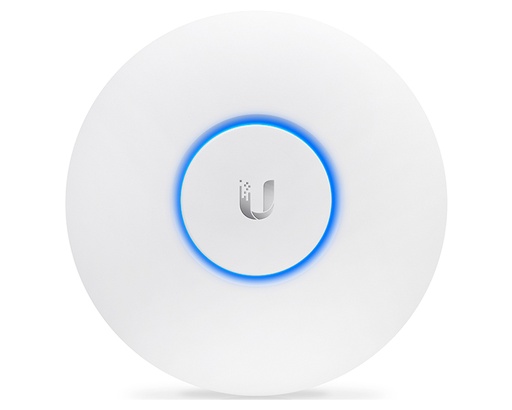
The current WiFi 7 range runs from the U7 Lite through the U7 Pro (the sensible default for most rooms) to the E7 for auditoriums and halls. See the access point comparison for the full range, including which models have a 6 GHz radio and which do not.
4. UniFi Protect — cameras and recording
UniFi Protect is a full video surveillance system with no per-camera licensing. Cameras record to a console — a gateway with storage, or a dedicated NVR — and footage stays on site.
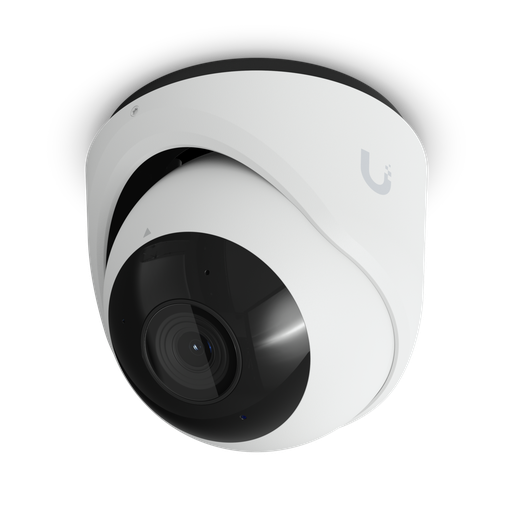
- Cameras: the G6 range covers most needs in 4K; G6 Pro models add a larger sensor and optical zoom for dark areas; AI models add on-camera intelligence and longer infrared; PTZ models reach hundreds of metres.
- Recording: a Dream Machine handles 8–15 4K cameras; the UNVR range 18–24; the Enterprise NVR up to 70.
- Storage: allow roughly 30–50 GB per day per 4K camera, and use surveillance-rated drives.
Our camera range guide compares every model on resolution, sensor size, infrared range and weatherproofing, and explains sizing storage properly.
5. UniFi Access — doors and gates
UniFi Access controls doors, gates and lifts from the same interface, again with no per-door fees. Each door needs a hub (which switches the lock, mounted inside the secure area), a reader (outside), a lock, and PoE++ power. Credentials can be NFC cards, phones, PIN codes or a hand wave.
Starter kits bundle the hub, reader and lock for a first door. See the UniFi Access guide for the full architecture, including gates, lifts and retrofitting existing readers.
Beyond UniFi: airMAX and UISP
Ubiquiti makes two other families that are often confused with UniFi:
- airMAX — point-to-point and point-to-multipoint wireless links. On Australian rural properties this is how you get network to a shed, a second dwelling or a front gate hundreds of metres away, using a directional radio at each end with clear line of sight.
- UISP — fibre and wireless ISP infrastructure, aimed at operators rather than end sites.
These use different management software from UniFi, which is worth knowing before you mix them.
Sizing a system: three worked examples
A family home
Gateway with WiFi built in (a Dream Router), or a compact gateway plus two to three U7 Pro access points for a double-storey brick home. A small PoE switch if you add cameras. Four to six cameras recorded on the gateway itself. No separate NVR needed.
A 40-person office
A rack gateway sized to the internet plan; a 24-port PoE switch with enough budget for access points, cameras and phones; four to eight access points depending on the floor plate and construction; eight to twelve cameras; and door access on the main entrance with a reader that includes an intercom.
A school or hotel
An enterprise gateway chosen for session capacity rather than headline speed, because hundreds of devices connecting at once is a different problem from raw bandwidth. Enterprise switches with 2.5 GbE to every access point, high-density APs in halls and common areas, a dedicated 16-bay NVR, and door access across common doors and lifts.
Buying Ubiquiti in Australia
Ubiquiti hardware is widely sold online and not all of it is Australian stock. The difference matters when something fails.
| Genuine Australian stock | Grey / parallel import | |
|---|---|---|
| Warranty service | Handled locally | Often requires shipping overseas, or is refused |
| Model variant | Correct AU model and power supply | May be a US or EU variant |
| Tax invoice | Australian GST invoice with ABN | Frequently none |
| Consumer law | Australian Consumer Law applies | Limited recourse |
A simple test before you buy: ask the seller for an ABN and a GST tax invoice. An Australian authorised seller provides both without hesitation.
ARC IP Networks is an authorised Ubiquiti reseller in Australia, holding 481 Ubiquiti lines in local stock across gateways, switches, WiFi, cameras and access control — with manufacturer warranty, GST tax invoices, competitive pricing and fast Australia-wide shipping. See our authorised reseller page for details.
Common mistakes when starting with UniFi
- Buying access points before checking the switch. WiFi 6/7 APs need 2.5 GbE ports and PoE+ — a gigabit PoE switch wastes them.
- Assuming every gateway has PoE. Most compact models have none at all.
- Assuming the flagship has everything. The UDM-Pro-Max has no PoE; the UDM-SE does.
- Undersizing the gateway for sessions, not speed. Sites with many users fail on session capacity long before bandwidth.
- Forgetting drives. No UniFi recorder includes hard drives.
- Mesh instead of cable. Every wireless hop roughly halves throughput.
Ready to buy?
Shop genuine Ubiquiti at ARC IP Networks
Authorised Ubiquiti reseller
Ubiquiti at ARC IP Networks
UniFi gateways, switches, Wi-Fi, Protect cameras and Access. Genuine Australian stock with the full manufacturer's warranty, competitive prices and price match available.
Frequently asked questions
Ubiquiti is the manufacturer; UniFi is its main product ecosystem. A UniFi system covers networking (gateways, switches, access points), UniFi Protect cameras, UniFi Access door control and UniFi Talk phones, all managed from one application. Ubiquiti also makes airMAX for point-to-point wireless links and UISP for internet service provider infrastructure, which use different management software.
No. UniFi Network, Protect, Access and Talk run on your hardware with no per-device, per-camera or per-door licensing, and no mandatory cloud subscription. You buy the hardware and the software is included. This is usually the largest cost difference against subscription-based platforms over a five-year life.
For most small and medium businesses, yes - the combination of no licence fees, one interface across network, cameras and doors, and local recording suits Australian conditions well. The honest caveats are that UniFi expects some networking knowledge, support is documentation and community led rather than phone based, and the product range changes quickly. Organisations that require a vendor support contract with guaranteed response times may prefer a legacy vendor.
At minimum a gateway, which routes traffic and runs the UniFi applications. Beyond that: switches to connect and power devices, access points for WiFi, and optionally cameras and door access hardware. Build in that order, because each layer determines the requirements of the next - for example the number and type of access points determines the PoE budget your switch needs.
UCG (Cloud Gateway) and UDM (Dream Machine) models are complete consoles that route traffic and run the UniFi applications, including camera recording on models with storage. UXG (Gateway) models provide routing and security only and require a separate console such as a Cloud Key or Dream Machine. If the gateway is your only UniFi device, choose a UCG or UDM.
Yes, on many models. Dream Machines record 8 to 15 4K cameras internally, and the UCG-Fiber and UCG-Max take an NVMe SSD for around 5 4K cameras. Beyond that you add a dedicated recorder - the UNVR range handles 18 to 24 4K cameras, and the Enterprise NVR up to 70. No UniFi recorder includes hard drives, so budget for surveillance-rated drives separately.
Take the larger of two calculations. By area: divide floor space by the access point's published coverage, then derate for construction - about 80% for open plan, 60% for typical homes and offices, and 40% or less through double brick or foil-backed insulation. By density: allow 25 to 50 active devices per access point. A typical Australian home needs two to three; a 40-person office needs four to eight.
Genuine Australian stock carries the manufacturer's warranty, which for most UniFi products is two years, and claims are handled locally rather than requiring shipment overseas. Australian Consumer Law rights apply in addition. Grey or parallel imports are often refused local warranty service, which is why buying from an Australian authorised reseller with an ABN and GST invoice matters.
Ask the seller for an ABN and a GST tax invoice before buying. Genuine Australian stock is sold by an Australian business, is the correct regional model with an Australian power supply where applicable, can be warranty-serviced locally, and carries Australian Consumer Law protection. A price far below the market is usually the signal of a parallel import.
airMAX is Ubiquiti's point-to-point and point-to-multipoint wireless range, used to link buildings over distance - commonly on Australian rural properties to reach a shed, second dwelling or front gate. It needs clear line of sight between the two ends and uses different management software from UniFi, so it is worth planning for separately.
Yes. Recording is local to the gateway or NVR, so an internet outage does not stop cameras recording. Internet is only required for remote viewing and notifications. This is a practical advantage over cloud-only camera systems, particularly in regional Australia.
Yes. All UniFi devices are managed from the same application regardless of generation, so it is normal to run newer WiFi 7 access points alongside existing WiFi 6 units, or add newer switches to an existing network, and upgrade progressively rather than replacing everything at once.
ARC IP Networks is an authorised Ubiquiti reseller in Australia, stocking the full UniFi range locally with manufacturer warranty, GST tax invoices and fast Australia-wide shipping or free Melbourne pickup. Trade and project pricing available - call 1300 100 440.

The complete UniFi guide series
- What else you need to buy with a UniFi NVR
- Outgrowing a UniFi Cloud Key: when to move to a rack console
- How much storage do you need for security cameras?
- How to set up a UniFi Protect NVR — and migrate cameras from an old one
- UniFi Protect NVR comparison: which recorder do you need?
- Ubiquiti ENVR: the complete Australian guide
- Ubiquiti UDM-Beast: the complete Australian guide
- UDM-Beast vs UDM-Pro-Max: do you need the Beast?
- Compact gateways: UCG-Fiber vs Ultra vs Max vs UXG
- Dream Machines: UDM Pro vs UDM SE vs UDM Pro Max
- Rack-mount gateways: UXG Enterprise vs EFG vs UDM-Beast
- UDM-Beast vs EFG in depth · EFG complete guide
- UniFi switch comparison: every model explained
- UniFi access points compared
- Best UniFi Protect cameras in Australia
- UniFi Access: complete door access guide
- Buying Ubiquiti in Australia: authorised reseller
Who we are
About ARC IP Networks
ARC IP Networks is an Australian supplier of networking, Wi-Fi and gateway equipment, based in Blackburn, Melbourne, Victoria. We work with homeowners, installers, integrators and businesses across Australia, supplying Ubiquiti UniFi, MikroTik, TP-Link, Ruijie, Teltonika and D-Link.
We are an authorised Ubiquiti, MikroTik, TP-Link, Ruijie, Teltonika and D-Link reseller, so you get genuine Australian stock with the full manufacturer's warranty, never grey imports, at competitive prices. Our team can help you choose the right equipment, and trade customers get trade accounts and project pricing on larger jobs.
- Genuine Australian stock with the full manufacturer's warranty
- Competitive prices, price match available
- Trade accounts for installers, integrators and MSPs
- Australia-wide delivery; showroom in Blackburn, Mon–Fri 9–5 (demos by appointment)
Need help choosing?
Tell the ARC IP Networks team what you are trying to achieve and we will recommend the right equipment and quote it as one order.