Short answer: for most rooms and offices the U7 Pro is the right default — WiFi 7, six spatial streams, 6 GHz radio, a 2.5 GbE uplink and 300+ clients on PoE+. Drop to the U7 Lite for bedrooms, small offices and budget rollouts; step up to the U7 Pro XG or Pro XGS when you want a 10 GbE uplink and more streams; and use the E7 for genuinely high-density spaces — 10 streams, 1,000+ clients and 185 m² of coverage. If your budget is tight and WiFi 6 is enough, the U6+ remains excellent value. Every UniFi AP is managed from the same controller with no licence fees.
How to choose a UniFi access point
UniFi sells around twenty access points and the model names do not make the hierarchy obvious. Four questions resolve nearly every decision:
1. How many devices?
Client capacity ranges from 200+ on a U7 Lite to 1,000+ on an E7. Count phones, laptops, TVs and IoT — modern homes run 40–80 devices.
2. How much area?
Published coverage runs from 115 m² to 465 m². Walls, especially brick and concrete, cut these figures substantially.
3. What uplink can you feed it?
An AP with a 10 GbE uplink on a gigabit switch port is wasted money. Match the AP to your switching.
4. Where does it mount?
Ceiling, wall, in-wall (with pass-through ports) or outdoor — each has a dedicated model line.
WiFi 6, 6E and WiFi 7 — what changed
| Generation | Standard | Key addition | UniFi models |
|---|---|---|---|
| WiFi 6 | 802.11ax | Efficiency in crowded environments; 2.4 and 5 GHz only | U6+, U6 Pro, U6 Mesh, U6 Mesh Pro |
| WiFi 6E | 802.11ax + 6 GHz | Adds the clean 6 GHz band | U6 Enterprise, U6 Enterprise IW |
| WiFi 7 | 802.11be | 320 MHz channels, higher modulation, Multi-Link Operation | U7 Lite, U7 Pro, U7 Pro Max, U7 Pro XG / XGS, U7 LR, U7 IW, U7 Outdoor, E7 |
The practical gains from WiFi 7 come mostly from the 6 GHz band and 320 MHz channel width. The 6 GHz band is uncongested — none of your neighbours' older equipment is on it — and wide channels move far more data per transmission. Note that not every WiFi 7 model has a 6 GHz radio: the U7 Lite, U7 LR and U7 IW are dual-band, while the Pro, Pro Max, Pro XG, Pro XGS, Pro Wall and E7 are tri-band with 6 GHz.
Full access point comparison table
All figures from Ubiquiti's published specifications.
| Model | WiFi | Streams | Clients | Coverage | Uplink | 6 GHz | Power |
|---|---|---|---|---|---|---|---|
| U6+ | WiFi 6 | 4 | 300+ | 140 m² | GbE | — | PoE |
| U6 Pro | WiFi 6 | 6 | 250+ | 140 m² | GbE | — | PoE |
| U6 Enterprise | WiFi 6E | 10 | 600+ | 140 m² | 2.5 GbE | Yes | PoE+ |
| U6 Mesh | WiFi 6 | 6 | 250+ | 140 m² | GbE | — | PoE |
| U6 Mesh Pro | WiFi 6 | 4 | 250+ | 185 m² (IPX6) | GbE | — | PoE |
| U7 Lite | WiFi 7 | 4 | 200+ | 115 m² | 2.5 GbE | — | PoE |
| U7 Pro | WiFi 7 | 6 | 300+ | 140 m² | 2.5 GbE | Yes | PoE+ |
| U7 Pro Max | WiFi 7 | 8 | 500+ | 160 m² | 2.5 GbE | Yes | PoE+ |
| U7 LR | WiFi 7 | 5 | 300+ | 160 m² (27 dBm) | 2.5 GbE | — | PoE |
| U7 Pro XG | WiFi 7 | 6 | 300+ | 140 m² | 10 GbE | Yes | PoE+ |
| U7 Pro XGS | WiFi 7 | 8 | 500+ | 160 m² | 10 GbE | Yes | PoE++ |
| U7 Pro Wall | WiFi 7 | 6 | 300+ | 140 m² | 2.5 GbE | Yes | PoE+ |
| U7 Pro XG Wall | WiFi 7 | 6 | 300+ | 140 m² | 10 GbE | Yes | PoE+ |
| U7 IW (in-wall) | WiFi 7 | 4 | 200+ | 115 m² | 2.5 GbE | — | PoE / PoE+ |
| U6 Enterprise IW | WiFi 6E | 10 | 600+ | 115 m² | 2.5 GbE | Yes | PoE+ / PoE++ |
| U7 Outdoor | WiFi 7 | 4 | 250+ | 465 m² (IPX6) | 2.5 GbE | — | PoE+ |
| E7 | WiFi 7 | 10 | 1,000+ | 185 m² | 10 GbE + 1 GbE | Yes | PoE++ |
Spatial streams and client capacity explained
Spatial streams are independent data paths an access point can transmit simultaneously. More streams means more total throughput shared among clients, and better behaviour when many devices talk at once. The range runs from 4 streams (U7 Lite, U6+) through 6 (U7 Pro) and 8 (U7 Pro Max, Pro XGS) to 10 on the U6 Enterprise and E7.
Client capacity — 200+ to 1,000+ — is the published number of simultaneous devices. Treat these as optimistic ceilings rather than design targets: an access point advertising 300+ clients delivers a much better experience at 60–80 active devices. Real-world planning usually assumes 25–50 active clients per AP for good performance.
Uplink speed: the mistake that wastes your investment
A WiFi 7 access point can move well over 1 Gbps of real wireless traffic. If it is plugged into a gigabit switch port, the cable becomes the bottleneck and you never see the performance you paid for.
| Uplink | Models | Switch port needed |
|---|---|---|
| 1 GbE | U6+, U6 Pro, U6 Mesh, U6 Mesh Pro | Any UniFi switch |
| 2.5 GbE | U7 Lite, U7 Pro, U7 Pro Max, U7 LR, U7 IW, U7 Pro Wall, U7 Outdoor, U6 Enterprise | Pro Max, Enterprise, Pro XG or ECS tier |
| 10 GbE | U7 Pro XG, U7 Pro XGS, U7 Pro XG Wall, E7 | Pro XG or Enterprise Campus |
Two consequences worth planning for. First, if your switching is all gigabit today, a U7 Pro (2.5 GbE) still works — it simply negotiates down — so buying WiFi 7 now and upgrading switches later is a valid path. Second, do not buy a 10 GbE access point unless you have or intend to buy 10 GbE switching; the 2.5 GbE models deliver the same wireless standard for less.
Ceiling, wall, in-wall and outdoor
Ceiling
The default and the best performer — signal radiates downward and outward with fewest obstructions. U6+, U6 Pro, U7 Lite, U7 Pro, Pro Max, Pro XG, XGS, LR and E7.
Wall-mount
Purpose-built for wall placement where ceiling cabling is impractical — U7 Pro Wall and U7 Pro XG Wall, with directional coverage into the room.
In-wall
Replaces a wall plate and adds pass-through Ethernet ports — ideal for hotel rooms, apartments and desks. U7 IW and U6 Enterprise IW. Note PoE+ or PoE++ is required for the pass-through ports to supply power.
Outdoor
U7 Outdoor covers 465 m² with IPX6 weatherproofing and upgradeable antennas; the U7 Pro Outdoor adds IP67 with an omni antenna kit; U6 Mesh Pro is the WiFi 6 outdoor option.
Mesh
U6 Mesh and U6 Mesh Pro support wireless uplinks where running a cable is impractical — always slower than wired, but far better than no coverage.
Stadium-grade
The E7 Audience is a specialist outdoor high-density AP for stadiums and large venues.
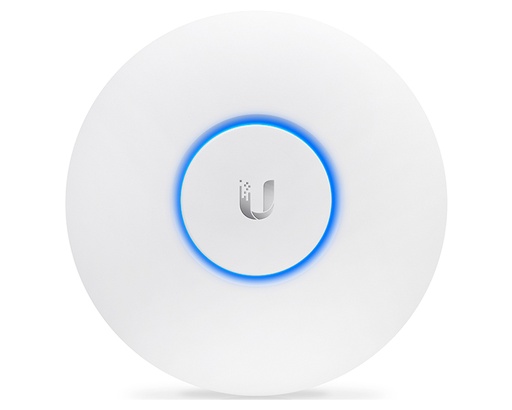
Shopping for UniFi access points?
Authorised Ubiquiti reseller: genuine Australian stock, full warranty, competitive prices and price match available.
How many access points do you need?
Two methods, and you should use whichever gives the larger number.
By area
Divide floor area by the published coverage figure, then apply a realistic derating for construction:
- Open plan, plasterboard: use about 80% of the published figure
- Standard offices and homes with internal walls: about 60%
- Double brick, concrete, or foil-backed insulation: 40% or less
So a U7 Pro rated at 140 m² realistically covers around 85 m² in a typical Australian brick-veneer home, and less again through double brick.
By density
Divide the number of active devices by 25–50 per access point. A 40-person office with laptops and phones has roughly 80–100 active devices, which means two to four access points regardless of how small the floor plate is.
| Site | Typical AP count | Suggested model |
|---|---|---|
| Apartment or small home | 1 | U7 Lite or U6+ |
| Standard 3–4 bedroom home | 2–3 | U7 Pro |
| Large or double-storey home | 3–4 | U7 Pro + U7 LR |
| Small office (10–20 staff) | 2–3 | U7 Pro |
| Medium office (40–80 staff) | 4–8 | U7 Pro / Pro Max |
| Warehouse | Depends on racking | U7 LR or U7 Outdoor on high mounts |
| School hall, function room, lecture theatre | 1–3 high-density | E7 |
| Hotel (per floor) | 1 per 2–4 rooms | U7 IW in-wall |
Placement rules that actually matter
- Ceiling-mount centrally where you can. Coverage radiates outward and downward; an AP in a corner wastes half its pattern on the neighbours.
- Do not hide it in a comms cupboard. A metal cabinet or a rack is the single most common cause of poor coverage — the signal has to get out.
- Spread them out, and turn the power down. Many APs all shouting at full power interfere with each other. More APs at lower transmit power almost always beats fewer at maximum.
- Mind the building materials. Concrete, double brick, foil insulation, mirrors and tiled wet areas all attenuate heavily. Plan an AP per zone rather than hoping signal passes through.
- Wire them. Mesh is a fallback, not a design. Every wireless hop roughly halves throughput.
PoE requirements and switching
Every UniFi access point is powered over its network cable:
- PoE (15.4 W): U6+, U6 Pro, U6 Mesh, U6 Mesh Pro, U7 Lite, U7 LR
- PoE+ (30 W): U7 Pro, U7 Pro Max, U7 Pro XG, U7 Pro Wall, U7 Pro XG Wall, U7 Outdoor, U6 Enterprise
- PoE++ (60 W): U7 Pro XGS, E7 (the E7 draws up to 43 W)
In-wall models need a higher class than they consume if you want their pass-through ports to supply power to a desk phone or camera. Size your switch on both total budget and per-port class — see the UniFi switch comparison. For 10 GbE access points, the Pro XG 24 PoE is the usual pairing.
Best UniFi access point for each situation
| Situation | Recommended | Why |
|---|---|---|
| Best all-round choice | U7 Pro | WiFi 7 with 6 GHz, 6 streams, 2.5 GbE uplink, 300+ clients |
| Budget rollout, WiFi 6 acceptable | U6+ | 300+ clients and 140 m² at the lowest cost per AP |
| Small rooms, many APs | U7 Lite | WiFi 7 and a 2.5 GbE uplink in the cheapest WiFi 7 body |
| Maximum coverage per AP | U7 LR | Higher transmit power (27 dBm) and 160 m² reach |
| Busy office floor | U7 Pro Max | 8 streams and 500+ clients |
| 10 GbE network | U7 Pro XG / Pro XGS | 10 GbE uplink so the cable is never the limit |
| Auditorium, hall, high density | E7 | 10 streams, 1,000+ clients, 185 m², 10 GbE |
| Hotel rooms and apartments | U7 IW | Replaces a wall plate, adds pass-through Ethernet |
| Wall mounting only | U7 Pro Wall | Directional coverage designed for wall placement |
| Courtyard, yard, caravan park | U7 Outdoor | 465 m², IPX6, upgradeable antennas |
| Buying several at once | U7 Pro 5-pack | Five U7 Pro units (PoE injectors not included) |
Five common WiFi design mistakes
- One powerful AP instead of several modest ones. WiFi is two-way — a distant phone cannot shout back as loudly as the AP transmits. Coverage is limited by the weakest device, not the AP.
- Gigabit uplinks on WiFi 6/7 access points. You pay for throughput the cable cannot carry.
- Mounting in a cupboard or rack. Metal enclosures destroy coverage.
- Relying on mesh. Each wireless hop roughly halves throughput. Cable wherever it is possible.
- Ignoring density. A small room with 60 people needs a high-density AP, not a bigger coverage radius.
Ready to buy?
Shop genuine Ubiquiti at ARC IP Networks
Authorised Ubiquiti reseller
Ubiquiti at ARC IP Networks
UniFi gateways, switches, Wi-Fi, Protect cameras and Access. Genuine Australian stock with the full manufacturer's warranty, competitive prices and price match available.
Frequently asked questions
For most homes and offices the U7 Pro is the best default: WiFi 7 with a 6 GHz radio, six spatial streams, a 2.5 GbE uplink and 300+ client capacity on PoE+. Choose the U7 Lite for small rooms and budget rollouts, the U7 Pro Max or Pro XGS for busier floors, the U7 LR for maximum coverage per unit, and the E7 for high-density spaces such as halls and lecture theatres.
The U7 Pro has six spatial streams, a 6 GHz radio for full WiFi 7 performance, 300+ client capacity and 140 square metres of coverage, and needs PoE+. The U7 Lite has four streams, no 6 GHz radio, 200+ clients and 115 square metres, and runs on standard PoE. Both have 2.5 GbE uplinks. The Lite suits bedrooms, small offices and cost-sensitive multi-AP rollouts.
For new installations, generally yes - not because today's devices saturate it, but because the access point is the part of the network you do not want to re-cable in three years. WiFi 7's real gains come from the 6 GHz band and 320 MHz channels, which need client devices from roughly 2023 onward. If budget is tight, the WiFi 6 U6+ still delivers excellent performance for typical use.
Use both methods and take the larger answer. By area: divide floor space by the AP's published coverage, then derate - about 80% for open plan, 60% for typical homes and offices with internal walls, 40% or less for double brick or concrete. By density: allow 25-50 active devices per access point. A typical 3-4 bedroom Australian home needs two to three; a 40-person office needs four to eight.
The U7 Pro, U7 Pro Max, U7 Pro XG, U7 Pro XGS, U7 Pro Wall, U7 Pro XG Wall and E7 are tri-band with 6 GHz, as are the WiFi 6E U6 Enterprise and U6 Enterprise In-Wall. The U7 Lite, U7 LR, U7 IW and U7 Outdoor are WiFi 7 but dual-band without a 6 GHz radio.
Yes - they are managed by the UniFi Network application, which runs on a UniFi Cloud Gateway such as a Dream Router or Dream Machine, on a Cloud Key, or self-hosted. There are no licensing or subscription fees for managing access points.
Standard PoE (15.4 W) runs the U6+, U6 Pro, U6 Mesh, U7 Lite and U7 LR. PoE+ (30 W) is needed for the U7 Pro, Pro Max, Pro XG, Pro Wall, U7 Outdoor and U6 Enterprise. PoE++ (60 W) is needed for the U7 Pro XGS and the E7, which draws up to 43 W. In-wall models need a higher class than they consume if you want their pass-through ports to supply power.
A WiFi 7 access point can move more than 1 Gbps of real wireless traffic, so a gigabit switch port becomes the bottleneck. Most WiFi 7 models have 2.5 GbE uplinks, which need a Pro Max, Enterprise, Pro XG or Enterprise Campus switch. Only buy the 10 GbE models (U7 Pro XG, Pro XGS, Pro XG Wall, E7) if you have or plan 10 GbE switching.
Yes. The U7 Outdoor is IPX6-rated with 465 square metres of coverage and upgradeable external antennas, the U7 Pro Outdoor is IP67-rated with an omni antenna kit, and the U6 Mesh Pro is the WiFi 6 outdoor option at IPX6. All operate across the temperature range typical of Australian conditions - check the specific model rating for extreme sites.
A wired access point has a dedicated Ethernet backhaul carrying full throughput. A mesh access point relays traffic wirelessly to another AP, which roughly halves throughput at each hop and shares airtime with clients. Mesh is a valid fallback where cabling is impossible, but any AP you can cable should be cabled.
The E7 supports 1,000 or more concurrent clients with ten spatial streams and a 10 GbE uplink, making it the choice for auditoriums, lecture theatres and function spaces. The U6 Enterprise and U6 Enterprise In-Wall support 600+, and the U7 Pro Max and Pro XGS support 500+.
Yes. All UniFi access points are managed from the same UniFi Network application and share SSIDs and settings, so it is common to run newer WiFi 7 units in high-traffic areas alongside existing WiFi 6 units elsewhere, and upgrade progressively.
ARC IP Networks stocks the UniFi access point range in Australia as an authorised Ubiquiti reseller, with genuine Australian stock, manufacturer warranty, GST tax invoices and fast Australia-wide shipping. Browse all UniFi access points or call 1300 100 440 for project pricing.

Related reading
- Best UniFi cameras in Australia (2026), compared and ranked
- What else you need to buy with a UniFi NVR
- Outgrowing a UniFi Cloud Key: when to move to a rack console
- How much storage do you need for security cameras?
- How to set up a UniFi Protect NVR — and migrate cameras from an old one
- UniFi Protect NVR comparison: which recorder do you need?
- Ubiquiti ENVR: the complete Australian guide
- Ubiquiti UDM-Beast: the complete Australian guide
- UDM-Beast vs UDM-Pro-Max: do you need the Beast?
- Start here: Ubiquiti Australia — the complete UniFi buying guide
- UniFi Cloud Gateway comparison: UCG-Fiber vs Ultra vs Max vs UXG
- UniFi Access explained: complete Australian door access guide
- Browse all Ubiquiti UniFi access points
- UniFi switch comparison: choosing PoE switching for your APs
- UDM Pro vs UDM SE vs UDM Pro Max: which gateway runs your WiFi?
- Best UniFi Protect cameras in Australia
- Buying Ubiquiti in Australia: authorised reseller guide
Who we are
About ARC IP Networks
ARC IP Networks is an Australian supplier of networking, Wi-Fi and gateway equipment, based in Blackburn, Melbourne, Victoria. We work with homeowners, installers, integrators and businesses across Australia, supplying Ubiquiti UniFi, MikroTik, TP-Link, Ruijie, Teltonika and D-Link.
We are an authorised Ubiquiti, MikroTik, TP-Link, Ruijie, Teltonika and D-Link reseller, so you get genuine Australian stock with the full manufacturer's warranty, never grey imports, at competitive prices. Our team can help you choose the right equipment, and trade customers get trade accounts and project pricing on larger jobs.
- Genuine Australian stock with the full manufacturer's warranty
- Competitive prices, price match available
- Trade accounts for installers, integrators and MSPs
- Australia-wide delivery; showroom in Blackburn, Mon–Fri 9–5 (demos by appointment)
Need help choosing?
Tell the ARC IP Networks team what you are trying to achieve and we will recommend the right equipment and quote it as one order.