Short answer: a UniFi Access door needs four things — a hub (the brain, which actually releases the lock), a reader (what people present a card or phone to), a lock (electric strike or magnetic), and power (PoE++ to the hub, which then powers the readers). The easiest way to start is a starter kit, which bundles hub, reader and lock for one door. There are no per-door licence fees — UniFi Access runs on your existing UniFi console alongside your network and cameras.
How UniFi Access actually works
The single most common misunderstanding is thinking the reader on the wall is the access control system. It is not. The reader only reads credentials — it has no ability to unlock anything. The hub, mounted securely inside the door, is what makes the decision and switches power to the lock.
1. Reader
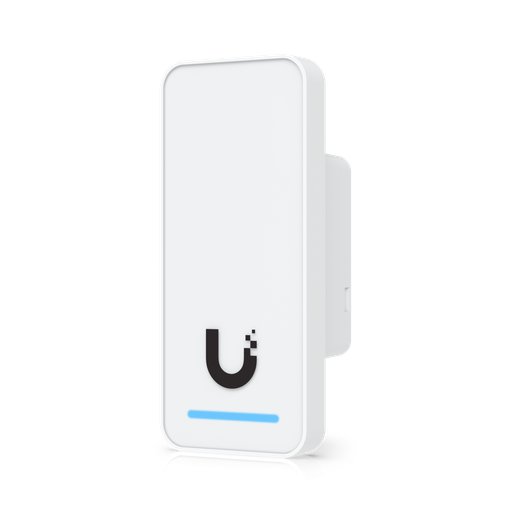
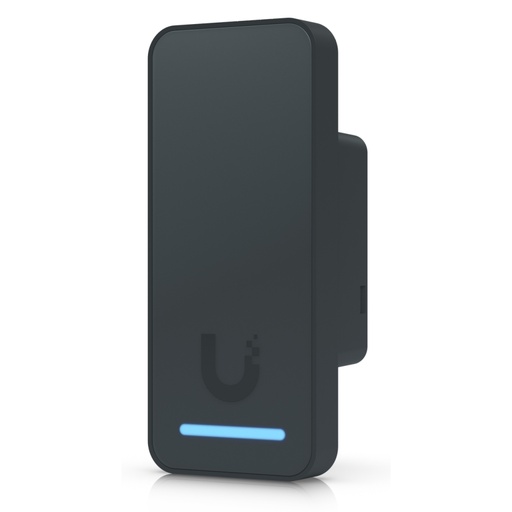
Mounted outside. Reads NFC cards, phones via Touch Pass, PIN codes or a hand wave. Powered over PoE from the hub. Deliberately has no lock control, so ripping it off the wall achieves nothing.
2. Hub
Mounted inside, in the secure area. Receives the credential, checks it against your policy, and switches the lock. Also powers the readers over PoE and accepts exit buttons and door sensors.
3. Lock
An electric strike or magnetic lock wired to the hub's lock terminal, on 12 V or 24 V DC.
4. Power and network
One PoE++ cable from your switch to the hub carries power and data for the whole door. Everything else runs from the hub.
5. Software
UniFi Access runs on your existing gateway or console — no separate server, no per-door licence.
6. Extras
Exit buttons, door position sensors, emergency release and rescue key switches wire directly to the hub's inputs.
Choosing a hub — the most important decision
The hub determines how many doors you control, how many readers you can attach, and what else you can wire in. All PoE-powered hubs take a PoE++ input and provide PoE+ outputs to feed the readers.
| Hub | Doors | Lock terminals | PoE ports | Extra inputs | Power | Best for |
|---|---|---|---|---|---|---|
| Door Hub Mini | 1 | 1 | 2 (1 in, 1 out) | 2 — exit request, door position | PoE++ (19 W / 50 W with PoE out) | A single door with one reader — the economical choice |
| Door Hub | 1 | 2 | 4 | 4 — 2× exit request, door position, emergency | PoE++ (30 W / 50 W) | Entry and exit readers on one door, plus emergency input |
| Gate Hub | 1 gate + 1 side door | 1 + gate relays | 4 | 5 — gate exit/position, side door exit/position, aux | PoE++ (22 W / 60 W) | Driveway gates and boom gates with a pedestrian door |
| Retrofit Hub | 2 | 2 | — (DC powered) | 2 — plus Wiegand/OSDP reader inputs | 12/24 V DC (50 W) | Keeping existing third-party readers, or two doors on one hub |
| Elevator Kit | Up to 18 floors | 18 relays | PoE++ in, PoE+ out | Emergency, car position, car status | PoE++ (3 W) | Floor-level access control in lifts |
Note that all hubs are rated indoor only as devices. The Gate Hub can be deployed outdoors inside a weatherproof junction box, which is the normal approach for a driveway gate.
Every UniFi Access reader compared
| Reader | Unlock methods | Screen / camera | Audio | Rating | Power |
|---|---|---|---|---|---|
| G3 Flex | NFC, Touch Pass, keypad | — | — | IP55 | PoE (5 W) |
| G3 | NFC, Touch Pass, hand wave | — | — | IP55 | PoE (5 W) |
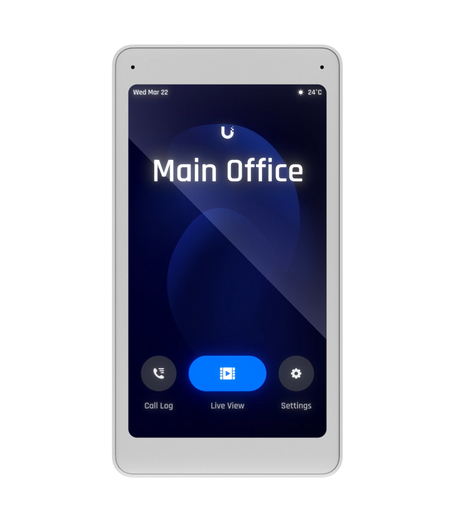
| G3 Pro | NFC, Touch Pass, PIN on touchscreen | 4.7" touchscreen + camera | Two-way | IP55 | PoE (6 W) |
| G2 | NFC | — | — | IP55 | PoE |
| G2 Pro | NFC, PIN | — | Two-way | IP55 | PoE (6 W) |
| Retrofit Reader | NFC, Touch Pass (OSDP) | — | — | IP55 | 12 V DC (2.5 W) |
| Intercom | Keypad | — | Two-way | IP65 | PoE (13 W) |
| G3 Intercom | Keypad, Touch Pass | — | Two-way | IP65 | PoE (13 W) |
| G6 Entry | Doorbell-style entry | 5 MP + 8 MP package camera | Two-way | IP55 | PoE+ |
All readers support the same NFC standards — ISO/IEC 14443A/B, 15693, 18092, MIFARE Classic and DESFire — with a read range under 30 mm, so existing compatible cards often work.
Which reader for which door?
- Main entrance or reception: the G3 Pro. Visitors use the intercom, staff use a card or phone, and contractors get a PIN — and because it integrates with UniFi Protect, the door is also a recorded camera.
- Internal and secondary doors: the G3 Flex (with keypad) or the G3 — cost-effective and compact.
- Apartment or building entrance: an Intercom or G3 Intercom, IP65-rated for exposed positions.
- Front door with deliveries: the G6 Entry, which adds a second camera aimed at the ground for package detection.
Unlock methods: card, phone, PIN and wave
| Method | How it works | Good for |
|---|---|---|
| NFC card or fob | Present a UniFi Access card or pocket keyfob within 30 mm | Staff, contractors, anyone without a smartphone |
| Touch Pass (Apple) | Credential stored on the phone; tap to unlock | Staff who would rather not carry a card |
| PIN / keypad | Numeric code on the G3 Flex, G3 Pro or Intercom | Cleaners, deliveries, temporary access without issuing hardware |
| Hand wave | Wave in front of the G3 reader | Hands-full areas — kitchens, workshops, clinics |
| Mobile app / remote | Unlock from the UniFi app after a video call | Letting a visitor in when nobody is at the door |
Credentials are issued and revoked centrally in UniFi Access, so a departing staff member is removed in seconds rather than requiring a lock change or a card hunt.
Electric strike or magnetic lock?
This choice depends on your door and your fire-safety requirements, and it is worth getting right.
| Electric strike | Magnetic lock (maglock) | |
|---|---|---|
| How it works | Replaces the strike plate; releases the latch when energised | An electromagnet holds a steel plate on the door |
| Typical behaviour | Usually fail-secure — stays locked without power | Always fail-safe — unlocks when power is removed |
| Door types | Doors with a conventional latch and frame | Glass doors, frameless doors, doors without a latch |
| Holding force | Depends on the door hardware | 540 kg and 270 kg models |
| UniFi option | Electric Strike Secure 15 mm | UniFi Magnetic Lock 270 kg / 540 kg |
| Power draw | Around 400 mA | 500–800 mA (higher current, shorter cable runs) |
Lock cabling: gauge and distance limits
This trips up more installations than anything else. A lock draws significant current, and voltage drops over the cable — so the further the lock is from the hub, the thicker the cable must be. Ubiquiti publishes maximum distances by lock type and wire gauge:
| Lock (current draw) | 24 AWG | 22 AWG | Notes |
|---|---|---|---|
| Electric strike (400 mA) | 25 m | 42 m | Longest reach — lowest current |
| Magnetic 540 kg (500 mA) | 12–20 m | 20–32 m | Varies by hub model |
| Magnetic 270 kg (800 mA) | 12 m | 20 m | Highest current, shortest runs |
| Other locks (1 A) | 9 m | 15 m | Check the lock's own specification |
The practical takeaway: mount the hub close to the door, on the secure side. If the hub must be far away — in a comms room, for instance — use thicker cable and check the figures above, or you will get intermittent lock failures that are maddening to diagnose.
Shopping for UniFi Access?
Authorised Ubiquiti reseller: genuine Australian stock, full warranty, competitive prices and price match available.
Starter kits — what is in each
Kits are the simplest way to do a first door, because everything is matched and nothing is missing.
G3 Single Door Starter Kit
Hub, G3 reader and lock hardware for one door. The standard starting point for an office or internal door.
G3 Single Door Starter Kit Professional
The same idea built around the G3 Pro reader — touchscreen, camera and intercom at the door. The right kit for a main entrance.
G3 Gate Starter Kit
Built around the Gate Hub for driveway and boom gates, with the relays and inputs a gate operator needs.
Beyond the kit you will usually want an exit button, a rescue key switch for emergency manual release, and credentials — access cards or keyfobs, both sold in 10-packs. Mounting accessories such as angle mounts and junction boxes are available where the reader needs to sit on an awkward surface.
Planning a door, step by step
- Decide the door's behaviour. Badge in only, or badge in and out? Does it sit on a fire-egress path? That determines hub model and lock type.
- Choose the lock — electric strike for latched doors, magnetic for glass and frameless, fail-safe where egress requires it.
- Choose the reader for who uses the door: G3 Pro at reception, G3 Flex internally, Intercom at a building entrance.
- Position the hub inside the secure area and close to the lock — check the cable distance table above.
- Run one PoE++ cable from a PoE++ capable switch port to the hub.
- Add the extras: exit button, door position sensor, emergency release, rescue key switch.
- Adopt in UniFi Access and set schedules, holidays and per-person permissions.
Gates, elevators and multiple doors
Driveway and boom gates
The Gate Hub is purpose-built: two operator relays to drive a gate motor, an auxiliary relay, and inputs for gate exit request, gate position, and a separate side pedestrian door with its own lock output. That means one hub covers the vehicle gate and the pedestrian gate beside it.
Elevators
The Elevator Starter Kit controls floor selection for up to 18 floors with 18 relays, taking inputs for car position, car status and emergency. It uses PoE++ and supports a Homeplug AV connection — useful because running Ethernet into a moving lift car is rarely practical.
Multiple doors
Each PoE hub controls one door (or one gate plus a side door). For many doors you deploy multiple hubs, all managed centrally. The Retrofit Hub is the exception, supporting two doors from one DC-powered unit.
Retrofitting existing readers and doors
If a building already has access control, you do not necessarily have to replace everything. The UniFi Retrofit Hub accepts third-party Wiegand and OSDP readers, controlling up to two doors from 12/24 V DC power. That lets you keep the existing readers and cabling while moving the management, credentials and audit trail into UniFi Access.
The UniFi Retrofit Reader is the matching OSDP reader with NFC and Touch Pass support, running on 12 V DC — useful for replacing a failed third-party reader without re-cabling to PoE.
Power, PoE and network requirements
- Hubs need PoE++ (802.3bt). Not PoE or PoE+. Check your switch supports PoE++ on the ports you plan to use — see our UniFi switch comparison.
- Readers are powered by the hub, not by your switch, over the hub's PoE+ output ports.
- Cat5e minimum for all PoE runs; the usual 100 m limit applies.
- Budget realistically: a Door Hub Mini draws up to 50 W with PoE output, a Gate Hub up to 60 W. Ten doors is therefore a meaningful load on a switch's PoE budget.
- The Retrofit Hub is DC powered (12/24 V) rather than PoE, so it needs a local power supply.
Safety, compliance and fail-safe design
Access control touches life safety, so three points deserve care:
- Egress. People must be able to get out. Exit buttons, request-to-exit sensors and mechanical override are not optional extras — and doors on egress paths generally need to release on alarm or power loss.
- Emergency release. The full Door Hub has a dedicated emergency input, and the UniFi Rescue key switch provides manual release. Fit one.
- Certification. UniFi Access hubs and readers carry UL 294 access-control certification at Level I for destructive attack, line security, endurance and standby power. Australian installations should still be signed off against local building and fire requirements — the certification supports that conversation, it does not replace it.
Which setup for which building
| Building | Suggested setup |
|---|---|
| Small office, one entry door | G3 Pro Starter Kit — intercom for visitors, cards for staff, PIN for cleaners |
| Office with several internal doors | G3 Pro at reception; G3 Flex + Door Hub Mini on each internal door |
| Warehouse with a driveway gate | Gate Starter Kit for the vehicle gate plus its side door |
| Apartment building | G3 Intercom at the entrance, Door Hubs per common door, Elevator Kit for floor control |
| Existing access system to modernise | Retrofit Hub keeping current Wiegand/OSDP readers |
| Site needing badge-in and badge-out | Full Door Hub (two lock terminals, four PoE ports) with readers both sides |
| Showroom or demonstration | UniFi Access Demo Wall — a portable working display |
New: fingerprint readers. Ubiquiti now makes two UniFi Access readers with a 300-fingerprint sensor, keypad, NFC and Apple Touch Pass. See UniFi Access Fingerprint Readers in Australia: G3 vs Retrofit Explained.
Ready to buy?
Shop genuine Ubiquiti at ARC IP Networks
Authorised Ubiquiti reseller
Ubiquiti at ARC IP Networks
UniFi gateways, switches, Wi-Fi, Protect cameras and Access. Genuine Australian stock with the full manufacturer's warranty, competitive prices and price match available.
Frequently asked questions
Four things: a hub (the brain that switches the lock, mounted inside the secure area), a reader (mounted outside, which people present a card or phone to), a lock (electric strike or magnetic), and PoE++ power to the hub. The hub then powers the readers over its own PoE outputs. A starter kit bundles the hub, reader and lock for a single door, which is the simplest way to begin.
No, and this is an important security feature. The reader only reads credentials - it has no lock control. The hub, mounted inside the secure side of the door, makes the decision and switches the lock. An attacker who destroys the outside reader still cannot open the door.
No. UniFi Access runs on your existing UniFi console or gateway alongside UniFi Network and Protect, with no per-door or per-user licensing fees.
The Door Hub Mini controls one door with one lock terminal, two PoE ports and two extra inputs - suitable for a single reader plus an exit button. The full Door Hub has two lock terminals, four PoE ports and four inputs including a dedicated emergency input, so it supports readers on both sides of the door for badge-in and badge-out.
The G3 Pro for main entrances - it adds a 4.7-inch touchscreen for PIN entry, a camera and two-way intercom, and integrates with UniFi Protect so the door is also a recorded camera. The G3 Flex (with keypad) or standard G3 for internal and secondary doors. An Intercom or G3 Intercom for apartment and building entrances, both IP65-rated. The G6 Entry for front doors where package detection matters.
Electric strikes suit doors with a conventional latch and frame and are typically fail-secure, staying locked without power. Magnetic locks suit glass and frameless doors and are always fail-safe, releasing when power is removed. In Australia, doors on a designated fire-egress path generally must release on alarm or power failure, which usually points to a maglock wired to drop out with the fire system. Confirm the requirement with your fire-safety consultant.
It depends on current draw and wire gauge. Ubiquiti publishes: an electric strike at 400 mA reaches about 25 m on 24 AWG or 42 m on 22 AWG; a 540 kg magnetic lock at 500 mA reaches 12-20 m on 24 AWG; a 270 kg magnetic lock at 800 mA about 12 m on 24 AWG; and 1 A locks only about 9 m on 24 AWG. Mount the hub close to the door, or use thicker cable.
Yes, using the Gate Hub, which provides two operator relays to drive a gate motor, an auxiliary relay, and inputs for gate exit request and position plus a separate side pedestrian door with its own lock output. The hub itself is rated indoor only, so outdoor installations use a weatherproof junction box.
Yes. The Access Elevator Starter Kit controls floor selection for up to 18 floors using 18 relays, with inputs for car position, car status and emergency. It is powered by PoE++ and supports a Homeplug AV connection, which is useful because running Ethernet into a moving lift car is rarely practical.
Often yes. The UniFi Retrofit Hub accepts third-party Wiegand and OSDP readers and controls up to two doors from 12/24 V DC power, so you can keep existing readers and cabling while moving credentials, permissions and the audit trail into UniFi Access. This makes a staged migration practical.
NFC cards and keyfobs (sold in 10-packs), Apple Touch Pass on a phone, PIN codes on keypad-equipped readers, hand wave on the G3, and remote unlock from the UniFi app. The readers support ISO/IEC 14443A/B, 15693 and 18092 along with MIFARE Classic and DESFire, so many existing compatible cards will work.
Hubs require PoE++ (802.3bt) - not standard PoE or PoE+. A Door Hub Mini draws up to 50 W with PoE output active and a Gate Hub up to 60 W, so check both your switch's per-port class and its total PoE budget before planning multiple doors.
UniFi Access hubs and readers carry UL 294 access-control certification at Level I for destructive attack, line security, endurance and standby power. Australian installations should still be signed off against local building and fire-safety requirements - the certification supports that process rather than replacing it.
ARC IP Networks stocks the UniFi Access range in Australia as an authorised Ubiquiti reseller, with genuine Australian stock, manufacturer warranty, GST tax invoices and fast Australia-wide shipping. Browse UniFi Access hardware or call 1300 100 440 for multi-door project pricing.

Related reading
- What else you need to buy with a UniFi NVR
- Outgrowing a UniFi Cloud Key: when to move to a rack console
- How much storage do you need for security cameras?
- How to set up a UniFi Protect NVR — and migrate cameras from an old one
- UniFi Protect NVR comparison: which recorder do you need?
- Ubiquiti ENVR: the complete Australian guide
- Ubiquiti UDM-Beast: the complete Australian guide
- UDM-Beast vs UDM-Pro-Max: do you need the Beast?
- Start here: Ubiquiti Australia — the complete UniFi buying guide
- UniFi Cloud Gateway comparison: UCG-Fiber vs Ultra vs Max vs UXG
- Browse all Ubiquiti UniFi Access hardware
- UniFi switch comparison: PoE++ switching for Access hubs
- Best UniFi Protect cameras: pairing doors with cameras
- UDM Pro vs UDM SE vs UDM Pro Max: the console that runs UniFi Access
- Buying Ubiquiti in Australia: authorised reseller guide
Who we are
About ARC IP Networks
ARC IP Networks is an Australian supplier of networking, Wi-Fi and gateway equipment, based in Blackburn, Melbourne, Victoria. We work with homeowners, installers, integrators and businesses across Australia, supplying Ubiquiti UniFi, MikroTik, TP-Link, Ruijie, Teltonika and D-Link.
We are an authorised Ubiquiti, MikroTik, TP-Link, Ruijie, Teltonika and D-Link reseller, so you get genuine Australian stock with the full manufacturer's warranty, never grey imports, at competitive prices. Our team can help you choose the right equipment, and trade customers get trade accounts and project pricing on larger jobs.
- Genuine Australian stock with the full manufacturer's warranty
- Competitive prices, price match available
- Trade accounts for installers, integrators and MSPs
- Australia-wide delivery; showroom in Blackburn, Mon–Fri 9–5 (demos by appointment)
Need help choosing?
Tell the ARC IP Networks team what you are trying to achieve and we will recommend the right equipment and quote it as one order.