In one paragraph: the Ubiquiti UDM-Beast is the largest all-in-one UniFi console — a 1U rack-mount gateway that routes, switches at 10 GbE and records security cameras in a single chassis. It inspects traffic at 25 Gbps with IDS/IPS enabled, supports 7,500+ simultaneous users and 750+ managed UniFi devices, includes eight 10 GbE RJ45 ports plus 25G SFP28 and 10G SFP+ connectivity, and records up to 40 4K UniFi Protect cameras on two internal drive bays. It runs on an octa-core ARM v9 processor with 16 GB of memory, and carries no licensing or subscription fees.
What the UDM-Beast is — and who it is for
Most networks are built from separate boxes: a firewall, a switch, and a recorder for the cameras. The UDM-Beast collapses all three into one 1U unit and manages them from a single interface, with no per-device or per-camera licensing.
That consolidation is the point. It suits organisations that want serious capacity without a rack full of equipment — larger offices, warehouses and logistics sites, hospitality venues, and managed service providers standardising client sites on one hardware model. It is the top of the Dream Machine line, and the only one that combines multi-gigabit inspection with built-in 10 GbE switching and a large camera recorder.
Full specifications
| Category | Specification |
|---|---|
| IDS/IPS throughput | 25 Gbps |
| Threat signatures | 55,000+ with CyberSecure |
| Simultaneous users | 7,500+ |
| Managed UniFi devices | 750+ |
| Managed Access door hubs | 200 |
| UniFi Protect cameras | 100 HD / 60 2K / 40 4K |
| NVR storage | (2) 3.5" drive bays + built-in 128 GB SSD |
| Default WAN ports | (1) 25G SFP28 + (1) 10 GbE RJ45 |
| Max. WAN ports | 8 |
| 10 GbE RJ45 ports | 8 (10G / 5G / 2.5G / 1G / 100M) |
| 1 GbE RJ45 ports | 2 |
| SFP ports | (2) 25G SFP28 + (2) 10G SFP+ |
| Console port | 1 |
| MAC address table | 32,000 |
| Processor | Octa-core ARM v9 at 2.1 GHz |
| System memory | 16 GB |
| On-board storage | Integrated 128 GB SSD |
| Redundancy | Shadow Mode (VRRP) gateway failover; USP-RPS DC power input |
| Power supply | Internal 150 W; max. consumption 100 W |
| Heat dissipation | 342 BTU/hr |
| Form factor | 1U rack mount, 442.4 × 43.7 × 325 mm, 5.5 kg |
| Display | 1.3" touchscreen |
| Operating temperature | 0 to 40 °C |
What 25 Gbps of inspection actually means
The 25 Gbps figure is IDS/IPS throughput — traffic inspected with intrusion prevention switched on, which is the demanding measurement. Three practical implications:
- Your internet connection will never be the limit. Even a 10 Gbps business fibre service uses under half of it with full inspection running.
- Internal routing is where it gets consumed. Traffic crossing VLANs passes through the gateway — cameras writing to a recorder, staff pulling from a NAS, backups moving between segments. On a busy site that can dwarf internet traffic entirely.
- Headroom protects the experience. A gateway running near its inspection ceiling produces latency and jitter long before it produces any obvious failure.
For comparison, a UDM-Pro-Max inspects at 5 Gbps and the Enterprise Fortress Gateway at 12.5 Gbps. The Beast is the fastest inspecting UniFi gateway Ubiquiti publishes.
The eight 10 GbE ports — the underrated feature
This is the specification most buyers overlook, and it often changes the bill of materials more than the throughput does. The Beast includes eight 10 GbE RJ45 ports, each also negotiating 5G, 2.5G, 1G and 100M, alongside two 1 GbE ports, two 10G SFP+ and two 25G SFP28.
In effect the gateway includes a small 10-gigabit switch. Servers, a NAS, a video-editing workstation or the uplinks from your access-layer switches can plug straight in at full speed. On a modest site that can remove the need for a separate 10 GbE switch entirely.
UniFi Protect: 40 4K cameras inside the gateway
The Beast has two 3.5-inch drive bays and a built-in 128 GB SSD that accelerates the operating system and applications. It records up to 100 HD, 60 2K or 40 4K UniFi Protect cameras — a genuinely large surveillance system, with no per-camera licence fee.
Two practical notes. Drives are not included: fit surveillance-rated 3.5-inch drives sized to your retention target. As a guide, a 4K camera consumes roughly 30–50 GB per day of continuous recording, so twenty 4K cameras kept for 30 days needs in the order of 24 TB — which will exceed two bays, and is the point at which a dedicated recorder makes more sense. See our camera and NVR guide.
Users, devices and session scale
Three separate figures matter, and they are easy to conflate:
- 7,500+ simultaneous users — the phones, laptops, tablets and IoT devices connected at once.
- 750+ managed UniFi devices — the access points, switches and cameras the console adopts.
- 200 Access door hubs — so door count is rarely the limiting factor.
Its 32,000-entry MAC address table is also eight times that of the Dream Machine range, which matters on networks with very large numbers of connected devices.
One honest caveat: Ubiquiti does not publish concurrent-session or new-sessions-per-second figures for the Beast, where it does for the Enterprise Fortress Gateway (one million sessions, 71,000 per second). If your scaling problem is session churn — a school at bell time, a stadium concourse — that is worth weighing. We cover the distinction in UDM-Beast vs EFG.
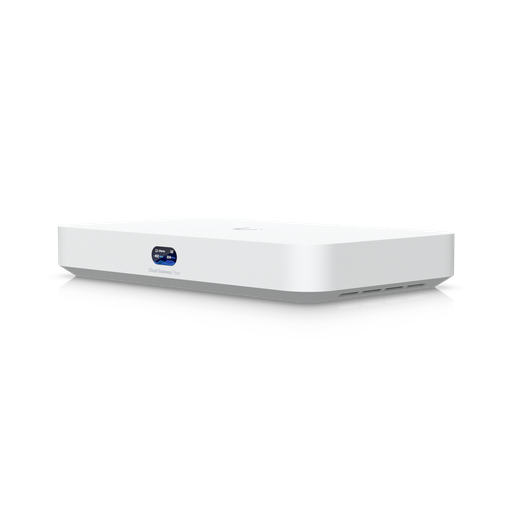
Shopping for UniFi Cloud Gateways?
Authorised Ubiquiti reseller: genuine Australian stock, full warranty, competitive prices and price match available.
Ports and connectivity in detail
- (2) 25G SFP28 — one is the default WAN; the other typically uplinks to an aggregation switch.
- (2) 10G SFP+ — additional fibre or DAC connectivity.
- (8) 10 GbE RJ45 — the built-in switch, for servers, storage and access-layer uplinks.
- (2) 1 GbE RJ45 — management and lower-speed devices.
- Up to 8 WAN ports can be configured for multi-WAN failover and load balancing.
- Console port for direct serial access.
SFP28 and SFP+ cages accept direct-attach copper (DAC) cables for short in-rack runs, which is substantially cheaper than optics.
Power, cooling and high availability
The Beast draws a maximum of 100 W from an internal 150 W supply and dissipates 342 BTU/hr. It also accepts a USP-RPS DC input for external redundant power, and supports Shadow Mode (VRRP) gateway failover, where a second console runs synchronised in standby and takes over automatically if the primary fails.
What it does not have is internal hot-swappable power supplies — that is the Enterprise Fortress Gateway's differentiator. If a failed power supply must be replaceable without any interruption, that is the model to look at.
It is an actively cooled 1U unit rated 0–40 °C, so it belongs in a rack or comms room rather than an occupied office, and ventilation deserves attention in an Australian summer.
What the UDM-Beast does not do
An honest guide should be as clear about limits as capabilities:
- No PoE. None of its ports power devices. You need a PoE switch for access points and cameras.
- No hot-swappable power supplies. Redundancy is via USP-RPS DC input and Shadow Mode failover.
- The standard threat-signature tier. 55,000+ signatures with CyberSecure, not the 95,000+ CyberSecure Enterprise tier used by the EFG and UXG Enterprise — and no published SSL/TLS inspection figure.
- No integrated WiFi. Access points are separate.
- Two drive bays only. Large camera counts with long retention need a dedicated NVR.
Designing a UDM-Beast deployment
1. The gateway
The UDM-Beast at the edge, internet on the 25G SFP28 or 10 GbE WAN, and a second console in Shadow Mode if you need whole-unit redundancy.
2. PoE switching
Essential — the Beast powers nothing. The Pro XG 24 PoE pairs naturally, or the Enterprise 48 PoE for port density.
4. Cameras and drives
Up to 40× 4K recorded internally; add surveillance-rated drives. Browse UniFi Protect cameras.
5. Servers and storage
Plug straight into the eight 10 GbE ports — often removing a separate 10 GbE switch.
6. Redundant power
A USP-RPS unit for DC backup, plus a rack UPS for mains protection.
Where the Beast makes sense
A logistics warehouse and office
Heavy inter-VLAN traffic between scanners, WMS servers and cameras is a throughput problem, and the 25 Gbps ceiling absorbs it. Servers connect directly to the 10 GbE ports, and fifteen to twenty cameras record in the same chassis — one box instead of three.
A managed service provider standardising sites
750+ managed devices and 7,500+ users per site mean one hardware model covers nearly every client, and Site Magic links them. Fewer SKUs to stock, fewer platforms to learn.
A large office consolidating a rack
Replaces a gateway, a small 10 GbE switch and an NVR with a single 1U unit — freeing rack space, power and cooling while raising throughput.
Where it is the wrong choice
Sites needing hot-swappable power redundancy, encrypted-traffic inspection or the 95,000-signature tier should look at the EFG instead. Sites under 2,000 clients should look at the UDM-Pro-Max.
How it compares to other UniFi gateways
| UDM-Pro-Max | EFG | UDM-Beast | |
|---|---|---|---|
| IDS/IPS | 5 Gbps | 12.5 Gbps | 25 Gbps |
| Threat signatures | 55,000+ | 95,000+ | 55,000+ |
| Users | 2,000 | 5,000+ | 7,500+ |
| Managed devices | 200+ | 500+ | 750+ |
| Camera recording | 15× 4K | — | 40× 4K |
| 10 GbE copper ports | — | — | 8 |
| Hot-swap PSUs | — | Yes (2) | — |
Read the detail in UDM-Beast vs EFG, the three-way rack-mount comparison, or the Dream Machine range guide.
Ready to buy?
Shop genuine Ubiquiti at ARC IP Networks
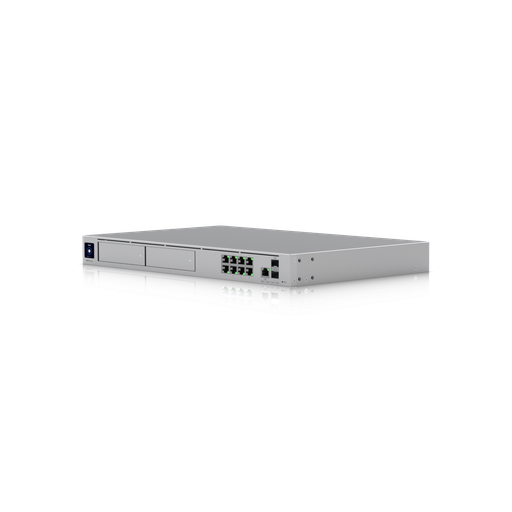
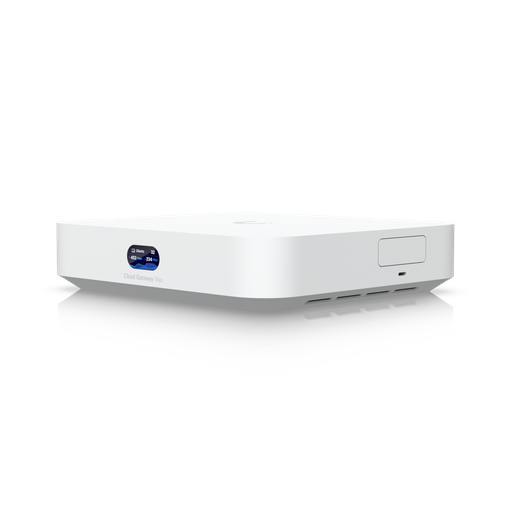
Authorised Ubiquiti reseller
Ubiquiti at ARC IP Networks
UniFi gateways, switches, Wi-Fi, Protect cameras and Access. Genuine Australian stock with the full manufacturer's warranty, competitive prices and price match available.
Frequently asked questions
The UDM-Beast is Ubiquiti's largest all-in-one UniFi console: a 1U rack-mount gateway that routes, switches at 10 GbE and records cameras in one chassis. It inspects traffic at 25 Gbps with IDS/IPS enabled, supports 7,500+ simultaneous users and 750+ managed UniFi devices, includes eight 10 GbE RJ45 ports plus 25G SFP28 and 10G SFP+ connectivity, and records up to 40 4K UniFi Protect cameras on two internal drive bays, using an octa-core ARM v9 processor with 16 GB of memory.
It inspects traffic at up to 25 Gbps with intrusion detection and prevention enabled - the fastest figure Ubiquiti publishes for a UniFi gateway, and double the 12.5 Gbps of the Enterprise Fortress Gateway or five times the 5 Gbps of the UDM-Pro-Max. In practice this means your internet connection will never be the constraint; the throughput is consumed by inter-VLAN routing on busy internal networks.
No. None of the UDM-Beast's ports supply Power over Ethernet, so access points, cameras and door readers need a separate PoE switch or injectors. Its eight 10 GbE ports are intended for self-powered equipment such as servers, storage and switch uplinks.
Up to 100 HD, 60 2K or 40 4K UniFi Protect cameras, using its two 3.5-inch drive bays and built-in 128 GB SSD, with no per-camera licence fees. Hard drives are not included - fit surveillance-rated drives sized to your retention requirement, allowing roughly 30-50 GB per day per 4K camera.
Not internally. It has a single internal 150 W supply plus a USP-RPS DC input for external backup power, and supports Shadow Mode (VRRP) failover to a second gateway. For two hot-swappable internal power supplies you would choose the Enterprise Fortress Gateway.
The Beast leads on capacity and consolidation: 25 Gbps inspection versus 12.5, 7,500+ users versus 5,000+, eight built-in 10 GbE ports, and camera recording for up to 40 4K cameras. The EFG leads on security depth and uptime: 95,000+ threat signatures on the CyberSecure Enterprise tier, published SSL/TLS inspection and session capacity, and two hot-swappable power supplies. The EFG has no built-in camera recording.
Partly. Its eight 10 GbE RJ45 ports can serve servers, storage and access-layer uplinks directly, which on a modest site removes the need for a separate 10 GbE switch. But because it provides no PoE, you will still need a PoE switch for access points, cameras and door readers.
7,500 or more simultaneous users, 750 or more managed UniFi devices such as access points, switches and cameras, and up to 200 UniFi Access door hubs. Its MAC address table holds 32,000 entries, eight times that of the standard Dream Machine range.
No. UniFi Network, Protect, Access and Talk run on the hardware with no licensing, per-camera or per-device subscription fees.
One rack unit, 442.4 x 43.7 x 325 mm, weighing 5.5 kg. It draws a maximum of 100 W from an internal 150 W supply and dissipates 342 BTU/hr, rated for 0 to 40 degrees C ambient. It is actively cooled, so a rack or comms room suits it better than an occupied office.
Possibly. If you have fewer than about 2,000 clients, do not need 10 GbE copper ports, and record fewer than 15 4K cameras, a UDM-Pro-Max or UDM-SE will do the same job for considerably less. The Beast earns its place when throughput, client count, device count or camera capacity exceed what those models carry.
ARC IP Networks stocks the UDM-Beast in Australia as an authorised Ubiquiti reseller, with genuine Australian stock, manufacturer warranty, GST tax invoices and fast Australia-wide shipping. View the UDM-Beast or call 1300 100 440 for project pricing.

Related reading
- What else you need to buy with a UniFi NVR
- Outgrowing a UniFi Cloud Key: when to move to a rack console
- How much storage do you need for security cameras?
- How to set up a UniFi Protect NVR — and migrate cameras from an old one
- UniFi Protect NVR comparison: which recorder do you need?
- Ubiquiti ENVR: the complete Australian guide
- UDM-Beast product page and current Australian pricing
- UDM-Beast vs EFG: hyperscale throughput or enterprise resilience?
- UDM-Beast vs UDM-Pro-Max: do you need the Beast?
- UXG Enterprise vs EFG vs UDM-Beast
- UniFi switch comparison — PoE switching for a Beast deployment
Who we are
About ARC IP Networks
ARC IP Networks is an Australian supplier of networking, Wi-Fi and gateway equipment, based in Blackburn, Melbourne, Victoria. We work with homeowners, installers, integrators and businesses across Australia, supplying Ubiquiti UniFi, MikroTik, TP-Link, Ruijie, Teltonika and D-Link.
We are an authorised Ubiquiti, MikroTik, TP-Link, Ruijie, Teltonika and D-Link reseller, so you get genuine Australian stock with the full manufacturer's warranty, never grey imports, at competitive prices. Our team can help you choose the right equipment, and trade customers get trade accounts and project pricing on larger jobs.
- Genuine Australian stock with the full manufacturer's warranty
- Competitive prices, price match available
- Trade accounts for installers, integrators and MSPs
- Australia-wide delivery; showroom in Blackburn, Mon–Fri 9–5 (demos by appointment)
Need help choosing?
Tell the ARC IP Networks team what you are trying to achieve and we will recommend the right equipment and quote it as one order.