Short answer: the recorder is rarely more than half the project. A working UniFi Protect system also needs hard drives (never included), a PoE switch (every recorder except the UNVR Instant), cameras and their mounts, Cat5e or better cabling, and a gateway or console to run the network. Beyond that, the items people forget until install day are a UPS, a spare drive, and the right mounting accessories for awkward surfaces. Budget the whole list up front and there are no surprises on the day.
The essentials — you cannot record without these
| Item | Included with the recorder? | Why you need it |
|---|---|---|
| Hard drives | No — never | Recorders ship with empty bays |
| PoE switch | No (except the UNVR Instant) | Cameras are powered over their network cable |
| Cameras | No (except kit bundles) | Obviously — but choose by distance and lighting |
| Cabling | No | Cat5e minimum, one run per camera |
| Gateway / console | No | Runs the network the cameras sit on |
| Rack rails and mounting hardware | Yes on rack recorders | Included in the box |
Hard drives
The single largest omission in most budgets. Every UniFi recorder ships empty, and on a 16-bay unit the drives can cost more than the recorder.
- Surveillance-rated only. Built for continuous writing and for multiple drives vibrating in one chassis. Desktop drives fail early in this duty.
- Check the compatibility list before ordering — compatibility is physical as well as electronic, and some drives lack the mounting screw positions the caddies expect.
- Fewer, larger drives. Bay count is fixed at purchase; drive size is the only thing you can grow.
- Size for usable, not raw — redundancy consumes capacity. Our storage sizing guide walks through the maths.
PoE switching
Only the UNVR Instant powers cameras itself, with six built-in PoE ports. Every other recorder expects a switch, and two numbers decide which one:
- Total PoE budget — add up every camera's maximum draw, then add 30% headroom.
- Per-port class — a switch with a large total budget still cannot run a PoE++ camera if its ports top out at PoE+.
Rough guide: most 4K cameras draw 10–20 W (PoE or PoE+), PTZ and multi-sensor models 20–60 W (PoE++). Ten mixed cameras typically lands around 200–250 W with headroom. Model-by-model detail is in the switch comparison.
Cabling and connectors
- Cat5e is the minimum; Cat6 or Cat6A is worth it if you may later run 2.5 GbE or 10 GbE over the same runs.
- 100 m limit per run, including patch leads at both ends. Longer distances need a switch or a wireless link in between.
- Outdoor-rated cable for external runs, and UV-stable where exposed.
- Surge protection on cable runs that leave the building — a strike on a long external run can travel back into the switch.
- Patch panel and patch leads if the recorder lives in a rack. Terminating cameras straight into a switch works but makes later changes painful.
Camera mounts and accessories
Cameras include a basic mount. What is often needed on top:
- Junction boxes — for a tidy termination and weather protection where cable enters the wall.
- Angle and pole mounts — for eaves, soffits, poles and awkward surfaces.
- Wall or ceiling adapters where the surface is not flat.
- Stainless fixings in coastal areas — mounting hardware corrodes long before the camera does.
Which mount suits which camera depends on the model — see the camera range guide.
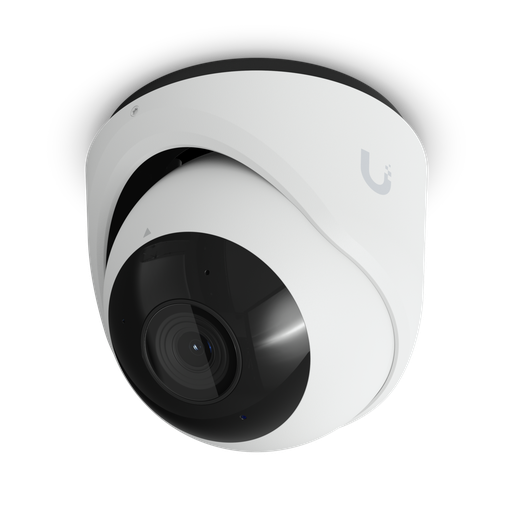
Shopping for UniFi Protect cameras?
Authorised Ubiquiti reseller: genuine Australian stock, full warranty, competitive prices and price match available.
The gateway or console
UniFi Protect runs on a console. If you are buying a dedicated recorder it is the console for the cameras, but you still need a gateway for the network itself — routing, firewall and VLANs.
Worth checking before you buy both: several UniFi gateways record cameras themselves, so a small site may need no separate recorder at all. The NVR comparison covers where that line falls.
Worth buying, often skipped
| Item | Why |
|---|---|
| UPS | The only protection against mains failure. A recorder losing power mid-write is how arrays get damaged — and an outage is exactly when you want cameras running |
| A spare drive on the shelf | Turns a failure into a ten-minute swap instead of a week's wait, especially at remote sites |
| Network storage for archiving | Where retention exceeds the bays, or an off-box copy is required — for example a UniFi NAS |
| A display or viewport | For a live wall in a control room or reception. Only the UNVR Instant has HDMI built in |
| Access points | If the site needs WiFi as well — see the AP guide |
| Labelling and cable management | Unglamorous, but the difference between a five-minute fault find and an afternoon |
Recorder accessories
On enterprise recorders there are a couple of optional extras worth knowing about:
- Front bezel — the ENVR bezel adds a 4.7-inch touchscreen and configurable status LEDs to the front panel. Optional; the recorder has a notification LED and reset button without it.
- Redundant power unit — recorders without dual internal supplies often accept an external redundant power supply for DC backup.
- Rack shelf or rails — rails come with rack recorders, but check your cabinet depth, since a 3U enterprise recorder can be around 480 mm deep.
Three worked shopping lists
Home or small shop — 4 cameras
- UNVR Instant (has PoE and HDMI built in — no switch needed)
- 1 × surveillance drive sized to retention
- 4 × cameras and mounts, junction boxes where cable enters the wall
- Cat5e or Cat6 cable, outdoor-rated for external runs
- Small UPS
Small business — 12 cameras
- A 4-bay or 7-bay recorder, or a gateway that records if the count allows
- 3–5 × surveillance drives with parity
- PoE switch sized to the camera load with 30% headroom, plus uplink ports
- 12 × cameras, mounts, junction boxes
- Patch panel and patch leads, cable management
- UPS, plus a spare drive
School, hotel or warehouse — 40 cameras
- A 16-bay enterprise recorder with dual power supplies — see the ENVR guide
- 8–16 × large surveillance drives with two parity drives
- One or more PoE switches with PoE++ ports for PTZ and multi-sensor cameras
- 40 × cameras with mounts and junction boxes
- Gateway sized for the site, patch panels, structured cabling
- Rack UPS, spare drives, optional bezel, network storage for archiving
Ready to buy?
Shop genuine Ubiquiti at ARC IP Networks
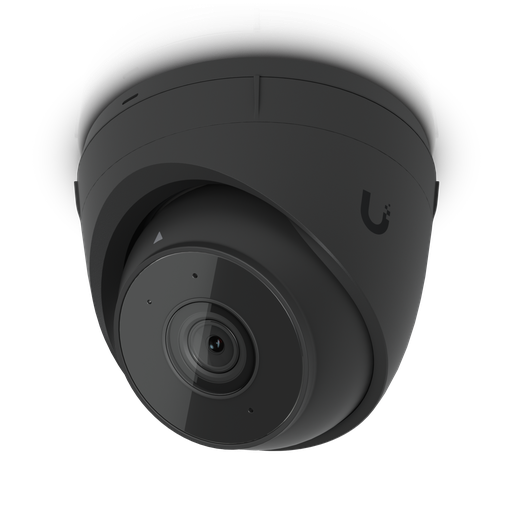
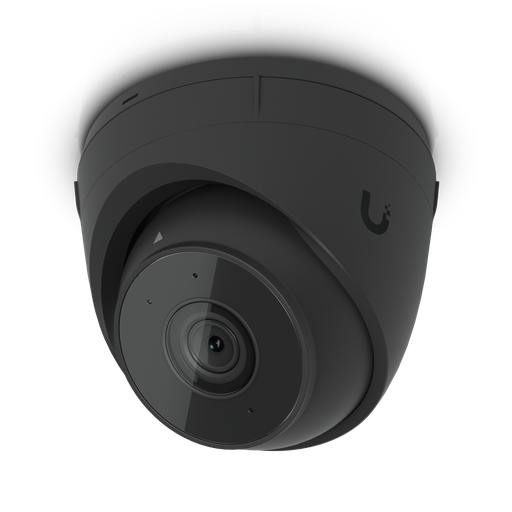
Authorised Ubiquiti reseller
Ubiquiti at ARC IP Networks
UniFi gateways, switches, Wi-Fi, Protect cameras and Access. Genuine Australian stock with the full manufacturer's warranty, competitive prices and price match available.
Frequently asked questions
At minimum: hard drives (never included), a PoE switch to power the cameras (every recorder except the UNVR Instant), the cameras and their mounts, Cat5e or better cabling, and a gateway to run the network. Rack rails and mounting hardware are included with rack recorders. Worth adding: a UPS, a spare drive, and junction boxes for tidy outdoor terminations.
No. Every UniFi Protect recorder ships with empty bays. Use surveillance-rated drives designed for continuous writing, check the manufacturer's compatibility list before ordering, and remember that redundancy reduces usable capacity below the raw total.
For every recorder except the UNVR Instant, yes - cameras are powered over their network cable and the recorder does not supply power. The UNVR Instant is the exception, with six built-in PoE ports and an HDMI output, which makes it a complete small system in one box.
Add up every camera's maximum draw and add about 30% headroom, then check the per-port class separately - a switch with a large total budget still cannot run a PoE++ camera if its ports top out at PoE+. Most 4K cameras draw 10-20 W, while PTZ and multi-sensor models can need 20-60 W. Also count uplink ports for the recorder and gateway.
Cat5e is the minimum and Cat6 or Cat6A is worth it if the same runs may later carry 2.5 GbE or 10 GbE. Each run is limited to 100 metres including patch leads. Use outdoor-rated, UV-stable cable for external runs, and consider surge protection where cable leaves the building.
It is strongly recommended. A UPS is the only protection against mains failure, and a power loss is exactly when you want cameras recording. It also protects the recorder from losing power mid-write, which is a common cause of array damage.
Yes, particularly for larger arrays or remote sites. A spare on the shelf turns a drive failure into a ten-minute swap rather than a wait for delivery, during which the array is running without its usual protection.
The ENVR bezel is an optional front faceplate with a 4.7-inch touchscreen and configurable status LEDs. It is not required - the recorder has a notification LED and reset button on the front without it - and it is sold separately.
Yes. Footage can be archived to network storage such as a UniFi NAS, which is the usual approach where retention requirements exceed what the drive bays can hold, or where an off-box copy is needed for compliance.
Cameras include a basic mount, but outdoor installations frequently need extras: junction boxes for weatherproof cable entry, angle or pole mounts for eaves and poles, and adapters for uneven surfaces. In coastal areas use stainless fixings, since mounting hardware corrodes long before the camera does.
ARC IP Networks stocks the complete UniFi Protect ecosystem in Australia as an authorised Ubiquiti reseller, with genuine Australian stock, manufacturer warranty, GST tax invoices and fast Australia-wide shipping. Browse cameras and recorders or call 1300 100 440 and we will build the full list with you.

Who we are
About ARC IP Networks
ARC IP Networks is an Australian supplier of networking, Wi-Fi and gateway equipment, based in Blackburn, Melbourne, Victoria. We work with homeowners, installers, integrators and businesses across Australia, supplying Ubiquiti UniFi, MikroTik, TP-Link, Ruijie, Teltonika and D-Link.
We are an authorised Ubiquiti, MikroTik, TP-Link, Ruijie, Teltonika and D-Link reseller, so you get genuine Australian stock with the full manufacturer's warranty, never grey imports, at competitive prices. Our team can help you choose the right equipment, and trade customers get trade accounts and project pricing on larger jobs.
- Genuine Australian stock with the full manufacturer's warranty
- Competitive prices, price match available
- Trade accounts for installers, integrators and MSPs
- Australia-wide delivery; showroom in Blackburn, Mon–Fri 9–5 (demos by appointment)
Need help choosing?
Tell the ARC IP Networks team what you are trying to achieve and we will recommend the right equipment and quote it as one order.