In one paragraph: the Ubiquiti ENVR is the enterprise recorder in the UniFi Protect range — a 3U rack-mount network video recorder with 16 drive bays that records up to 210 HD, 140 2K or 70 4K cameras. It runs an 8-core 2.5 GHz processor with 32 GB of memory, connects over two 10G SFP+ ports and a 10 GbE RJ45, supports hard-drive redundancy, and carries two hot-swappable 550 W power supplies so a failed supply can be replaced without interrupting recording. Like all UniFi Protect hardware it has no per-camera licence fees.
What the ENVR is — and who it is for
Small UniFi sites record cameras on the gateway. That works well up to a point, and the point is usually somewhere between eight and fifteen 4K cameras — after which you run out of drive bays long before you run out of ambition.
The ENVR is the answer at that scale. It is a dedicated recorder that does one job properly: ingest, store and serve video for a large camera system, with the redundancy a serious surveillance installation needs. It suits schools and campuses, hotels, warehouses and logistics sites, shopping centres, hospitals and multi-building estates — anywhere a gap in footage is a compliance, insurance or safety problem rather than an inconvenience.
Full specifications
| Category | Specification |
|---|---|
| Managed cameras | (210) HD / (140) 2K / (70) 4K |
| Storage capacity | (16) 2.5" / 3.5" drive bays |
| Drive support | HDD or SSD, with hard-drive redundancy (RAID) |
| Max. power budget for drives | 310 W |
| Networking | (2) 10G SFP+ ports + (1) 10 GbE RJ45 port |
| Processor | 8-core ARM at 2.5 GHz |
| Memory | 32 GB |
| Power supplies | (2) hot-swappable 550 W CRPS, redundant |
| Power input | (2) AC input, 100–240 V, 7 A max, 50/60 Hz |
| Max. power consumption | 410 W |
| Form factor | 3U rack mount |
| Dimensions | 481.4 × 480 × 132 mm |
| Weight | 19.5 kg (without drives) |
| Application | UniFi Protect — no per-camera licensing |
Camera capacity in practice
The three published figures reflect processing load by resolution:
| Resolution | Cameras | Typical use |
|---|---|---|
| HD (1080p) | 210 | Large sites with many general-coverage cameras |
| 2K | 140 | Mixed deployments |
| 4K | 70 | Identification-grade coverage throughout |
You can mix resolutions freely — the practical way to think about it is that each 4K stream costs roughly three times an HD stream, so a site with 20 4K cameras and 90 HD cameras sits comfortably inside the ENVR.
Sizing storage for 16 bays
Use these working figures for continuous recording at UniFi Protect defaults:
- HD camera: ~8–15 GB per day
- 2K camera: ~15–25 GB per day
- 4K camera: ~30–50 GB per day
| System | Retention | Approximate storage |
|---|---|---|
| 25× 4K cameras | 30 days | ~30 TB |
| 40× 4K cameras | 30 days | ~48 TB |
| 70× 4K cameras | 30 days | ~84 TB |
| 70× 4K cameras | 90 days | ~250 TB — beyond 16 bays; reduce frame rate or use motion recording |
Three ways to bring these numbers down without losing what matters: record on motion or smart detection rather than continuously on low-traffic cameras, lower the frame rate where you only need evidence rather than smooth motion, and mix resolutions — 4K where you need to identify people, HD where you only need to see that something happened.
Redundancy: drives and power
Hard-drive redundancy
The ENVR supports drive redundancy across its 16 bays, so a failed disk does not take footage with it. On a system holding weeks of evidence across dozens of cameras, that is not optional — disks fail, and they fail more often under continuous write loads.
Dual hot-swappable power supplies
The ENVR carries two hot-swappable 550 W CRPS modules. Either can fail or be removed while the recorder keeps running, and replacement happens from the front of the rack with no shutdown. Feed the two supplies from separate circuits or separate UPS units and you also survive a circuit failure rather than just a component failure.
This is the clearest single difference between the ENVR and the UNVR range, which use an internal supply with a USP-RPS DC input. If your obligation is continuous recording, it is usually the deciding specification.
Networking and throughput
The ENVR provides two 10G SFP+ ports and one 10 GbE RJ45. That matters more than it might appear: a large camera system generates a constant inbound stream, and review or export spikes on top of it. Seventy 4K cameras can comfortably exceed what a gigabit link will carry.
Two 10G ports also allow redundant paths into your core, so a single switch or cable fault does not stop recording. Pair it with an aggregation or Pro XG switch — see the switch comparison.
What the ENVR does not do
- It does not power cameras. There is no PoE — cameras are powered by a PoE switch.
- It does not route or firewall. It is a recorder; you still need a gateway.
- Drives are not included. Sixteen empty bays; budget for surveillance-rated disks.
- It is not small. 3U, 480 mm deep and 19.5 kg before drives — this needs a proper rack.
Designing an ENVR deployment
1. The recorder
The ENVR with surveillance-rated drives sized to your retention target, in RAID for resilience.
2. PoE switching
Cameras draw PoE, PoE+ or PoE++ — the Pro XG 24 PoE or Enterprise 48 PoE for larger counts.
3. Cameras
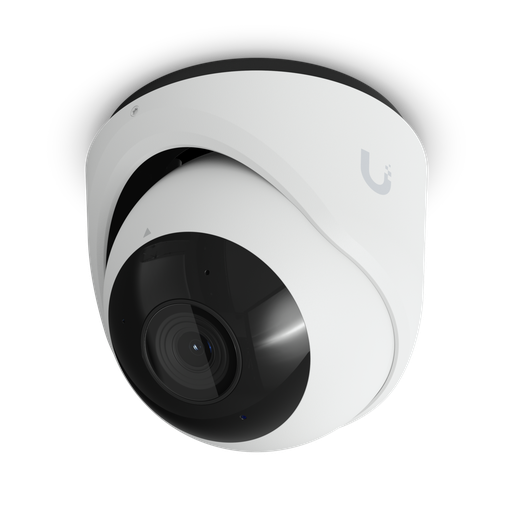
Mix resolutions by purpose — see the camera range guide and the AI Turret.
4. Gateway
Routing stays separate. For enterprise sites see the EFG guide.
5. AI detection
The AI Key adds site-wide smart detections without replacing cameras.
6. Power protection
Two circuits into the two PSUs, plus a rack UPS for mains failure.
Shopping for UniFi Protect cameras?
Authorised Ubiquiti reseller: genuine Australian stock, full warranty, competitive prices and price match available.
Where the ENVR makes sense
A school or campus
Thirty to sixty cameras across buildings, footage retained for a term, and no acceptable gap in coverage during school hours. Dual power supplies mean a failed PSU is a maintenance task rather than an incident.
A hotel or accommodation property
Common areas, car parks, back-of-house and lifts, recorded continuously with long retention for insurance and dispute resolution. The 16 bays carry the retention; the redundancy carries the obligation.
A warehouse or logistics site
High camera counts across a large footprint, 24-hour operation and no maintenance window. Dual 10G links handle the aggregate stream from dozens of 4K cameras.
Where it is more than you need
Under about 24 4K cameras, a UNVR Pro costs less and does the job. Under 15, a Dream Machine may record them with no separate recorder at all.
ENVR vs the rest of the range
| UNVR | UNVR Pro | ENVR | ENVR Core | |
|---|---|---|---|---|
| 4K cameras | 18 | 24 | 70 | 300 |
| Drive bays | 4 | 7 | 16 | 16 (to 48) |
| Networking | 10G SFP+ + GbE | 10G SFP+ + GbE | (2) 10G SFP+ + 10 GbE | (2) 25G SFP28 |
| Hot-swap PSUs | — | — | Yes (2) | Yes (2) |
| Memory | Lower tier | 32 GB | 64 GB | |
Full detail in our UniFi Protect NVR comparison.
Rack, power and environment
- Rack space: 3U and 480 mm deep — a full-depth four-post rack, not a shallow wall cabinet.
- Weight: 19.5 kg empty, and considerably more with 16 drives. Use rails and consider two people for installation.
- Power: two AC inputs, up to 410 W total with 310 W available for drives. Feed the two supplies from separate circuits where possible.
- Cooling: sixteen spinning drives generate real heat — make sure the rack has airflow, particularly in an Australian summer comms room.
Scaling beyond one recorder: multiple NVRs, one interface
A single ENVR tops out at 70 4K cameras. The question large sites ask next is what happens beyond that — and the answer is that you do not manage a second system separately.
In Ubiquiti's own product introduction for the Enterprise NVR, the stated approach is to combine multiple NVRs into a single interface through UniFi Site Manager, regardless of where each recorder is physically installed. That turns several ENVRs across different buildings, campuses or cities into one operational view, and Ubiquiti states that AI vision services scale across those physical locations too — all with no licensing fees, consistent with the rest of the UniFi Protect platform.
Practically, that changes how you plan a large estate:
- Design per building, operate as one. Put a recorder where the cameras are, so camera traffic stays local and a WAN outage never stops recording — then aggregate the view centrally.
- Scale in units you can budget. Adding a wing or a second site is another ENVR, not a forklift upgrade of a central system.
- Keep failure domains small. One recorder failing takes its own cameras offline, not the estate.
Link aggregation and uplink resilience
The ENVR's two 10G SFP+ ports are not only about bandwidth. Ubiquiti's product materials describe multi-chassis link aggregation support across the dual 10G uplinks — meaning the two links can be bonded across two different switches rather than two ports on the same switch.
The practical benefit is that a single switch failure, a firmware upgrade or a cable fault does not interrupt recording: the surviving link carries the load. For a system whose entire purpose is not missing anything, that removes one of the last single points of failure — alongside the dual hot-swappable power supplies and drive redundancy already covered above.
What 16 bays actually means for storage
The camera-count headline undersells this recorder, because retention depends on drive size and 16 bays is a lot of drives. Fitted with 18 TB disks, an ENVR holds 288 TB raw. In a published unboxing by DPC Technology, exactly that configuration yielded roughly 252 TB usable after allocating two parity drives for redundancy.
That changes the sizing conversation considerably. Our earlier worked examples assumed conservative drive sizes; at 18 TB per bay the practical picture is:
| Cameras | Approx. daily write | Retention on ~250 TB usable |
|---|---|---|
| 25× 4K | ~1 TB/day | roughly 8 months |
| 40× 4K | ~1.6 TB/day | roughly 5 months |
| 70× 4K (full capacity) | ~2.8 TB/day | roughly 3 months |
So the honest summary is that an ENVR filled with large drives is not retention-limited for most sites — it is limited by camera count first. Use Ubiquiti's own capacity calculator at calculator.ui.com to model your exact mix of resolutions, drive sizes and retention days before ordering.
RAID, parity and hot spares
Storage protection is configured during setup, not afterwards as an add-on. The setup wizard walks through the drives it finds, reports their health, and offers protection levels — a basic pool, or parity-protected configurations that trade usable capacity for resilience. You can also nominate a hot spare, a drive that sits idle and automatically takes over if another fails.
Two parity drives out of sixteen is a common choice: it costs roughly an eighth of raw capacity and survives two simultaneous disk failures — reasonable insurance on a system that may be the only record of an incident. Drive preparation takes a few minutes at first setup.
Installation, handling and noise
- Rack rails are included in the box along with the rest of the mounting hardware, for a four-post rack. Given the weight with sixteen drives fitted, use them rather than front ears alone.
- Two machined handles on the front with release triggers make sliding the chassis in and out of the rack manageable — a genuine consideration on a unit this heavy.
- Cooling is substantial: five fans across the rear plus a fan in each power supply. That is what sixteen spinning drives require.
- Noise: reviewers describe it as clearly audible but not oppressive — likely one of the quieter devices in a populated rack, and definitely not something to site in a living space or an open office.
- All connectivity is at the rear, which keeps the front clean.
- The front panel carries a notification LED, a reset button and the connector for the optional ENVR bezel — a 4.7-inch touchscreen faceplate with configurable status LEDs, sold separately.
More than a recorder: three applications on one console
The ENVR is a full UniFi console, not just a video appliance. Alongside UniFi Protect it runs UniFi Access for door control and UniFi InnerSpace, and existing application installs can be migrated onto it from another console such as a Cloud Key during setup.
For a site already running Access on a smaller console, that consolidation is worth planning deliberately: cameras, doors and space analytics end up on one piece of hardware with redundant power, rather than spread across devices with none.
Footage can also be archived off the recorder — for example to a UniFi NAS — which is the usual approach where retention requirements exceed what even 16 bays can hold, or where an off-box copy is required.
ENVR or two smaller recorders?
The genuine alternative to one ENVR is running two UNVR Pro units, which reviewers commonly raise as the value comparison. It is worth thinking about properly:
| Two UNVR Pro units | One ENVR | |
|---|---|---|
| 4K cameras | 48 combined | 70 |
| Drive bays | 14 combined | 16 in one array |
| Memory | Lower tier, split across two units | 32 GB in one system |
| Power redundancy | USP-RPS input on each | Dual hot-swappable PSUs |
| Storage pool | Two separate pools | One pool — no juggling which cameras sit where |
| Rack space | 4U total | 3U |
Two recorders can be managed together through UniFi Site Manager, so the split is not an operational disaster — but it does mean two storage pools to size, two devices to maintain, and cameras allocated to one box or the other. The ENVR's advantages are a single large array, materially more memory, and power redundancy neither smaller unit has.
The honest rule: below about 48 4K cameras with no strict uptime obligation, two smaller recorders are a legitimate and cheaper answer. Above that, or where a power-supply failure must not stop recording, the ENVR is the cleaner design.
Ready to buy?
Shop genuine Ubiquiti at ARC IP Networks
Authorised Ubiquiti reseller
Ubiquiti at ARC IP Networks
UniFi gateways, switches, Wi-Fi, Protect cameras and Access. Genuine Australian stock with the full manufacturer's warranty, competitive prices and price match available.
Frequently asked questions
The ENVR is Ubiquiti's enterprise network video recorder for UniFi Protect: a 3U rack-mount unit with 16 drive bays that records up to 210 HD, 140 2K or 70 4K cameras. It uses an 8-core 2.5 GHz processor with 32 GB of memory, connects via two 10G SFP+ ports and a 10 GbE RJ45, supports hard-drive redundancy, and carries two hot-swappable 550 W power supplies. There are no per-camera licence fees.
Up to 210 HD (1080p), 140 2K or 70 4K cameras, and you can mix resolutions freely - each 4K stream costs roughly three times an HD stream in processing load. In practice storage, rather than camera count, is usually the limiting factor.
Allow roughly 30-50 GB per day for each 4K camera, 15-25 GB for 2K and 8-15 GB for HD. So 40 4K cameras retained for 30 days needs about 48 TB, and 70 4K cameras about 84 TB. Remember RAID redundancy reduces usable capacity, so size for usable terabytes, and reduce requirements by using motion or smart-detection recording and lower frame rates on low-interest cameras.
No. All 16 bays ship empty. Fit surveillance-rated drives designed for continuous write cycles - desktop drives are built for intermittent use and fail early under 24/7 recording. The ENVR provides up to 310 W of power for drives.
Yes - two hot-swappable 550 W CRPS modules. Either can fail or be removed while the recorder keeps running, and replacement happens from the front of the rack with no shutdown. Feeding the two supplies from separate circuits also protects against a circuit failure, not just a component failure. This is the clearest difference from the UNVR range.
No. The ENVR provides no Power over Ethernet - cameras are powered by a separate PoE switch such as the USW-Pro-XG-24-PoE or USW-Enterprise-48-PoE. Only the compact UNVR Instant includes PoE ports.
The UNVR Pro records up to 24 4K cameras across seven drive bays with an internal power supply and a USP-RPS input. The ENVR records up to 70 4K cameras across sixteen bays, adds a second 10G SFP+ port and a 10 GbE RJ45, has 32 GB of memory, and carries two hot-swappable power supplies for uninterrupted operation during a PSU failure.
Yes. The ENVR only records - it does not route or firewall. You still need a UniFi gateway for the network itself. Keeping them separate is deliberate on security-critical sites, because a gateway fault or reboot then never interrupts recording.
No. UniFi Protect records with no per-camera licence or subscription fee. The costs are the recorder and the drives.
Yes. Recording is entirely local to the ENVR, so an internet outage does not interrupt it. Internet is needed only for remote viewing and notifications.
Three rack units, 481.4 x 480 x 132 mm, and 19.5 kg before drives - so a full-depth four-post rack and rails, not a shallow wall cabinet. It draws up to 410 W total with 310 W available for drives, across two AC inputs. Sixteen drives generate real heat, so check rack airflow.
ARC IP Networks stocks the ENVR in Australia as an authorised Ubiquiti reseller, with genuine Australian stock, manufacturer warranty, GST tax invoices and fast Australia-wide shipping. View the ENVR or call 1300 100 440 for project pricing.
Yes. Ubiquiti's product introduction for the Enterprise NVR describes combining multiple NVRs into a single interface through UniFi Site Manager, regardless of where each recorder is physically installed, with AI vision services scaling across those locations - and with no licensing fees. In practice this means you site a recorder in each building so camera traffic stays local, then operate the whole estate from one view.
Ubiquiti's materials describe multi-chassis link aggregation support across the ENVR's dual 10G uplinks, which allows the two links to be bonded across two separate switches rather than two ports on one switch. A single switch failure, firmware upgrade or cable fault then does not interrupt recording.
Add another recorder rather than replacing the one you have. Multiple NVRs can be combined into a single interface through UniFi Site Manager, so a large estate is managed as one system while each building keeps its own recorder. Because UniFi Protect carries no per-camera licensing, the cost of expanding is hardware and drives only.
Sixteen bays, so capacity depends on drive size. Fitted with 18 TB drives that is 288 TB raw; a published unboxing using that configuration reported roughly 252 TB usable after allocating two parity drives for redundancy. At that scale most sites are limited by camera count rather than retention - 40 4K cameras would run around five months. Use Ubiquiti's capacity calculator at calculator.ui.com to model your own mix before ordering.
Yes. Storage protection is chosen during initial setup: the wizard reports the drives it finds and offers protection levels, from a basic pool through parity-protected configurations, and you can nominate a hot spare that automatically takes over if a drive fails. Two parity drives out of sixteen is a common choice, costing roughly an eighth of raw capacity while surviving two simultaneous disk failures. Drive preparation takes a few minutes at first setup.
Rails and mounting hardware for a four-post rack are included in the box, and the front has two machined handles with release triggers - worth having, because the chassis is heavy with sixteen drives fitted. Cooling comes from five rear fans plus a fan in each power supply. Reviewers describe the noise as clearly audible but not oppressive, likely one of the quieter units in a populated rack, though it is not something to install in a living space or open office.
The ENVR bezel is an optional faceplate with a 4.7-inch touchscreen and configurable status LEDs that connects to the front panel. It is sold separately and is not required for the recorder to function - the ENVR has a notification LED and reset button on the front regardless.
Yes. The ENVR is a full UniFi console: alongside UniFi Protect it runs UniFi Access for door control and UniFi InnerSpace, and existing application installs can be migrated onto it from another console such as a Cloud Key during setup. For sites already running Access on smaller hardware, consolidating onto a device with redundant power is worth planning deliberately.
Two UNVR Pro units give 48 4K cameras across 14 bays in two separate storage pools, and can be managed together through UniFi Site Manager. One ENVR gives 70 4K cameras in a single 16-bay array with 32 GB of memory and dual hot-swappable power supplies. Below roughly 48 4K cameras with no strict uptime obligation, two smaller recorders are a legitimate and cheaper answer. Above that, or where a power-supply failure must not interrupt recording, the ENVR is the cleaner design.

Related reading
- What else you need to buy with a UniFi NVR
- Outgrowing a UniFi Cloud Key: when to move to a rack console
- How much storage do you need for security cameras?
- How to set up a UniFi Protect NVR — and migrate cameras from an old one
- ENVR product page and current Australian pricing
- UniFi Protect NVR comparison: which recorder do you need?
- Best UniFi Protect cameras in Australia
- UniFi switch comparison — PoE switching for cameras
- EFG Enterprise Fortress Gateway — the gateway alongside it
Who we are
About ARC IP Networks
ARC IP Networks is an Australian supplier of networking, Wi-Fi and gateway equipment, based in Blackburn, Melbourne, Victoria. We work with homeowners, installers, integrators and businesses across Australia, supplying Ubiquiti UniFi, MikroTik, TP-Link, Ruijie, Teltonika and D-Link.
We are an authorised Ubiquiti, MikroTik, TP-Link, Ruijie, Teltonika and D-Link reseller, so you get genuine Australian stock with the full manufacturer's warranty, never grey imports, at competitive prices. Our team can help you choose the right equipment, and trade customers get trade accounts and project pricing on larger jobs.
- Genuine Australian stock with the full manufacturer's warranty
- Competitive prices, price match available
- Trade accounts for installers, integrators and MSPs
- Australia-wide delivery; showroom in Blackburn, Mon–Fri 9–5 (demos by appointment)
Need help choosing?
Tell the ARC IP Networks team what you are trying to achieve and we will recommend the right equipment and quote it as one order.