In one paragraph: the Ubiquiti EFG (Enterprise Fortress Gateway) is a 1U rack-mount UniFi security gateway built for large, security-sensitive networks. It inspects traffic at 12.5 Gbps using the 95,000+ signature CyberSecure Enterprise tier, tracks one million concurrent sessions at 71,000 new sessions per second, performs SSL/TLS inspection on up to 10,000 concurrent sessions, and supports 5,000+ users and 500+ UniFi devices. It connects at 25 Gbps via SFP28, and its two hot-swappable power supplies mean a failed PSU can be replaced without taking the network down. It has no built-in camera recording — it is a dedicated gateway designed to pair with separate switching and storage.
What the EFG is — and who it is for
Most UniFi gateways are all-in-one consoles: they route, they switch a little, they record cameras, and they host the UniFi applications. The Enterprise Fortress Gateway takes a different approach. It is a purpose-built security gateway that concentrates its silicon — an 18-core ARM v8.2 processor — on inspecting traffic and tracking sessions, and leaves switching and recording to dedicated hardware.
It is aimed at organisations where the network is genuinely critical: campuses and schools, hotels and accommodation, hospitals and clinics, multi-site retailers, managed service providers, apartment buildings and large offices. The common thread is not raw bandwidth so much as consequence — sites where an hour of downtime is expensive, and where encrypted traffic needs real inspection rather than a firewall looking at the outside of the envelope.
Full specifications
| Category | Specification |
|---|---|
| IDS/IPS throughput | 12.5 Gbps |
| Threat signatures | 95,000+ with CyberSecure Enterprise |
| Concurrent sessions | 1,000,000 |
| New sessions per second | 71,000 |
| SSL/TLS inspection | 10,000 concurrent sessions |
| Max. clients / simultaneous users | 5,000 / 5,000+ |
| Managed UniFi devices | 500+ |
| Default WAN ports | (1) 25G SFP28 + (1) 2.5 GbE RJ45 |
| Max. WAN ports | 5 |
| 25G SFP28 ports | 2 (25G / 10G / 1G) |
| 10G SFP+ ports | 2 (10G / 1G) |
| 2.5 GbE RJ45 ports | 2 (2.5G / 1G / 100M / 10M) |
| Processor | 18-core ARM v8.2 at 2 GHz |
| Redundancy | Shadow Mode (VRRP) gateway failover; (2) hot-swappable PSUs |
| Power supplies | (2) hot-swappable 150 W CRPS |
| Power input | Universal AC 100–240 V, 7 A max, 50/60 Hz |
| Max. power consumption | 82 W |
| Heat dissipation | 280 BTU/hr |
| Form factor | 1U rack mount |
| Dimensions | 442.4 × 43.7 × 325 mm |
| Weight | 6.5 kg |
| Enclosure | CNC aluminium, SGCC steel |
| Display | 1.3" touchscreen (LCM) |
| Management | Ethernet, Bluetooth |
| ESD/EMP protection | Air ±8 kV, contact ±4 kV |
| Operating temperature | 0 to 40 °C |
| Operating humidity | 5 to 95% non-condensing |
| Certifications | CE, FCC, IC, Anatel, SRRC |
Security architecture in detail
Intrusion detection and prevention
The EFG runs IDS/IPS at up to 12.5 Gbps against a signature set of 95,000+ rules on the CyberSecure Enterprise tier. For comparison, the CyberSecure tier used by the Dream Machine range carries 55,000+ signatures. The extra rules cover a broader range of exploit attempts, command-and-control patterns, malware families and protocol abuses.
SSL/TLS inspection
This is the EFG's most consequential capability and the one worth understanding properly. The overwhelming majority of internet traffic is now encrypted with TLS. A firewall that cannot look inside that encryption can see the destination and the volume, but not the content — so signature-based detection has very little to work with.
The EFG can decrypt, inspect and re-encrypt up to 10,000 concurrent TLS sessions. That turns intrusion prevention, content policy and malware detection into something that actually applies to real traffic rather than the small unencrypted remainder. If your organisation has an obligation to demonstrate inspection of encrypted traffic — common in health, education, finance and government-adjacent work — this is the specification that matters.
The rest of the stack
- Application-aware firewall with deep packet inspection
- VLAN segmentation and inter-VLAN firewall policy
- DNS filtering and content filtering by category
- Country-based traffic rules and threat management
- Client isolation and guest portal support
- Full traffic visibility and per-client analytics in the UniFi Network application
All of it is managed from the same UniFi interface as your switches, access points and cameras — with no per-feature licensing on the core stack.
Sessions, users and why the numbers matter
Three published figures describe the EFG's scale, and they measure different things:
| Figure | Value | What it limits |
|---|---|---|
| Simultaneous users | 5,000+ | How many people and devices can be connected at once |
| Concurrent sessions | 1,000,000 | How many simultaneous connections can be tracked |
| New sessions per second | 71,000 | How fast connections can be set up — burst capacity |
The third figure is the one people overlook. Think of a school at 8:50 am: 1,500 devices wake up within a few minutes and each opens dozens of connections to sync mail, push notifications and cloud services. That is a burst of hundreds of thousands of new sessions in a short window. A gateway with a low session-setup rate does not fail dramatically — it just feels slow for ten minutes every morning, and nobody can explain why the bandwidth graph looks fine.
What 12.5 Gbps actually means in practice
The 12.5 Gbps figure is IDS/IPS throughput — traffic inspected with intrusion prevention switched on, which is the demanding case. A few practical implications:
- Your internet service is not the constraint. Even a 10 Gbps business fibre service fits inside that budget with inspection enabled.
- Internal routing is where it gets used. Inter-VLAN traffic — cameras writing to a recorder, staff pulling from a NAS, backups running between segments — passes through the gateway when it crosses VLANs, and that can dwarf internet traffic.
- Headroom protects the experience. Running a gateway near its inspection ceiling produces latency and jitter long before it produces obvious failure.
If your requirement genuinely exceeds this — sustained multi-tens-of-gigabits with inspection — the UDM-Beast publishes 25 Gbps, though on the 55,000-signature tier and without hot-swappable power. That trade-off is covered in our UDM-Beast vs EFG comparison.
VPN and multi-site throughput
Ubiquiti publishes per-protocol VPN throughput for the EFG, which makes it unusually straightforward to design a multi-site network against real numbers:
| VPN type | Throughput | Typical application |
|---|---|---|
| Identity Endpoint (One-Click VPN) | 1.2 Gbps | Staff remote access with UniFi Identity |
| Teleport | 1.2 Gbps | Zero-configuration remote access |
| Site Magic (SD-WAN) | 1.1 Gbps | Automatic site-to-site mesh between UniFi sites |
| WireGuard | 980 Mbps | Modern, high-performance tunnels |
| IPsec | 580 Mbps | Interoperating with third-party firewalls |
| L2TP | 280 Mbps | Legacy client VPN |
| OpenVPN | 180 Mbps | Legacy interoperability |
Site Magic deserves particular mention for Australian multi-site organisations. It builds a site-to-site mesh between UniFi gateways automatically, without manual tunnel configuration at each end — so adding a new branch is a matter of adopting its gateway rather than a night of IPsec troubleshooting.
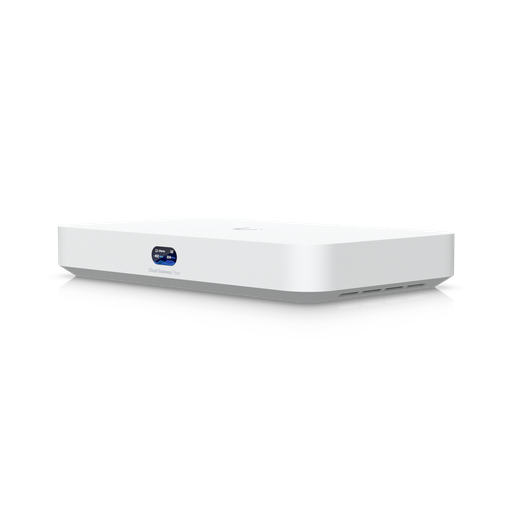
Shopping for UniFi Cloud Gateways?
Authorised Ubiquiti reseller: genuine Australian stock, full warranty, competitive prices and price match available.
Ports and connectivity
The EFG's port layout reflects its role as an edge device rather than an access switch:
- (2) 25G SFP28 — each also runs at 10G and 1G. One is the default WAN; the other typically becomes the LAN uplink to an aggregation or core switch.
- (2) 10G SFP+ — additional fibre or DAC connectivity at 10G or 1G.
- (2) 2.5 GbE RJ45 — one is the default secondary WAN; useful for a copper internet service, a failover link or management.
- Up to 5 WAN ports can be configured for multi-WAN failover and load balancing.
Note what is not there: a bank of access ports. The EFG is not intended to have workstations plugged into it. It hands off to switching, which is where your endpoints live.
High availability and power redundancy
Two independent mechanisms protect availability:
Dual hot-swappable power supplies
The EFG ships with two hot-swappable 150 W CRPS modules. Either can fail — or be deliberately removed — while the gateway continues running on the other. Replacement happens from the front of the rack with no shutdown, no maintenance window and no outage. Feed the two supplies from separate circuits or separate UPS units and you also survive a circuit failure, not just a component failure.
Shadow Mode (VRRP) gateway failover
A second UniFi gateway can run in Shadow Mode as a standby. It stays synchronised with the primary and assumes the gateway role automatically if the primary becomes unavailable — protecting against a whole-unit failure, not just a power supply failure.
What the EFG does not do
An honest guide should be as clear about limits as capabilities:
- No camera recording. Ubiquiti publishes no NVR storage for the EFG. Cameras need a separate recorder — see the ENVR.
- No PoE. No device draws power from the EFG; access points and cameras are powered by your switch.
- Only two copper ports. This is not a switch, and it should not be treated as one.
- No integrated WiFi. Access points are separate — see the UniFi AP range.
- Rack-only form factor. 1U, actively cooled, 6.5 kg — it belongs in a rack or comms room.
Designing a complete EFG deployment
An EFG is the centre of a system rather than the whole of one. A typical complete design looks like this:
1. The gateway
The EFG at the edge, with the internet service on the 25G SFP28 or 2.5 GbE WAN, and a second unit in Shadow Mode if you need whole-unit redundancy.
2. Core / aggregation
On larger sites, a Pro XG Aggregation switch terminates 25G uplinks and links the access layer, servers and storage.
3. Access switching
PoE switches feed the endpoints — the Pro XG 24 PoE for 10 GbE with 90 W PoE+++, or the Enterprise 48 PoE for 48 ports of 2.5 GbE PoE+.
4. WiFi
Access points sized to density — the UniFi E7 for high-density enterprise areas, with the full range in our access point guide.
6. Management
The UniFi applications run on the gateway; for very large multi-site estates a Cloud Key Enterprise gives a dedicated management server.
Real deployment scenarios
A secondary school (1,200 students, 90 access points)
The morning burst is the design driver — thousands of devices associating within minutes. The EFG's 71,000 new sessions per second and one million session table absorb it, SSL/TLS inspection supports content filtering obligations for minors, and dual PSUs mean a failed supply does not end the teaching day. Paired with Enterprise 48 PoE switches and E7 access points in halls and libraries.
A 180-room hotel
Guest devices churn constantly, each guest expects instant WiFi, and the property cannot take an outage at check-in. Shadow Mode plus dual PSUs protect availability; VLAN segmentation separates guest, staff, back-of-house, PMS and camera networks; Site Magic links sister properties.
A managed service provider
An EFG at each significant client site, all visible from one interface, with Site Magic meshing them at 1.1 Gbps and a Cloud Key Enterprise providing dedicated on-premises management for thousands of devices across the client base.
A logistics warehouse and office
Heavy inter-VLAN traffic between scanners, WMS servers and cameras; 24-hour operation means no maintenance window. Hot-swappable PSUs and Shadow Mode failover matter more here than headline internet speed.
Rack, power and environment
- Rack space: 1U, 325 mm deep — shallower than most servers, fits comfortably in a wall-mount comms cabinet as well as a full-depth rack.
- Power: universal AC 100–240 V, up to 7 A, drawing a maximum of 82 W. Feed the two supplies from separate circuits where possible.
- Cooling: 280 BTU/hr, actively cooled. Rated 0–40 °C, which is worth checking against an unairconditioned comms room in an Australian summer.
- Weight: 6.5 kg — use rack rails or a shelf, not just the front ears, in a deep cabinet.
- Setup: a 1.3-inch touchscreen and Bluetooth management make initial configuration possible without a laptop at the rack.
How it compares to other UniFi gateways
| EFG | UDM-Beast | UDM-Pro-Max | |
|---|---|---|---|
| IDS/IPS | 12.5 Gbps | 25 Gbps | 5 Gbps |
| Signatures | 95,000+ | 55,000+ | 55,000+ |
| Concurrent sessions | 1 million | Not published | Not published |
| Users | 5,000+ | 7,500+ | 2,000 |
| Built-in NVR | — | 40× 4K | 15× 4K |
| Hot-swap PSUs | Yes (2) | — | — |
| Copper ports | 2× 2.5 GbE | 8× 10 GbE | 8× 1 GbE + 1× 2.5 GbE |
Read the full head-to-head in UDM-Beast vs EFG, and see how the near-identical UXG Enterprise fits in our rack-mount gateway comparison.
Ready to buy?
Shop genuine Ubiquiti at ARC IP Networks
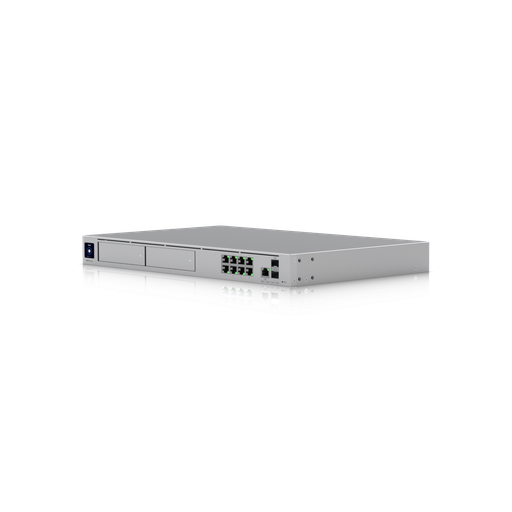
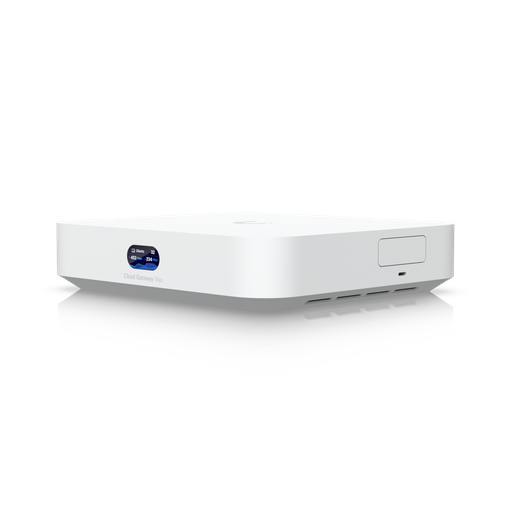
Authorised Ubiquiti reseller
Ubiquiti at ARC IP Networks
UniFi gateways, switches, Wi-Fi, Protect cameras and Access. Genuine Australian stock with the full manufacturer's warranty, competitive prices and price match available.
Frequently asked questions
The EFG is a 1U rack-mount UniFi security gateway for large networks. It inspects traffic at up to 12.5 Gbps with 95,000+ threat signatures on the CyberSecure Enterprise tier, tracks one million concurrent sessions at 71,000 new sessions per second, performs SSL/TLS inspection on up to 10,000 concurrent sessions, supports 5,000+ users and 500+ UniFi devices, and includes two hot-swappable power supplies. It uses an 18-core ARM v8.2 processor and connects via 25G SFP28, 10G SFP+ and 2.5 GbE ports.
Ubiquiti rates the EFG for 5,000 or more simultaneous users and 500 or more managed UniFi devices such as access points, switches and cameras. Its one million concurrent session table and 71,000 new sessions per second give substantial headroom for device-dense environments.
No. The EFG has no built-in NVR storage - it is a dedicated gateway. For camera recording you pair it with a UniFi recorder such as the ENVR, which handles up to 210 HD or 70 4K cameras across 16 hot-swap drive bays, or with a Dream Machine at smaller sites.
No. The EFG provides no Power over Ethernet. Access points, cameras and door readers are powered by a PoE switch such as the USW-Pro-XG-24-PoE or USW-Enterprise-48-PoE.
Most internet traffic is encrypted, which means a firewall that cannot decrypt it can only see where traffic is going, not what it contains. The EFG can decrypt, inspect and re-encrypt up to 10,000 concurrent TLS sessions, so intrusion prevention, malware detection and content policy apply to real traffic rather than only the small unencrypted remainder. This is often a compliance requirement in health, education and finance.
They are Ubiquiti's threat signature tiers. CyberSecure provides 55,000+ signatures and is used by the Dream Machine range including the UDM-Beast. CyberSecure Enterprise provides 95,000+ signatures and is used by the EFG, which also publishes SSL/TLS inspection capacity.
Yes - two hot-swappable 150 W CRPS modules. Either can be replaced from the front of the rack while the gateway keeps running, with no outage or maintenance window. Feeding them from separate circuits also protects against a circuit failure.
Yes. The EFG supports Shadow Mode (VRRP) gateway failover, where a second gateway runs synchronised in standby and automatically takes over the gateway role if the primary fails. Combined with the dual hot-swap power supplies, this covers both component and whole-unit failure.
Ubiquiti publishes 1.2 Gbps for Identity Endpoint One-Click VPN and Teleport, 1.1 Gbps for Site Magic SD-WAN, 980 Mbps for WireGuard, 580 Mbps for IPsec, 280 Mbps for L2TP and 180 Mbps for OpenVPN.
Because the EFG has only two 2.5 GbE copper ports, endpoints connect through a separate switch. Common pairings are the USW-Pro-XG-24-PoE for 10 GbE access with 90 W PoE+++, the USW-Enterprise-48-PoE for 48 ports of 2.5 GbE PoE+, and the USW-Pro-XG-Aggregation to terminate 25G uplinks on larger sites.
No. The UniFi Network application and the core security stack run on the hardware with no licensing or per-device subscription fees.
Usually not - it is over-specified for most small sites and expects separate switching and recording. Under roughly 1,000 users, without a requirement for encrypted-traffic inspection or hot-swap power redundancy, a UDM-SE or UDM-Pro-Max is generally the better and more economical choice.
One rack unit, 442.4 x 43.7 x 325 mm, weighing 6.5 kg. It accepts universal AC 100-240 V at up to 7 A, draws a maximum of 82 W and dissipates 280 BTU/hr, rated for 0 to 40 degrees C ambient.
ARC IP Networks supplies the EFG in Australia as an authorised Ubiquiti reseller, with genuine Australian stock, full manufacturer warranty, GST tax invoices and Australia-wide delivery. View the EFG or call 1300 100 440 for project pricing and design assistance.

Related reading
- Start here: Ubiquiti Australia — the complete UniFi buying guide
- UniFi Cloud Gateway comparison: UCG-Fiber vs Ultra vs Max vs UXG
- UniFi Access explained: complete Australian door access guide
- UniFi access points compared: which Ubiquiti AP do you need?
- Best UniFi Protect cameras in Australia: complete range guide
- UniFi switch comparison 2026: every Ubiquiti switch explained
- UDM-Beast vs EFG: hyperscale throughput or enterprise resilience?
- UXG Enterprise vs EFG vs UDM-Beast: choosing a rack-mount UniFi gateway
- UDM Pro vs UDM SE vs UDM Pro Max: which Dream Machine?
- Ubiquiti UniFi Cloud Gateways: the complete range
- Choosing a UniFi PoE switch
Who we are
About ARC IP Networks
ARC IP Networks is an Australian supplier of networking, Wi-Fi and gateway equipment, based in Blackburn, Melbourne, Victoria. We work with homeowners, installers, integrators and businesses across Australia, supplying Ubiquiti UniFi, MikroTik, TP-Link, Ruijie, Teltonika and D-Link.
We are an authorised Ubiquiti, MikroTik, TP-Link, Ruijie, Teltonika and D-Link reseller, so you get genuine Australian stock with the full manufacturer's warranty, never grey imports, at competitive prices. Our team can help you choose the right equipment, and trade customers get trade accounts and project pricing on larger jobs.
- Genuine Australian stock with the full manufacturer's warranty
- Competitive prices, price match available
- Trade accounts for installers, integrators and MSPs
- Australia-wide delivery; showroom in Blackburn, Mon–Fri 9–5 (demos by appointment)
Need help choosing?
Tell the ARC IP Networks team what you are trying to achieve and we will recommend the right equipment and quote it as one order.