Short answer: all three Dream Machines run the same UniFi software and manage the same networks — the differences are power, capacity and storage. Choose the UDM-SE if you want the gateway to also power your access points and cameras (it is the only model with PoE — 180 W). Choose the UDM-Pro-Max if you need more capacity: double the clients and managed devices, nearly double the camera capacity, and two NVR drive bays. Choose the UDM-Pro when you already own a PoE switch and want the most economical way into a rack-mount UniFi console.
The three at a glance
Ubiquiti's Dream Machine line is a family of all-in-one UniFi consoles: each is a security gateway, a small switch, and a server running the UniFi Network, Protect, Access and Talk applications — in a single 1U rack-mount box with no licensing or subscription fees. The three rack models sold in Australia today are the UDM-Pro, the UDM-SE (Special Edition) and the UDM-Pro-Max.
UDM-Pro
The original 1U Dream Machine. Nine gigabit LAN ports, a 10G SFP+ WAN, one drive bay for UniFi Protect. No PoE. Best when you already have a PoE switch and want a straightforward, well-proven console.
UDM-SE
The same capacity as the Pro, but with 180 W of PoE across eight ports, a 2.5 GbE WAN port and a built-in 128 GB SSD. Best for small sites where the gateway should also power the APs and cameras.
UDM-Pro-Max
The capacity model: 2,000 clients, 200+ UniFi devices, 15× 4K cameras, two drive bays, 8 GB of memory and 5 Gbps of threat inspection. No PoE. Best for busier sites and larger camera counts.
Full specification comparison
Every figure below is from Ubiquiti's published specifications.
| Specification | UDM-Pro | UDM-SE | UDM-Pro-Max |
|---|---|---|---|
| IDS/IPS throughput | 3.5 Gbps | 3.5 Gbps | 5 Gbps |
| Threat signatures | 55,000+ (CyberSecure) | 55,000+ (CyberSecure) | 55,000+ (CyberSecure) |
| Max. clients | 1,000 | 1,000 | 2,000 |
| Managed UniFi devices | 100+ | 100+ | 200+ |
| Managed Access door hubs | 150 | 150 | 150 |
| UniFi Protect cameras | 24 HD / 14 2K / 8 4K | 24 HD / 14 2K / 8 4K | 50 HD / 25 2K / 15 4K |
| NVR drive bays | (1) 3.5" | (1) 3.5" + 128 GB SSD | (2) 3.5" + 128 GB SSD |
| Default WAN ports | (1) 10G SFP+ + (1) 1 GbE | (1) 10G SFP+ + (1) 2.5 GbE | (1) 10G SFP+ + (1) 2.5 GbE |
| Max. WAN ports | 8 | 8 | 8 |
| LAN RJ45 ports | 9× 1 GbE | 8× 1 GbE + 1× 2.5 GbE | 8× 1 GbE + 1× 2.5 GbE |
| SFP+ ports | (2) 10G | (2) 10G | (2) 10G |
| PoE | — none | 180 W budget, PoE/PoE+ (30 W) | — none |
| Processor | Quad-core A57 @ 1.7 GHz | Quad-core A57 @ 1.7 GHz | Quad-core A57 @ 2.0 GHz |
| Memory | 4 GB | 4 GB | 8 GB |
| On-board storage | 16 GB | 16 GB eMMC + 128 GB SSD | 32 GB eMMC + 128 GB SSD |
| MAC address table | 4,000 | 4,000 | 4,000 |
| Max. power draw | 33 W | 50 W (excl. PoE) | 60 W |
| Internal PSU | 50 W | 240 W | 100 W |
| Redundant power | USP-RPS DC input on all three; Shadow Mode (VRRP) gateway failover on all three | ||
| Heat output | 112 BTU/hr | 170 BTU/hr | 205 BTU/hr |
| Weight | 3.9 kg | 5.0 kg | 4.7 kg |
| Dimensions | 442.4 × 43.7 × 285.6 mm (1U rack mount) — identical across all three | ||
| Display | 1.3" touchscreen on all three | ||
| Operating temperature | -10 to 40 °C | ||
The PoE question (read this first)
This is the difference that changes what you actually have to buy, and it is the one most people get wrong: the UDM-SE is the only Dream Machine with Power over Ethernet. It provides a 180 W budget across eight ports supporting PoE (15.4 W) and PoE+ (30 W). The UDM-Pro and the UDM-Pro-Max have no PoE at all — their RJ45 ports are data only.
That matters because almost everything you plug into a UniFi network wants power over its network cable: access points, cameras, door readers, and phones. If your console has no PoE, you need either a PoE switch or individual PoE injectors for every device.
What 180 W of PoE actually powers
As a rough guide, a UniFi access point draws roughly 10–25 W depending on model, a 4K Protect camera around 10–20 W, and an Access reader about 5–6 W. A UDM-SE can therefore comfortably run a small site — say four access points and three or four cameras — with headroom. Beyond that, or if you need PoE++ (60 W) and PoE+++ (90 W) devices such as the UniFi E7 access point or PTZ cameras, you want a dedicated PoE switch regardless of which Dream Machine you choose.
Internet speed, WAN ports and multi-WAN
All three models accept up to eight WAN connections for failover and load balancing, and all three ship with a 10G SFP+ WAN port. The difference is the copper WAN port:
- UDM-Pro: the RJ45 WAN port is 1 GbE only. On a connection faster than 1 Gbps you must use the 10G SFP+ port (with an appropriate module or DAC) to get full speed.
- UDM-SE and UDM-Pro-Max: the RJ45 WAN port is 2.5 GbE, so a multi-gigabit service plugs straight in with a standard Ethernet cable.
With Australian NBN and fibre plans now routinely exceeding 1 Gbps, this is a real consideration. If your service is delivered on copper Ethernet from an NTD or fibre bridge and runs faster than gigabit, the SE and Pro Max save you sourcing an SFP+ module.
Does IDS/IPS limit my internet speed?
It can. Intrusion detection and prevention inspects traffic in real time, and each model publishes a maximum inspection throughput: 3.5 Gbps on the Pro and SE, 5 Gbps on the Pro Max. If your internet plan is slower than those figures — which covers essentially every Australian business connection — you can run full IDS/IPS without throttling your service.
UniFi Protect: cameras and recording
Every Dream Machine can run UniFi Protect and record cameras directly, with no per-camera licence fee — one of the strongest arguments for the platform. Capacity differs significantly:
| UDM-Pro | UDM-SE | UDM-Pro-Max | |
|---|---|---|---|
| HD (1080p) cameras | 24 | 24 | 50 |
| 2K cameras | 14 | 14 | 25 |
| 4K cameras | 8 | 8 | 15 |
| Drive bays | (1) 3.5" | (1) 3.5" | (2) 3.5" |
| System SSD | — | 128 GB | 128 GB |
Two practical notes. First, drives are not included with any model — you add surveillance-rated 3.5-inch hard drives sized to your retention requirement. Second, the built-in 128 GB SSD in the SE and Pro Max is not camera storage; it accelerates the operating system and applications, which makes the interface noticeably more responsive.
Clients, devices and access doors
Three separate numbers matter, and they are easy to confuse:
- Clients — the phones, laptops, tablets, TVs and IoT devices connecting to your network. 1,000 on the Pro and SE, 2,000 on the Pro Max.
- Managed UniFi devices — the access points, switches and cameras the console adopts and manages. 100+ on the Pro and SE, 200+ on the Pro Max.
- Access door hubs — 150 on all three, so door count is rarely the deciding factor.
For context, a 60-person office with laptops, phones and IoT typically sits somewhere between 200 and 400 clients, which any of the three handles comfortably. A busy café, school hall or function venue where hundreds of guest phones come and go is where the Pro Max's 2,000-client ceiling starts to earn its money.
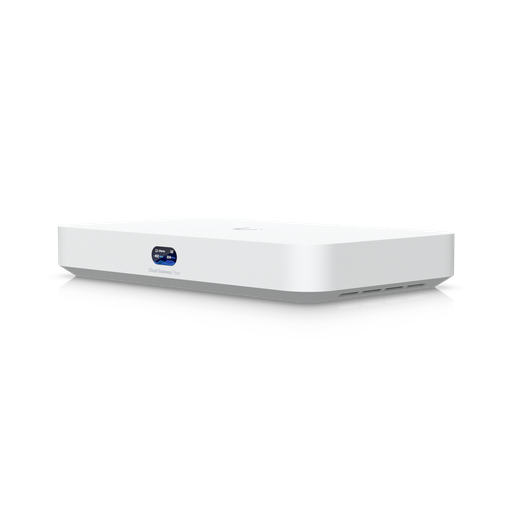
Shopping for UniFi Cloud Gateways?
Authorised Ubiquiti reseller: genuine Australian stock, full warranty, competitive prices and price match available.
IDS/IPS and security performance
All three models include the same security feature set: an application-aware firewall, intrusion detection and prevention with 55,000+ threat signatures via CyberSecure, VPN server support, VLAN segmentation and DNS filtering — with no subscription attached to the core features.
The difference is horsepower. The Pro Max inspects at 5 Gbps against 3.5 Gbps on the Pro and SE, and has double the memory (8 GB vs 4 GB), which matters most when you are running several UniFi applications at once — Network, Protect, Access and Talk together on a busy site.
Power, heat, noise and rack space
All three are the same physical size — a standard 1U, 442 mm wide, 285.6 mm deep — and all three carry a 1.3-inch touchscreen on the front for status and quick setup. Power draw is modest: 33 W on the Pro, 50 W on the SE excluding PoE output, and 60 W on the Pro Max, with heat output of 112, 170 and 205 BTU/hr respectively.
All three accept a USP-RPS redundant power supply for DC backup, and all three support Shadow Mode (VRRP) gateway failover, where a second console stands by to take over if the primary fails.
They are actively cooled and audible in a quiet room, so a comms cupboard or rack is a better home than an open office. Operating temperature is rated -10 to 40 °C — worth remembering in an unventilated Australian ceiling space or a western-facing comms room in summer.
Which one should you buy?
Choose the UDM-Pro if…
You already own — or are buying — a PoE switch, your internet is 1 Gbps or you can use the SFP+ WAN, and your site sits comfortably under 1,000 clients with fewer than eight 4K cameras. It is the most economical entry into a rack-mount UniFi console and shares the same software experience as its siblings. View the UDM-Pro →
Choose the UDM-SE if…
You want one box to run and power a small site. The 180 W PoE budget removes the need for a separate switch in small deployments, the 2.5 GbE WAN handles multi-gigabit internet directly, and the 128 GB SSD makes the interface snappier than the Pro. View the UDM-SE →
Choose the UDM-Pro-Max if…
Capacity is your constraint: more than 1,000 clients, more than 100 UniFi devices, more than eight 4K cameras, or you want two drive bays for longer retention or drive redundancy. The faster processor and 8 GB of memory also make it the better host when you run Network, Protect and Access together. View the UDM-Pro-Max →
What else you need alongside a Dream Machine
A PoE switch
Essential with the Pro and Pro Max, and with the SE once you pass its 180 W budget. Browse UniFi switches — the Pro XG 24 PoE is the common choice when access points need 10 GbE and 90 W PoE+++.
Access points
The gateway routes; APs provide the WiFi. See the UniFi access point range, from compact ceiling units to the enterprise WiFi 7 E7 for high-density sites.
Storage and cameras
Add surveillance-rated 3.5-inch drives for Protect, and browse the UniFi Protect camera range including the AI Turret.
When to step up to a Beast or EFG
The Dream Machine range covers most Australian small and medium sites. You have outgrown it when any of these become true:
- You need more than 2,000 clients or 200 UniFi devices.
- You want threat inspection well beyond 5 Gbps.
- You need hardware power redundancy inside the chassis, not just a DC backup input.
- You are running many sites and want a dedicated management server.
At that point the UDM-Beast (25 Gbps inspection, 750+ devices, 7,500+ clients, eight 10 GbE ports and two NVR bays) and the Enterprise Fortress Gateway (95,000+ threat signatures, one million concurrent sessions and dual hot-swappable power supplies) take over. Both are covered in detail in our UniFi Cloud Gateway guide.
Ready to buy?
Shop genuine Ubiquiti at ARC IP Networks
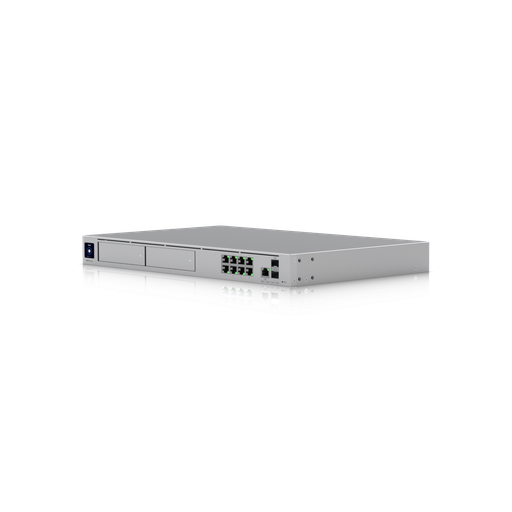
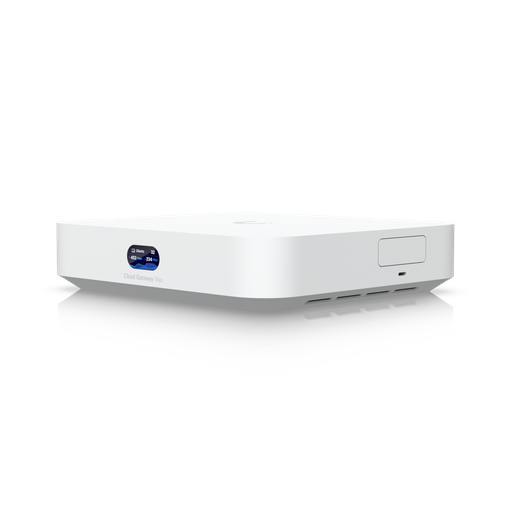
Authorised Ubiquiti reseller
Ubiquiti at ARC IP Networks
UniFi gateways, switches, Wi-Fi, Protect cameras and Access. Genuine Australian stock with the full manufacturer's warranty, competitive prices and price match available.
Frequently asked questions
The UDM-SE adds Power over Ethernet (a 180 W budget across eight ports supporting PoE and PoE+), a 2.5 GbE WAN port instead of the UDM-Pro's 1 GbE, and a built-in 128 GB SSD that makes the interface more responsive. Capacity is otherwise identical: both handle 1,000 clients, 100+ UniFi devices, and up to 24 HD or 8 4K Protect cameras with a single drive bay.
No. Despite being the flagship of the three, the UDM-Pro-Max has no Power over Ethernet - its RJ45 ports are data only. The UDM-SE is the only Dream Machine with PoE. If you choose the Pro Max you will need a PoE switch or injectors to power access points and cameras.
It depends on which limit you hit first. The Pro Max doubles clients (2,000 vs 1,000), doubles managed UniFi devices (200+ vs 100+), nearly doubles camera capacity (15 vs 8 in 4K), adds a second drive bay, doubles memory to 8 GB and lifts IDS/IPS throughput to 5 Gbps. But it has no PoE. If your site is small and you want the gateway to power your devices, the SE is the better buy; if you are constrained by capacity, the Pro Max is.
The UDM-Pro and UDM-SE each support 24 HD, 14 2K or 8 4K UniFi Protect cameras with one 3.5-inch drive bay. The UDM-Pro-Max supports 50 HD, 25 2K or 15 4K cameras with two drive bays. Hard drives are not included with any model.
Not for small camera counts - UniFi Protect runs directly on the console and records to its internal drive bays with no per-camera licence fee. You need a separate recorder such as the UniFi Enterprise NVR once you exceed the console's camera capacity or want more drive bays for longer retention.
Yes. All three have a 10G SFP+ WAN port. The UDM-SE and UDM-Pro-Max also have a 2.5 GbE RJ45 WAN port, so a multi-gigabit service connects with a standard Ethernet cable. The UDM-Pro's RJ45 WAN port is 1 GbE only, so faster services must use its SFP+ port with an appropriate module or DAC.
No. UniFi Network, Protect, Access and Talk run on the console with no licensing or per-camera subscription fees. Optional paid add-ons exist for some cloud services, but the core network, camera recording and door access functionality is included.
Only if your connection is faster than the console's inspection throughput. The UDM-Pro and UDM-SE inspect at up to 3.5 Gbps and the UDM-Pro-Max at 5 Gbps, which is faster than essentially every Australian business internet service, so you can run full intrusion prevention without throttling.
Yes. All three support Shadow Mode (VRRP) gateway failover, where a second console runs in standby and takes over if the primary fails. All three also accept a USP-RPS unit for redundant DC power. For hot-swappable power supplies inside the chassis, you would move up to the Enterprise Fortress Gateway.
All three are actively cooled and audible in a quiet room, so a comms cupboard, rack or server room is a better location than an open office. They are 1U rack-mount units, 442 mm wide and 285.6 mm deep, rated for -10 to 40 degrees C ambient.
For most small Australian offices, the UDM-SE is the best single-box choice: it powers a handful of access points and cameras directly over its 180 W PoE budget, connects to multi-gigabit internet over 2.5 GbE, and handles 1,000 clients. If you already own a PoE switch, the UDM-Pro does the same job for less; if you have more than 8 4K cameras or 1,000 clients, step up to the Pro Max.
Dream Machines are all-in-one consoles that include a switch, camera recording and application hosting. UXG gateways are routing-focused devices that pair with separate switches and consoles. If you want one box that does everything, choose a Dream Machine; if you are building a larger network with dedicated switching and recording, a UXG or Enterprise gateway may suit better.
Two. Of its eight GbE LAN ports, two are PoE+ at 30 W and six are PoE at 15.4 W, within a 180 W total budget. WiFi 7 access points that require PoE+ can therefore only be powered two at a time directly from the UDM-SE.
No. The UDM-SE, UDM-Pro and UDM-Pro-Max are rackmount gateways — they don't broadcast WiFi. Add UniFi access points for wireless; all three manage them, and the UDM-SE can power a pair of them directly over PoE.
No. All three have 3.5" bays but ship without drives. Fit a surveillance-rated drive built for continuous writing — the UDM-SE and UDM-Pro take one, the UDM-Pro-Max takes two.
Maximum draw is 33 W for the UDM-Pro, 50 W for the UDM-SE excluding its PoE output, and 60 W for the UDM-Pro-Max. All three support UniFi's USP-RPS redundant power supply.
ARC IP Networks stocks all three models in Australia as an authorised Ubiquiti reseller, with genuine Australian stock, full manufacturer warranty, GST tax invoices, competitive pricing and Australia-wide delivery. View the UDM-Pro, UDM-SE and UDM-Pro-Max, or request trade pricing on 1300 100 440.

Related reading
- Best UniFi cameras in Australia (2026), compared and ranked
- What else you need to buy with a UniFi NVR
- Outgrowing a UniFi Cloud Key: when to move to a rack console
- How much storage do you need for security cameras?
- How to set up a UniFi Protect NVR — and migrate cameras from an old one
- UniFi Protect NVR comparison: which recorder do you need?
- Ubiquiti ENVR: the complete Australian guide
- Ubiquiti UDM-Beast: the complete Australian guide
- UDM-Beast vs UDM-Pro-Max: do you need the Beast?
- Start here: Ubiquiti Australia — the complete UniFi buying guide
- UniFi Cloud Gateway comparison: UCG-Fiber vs Ultra vs Max vs UXG
- UniFi Access explained: complete Australian door access guide
- UniFi access points compared: which Ubiquiti AP do you need?
- Best UniFi Protect cameras in Australia: complete range guide
- UniFi switch comparison 2026: every Ubiquiti switch explained
- Ubiquiti UniFi Cloud Gateways: the complete range
- Choosing a UniFi PoE switch
- UDM-Beast vs EFG: hyperscale throughput or enterprise resilience?
- EFG Enterprise Fortress Gateway: complete Australian guide
- UXG Enterprise vs EFG vs UDM-Beast: choosing a rack-mount gateway
- UDM-Beast product page
- EFG Enterprise Fortress Gateway
- UniFi Enterprise NVR for larger camera counts
Who we are
About ARC IP Networks
ARC IP Networks is an Australian supplier of networking, Wi-Fi and gateway equipment, based in Blackburn, Melbourne, Victoria. We work with homeowners, installers, integrators and businesses across Australia, supplying Ubiquiti UniFi, MikroTik, TP-Link, Ruijie, Teltonika and D-Link.
We are an authorised Ubiquiti, MikroTik, TP-Link, Ruijie, Teltonika and D-Link reseller, so you get genuine Australian stock with the full manufacturer's warranty, never grey imports, at competitive prices. Our team can help you choose the right equipment, and trade customers get trade accounts and project pricing on larger jobs.
- Genuine Australian stock with the full manufacturer's warranty
- Competitive prices, price match available
- Trade accounts for installers, integrators and MSPs
- Australia-wide delivery; showroom in Blackburn, Mon–Fri 9–5 (demos by appointment)
Need help choosing?
Tell the ARC IP Networks team what you are trying to achieve and we will recommend the right equipment and quote it as one order.