Short answer: the UDM-Pro-Max is the right choice for most Australian businesses — 2,000 clients, 200+ managed devices, 15 4K cameras and 5 Gbps of inspected throughput covers a great deal. Move to the UDM-Beast only when you cross one of four specific lines: you need more than 15 4K cameras, more than 2,000 clients, 10 GbE copper ports for servers and storage, or inspected throughput above 5 Gbps for heavy inter-VLAN traffic. If none of those apply, the Beast is capacity you will pay for and not use.
Side-by-side comparison
All figures from Ubiquiti's published specifications.
| Specification | UDM-Pro-Max | UDM-Beast |
|---|---|---|
| IDS/IPS throughput | 5 Gbps | 25 Gbps |
| Threat signatures | 55,000+ with CyberSecure — identical | |
| Simultaneous users | 2,000 | 7,500+ |
| Managed UniFi devices | 200+ | 750+ |
| Access door hubs | 150 | 200 |
| UniFi Protect cameras | 50 HD / 25 2K / 15 4K | 100 HD / 60 2K / 40 4K |
| NVR drive bays | (2) 3.5" + 128 GB SSD — identical | |
| Default WAN | (1) 10G SFP+ + (1) 2.5 GbE | (1) 25G SFP28 + (1) 10 GbE |
| Max. WAN ports | 8 — identical | |
| RJ45 ports | 8× 1 GbE + 1× 2.5 GbE | 8× 10 GbE + 2× 1 GbE |
| SFP ports | (2) 10G SFP+ | (2) 25G SFP28 + (2) 10G SFP+ |
| MAC address table | 4,000 | 32,000 |
| Processor | Quad-core A57 @ 2.0 GHz | Octa-core ARM v9 @ 2.1 GHz |
| Memory | 8 GB | 16 GB |
| PoE | — neither model has PoE | |
| Redundancy | Shadow Mode (VRRP) + USP-RPS DC input — identical | |
| Max. power / heat | 60 W / 205 BTU/hr | 100 W / 342 BTU/hr |
| Weight | 4.7 kg | 5.5 kg |
| Form factor | 1U rack mount with 1.3" touchscreen | |
What is identical between them
It is worth being clear about what upgrading does not buy you, because several of these surprise people:
- Neither has PoE. Both need a separate PoE switch for access points, cameras and door readers. The Beast's eight 10 GbE ports are data only.
- The same security tier. Both use CyberSecure with 55,000+ threat signatures. Upgrading to the Beast does not deepen inspection — only speeds it up.
- The same drive bays. Both have two 3.5-inch bays and a 128 GB SSD. The Beast supports more cameras, but stores them on the same number of disks.
- The same redundancy model. Shadow Mode failover plus a USP-RPS DC input. Neither has hot-swappable power supplies — that is the EFG.
- The same rack footprint and multi-WAN capability.
The five real differences
- Camera capacity — 15 vs 40 in 4K. Usually the first limit a growing site hits.
- Copper port speed — 1 GbE vs 10 GbE. Changes what you can plug in directly.
- Inspected throughput — 5 vs 25 Gbps. Matters for internal routing, not internet speed.
- Client and device ceilings — 2,000/200+ vs 7,500+/750+, and a MAC table eight times larger.
- Processing headroom — octa-core with 16 GB versus quad-core with 8 GB, which shows when running Network, Protect and Access together on a busy site.
Cameras: 15 vs 40 in 4K
For most sites this is the deciding factor, because camera counts grow and client counts often do not.
| Resolution | UDM-Pro-Max | UDM-Beast |
|---|---|---|
| HD (1080p) | 50 | 100 |
| 2K | 25 | 60 |
| 4K | 15 | 40 |
The practical sweet spot for the Beast's recorder is roughly 15–25 4K cameras — more than the Pro Max can take, still within what two large drives can hold for a sensible retention period.
Ports: the difference that changes your bill of materials
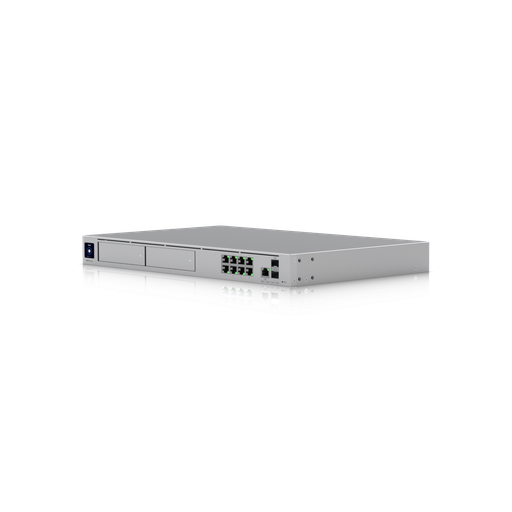
The UDM-Pro-Max gives you eight gigabit ports and one 2.5 GbE port. The UDM-Beast gives you eight 10 GbE ports plus two 1 GbE, and adds 25G SFP28 alongside the 10G SFP+.
If you have servers, a NAS, video-editing workstations or 10 GbE uplinks from access switches, the Beast connects them directly at full speed — potentially removing a separate 10 GbE switch from the project. With the Pro Max, anything faster than gigabit has to go through its two SFP+ ports or a separate switch.
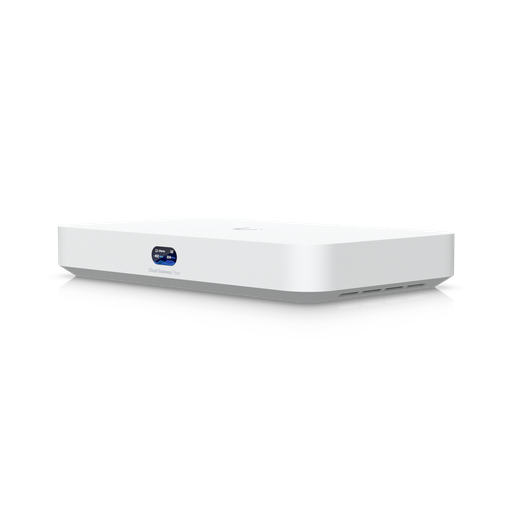
Shopping for UniFi Cloud Gateways?
Authorised Ubiquiti reseller: genuine Australian stock, full warranty, competitive prices and price match available.
Throughput: does anyone need 25 Gbps?
Honestly, most Australian sites do not — at least not for internet traffic. No fixed-line service comes close to 5 Gbps, let alone 25.
Where it matters is inter-VLAN routing. Any traffic crossing between VLANs passes through the gateway: cameras writing to a recorder on another segment, staff pulling large files from a NAS, backups running between zones, a WMS server talking to scanners. On a busy warehouse or media site that internal traffic can exceed internet traffic several times over, and it is inspected just the same.
The other consideration is headroom. Running a gateway near its ceiling produces latency and jitter long before it produces obvious failure — so if your modelling puts you at 4 Gbps of inter-VLAN traffic on a 5 Gbps device, that is a reason to move up.
Clients and managed devices
The Pro Max handles 2,000 simultaneous clients and 200+ managed UniFi devices; the Beast 7,500+ and 750+. For context, a 200-person office with laptops, phones and IoT typically runs 600–900 clients and perhaps 40 UniFi devices — comfortably inside the Pro Max.
The Beast's ceilings come into play for large venues, multi-tenant buildings, schools, and MSPs standardising one model across many sites. Its 32,000-entry MAC address table (against 4,000) also matters on networks with very large numbers of connected devices.
A four-question decision test
Answer these. One "yes" justifies the Beast; all "no" means buy the Pro Max.
- Will you record more than 15 4K cameras on the gateway itself?
- Do you have servers, storage or switch uplinks that need 10 GbE copper?
- Will you exceed 2,000 simultaneous clients or 200 UniFi devices?
- Does your inter-VLAN traffic approach or exceed 5 Gbps?
And two questions that point somewhere else entirely: if you need hot-swappable power supplies or encrypted-traffic inspection with the 95,000-signature tier, neither model is right — see the Enterprise Fortress Gateway and our Beast vs EFG comparison.
Thinking about total cost, not unit price
Compare these two on the gateway price alone and the Pro Max always wins. Compare the system and it can flip:
- Pro Max path: gateway + PoE switch + a 10 GbE switch if you have servers + a separate NVR once you pass 15 4K cameras.
- Beast path: gateway + PoE switch. The 10 GbE ports and larger camera capacity may absorb the other two line items.
For a site with 20 cameras and a few 10 GbE servers, those two lists land in very different places. If you would like the comparison run against your actual device and camera counts, our team will size both and quote them side by side.
Ready to buy?
Shop genuine Ubiquiti at ARC IP Networks
Authorised Ubiquiti reseller
Ubiquiti at ARC IP Networks
UniFi gateways, switches, Wi-Fi, Protect cameras and Access. Genuine Australian stock with the full manufacturer's warranty, competitive prices and price match available.
Frequently asked questions
The Beast inspects at 25 Gbps versus 5 Gbps, supports 7,500+ clients versus 2,000 and 750+ managed devices versus 200+, records 40 4K cameras versus 15, and provides eight 10 GbE copper ports where the Pro Max has eight gigabit ports and one 2.5 GbE. It also has an octa-core processor with 16 GB of memory against a quad-core with 8 GB. Both use the same 55,000+ CyberSecure threat signatures, the same two drive bays, the same redundancy model, and neither has PoE.
Only if you cross one of four lines: more than 15 4K cameras recorded on the gateway, a need for 10 GbE copper ports, more than 2,000 clients or 200 UniFi devices, or inter-VLAN traffic approaching 5 Gbps. If none apply, the Pro Max does the same job for less and the extra capacity goes unused.
Neither. Both are data-only, so access points, cameras and door readers need a separate PoE switch or injectors regardless of which you choose. Only the UDM-SE in the Dream Machine range provides PoE, with a 180 W budget.
The UDM-Pro-Max records up to 50 HD, 25 2K or 15 4K UniFi Protect cameras. The UDM-Beast records up to 100 HD, 60 2K or 40 4K. Both use two 3.5-inch drive bays with a built-in 128 GB SSD, and neither includes hard drives.
Not with long retention. A 4K camera consumes roughly 30-50 GB per day, so 40 cameras kept for 30 days needs around 48 TB - well beyond two drives. The Beast's practical sweet spot is about 15-25 4K cameras. Beyond that, use a dedicated recorder such as the UniFi Enterprise NVR and let the gateway concentrate on routing.
For internet traffic, almost certainly not - no Australian fixed-line service approaches it. It matters for inter-VLAN routing, where traffic crossing between network segments passes through the gateway and is inspected: cameras writing to a recorder, staff pulling from a NAS, backups between zones. On a busy warehouse or media site that internal traffic can exceed internet traffic several times over.
No - the same security tier. Both use CyberSecure with 55,000+ threat signatures. The Beast inspects faster but does not inspect more deeply. For the 95,000+ signature CyberSecure Enterprise tier and published SSL/TLS inspection, you would move to the Enterprise Fortress Gateway or UXG Enterprise instead.
For self-powered equipment, often yes. Its eight 10 GbE RJ45 ports connect servers, storage and access-layer uplinks directly at full speed, which on a modest site can remove a separate 10 GbE switch from the design. It cannot replace a PoE switch, because it supplies no power.
Usually the UDM-Pro-Max. A 200-person office typically runs 600-900 clients and around 40 UniFi devices, comfortably inside its 2,000-client and 200-device ceilings. The Beast becomes the better answer if that office also runs more than 15 4K cameras or needs 10 GbE to servers.
Both accept a USP-RPS DC input for external redundant power and both support Shadow Mode (VRRP) gateway failover to a standby unit. Neither has hot-swappable internal power supplies - for that, the Enterprise Fortress Gateway is the model with two field-replaceable modules.
ARC IP Networks stocks both in Australia as an authorised Ubiquiti reseller, with genuine Australian stock, manufacturer warranty, GST tax invoices and fast Australia-wide shipping. View the UDM-Beast and UDM-Pro-Max, or call 1300 100 440.

Related reading
- What else you need to buy with a UniFi NVR
- Outgrowing a UniFi Cloud Key: when to move to a rack console
- How much storage do you need for security cameras?
- How to set up a UniFi Protect NVR — and migrate cameras from an old one
- UniFi Protect NVR comparison: which recorder do you need?
- Ubiquiti ENVR: the complete Australian guide
- Ubiquiti UDM-Beast: the complete Australian guide
- UDM-Beast vs EFG: hyperscale throughput or enterprise resilience?
- UDM Pro vs UDM SE vs UDM Pro Max: the full Dream Machine range
- Best UniFi Protect cameras — and how to size storage
- UniFi switch comparison — the PoE switch you will need either way
Who we are
About ARC IP Networks
ARC IP Networks is an Australian supplier of networking, Wi-Fi and gateway equipment, based in Blackburn, Melbourne, Victoria. We work with homeowners, installers, integrators and businesses across Australia, supplying Ubiquiti UniFi, MikroTik, TP-Link, Ruijie, Teltonika and D-Link.
We are an authorised Ubiquiti, MikroTik, TP-Link, Ruijie, Teltonika and D-Link reseller, so you get genuine Australian stock with the full manufacturer's warranty, never grey imports, at competitive prices. Our team can help you choose the right equipment, and trade customers get trade accounts and project pricing on larger jobs.
- Genuine Australian stock with the full manufacturer's warranty
- Competitive prices, price match available
- Trade accounts for installers, integrators and MSPs
- Australia-wide delivery; showroom in Blackburn, Mon–Fri 9–5 (demos by appointment)
Need help choosing?
Tell the ARC IP Networks team what you are trying to achieve and we will recommend the right equipment and quote it as one order.