What is UniFi Protect? UniFi Protect is Ubiquiti’s video surveillance platform. Cameras record to a local UniFi NVR — a UNVR, a Cloud Gateway with a drive bay, or a Dream Machine — rather than to a paid cloud service, so there are no monthly fees and no per-camera licences. AI detection for people, vehicles and animals runs on the camera or on an AI Key, and footage is viewed through the UniFi Protect app or web console.
This page explains how the system fits together. If you already know the platform and just want to know which camera to buy, see our ranked comparison of the best UniFi Protect cameras in Australia.
Looking for the wider picture? Read our ranked comparison of the best UniFi Protect cameras in Australia.
Short answer: for most Australian sites the G6 Turret is the right default — 4K on a large 1/1.8" sensor, 30 m infrared, IP66 weatherproofing, powered by standard PoE. Step up to the AI Turret where you want 40 m night vision and two-way audio, the G6 Pro models where you need optical zoom and a larger 1/1.2" sensor for low light, and the AI PTZ range where you must identify people or plates hundreds of metres away. Every camera records to UniFi Protect with no per-camera licence fee — the differences are optics, night range and how much detail you need at distance.
How to choose a UniFi camera
UniFi Protect cameras all share the same software, the same app and the same licence-free recording model. Choosing between them comes down to five practical questions:
1. What do you need to see?
General coverage, or identification? Recognising a face or plate needs far more pixels on target than simply seeing that someone was there.
2. How far away?
Under 15 m, almost any model works. Beyond 30 m you need optical zoom or a PTZ — digital zoom on a fixed lens just enlarges pixels.
3. How dark does it get?
Check infrared range and sensor size. A 1/1.2" sensor gathers substantially more light than a 1/2.8" one at the same megapixel count.
4. Indoors or exposed?
IP66 models handle full Australian weather. IPX4/IP55 models are for covered areas — verandahs, carports, indoors.
5. Do you need audio?
Some models have a microphone only; others have two-way audio so you can speak through the camera from the app.
6. How many, and where recorded?
Camera count and resolution decide the recorder — see the NVR section below.
The four camera ranges explained
G5 — the value range
2K and entry 4K cameras that still record beautifully for general coverage. The G5 Turret Ultra is the workhorse: 4MP/2K on a 1/2.4" sensor with 30 m infrared and IP66 weatherproofing, powered by standard PoE. The G5 Flex is a compact indoor/covered camera, and the G5 Pro adds 4K with 3× optical zoom.
G6 — the current mainstream
4K on a larger 1/1.8" sensor across turret, bullet and dome bodies — G6 Turret, G6 Bullet and G6 Dome all share the same optics with 30 m IR and IP66. The G6 Pro models (Pro Bullet, Pro Dome) step up to a much larger 1/1.2" sensor with 2.36× optical zoom and 40 m IR — the meaningful upgrade for dark car parks and driveways.
AI — on-camera intelligence
The AI series adds on-board AI processing for smarter detections. The AI Turret pairs 4K with 40 m IR and two-way audio; the AI Dome offers the same optics in a dome body. At the top sit the AI PTZ Precision (31× optical zoom, 100 m IR, endless 360° pan) and the AI Multi-Sensor 4 — four separate 8MP sensors in one housing, each independently aimed, with PoE++ power and an M.2 SSD slot for local storage.
Specialty — wide angle, doorbells and entry
The G6 180 uses two 8MP sensors to produce a single 16MP 7680×2160 panorama across a full 180° — one camera instead of two on a building corner. The G6 Pro 360 is a 12MP fisheye with a complete 180° hemisphere and Smart IR across four controllable zones. The Doorbell Lite and G6 Entry handle entrances, the latter with a dedicated second camera aimed at the ground for package detection.
Master camera comparison table
All figures from Ubiquiti's published specifications.
| Camera | Resolution | Sensor | IR range | Zoom | Audio | Rating | Power |
|---|---|---|---|---|---|---|---|
| G5 Flex | 4MP / 2K | 5MP CMOS | 6 m | — | Mic | IPX4 (covered) | PoE |
| G5 Turret Ultra | 4MP / 2K | 1/2.4" | 30 m | — | Mic | IP66 | PoE |
| G5 Pro | 8MP / 4K | 1/2" | 25 m (40 m enhanced) | 3× optical | Mic | IP65 | PoE |
| G6 Turret | 8MP / 4K | 1/1.8" | 30 m | — | Mic | IP66 | PoE |
| G6 Bullet | 8MP / 4K | 1/1.8" | 30 m | — | Mic | IP66 | PoE |
| G6 Dome | 8MP / 4K | 1/1.8" | 30 m | — | Mic | IP66 | PoE |
| G6 Pro Bullet | 8MP / 4K | 1/1.2" | 40 m (60 m enhanced) | 2.36× optical | Two-way | IP66 | PoE+ |
| G6 Pro Dome | 8MP / 4K | 1/1.2" | 40 m | 2.36× optical | Mic | IP66 | PoE+ |
| G6 180 | 16MP 7680×2160 | Dual 1/1.8" | 20 m | — | Two-way | IP66 | PoE+ |
| G6 Pro 360 | 12MP fisheye | 1/1.6" | 15 m (Smart IR) | — | Two-way | IP66 | PoE+ |
| G6 PTZ | 8MP / 4K | Dual 1/1.8" | 30 m | 10× hybrid | Two-way | IP66 | PoE+ |
| AI Turret | 8MP / 4K | 1/1.8" | 40 m | — | Two-way | IP66 | PoE+ |
| AI Dome | 8MP / 4K | 1/1.8" | 40 m | — | Mic | IP66 | PoE |
| AI Pro | 8MP / 4K | 1/1.8" | 25 m (40 m enhanced) | 3× optical | Two-way | IP65 | PoE |
| AI Multi-Sensor 4 | (4)× 8MP 4K | (4)× 1/2.8" | 20 m | 2.33× optical | — | IP66 | PoE++ |
| AI PTZ | 8MP / 4K | 1/1.8" | 100 m | 22× optical | — | IP66 | PoE++ |
| AI PTZ Precision | 8MP / 4K | 1/1.8" | 100 m | 31× optical | — | IP66 | PoE++ |
| Doorbell Lite | 5MP (3:4) | 1/2.7" | 5 m | — | Two-way | IPX5 | PoE |
| G6 Entry | 5MP + 8MP package cam | Dual CMOS | 5 m | — | Two-way | IP55 | PoE+ |
Turret, dome, bullet, PTZ or fisheye?
| Form factor | Best for | Watch out for |
|---|---|---|
| Turret | The best default. Easy to aim, minimal infrared glare, discreet, vandal-resistant. | Slightly more visible than a dome |
| Dome | Ceilings and covered walkways where a tidy flush look matters | The dome bubble can reflect IR and collects dust and spider webs |
| Bullet | Long runs and obvious deterrence; the visible body tells people they are on camera | More prominent; easier to knock out of alignment |
| PTZ | Large open areas — yards, car parks, marinas — where one camera patrols and zooms | Only points one way at a time; needs PoE++ and higher cost |
| Fisheye / 180° | Replacing two or three cameras at a corner or in a room | Lower detail at the edges; not for identification at distance |
Resolution and sensor size — why 4K is not the whole story
Megapixels get the headline, but two cameras with identical 8MP resolution can perform very differently at night. The reason is sensor size: a larger sensor collects more light per pixel.
- 1/2.8" — smallest, used where four sensors share one housing (AI Multi-Sensor 4)
- 1/2.4" and 1/2" — G5 range
- 1/1.8" — the G6 and AI standard, a substantial step up
- 1/1.2" — the G6 Pro models; noticeably better in low light than 1/1.8"
The practical version: if your camera looks at a well-lit area, resolution matters most. If it looks at a dark driveway, laneway or car park, sensor size and infrared range matter more than megapixels — which is why a G6 Pro often outperforms a higher-megapixel camera after dark.
How much resolution do you actually need?
The industry measure is pixels per metre across the target. Roughly: about 40 px/m to detect that someone is there, 100 px/m to recognise someone you know, and 250 px/m or more to identify a stranger or read a plate. A 4K camera covering a 10 m-wide driveway gives about 380 px/m — ample. The same camera covering a 40 m yard gives under 100 px/m, which is why distance calls for optical zoom rather than more megapixels.
Night vision and infrared range compared
Every UniFi camera has built-in infrared illumination and an IR cut filter. Published ranges:
| IR range | Cameras | Suits |
|---|---|---|
| 5–6 m | Doorbell Lite, G6 Entry, G5 Flex | Doorways and small covered spaces |
| 15–20 m | G6 Pro 360, G6 180, AI Multi-Sensor 4 | Wide-angle coverage close in |
| 25–30 m | G5 Turret Ultra, G5 Pro, G6 Turret / Bullet / Dome, G6 PTZ | Most residential and small business use |
| 40 m | AI Turret, AI Dome, G6 Pro Bullet / Dome (60 m with Vision Enhancer on Pro Bullet) | Car parks, larger yards, perimeters |
| 100 m | AI PTZ, AI PTZ Precision | Industrial yards, marinas, long perimeters |
Two things worth knowing. First, infrared range assumes a reflective subject — a person in dark clothing at the stated limit will be dimmer than the number suggests. Second, some models support a Vision Enhancer accessory that extends usable range further, which is often cheaper than moving to a larger camera.
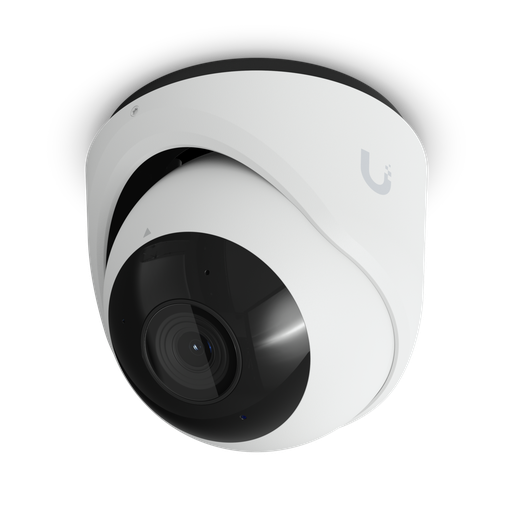
Shopping for UniFi Protect cameras?
Authorised Ubiquiti reseller: genuine Australian stock, full warranty, competitive prices and price match available.
AI detection: on-camera or AI Key?
UniFi Protect performs smart detections — person, vehicle, animal, package — and there are two ways to add AI capability to a system:
- AI-series cameras process detections on the camera itself. Good when you are specifying a new system and want AI at the points that matter most.
- The UniFi AI Key is a compact PoE++ appliance that adds AI detection across an existing UniFi Protect deployment — up to 1,800 smart detection events per hour — without replacing any cameras.
Weatherproofing for Australian conditions
| Rating | Meaning | Where to use |
|---|---|---|
| IPX4 / IP55 | Splash and light spray resistant | Covered verandahs, carports, indoors (G5 Flex, G6 Entry) |
| IP65 | Dust-tight, low-pressure water jets | Most outdoor positions with some shelter (G5 Pro, AI Pro) |
| IP66 | Dust-tight, powerful water jets | Fully exposed outdoor mounting — the majority of the G6 and AI range |
For Australian installations, two environmental factors matter beyond the IP rating: heat — cameras on a west-facing wall or a metal shed in summer sit well above ambient, so check the operating temperature range — and coastal salt, where mounting hardware corrodes long before the camera does. Stainless fixings and a sheltered aspect extend life considerably.
Where the footage goes: choosing an NVR
UniFi Protect records to a console. Which one depends on camera count and resolution:
| Recorder | Capacity | Drive bays | Notes |
|---|---|---|---|
| UNVR Instant | 15 HD / 8 2K / 6 4K | (1) 3.5" | Six built-in PoE ports (40 W) and HDMI out — a complete small system in one box |
| UNVR | 60 HD / 30 2K / 18 4K | (4) 2.5/3.5" | 10G SFP+ uplink |
| UNVR Pro | 70 HD / 35 2K / 24 4K | (7) 2.5/3.5" | More bays for longer retention |
| ENVR (Enterprise) | 210 HD / 140 2K / 70 4K | (16) 3.5" | Dual hot-swap PSUs, dual 10G SFP+ — see our enterprise guide |
A UniFi gateway can also record: a UDM-SE handles 8× 4K cameras and a UDM-Pro-Max 15× 4K, which is enough for many small sites without a separate recorder. See our Dream Machine comparison.
How much storage do you need?
Storage depends on resolution, frame rate, scene activity and how long you keep footage. As a working guide for continuous recording with UniFi Protect's default settings:
- 2K camera: roughly 15–25 GB per day
- 4K camera: roughly 30–50 GB per day
So eight 4K cameras kept for 30 days is approximately 8 × 40 GB × 30 = 9.6 TB. Two practical notes: use surveillance-rated drives designed for continuous write cycles rather than desktop drives, and remember drives are not included with any UniFi recorder. Enabling motion-only recording or lowering frame rate on low-interest cameras reduces these numbers substantially.
Power and cabling requirements
Every UniFi camera is powered over its network cable. What differs is the class:
- PoE (15.4 W): G5 range, G6 Turret / Bullet / Dome, AI Dome, Doorbell Lite
- PoE+ (30 W): G6 Pro models, G6 180, G6 Pro 360, G6 PTZ, AI Turret, G6 Entry
- PoE++ (60 W): AI Multi-Sensor 4, AI PTZ and AI PTZ Precision
Your switch needs both enough total budget and the right per-port class — a switch with a large budget but only PoE+ ports cannot run a PoE++ PTZ camera. See our UniFi switch comparison for sizing, and use Cat5e or better, keeping runs under 100 m.
Best UniFi camera for each situation
| Situation | Recommended | Why |
|---|---|---|
| General home or office coverage | G6 Turret | 4K, 1/1.8" sensor, 30 m IR, IP66, standard PoE — the best all-round balance |
| Budget multi-camera install | G5 Turret Ultra | 2K with 30 m IR and IP66 at the lowest cost per camera |
| Dark driveway or car park | G6 Pro Bullet | 1/1.2" sensor, 40 m IR (60 m enhanced), optical zoom |
| Entrance needing voice contact | AI Turret | 40 m IR plus two-way audio and on-camera AI |
| Front door / package delivery | G6 Entry or Doorbell Lite | G6 Entry adds a dedicated downward package camera |
| Building corner (two walls at once) | G6 180 | 16MP panorama across a full 180° — replaces two cameras |
| Room, warehouse aisle or lobby | G6 Pro 360 | 12MP fisheye covering a whole hemisphere |
| Large yard, marina, industrial site | AI PTZ Precision | 31× optical zoom, 100 m IR, endless 360° pan |
| Intersection or forecourt, one mount | AI Multi-Sensor 4 | Four independently aimed 4K sensors in one housing and one cable |
| Covered patio or indoors | G5 Flex | Compact, inexpensive, easy to place |
Ready to buy?
Shop genuine Ubiquiti at ARC IP Networks
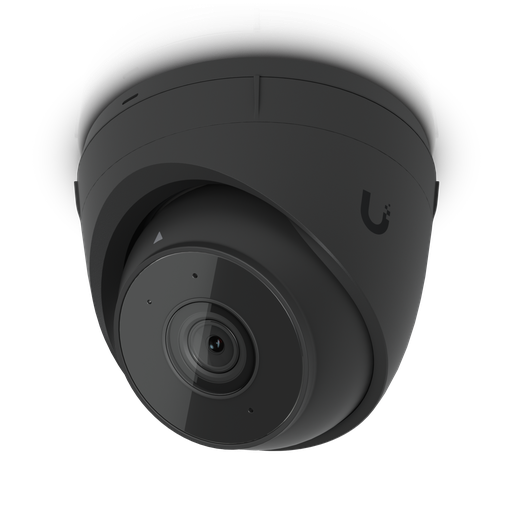
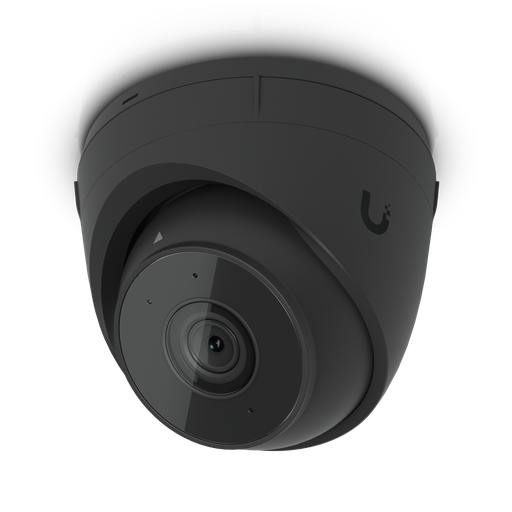
Authorised Ubiquiti reseller
Ubiquiti at ARC IP Networks
UniFi gateways, switches, Wi-Fi, Protect cameras and Access. Genuine Australian stock with the full manufacturer's warranty, competitive prices and price match available.
Frequently asked questions
For most Australian sites the G6 Turret is the best all-round choice: 4K resolution on a large 1/1.8-inch sensor, 30 metres of infrared night vision, IP66 weatherproofing and standard PoE power. Step up to the G6 Pro models for a larger 1/1.2-inch sensor and 40 metre IR in darker areas, the AI Turret for two-way audio and on-camera AI, or the AI PTZ range for long-distance identification.
No. UniFi Protect cameras record to a UniFi console - a UNVR, ENVR or a Dream Machine gateway - with no per-camera licence fee and no cloud subscription for local recording. This is one of the main cost advantages over subscription-based camera systems.
G5 is the value range at 2K and entry 4K resolution. G6 is the current mainstream: 4K on a larger 1/1.8-inch sensor, with G6 Pro models moving to a 1/1.2-inch sensor with optical zoom and 40 m IR. The AI range adds on-camera AI processing, longer infrared, and at the top end PTZ models with 22x and 31x optical zoom and 100 m night vision.
Published infrared ranges run from 5-6 metres on doorbell and entry models, through 25-30 metres on the G5 and standard G6 cameras, to 40 metres on the AI Turret, AI Dome and G6 Pro models (up to 60 metres on the G6 Pro Bullet with a Vision Enhancer), and 100 metres on the AI PTZ and AI PTZ Precision.
It depends on distance. Over a small area such as a doorway or a narrow driveway, 2K already provides enough pixels per metre to identify people, and a 2K camera with a good sensor may outperform a 4K one at night. Over wider areas or greater distances, 4K provides the extra detail needed to identify rather than merely detect. Sensor size matters as much as resolution in low light.
Turret cameras are the usual professional default: easy to aim, no dome bubble to reflect infrared, discreet and hard to knock out of alignment. Domes suit ceilings and covered walkways where a flush appearance matters. Bullets are the most visible, which is useful as a deterrent, but are easier to bump out of position and can suffer glare from their own IR in some mounting positions.
As a working guide, a 2K camera uses roughly 15-25 GB per day of continuous recording and a 4K camera roughly 30-50 GB per day. Eight 4K cameras retained for 30 days needs approximately 9.6 TB. Use surveillance-rated drives, which are built for continuous writing - and note that drives are not included with UniFi recorders.
The UNVR Instant handles 6 4K cameras and includes six PoE ports, making it a complete small system. The UNVR handles 18 4K cameras across four drive bays, the UNVR Pro 24 4K across seven bays, and the Enterprise NVR (ENVR) 70 4K cameras across sixteen bays with dual hot-swap power supplies. A UDM-SE gateway can also record 8 4K cameras and a UDM-Pro-Max 15, without a separate recorder.
Yes. The UniFi AI Key is a compact PoE++ appliance that adds AI-driven detection across an entire existing UniFi Protect deployment - up to 1,800 smart detection events per hour - without replacing your cameras. For most sites already running Protect it is far more economical than swapping hardware.
Most G5 and standard G6 cameras run on standard PoE (15.4 W). G6 Pro models, the G6 180, G6 Pro 360, G6 PTZ, AI Turret and G6 Entry need PoE+ (30 W). The AI Multi-Sensor 4, AI PTZ and AI PTZ Precision need PoE++ (60 W). Check both your switch's total PoE budget and its per-port class before ordering.
Most of the G6 and AI range carries an IP66 rating for fully exposed outdoor mounting, which handles Australian rain and dust. Two local factors deserve attention: heat on west-facing walls and metal sheds, where you should check the camera's operating temperature range, and coastal salt air, which attacks mounting hardware before it affects the camera - stainless fixings and a sheltered aspect make a real difference.
Yes. Recording is local to the NVR or gateway, so cameras continue recording during an internet outage. Internet is only needed for remote viewing and notifications, not for the recording itself.
It depends on the recorder. A Dream Machine handles 8-15 4K cameras, a UNVR 18, a UNVR Pro 24, and the Enterprise NVR up to 70 4K cameras. Larger sites run multiple recorders, all visible in one UniFi Protect interface.
ARC IP Networks stocks the UniFi Protect camera range in Australia as an authorised Ubiquiti reseller, with genuine Australian stock, manufacturer warranty, GST tax invoices and fast Australia-wide shipping. Browse all UniFi Protect cameras or call 1300 100 440 for project pricing.

Related reading
- Best UniFi Cameras in Australia (2026): UniFi Protect Cameras Compared & Ranked
- What else you need to buy with a UniFi NVR
- Outgrowing a UniFi Cloud Key: when to move to a rack console
- How much storage do you need for security cameras?
- How to set up a UniFi Protect NVR — and migrate cameras from an old one
- UniFi Protect NVR comparison: which recorder do you need?
- Ubiquiti ENVR: the complete Australian guide
- Ubiquiti UDM-Beast: the complete Australian guide
- UDM-Beast vs UDM-Pro-Max: do you need the Beast?
- Start here: Ubiquiti Australia — the complete UniFi buying guide
- UniFi Cloud Gateway comparison: UCG-Fiber vs Ultra vs Max vs UXG
- UniFi Access explained: complete Australian door access guide
- UniFi access points compared: which Ubiquiti AP do you need?
- Browse all Ubiquiti UniFi Protect cameras
- UniFi switch comparison 2026: choosing a PoE switch for cameras
- UDM Pro vs UDM SE vs UDM Pro Max: gateways that record cameras
- UniFi Enterprise NVR for large camera systems
- Buying Ubiquiti in Australia: authorised reseller guide
Who we are
About ARC IP Networks
ARC IP Networks is an Australian supplier of networking, Wi-Fi and gateway equipment, based in Blackburn, Melbourne, Victoria. We work with homeowners, installers, integrators and businesses across Australia, supplying Ubiquiti UniFi, MikroTik, TP-Link, Ruijie, Teltonika and D-Link.
We are an authorised Ubiquiti, MikroTik, TP-Link, Ruijie, Teltonika and D-Link reseller, so you get genuine Australian stock with the full manufacturer's warranty, never grey imports, at competitive prices. Our team can help you choose the right equipment, and trade customers get trade accounts and project pricing on larger jobs.
- Genuine Australian stock with the full manufacturer's warranty
- Competitive prices, price match available
- Trade accounts for installers, integrators and MSPs
- Australia-wide delivery; showroom in Blackburn, Mon–Fri 9–5 (demos by appointment)
Need help choosing?
Tell the ARC IP Networks team what you are trying to achieve and we will recommend the right equipment and quote it as one order.