Short answer: the letters matter. A UCG (Cloud Gateway) is a complete UniFi console — it routes and runs the UniFi applications, including UniFi Protect with its own camera storage. A UXG (Gateway) is the routing half only, and expects a separate console elsewhere on your network. Beyond that it is a throughput ladder: UXG-Lite / UCG-Ultra at 1 Gbps for homes and small offices, UCG-Max / UXG-Max at 2.3 Gbps, and UCG-Fiber / UXG-Fiber at 5 Gbps with 10 GbE and SFP+ for multi-gigabit fibre. The UCG-Fiber is the one most Australian buyers on a fast fibre plan actually want.
UCG vs UXG — what the letters actually mean
This is the question behind most confusion in the range, and Ubiquiti's naming does not help. Both families look similar, cost similar amounts and share most of their hardware. The difference is what they run:
| UCG — Cloud Gateway | UXG — Gateway | |
|---|---|---|
| Routes and firewalls your network | Yes | Yes |
| Runs the UniFi Network application | Yes — it is the console | No — needs a separate console |
| Runs UniFi Protect (cameras) | Yes, on models with storage | No |
| Local camera storage | NVMe SSD up to 2 TB on Fiber and Max | — |
| Published client / device ratings | Yes | Not published |
| Memory | 3 GB (Fiber, Max, Ultra) | 1–2 GB |
| You also need… | Nothing — it is self-contained | A Cloud Key, Dream Machine or self-hosted controller |
Compare the two Fiber models and you can see it clearly: the UCG-Fiber and UXG-Fiber share the same 5 Gbps IDS/IPS throughput, the same 2.2 GHz quad-core processor and the same port layout. The UCG-Fiber adds a gigabyte more memory, NVMe camera storage, and published ratings for 500 clients and 50+ UniFi devices.
Full compact gateway comparison
All figures from Ubiquiti's published specifications.
| Model | IDS/IPS | Clients | Ports | Max WAN | Camera storage | PoE | Power |
|---|---|---|---|---|---|---|---|
| UXG-Lite | 1 Gbps | Not published | 2× 1 GbE | 1 | — | — | USB-C, 3.8 W |
| UCG-Ultra | 1 Gbps | 300 | 1× 2.5 GbE + 4× 1 GbE | 4 | — | — | USB-C, 6.2 W |
| UXG-Max | 2.3 Gbps | Not published | 5× 2.5 GbE | 4 | — | — | USB-C, 9.6 W |
| UCG-Max | 2.3 Gbps | 300 | 5× 2.5 GbE | 4 | NVMe up to 2 TB | — | USB-C, 16.1 W |
| UXG-Fiber | 5 Gbps | Not published | 1× 10 GbE + 4× 2.5 GbE + 2× 10G SFP+ | 6 | — | 30 W | DC, 25 W |
| UCG-Fiber | 5 Gbps | 500 | 1× 10 GbE + 4× 2.5 GbE + 2× 10G SFP+ | 6 | NVMe up to 2 TB | 30 W | DC, 29.4 W |
| UCG-Industrial | 5 Gbps | 500 | 1× 10 GbE PoE+++ + 4× 2.5 GbE PoE + 10G SFP+ | 5 | 128 GB microSD | Up to 270 W | DC 350 W PSU / ATX |
All models above carry 55,000+ threat signatures with CyberSecure, and all support the full UniFi application suite with no licensing fees. "Not published" means Ubiquiti does not list that figure for that model, which is typical of the UXG family since capacity depends on the console you pair with it.
The UCG-Fiber in detail
The UCG-Fiber is the model most people arrive at, and for good reason: it is the compact gateway built for Australian multi-gigabit fibre.
- 5 Gbps IDS/IPS throughput — full intrusion prevention on any residential or small-business fibre plan available in Australia today, with headroom.
- (1) 10 GbE RJ45 and (2) 10G SFP+ alongside four 2.5 GbE ports — so it connects to a fibre NTD, a 10 GbE switch, or both.
- Up to 6 WAN ports for multi-WAN failover and load balancing.
- NVMe SSD up to 2 TB for UniFi Protect — records 15 HD, 8 2K or 5 4K cameras without a separate NVR.
- 30 W PoE budget — enough to power an access point or two directly from the gateway.
- 500 clients and 50+ UniFi devices on a 2.2 GHz quad-core processor with 3 GB memory.
Matching a gateway to your internet speed
The IDS/IPS figure is the practical limit, because it is the throughput with intrusion prevention switched on. Buying below your plan speed means either slower internet or disabling the security features you bought the gateway for.
| Your internet plan | Suitable gateways |
|---|---|
| Up to ~100 Mbps (NBN 100) | Any model — even the UXG-Lite has headroom |
| 250–1000 Mbps (NBN 250/1000, HFC) | UCG-Ultra at 1 Gbps, or UCG-Max for headroom |
| 1–2 Gbps (fibre, business plans) | UCG-Max or UXG-Max at 2.3 Gbps |
| 2–5 Gbps (multi-gigabit fibre) | UCG-Fiber or UXG-Fiber at 5 Gbps |
| Beyond 5 Gbps | Step up to a rack-mount gateway — see the Dream Machine range |
One Australian caveat: the copper port speed matters as much as the throughput figure. A 2 Gbps service delivered on Ethernet from an NTD needs a WAN port faster than 1 GbE — which is why the UCG-Ultra's single 2.5 GbE WAN port and the Fiber's 10 GbE port exist.
Camera recording on a compact gateway
Two compact gateways record UniFi Protect cameras locally:
- UCG-Fiber and UCG-Max — a selectable NVMe SSD up to 2 TB, recording 15 HD, 8 2K or 5 4K cameras.
- UCG-Industrial — a pre-installed 128 GB microSD for the same camera counts.
Ubiquiti does not publish NVR storage for the UCG-Ultra, UXG-Lite, UXG-Max or UXG-Fiber, so plan on a separate recorder with those. For anything beyond five 4K cameras you want a dedicated NVR regardless — see our camera and NVR guide, and note that a 4K camera consumes roughly 30–50 GB per day, so a 2 TB drive holds about two weeks of five-camera footage.
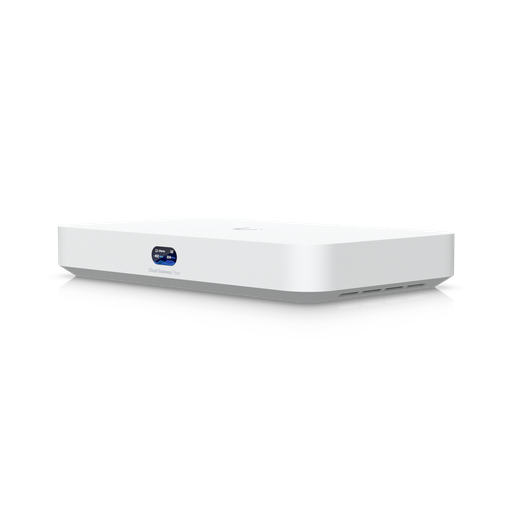
Shopping for UniFi Cloud Gateways?
Authorised Ubiquiti reseller: genuine Australian stock, full warranty, competitive prices and price match available.
Which compact gateways have PoE
Most do not, which surprises people. Of the compact range:
| Model | PoE budget | What that runs |
|---|---|---|
| UXG-Lite, UCG-Ultra, UXG-Max, UCG-Max | — none | Nothing — you need a PoE switch or injectors |
| UCG-Fiber, UXG-Fiber | 30 W | One or two access points, or a camera |
| UCG-Industrial | Up to 270 W (DC input) | Several APs and cameras including PoE+++ (90 W) devices |
If your gateway has no PoE, budget for a switch — the UniFi switch comparison covers sizing.
Gateways with WiFi built in
If you would rather not buy a separate access point for a small site, three models integrate WiFi:
- UX7 (Express 7) — WiFi 7 with a single 10 GbE WAN. The simplest all-in-one.
- UDR7 (Dream Router 7) — WiFi 7 plus a 10G SFP+ WAN, multi-WAN, and a built-in Protect recorder with 64 GB pre-installed.
- UDR-5G-Max — the UDR7 formula with 5G cellular WAN and dual SIM/eSIM, for sites without fixed-line internet or needing cellular failover.
All three share the same 2.3 Gbps IDS/IPS and 300-client capacity, so the choice is about connectivity rather than performance. Note that a gateway's built-in WiFi covers one area — for a whole building you still add access points.
UCG-Industrial: the outlier
The UCG-Industrial does not fit the pattern, and it is worth understanding what it is for. It combines the 5 Gbps performance of the Fiber with WiFi 7 built in, PoE+++ (90 W) output on its 10 GbE port, and a total PoE budget of up to 270 W from a 350 W supply — enough to run several access points and cameras directly with no switch at all.
It mounts on a wall, sits on a desk, or racks with an accessory, and accepts ATX power as well as DC. That combination suits places where you want one box to be the entire network: a workshop, a plant room, a remote site building, or a compact installation where rack space does not exist.
Which one should you buy?
| Situation | Recommended | Why |
|---|---|---|
| Smallest budget, basic internet, existing console | UXG-Lite | 1 Gbps routing at minimal cost and 3.8 W draw |
| Home or small office, first UniFi console | UCG-Ultra | Full console, 300 clients, 2.5 GbE WAN, USB-C powered |
| Small office wanting cameras too | UCG-Max | 2.3 Gbps, five 2.5 GbE ports, NVMe camera recording |
| Multi-gigabit fibre | UCG-Fiber | 5 Gbps, 10 GbE and SFP+, 500 clients, NVMe, 30 W PoE |
| Multi-gig fibre, console already exists | UXG-Fiber | Same routing without paying for console features |
| One box for a whole small site | UCG-Industrial | WiFi 7, 270 W PoE, wall or rack mount |
| Want WiFi included | UDR7 or UX7 | WiFi 7 gateway in one unit |
| No fixed-line internet | UDR-5G-Max | 5G cellular WAN with dual SIM |
When to move up to a rack-mount gateway
The compact range covers a great many Australian sites. You have outgrown it when:
- You pass roughly 500 clients or 50 UniFi devices.
- You need more than 5 Gbps of inspected throughput.
- You want more than five 4K cameras recorded on the gateway itself.
- You need redundant power or hardware failover.
- You want a rack-mount form factor with a front display.
At that point the Dream Machine range takes over, and beyond it the UDM-Beast and Enterprise Fortress Gateway.
Ready to buy?
Shop genuine Ubiquiti at ARC IP Networks
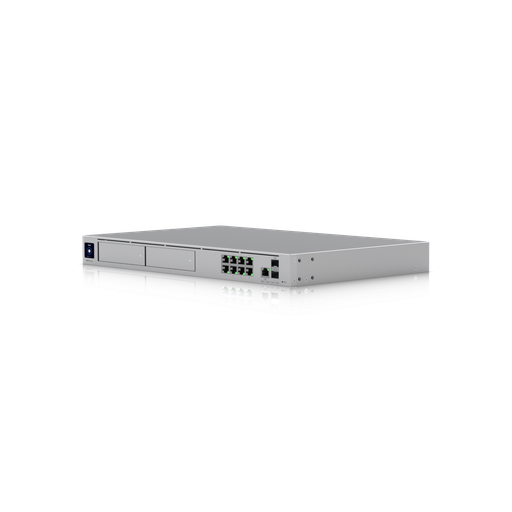
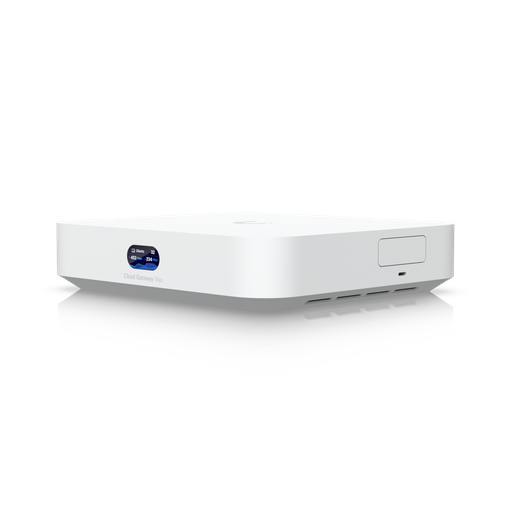
Authorised Ubiquiti reseller
Ubiquiti at ARC IP Networks
UniFi gateways, switches, Wi-Fi, Protect cameras and Access. Genuine Australian stock with the full manufacturer's warranty, competitive prices and price match available.
Frequently asked questions
A UCG (Cloud Gateway) is a complete UniFi console: it routes and firewalls your network and also runs the UniFi applications, including UniFi Protect on models with storage. A UXG (Gateway) provides the routing and security only, and needs a separate console such as a Cloud Key, Dream Machine or self-hosted controller. If this is your only UniFi console, buy a UCG.
The UCG-Fiber is Ubiquiti's compact cloud gateway for multi-gigabit fibre. It delivers 5 Gbps IDS/IPS throughput, has one 10 GbE RJ45 port, four 2.5 GbE ports and two 10G SFP+ ports, supports up to 6 WAN connections, takes a selectable NVMe SSD up to 2 TB for UniFi Protect recording, provides a 30 W PoE budget, and is rated for 500 clients and 50+ UniFi devices.
For plans up to about 1 Gbps, the UCG-Ultra is sufficient. For 1-2 Gbps, the UCG-Max or UXG-Max at 2.3 Gbps. For multi-gigabit fibre from 2-5 Gbps, the UCG-Fiber or UXG-Fiber. Note that the IDS/IPS throughput figure is the practical limit, because it is the speed with intrusion prevention enabled - buying below your plan speed means either slower internet or turning off the security features.
They share the same 5 Gbps IDS/IPS throughput, the same 2.2 GHz quad-core processor and the same port layout of one 10 GbE, four 2.5 GbE and two 10G SFP+ ports. The UCG-Fiber adds a gigabyte more memory (3 GB vs 2 GB), NVMe SSD storage up to 2 TB for camera recording, and published ratings of 500 clients and 50+ UniFi devices. Choose the UXG-Fiber only if you already run a separate console.
Yes, on some models. The UCG-Fiber and UCG-Max take a selectable NVMe SSD up to 2 TB and record 15 HD, 8 2K or 5 4K cameras. The UCG-Industrial has a pre-installed 128 GB microSD for the same counts. Ubiquiti does not publish camera storage for the UCG-Ultra, UXG-Lite, UXG-Max or UXG-Fiber. Beyond five 4K cameras, use a dedicated NVR.
Most do not. The UXG-Lite, UCG-Ultra, UXG-Max and UCG-Max have no PoE output at all, so you need a PoE switch or injectors for access points and cameras. The UCG-Fiber and UXG-Fiber provide a 30 W budget, enough for one or two access points. The UCG-Industrial is the exception with up to 270 W and PoE+++ at 90 W on its 10 GbE port.
It combines the 5 Gbps performance of the UCG-Fiber with built-in WiFi 7, PoE+++ output at 90 W and a total PoE budget of up to 270 W from a 350 W supply - enough to run several access points and cameras with no separate switch. It mounts on a wall, sits on a desk or racks with an accessory, and accepts ATX as well as DC power, which suits workshops, plant rooms and remote site buildings.
The UX7 (Express 7) with WiFi 7 and a 10 GbE WAN, the UDR7 (Dream Router 7) which adds a 10G SFP+ WAN, multi-WAN and a built-in Protect recorder, the UDR-5G-Max which adds 5G cellular WAN with dual SIM, and the UCG-Industrial. All share 2.3 Gbps IDS/IPS and 300-client capacity except the Industrial at 5 Gbps and 500 clients.
For a single room or small area, no. For a whole house or office, yes - a gateway's built-in WiFi covers one location, and coverage across a building needs access points placed through it. The gateway manages them from the same interface with no additional licensing.
No. The UniFi Network application and the core security features including 55,000+ CyberSecure threat signatures run on the hardware with no licensing or per-device subscription fees.
When you pass roughly 500 clients or 50 UniFi devices, need more than 5 Gbps of inspected throughput, want more than five 4K cameras recorded on the gateway itself, require redundant power or hardware failover, or want a rack-mount form factor. At that point the Dream Machine range takes over.
ARC IP Networks stocks the compact UniFi gateway range in Australia as an authorised Ubiquiti reseller, with genuine Australian stock, manufacturer warranty, GST tax invoices and fast Australia-wide shipping. Browse all UniFi Cloud Gateways or call 1300 100 440.

Related reading
- Best UniFi cameras in Australia (2026), compared and ranked
- What else you need to buy with a UniFi NVR
- Outgrowing a UniFi Cloud Key: when to move to a rack console
- How much storage do you need for security cameras?
- How to set up a UniFi Protect NVR — and migrate cameras from an old one
- UniFi Protect NVR comparison: which recorder do you need?
- Ubiquiti ENVR: the complete Australian guide
- Ubiquiti UDM-Beast: the complete Australian guide
- UDM-Beast vs UDM-Pro-Max: do you need the Beast?
- Start here: Ubiquiti Australia — the complete UniFi buying guide
- Browse all Ubiquiti UniFi Cloud Gateways
- UDM Pro vs UDM SE vs UDM Pro Max: the rack-mount step up
- UniFi switch comparison: PoE switching for your gateway
- UniFi access points compared
- Buying Ubiquiti in Australia: authorised reseller guide
Who we are
About ARC IP Networks
ARC IP Networks is an Australian supplier of networking, Wi-Fi and gateway equipment, based in Blackburn, Melbourne, Victoria. We work with homeowners, installers, integrators and businesses across Australia, supplying Ubiquiti UniFi, MikroTik, TP-Link, Ruijie, Teltonika and D-Link.
We are an authorised Ubiquiti, MikroTik, TP-Link, Ruijie, Teltonika and D-Link reseller, so you get genuine Australian stock with the full manufacturer's warranty, never grey imports, at competitive prices. Our team can help you choose the right equipment, and trade customers get trade accounts and project pricing on larger jobs.
- Genuine Australian stock with the full manufacturer's warranty
- Competitive prices, price match available
- Trade accounts for installers, integrators and MSPs
- Australia-wide delivery; showroom in Blackburn, Mon–Fri 9–5 (demos by appointment)
Need help choosing?
Tell the ARC IP Networks team what you are trying to achieve and we will recommend the right equipment and quote it as one order.