Which home security camera systems in Australia record locally with no subscription, and how do UniFi Protect, Hikvision and Jovision compare?
For most Australian homes, the best no-subscription option is a wired PoE system that records to a recorder at home. Choose UniFi Protect if you run a UniFi network, Hikvision for a broad range of camera types and AI search on the NVR, or Jovision for straightforward wired kits. All three record locally with free apps; optional paid extras such as cloud backup exist.
What does "no subscription" actually mean for a home camera system?
A security camera system with no subscription is one where the recording happens on hardware you own at your property: a network video recorder (NVR) or a UniFi console with a hard drive, SSD or memory card inside it. You pay for the hardware and the drive once. The phone app, live view, playback and alerts work without a monthly recording plan.
All three systems we compare in this guide work that way out of the box:
- UniFi Protect (Ubiquiti): Ubiquiti says Protect stores video and AI events locally on your UniFi OS console, with no cloud backup of your video by default, and that it has no licensing fees.
- Hikvision: cameras record to a Hikvision NVR with its own hard drives, and you view them in the Hik-Connect app.
- Jovision: cameras record to a Jovision PoE NVR with a SATA hard drive, and you view them in the CloudSEE app.
"No subscription" does not always mean "nothing to pay for, ever". Each brand has optional extras, and we cover them honestly in the paid add-ons section below. None of them is needed to record, play back or watch your cameras on your phone.
If you want the basics of local recording first, read Security Cameras Without a Subscription: How Local Recording Works. This guide is the next step: it compares the three systems side by side so you can choose one.
NVR, UniFi console or cloud camera: which type of system?
There are three common ways a home camera system can store footage. The table compares them on the points that matter for an Australian household.
| System type | Where footage is stored | Ongoing recording cost | What it suits |
|---|---|---|---|
| PoE NVR (Hikvision, Jovision) | Hard drive(s) inside the recorder at your home | None for local recording | Houses you can run network cable through, people who want a dedicated recorder that also outputs to a TV |
| UniFi console running Protect (UNVR Instant, UNVR, Cloud Gateway Max, Dream Router 7) | Drive, SSD or microSD in the console | None for local recording | Homes that already run, or want, a UniFi network; one app for network and cameras |
| Cloud camera with a plan | The camera maker's servers | A monthly or yearly plan for cloud history | Single cameras where you cannot run cable; not the focus of this guide |
NVR: a dedicated recorder. The Hikvision and Jovision NVRs in this guide have PoE ports on the back, so each camera plugs straight into the recorder with one network cable. Both have HDMI and VGA outputs for a monitor or TV. See What is a PoE NVR?
UniFi console: Ubiquiti runs UniFi Protect on several "consoles". Some are dedicated video recorders (the UNVR family), and some are gateways (routers) that also run Protect. They differ a lot in how many cameras they handle (see the next section), so pick the console for the number of cameras, not just the price.
Wired or Wi-Fi? This guide focuses on wired PoE systems, because a camera cabled to the recorder keeps recording to it even when your internet drops. Note that not every camera in a "surveillance bundle" is wired: Ubiquiti's G6 Instant, for example, is a Wi-Fi camera powered by its included 5 V, 2 A USB adapter (a PoE-to-USB-C adapter is sold separately), not a PoE camera like the others in this guide. More detail: Wired vs Wireless Security Cameras and Does CCTV Work Without Internet or Wi-Fi?
How to choose a no-subscription home camera system
- List every spot you want covered (doors, driveway, side paths, backyard) and add one or two spare channels.
- Decide on the system: UniFi Protect if you run or want a UniFi network, Hikvision for a broad range of camera types and AI search on the NVR, or Jovision for straightforward wired kits.
- Choose a recorder whose official camera limit covers your count at your chosen resolution (check the 4K figure on UniFi consoles).
- Add up the maximum PoE draw of your cameras and compare it with the recorder's PoE budget; add a PoE switch if it is over.
- Size the hard drive for the number of days you want to keep, using continuous or detection-only recording.
- Plan the cable runs, and book a licensed electrician for any new fixed power point and a registered cabler where cabling connects to the telecommunications network.
- Install the free app (UniFi Protect, Hik-Connect or CloudSEE) and set up privacy masking before you go live.
How many cameras and channels do you need?
Count the doors, gates, the driveway, side paths and the backyard, then add one or two spare channels for later. Our How Many Security Cameras Do I Need? guide walks through it, and our 2, 4, 6 or 8 camera buying guide shows typical layouts.
A "channel" is one camera the recorder can record. On UniFi consoles, Ubiquiti publishes the camera limit by resolution class, so the 4K figure is the one to check if you are buying 4K cameras.
| Recorder | Cameras (official spec) | Built-in PoE ports | Storage |
|---|---|---|---|
| UniFi Dream Router 7 (UDR7) | 5 HD, 2 2K or 1 4K | 1 PoE port (15.4 W) | Pre-installed 64 GB microSD |
| UniFi Cloud Gateway Max (UCG-Max) | 15 HD, 8 2K or 5 4K | None (use a PoE switch) | NVMe SSD up to 2 TB (the "No Storage" option has no SSD) |
| UniFi NVR Instant (UNVR Instant) | 15 HD, 8 2K or 6 4K | 6 PoE ports, 40 W PoE budget | 1 × 3.5" drive bay |
| UniFi NVR (UNVR) | 60 HD, 30 2K or 18 4K | None (use a PoE switch) | 4 × 2.5/3.5" drive bays |
| Hikvision DS-7608NXI-I2/8P/VPro | 8 IP camera inputs | 8 PoE ports (IEEE 802.3af/at), ≤ 120 W total | 2 SATA, up to 20 TB each |
| Jovision JVS-ND7004-PD01 | 4CH PoE cameras up to 8MP (plus non-PoE cameras, per datasheet) | 4 PoE ports (IEEE 802.3af) | 1 SATA, up to 10 TB |
| Jovision JVS-ND7008-PD01 | 8CH PoE cameras up to 8MP (plus non-PoE cameras, per datasheet) | 8 PoE ports (IEEE 802.3af) | 1 SATA, up to 10 TB |
Two things people miss:
- The UDR7 is a router first. Its official spec manages 5 HD, 2 2K or 1 4K camera and it has one PoE port, so it suits one or two cameras, not a four-camera 4K system.
- Consoles without PoE ports need a PoE switch. Ubiquiti's own Protect setup guide lists PoE switches to power the cameras as a requirement. Our UniFi NVR shopping list covers the extras.
PoE power: will the recorder run all your cameras?
PoE (Power over Ethernet) sends power and video down one network cable. Every PoE recorder has a total PoE budget, and every camera has a maximum draw. Add up the cameras' maximum figures and compare them with the recorder's budget before you buy. For the standards, see PoE for CCTV: 802.3af, 802.3at and 802.3bt Explained.
Worked examples from the official spec sheets:
- UniFi NVR Instant Kit: the four G5 Turret Ultra cameras are 4 W max each, 16 W in total, against the UNVR Instant's 40 W budget. Adding one G6 Turret (12.5 W max) brings it to 28.5 W. A second G6 Turret would make 41 W, which is over the 40 W budget, so beyond that you would add a PoE switch.
- Hikvision DS-7608NXI-I2/8P/VPro: the DS-2CD2387G3-LIS2UY/SL ColorVu turret is listed at PoE (IEEE 802.3at, Class 4) max 17 W. Eight of them at maximum draw would be 136 W, more than the NVR's ≤ 120 W PoE figure. Four of them (68 W) is comfortably inside it. If you plan eight high-draw cameras, check Hikvision's current datasheets or add a PoE switch.
- Jovision JVS-N819-ZDL: listed at under 6 W by day and under 12 W at night, and it accepts PoE or DC12V. The JVS-ND7008-PD01's PoE ports are IEEE 802.3af. Jovision's page lists the NVR's consumption (≤ 120 W without HDD) but not a separate total PoE budget, so ask us to check a full eight-camera build.
Not every UniFi camera is the same class: the G6 Turret is plain PoE, while the G6 Pro Turret needs PoE+. The UNVR Instant's ports are 802.3af PoE (15.4 W per port), so a PoE+ camera such as the G6 Pro Turret needs a PoE+ switch. Check each model's spec rather than the family.
How much storage do you need, and how many days will it keep?
How many days of footage you keep depends on the number of cameras, their resolution and bitrate, and whether they record continuously or only on detection.
Worked example (this camera at its maximum bitrate): Jovision lists the JVS-N819-ZDL's main stream at up to 4,096 Kbps. Recording continuously at that maximum, one camera writes about 44 GB a day (4,096 Kbps × 86,400 seconds ÷ 8). Four cameras write about 177 GB a day, so a 4 TB drive holds roughly 22 days, before formatting overhead. Higher-bitrate cameras fill a drive faster (the Hikvision DS-2CD2387G3, for example, goes up to 16 Mbps). Lower bitrates or detection-only recording stretch that further. Use our security camera storage sizing guide for your own numbers.
What each system offers to stretch storage:
- UniFi Protect: recording modes Always, Detection Only or Never per camera, schedules, and Enhanced Retention (Protect 5.1 or later), which keeps recent footage at full quality and downgrades older footage to low quality. Downgraded footage cannot be restored to high quality.
- Hikvision: the DS-7608NXI-I2/8P/VPro supports H.265+, which Hikvision says reduces storage space by up to 75%, plus 2 internal SATA interfaces of up to 20 TB each.
- Jovision: the ND7004/ND7008 record in H.265/H.264 with Manual, Schedule or Motion Detection (MD) record modes, to one SATA drive of up to 10 TB.
Which drive? Use a surveillance-rated drive. For UniFi 3.5" consoles, Ubiquiti recommends a 1 TB or larger CMR drive with 7200 RPM read/write speeds (5400 RPM is not recommended for multi-bay consoles in RAID 5/6/10 or ZFS), and lists its official UniFi HDDs at 8, 16 and 24 TB. For NVR drives, see Best Hard Drive for CCTV and NVRs in Australia.
Remote viewing: which app, and does it cost anything?
- UniFi Protect: the UniFi Protect app (iOS and Android) or the Site Manager web portal, signed in with a UI account. Ubiquiti says your device connects to your console through an end-to-end encrypted channel, and that it cannot view, store or access your video streams. Its Protect page answers "Are there any fees?" with "Absolutely not."
- Hikvision: the Hik-Connect app for live view, playback, event notifications and two-way audio, with a free Hik ID account. If you would rather keep Hikvision off the internet altogether, see Do You Need Hik-Connect? Running Hikvision Fully Local.
- Jovision: the Jovision NVR datasheets list CloudSEE support on PC and smartphone (iOS/Android). On the Australian App Store, both CloudSEE Int'l Pro and CloudSEE 3.0 are listed as free.
Remote viewing uses your internet connection and mobile data. The recording itself happens on the recorder at your home.
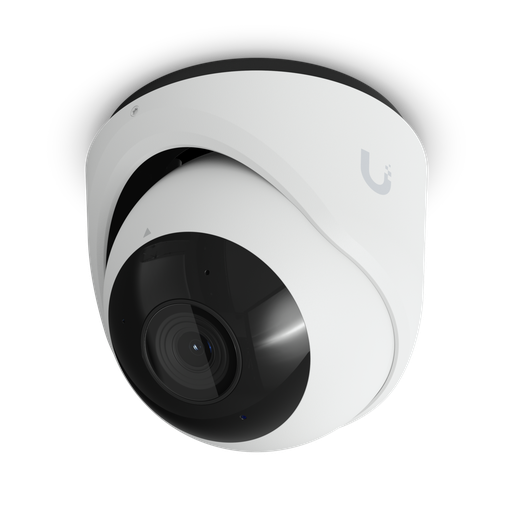
Shopping for UniFi Protect cameras?
Authorised Ubiquiti reseller: genuine Australian stock, full warranty, competitive prices and price match available.
Night vision: infrared, colour or both?
Night vision is where the cameras in these systems differ most. For the background, read Can Security Cameras See in the Dark?
| Camera | Night mode (official spec) | Range |
|---|---|---|
| UniFi G5 Turret Ultra (in the NVR Instant Kit) | Built-in IR LEDs and IR cut filter | IR 30 m |
| UniFi G6 Turret | Built-in IR LEDs and IR cut filter | IR 30 m |
| Hikvision DS-2CD2387G3-LIS2UY/SL | Smart Hybrid Light: IR and white light, 3 supplemental lighting modes (ColorVu) | Up to 30 m |
| Jovision JVS-N819-ZDL | 4 warm-light LEDs + 4 IR LEDs | IR up to 80 m; warm light up to 60 m |
Infrared gives black-and-white night images without visible light. Colour night vision uses a visible white or warm light so you see the colour of a car or clothing, but the light is visible to people and neighbours. A hybrid camera lets you choose. Think about where a lit camera points before you mount it. For Hikvision's options, see ColorVu vs DarkFighter.
AI detection: what runs on the camera, the recorder or an add-on?
"AI detection" usually means telling people and vehicles apart from moving trees and shadows, so you get fewer pointless alerts. In UniFi Protect and on Hikvision cameras and NVRs it runs locally; on Jovision it depends on the model, and which models support it differs.
- UniFi Protect: Ubiquiti says its AI processing takes place on-premises, on the camera or via optional accessories. G6 and AI Series cameras do person, vehicle, face recognition and licence plate recognition (both excluding 360 models) on the camera. G5 and G4 cameras do person and vehicle detection, and need an AI Port or AI Key for face and plate recognition. The G5 Turret Ultra in the NVR Instant Kit lists smart detections for people, vehicles and animals. Natural language search and AI summaries need the separate AI Key.
- Hikvision: the DS-2CD2387G3-LIS2UY/SL classifies people and vehicles using deep learning, with line crossing, intrusion, region entrance and exit, plus strobe light and audible warning. The DS-7608NXI-I2/8P/VPro NVR adds facial recognition, perimeter protection (4 channels by the NVR, all channels by camera), motion detection 2.0, and AcuSeek/AcuSearch footage search with compatible AcuSense cameras. Its datasheet lists Australia among supported ANPR regions (by camera). More: Hikvision AcuSense Explained.
- Jovision: AI depends on the camera model. The JVS-N819-ZDL bought for its 5× motorised zoom and long night range lists "Intelligent Analysis: Not Support" and "Smart Motion Detection: Not Support", and the ND7004/ND7008 NVRs list motion detection and no-video detection. If people and vehicle alerts matter most to you, check the exact Jovision camera's spec or ask us. Our best Jovision cameras guide covers the range.
Paid add-ons: what is optional on each system?
None of these is needed to record locally, but you should know they exist:
| System | Optional extra | What it is |
|---|---|---|
| UniFi Protect | Off-site archiving | Protect can archive footage to Google Drive, OneDrive, Dropbox or a NAS. The cloud destinations use your own account with that provider, on whatever plan you have with them. |
| UniFi Protect | AI Key / AI Port (hardware) | One-off hardware purchases, not subscriptions. AI Key adds natural language search, AI alerts, speech-to-text and AI summaries; AI Port adds smart detections to third-party RTSP cameras. |
| Hikvision | Hik-Connect Cloud Storage | An optional paid subscription that backs up video clips to the cloud. Hikvision's global site lists 7/30-day monthly and 7/30/90/180/365-day annual packages, sold per device; its terms say you arrange it through your installer, and availability in Australia is through your installer. |
| Jovision | Cloud storage in CloudSEE 3.0 | The app's App Store listing includes "Video recording cloud storage" as a feature. Recording to the NVR's hard drive does not need it. |
The one cost every system shares is the hard drive. Some bundles include one (the UniFi NVR Instant Kit has a 1 TB drive), and many recorders and kits do not, so check the listing.
UniFi Protect vs Hikvision vs Jovision: side-by-side
| UniFi Protect | Hikvision | Jovision | |
|---|---|---|---|
| Recorder | UniFi console (UNVR family, or a gateway running Protect) | Hikvision PoE NVR | Jovision PoE NVR |
| Local recording subscription | None (Ubiquiti: no licensing fees) | None | None |
| App | UniFi Protect | Hik-Connect | CloudSEE |
| Optional paid extras | AI Key/AI Port hardware; your own cloud account for archiving | Hik-Connect Cloud Storage plans | A cloud storage feature is listed in the CloudSEE apps; Jovision does not publish pricing |
| Third-party cameras | ONVIF-compatible cameras supported | ONVIF (profile S/G) on the VPro NVR | ONVIF 2.4 on ND7004/ND7008 |
| Best fit | Homes with, or planning, a UniFi network; one app for Wi-Fi, network and cameras | A broad range of camera types and lenses, with AI search on the NVR | Value wired kits; zoom and long-range night vision cameras |
For a deeper two-way comparison, read Hikvision vs Ubiquiti UniFi Protect and Jovision vs Hikvision. For model-by-model picks inside each brand: Best UniFi Cameras in Australia, Best Hikvision Cameras for Home Security in Australia and Best Jovision Security Cameras. Jovision's ready-made wired kits are on our Jovision security camera kits page.
Which system should you choose?
- You already have UniFi Wi-Fi or a UniFi gateway: choose UniFi Protect. Everything sits in one UniFi app, and an NVR Instant or UNVR adds proper drive storage. A gateway console such as the UCG-Max (5 4K cameras) suits a small system. The UDR7 (5 HD, 2 2K or 1 4K camera, one PoE port) suits one or two cameras.
- You want a broad camera range and AI search on the recorder: choose Hikvision. An 8-channel AcuSense NVR with ColorVu turrets suits many homes (with eight 8MP cameras, check the PoE total and the NVR's decoding limits), with room for varifocal, panoramic and number-plate cameras later. See Best Hikvision NVR: Channels and Storage.
- You want a straightforward wired kit, or long-range zoom on a driveway or farm: look at Jovision. Our Jovision kits bundle cameras with a 4- or 8-channel PoE NVR. Read Is Jovision a Good Security Camera Brand? for an honest view.
Whatever you choose, budget for the hard drive, a cable for each camera, and mounting. Our CCTV cost guide covers the full picture.
Installation: what you can do yourself, and what needs a licensed trade
Plugging cameras, a PoE recorder and a plug-in power adapter into an existing power point is something many homeowners do themselves. Two rules apply in Australia:
- Fixed 230 V wiring: adding or moving a hard-wired power point (for example, for a recorder in a roof space or cupboard) must be done by a licensed electrician under your state's electrical safety laws. Plug-in adapters do not need one.
- Data cabling: cabling that connects to the telecommunications network must be installed by a registered cabler (under ACMA's cabling rules). If your camera network links into your home network or NBN connection, ask a registered cabler about the runs.
Plan the cable runs from each camera back to the recorder (or PoE switch) before you buy, so you know how many channels and PoE ports you need.
Australian privacy and surveillance laws: what to check
Australia does not have one camera law for homes. The OAIC says the federal Privacy Act does not cover a security camera operated by an individual acting in a private capacity, but state or territory laws may apply. It suggests contacting the Attorney-General's Department in your state or territory for details.
Practical steps: point cameras at your own property, use privacy masking for neighbours' windows and yards (the UniFi G6 Turret, Hikvision DS-2CD2387G3 and Jovision JVS-N819-ZDL specs all list it), and think carefully before switching on audio recording. This is general information, not legal advice. Read our guides for more detail:
Buying a no-subscription system from ARC IP Networks
ARC IP Networks is an authorised Ubiquiti reseller and an authorised Hikvision reseller, and the national distributor of Jovision in Australia. Every product we sell is genuine Australian stock with the full manufacturer's warranty, at competitive prices, and a price match is available. If you are unsure which recorder, how many channels or what size drive you need, send us your camera count and layout and we will help you size it.
Our picks
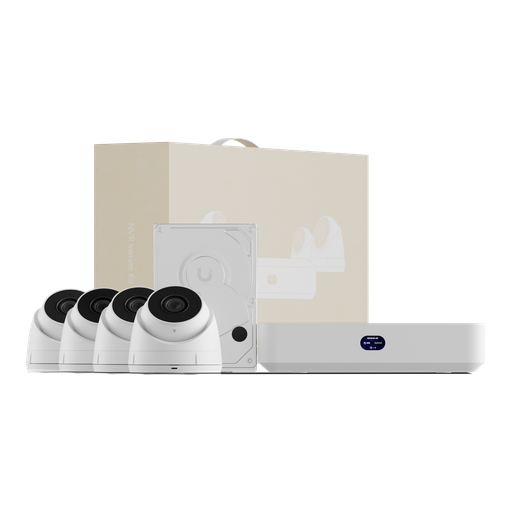
Ubiquiti UNVR-Instant-Kit UniFi Protect Network Video Recorder Instant Kit
UNVR Instant with four 2K G5 Turret Ultra PoE cameras and a 1 TB drive; 6 PoE ports (40 W budget) and up to 6 4K cameras, all with no Protect licence fees.
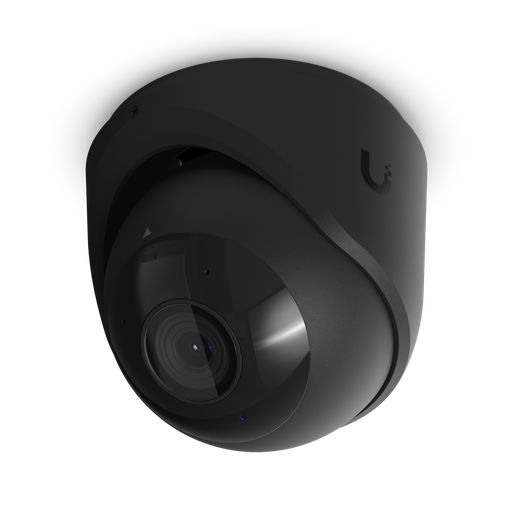
Ubiquiti UVC-G6-Turret-B UniFi Protect G6 Turret 4K Black
G6 Turret: 4K 8MP, 1/1.8" sensor, 30 m IR, IP66, on-camera face and plate recognition, 12.5 W max on standard PoE.
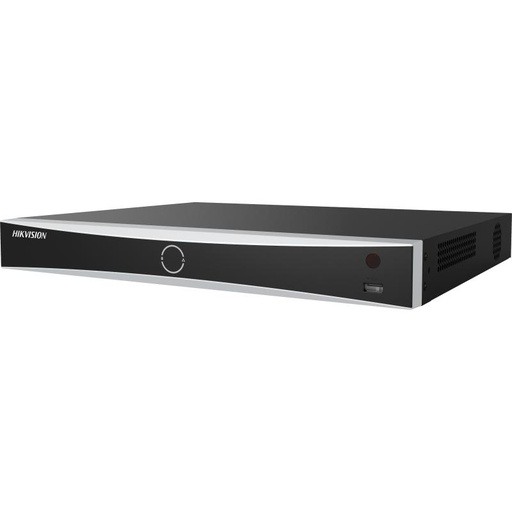
Hikvision DS-7608NXI-I2/8P/VPro 8-Ch AcuSense NVR (4TB)
DS-7608NXI-I2/8P/VPro: 8 PoE ports, 2 internal SATA interfaces (up to 20 TB each), facial recognition on the NVR, and AcuSeek/AcuSearch search with compatible AcuSense cameras; this listing includes a 4 TB drive.

Hikvision DS-2CD2387G3 8MP 2.8mm AcuSense Turret Camera
DS-2CD2387G3-LIS2UY/SL 2.8 mm: 8MP ColorVu with Smart Hybrid Light (IR + white, up to 30 m), people/vehicle classification, strobe and audible warning; when powered by PoE it needs 802.3at (Class 4, 17 W max).
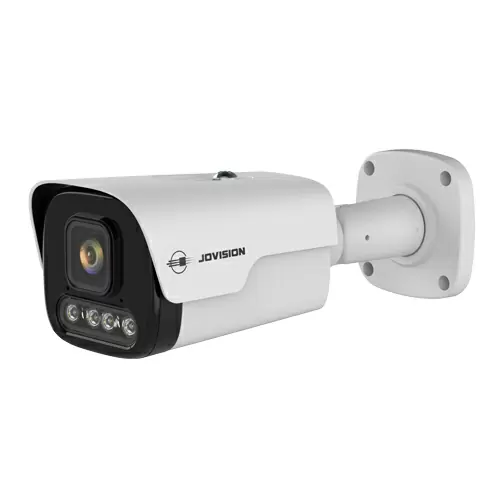
8MP 4K PoE Bullet Security Camera, 5x Motorised Zoom, Colour Night Vision, Two-Way Audio
JVS-N819-ZDL: 8MP 4K with a 2.7-13.5 mm motorised lens, IR up to 80 m and warm light up to 60 m, IP67, built-in mic and speaker (no on-camera AI analysis).
Ready to buy?
Shop genuine Ubiquiti, Hikvision and Jovision at ARC IP Networks
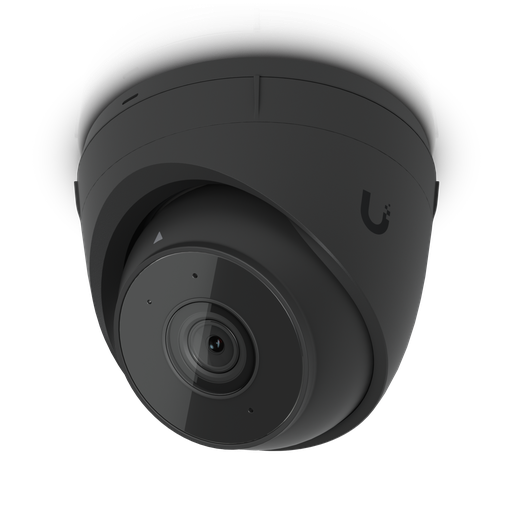
Authorised Ubiquiti reseller
Ubiquiti at ARC IP Networks
UniFi gateways, switches, Wi-Fi, Protect cameras and Access. Genuine Australian stock with the full manufacturer's warranty, competitive prices and price match available.

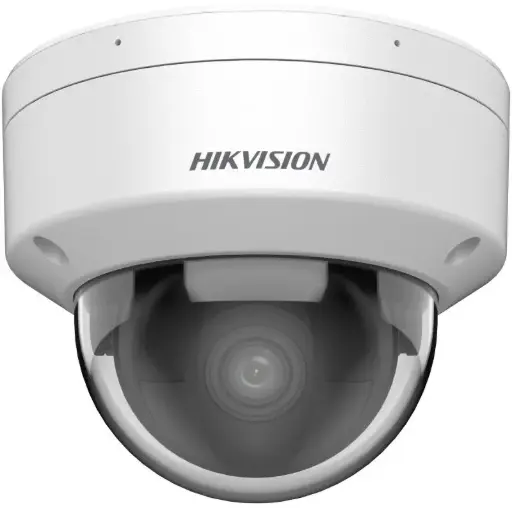
Authorised Hikvision reseller
Hikvision at ARC IP Networks
AcuSense, ColorVu and DeepinView cameras, NVRs and complete systems. Genuine Australian stock with the full manufacturer's warranty, competitive prices and price match available.
National distributor of Jovision in Australia
Jovision at ARC IP Networks
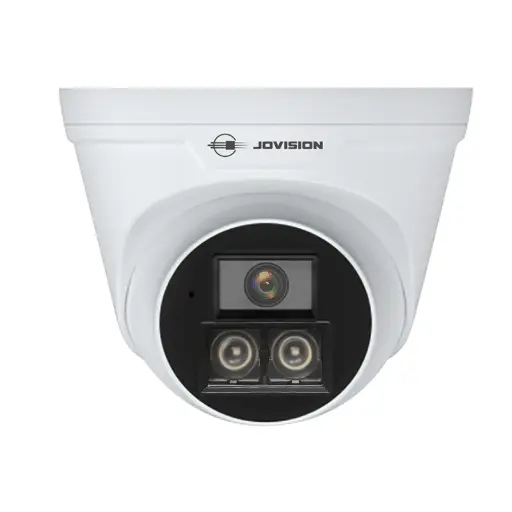
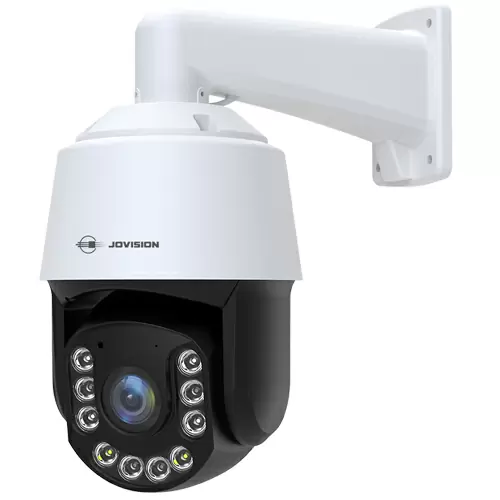
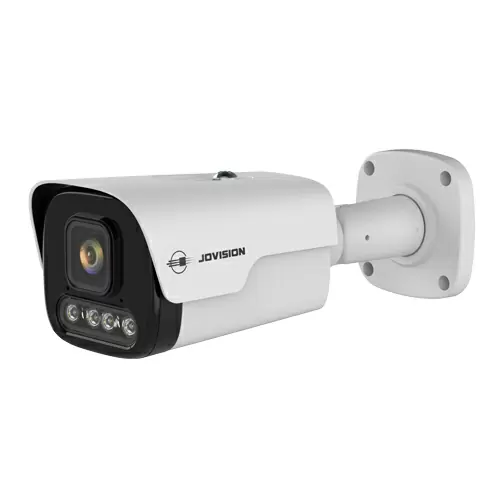
Full-colour, AI and 4G/solar cameras with NVR kits. Genuine Australian stock with the full manufacturer's warranty, competitive prices and price match available.
Frequently asked questions
Yes. UniFi Protect, Hikvision and Jovision systems all record to a recorder and hard drive at your home, and their phone apps are free. Optional paid extras exist (such as Hik-Connect Cloud Storage), but you do not need them to record or watch your cameras.
No. Ubiquiti says UniFi Protect has no licensing fees and stores video and AI events locally on your UniFi console. Optional extras are hardware (AI Key, AI Port), and off-site archiving uses your own Google Drive, OneDrive, Dropbox or NAS.
The Hik-Connect app for live view, playback and notifications uses a free Hik ID account. Hikvision also sells an optional Hik-Connect Cloud Storage subscription, per device, arranged through your installer.
Check the 4K figure on the spec sheet. The UNVR Instant manages 6 4K cameras and the UCG-Max manages 5, while the Dream Router 7 manages only 1. Also check power: four G6 Turrets draw up to 50 W (4 × 12.5 W), more than the UNVR Instant's 40 W PoE budget, so add a PoE switch or mix in lower-draw cameras.
It depends on bitrate and recording mode. For example, four Jovision JVS-N819-ZDL cameras recording continuously at their 4,096 Kbps maximum use about 177 GB a day, so 4 TB holds roughly 22 days. Higher-bitrate cameras fill a drive faster; detection-only recording or lower bitrates keep footage for longer.
Not if the recorder has enough PoE ports and budget: the UNVR Instant has 6 PoE ports, and the Hikvision VPro and Jovision ND7008 have 8. Consoles without PoE ports, such as the UNVR and UCG-Max, need a PoE switch.
Wired PoE cameras record to the recorder on your local network, so recording to the drive continues without internet. The internet is needed for remote viewing, phone alerts, cloud archiving or cloud storage, and updates.
No. UniFi G6 cameras and the Hikvision DS-2CD2387G3-LIS2UY/SL classify people and vehicles, but the Jovision JVS-N819-ZDL lists intelligent analysis as not supported. Check each model's spec.
It can be, but the OAIC says state and territory surveillance laws may apply, and suggests contacting your state or territory Attorney-General's Department. Some councils require planning permission for security cameras. Keep cameras pointed at your own property and read our CCTV laws guide; this is not legal advice.
Related guides
- Best Security Camera System in Australia (2026): How to Choose a CCTV System
- Security Cameras Without a Subscription: How Local Recording Works
- Home Security Camera System Buying Guide: 2, 4, 6 or 8 Cameras?
- Hikvision vs Ubiquiti UniFi Protect: Which Is Right for You? (2026)
- Best UniFi Cameras in Australia (2026): UniFi Protect Cameras Compared & Ranked
- Best Hikvision Cameras for Home Security in Australia (2026)
- Best Jovision Security Cameras for Home & Business (2026)
- UniFi Protect NVR Comparison 2026: Which Recorder Do You Need?
- Best Hikvision NVR: Channels & Storage Guide (2026)
- How Much Storage Do You Need for Security Cameras? (2026 Sizing Guide)
- Best Hard Drive for CCTV and NVRs in Australia: WD Purple vs Seagate SkyHawk
- PoE for CCTV: 802.3af, 802.3at & 802.3bt Explained
- Do You Need Hik-Connect? Running Hikvision Fully Local (No Cloud)
- Does CCTV Work Without Internet or Wi-Fi?
- CCTV Laws in Australia: What Homeowners Can (and Can't) Do
- Can CCTV Cameras Record Audio in Australia?
- CCTV Signage & Privacy: What's Required in Australia?
- ColorVu vs DarkFighter: Which Hikvision Night Vision Is Best?
- Is Jovision a Good Security Camera Brand? An Honest 2026 Review
- Jovision vs Hikvision (2026): Which Security Camera Is Better?
- What Else You Need to Buy With a UniFi NVR (The Full Shopping List)
Who we are
About ARC IP Networks
ARC IP Networks is an Australian supplier of security cameras and CCTV systems, based in Blackburn, Melbourne, Victoria. We work with homeowners, installers, integrators and businesses across Australia, supplying Hikvision, Ubiquiti UniFi Protect, Dahua and Jovision CCTV.
We are an authorised reseller for every brand we sell, and the national distributor of Jovision in Australia, so you get genuine Australian stock with the full manufacturer's warranty, never grey imports, at competitive prices. Our team can help you choose the right equipment, and trade customers get trade accounts and project pricing on larger jobs.
- Genuine Australian stock with the full manufacturer's warranty
- Competitive prices, price match available
- Trade accounts for installers, integrators and MSPs
- Australia-wide delivery; showroom in Blackburn, Mon–Fri 9–5 (demos by appointment)
Need help choosing?
Tell the ARC IP Networks team what you are setting up and we will recommend the right equipment and quote it as one order.