CABLE
m
5e/6
What is PoE for CCTV? Power over Ethernet (PoE) sends both electrical power and video data to a security camera through a single Ethernet cable, so each camera needs no separate power point. The three IEEE standards are 802.3af (PoE, up to ~15.4 W), 802.3at (PoE+, up to ~30 W) and 802.3bt (PoE++, up to ~60-90 W). ARC IP Networks supplies PoE Hikvision cameras and PoE NVRs with genuine Australian warranty.
What is PoE (Power over Ethernet)?
Power over Ethernet lets a single Ethernet cable carry both the low-voltage DC power a camera needs and its network data at the same time. Instead of running a power cable to every camera location, you run one network cable back to a PoE switch or a PoE-equipped recorder, and that cable does everything.
For CCTV this is a genuine game-changer. A camera on a wall, under an eave or up on a pole no longer needs a power point nearby — the cable that carries the vision also carries the power. It keeps installs tidy, reduces the number of cables in the roof or wall, and makes it far easier to place cameras exactly where you want them.
The device supplying power is called the PSE (Power Sourcing Equipment) — your PoE switch or PoE NVR. The camera is the PD (Powered Device). Modern PoE negotiates power automatically, so a compliant switch only delivers as much power as each camera actually asks for.
PoE standards: 802.3af, 802.3at and 802.3bt
PoE is defined by IEEE 802.3 standards. Each generation increased the amount of power a single port can deliver. The figures below are the power available at the switch port; a little is lost over the cable, so the power actually reaching the camera is slightly lower.
| Standard | Common name | Power at port | Typical CCTV use |
|---|---|---|---|
| 802.3af | PoE | Up to ~15.4 W | Standard fixed bullet, turret and dome IP cameras |
| 802.3at | PoE+ | Up to ~30 W | Cameras with heaters, IR illuminators or motorised (varifocal) lenses |
| 802.3bt | PoE++ / 4PPoE | Up to ~60 W (Type 3) or ~90 W (Type 4) | PTZ cameras, multi-sensor and panoramic cameras, cameras with wipers or strong heaters |
Higher standards are backward compatible: a PoE+ or PoE++ port will happily run a basic 802.3af camera and simply deliver less power. The reverse is not true — a hungry PTZ that needs PoE+ will not run reliably on an af-only port.
How much power does a CCTV camera actually use?
Most fixed IP security cameras — bullets, turrets and domes — draw somewhere in the range of about 5 to 12 watts, comfortably inside the standard 802.3af budget. Power use rises when a camera switches on infrared night vision, a built-in warning light or an active-deterrence strobe.
Cameras that move or add heating draw more. A pan-tilt-zoom (PTZ) camera has motors, and often a heater and wiper, so it typically needs PoE+ or PoE++. Panoramic and multi-sensor cameras combine several image sensors in one housing and also sit in the higher tiers.
Always check the individual datasheet for the exact figure, and remember to leave headroom — you never want a switch running at 100% of its power budget. The safe approach is to add up the power draw of every camera and make sure your switch or recorder's total PoE power budget comfortably exceeds it.
PoE NVR vs PoE switch + injector
There are two common ways to power a set of PoE cameras. Both are valid; the right one depends on the size and layout of the job.
PoE NVR (built-in PoE ports)
A PoE Network Video Recorder has the PoE switch built in. You plug each camera straight into a numbered port on the back of the recorder, and that port supplies power, network and recording all at once. This is the simplest option for a typical home or small business system — an 8-channel/8-PoE NVR, for example, powers and records up to eight cameras from a single box on its own isolated camera network.
PoE switch (+ standalone NVR or injector)
For larger or more spread-out sites, a dedicated PoE switch powers the cameras and connects back to a recorder or server over the main network. This scales further, lets you place switches closer to camera clusters, and suits sites with dozens of cameras. A single-port PoE injector is the third option: it adds PoE to one run when you only need to power one camera from a non-PoE switch.

Shopping for Hikvision?
Authorised Hikvision reseller: genuine Australian stock, full warranty, competitive prices and price match available.
Cable, distance and the 100-metre limit
PoE runs over ordinary structured cabling. Cat5e is the practical minimum for IP CCTV and is fine for most installs; Cat6 gives extra headroom and is a sensible choice for new work. Use solid-copper cable rated for the job — copper-clad-aluminium (CCA) cable is not recommended for PoE because it carries power poorly and can run hot.
The key rule to remember is the 100-metre limit: standard Ethernet (and therefore PoE) is specified for cable runs up to 100 m from the switch or NVR port to the camera. Push past that and you risk dropouts and unreliable power.
Need to go further? A PoE extender repeats the signal and power to add roughly another 100 m per hop, and fibre with a media converter covers long distances between buildings. Plan cable routes with the 100 m budget in mind and add extenders where a camera sits beyond reach.
Why PoE makes CCTV installation so simple
PoE is the reason modern IP CCTV is so much easier to install than older analogue systems:
- One cable per camera. Power and vision share a single Ethernet run — no separate power cable, no coax plus power pair.
- No power point at the camera. Because the low-voltage power comes down the network cable, you don't need a nearby GPO or an electrician to add one at every camera position.
- Extra-low-voltage and DIY-friendly. PoE delivers safe extra-low-voltage (ELV) power, which is why capable DIYers can run and terminate the cabling themselves — while any 230 V mains work (like adding a power point for the recorder) is always left to a licensed electrician.
- Flexible placement. Put cameras exactly where coverage is best, not where the nearest power outlet happens to be.
- Tidy and centralised. All power comes from one switch or NVR, so it's easy to protect the whole system with a single UPS for backup during a blackout.
The result is a cleaner install, fewer cables, lower cost and a system that's simple to expand later.
Hikvision PoE gear to get you started
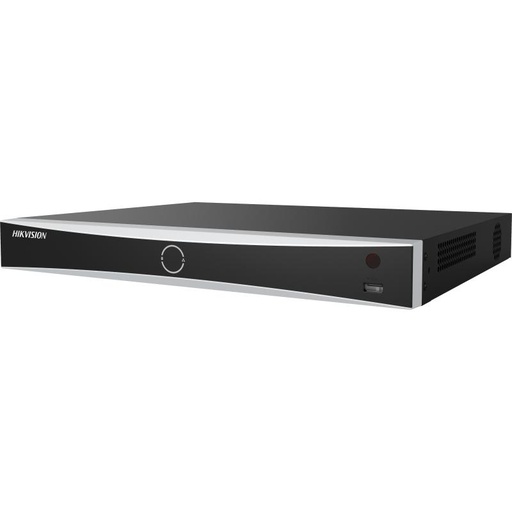
Hikvision DS-7608NXI-I2/8P/VPro 8-Ch AcuSense NVR
8-channel AcuSense NVR with 8 built-in PoE ports — power, record and manage up to eight cameras from one box on its own isolated camera network.
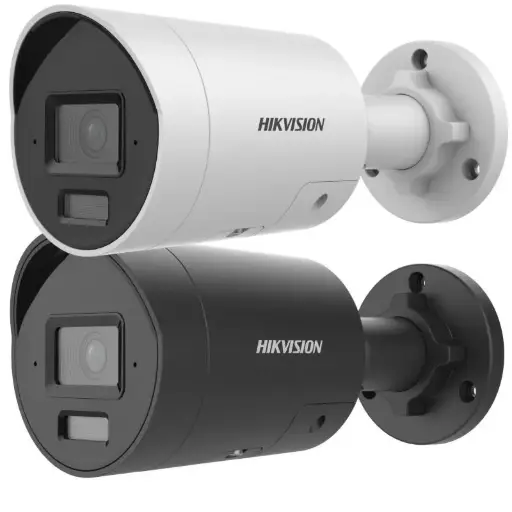
Hikvision DS-2CD2066G2H-I2U/SL 6MP 4mm AcuSense Strobe Light and Audible Warning Fixed Bullet Network Camera
6MP AcuSense bullet camera with a 4mm lens, strobe light and audible warning. A standard-PoE (802.3af) camera ideal for driveways, yards and perimeters.
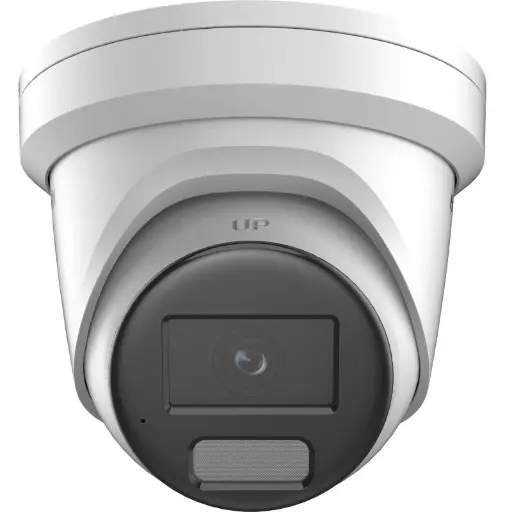
Hikvision DS-2CD2386G2H 8MP 2.8mm Powered by Darkfighter Fixed Turret Network Camera
8MP 2.8mm turret camera powered by Darkfighter low-light technology and a built-in mic — a compact, standard-PoE camera for entries, verandas and indoor areas.
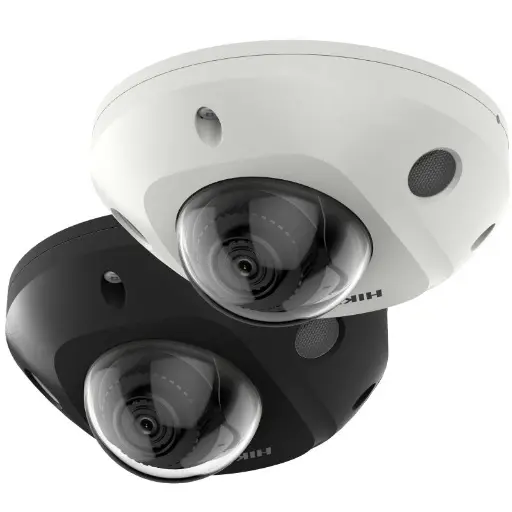
Hikvision DS-2CD2566G2-I 6MP Darkfighter Mini Dome
6MP Darkfighter mini-dome for discreet, vandal-aware coverage of entrances, hallways and retail floors — runs on standard PoE for a single-cable install.
Ready to buy?
Shop genuine Hikvision at ARC IP Networks


Authorised Hikvision reseller
Hikvision at ARC IP Networks
AcuSense, ColorVu and DeepinView cameras, NVRs and complete systems. Genuine Australian stock with the full manufacturer's warranty, competitive prices and price match available.
Frequently asked questions
Last updated: 2026-07-14 · Written by the ARC IP Networks team, an authorised Hikvision reseller in Australia.
Who we are
About ARC IP Networks
ARC IP Networks is an Australian supplier of security cameras and CCTV systems, based in Blackburn, Melbourne, Victoria. We work with homeowners, installers, integrators and businesses across Australia, supplying Hikvision, Ubiquiti UniFi Protect, Dahua and Jovision CCTV.
We are an authorised reseller for every brand we sell, and the national distributor of Jovision in Australia, so you get genuine Australian stock with the full manufacturer's warranty, never grey imports, at competitive prices. Our team can help you choose the right equipment, and trade customers get trade accounts and project pricing on larger jobs.
- Genuine Australian stock with the full manufacturer's warranty
- Competitive prices, price match available
- Trade accounts for installers, integrators and MSPs
- Australia-wide delivery; showroom in Blackburn, Mon–Fri 9–5 (demos by appointment)
Need help choosing?
Tell the ARC IP Networks team what you are trying to achieve and we will recommend the right equipment and quote it as one order.