Yes — wired CCTV works completely without internet. A PoE NVR records every camera 24/7 to its own hard drive with no internet, NBN or Wi-Fi at all. You only need the internet to view the cameras remotely on your phone. Locally, footage plays back on an HDMI monitor or PC. ARC IP Networks supplies genuine wired Hikvision systems built to run offline.
Does CCTV Work Without Internet?
Short answer: yes. A proper wired CCTV system does not need the internet to do its main job — recording. A network video recorder (NVR) has its own hard drive inside it, and it saves footage from every camera directly to that drive, around the clock, whether or not there is any internet connection in the building.
The confusion usually comes from smart Wi-Fi cameras and cloud brands, where losing your connection can mean losing your footage. A wired system is different: the cameras and recorder form their own small private network, so they keep working even if the NBN drops out, the modem dies, or the site has never had internet at all. Internet is only needed for one thing — watching the cameras remotely from somewhere else.
If you want the simplest possible offline setup, a PoE NVR is the answer — one cable per camera carries both power and video, and the whole system stands on its own.
How Does a PoE NVR Record Without Internet?
A PoE (Power over Ethernet) NVR is the heart of an offline system. It has a built-in PoE switch, so each camera plugs into the back of the recorder with a single network cable. That one cable delivers power to the camera and carries the video back — no separate power adaptors, no Wi-Fi, no router required.
Here is what happens when there's no internet:
- The NVR creates its own local network for the cameras (it hands out their IP addresses itself).
- Each camera streams video down its cable to the NVR.
- The NVR writes that video to its internal hard drive, continuously or on a schedule.
- You can plug a monitor straight into the NVR and watch live or play back recordings.
None of those steps touch the internet. As long as the NVR has power and a working hard drive, it records. A modern recorder using H.265+ compression can hold weeks or months of footage on a single drive.
So What Do You Actually Need the Internet For?
Internet on a CCTV system does exactly one thing: it lets you reach your cameras when you're away from the property. With a service like Hik-Connect, the NVR uses your internet connection to send live video and alerts to your phone, wherever you are.
Think of it this way — the recording is always local; the internet is just the pipe that carries a copy out to your phone on demand. Features that need internet include:
- Live view and playback on your phone via the Hik-Connect app when you're not home.
- Push notifications and email alerts sent off-site.
- Remote firmware updates and cloud backup (optional).
If you never need to check the cameras from your phone — for example a shed, a rural site, or a shop where staff only review footage on-site — you can run the entire system with no internet at all and lose nothing on the recording side.
Do Wi-Fi Cameras Work Without Internet?
This is where people get caught out. A Wi-Fi camera still needs two things to function: power, and a connection to your local Wi-Fi network (your router). What it does not strictly need is internet — if the camera records to a microSD card or to an NVR on the same network, it keeps recording locally even when the NBN is down.
The catch is that many consumer Wi-Fi and cloud cameras are designed to store footage in the cloud. If their only storage is online, losing the internet can mean losing the recording. That's the core difference between a wired and wireless setup, and we cover it in full in wired vs wireless security cameras.
For a genuinely reliable offline system, wired PoE cameras plus a PoE NVR remove Wi-Fi from the picture entirely — there's no wireless signal to drop, no router to depend on, and everything is saved locally.

Shopping for Hikvision Wi-Fi cameras?
Authorised Hikvision reseller: genuine Australian stock, full warranty, competitive prices and price match available.
How to View Your Cameras Offline (No Internet)
You don't need the internet — or even a phone — to watch a wired system. There are two easy local options:
- HDMI monitor or TV. Plug a screen straight into the NVR's HDMI port. You get live view, playback, search and export using the NVR's on-screen menu and a mouse. This works with zero network of any kind. See how to view Hikvision cameras on a TV.
- PC on the same network. Connect a computer to the same local switch as the NVR and use free desktop software (iVMS-4200) to view and manage every camera. No internet required — just a local network cable.
Because the video never leaves the building, a local-only setup is both stable (no dependence on your internet provider) and private (nothing is sent to any cloud). For many homes and businesses, that's exactly what they want.
Internet Needed? A Task-by-Task Guide
Here's the clearest way to see it — every common CCTV task and whether it needs the internet on a wired PoE system:
| What you want to do | Internet needed? | Notes |
|---|---|---|
| Record cameras 24/7 | No | Saved to the NVR's local hard drive |
| Watch live on a monitor at the site | No | Plug HDMI into the NVR |
| Play back & export footage on-site | No | Done on the NVR or a local PC |
| View live on a PC (same network) | No | Local LAN with iVMS-4200 |
| AI detection (person/vehicle) | No | Processed on the camera/NVR |
| View live on your phone from home Wi-Fi | No* | Works on the same local network |
| View live on your phone when away | Yes | Uses Hik-Connect over the internet |
| Push/email alerts off-site | Yes | Needs an outbound connection |
| Cloud backup of footage | Yes | Optional extra, not required |
*On the same local network, the app can reach the NVR directly without going through the internet.
Should You Run a Local-Only System?
A local-only, offline setup makes sense whenever reliability and privacy matter more than remote access — rural sheds and farms with poor internet, a shopfront where staff review footage on-site, a workshop, or anyone who simply doesn't want cameras talking to the cloud.
The good news is you don't have to choose forever. Build a wired PoE system now and it records offline from day one. If you later want your phone to work while you're away, just connect the NVR to your internet and set up Hik-Connect — nothing about the recording changes. You get the best of both: rock-solid local recording, with optional remote viewing on top.
Not sure which recorder and cameras suit your site? The team at ARC IP Networks can spec a genuine wired Hikvision kit that runs perfectly offline, with Australian stock and warranty.
Wired PoE Gear That Runs Offline
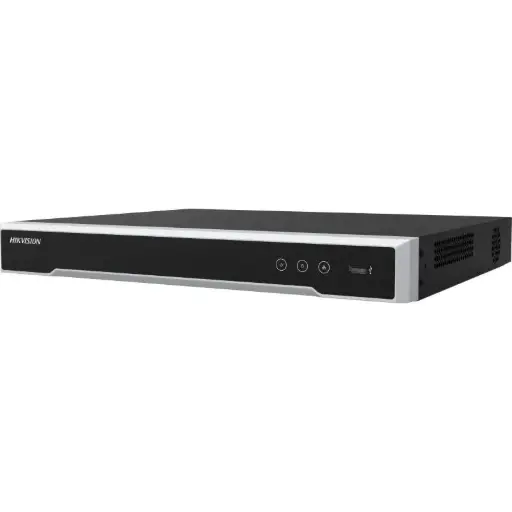
Hikvision DS-7608NI-M2/8P 8-Ch PoE 8K NVR
The recorder at the heart of an offline system: 8 channels with a built-in PoE switch, so eight cameras plug straight in and record 24/7 to an internal drive — no internet required.
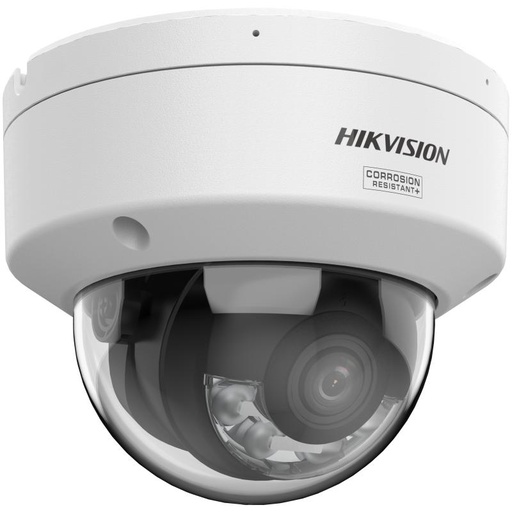
Hikvision DS-2CD2187G3 8MP 2.8mm ColorVu AcuSense Turret
8MP ColorVu AcuSense turret with full-colour night vision. Powered and recorded over a single PoE cable — no Wi-Fi, no external power.
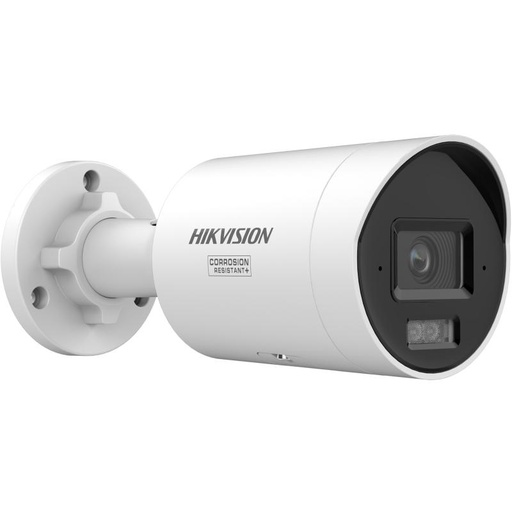
Hikvision DS-2CD2067G3 6MP 2.8mm ColorVu Bullet Camera
6MP ColorVu bullet camera for perimeters and driveways. Runs entirely off the NVR's PoE port and keeps recording with the internet down.
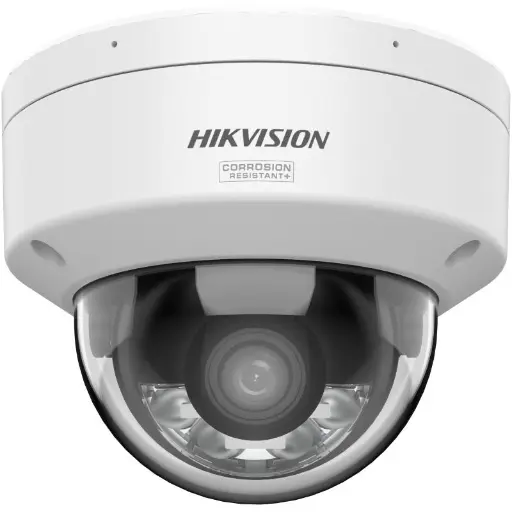
Hikvision DS-2CD2167G3 6MP 2.8mm ColorVu AcuSense Turret
6MP ColorVu AcuSense turret with smart person/vehicle detection processed on-device — no cloud or internet needed for AI alerts.
Related Hikvision guides
- Farm security cameras: best picks for rural Australia
- What is a PoE NVR? The Secret to Simple Security Installation
- Hik-Connect Setup: Hikvision Remote Viewing Guide
- Wired vs Wireless Security Cameras: Which Is Better?
- How to View Hikvision Cameras on a TV
- What Camera Resolution Do You Need to Read Number Plates?
- How Far Can a Security Camera See? Range Explained
Ready to buy?
Shop genuine Hikvision at ARC IP Networks


Authorised Hikvision reseller
Hikvision at ARC IP Networks
AcuSense, ColorVu and DeepinView cameras, NVRs and complete systems. Genuine Australian stock with the full manufacturer's warranty, competitive prices and price match available.
Frequently asked questions
Last updated: 2026-07-14 · Written by the ARC IP Networks team, an authorised Hikvision reseller in Australia.
Compare the options
Browse the ranges that go with this guide at ARC IP Networks:
- Security cameras without a subscription: cameras that record locally with no monthly fees, including options that work without Wi-Fi
- Solar and 4G security cameras: cameras for sites with no mains power or internet
- Read next: Security cameras without a subscription: how local recording works
Who we are
About ARC IP Networks
ARC IP Networks is an Australian supplier of security cameras and CCTV systems, based in Blackburn, Melbourne, Victoria. We work with homeowners, installers, integrators and businesses across Australia, supplying Hikvision, Ubiquiti UniFi Protect, Dahua and Jovision CCTV.
We are an authorised reseller for every brand we sell, and the national distributor of Jovision in Australia, so you get genuine Australian stock with the full manufacturer's warranty, never grey imports, at competitive prices. Our team can help you choose the right equipment, and trade customers get trade accounts and project pricing on larger jobs.
- Genuine Australian stock with the full manufacturer's warranty
- Competitive prices, price match available
- Trade accounts for installers, integrators and MSPs
- Australia-wide delivery; showroom in Blackburn, Mon–Fri 9–5 (demos by appointment)
Need help choosing?
Tell the ARC IP Networks team what you are trying to achieve and we will recommend the right equipment and quote it as one order.