Yes. Many Hikvision IP cameras include a built-in microphone and can record audio alongside video, and select models add two-way audio so you can talk and listen. Whether you record conversations is governed by each Australian state and territory's surveillance and listening-device laws, so check the current rules for your location. ARC IP Networks is an authorised Hikvision reseller in Australia.
Need new or replacement Hikvision gear? ARC IP Networks supplies genuine Hikvision cameras and NVRs at competitive prices, with the full Australian manufacturer's warranty, Australia-wide delivery and trade pricing.
Do Hikvision CCTV cameras record audio?
Yes — a large part of the Hikvision IP camera range now ships with a built-in microphone, so the camera captures sound along with the video and stores both together on your NVR, microSD card or cloud. You'll usually see this in the model name or spec sheet: an ‘IU’ or ‘MU’ suffix generally indicates a built-in mic, while models such as the strobe-and-audio ‘IS2U/SL’ range add a speaker for two-way audio.
Audio is typically encoded with standard codecs like G.711 or AAC and stays in sync with the footage, which can make reviewing an event clearer. If a camera has no microphone, it simply records silent video — there is no hidden audio. It's worth confirming the exact model, because not every camera in a family includes a mic.
Built-in mic vs two-way audio: what's the difference?
There are two distinct audio features, and they're easy to mix up:
- Built-in microphone (one-way): the camera listens and records ambient sound with the video. Great for capturing context at a doorway, till or entry.
- Two-way audio: the camera has both a mic and a speaker, so you can also speak back through an app or NVR — handy for greeting visitors or issuing a live voice message. Learn more in our two-way audio guide.
| Feature | Built-in mic (one-way) | Two-way audio |
|---|---|---|
| Records sound | Yes | Yes |
| Speak back live | No | Yes (built-in speaker) |
| Typical suffix | IU | IS2U / audio models |
| Common use | Context on footage | Greet visitors, deter, respond |
| Example models | DS-2CD2366G2H-IU, DS-2CD2066G2H-IU | DS-2CD2366G2H-IS2U/SL, DS-2CD2T86G2H-IS2U/SL |
How does camera audio recording work?
On an IP camera, the microphone feeds an audio stream that the encoder bundles with the video, so playback shows picture and sound together. On a Hikvision system you enable it per-camera under the audio or video settings, and set the recorder to store video & audio rather than video only. Two-way audio adds an outbound channel to the speaker, triggered from the live view in Hik-Connect or iVMS-4200.
Audio is often paired with smart triggers — for example, an AcuSense person event can start a recording that includes sound, or a two-way model can play an active-deterrence voice warning. If you'd like footage to start on movement, see our motion detection setup guide.
Is it legal to record audio with CCTV in Australia?
This is the part most people ask about, and the honest answer is: it depends on where you are and what you're recording. Australia doesn't have a single national rule for audio surveillance — each state and territory has its own surveillance-devices or listening-devices legislation, and the details differ from place to place. In general terms, recording video of your own property is widely accepted, while recording private conversations that you're not part of can be more tightly regulated.
Because these laws change and vary by location, the sensible approach is simple: check the current surveillance or listening-device legislation for your own state or territory before you enable audio, and if you're unsure about a specific situation, get advice from a qualified professional. This article is general information, not legal advice.
Recording audio at a business or workplace
For shops, offices and other workplaces the guiding principle is transparency. Good, common-sense practice includes:
- Tell people: clear signage at entries noting that CCTV — and, where applicable, audio — is in use.
- Have a reason: use audio where it genuinely helps (front counter, entry, till) rather than everywhere by default.
- Respect private areas: keep cameras and mics out of spaces where people expect privacy.
- Check the current rules: confirm your obligations under your state or territory's legislation, and any workplace requirements.
Many businesses simply record video and only enable audio where it adds real value — which most Hikvision models let you toggle per camera.
How to turn camera audio on or off
On a Hikvision system you stay in control of audio at all times:
- In Hik-Connect or iVMS-4200, open the camera's video/audio settings and enable or disable the microphone.
- On the NVR, set the recording type to video & audio to store sound, or video only to record silent footage.
- For two-way models, the speaker is triggered manually from live view — it doesn't broadcast on its own.
This makes it easy to run cameras silently and switch audio on only where you've confirmed it's appropriate.
Which Hikvision audio camera should you choose?
If you mainly want context on your footage, a built-in-mic model like the DS-2CD2366G2H-IU or the DarkFighter DS-2CD2066G2H-IU is a clean choice. If you also want to speak to visitors or deter intruders live, step up to a two-way audio model such as the strobe-and-audio DS-2CD2366G2H-IS2U/SL or the 8MP DS-2CD2T86G2H-IS2U/SL bullet. Not sure which suits your property? Browse our best Hikvision cameras for home security guide, or talk to the ARC IP Networks team.
Hikvision cameras with audio & two-way talk
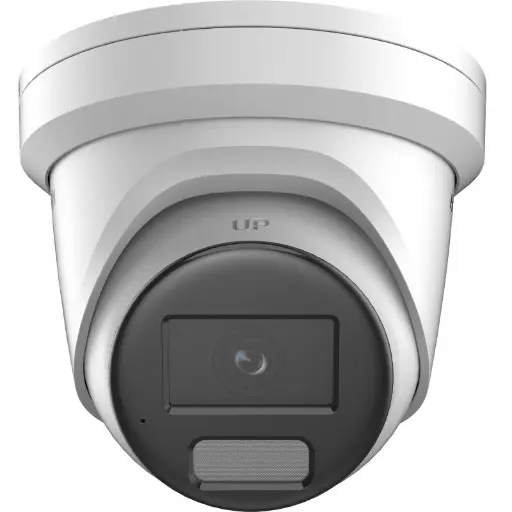
Hikvision DS-2CD2366G2H 6MP 2.8mm Turret IP Camera w/ Mic
6MP turret with a built-in microphone — captures crisp video and ambient audio together for clear, in-context surveillance.
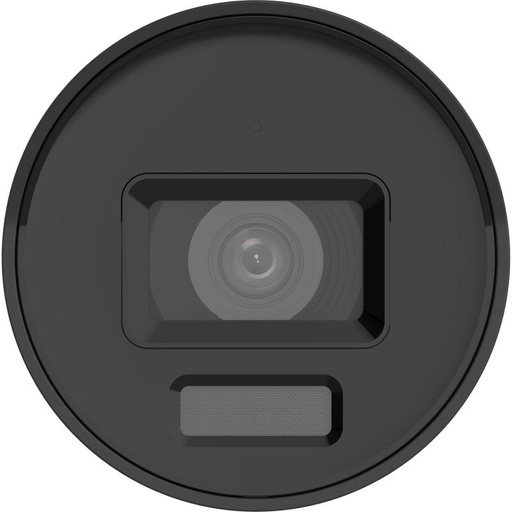
Hikvision DS-2CD2066G2H-IU Powered by Darkfighter 6 MP Fixed Mini Bullet Network Camera, Fixed Lens 2.8 mm / 4 mm, IR 40 m, Built-in Mic
DarkFighter 6MP mini bullet with a built-in mic recording G.711/AAC audio, 120 dB WDR and excellent low-light performance.
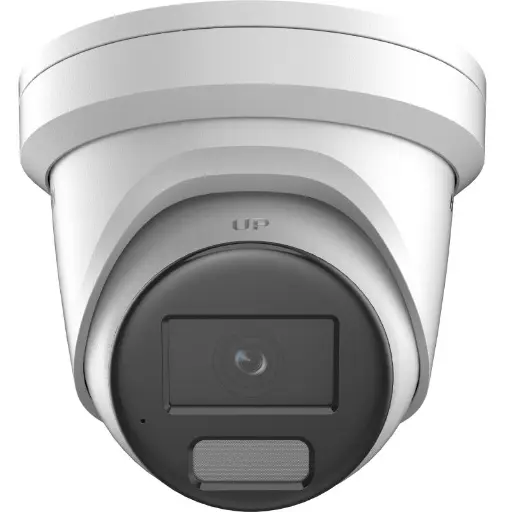
Hikvision DS-2CD2366G2H 6MP 2.8mm Turret - Strobe & Audio
6MP turret with two-way audio plus a strobe light and audio alarm — listen, talk back and actively deter, all in one unit.
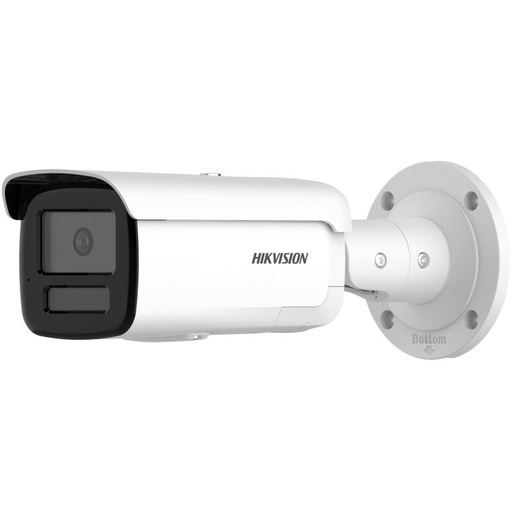
Hikvision DS-2CD2T86G2H-IS2U/SL(4mm)(eF) 8MP 4mm Bullet - Strobe & Audio
8MP 4K bullet with two-way audio, integrated strobe and audible warning for crystal-clear talk-and-listen at longer range.
Related Hikvision guides
- Security Camera with Two-Way Audio: Talk Through Your Camera
- Best Hikvision Cameras for Home Security in Australia
- How to Set Up Motion Detection on Hikvision
- Active Deterrence Security Camera: Scare Crooks Off Your Property
- How Much Internet Data Does CCTV Use?
- Do Security Cameras Record All the Time (24/7)?
Ready to buy?
Shop genuine Hikvision at ARC IP Networks



Authorised Hikvision reseller
Hikvision at ARC IP Networks
AcuSense, ColorVu and DeepinView cameras, NVRs and complete systems. Genuine Australian stock with the full manufacturer's warranty, competitive prices and price match available.
Frequently asked questions
Last updated: 2026-07-14 · Written by the ARC IP Networks team, an authorised Hikvision reseller in Australia.
Who we are
About ARC IP Networks
ARC IP Networks is an Australian supplier of security cameras and CCTV systems, based in Blackburn, Melbourne, Victoria. We work with homeowners, installers, integrators and businesses across Australia, supplying Hikvision, Ubiquiti UniFi Protect, Dahua and Jovision CCTV.
We are an authorised reseller for every brand we sell, and the national distributor of Jovision in Australia, so you get genuine Australian stock with the full manufacturer's warranty, never grey imports, at competitive prices. Our team can help you choose the right equipment, and trade customers get trade accounts and project pricing on larger jobs.
- Genuine Australian stock with the full manufacturer's warranty
- Competitive prices, price match available
- Trade accounts for installers, integrators and MSPs
- Australia-wide delivery; showroom in Blackburn, Mon–Fri 9–5 (demos by appointment)
Need help choosing?
Tell the ARC IP Networks team what you are trying to achieve and we will recommend the right equipment and quote it as one order.