CCTV that records locally to a Hikvision NVR uses zero internet data — footage stays on the hard drive. Internet data is only used when you watch cameras remotely or upload to the cloud, and it scales with resolution, how many streams you view and your compression. ARC IP Networks can spec a low-data setup.
Does CCTV use internet data at all?
Here's the short answer most people don't expect: a wired CCTV system that records to a network video recorder (NVR) on-site uses no internet data whatsoever. The cameras stream video over your own local network cabling to the recorder, and the footage is written to the NVR's internal hard drive. None of that touches your NBN connection or your monthly data allowance.
Internet data is only consumed when video has to leave your property — for example when you open the Hik-Connect app to watch a camera from your phone, or when a camera is set to upload clips to a cloud service. If your cameras never phone home and you only review footage on a monitor plugged into the NVR, your data usage stays at zero. This is one of the quiet advantages of a proper wired system over cloud-only cameras. If you're weighing the two, our PoE NVR guide explains how the recorder and cameras connect.
What actually uses the data?
When data is used, four things drive how much:
- Resolution and bitrate: a 4K/8MP stream carries far more information than a 2MP one, so watching a high-resolution feed live pulls more data.
- How many streams you watch, and for how long: viewing one camera for a minute is light; leaving all eight cameras streaming live on your phone for an hour is much heavier.
- Main-stream vs sub-stream: every Hikvision camera sends two feeds — a full-quality main stream and a smaller, lower-resolution sub-stream. Which one your app requests makes a large difference (more below).
- Compression (H.264 vs H.265+): newer compression squeezes the same footage into a much smaller data stream. See our H.265+ NVR guide for how it works.
We deliberately avoid quoting exact gigabytes-per-hour figures, because they swing wildly with all of the above. The honest answer is relative: sub-stream + H.265+ is light, full 4K main-stream on multiple cameras is heavy.
How different activities compare
Rather than invent numbers, here's a plain-language comparison of how much internet data each activity tends to use:
| Activity | Internet data used | Why |
|---|---|---|
| Recording locally to the NVR | None | Footage stays on the on-site hard drive |
| Reviewing footage on the NVR's monitor | None | Nothing leaves your property |
| Push notification / event alert | Minimal | A small alert, often with a thumbnail only |
| Remote live view — sub-stream | Low | Smaller, lower-resolution feed |
| Remote live view — main-stream (4K) | High | Full-resolution feed, per camera |
| Watching several cameras live at once | Higher | Data multiplies per open stream |
| Continuous cloud upload | Highest | Every second is streamed off-site, 24/7 |
The takeaway: the heavy items are all about sending video off-site. Keep recording local and be selective about remote viewing, and usage stays modest.
Main-stream vs sub-stream: the big lever
This is the single most useful concept for controlling data. A Hikvision camera continuously produces two streams:
- Main-stream — the full-resolution, high-bitrate feed (e.g. the complete 4K/8MP image). This is what the NVR records for evidence-grade footage.
- Sub-stream — a compact, lower-resolution copy of the same view, designed specifically for smooth remote viewing over limited bandwidth.
When you open a camera in the Hik-Connect app, it can request either stream. Set your app or client to use the sub-stream for everyday live viewing and thumbnails, and only switch to the main-stream when you need to read fine detail like a face or a number plate. You get the same coverage for a fraction of the data. Our Hik-Connect setup guide covers where these options live.

Shopping for Hikvision?
Authorised Hikvision reseller: genuine Australian stock, full warranty, competitive prices and price match available.
How to cut CCTV data usage
If you want the leanest possible data footprint without giving up remote access, do these:
- Record locally. Let the NVR keep all footage on-site; only pull it up remotely when you need it.
- View the sub-stream. Make sub-stream your default for live view and multi-camera grids; reserve main-stream for zoom-in moments.
- Enable H.265+ compression. It carries the same picture in a much smaller stream, which trims both remote-viewing data and hard-drive usage.
- Use event-only push, not constant streaming. Motion or AI (AcuSense) alerts send a small notification instead of a live 24/7 feed — you open the camera only when something happens.
- Prefer wired PoE cameras. Wired cameras aren't subject to mobile-data caps and give a stable feed; see PoE for CCTV.
Choosing a low-data setup
The lowest-data, most reliable arrangement is a wired PoE camera set feeding a local NVR, with H.265+ turned on and the mobile app defaulting to the sub-stream. That combination records everything on-site (zero internet data), and keeps remote check-ins light. If you want to size the recorder and drive correctly for your camera count, our NVR channels & storage guide walks through it.
As an authorised Hikvision reseller, ARC IP Networks can put together a kit that balances image quality, storage and data use for your exact site — with genuine local stock and Australia-wide delivery.
Gear for a low-data local-recording setup
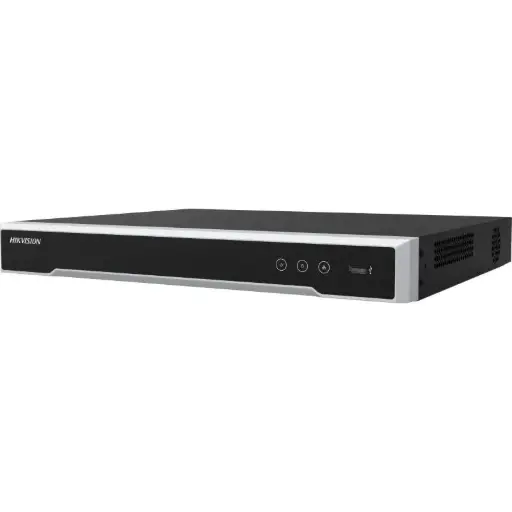
Hikvision DS-7608NI-M2/8P 8-Ch PoE 8K NVR
8-channel PoE 8K NVR with built-in PoE ports — records every camera locally to its hard drive, so day-to-day recording uses no internet data. Supports H.265+ to shrink both storage and remote-view bandwidth.
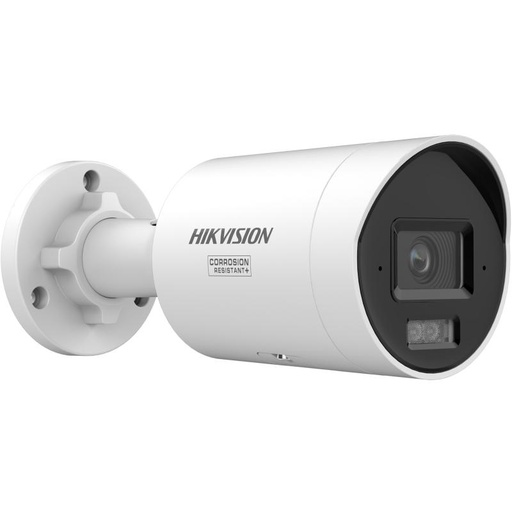
Hikvision DS-2CD2067G3 6MP 2.8mm ColorVu Bullet Camera
6MP ColorVu bullet with a full-quality main-stream and a lightweight sub-stream — view the sub-stream remotely to keep data low, then switch to main-stream when you need detail.
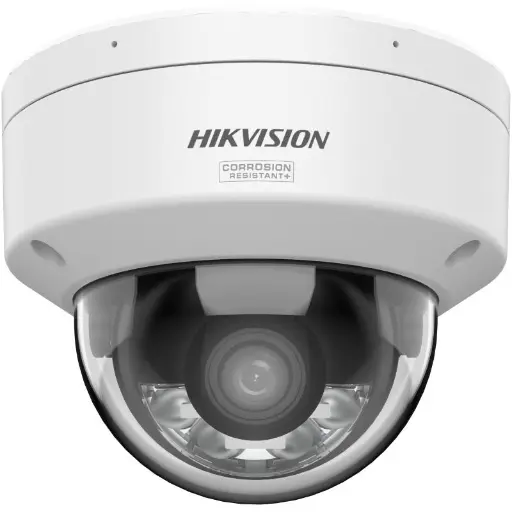
Hikvision DS-2CD2167G3 6MP 2.8mm ColorVu AcuSense Turret
6MP ColorVu AcuSense turret — AI detection means event-only push alerts instead of constant live streaming, cutting the data you use to stay informed.
Ready to buy?
Shop genuine Hikvision at ARC IP Networks


Authorised Hikvision reseller
Hikvision at ARC IP Networks
AcuSense, ColorVu and DeepinView cameras, NVRs and complete systems. Genuine Australian stock with the full manufacturer's warranty, competitive prices and price match available.
Frequently asked questions
Last updated: 2026-07-14 · Written by the ARC IP Networks team, an authorised Hikvision reseller in Australia.
Who we are
About ARC IP Networks
ARC IP Networks is an Australian supplier of security cameras and CCTV systems, based in Blackburn, Melbourne, Victoria. We work with homeowners, installers, integrators and businesses across Australia, supplying Hikvision, Ubiquiti UniFi Protect, Dahua and Jovision CCTV.
We are an authorised reseller for every brand we sell, and the national distributor of Jovision in Australia, so you get genuine Australian stock with the full manufacturer's warranty, never grey imports, at competitive prices. Our team can help you choose the right equipment, and trade customers get trade accounts and project pricing on larger jobs.
- Genuine Australian stock with the full manufacturer's warranty
- Competitive prices, price match available
- Trade accounts for installers, integrators and MSPs
- Australia-wide delivery; showroom in Blackburn, Mon–Fri 9–5 (demos by appointment)
Need help choosing?
Tell the ARC IP Networks team what you are trying to achieve and we will recommend the right equipment and quote it as one order.