There is no single price for CCTV in Australia — cost is driven by how many cameras you need, their resolution and features (ColorVu, AcuSense), your NVR channel count and storage, cabling, and whether you install it yourself or pay a professional. ARC IP Networks lets you build a system to your budget with live pricing on every part.
What determines the cost of a CCTV system?
A CCTV system is a set of building blocks, and each one moves the total price up or down. Instead of quoting a single figure, it helps to understand the cost drivers so you can size a system to your budget. The main levers are:
- Number of cameras — the single biggest driver. More coverage means more cameras, more PoE ports and more cable.
- Resolution — 4MP, 6MP and 8MP (4K) cameras step up in price as detail and sensor size increase.
- Camera features — ColorVu full-colour night vision and AcuSense AI person/vehicle detection add capability (and cost) over a basic camera.
- Recorder (NVR) — channel count (4/8/16/32) and built-in PoE ports set the recorder tier.
- Storage — the hard drive size decides how many days of footage you keep.
- Cabling and install — Cat6 runs, mounting, and DIY versus professional labour.
- Brand and quality — genuine Australian-stock gear with local warranty versus grey-market bargains.
Because every site is different, the smartest approach is to build the exact parts you need and check the live price on each. See our complete-system kit guide for pre-matched combinations.
What affects the price? (cost drivers at a glance)
Use this table to see which choices push the cost up and where you can trim without losing what matters.
| Cost driver | Lower cost | Higher cost | Why it matters |
|---|---|---|---|
| Camera count | 2–4 cameras | 8–16+ cameras | Coverage of entrances vs the whole property |
| Resolution | 4MP | 6MP / 8MP (4K) | Detail for faces and number plates |
| Night vision | Infrared (black & white) | ColorVu (full colour) | Usable colour footage after dark |
| Smart detection | Motion only | AcuSense AI | Fewer false alerts, person/vehicle filtering |
| NVR channels | 4-channel | 16 / 32-channel | How many cameras you can add now and later |
| Storage | Smaller HDD | Larger / multi-bay HDD | Days of footage retained |
| Installation | DIY | Professional install | Labour is often a big slice of the total |
| Sourcing | Grey import | Genuine AU stock + warranty | Support, firmware and peace of mind |
Every part on our store shows its own live price, so you can mix and match to hit your budget. Not sure how many cameras you need? Read how many security cameras do I need.
How much does a 2, 4, 8 or 16 camera system cost?
Rather than a dollar figure, think in tiers. Each step up adds cameras, a bigger recorder and more storage, so the total scales roughly with the size of the job:
- 2 cameras — entry level. Covers a front door and back entry, paired with a small 4-channel PoE NVR that leaves room to grow.
- 4 cameras — the most popular home size. Front, back and two sides on a 4- or 8-channel NVR.
- 8 cameras — larger homes and small business. Full perimeter plus key indoor areas on an 8-channel PoE NVR with a larger hard drive.
- 16 cameras — commercial and multi-building sites. A 16-channel NVR (or higher) with multi-bay storage for longer retention.
A handy rule: buy an NVR with a few more channels than cameras you have today, so adding a camera later is plug-and-play rather than a recorder upgrade. Our NVR range spans 4 to 32 channels, and the channels & storage guide explains how to match them.
Do ColorVu and AcuSense add much to the cost?
Features are where you decide how much camera you actually need. Two upgrades make the biggest difference to real-world performance:
- ColorVu delivers full-colour images at night instead of the traditional black-and-white infrared look. That colour can be the difference between describing a car as "dark" and reading it as navy blue.
- AcuSense uses on-camera AI to tell people and vehicles apart from swaying trees or rain, cutting false alerts and making searches far faster.
These features add to the per-camera price, but you don't need them on every camera. A common approach is premium ColorVu + AcuSense cameras on the driveway and entrances, and simpler cameras on low-risk side runs — keeping the overall cost sensible. To compare the two, see ColorVu vs AcuSense.

Shopping for Hikvision?
Authorised Hikvision reseller: genuine Australian stock, full warranty, competitive prices and price match available.
DIY vs professional install: where the savings are
Labour is often one of the largest parts of a CCTV quote, so installation is where DIY buyers save the most. A PoE system is designed to make this achievable: each camera needs just one Cat6 cable back to the NVR, which supplies both power and data — no electrician required for low-voltage runs.
- DIY — you buy the parts and run the cable yourself. You save the labour cost entirely and keep full control. Our step-by-step DIY home install guide walks through it.
- Professional install — you pay for labour, but gain tidy cabling, correct camera angles and a tested system. Best for two-storey homes, long cable runs or when you'd rather not climb ladders.
Many customers split the difference: buy genuine gear from us, run the easy cables themselves, and hire a hand only for the tricky high mounts.
What are the ongoing running costs?
The good news is that a PoE CCTV system is cheap to run. Ongoing costs are modest and predictable:
- Power — an NVR plus a handful of cameras draws roughly the same as a couple of light bulbs, running 24/7. It's a small line on the power bill.
- Storage — the hard drive is a one-off buy, not a subscription. Footage records on a loop, overwriting the oldest days once the drive is full, so you don't keep paying for space.
- Remote viewing — the Hik-Connect app for live view and playback on your phone is free, with no monthly cloud fee for standard local recording.
- Maintenance — occasional firmware updates and the odd lens wipe. Drives are the main wear item and are inexpensive to replace years down the track.
Unlike some cloud-only camera brands, there's no compulsory subscription to keep your cameras recording — the value stays in the hardware you own.
How to choose a system that fits your budget
Work from the outside in and the cost takes care of itself:
- Count the views you must cover — that sets your camera number and NVR channel count.
- Pick resolution and features per location — premium ColorVu + AcuSense where it counts, simpler cameras elsewhere.
- Size the storage to the retention you want — more cameras and higher resolution need a bigger drive.
- Decide DIY or pro — the biggest single lever on the final figure.
- Buy genuine, local stock so you get Australian warranty and support.
Because every part shows live pricing on our store, you can build and adjust a system until it fits. When you're ready, buy Hikvision in Australia from ARC IP Networks with Australia-wide delivery.
Build the blocks: a recorder plus value and premium cameras
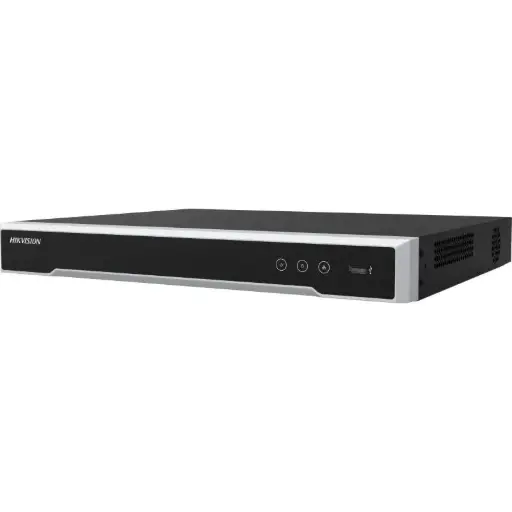
Hikvision DS-7608NI-M2/8P 8-Ch PoE 8K NVR
The hub of the system: an 8-channel PoE NVR that powers and records up to eight cameras over a single cable each. Add a hard drive to set your footage retention.
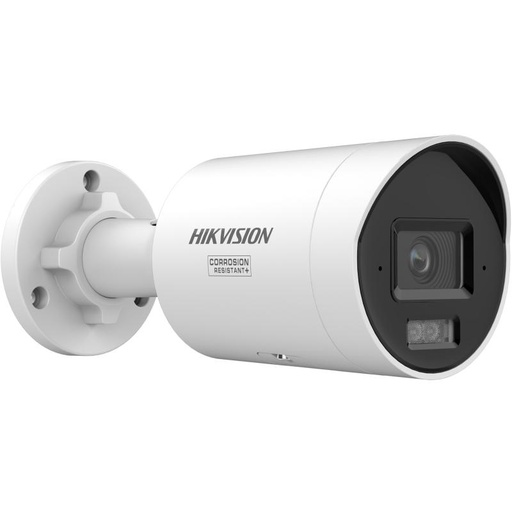
Hikvision DS-2CD2067G3 6MP 2.8mm ColorVu Bullet Camera
Value option: a 6MP ColorVu bullet that keeps full-colour detail after dark — a smart choice for entrances and driveways on a budget.
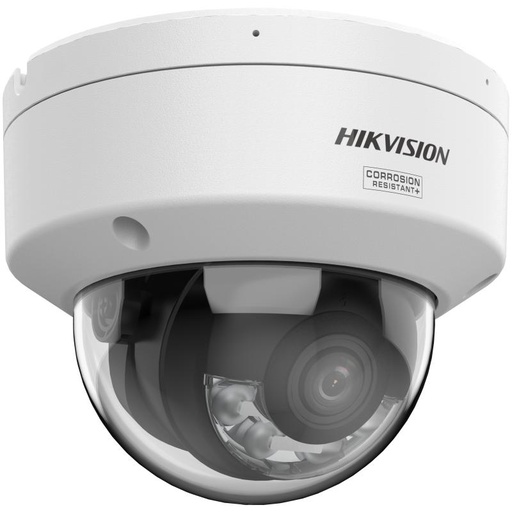
Hikvision DS-2CD2187G3 8MP 2.8mm ColorVu AcuSense Turret
Premium option: an 8MP (4K) ColorVu AcuSense turret combining full-colour night vision with AI person/vehicle detection for your highest-priority views.
Related Hikvision guides
- HiLook vs Hikvision: what's the difference?
- Hikvision CCTV Kits: Complete System Guide
- How Many Security Cameras Do I Need?
- How to Install Hikvision CCTV Yourself (DIY Guide)
- Where to Buy Hikvision Cameras in Australia
- Best Hikvision CCTV System for Business in Australia (2026)
- Best Hikvision Security Cameras for a Rental or Investment Property
Ready to buy?
Shop genuine Hikvision at ARC IP Networks


Authorised Hikvision reseller
Hikvision at ARC IP Networks
AcuSense, ColorVu and DeepinView cameras, NVRs and complete systems. Genuine Australian stock with the full manufacturer's warranty, competitive prices and price match available.
Frequently asked questions
Last updated: 2026-07-14 · Written by the ARC IP Networks team, an authorised Hikvision reseller in Australia.
Compare the options
Browse the ranges that go with this guide at ARC IP Networks:
- Security camera systems: complete systems from 2 to 16 cameras with a PoE NVR
- Security cameras without a subscription: cameras that record locally with no monthly fees, including options that work without Wi-Fi
- Read next: Security cameras without a subscription: how local recording works
- Read next: Home security camera system buying guide: 2, 4, 6 or 8 cameras?
Who we are
About ARC IP Networks
ARC IP Networks is an Australian supplier of security cameras and CCTV systems, based in Blackburn, Melbourne, Victoria. We work with homeowners, installers, integrators and businesses across Australia, supplying Hikvision, Ubiquiti UniFi Protect, Dahua and Jovision CCTV.
We are an authorised reseller for every brand we sell, and the national distributor of Jovision in Australia, so you get genuine Australian stock with the full manufacturer's warranty, never grey imports, at competitive prices. Our team can help you choose the right equipment, and trade customers get trade accounts and project pricing on larger jobs.
- Genuine Australian stock with the full manufacturer's warranty
- Competitive prices, price match available
- Trade accounts for installers, integrators and MSPs
- Australia-wide delivery; showroom in Blackburn, Mon–Fri 9–5 (demos by appointment)
Need help choosing?
Tell the ARC IP Networks team what you are trying to achieve and we will recommend the right equipment and quote it as one order.