No, you don't need Hik-Connect. A Hikvision NVR records and plays back entirely on its own hard drive with no cloud and no internet. Watch live on a plugged-in HDMI monitor, or over your home/office LAN with the free iVMS-4200 PC app. Hik-Connect only adds optional remote viewing from your phone. As an authorised Hikvision reseller in Australia, ARC IP Networks supplies genuine PoE NVRs and cameras with Australia-wide delivery.
Do you need Hik-Connect for Hikvision to work?
No. Hik-Connect is a free companion app that adds remote viewing from your phone over the internet — nothing more. Your cameras and NVR do all the real work on your own network. The NVR powers each camera over its PoE ports, pulls in the video, and writes it straight to the internal hard drive, 24/7. That happens whether or not the system is ever connected to the internet.
So if your only goal is a reliable, always-on CCTV system that records everything and lets you scrub back through footage, a Hikvision NVR does that completely on its own. Many installers actually prefer a local-only setup because it removes the app, the account and the internet link as points of failure — the result is simpler and more stable. You can always add Hik-Connect later if you decide you want your phone in the loop.
How does local-only Hikvision recording work?
A Hikvision PoE NVR is a self-contained recorder. Each camera plugs into one of the NVR's built-in PoE ports with a single Ethernet cable that carries both power and video, so there's no separate power supply and no Wi-Fi to drop out. The NVR discovers the cameras, records to its own hard drive on a schedule you set, and keeps overwriting the oldest footage in a loop.
- Recording — continuous, motion or AcuSense event recording, stored on the NVR's HDD.
- Playback — search by date, time or event and export clips directly from the NVR.
- No dependencies — no cloud server, no subscription, no internet connection needed for any of this.
The only thing local recording does not give you is the ability to watch from outside your property on mobile data — that's the one job Hik-Connect handles.
How to view Hikvision cameras without the cloud
There are two clean ways to watch a fully local system, and you can use both:
1. HDMI monitor (no computer, no network). Plug a TV or monitor straight into the NVR's HDMI port and the live grid appears on screen. Use the mouse to switch cameras, play back footage and change settings. This is the most fool-proof method because it doesn't touch your network at all. See our guide on viewing Hikvision cameras on a TV.
2. iVMS-4200 over your LAN. Install the free iVMS-4200 desktop app on a Windows or Mac on the same network, add the NVR by its local IP address, and you get live view, playback and export from your desk — all inside your own building, no internet required. Full walkthrough: how to view Hikvision cameras on a PC (iVMS-4200).
Local-only vs Hik-Connect remote: which do you need?
| Local-only (HDMI + iVMS-4200 LAN) | Hik-Connect remote | |
|---|---|---|
| Internet needed | No | Yes (for the phone link) |
| Records 24/7 | Yes, on the NVR HDD | Yes — recording is still local |
| View on-site | HDMI monitor or LAN PC | Same, plus phone on Wi-Fi |
| View away from home | No | Yes, from anywhere on mobile data |
| Account / app needed | None | Free Hik-Connect account |
| Moving parts | Fewest — most stable | One more link to maintain |
| Best for | Home or office where you review on-site | Anyone who wants live alerts and viewing on the go |
Notice the recorder still stores everything locally in both columns — Hik-Connect never moves your footage to a cloud server. It simply streams a live view to your phone on demand.

Shopping for Hikvision?
Authorised Hikvision reseller: genuine Australian stock, full warranty, competitive prices and price match available.
When you'd still want Hik-Connect
Local-only is the most stable setup, but Hik-Connect earns its place when you genuinely need eyes on the property while you're away. Consider adding it if you want to:
- Check the live view from your phone while at work, travelling or on holiday.
- Get push notifications when an AcuSense camera detects a person or vehicle.
- Manage a rental, holiday home, farm gate or a shop you don't sit inside all day.
The good news: enabling it changes nothing about how the system records. You can run local-only for months and switch it on in minutes when you're ready — our Hik-Connect setup guide walks through it step by step.
How to build the most stable local Hikvision system
For a reliable no-cloud setup, keep it simple and let the NVR do the heavy lifting:
- Pick a PoE NVR with enough channels and an HDD sized for your retention — our NVR channels & storage guide helps you choose.
- Use the NVR's own PoE ports so cameras sit on an isolated camera network, away from your main Wi-Fi.
- Plug a monitor into HDMI for instant on-site viewing, and add iVMS-4200 on a LAN PC for desk access.
- Set a recording schedule and confirm the HDD is initialised and healthy.
That's a complete, private, self-contained system. Add Hik-Connect only if and when you want remote viewing — it's a bolt-on, not a requirement.
Gear for a rock-solid local Hikvision system
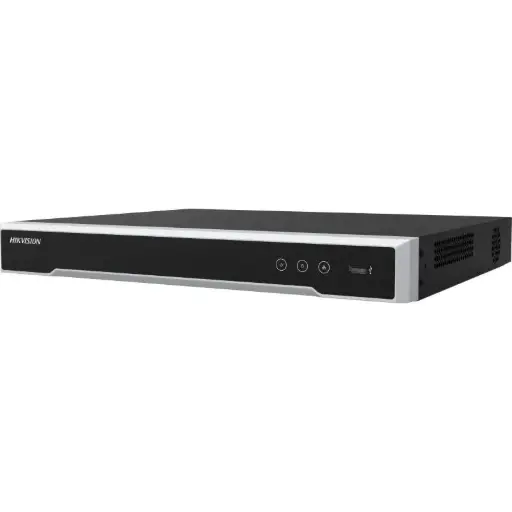
Hikvision DS-7608NI-M2/8P 8-Ch PoE 8K NVR
8-channel PoE 8K NVR with built-in PoE ports — records straight to its own HDD and outputs live to HDMI, no cloud needed.
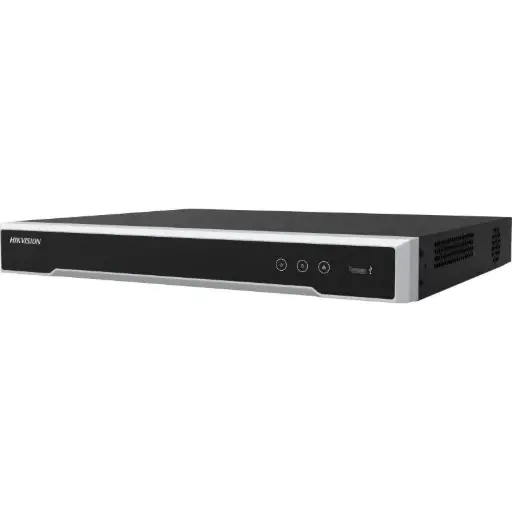
Hikvision DS-7616NI-M2/16P 16-Ch PoE 8K NVR
16-channel PoE 8K NVR for larger local systems, with on-box recording and HDMI output for on-site viewing.
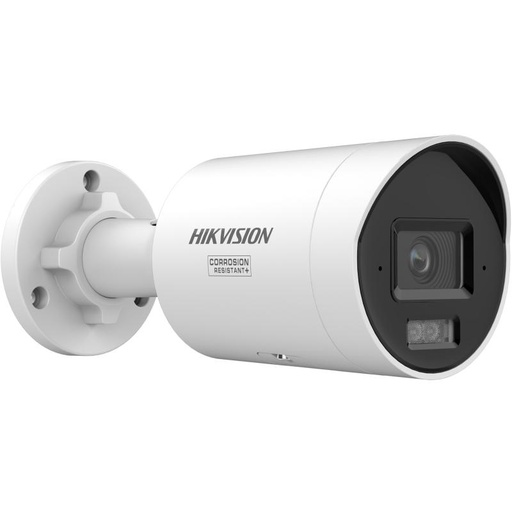
Hikvision DS-2CD2067G3 6MP 2.8mm ColorVu Bullet Camera
6MP ColorVu bullet that delivers full-colour night images and streams straight to the NVR over one PoE cable.
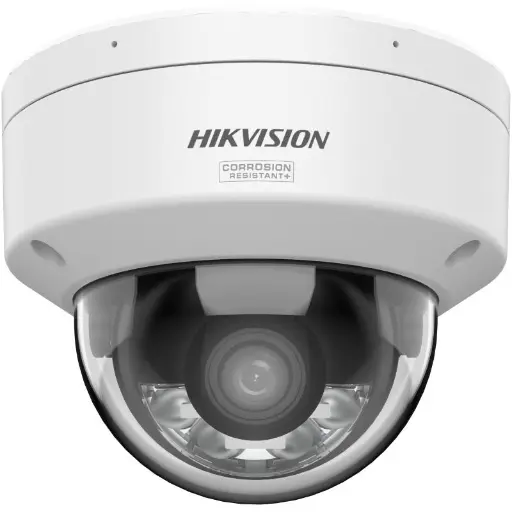
Hikvision DS-2CD2167G3 6MP 2.8mm ColorVu AcuSense Turret
6MP ColorVu AcuSense turret with person/vehicle detection to cut false alerts — ideal for local motion recording.
Related Hikvision guides
- Hik-Connect Setup: Hikvision Remote Viewing Guide
- How to View Hikvision Cameras on a PC (iVMS-4200)
- How to View Hikvision Cameras on a TV
- Best Hikvision NVR: Channels & Storage Guide (2026)
- How to Upgrade an Old Hikvision CCTV System (Reuse Your Cabling)
- Hikvision Region Lock & Australian Firmware Explained
Ready to buy?
Shop genuine Hikvision at ARC IP Networks


Authorised Hikvision reseller
Hikvision at ARC IP Networks
AcuSense, ColorVu and DeepinView cameras, NVRs and complete systems. Genuine Australian stock with the full manufacturer's warranty, competitive prices and price match available.
Frequently asked questions
Last updated: 2026-07-14 · Written by the ARC IP Networks team, an authorised Hikvision reseller in Australia.
Who we are
About ARC IP Networks
ARC IP Networks is an Australian supplier of security cameras and CCTV systems, based in Blackburn, Melbourne, Victoria. We work with homeowners, installers, integrators and businesses across Australia, supplying Hikvision, Ubiquiti UniFi Protect, Dahua and Jovision CCTV.
We are an authorised reseller for every brand we sell, and the national distributor of Jovision in Australia, so you get genuine Australian stock with the full manufacturer's warranty, never grey imports, at competitive prices. Our team can help you choose the right equipment, and trade customers get trade accounts and project pricing on larger jobs.
- Genuine Australian stock with the full manufacturer's warranty
- Competitive prices, price match available
- Trade accounts for installers, integrators and MSPs
- Australia-wide delivery; showroom in Blackburn, Mon–Fri 9–5 (demos by appointment)
Need help choosing?
Tell the ARC IP Networks team what you are trying to achieve and we will recommend the right equipment and quote it as one order.