In most cases you can upgrade an old Hikvision system without re-running cable. If you already have Cat5e/Cat6, keep it and just swap the recorder and cameras for a newer PoE NVR and AcuSense/ColorVu IP cameras — power and video run over the same cable. Older analog runs on coax can often be reused with a Turbo HD DVR. ARC IP Networks is an authorised Hikvision reseller in Australia with Australia-wide delivery.
Need new or replacement Hikvision gear? ARC IP Networks supplies genuine Hikvision cameras and NVRs at competitive prices, with the full Australian manufacturer's warranty, Australia-wide delivery and trade pricing.
Can I reuse my existing cabling?
Usually, yes — and that is where most of the cost and labour of a CCTV upgrade goes, so it is worth checking first. What you can reuse depends on which type of system you have now:
- An older Hikvision IP system already runs on Cat5e or Cat6 network cable. That cabling is future-proof: the same run carries both data and Power over Ethernet (PoE), so upgrading is often just a matter of swapping the recorder and the cameras.
- An older analog / HD-over-coax system runs on RG59 coax. You can frequently keep that coax and move to a modern Hikvision Turbo HD DVR and Turbo HD cameras — a much cheaper path than re-cabling the whole property.
Either way, the cable in your walls is the expensive part to replace. Reusing it is what makes an upgrade affordable.
What is actually worth upgrading?
Camera and recorder technology has moved on significantly. If your kit is a few generations old, these are the upgrades people notice most:
- AI detection (AcuSense): newer cameras and NVRs classify people and vehicles, so you get far fewer false alerts from trees, rain and shadows. See our AcuSense explainer.
- Colour night vision (ColorVu): instead of black-and-white infrared, ColorVu cameras deliver full-colour images after dark, capturing clothing and vehicle colour. Not sure which you need? Read ColorVu vs AcuSense.
- Higher resolution: stepping up from older 2MP/4MP to 6MP or 8MP gives you the detail to actually identify faces and number plates.
- A smarter recorder: a modern PoE NVR supports higher-megapixel streams, efficient H.265+ compression (more days of footage on the same drive) and easier remote viewing.
| Capability | Older system (typical) | Newer Hikvision upgrade |
|---|---|---|
| Resolution | 2MP / 4MP | 6MP or 8MP |
| Night vision | Black & white infrared | Full-colour (ColorVu) or hybrid |
| Detection | Basic motion (many false alarms) | AI person/vehicle (AcuSense) |
| Deterrence | Passive recording | Optional strobe + audible warning |
| Compression | H.264 | H.265+ (more storage days) |
| Cabling | Existing Cat5e/Cat6 or coax | Same cable reused |
Reusing Cat5e/Cat6: IP-to-IP upgrade
If your current Hikvision system is already IP-based, the upgrade is refreshingly simple because PoE sends power and video down a single network cable:
- Leave the Cat5e/Cat6 exactly where it is.
- Replace the old NVR with a new PoE NVR that has enough built-in PoE ports for your cameras.
- Swap each old camera for a newer AcuSense/ColorVu model, connecting it to the same cable that fed the old one.
Because the recorder powers the cameras over Ethernet, there are no separate power supplies to run. If you are adding or re-pointing cameras, our guide on how to add a camera to a Hikvision NVR walks through the plug-and-play process. Want the background on PoE standards? See PoE for CCTV explained.
Reusing coax: the Turbo HD route
Have an older analog or HD system on coax? You do not necessarily need to pull new cable. Hikvision's Turbo HD range sends high-definition video over the same RG59 coax you already have, so you can keep the runs and upgrade the electronics at each end:
- Replace the old DVR with a modern Turbo HD DVR.
- Fit newer Turbo HD cameras (some ranges support colour night vision and AI on coax too).
- Reuse the existing coax and, in many cases, the existing power cabling.
This is the most cost-effective way to modernise a hard-wired analog system. Our Turbo HD & analog DVR guide covers what these systems can and cannot do. If you would rather move fully to network cameras, that is when new Cat6 runs come into play — see the next section.
How to check compatibility before you buy
A few quick checks make sure your upgrade drops straight in:
- Count your cameras and channels. Pick an NVR with at least as many channels and PoE ports as you have cameras — a 4-channel system needs a 4-port NVR, an 8-camera site needs 8, and so on.
- Check bandwidth and resolution. Higher-megapixel cameras use more of the recorder's total bandwidth. A current-generation NVR is sized for 6MP/8MP streams; a very old one may not be.
- Plan your storage. More megapixels means more data. H.265+ compression helps, but budget a larger hard drive if you are jumping to 8MP. Our NVR channels & storage guide has the sizing maths.
- Confirm cable type and length. Cat5e/Cat6 supports PoE cameras to about 100 m per run. Coax suits the Turbo HD path.
When you should replace the cabling
Reuse is the goal, but there are times when new cable is the right call:
- You are moving from analog coax to full IP and want the flexibility of a network system.
- Existing runs are damaged, corroded, water-affected or too short to reach a better camera position.
- The old cable is unshielded, poor quality, or was never terminated properly and is causing dropouts.
- You want to add cameras in places the current cabling does not reach.
If you do re-cable, run Cat6 — it gives you the most headroom for high-megapixel cameras and future upgrades. A little extra spent on good cable now saves re-running it again in a few years.
DIY or call an installer?
Swapping like-for-like on existing cabling is one of the more DIY-friendly CCTV jobs, because the hard part — running cable through walls and roof spaces — is already done. A confident DIYer can often:
- Unplug the old cameras and NVR.
- Mount and connect the new PoE cameras to the same cables.
- Add the cameras to the new NVR and set up remote viewing.
Our DIY Hikvision install guide covers the full process. Consider an installer if you need new cable runs, work at height, want cameras repositioned, or simply prefer a professional finish and configuration. Whichever way you go, buying genuine, Australian-stocked gear from an authorised reseller keeps your warranty valid.
Great upgrade picks (reuse your cabling)
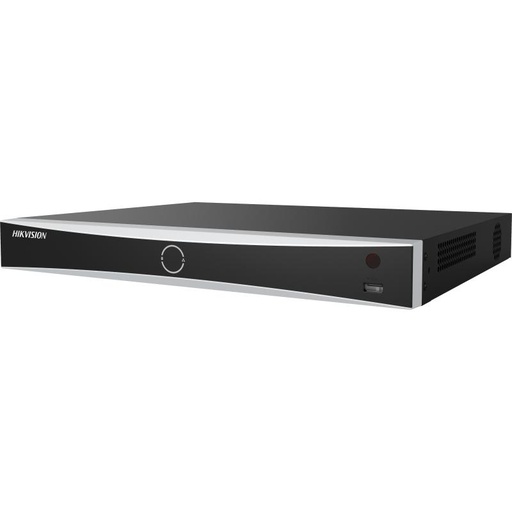
Hikvision DS-7608NXI-I2/8P/VPro 8-Ch AcuSense NVR
8-channel AcuSense NVR with 8 built-in PoE ports and 8K output — the drop-in recorder for an IP-to-IP upgrade on existing Cat5e/Cat6.
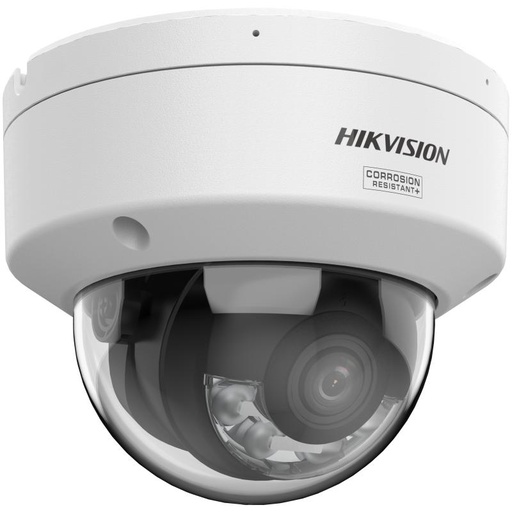
Hikvision DS-2CD2187G3 8MP 2.8mm ColorVu AcuSense Turret
8MP ColorVu + AcuSense turret: full-colour night vision plus AI person/vehicle detection. A big step up from an older 2MP/4MP camera on the same cable.
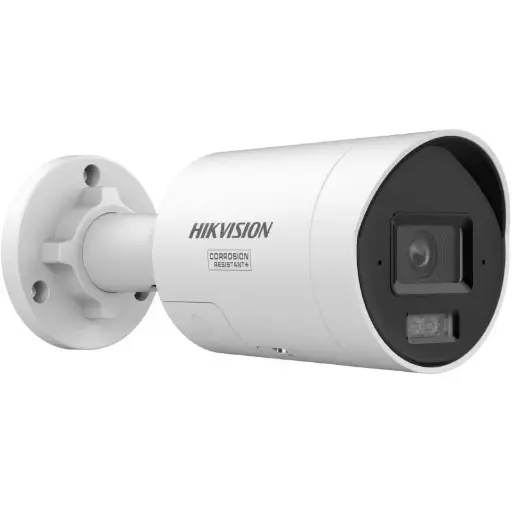
Hikvision DS-2CD2087G3 8MP 2.8mm ColorVu Bullet
8MP ColorVu bullet for longer approaches and driveways — colour footage after dark and clear detail for number plates.
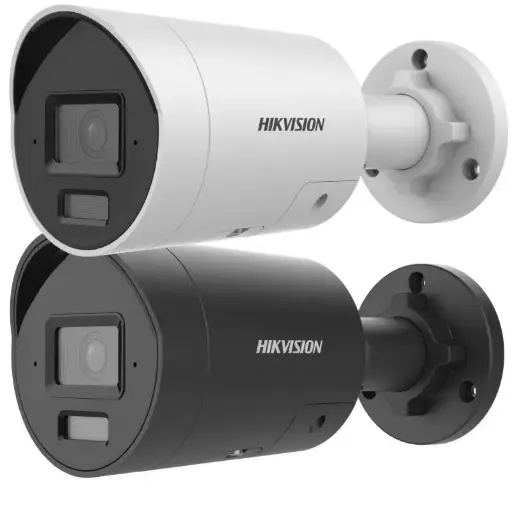
Hikvision DS-2CD2066G2H 6MP 2.8mm AcuSense Strobe Light and Audible Warning Fixed Bullet Network Camera
6MP AcuSense bullet with strobe light and audible warning, adding active deterrence to a system that only recorded before.
Related Hikvision guides
- How to Install Hikvision CCTV Yourself: DIY Home Guide
- How to Add a Camera to a Hikvision NVR (Step-by-Step)
- Best Hikvision NVR: Channels & Storage Guide
- Hikvision Turbo HD & Analog DVR Systems Explained
- Hikvision Region Lock & Australian Firmware Explained
- Best Hikvision Camera for a Dark Backyard (No Street Light)
Ready to buy?
Shop genuine Hikvision at ARC IP Networks



Authorised Hikvision reseller
Hikvision at ARC IP Networks
AcuSense, ColorVu and DeepinView cameras, NVRs and complete systems. Genuine Australian stock with the full manufacturer's warranty, competitive prices and price match available.
Frequently asked questions
Last updated: 2026-07-14 · Written by the ARC IP Networks team, an authorised Hikvision reseller in Australia.
Who we are
About ARC IP Networks
ARC IP Networks is an Australian supplier of security cameras and CCTV systems, based in Blackburn, Melbourne, Victoria. We work with homeowners, installers, integrators and businesses across Australia, supplying Hikvision, Ubiquiti UniFi Protect, Dahua and Jovision CCTV.
We are an authorised reseller for every brand we sell, and the national distributor of Jovision in Australia, so you get genuine Australian stock with the full manufacturer's warranty, never grey imports, at competitive prices. Our team can help you choose the right equipment, and trade customers get trade accounts and project pricing on larger jobs.
- Genuine Australian stock with the full manufacturer's warranty
- Competitive prices, price match available
- Trade accounts for installers, integrators and MSPs
- Australia-wide delivery; showroom in Blackburn, Mon–Fri 9–5 (demos by appointment)
Need help choosing?
Tell the ARC IP Networks team what you are trying to achieve and we will recommend the right equipment and quote it as one order.