Hikvision cameras and recorders are region-specific: each device runs firmware built for its sales region. Genuine Australian (Hik ANZ) stock ships with the correct AU/region firmware, updates cleanly, and is fully supported. Buying region-right from an authorised supplier like ARC IP Networks avoids mismatch and bricking risk entirely.
What is Hikvision region lock?
Hikvision sells globally, and its devices are grouped into sales regions. Each camera, NVR and DVR is built and shipped with firmware matched to the region it was intended for — Australia and New Zealand share the Hik ANZ region. The hardware is world-class either way; the difference is the firmware channel the device is tied to.
In practice this means a genuine Australian unit expects Australian-region firmware. When you update it, the recorder or the Hik-Connect ecosystem serves the firmware built for that region. It is a simple, sensible system that keeps the right software on the right hardware — and it is exactly why where you buy matters as much as what you buy.
Why Australian (Hik ANZ) firmware matters
Matching firmware to region keeps everything working the way it should. Genuine AU stock from an authorised supplier gives you:
- Clean updates. The device pulls the correct regional firmware, so upgrades apply without a “region incompatible” roadblock.
- Full feature support. Hik-Connect remote viewing, AcuSense smart detection and app pairing all behave as designed on region-matched units.
- Local warranty and help. Region-correct stock is covered by the Australian channel — see our Hikvision warranty guide for what that covers.
- Australia-wide delivery and real support. A local team that can actually help if you have a question about your kit.
None of this requires any technical juggling on your part. Buy region-right once, and firmware “just works” for the life of the system.
How do firmware updates work on genuine AU stock?
Firmware is the built-in software that runs your camera or recorder. Hikvision releases updates that add features, improve stability and refine detection. On genuine Australian units the update path is straightforward: the NVR can check and apply firmware, or you download the correct AU-region file from the official Hikvision portal and apply it locally.
Because the device and the firmware share the same region, the file is accepted and installs cleanly. For the full walkthrough — where to get the file, how to apply it, and what to check first — follow our how to update Hikvision firmware guide.
Genuine AU stock vs wrong-region / grey import
The hardware can look identical in the box. The difference shows up the first time you try to update or get support. Here is how region-right Australian stock compares with a wrong-region or grey-import unit:
| Genuine AU / authorised stock | Wrong-region / grey import | |
|---|---|---|
| Firmware region | Matched to AU / Hik ANZ | May be built for another region |
| Firmware updates | Apply cleanly from the official portal | Can be blocked by a region mismatch |
| Cross-flashing risk | None — no need to change region | Forcing the wrong firmware can brick the device |
| Hik-Connect & app | Pairs and works as designed | May behave inconsistently |
| Warranty & support | Australian channel, local help | Often no local cover |
| Delivery | Australia-wide | Unknown / overseas |
For a deeper look at spotting the real thing, read genuine vs grey-import Hikvision.

Shopping for Hikvision?
Authorised Hikvision reseller: genuine Australian stock, full warranty, competitive prices and price match available.
How to update Hikvision firmware safely
On region-correct AU stock, updating is low-risk if you follow a simple order. The golden rule is: only ever apply firmware built for your device’s region, and never try to cross-flash a unit to a different region to “unlock” it — that is what turns a working camera into a paperweight.
- Confirm your stock is genuine AU. Region-right kit means the correct firmware is already available to you.
- Identify your exact model and current firmware. Check the label or the device’s System > Maintenance page.
- Download only the AU/region firmware for that exact model from the official Hikvision portal.
- Back up your settings, then apply the update via the recorder or the SADP tool, and let it finish without interruption.
- Verify and never cross-flash. Confirm the new version, and never force another region’s firmware.
The step-by-step detail lives in our firmware update guide.
How to buy region-correct Hikvision in Australia
The easiest way to avoid the whole region-lock question is to buy genuine Australian stock from an authorised supplier in the first place. That guarantees the firmware is region-matched from day one, updates stay simple, and you have local warranty and support behind you.
ARC IP Networks is an authorised Hikvision reseller in Australia, supplying genuine Hik ANZ stock. Choose region-right once and you never have to think about firmware regions again — it simply works.
Genuine AU-stock Hikvision to buy region-right
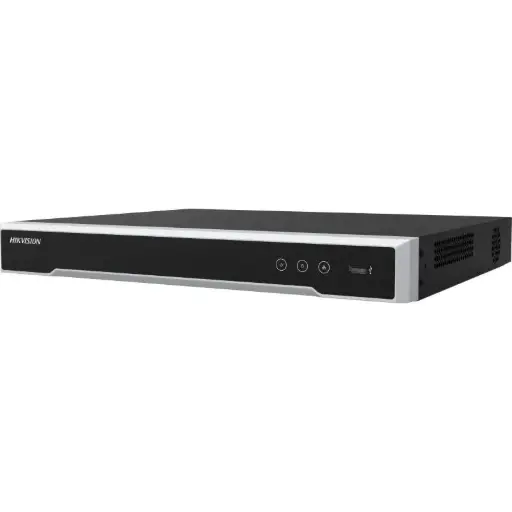
Hikvision DS-7608NI-M2/8P 8-Ch PoE 8K NVR
8-channel 8K PoE NVR with an Australian plug — genuine Hik ANZ stock that pulls region-matched firmware and updates cleanly.
Hikvision DS-2CD2387G3 8MP 2.8mm AcuSense Turret Camera
8MP ColorVu AcuSense turret with full-colour night vision — region-correct firmware means Hik-Connect and smart detection work as designed.
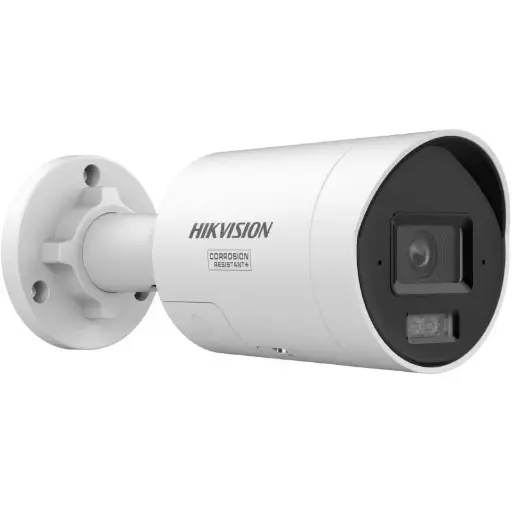
Hikvision DS-2CD2087G3 8MP 2.8mm ColorVu Bullet
8MP ColorVu AcuSense bullet for round-the-clock colour imaging — genuine AU stock, cleanly updatable and locally supported.
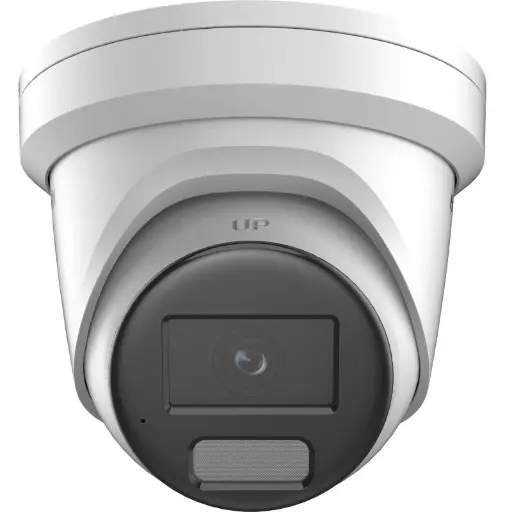
Hikvision DS-2CD2386G2H 8MP 2.8mm Powered by Darkfighter Fixed Turret Network Camera
8MP DarkFighter fixed turret with a built-in mic — region-right unit that takes official AU firmware without a mismatch.
Ready to buy?
Shop genuine Hikvision at ARC IP Networks


Authorised Hikvision reseller
Hikvision at ARC IP Networks
AcuSense, ColorVu and DeepinView cameras, NVRs and complete systems. Genuine Australian stock with the full manufacturer's warranty, competitive prices and price match available.
Frequently asked questions
Last updated: 2026-07-14 · Written by the ARC IP Networks team, an authorised Hikvision reseller in Australia.
Who we are
About ARC IP Networks
ARC IP Networks is an Australian supplier of security cameras and CCTV systems, based in Blackburn, Melbourne, Victoria. We work with homeowners, installers, integrators and businesses across Australia, supplying Hikvision, Ubiquiti UniFi Protect, Dahua and Jovision CCTV.
We are an authorised reseller for every brand we sell, and the national distributor of Jovision in Australia, so you get genuine Australian stock with the full manufacturer's warranty, never grey imports, at competitive prices. Our team can help you choose the right equipment, and trade customers get trade accounts and project pricing on larger jobs.
- Genuine Australian stock with the full manufacturer's warranty
- Competitive prices, price match available
- Trade accounts for installers, integrators and MSPs
- Australia-wide delivery; showroom in Blackburn, Mon–Fri 9–5 (demos by appointment)
Need help choosing?
Tell the ARC IP Networks team what you are trying to achieve and we will recommend the right equipment and quote it as one order.