Hikvision's Australian arm supports the distribution channel and licensed integrators rather than end users directly, so your support path is your authorised supplier or installer. For fast, local help before and after you buy, contact an authorised reseller like ARC IP Networks — backed by the official Hikvision AU support and downloads site.
Who supports Hikvision cameras in Australia?
Hikvision is one of the world's largest CCTV manufacturers, and it operates through a channel model in Australia. That means Hikvision's local arm focuses on supporting its distributors and licensed integrators — the businesses that stock, sell and install the gear — rather than fielding phone calls from individual camera owners.
In practice, this is good news: it means your support comes from a local partner who knows your system, holds stock in Australia and can action a warranty claim quickly. Your first stop for help is the business you bought from. If that's an authorised reseller like ARC IP Networks, you get pre-sale advice, post-sale troubleshooting and genuine warranty backing in one place.
How do I get help with my Hikvision system?
There are four reliable support channels for Hikvision in Australia, and most questions are solved by the first one on the list. Here's how they compare:
| Support channel | Best for | How to reach it |
|---|---|---|
| Your authorised reseller | Product selection, warranty claims, replacements, quotes, general advice | Phone or email — e.g. ARC IP Networks, with Australia-wide delivery |
| Your installer / integrator | On-site wiring, mounting, commissioning and configuration | Book a service visit |
| Official Hikvision AU site | Firmware, datasheets, manuals and tools like SADP & iVMS-4200 | The Hikvision support & downloads portal |
| Self-help guides (this hub) | Passwords, remote viewing, playback, firmware, alerts | Step-by-step articles on arcip.com.au |
Knowing which door to knock on saves time — a warranty question goes to your reseller, while a “how do I export footage” question is usually a five-minute self-help guide.
Why your authorised reseller is the best support path
An authorised reseller is more than a shop — it's your account manager, warranty desk and technical advisor rolled into one. Because we source genuine, Australian-stocked Hikvision through the official channel, we can help across the whole lifecycle of your system:
- Before you buy — sizing the right cameras and NVR for your site, matching resolution, lens and night-vision tech to the job.
- After you buy — troubleshooting, replacement parts, firmware guidance and warranty claims handled locally.
- As you grow — adding channels, storage or extra cameras that are fully compatible with your existing kit.
Not sure where to start? Our where-to-buy guide explains how to confirm you're dealing with a genuine Australian supplier.
Official Hikvision support and downloads (Australia)
For firmware, product datasheets, user manuals and free desktop tools, Hikvision maintains an official support and downloads portal. It's the authoritative source for things like the SADP tool (which finds cameras on your network) and the iVMS-4200 desktop client. Always download firmware and software from the official Hikvision site or from your authorised reseller — never from unofficial mirrors.
If you're updating device software, follow our safe walkthrough on how to update Hikvision firmware so you match the correct file to your exact model.

Shopping for Hikvision?
Authorised Hikvision reseller: genuine Australian stock, full warranty, competitive prices and price match available.
Self-help guides you can follow yourself
Many everyday tasks don't need a support ticket at all — they're quick jobs you can do from your phone or PC. Our Hikvision knowledge hub covers the most common ones step by step:
- Activate or reset the password on a new or forgotten device.
- Set up Hik-Connect for remote viewing on your mobile.
- Update firmware to keep features and stability current.
Work through the relevant guide first; if you're still stuck, your reseller can pick up from there with full context.
Why buying authorised matters for support and warranty
Where you buy decides what support you're entitled to. Genuine, channel-sourced Hikvision comes with a proper Australian warranty, verified firmware and a supplier who can actually help. Grey-import or unofficial units often can't be warranted locally and may run region-locked or unsupported firmware.
- Warranty — claims are handled through your Australian reseller. See Hikvision warranty in Australia for what's covered.
- Firmware & advice — authorised stock gets correct AU firmware and channel support.
- Peace of mind — learn to spot the real thing in our genuine vs grey-import guide.
Buying authorised is the single easiest way to guarantee you'll have real support when you need it.
Getting help from ARC IP Networks
As an authorised Hikvision reseller in Australia, ARC IP Networks is your one-stop support path — before and after the sale. Tell us your site (home, retail, warehouse or multi-site) and what you want to see, and we'll recommend genuine cameras and recorders that fit, then stay on hand for setup questions, firmware guidance and warranty support.
Browse genuine, Australian-stocked models on our ColorVu, AcuSense and NVR hubs, or reach out for a tailored quote with Australia-wide delivery.
Popular genuine Hikvision to buy with local support
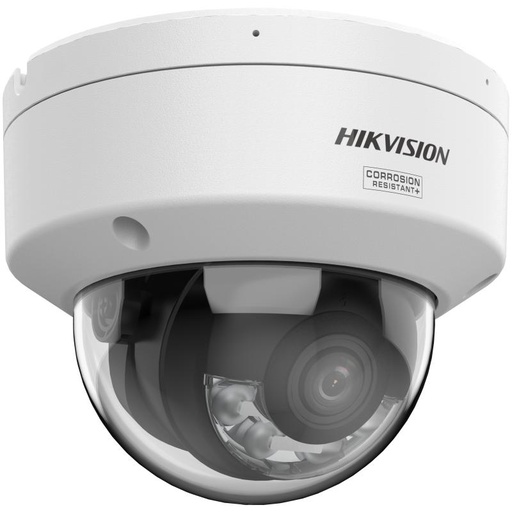
Hikvision DS-2CD2187G3 8MP 2.8mm ColorVu AcuSense Turret
8MP ColorVu + AcuSense turret — full-colour night vision and smart person/vehicle detection. A go-to genuine choice for homes and small business.
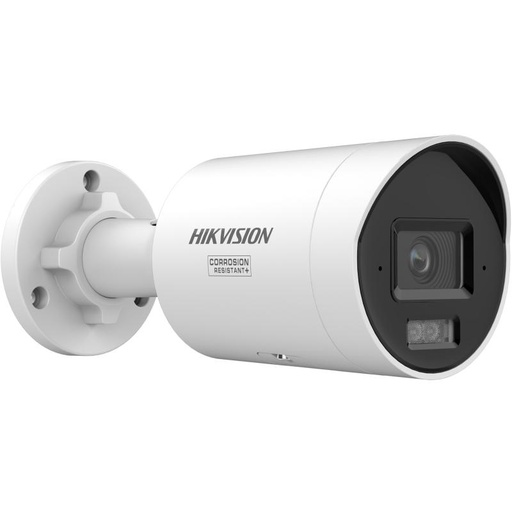
Hikvision DS-2CD2067G3 6MP 2.8mm ColorVu Bullet Camera
6MP ColorVu bullet with a fixed 2.8mm lens — wide, colourful 24/7 coverage for driveways, entries and yards.
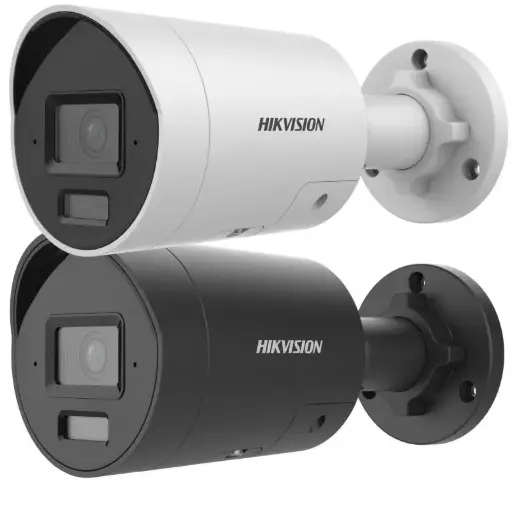
Hikvision DS-2CD2066G2H-IU(2.8mm)(eF) 6MP 2.8mm Powered by Darkfighter Fixed Mini Bullet Network Camera
6MP Powered-by-DarkFighter mini bullet with built-in mic — excellent low-light clarity in a compact, discreet body.
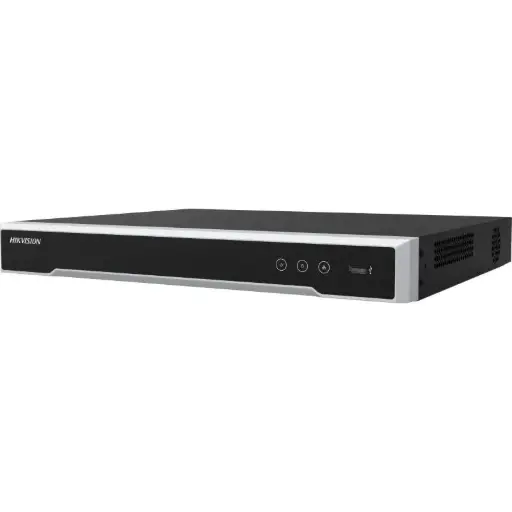
Hikvision DS-7608NI-M2/8P 8-Ch PoE 8K NVR
8-channel PoE 8K NVR — one-cable-per-camera recording with plenty of headroom to grow your system.
Related Hikvision guides
- Genuine vs Grey-Import Hikvision: How to Buy the Real Thing
- Hikvision Warranty in Australia: What You Need to Know
- How to Update Hikvision Firmware (Safely)
- Hikvision Default Password: How to Activate & Reset It
- Can You Mix Hikvision with Third-Party or ONVIF Cameras on an NVR?
- Do You Need Hik-Connect? Running Hikvision Fully Local (No Cloud)
Ready to buy?
Shop genuine Hikvision at ARC IP Networks


Authorised Hikvision reseller
Hikvision at ARC IP Networks
AcuSense, ColorVu and DeepinView cameras, NVRs and complete systems. Genuine Australian stock with the full manufacturer's warranty, competitive prices and price match available.
Frequently asked questions
Last updated: 2026-07-14 · Written by the ARC IP Networks team, an authorised Hikvision reseller in Australia.
Who we are
About ARC IP Networks
ARC IP Networks is an Australian supplier of security cameras and CCTV systems, based in Blackburn, Melbourne, Victoria. We work with homeowners, installers, integrators and businesses across Australia, supplying Hikvision, Ubiquiti UniFi Protect, Dahua and Jovision CCTV.
We are an authorised reseller for every brand we sell, and the national distributor of Jovision in Australia, so you get genuine Australian stock with the full manufacturer's warranty, never grey imports, at competitive prices. Our team can help you choose the right equipment, and trade customers get trade accounts and project pricing on larger jobs.
- Genuine Australian stock with the full manufacturer's warranty
- Competitive prices, price match available
- Trade accounts for installers, integrators and MSPs
- Australia-wide delivery; showroom in Blackburn, Mon–Fri 9–5 (demos by appointment)
Need help choosing?
Tell the ARC IP Networks team what you are trying to achieve and we will recommend the right equipment and quote it as one order.