Hikvision Turbo HD is Hikvision's analog HD (HD-TVI) platform: high-definition cameras that send video over ordinary coax cable to a DVR, with no network switch required. It's the simplest way to upgrade an older analog CCTV system while reusing existing cabling. ARC IP Networks supplies genuine Turbo HD cameras and DVRs with Australian warranty.
What is Hikvision Turbo HD?
Turbo HD is Hikvision's brand name for its analog high-definition camera range, built around a signalling standard called HD-TVI (High Definition Transport Video Interface). Unlike traditional standard-definition analog cameras, Turbo HD cameras deliver a genuine HD picture — typically 2 MP (1080p) up to 8 MP (4K) — while still travelling as an analog signal down a single coaxial cable.
The key idea is compatibility. Turbo HD is designed so you can keep the coax already run through your walls and ceilings and simply swap the cameras and recorder. There is no IP addressing, no network switch and no PoE to configure — the camera plugs into the cable, the cable plugs into the DVR, and you're recording. That plug-and-play simplicity is exactly why Turbo HD remains popular for upgrades and budget-conscious builds. Browse the full Hikvision Turbo HD range to see current cameras and recorders.
How does analog HD over coax work?
A Turbo HD camera captures an HD image and transmits it as an analog signal over 75-ohm coaxial cable (the same RG59 or RG6 used by older CCTV). At the other end, a Turbo HD DVR (Digital Video Recorder) receives that analog feed, digitises it, compresses it with H.265 and stores it on internal hard drives.
Because the signal stays analog on the cable, there's effectively no configuration on the wire itself — distance and picture quality depend mainly on cable type and quality rather than network settings. Most Hikvision Turbo HD DVRs are also hybrid: alongside their coax (BNC) inputs they can add a number of Hikvision IP cameras over the network, so you can start on coax and mix in IP cameras later. To understand the recorder side in depth, see our DVR vs NVR guide.
Turbo HD cameras vs IP cameras
Both can give you a sharp HD picture. The difference is how the video travels and what each system needs to run. Turbo HD is analog over coax into a DVR; IP cameras are digital over network cable into an NVR.
| Turbo HD (analog) | IP (network) | |
|---|---|---|
| Cable | Coax (BNC) — can reuse existing | Cat5e/Cat6 network cable |
| Recorder | DVR | NVR |
| Power | Separate 12V DC (or via siamese/ePoC) | PoE down the same cable |
| Setup | Plug and play, no IP config | Network setup, switch/PoE |
| Advanced analytics | Available on AcuSense models | Widest range of AI features |
| Best when | Coax already in place, budget upgrade | New cabling, top-end features |
If you're weighing up the whole camera decision, our NVR channels & storage guide covers sizing an IP system.
DVR vs NVR: which recorder do you need?
The recorder you choose follows the cameras. A DVR records analog Turbo HD cameras over coax; an NVR records IP cameras over the network. They are not interchangeable for the same camera type, though many Turbo HD DVRs are hybrid and can add some IP channels.
- Choose a DVR if you're keeping or extending coax cabling and using Turbo HD cameras.
- Choose an NVR if you're running new network cable and want a fully IP system.
- Go hybrid if you want to reuse coax now but keep the door open to IP cameras later — a Turbo HD DVR lets you do both.
We compare the two in detail in NVR vs DVR for Hikvision.

Shopping for Hikvision Turbo HD & DVRs?
Authorised Hikvision reseller: genuine Australian stock, full warranty, competitive prices and price match available.
ColorVu and AcuSense on Turbo HD
Turbo HD isn't only about reusing cable — the range also carries Hikvision's headline features. ColorVu models use a large aperture lens and supplementary white light to deliver full-colour images at night rather than the usual black-and-white infrared, so you can still make out colour of clothing or a vehicle after dark. AcuSense brings deep-learning human and vehicle detection, cutting false alarms from leaves, rain or shadows.
On the recorder side, Hikvision's AcuSense Turbo HD DVRs can run this analytics centrally, so even simpler cameras benefit from smarter motion filtering and targeted searches. If full-colour night vision is a priority, also see the dedicated Hikvision ColorVu cameras. Availability of ColorVu and AcuSense varies by model, so check the specific product page before ordering.
When does Turbo HD make sense?
Turbo HD is the pragmatic choice in a few common situations. It's rarely about being 'better or worse' than IP — it's about fit.
Upgrading old analog
You already have coax runs and standard-definition cameras. Swap the cameras and DVR and jump to HD without pulling new cable.
Long coax runs
Coax comfortably carries video over long distances, which can suit large sites or where re-cabling would be disruptive.
Budget-conscious builds
Analog HD systems keep the entry cost down while still delivering a clear, recordable HD picture.
How to choose a Turbo HD system
Match the parts and you'll have a reliable system. Work through these in order:
- Count your cameras and pick a DVR with at least that many BNC channels (4, 8, 16 or 32) — leave room to grow.
- Pick the resolution: 5 MP is a strong all-round choice; 8 MP (4K) suits wide areas or where you need to zoom into detail like a number plate.
- Choose camera form factors — turret, dome or bullet — to suit each location. See the turret and bullet ranges.
- Add the extras you value: ColorVu for colour at night, AcuSense for smarter alerts, motorised varifocal for adjustable zoom.
- Size the storage: more channels, higher resolution and longer retention all need bigger hard drives.
Prefer to run it yourself? Our DIY Hikvision install guide walks through mounting, cabling and setup.
Popular Hikvision Turbo HD cameras & DVRs
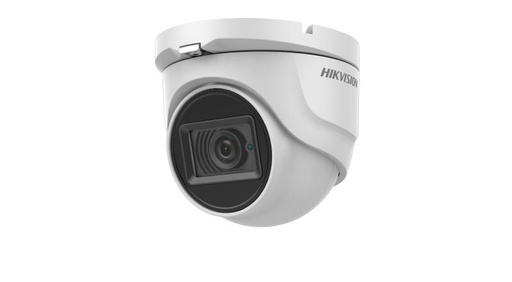
Hikvision DS-2CE76U7T 8MP EXIR Turret Camera 3.6mm
8 MP Turbo HD EXIR turret camera on a fixed 3.6mm lens — a simple, high-resolution analog option that runs straight into a Turbo HD DVR over coax.
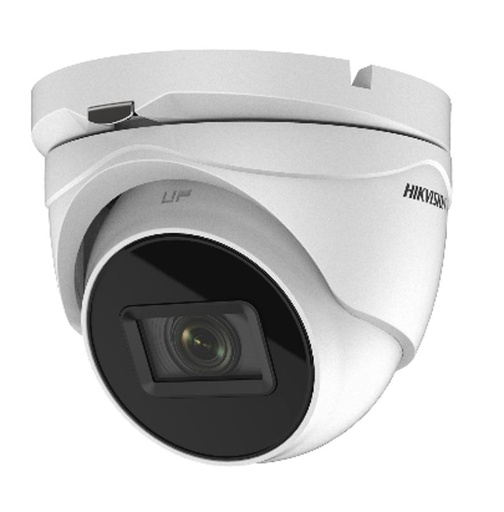
Hikvision DS-2CE79U7T-AIT3ZF 8MP Motorized Varifocal Turret
8 MP motorised varifocal Turbo HD turret with AcuSense — adjust the zoom to frame each scene, with smart human and vehicle detection over coax.

Hikvision IDS-7204HUHI-M2-S AcuSense 4-Channel Turbo HD DVR, Dual HDD, Up to 8 MP Recording
AcuSense 4-channel Turbo HD DVR with dual HDD bays, recording up to 8 MP — an easy upgrade path for a small analog system on existing cabling.
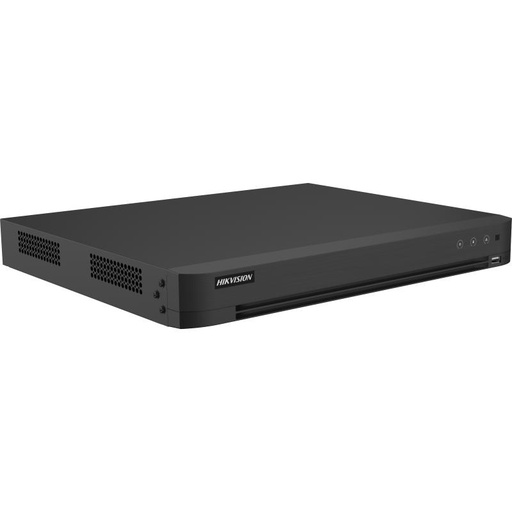
Hikvision iDS-7216HUHI-M2/XT AcuSense 16-Channel Turbo HD DVR, H.265 Pro+, Facial Recognition, 2 HDD Bays
AcuSense 16-channel Turbo HD DVR with H.265 Pro+ and two HDD bays — records analog Turbo HD cameras and can add IP channels as a hybrid recorder.
Ready to buy?
Shop genuine Hikvision at ARC IP Networks

Authorised Hikvision reseller
Hikvision at ARC IP Networks
AcuSense, ColorVu and DeepinView cameras, NVRs and complete systems. Genuine Australian stock with the full manufacturer's warranty, competitive prices and price match available.
Frequently asked questions
Last updated: 2026-07-14 · Written by the ARC IP Networks team, an authorised Hikvision reseller in Australia.
Who we are
About ARC IP Networks
ARC IP Networks is an Australian supplier of security cameras and CCTV systems, based in Blackburn, Melbourne, Victoria. We work with homeowners, installers, integrators and businesses across Australia, supplying Hikvision, Ubiquiti UniFi Protect, Dahua and Jovision CCTV.
We are an authorised reseller for every brand we sell, and the national distributor of Jovision in Australia, so you get genuine Australian stock with the full manufacturer's warranty, never grey imports, at competitive prices. Our team can help you choose the right equipment, and trade customers get trade accounts and project pricing on larger jobs.
- Genuine Australian stock with the full manufacturer's warranty
- Competitive prices, price match available
- Trade accounts for installers, integrators and MSPs
- Australia-wide delivery; showroom in Blackburn, Mon–Fri 9–5 (demos by appointment)
Need help choosing?
Tell the ARC IP Networks team what you are trying to achieve and we will recommend the right equipment and quote it as one order.