What is the best mesh Wi-Fi system for an Australian home, and should I choose a consumer mesh kit or UniFi?
The best mesh Wi-Fi depends on your NBN connection and whether you can run cable. On FTTN/FTTB, a Deco DSL kit has the VDSL2 modem built in. On FTTP, FTTC or HFC, a kit like the D-Link M60 is simple. Wherever you can, cable the nodes: Ubiquiti says each wireless hop costs about half the throughput. UniFi suits larger, brick or multi-storey homes.
What is mesh Wi-Fi, and does your home need it?
A mesh Wi-Fi system uses several units (nodes or access points) spread around the home that work together as one network with one Wi-Fi name. nbn describes a mesh network as adding nodes or access points around your home that connect to your Wi-Fi router, spreading the coverage of the signal. Ubiquiti defines it the same way: access points that are wirelessly connected to each other, with your devices connecting through them.
nbn lists three benefits: better coverage over larger or multi-storey properties, fewer dead spots around thick walls or dense materials, and one Wi-Fi network throughout the property. Its rule of thumb is that in a property with three bedrooms or more, it might make sense to install a mesh network.
Mesh is not the fix for every slow connection. If the speed test is poor even when you are standing next to the router, the bottleneck is upstream, such as the plan, the nbn connection or an old router. nbn suggests running a speed test beside the router, then again over an Ethernet cable, then in other rooms, so you can see whether coverage is the real problem.
The word "mesh" covers two quite different products:
- Consumer mesh kits such as TP-Link Deco and D-Link AQUILA PRO AI. They come as 1-, 2- or 3-packs and are set up with a phone app. The main unit is the router.
- UniFi: a gateway (some, like the UDR7, have built-in Wi-Fi) plus as many access points as the building needs. The access points are ideally cabled, and some or all can mesh wirelessly where cable can't go. Everything is managed in UniFi Network.
Wireless mesh vs wired (Ethernet) backhaul: why cable wins
Backhaul is the link that carries each node's traffic back to the router. In a wireless backhaul the nodes talk to each other over Wi-Fi. In a wired backhaul each node has an Ethernet cable back to the router or a switch.
Ubiquiti's guidance is blunt. Hardwiring access points is "the ideal method to provide the highest performance and stability", and wireless meshing is the alternative for homes that aren't wired for Ethernet. Its Maximizing Wireless Speeds article says meshing is "much less performant than a wired connection (about 50% lower for each 'wireless hop')". Its latency article says each wireless hop reduces throughput "by at least 50%". nbn makes the same point for consumer kits: connecting mesh nodes with Ethernet cables "can help give you a stronger Wi-Fi signal and more stable performance".
| Wireless backhaul (meshing) | Wired (Ethernet) backhaul | |
|---|---|---|
| Installation | Power point only. No cabling. | Needs a data cable to each node or AP. |
| Throughput | Ubiquiti: about 50% or more lost per wireless hop | Ubiquiti: highest performance and stability |
| Airtime | The backhaul shares the air with your devices (UniFi meshing mainly uses 5 GHz) | Wi-Fi airtime is left entirely for devices |
| Placement | Each node must hear its parent well (UniFi: -60 dBm or better) | Each AP goes where coverage is needed |
| Best for | Rentals, finished homes, a granny flat or shed the cable can't reach | Renovations, new builds, double-brick homes, home offices |
Both consumer kits in this guide support Ethernet backhaul. TP-Link says Deco wireless connections and "optional Ethernet backhaul work together to link Deco units", and D-Link lists Gigabit Ethernet backhaul for the M60. So you can start wireless and cable nodes later. In UniFi, an AP with a cable simply uplinks over Ethernet. Ubiquiti warns not to enable Mesh Connect on APs that already have a wired uplink.
If you are cabling, nbn suggests at least CAT 6 for new runs. It also recommends talking to a registered cabler about adding Ethernet sockets in high-use rooms such as lounge rooms, offices and games rooms. In Australia, fixed cabling connected to the telecommunications network must be installed by a registered cabler (under ACMA's cabling rules).
How to plan mesh Wi-Fi for your home
- Check your nbn connection type. FTTN and FTTB need a VDSL2 modem. FTTP, FTTC and HFC connect a router to the nbn connection box by Ethernet.
- Run a speed test next to the router, again over an Ethernet cable, then in each room, to confirm coverage is the problem.
- Count the floors and the brick or concrete walls between the router and where you use Wi-Fi. As a starting point (our rule of thumb, not a manufacturer figure), allow one unit per floor, then test before adding more.
- Decide where cable can go. Cable those nodes or APs (wired backhaul) and use wireless mesh only for the rest.
- Choose a consumer kit (Deco or D-Link) for simplicity, or UniFi (gateway plus access points) for cabled, larger or more demanding homes.
- Place wireless nodes between the router and the weak area where their link is still strong, in a central, raised, open spot away from metal, appliances and water.
- For UniFi meshing, enable Wireless Meshing, then Mesh Parent and Mesh Connect on the right APs. Keep to two hops or fewer and -60 dBm or better.
- Retest room by room and adjust positions, or add a unit.
Where mesh Wi-Fi fits on your NBN connection
A mesh system or UniFi gateway is your router. It sits behind whatever nbn equipment your connection type uses. nbn calls its connection box the Network Termination Device (NTD). Your Wi-Fi router connects to it and shares the internet around the home. FTTN and FTTB services do not use an nbn connection box. They need a VDSL2-compatible modem instead.
| nbn connection | nbn equipment in the home | What your mesh or gateway needs |
|---|---|---|
| FTTP (Fibre to the Premises) | nbn utility box outside, nbn connection box inside | Your Wi-Fi router connects to the connection box. Follow your provider's set-up guide for the port |
| FTTC (Fibre to the Curb) | nbn connection box inside | Your Wi-Fi router connects to the connection box. Follow your provider's set-up guide for the port |
| HFC (Hybrid Fibre Coaxial) | nbn connection box. The new HFC box (with new HFC connections from February 2025) has a 2.5GE port | A router plugged by Ethernet into the box's port labelled 'Port' |
| FTTN (Fibre to the Node) and FTTB (Fibre to the Building) | No connection box. Phone-line wall socket | A VDSL2-compatible modem. Either a mesh kit with a built-in VDSL2 modem, or a separate modem in front of your router |
| Fixed Wireless and Sky Muster satellite | See nbn's technology pages for your service | Ask your provider how a third-party router connects |
What this means when choosing:
- FTTN or FTTB: TP-Link's Deco X73-DSL and Deco X50-DSL have a built-in VDSL2 modem (profile 35b, up to 350 Mbps downstream per TP-Link). That saves a separate box. The UDR7, UCG-Ultra and D-Link M60 have no DSL port on their spec pages, so they would need a separate VDSL2 modem in front.
- FTTP, FTTC and HFC: nbn's HFC guide has you connect the router to the connection box with an Ethernet cable. For FTTP and FTTC, follow your provider's set-up guide. On high-speed plans, the router's WAN port matters. The UDR7 has a 2.5 GbE RJ45 and a 10G SFP+ WAN, and the D-Link M60 has a 2.5 Gbps WAN port. The Deco X73-DSL's ports are Gigabit.
Before you switch, check with your provider for any settings your connection needs to work with your own router. The steps vary by provider. If you want to keep the internet up in a blackout, see our guide to UPS for NBN, Wi-Fi and CCTV.
Consumer mesh kit vs UniFi: an honest comparison
Both approaches give you one Wi-Fi name across the home and roaming between units. They are built for different owners.
| TP-Link Deco X73-DSL | D-Link AQUILA PRO AI M60 | UniFi (e.g. UDR7 + access points) | |
|---|---|---|---|
| Wi-Fi standard | Wi-Fi 6, dual-band AX5400 | Wi-Fi 6, dual-band AX6000 | UDR7: Wi-Fi 7 tri-band (2.4/5/6 GHz). APs from Wi-Fi 6 to Wi-Fi 7 |
| Built-in modem | Yes, VDSL2/ADSL2+ (FTTN/FTTB) | No | No |
| WAN port | Gigabit (auto-sensing WAN/LAN) | 2.5 Gbps | UDR7: 10G SFP+ and 2.5 GbE, up to 4 WAN ports |
| Wired backhaul | Optional Ethernet backhaul | Gigabit Ethernet backhaul | Wired uplink preferred. Wireless meshing where needed |
| Stated coverage | TP-Link: seamless coverage up to 270 m² | 280 m² (1), 510 m² (2-pack), 740 m² (3-pack) | UDR7 160 m². Each AP has its own stated coverage (e.g. U7 Pro 140 m²) |
| Management | Deco app | AQUILA PRO AI app | UniFi Network app and web interface |
| Extras | USB 3.0, 2 FXS phone ports, HomeShield (Basic free, Pro paid) | Parental controls, WPA3, Alexa/Google voice control | VLANs, IDS/IPS, VPN, multi-WAN. UDR7 also runs UniFi Protect, Access and Talk |
Choose a consumer mesh kit if you want a box-in-a-weekend fix, you rent, you are on FTTN/FTTB and want the modem built in (Deco DSL models), or nobody in the house wants to manage a network. Coverage figures are the manufacturer's best-case numbers. TP-Link and D-Link both say building materials and environmental factors reduce real-world performance and range.
Choose UniFi if you can run even a few cables, have a large or double-brick home, run a home office or business, want guest and IoT networks kept separate, or plan to add cameras, door access or more access points over time. One system grows from a single gateway to many APs, switches and cameras. Our complete UniFi buying guide explains the wider ecosystem.
Honest trade-offs: UniFi takes more planning (gateway, APs, PoE power and usually a switch). It also gives you manual control over channels, channel widths and transmit power, and Ubiquiti's speed guidance covers tuning them. Consumer kits automate more. For example, D-Link's AI Wi-Fi Optimiser picks the channel for you (UniFi also offers Channel AI for automatic channel optimisation). A consumer kit is simpler, but you have fewer controls, and you mostly expand by adding units from the same family. TP-Link says the Deco X73-DSL is compatible with every other Deco model.
Shopping for UniFi access points?
Authorised Ubiquiti reseller: genuine Australian stock, full manufacturer's warranty, competitive prices and price match available.
How UniFi wireless meshing works (U7 Mesh, U6 Mesh and other UniFi APs)
In UniFi, meshing is a feature of the access points, not a separate product family. The spec pages for the U7 Pro, U7 Lite, U7 Mesh and U6 Mesh all list Wireless Meshing. The "Mesh" models are weather-resistant units built for spots you can't easily cable:
- U7 Mesh: Wi-Fi 7, 4 spatial streams (5 GHz and 2.4 GHz, no 6 GHz radio), 140 m² coverage, 2.5 GbE uplink, IPX6 when installed with the outdoor mount. Wall, pole or table-stand mounting. PoE powered, with a PoE adapter included.
- U6 Mesh: Wi-Fi 6, 6 spatial streams (4x4 on 5 GHz), 140 m² coverage, GbE uplink, IPX5. Wall or pole mounting. PoE powered, with a PoE adapter included.
- U6 Mesh Pro: Wi-Fi 6, 185 m² coverage, IPX6, two GbE ports, PoE adapter included. Suited to larger outdoor areas.
Each meshed AP still needs power at its location. The PoE adapter plugs into a normal power point.
Ubiquiti's official set-up, per its help article updated October 2026:
- Enable wireless meshing in UniFi Network under Settings > WiFi > Wireless Meshing.
- On APs that will uplink wirelessly, enable Mesh Connect (UniFi Devices > select the AP > Settings).
- On APs that will act as the uplink source, enable Mesh Parent.
- Do not enable Mesh Connect on APs that already have a wired uplink, as this may cause routing complexity or loops.
Ubiquiti's rules for good mesh performance:
- Limit it to a maximum of two wireless hops. Place a meshed AP close to a wired AP, or to one with fewer hops.
- Don't hang too many meshed APs off one parent.
- Aim for a -60 dBm or stronger signal between a meshed AP and its parent.
- Mesh links primarily use 5 GHz. In a crowded area, Ubiquiti suggests DFS channels, which are often less congested.
Ubiquiti also notes that its UniFi Express line is designed to work as both a wired gateway and a wireless meshing AP for hybrid set-ups. For a full AP line-up, see UniFi Access Points Compared.
Wi-Fi 6 vs Wi-Fi 6E vs Wi-Fi 7 for mesh
nbn's guide to Wi-Fi generations (described as a guide only) gives these typical maximum Wi-Fi speeds: Wi-Fi 6 up to 1 Gbps and Wi-Fi 7 over 2 Gbps. It also notes that routers from before 2019, or Wi-Fi 5 and older, may struggle to keep up with faster nbn plans.
| Wi-Fi 6 | Wi-Fi 6E | Wi-Fi 7 | |
|---|---|---|---|
| Bands | 2.4 and 5 GHz | Adds 6 GHz | 2.4, 5 and 6 GHz (product dependent) |
| Max 6 GHz channel width | n/a | 160 MHz | 320 MHz |
| Multi-Link Operation (MLO) | No | No | Yes, with compatible devices |
| Examples in this guide | Deco X73-DSL, D-Link M60, U6 Mesh | UniFi U6 Enterprise, U6 Enterprise In-Wall | UDR7, U7 Pro (tri-band). U7 Lite and U7 Mesh (dual-band) |
What matters for mesh in Australia:
- 6 GHz on UniFi in Australia is indoor-only. Ubiquiti lists Australia as indoor-only for 6 GHz. Ubiquiti says outdoor 6 GHz needs AFC and an AFC-capable AP, and it does not list Australia for outdoor (AFC) use.
- 6 GHz has shorter range. Ubiquiti advises placing 6 GHz APs closer together than you would for 5 GHz.
- Don't count on 6 GHz for the mesh backhaul. Ubiquiti says UniFi mesh links primarily use 5 GHz. That is another reason to cable APs where you can.
- 6 GHz needs WPA3. Some older and IoT devices don't support WPA3. Ubiquiti suggests a separate Wi-Fi network without 6 GHz for them.
- Wi-Fi 7 benefits need Wi-Fi 7 devices. MLO lets compatible clients stay connected on several bands at once and use the best link. Ubiquiti names examples such as laptops with Intel BE200 adapters, the Samsung Galaxy S24 Ultra and the Google Pixel 8 and 8 Pro.
Bottom line: Wi-Fi 7 pays off most with newer devices, a fast plan and cabled APs.
How many mesh nodes or access points does an Australian home need?
There is no official formula. Manufacturers publish best-case coverage areas, and real walls cut that down. nbn specifically names brick or cement walls, floors and ceilings as things that interfere with Wi-Fi. Use the stated figures as a ceiling, then plan by walls and floors rather than by floor area alone.
| Product | Manufacturer's stated coverage |
|---|---|
| D-Link M60 | 280 m² (single), 510 m² (2-pack), 740 m² (3-pack) |
| TP-Link Deco X73-DSL | TP-Link: seamless coverage up to 270 m². TP-Link sizes packs as 1–3 bedrooms (1-pack), 3–5 (2-pack), 4–7+ (3-pack) |
| UniFi UDR7 (built-in Wi-Fi) | 160 m² |
| UniFi U7 Pro / U7 Mesh / U6 Mesh | 140 m² each |
| UniFi U7 Lite | 115 m² |
A practical, qualitative way to plan:
- Single-storey: nbn suggests mesh may make sense from about three bedrooms. TP-Link sizes a single Deco X73-DSL for 1–3 bedrooms and a 2-pack for 3–5. Start with the smallest kit that fits, test each room, and add a unit for a long or L-shaped floor plan or a rear rumpus room.
- Double-storey: plan for at least one unit per floor. nbn lists floors and ceilings among the obstacles that weaken Wi-Fi, and points to multi-storey layouts as a reason for mesh and for combining Wi-Fi with wired connections.
- Internal brick and double brick: nbn names brick and cement walls among the main things that weaken Wi-Fi. Wireless meshing is hardest through brick because Ubiquiti wants -60 dBm or better between a meshed AP and its parent, so cable APs where you can.
- Granny flat, studio or shed: a cable, or an outdoor-rated meshing AP (U7 Mesh on its outdoor mount, IPX6; or U6 Mesh, IPX5) placed where it still gets -60 dBm or better from its parent.
If in doubt, start with the core units, test each room, then add one. Mesh kits and UniFi both let you add units later. For UniFi, keep each meshed AP within two hops of a wired AP.
Where to place mesh nodes and access points
- Central, raised and in the open. nbn recommends a central, raised, open position, at waist height if you can, with as clear a line as possible to your devices.
- Keep clear of interference. nbn lists thick walls (brick or cement walls, floors, ceilings), metal (cupboard doors, mirrors, shelves), appliances (fridges, TVs, microwaves), liquids (fish tanks, hot water systems) and other radios (baby monitors, Bluetooth devices).
- Don't put a wireless node in the dead spot. A wireless node needs a strong link back to its parent. Ubiquiti's target is -60 dBm or better, and it recommends placing a meshed AP closer to a wired AP. So place the node between the router and the weak area, where its link is still strong.
- Cabled APs go where people are. With Ethernet backhaul there's no parent signal to protect. Position each cabled AP to cover the area it serves, then check signal in UniFi.
- Put the main unit near the nbn equipment, or run a cable. The router plugs into the nbn connection box (or the phone socket for Deco DSL models). If that sits in a garage or cupboard, a cable to a central first node or AP usually gives better coverage.
- Test, then adjust. Run nbn's suggested room-by-room speed tests. For maximum speed, Ubiquiti suggests clients have at least -60 dBm (-50 dBm or better is best). For a stable connection it gives -70 dBm as the minimum.
When to step up from a mesh kit to UniFi
A good consumer mesh kit is enough for many Australian homes. Consider UniFi when:
- You can cable, or you're renovating or building. Ubiquiti calls hardwired access points the ideal for performance and stability, and UniFi offers ceiling, in-wall and outdoor APs to put on the end of each cable.
- The house fights Wi-Fi. Double brick, concrete floors or a long single-storey floor plan. You add one AP per zone rather than stretching a few nodes.
- You need separate networks. UniFi supports VLAN/subnet segmentation, guest isolation, Private Pre-Shared Keys (PPSK) and up to 8 SSIDs (BSSIDs) per radio on UniFi APs such as the U7 Pro, so work, guest and IoT devices can be kept apart.
- You work from home or run a small business. Gateways such as the UDR7 add IDS/IPS (2.3 Gbps on the UDR7), VPN server and client (WireGuard, OpenVPN), Teleport, multi-WAN load balancing across up to 4 WAN ports, and failover with a UniFi LTE Backup device (sold separately; needs its own mobile data service).
- You want one system for cameras, doors and Wi-Fi. The UDR7 runs UniFi Protect from a pre-installed 64 GB microSD, plus Access and Talk.
A typical UniFi home build: a gateway (UDR7 with built-in Wi-Fi 7, or a gateway without Wi-Fi such as the UCG-Ultra plus APs), one PoE-powered access point per zone, and a PoE switch if you have more than a couple of APs. Check each AP's power needs. They are not all the same class: the U7 Pro is PoE+ (802.3at, 21 W max), while the U7 Lite and U7 Mesh are PoE (802.3af, 13 W max). The UDR7's single PoE port has a 15.4 W budget, so plan a PoE+ switch or injector for PoE+ APs. Compare gateways in our UniFi Cloud Gateway comparison and switches in our UniFi switch comparison. For PoE standards, see PoE 802.3af, 802.3at and 802.3bt explained.
Installation in Australia: cabling, power and who can do what
- Data cabling: fixed Ethernet cabling in walls and ceilings must be installed by a registered cabler (under ACMA's cabling rules). nbn also recommends a registered cabler for adding data points, and suggests at least CAT 6 for new runs.
- Power: mesh nodes and PoE adapters plug into ordinary power points, so no electrician is needed. Installing a new fixed power point (for example in a ceiling space or outdoors) is fixed 230 V wiring and must be done by a licensed electrician under your state's electrical safety laws.
- PoE: The UniFi access points in this guide are powered over the Ethernet cable (PoE), from a PoE switch, a PoE adapter, or a gateway PoE port with enough budget at the other end. The UDR7's single PoE port gives 15.4 W, which is not enough for a PoE+ AP such as the U7 Pro (21 W). This avoids a power point at the ceiling or outdoor mounting spot. Match the PoE class to the AP (PoE = 802.3af, PoE+ = 802.3at).
ARC IP Networks is an authorised Ubiquiti, TP-Link and D-Link reseller. Everything here is genuine Australian stock with the full manufacturer's warranty, competitive prices and price match available.
Our picks

D-Link M60-3PK AQUILA PRO AI AX6000 Wi-Fi 6 Smart Mesh System (3-Pack)
D-Link M60-3PK: Wi-Fi 6 AX6000 nodes, 740 m² stated 3-pack coverage, 2.5 Gbps WAN, 4 Gigabit LAN ports and Gigabit Ethernet backhaul when you can cable.
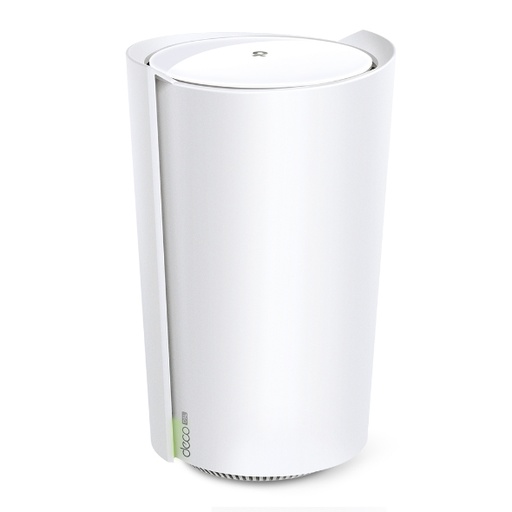
TP-Link DECO-X73-DSL AX5400 VDSL Whole Home Mesh Wi-Fi 6 Modem Router
TP-Link Deco X73-DSL: VDSL2 profile 35b modem plus AX5400 Wi-Fi 6 mesh, optional Ethernet backhaul, USB 3.0 and works with every other Deco model. This listing is the 1-pack (one unit); for mesh, add more Deco units (sold separately).
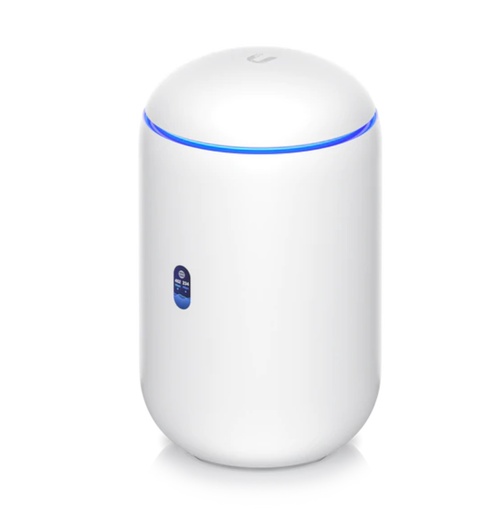
Ubiquiti UDR7 UniFi Dream Router 7 — WiFi 7 Router with 10G SFP+ WAN, 2.3 Gbps IDS/IPS, Built-In NVR (300+ Clients)
UDR7: tri-band Wi-Fi 7 (160 m²), four 2.5 GbE RJ45 ports (one has PoE; one is the default 2.5 GbE WAN) plus a 10G SFP+ WAN port, manages 30+ UniFi devices and runs UniFi Protect.
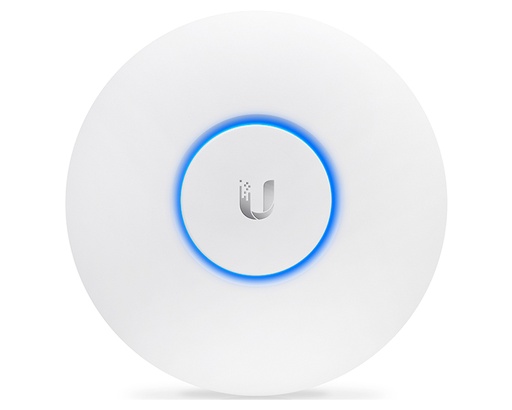
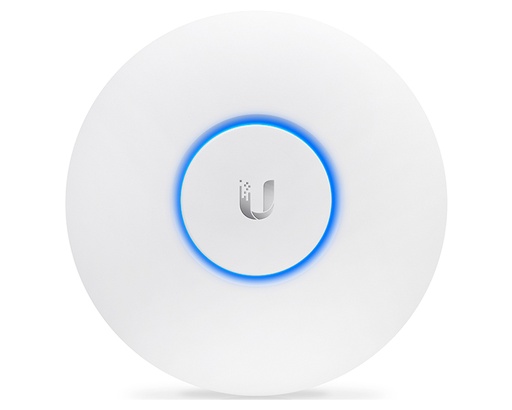
Ubiquiti U7-Pro UniFi AP WiFi7 Indoor WIFI 7 Access Point - No POE Injector
U7 Pro: Wi-Fi 7 with 6 GHz (indoor use in Australia), 140 m², 300+ clients and 2.5 GbE uplink. Needs PoE+ (injector not included).
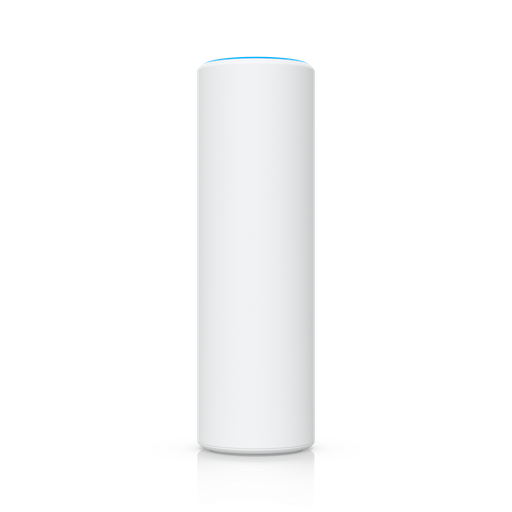
Ubiquiti U7-Mesh Access Point U7 Mesh
U7 Mesh: Wi-Fi 7 meshing AP with 140 m² coverage, IPX6 when installed on its outdoor mount, 2.5 GbE port and a PoE adapter included.
Ubiquiti U7-Lite UniFi Compact, Ceiling Mounted WiFi 7 AP 2.5 GbE access point - No POE Injector Included
U7 Lite: compact Wi-Fi 7 ceiling or wall AP, 115 m², 2.5 GbE uplink, standard PoE at 13 W max, so it's light on your PoE budget.
Ready to buy?
Shop genuine Ubiquiti at ARC IP Networks
Authorised Ubiquiti reseller
Ubiquiti at ARC IP Networks
UniFi gateways, switches, Wi-Fi, Protect cameras and Access. Genuine Australian stock with the full manufacturer's warranty, competitive prices and price match available.
Frequently asked questions
It depends on your nbn connection and whether you can run cable. On FTTN or FTTB, a Deco DSL model avoids a separate modem. On FTTP, FTTC or HFC, a kit like the D-Link M60 or a UniFi gateway with access points works. If you can cable, UniFi access points with wired backhaul give the best performance.
Yes. Ubiquiti calls hardwired access points the ideal for performance and stability, and says each wireless hop cuts throughput by about 50% or more. nbn also says cabling mesh nodes with Ethernet can give a stronger, more stable signal.
Yes, but FTTN and FTTB need a VDSL2-compatible modem. Either choose a mesh kit with a built-in VDSL2 modem, such as the Deco X73-DSL or X50-DSL, or put a separate VDSL2 modem in front of your mesh or UniFi gateway.
nbn says that in a property with three bedrooms or more it might make sense to install a mesh network, and lists better coverage over larger or multi-storey properties and fewer dead spots around thick walls as benefits. Run a speed test in each room first to confirm coverage is the problem.
Ubiquiti recommends a maximum of two wireless hops, with at least -60 dBm signal between a meshed AP and its parent, and not too many meshed APs on one parent.
For UniFi, yes, indoors: Ubiquiti lists Australia as indoor-only for 6 GHz. 6 GHz requires WPA3 and has shorter range than 5 GHz, so APs need to be closer together.
The U7 Mesh is a weather-resistant Wi-Fi 7 AP (5 and 2.4 GHz) built for meshing and outdoor mounting, with a PoE adapter included. The U7 Pro is a tri-band ceiling AP with 6 GHz that needs PoE+ and is best cabled.
Wi-Fi 7 adds 320 MHz channels on 6 GHz and Multi-Link Operation (320 MHz needs a Wi-Fi 7 AP with a 6 GHz radio, such as the U7 Pro or UDR7; the U7 Lite and U7 Mesh are dual-band, 2.4/5 GHz, up to 240 MHz), but only Wi-Fi 7 devices benefit, and UniFi mesh links mainly use 5 GHz. It pays off most with newer devices, a fast plan and cabled access points.
Not for plug-in mesh nodes. Fixed Ethernet cabling in walls must be installed by a registered cabler (under ACMA's cabling rules), and any new fixed power point needs a licensed electrician.
Related guides
- UniFi Access Points Compared 2026: Which Ubiquiti AP Do You Need?
- UniFi Cloud Gateway Comparison 2026: UCG-Fiber vs Ultra vs Max vs UXG
- Ubiquiti Australia: The Complete UniFi Buying Guide (2026)
- UniFi Switch Comparison 2026: Every Ubiquiti Switch Explained
- PoE for CCTV: 802.3af, 802.3at & 802.3bt Explained
- UPS for NBN, Wi-Fi and CCTV/NVR: Keep Internet and Cameras Running
- MikroTik vs Ubiquiti UniFi in Australia: Which Should You Choose for Your Network?
- What PoE Switch Do I Need in Australia? PoE Budgets, 2.5G and Port Types Explained
Who we are
About ARC IP Networks
ARC IP Networks is an Australian supplier of networking, Wi-Fi and gateway equipment, based in Blackburn, Melbourne, Victoria. We work with homeowners, installers, integrators and businesses across Australia, supplying Ubiquiti UniFi, MikroTik, TP-Link, Ruijie, Teltonika and D-Link.
We are an authorised Ubiquiti, MikroTik, TP-Link, Ruijie, Teltonika and D-Link reseller, so you get genuine Australian stock with the full manufacturer's warranty, never grey imports, at competitive prices. Our team can help you choose the right equipment, and trade customers get trade accounts and project pricing on larger jobs.
- Genuine Australian stock with the full manufacturer's warranty
- Competitive prices, price match available
- Trade accounts for installers, integrators and MSPs
- Australia-wide delivery; showroom in Blackburn, Mon–Fri 9–5 (demos by appointment)
Need help choosing?
Tell the ARC IP Networks team what you are setting up and we will recommend the right equipment and quote it as one order.