Wi-Fi 7 is worth it if you are on, or moving to, a 1000 Mbps NBN plan, or if you want the most headroom for new Wi-Fi 7 phones and laptops. For plans below 1000 Mbps, Wi-Fi 6 is still enough. The ARC DATA Wi-Fi 7 Mesh Router BE3600 (ARC-MESH-W7) has a 2.5 Gbps WAN port, Multi-Link Operation (MLO) and 4096-QAM, so it suits every NBN plan, including 1000/400 and the plans up to 2000 Mbps available now on FTTP and HFC. The ARC DATA Wi-Fi 6 Mesh Router AX3000 (ARC-MESH-W6) has a 1 Gbps WAN with real-world WAN throughput of around 800 to 900 Mbps, so it suits plans below 1000 Mbps and costs less. Both are a router and an EasyMesh node in one, so you can start with one unit and add more for whole-home mesh Wi-Fi.
Quick pick: NBN 1000, a fast plan coming soon, or an ISP or IT provider who wants TR-069 remote management: choose the ARC-MESH-W7. NBN plans below 1000 Mbps in a typical home or small office: the ARC-MESH-W6 does the job for less.
ARC IP Networks has both in stock in Australia with a 1-year warranty. Buying several units, or supplying customers as an ISP or IT provider? Call 1300 100 440 for multi-pack and volume pricing.
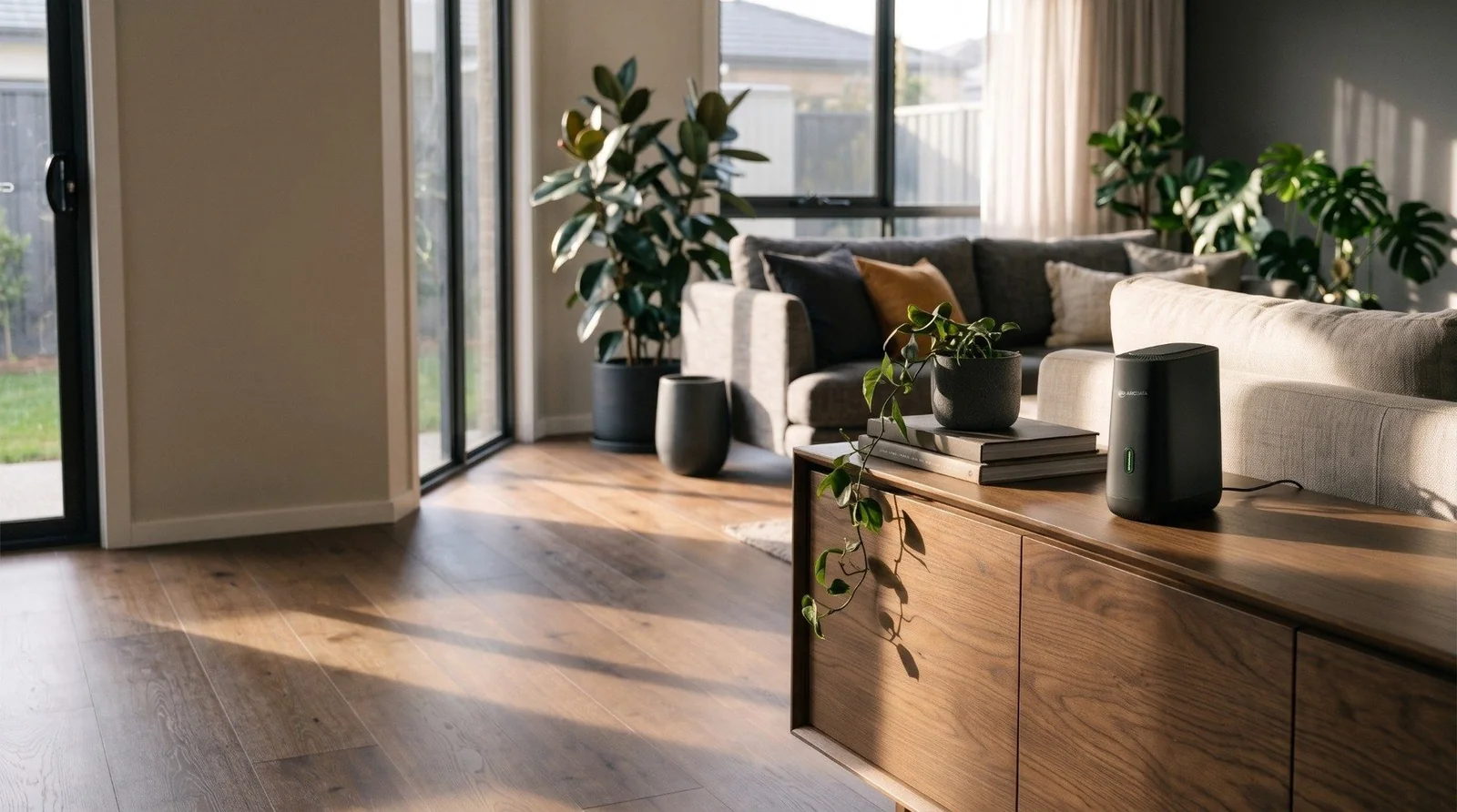
ARC-MESH-W7 vs ARC-MESH-W6 at a glance
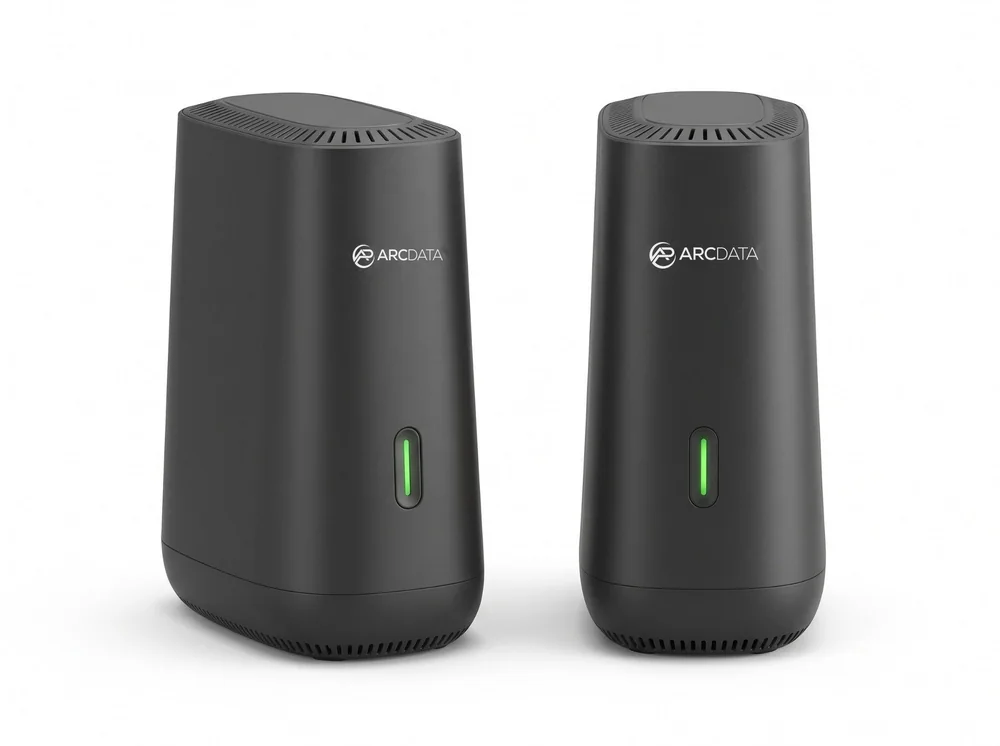
The two routers share the same compact tower, the same two Gigabit LAN ports and the same EasyMesh roaming. The real differences are the Wi-Fi generation, the WAN port speed and remote management.
| Model | In one line | Best for |
|---|---|---|
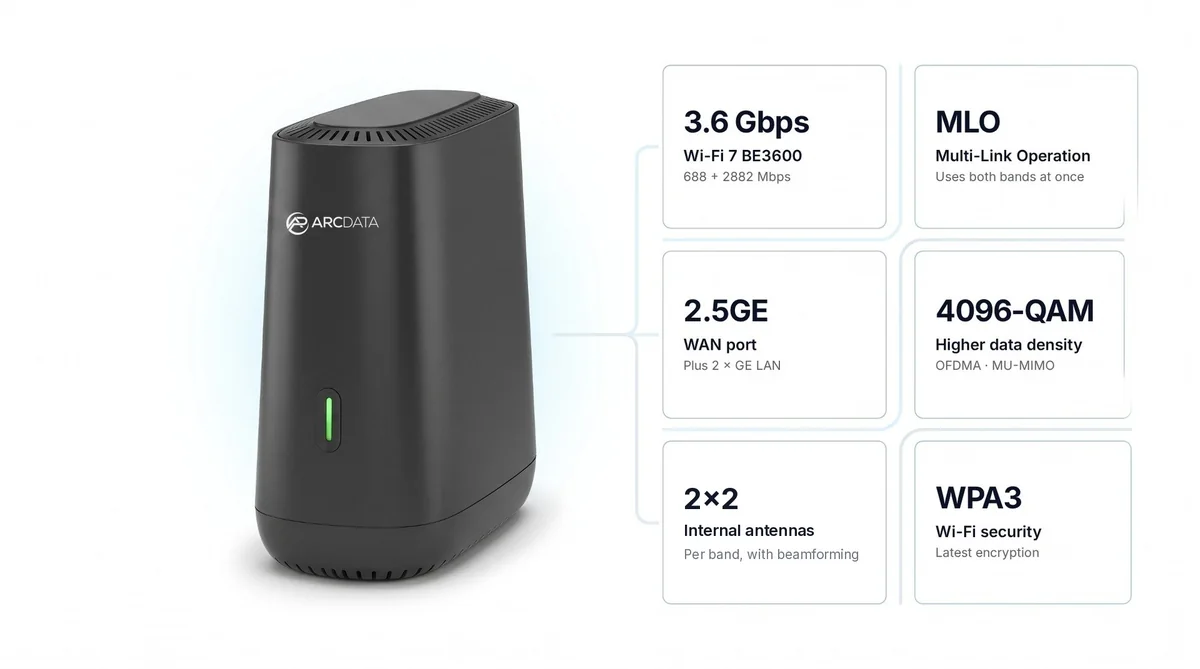
| ARC-MESH-W7 | Wi-Fi 7 BE3600, 2.5 Gbps WAN, MLO and 4096-QAM, TR-069 management | NBN 1000/400 and 2000 Mbps plans on FTTP and HFC, Wi-Fi 7 devices, ISPs and IT providers |
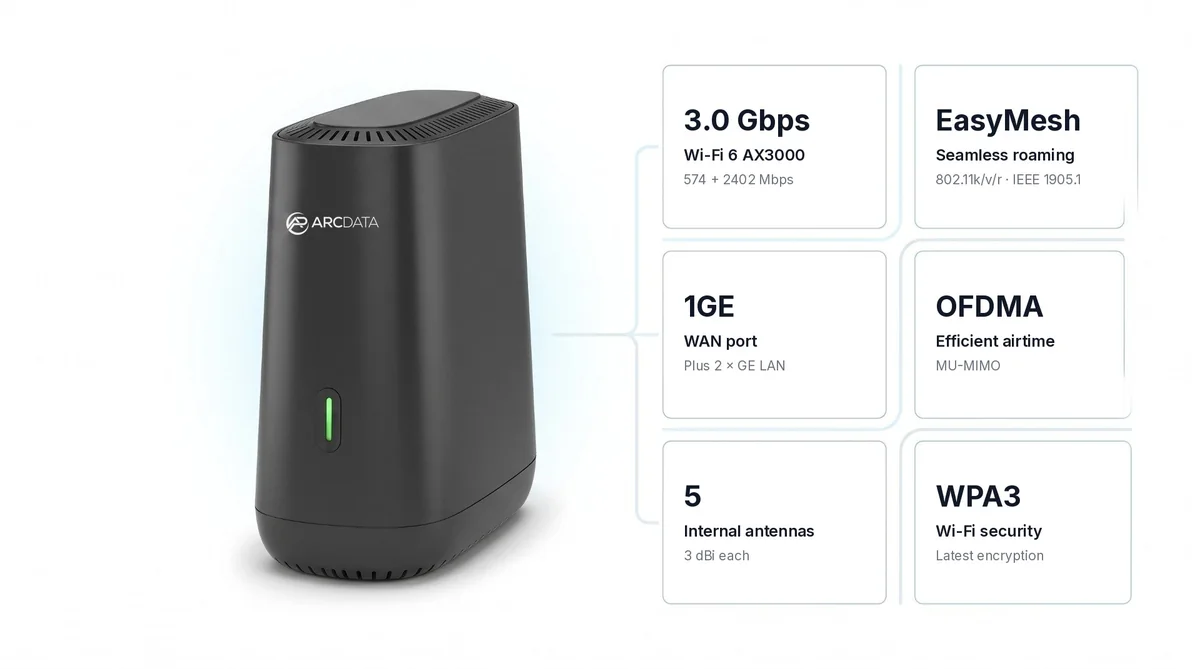
| ARC-MESH-W6 | Wi-Fi 6 AX3000, 1 Gbps WAN, OFDMA and MU-MIMO | NBN plans below 1000 Mbps, homes and small offices on a budget |
Summarised from ARC DATA's specifications for each model.
Specifications side by side
| Feature | ARC-MESH-W7 (Wi-Fi 7) | ARC-MESH-W6 (Wi-Fi 6) |
|---|---|---|
| Wi-Fi standard | Wi-Fi 7 (IEEE 802.11be), BE3600 | Wi-Fi 6 (IEEE 802.11ax), AX3000 |
| Bands | Dual-band 2.4 GHz + 5 GHz | Dual-band 2.4 GHz + 5 GHz |
| Maximum Wi-Fi rate | 2882 Mbps (5 GHz) + 688 Mbps (2.4 GHz) | 2402 Mbps (5 GHz) + 574 Mbps (2.4 GHz) |
| Radio features | MLO, 4096-QAM, OFDMA, Multi-RU, Preamble Puncturing, MU-MIMO up and down | OFDMA, MU-MIMO |
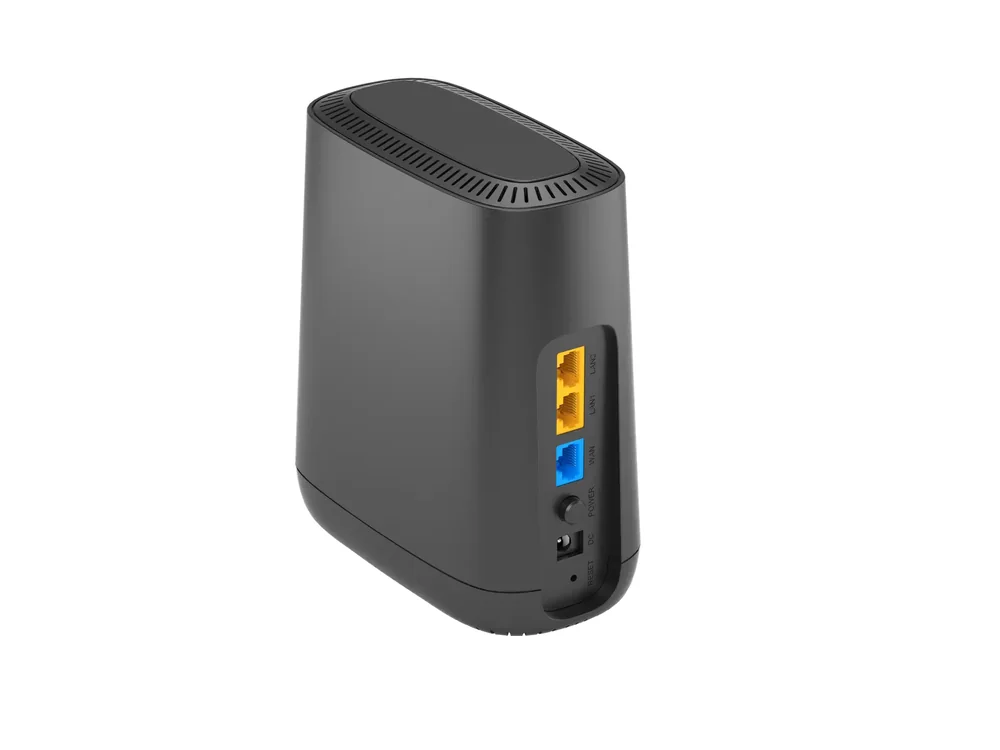
| WAN port | 1 x 2.5 Gbps | 1 x 1 Gbps (around 800 to 900 Mbps real world) |
| LAN ports | 2 x Gigabit | 2 x Gigabit |
| WAN types | DHCP, Static IP, PPPoE; IPv4 and IPv6 | DHCP, Static IP, PPPoE; IPv4 and IPv6 |
| Mesh | EasyMesh, IEEE 1905.1, 802.11k/v/r roaming | EasyMesh, IEEE 1905.1, 802.11k/v/r roaming |
| Mesh backhaul | 2.5GE wired or over the air | Not listed |
| Antennas | 4 internal, 2x2 MIMO per band, beamforming | 5 internal, 3 dBi |
| Wi-Fi security | WPA3, WPA2; AES / AES-GCMP-256, PMF (802.11w) | WPA3, WPA2 |
| VPN | PPTP and L2TP client | PPTP, L2TP and IPSec |
| Remote management | TR-069, ARC VISION Cloud Platform | Local and remote management (no TR-069) |
| Size (W x D x H) | 104 x 74 x 154 mm | 104 x 74 x 154 mm |
| Power | DC 12V / 1A adapter, AU plug | DC 12V / 1A adapter, AU plug |
| Warranty | 1 year | 1 year |
Figures from ARC DATA's specifications. Wi-Fi rates are maximum link rates, not real-world speeds.
Wi-Fi 6 vs Wi-Fi 7: what actually changes
Wi-Fi 7 (802.11be) is the generation after Wi-Fi 6 (802.11ax). On these two routers, three differences matter:
- Multi-Link Operation (MLO). A Wi-Fi 7 device can use more than one link at once instead of sitting on a single band. MLO only works when both the router and the phone or laptop support Wi-Fi 7.
- 4096-QAM instead of 1024-QAM. Wi-Fi 7 packs 12 bits into each symbol instead of Wi-Fi 6's 10, which lifts the peak rate by about 20%. You see the gain when a device is close to the router with a strong signal.
- Higher maximum rates. The ARC-MESH-W7 is rated BE3600 (2882 + 688 Mbps) and the ARC-MESH-W6 is rated AX3000 (2402 + 574 Mbps).
Those BE3600 and AX3000 figures are maximum link rates added across both bands. No single device gets the full figure, and real speeds depend on the device, distance, walls and how busy the network is.
Both routers are dual-band, 2.4 GHz and 5 GHz. The ARC-MESH-W7 gets its Wi-Fi 7 gains from MLO and 4096-QAM on those two bands, not from the 6 GHz band. Wi-Fi 7 is also backwards compatible, so your Wi-Fi 5 and Wi-Fi 6 devices still connect to the ARC-MESH-W7, just without the Wi-Fi 7 extras. For tri-band and 6 GHz options, see our Wi-Fi 7 router guide.
The WAN port: the real decider on NBN
For most Australian homes, the Wi-Fi standard matters less than the WAN port, the socket that connects the router to your NBN connection box. It caps how much of your plan reaches the house.
- ARC-MESH-W6: 1 Gbps WAN. Real-world WAN throughput is around 800 to 900 Mbps, so it suits plans below 1000 Mbps. On an NBN 1000 plan it would hold you back.
- ARC-MESH-W7: 2.5 Gbps WAN. The port is not the bottleneck on 1000/50 or 1000/400 plans, or on the plans up to 2000 Mbps available now on FTTP and HFC.
According to nbn Co, the fastest wholesale plans on FTTP and HFC now have maximum download speeds of 2000 Mbps, a tier nbn calls Home Hyperfast. The ARC-MESH-W7's 2.5 Gbps WAN port isn't the bottleneck at that speed; the ARC-MESH-W6's 1 Gbps WAN port isn't suited to it. The WAN port isn't the same as Wi-Fi speed, though. A single phone or laptop on Wi-Fi gets much less than 2000 Mbps, and the full plan speed is shared across all the devices in the home.
Both routers plug straight into an NBN connection box on FTTP, FTTC, HFC and Opticomm, and both support Dynamic IP (DHCP), Static IP and PPPoE, which covers the common Australian ISP settings. On FTTC, nbn supplies a connection box that plugs into the phone wall socket, and the router's WAN port connects to the box's yellow port C by Ethernet, so no separate modem is needed (see nbn Co's Fibre to the Curb guide). Neither router has a built-in VDSL modem, so only FTTN and FTTB services need a separate VDSL2 modem in front of the router.
Which one for your NBN plan?
| Your NBN plan | Our pick | Why |
|---|---|---|
| Up to 100 Mbps | ARC-MESH-W6 | The Gigabit WAN has plenty of room; spend the saving on a second mesh unit |
| 250 to 500 Mbps | ARC-MESH-W6 | Comfortably inside its 800 to 900 Mbps real-world WAN throughput |
| 750 Mbps | ARC-MESH-W6, or W7 if you plan to go faster | The W6 still suits it; the W7 adds headroom if you move to NBN 1000 |
| 1000 Mbps (1000/50 or 1000/400) | ARC-MESH-W7 | The 2.5 Gbps WAN passes the full plan; the W6 tops out around 800 to 900 Mbps |
| 2000 Mbps (Home Hyperfast, FTTP and HFC) | ARC-MESH-W7 | The 2.5 Gbps WAN port isn't the bottleneck; the W6's 1 Gbps WAN isn't suited to this tier. Wi-Fi to one device will be lower than 2000 Mbps |
| FTTN or FTTB | Either, plus a VDSL2 modem | Neither model has a built-in VDSL modem |
ARC IP Networks recommendations based on ARC DATA's specifications. The 2000 Mbps tier figure is from nbn Co (maximum wholesale download speed). Your actual speed also depends on your ISP and NBN connection.
A router and a mesh node in one
Each ARC-MESH-W7 and ARC-MESH-W6 can be your main router or a mesh node. Start with one unit as the router next to the NBN box, then add a second or third unit in the rooms where Wi-Fi is weak, such as an upstairs bedroom, a back office or a rumpus room.
What is mesh Wi-Fi?
A mesh Wi-Fi system is a set of units that work as one network. The units link over EasyMesh (IEEE 1905.1) and share one Wi-Fi name, and 802.11k/v/r roaming moves phones and laptops to the nearest unit as you walk around.
Mesh Wi-Fi vs a Wi-Fi extender
That shared name and roaming is the difference from a typical Wi-Fi extender, which often leaves devices clinging to a weak signal. The ARC-MESH-W7 can also link its units over a 2.5GE Ethernet cable for the fastest backhaul, or over the air where there is no cable. Read why wired backhaul helps in our best mesh Wi-Fi in Australia guide.
Security and router features
Both routers support WPA3, with WPA2 for older devices. The details differ:
- ARC-MESH-W7: AES-GCMP-256 encryption, PMF (802.11w), a guest network, IP, MAC and URL filters, Anti-DoS, VLAN and QoS, plus PPTP and L2TP VPN client.
- ARC-MESH-W6: SPI firewall, DoS protection, URL and port filters, QoS speed control, PPTP, L2TP and IPSec VPN, and Samba file sharing.
Both have DHCP reservation, UPnP, port triggering and DMZ for gaming consoles and home servers.
For ISPs and IT providers: TR-069 on the W7
The ARC-MESH-W7 supports TR-069 and is managed through the ARC VISION Cloud Platform. A service provider can preconfigure units before dispatch, then check, reboot or update them remotely without a site visit. The ARC-MESH-W6 has local and remote management, but TR-069 and ARC VISION management apply to the W7 only.
If you supply routers to NBN customers or look after a fleet of small offices, the W7 is the one to standardise on. Call 1300 100 440 for ISP and volume pricing.
Which one for which home or office?
| Situation | Our pick | Why |
|---|---|---|
| Apartment or small home on NBN 100 | One ARC-MESH-W6 | Plenty for the plan, lowest cost |
| Family home on NBN 250 to 500, two storeys | Two ARC-MESH-W6 units | Mesh covers both floors with one Wi-Fi name |
| Home on NBN 1000, gamers and streamers | ARC-MESH-W7 (add units as needed) | Full plan speed through the 2.5 Gbps WAN, MLO for Wi-Fi 7 devices |
| Home with Ethernet run between floors | Two or more ARC-MESH-W7 units | 2.5GE wired backhaul between units |
| Small office or clinic | ARC-MESH-W7 or W6 by NBN plan | One Wi-Fi name across every room; pick the model by your NBN plan |
| ISP or IT provider rollout | ARC-MESH-W7 | TR-069 and ARC VISION remote management |
ARC IP Networks suggestions. Number of units depends on the size and construction of the building.
So, is Wi-Fi 7 worth upgrading to?
Yes, choose the ARC-MESH-W7 if you are on NBN 1000 or a 2000 Mbps plan on FTTP or HFC, expect to move to a faster plan, already own Wi-Fi 7 phones or laptops, want wired 2.5GE mesh backhaul, or manage routers for customers.
No, the ARC-MESH-W6 is enough if your plan is below 1000 Mbps and you mainly want to fix dead spots. On a 100 or 250 Mbps plan, the NBN plan is usually the limit on internet speed rather than the Wi-Fi, and the money you save can buy an extra mesh unit. For the bigger picture, see our home network setup guide.
ARC DATA mesh routers in stock at ARC IP Networks
Live Australian pricing (inc. GST) and stock levels are on each product page.
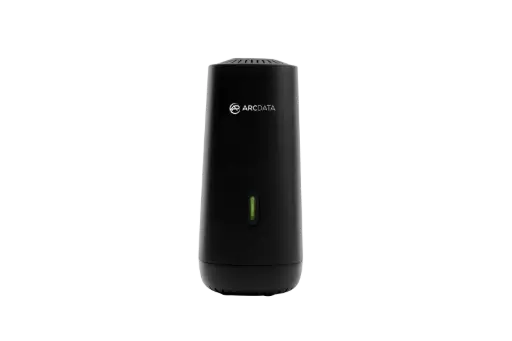
Wi-Fi 7 BE3600 with MLO and 4096-QAM, 2.5 Gbps WAN, 2 x Gigabit LAN, EasyMesh, TR-069. Suits every NBN plan including 1000/400.
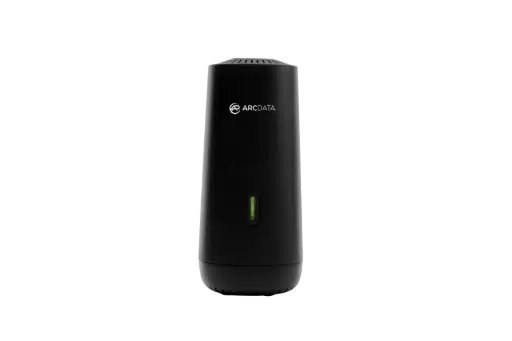
Wi-Fi 6 AX3000 with OFDMA and MU-MIMO, Gigabit WAN, 2 x Gigabit LAN, EasyMesh. A low-cost router or mesh node for plans below 1000 Mbps.
Common questions
Straight answers from the ARC IP Networks team. Last reviewed November 2026.
Wi-Fi 7 (802.11be) adds Multi-Link Operation, which lets a Wi-Fi 7 device use more than one link at once, and 4096-QAM instead of Wi-Fi 6's 1024-QAM, which lifts peak rates by about 20%. On ARC DATA's routers, the Wi-Fi 7 ARC-MESH-W7 is rated BE3600 and the Wi-Fi 6 ARC-MESH-W6 is rated AX3000. These are maximum rates, not real-world speeds.
It is worth it on a 1000 Mbps or 2000 Mbps NBN plan, if you plan to move to a faster plan, or if you own Wi-Fi 7 devices. On plans below 1000 Mbps, a Wi-Fi 6 router such as the ARC-MESH-W6 is usually enough, because the NBN plan is the limit.
Choose a router with a WAN port faster than 1 Gbps. The ARC-MESH-W7 has a 2.5 Gbps WAN, so the port is not the bottleneck on a 1000/50 or 1000/400 plan, or on the plans up to 2000 Mbps that nbn Co offers on FTTP and HFC. The ARC-MESH-W6 has a 1 Gbps WAN with around 800 to 900 Mbps real-world throughput, so it suits plans below 1000 Mbps.
Yes, on NBN FTTP, FTTC, HFC and Opticomm services, where they plug into the connection box. On FTTC, nbn Co says the router connects by Ethernet to the yellow port C on the nbn connection box. Both support Dynamic IP (DHCP), Static IP and PPPoE. Neither has a built-in VDSL modem, so FTTN and FTTB need a separate VDSL2 modem.
Mesh Wi-Fi is a set of units that work as one network with one Wi-Fi name. ARC DATA's mesh routers link over EasyMesh and use 802.11k/v/r roaming, so phones and laptops move to the nearest unit as you walk around the home.
For most homes, yes. Mesh units share one Wi-Fi name and hand devices to the nearest unit, while a typical extender often leaves devices on a weak signal. The ARC-MESH-W7 can also link its units over a 2.5GE Ethernet cable for the fastest backhaul.
Yes. Every ARC-MESH-W7 and ARC-MESH-W6 can be the main router or an EasyMesh node. Start with one unit as your router and add a second or third unit where the Wi-Fi is weak.
No. The ARC-MESH-W7 (BE3600) and ARC-MESH-W6 (AX3000) are both dual-band 2.4 GHz and 5 GHz routers. The ARC-MESH-W7 gets its Wi-Fi 7 gains from Multi-Link Operation and 4096-QAM.
The ARC-MESH-W7 supports TR-069 and is managed through the ARC VISION Cloud Platform, so units can be preconfigured before dispatch and checked, rebooted or updated remotely. TR-069 and ARC VISION management apply to the W7 only.
ARC IP Networks stocks the ARC DATA ARC-MESH-W7 and ARC-MESH-W6 in Australia with a 1-year warranty and delivers Australia-wide. Order online at arcip.com.au or call 1300 100 440 for multi-pack, ISP and volume pricing.
Contact us for project pricing
Need two or three units for a mesh, routers for your ISP customers, or a project quote for several sites? Tell us how many units and which NBN plans they are for, and we will quote the ARC-MESH-W7 or ARC-MESH-W6 with Australia-wide delivery. Call 1300 100 440 or send us a quote request.
Related networking guides
- Wi-Fi 7 Router in Australia: What to Buy (6 GHz, NBN and UniFi vs TP-Link)
- Best Mesh Wi-Fi in Australia (2026): Deco, D-Link or UniFi, and Why Wired Backhaul Wins
- Home Network Setup in Australia: The Complete Guide from the NBN Box to Every Room
- Ruijie Reyee Mesh Wi-Fi: Wi-Fi 6 and Wi-Fi 7 Mesh for Australian Homes
- MikroTik hAP ax2 vs hAP ax3 vs hAP ax lite vs hAP be lite: Which Wi-Fi Router to Buy