Which Wi-Fi 7 router should I buy in Australia, and what do I need to get the benefit of it?
For most Australian homes, a tri-band Wi-Fi 7 router with 6 GHz and a 2.5 Gbps or faster WAN port is the right buy, such as the UniFi Dream Router 7 or TP-Link Archer BE550/BE800. Larger or double-storey homes are better served by a UniFi gateway with ceiling Wi-Fi 7 access points. Australia allows 6 GHz Wi-Fi in 5925–6585 MHz (up to 250 mW indoors, or 25 mW very-low-power anywhere), enough for 320 MHz channels.
What does Wi-Fi 7 (802.11be) actually add?
Wi-Fi 7 is the Wi-Fi Alliance name for products built on IEEE 802.11be, the "Extremely High Throughput" (EHT) amendment to the 802.11 standard. The Wi-Fi Alliance launched its Wi-Fi CERTIFIED 7 program on 8 January 2024; the IEEE approved 802.11be-2024 on 26 September 2024 and published it on 22 July 2025. Wi-Fi 7 works across the 2.4 GHz, 5 GHz and 6 GHz bands and is backward compatible with older Wi-Fi devices.
The headline features, as the Wi-Fi Alliance describes them:
- 320 MHz channels (6 GHz only): double the widest Wi-Fi 6 channel (160 MHz). The Wi-Fi Alliance notes they are available only in countries that open the 6 GHz band to Wi-Fi. Australia does (see the next section).
- Multi-Link Operation (MLO): a device can send and receive over more than one link (for example 5 GHz and 6 GHz) at the same time, for more throughput, lower latency and better reliability.
- 4K-QAM (4096-QAM): packs more data into each transmission, which the Wi-Fi Alliance rates at 20% higher transmission rates than Wi-Fi 6's 1024-QAM.
- Multiple resource units (Multi-RU) to one device and 512 Compressed Block Ack: efficiency features that let the router schedule the channel more flexibly and cut overhead.
What these features have in common: both ends must support them. TP-Link's own footnotes say MLO, 320 MHz, 4K-QAM and Multi-RU need the client device to support the same feature, and Ubiquiti says the same of MLO. Older phones and laptops connect using their own Wi-Fi generation's features; 320 MHz, 4K-QAM and MLO need Wi-Fi 7 devices. It gives you the headroom for Wi-Fi 7 devices you buy from now on.
Can you use 6 GHz and 320 MHz channels in Australia?
Yes, in 5925–6585 MHz (up to 250 mW indoors, or 25 mW very-low-power anywhere). Here is the position as at October 2026:
- Lower 6 GHz (5925–6425 MHz): open to Wi-Fi (RLAN) under the ACMA's Low Interference Potential Devices (LIPD) class licence since March 2022. No individual licence is needed.
- 6425–6585 MHz: added for Wi-Fi in the new Radiocommunications (Low Interference Potential Devices) Class Licence 2025, registered 5 September 2025 and in force from 1 October 2025. The ACMA confirmed this change in its September 2025 outcomes paper.
- 6585–7100 MHz: not open to Wi-Fi. In its December 2024 decision on the upper 6 GHz band, the ACMA reserved this range in defined population areas for wide-area wireless broadband (mobile networks), provided international equipment markets develop. Outside those areas it planned to consult on coordinated, apparatus-licensed wireless broadband. 7100–7125 MHz stays with television outside-broadcast links.
That gives Australian Wi-Fi 660 MHz of 6 GHz spectrum. The ACMA says this is enough for two 320 MHz channels or four 160 MHz channels in one location. The ACMA says that, combined with the existing 500 MHz (5925–6425 MHz), this allows 2 × 320 MHz, 4 × 160 MHz or other combinations of Wi-Fi channels in a given location. Overseas reviews and spec sheets often list 5925–7125 MHz, which is the US range. Australian Wi-Fi stops at 6585 MHz.
| Class licence category (5925–6585 MHz) | Max EIRP | Max power density | Where |
|---|---|---|---|
| Low-power indoor (table item 13) | 250 mW | 12.5 mW per MHz | Indoors only |
| Very-low-power (table item 14) | 25 mW | 1.25 mW per MHz | Not limited to indoors |
Standard-power 6 GHz (about 4 W EIRP, coordinated by an Automatic Frequency Coordination or AFC database, as used in the US) is not authorised by the class licence. In November 2025 the ACMA released a discussion paper on AFC-assisted sharing in the 6 GHz band; the consultation (opened 5 November 2025) closed on 6 February 2026. Until the ACMA announces a decision, plan on 6 GHz routers and APs being used indoors. Ubiquiti's own list of regions supporting 6 GHz shows Australia as Indoor, and its 6 GHz guide says outdoor 6 GHz is limited to AFC-capable APs in regions that allow it.
Practical effect: an indoor Wi-Fi 7 router or access point sold for Australia can run a 320 MHz channel on 6 GHz. Range on 6 GHz is shorter than on 5 GHz (Ubiquiti), so place 6 GHz routers and APs closer to where you use them.
What do you need to get the benefit of Wi-Fi 7?
A Wi-Fi 7 router is one link in a chain. The slowest link sets your speed, so check each one:
- Wi-Fi 7 client devices. Phones, laptops and tablets need Wi-Fi 7 (and 6 GHz) to use 320 MHz channels, 4K-QAM and MLO. Ubiquiti's MLO guide gives the Intel BE200 Wi-Fi adapter, the Samsung Galaxy S24 Ultra and the Google Pixel 8 / 8 Pro as examples of MLO-capable clients. Check your own device's specifications for "Wi-Fi 7", "802.11be" or "6 GHz".
- WPA3 security. Ubiquiti's 6 GHz guide says 6 GHz needs WPA3, or WPA2/WPA3 transition mode on UniFi Network 8.1 and later. Older and IoT devices that only support WPA2 may fail to join a network that broadcasts 6 GHz; Ubiquiti's fix is a separate network without 6 GHz, and for U7 APs it recommends updating firmware first, then a 2.4 GHz-only WPA2 network if needed.
- An NBN plan that can use it. NBN Co announced faster wholesale tiers on FTTP and HFC, available to retailers from 14 September 2025: Home Fast 500/50 Mbps, Home Superfast 750/50 Mbps, Home Ultrafast about 1000/100 Mbps, and the new Home Hyperfast at 2000/200 Mbps on FTTP or 2000/100 Mbps on HFC. When each tier reaches you is up to your retailer. nbn introduced new multi-gigabit FTTP connection boxes for Hyperfast, and says HFC 2 Gbps plans need its latest connection box. Ask your provider whether yours needs upgrading. NBN's own guide lists typical maximum speeds of over 2 Gbps for Wi-Fi 7 and up to 1 Gbps for Wi-Fi 6, and says routers from before 2019 or on Wi-Fi 5 and lower may struggle with faster plans.
- Multi-gig ports. A 1 GbE WAN port caps your internet at roughly 1 Gbps, and a 1 GbE LAN port does the same for a wired PC, NAS or access point. For Home Hyperfast, or for fast transfers inside the home, look for 2.5 GbE or 10 GbE WAN and LAN ports. Every router and gateway pick below has a 2.5 GbE or faster WAN port, and both AP picks have a 2.5 GbE uplink.
- Cabling to match. If you run Ethernet to a home office or to ceiling access points, use cable rated for the speed you want. Fixed cabling that connects to the telecommunications network must be installed by a registered cabler (under ACMA's cabling rules). On FTTP, NBN says registered cablers can move the connection box to a better spot (following nbn's Authority to Alter guide).
How does a Wi-Fi 7 router connect to the NBN?
Every router in this guide connects to the internet through an Ethernet (RJ45) or SFP+ WAN port. None of them has a built-in DSL/VDSL2 modem. Whether that matters depends on your NBN technology:
| NBN technology | What NBN installs | Can a Wi-Fi 7 router plug straight in? |
|---|---|---|
| FTTP (fibre to the premises) | Utility box outside, NBN connection box (NTD) inside | Yes. Ethernet from the connection box to the router's WAN port |
| HFC (cable) | NBN connection box connected to the cable wall outlet | Yes. Ethernet from the connection box to the router's WAN port |
| Fixed Wireless | Outdoor antenna plus NBN connection box inside | Yes. NBN says the connection box transmits the signal to your modem or router |
| FTTN / FTTB (copper from the node or building) | Nothing inside. Service comes through the phone wall socket | No. NBN says you need a VDSL2-compatible modem |
| FTTC (fibre to the curb) | NBN connection device on the phone socket | Yes. Ethernet from port C on the connection device to the router's WAN port. Ask your provider for the connection details (e.g. VLAN/PPPoE) |
On FTTN or FTTB, keep a VDSL2 modem (often the one your provider supplied) and connect the Wi-Fi 7 router or UniFi gateway behind it. Ask your provider how to configure their modem for this, for example whether it supports bridge mode. TP-Link's Archer pages also note that "a separate modem or gateway may be required", and list PPPoE, Static IP and Dynamic IP as supported WAN types.
If you want to bring your own router, ask your retailer for the connection details it needs (for example whether PPPoE or a VLAN is used) before you swap out the provider's router.
All-in-one Wi-Fi 7 router or gateway + Wi-Fi 7 access points?
There are two ways to build a Wi-Fi 7 home network:
- All-in-one router: one box is the router, firewall, switch and Wi-Fi. Examples are the UniFi Dream Router 7 (UDR7), TP-Link Archer BE800 and Archer BE550. It is the simplest option for one-storey homes and apartments. To cover more area you add a second unit or mesh node.
- Gateway + access points (APs): a wired gateway such as the UniFi Cloud Gateway Max or Cloud Gateway Fiber does the routing, and ceiling- or wall-mounted Wi-Fi 7 APs such as the U7 Pro or U7 Pro Max do the Wi-Fi. Each AP is powered over Ethernet (PoE). This suits double-storey and larger homes, home offices and anyone who wants the Wi-Fi up on the ceiling rather than on a shelf.
| All-in-one router | Gateway + Wi-Fi 7 APs | |
|---|---|---|
| Boxes | One (plus mesh nodes if needed) | Gateway, PoE switch or injectors, one or more APs |
| Wi-Fi position | Wherever the router sits, often near the NBN box | Ceiling or wall in the rooms you use |
| Cabling | None beyond the NBN connection | Ethernet to each AP (registered cabler for fixed cabling) |
| Expansion | Add mesh units | Add APs; wired backhaul keeps full speed |
| Best for | Apartments, single-storey homes | Double-storey and large homes, home offices |
UniFi sits between the two. The UDR7 is an all-in-one Wi-Fi 7 router that also runs the UniFi Network, Protect, Access, Talk and Connect applications, and it can adopt extra U7 access points later. You can start with one box and grow into the AP model without replacing it. UniFi APs should be managed by a UniFi console (such as a Dream Router or Cloud Gateway) or a UniFi Network Server; Ubiquiti says standalone mode has no seamless roaming, no wireless meshing and no remote management.
Note that the gateways have no Wi-Fi of their own. The UCG-Max and UCG-Fiber are wired-only, so you add at least one U7 access point. The U7 Pro and U7 Pro Max are powered by PoE+ and are sold without an injector, so budget for a PoE+ switch or injector.
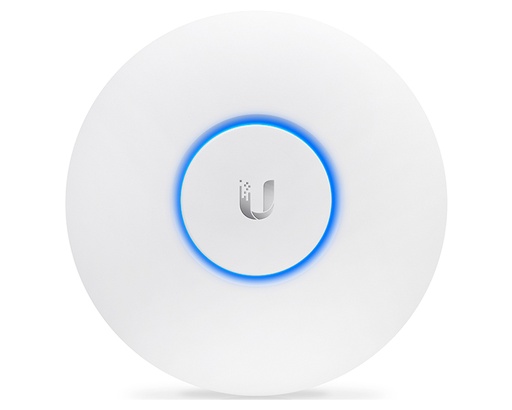
Shopping for UniFi access points?
Authorised Ubiquiti reseller: genuine Australian stock, full manufacturer's warranty, competitive prices and price match available.
Wi-Fi 7 routers and access points compared
Specifications below are copied from each manufacturer's official spec page. Wi-Fi rates are maximum theoretical signal rates per band, not real-world speeds. TP-Link states its figures are "physical rates derived from IEEE Standard 802.11 specifications" and that actual throughput is not guaranteed. Coverage figures are the manufacturer's own claims.
| Model | Type | Bands | Max theoretical rate (6 GHz / 5 GHz / 2.4 GHz) | WAN / uplink | Other wired ports | Maker's coverage claim |
|---|---|---|---|---|---|---|
| UniFi Dream Router 7 (UDR7) | All-in-one router | 2.4 + 5 + 6 GHz | 5.7 Gbps / 4.3 Gbps (240 MHz channel) / 688 Mbps | 10G SFP+ and 2.5 GbE (default WAN ports) | 4 × 2.5 GbE (1 with PoE out) | 160 m² |
| TP-Link Archer BE800 | All-in-one router (BE19000) | 2.4 + 5 + 6 GHz | 11,520 / 5,760 / 1,376 Mbps | 10 Gbps RJ45 + 10 Gbps SFP+/RJ45 combo (both WAN/LAN; not both WAN at once) | 4 × 2.5 Gbps, 1 × USB 3.0 | 4-bedroom houses |
| TP-Link Archer BE550 | All-in-one router (BE9300) | 2.4 + 5 + 6 GHz | 5,760 / 2,880 / 688 Mbps | 2.5 Gbps | 4 × 2.5 Gbps, 1 × USB 3.0 | 4-bedroom houses |
| UniFi U7 Pro | Ceiling/wall AP, PoE+ | 2.4 + 5 + 6 GHz | 5.8 Gbps (320 MHz) / 4.3 Gbps (240 MHz channel) / 688 Mbps | 2.5 GbE | - | 140 m² |
| UniFi U7 Pro Max | Ceiling/wall AP, PoE+ | 2.4 + 5 + 6 GHz | 5.8 Gbps (320 MHz) / 8.6 Gbps (240 MHz channel) / 688 Mbps | 2.5 GbE | - | 160 m² |
| UniFi U7 Lite | Ceiling/wall AP, PoE | 2.4 + 5 GHz (no 6 GHz) | - / 4.3 Gbps (240 MHz channel) / 688 Mbps | 2.5 GbE | - | 115 m² |
| MikroTik hAP be lite | Router + AP (BE3600) | 2.4 + 5 GHz (no 6 GHz) | - / 2,882 / 688 Mbit/s | Ethernet (1 × 2.5G + 3 × 1G in total) | See left | Not stated |
5 GHz figures assume a 240 MHz channel, as Ubiquiti labels them; available channel widths depend on local rules.
Gateways for the gateway + AP route (no built-in Wi-Fi):
| Gateway | Default WAN | Ports | IDS/IPS throughput | Notes |
|---|---|---|---|---|
| UniFi Cloud Gateway Max (UCG-Max) | 2.5 GbE RJ45 | 5 × 2.5 GbE | 2.3 Gbps | Optional NVMe SSD (up to 2 TB) for UniFi Protect |
| UniFi Cloud Gateway Fiber (UCG-Fiber) | 10G SFP+ and 10 GbE RJ45 | 4 × 2.5 GbE, 1 × 10 GbE RJ45, 2 × 10G SFP+ | 5 Gbps | 30 W PoE budget; optional NVMe SSD up to 2 TB |
Two things to notice. First, "Wi-Fi 7" does not always mean 6 GHz. The U7 Lite, U7 Long-Range and MikroTik hAP be lite are dual-band Wi-Fi 7 (2.4 + 5 GHz), so they get MLO and 4K-QAM but cannot use 320 MHz channels, which exist only on 6 GHz. Second, the big "BE19000" or "BE9300" class numbers add up the maximum theoretical rates of all bands. Only a Wi-Fi 7 device using MLO across several bands could approach that figure in theory, and real-world speeds are much lower.
Which Wi-Fi 7 setup suits your home?
Use these as starting points. Construction makes a big difference. NBN lists thick brick or cement walls, floors and ceilings, metal panels and mirrors, and appliances among the things that interfere with Wi-Fi, and Ubiquiti notes that 6 GHz has less range than 2.4 or 5 GHz.
- Apartment or small unit: one all-in-one router in a central spot. The Archer BE550 (2.5 Gbps WAN, 4 × 2.5 Gbps LAN) or the UDR7 (160 m² claimed coverage) is plenty for most. NBN recommends placing the router somewhere central, raised and open, at waist height or higher.
- Single-storey 3–4 bedroom house: a single UDR7 or Archer BE550/BE800 in the middle of the house often covers it. If the NBN box is at one end, have a registered cabler run Ethernet so the router can sit centrally, or add a second access point or mesh node at the far end.
- Double-storey or larger home: switch to the gateway + AP model. Use one ceiling AP per floor as a minimum (for example a U7 Pro upstairs and downstairs), each wired back to a PoE+ switch, with a UCG-Max or the UDR7 as the router. Ubiquiti advises placing 6 GHz APs closer together than you would for 5 GHz, because 6 GHz has less range.
- Home office, gamer or Home Hyperfast (2 Gbps) plan: choose multi-gig everywhere. The Archer BE800 has two 10 Gbps WAN/LAN ports and four 2.5 Gbps ports. The UCG-Fiber has 10G SFP+ and 10 GbE WAN options plus four 2.5 GbE ports, paired with a U7 Pro Max (4 × 4 on 5 GHz, 2.5 GbE uplink). Plug desktops and NAS units in by cable wherever you can.
- Rooms you don't want to cable to the ceiling: a wall-mounted U7 Pro Wall (tri-band, 6 GHz, PoE+) can go where a ceiling AP won't.
Setting up Wi-Fi 7: tips that make a real difference
- Turn on 6 GHz deliberately. In UniFi Network, 6 GHz is enabled per WiFi network in the advanced settings. The SSID must use WPA3 (or WPA2/3 transition mode on Network 8.1 and later) with PMF. Ubiquiti suggests keeping 5 GHz enabled too, because it can help devices find and join 6 GHz.
- Give IoT devices their own network. If smart plugs, cameras or appliances drop off after the upgrade, Ubiquiti recommends first updating U7 firmware. If that doesn't fix it, create a separate 2.4 GHz-only, WPA2 network for those devices.
- Enable MLO if your devices support it. In UniFi, MLO is a per-SSID option. It needs UniFi Network 8.2.93 or later, Wi-Fi 7 AP firmware 7.1.18 or later (or a Wi-Fi 7 cloud gateway such as the UDR7), and MLO-capable clients. Ubiquiti notes that throughput gains are "not guaranteed" and depend on the client's hardware.
- Use wide channels where they help. Ubiquiti's speed guide suggests 80 MHz on 5 GHz, 160 or 320 MHz on 6 GHz, and leaving 2.4 GHz at 20 MHz to limit interference. Ubiquiti recommends a client signal of at least -60 dBm, with -50 dBm or better for maximum performance.
- Test wired as well as wireless. NBN suggests running a speed test next to the router on Wi-Fi and again on Ethernet. If Wi-Fi is much slower than wired, the Wi-Fi setup (age, position, interference) is the bottleneck, not the NBN.
Buying a Wi-Fi 7 router in Australia from ARC IP Networks
ARC IP Networks is an authorised Ubiquiti reseller and an authorised reseller of TP-Link, MikroTik and Ruijie. Every product we sell is genuine Australian stock with the full manufacturer's warranty, at competitive prices, with price match available. If you aren't sure whether an all-in-one router or a gateway + AP design suits your home, contact us with your NBN technology, home size and number of floors and we'll help you choose.
For more detail on the UniFi side, see our UniFi cloud gateway comparison and our guide to UniFi access points.
Our picks
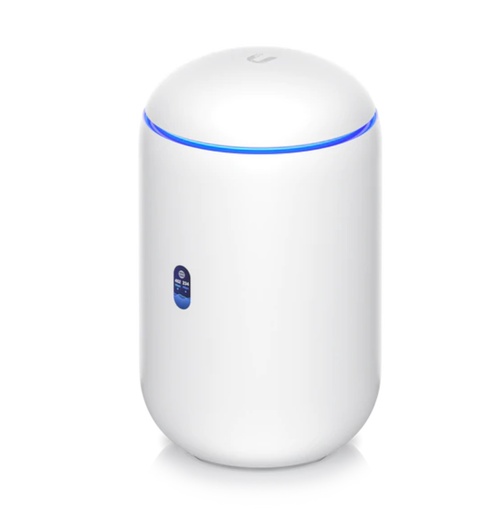
Ubiquiti UDR7 UniFi Dream Router 7 — WiFi 7 Router with 10G SFP+ WAN, 2.3 Gbps IDS/IPS, Built-In NVR (300+ Clients)
Tri-band Wi-Fi 7 with 320 MHz on 6 GHz, 10G SFP+ and 2.5 GbE WAN, 4 × 2.5 GbE ports (one PoE out) and 2.3 Gbps IDS/IPS, and it can adopt extra U7 APs later.
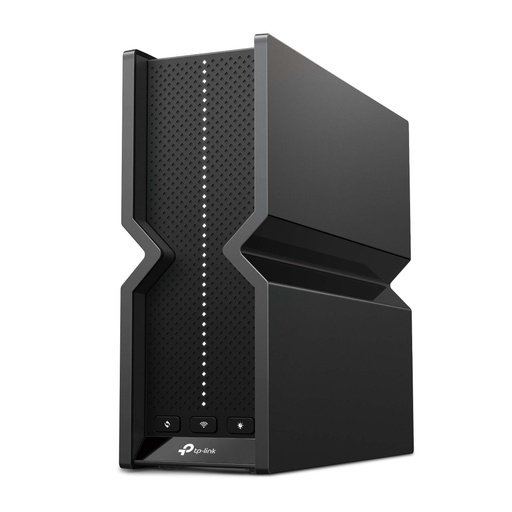
TP-Link ARCHER-BE550 BE9300 Tri-Band Wi-Fi 7 Router
BE9300 tri-band with 320 MHz on 6 GHz and MLO, and five 2.5 Gbps ports (1 WAN + 4 LAN), so a 2 Gbps NBN plan isn't held back by a 1 GbE port.
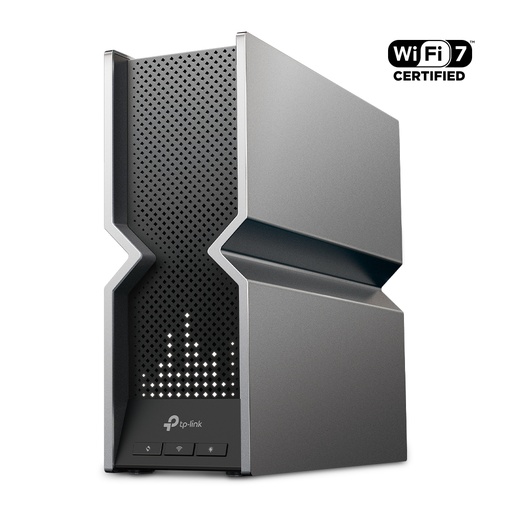
TP-Link ARCHER-BE800 BE19000 Tri-Band Wi-Fi 7 Router
BE19000 tri-band (12 streams) with two 10 Gbps WAN/LAN ports (one SFP+/RJ45 combo) plus four 2.5 Gbps ports and USB 3.0.
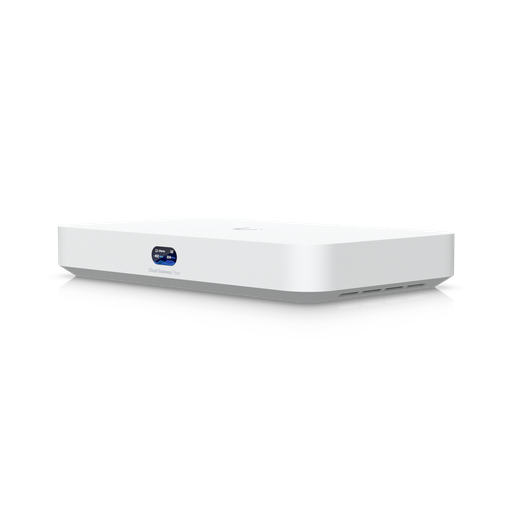
Ubiquiti UCG-Fiber Cloud Gateway Fiber
Wired UniFi gateway with 10G SFP+ and 10 GbE RJ45 WAN options, 4 × 2.5 GbE, 5 Gbps IDS/IPS and a 30 W PoE budget. Pair it with U7 access points.
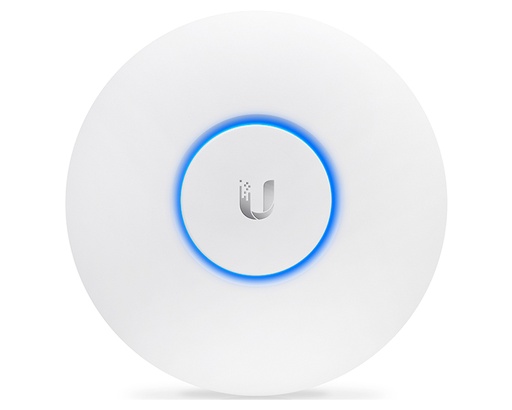
Ubiquiti U7-Pro UniFi AP WiFi7 Indoor WIFI 7 Access Point - No POE Injector
Tri-band Wi-Fi 7 including 6 GHz at up to 320 MHz, 2.5 GbE uplink, PoE+ powered, 140 m² claimed coverage (PoE injector not included).
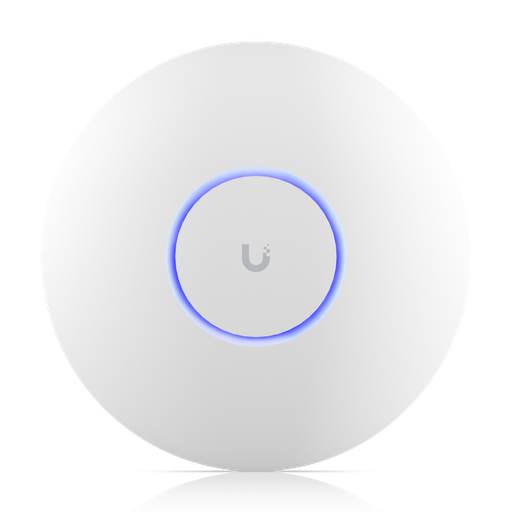
Ubiquiti UniFi U7 Pro Max — WiFi 7 Ceiling Access Point (8 Streams, 6 GHz, 2.5 GbE)
8 spatial streams: 4 × 4 on 5 GHz, 2 × 2 on 6 GHz (320 MHz) and 2 × 2 on 2.4 GHz, 2.5 GbE uplink, PoE+, 160 m² and 500+ clients per Ubiquiti.
Ready to buy?
Shop genuine Ubiquiti at ARC IP Networks
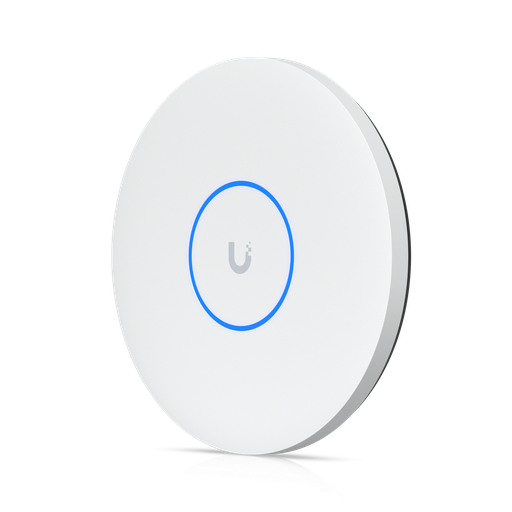
Authorised Ubiquiti reseller
Ubiquiti at ARC IP Networks
UniFi gateways, switches, Wi-Fi, Protect cameras and Access. Genuine Australian stock with the full manufacturer's warranty, competitive prices and price match available.
Frequently asked questions
Yes. Wi-Fi 7 uses the 2.4, 5 and 6 GHz bands, and Australia's LIPD Class Licence 2025 (in force from 1 October 2025) authorises Wi-Fi in 5925–6585 MHz, with no individual licence needed. The higher-power 250 mW category must be operated indoors.
Yes. 320 MHz channels exist only on 6 GHz, and the ACMA says the 660 MHz now available (5925–6585 MHz) supports two 320 MHz channels in one location. Both the router and the device must support 320 MHz.
No. In its December 2024 decision the ACMA chose to add only 6425–6585 MHz for Wi-Fi, which took effect in the LIPD Class Licence 2025 on 1 October 2025. It reserved 6585–7100 MHz in population areas for wide-area wireless broadband, subject to international equipment markets developing, and kept 7100–7125 MHz for TV outside broadcast.
Not strictly, but it helps. NBN's guide lists typical maximum Wi-Fi speeds of up to 1 Gbps for Wi-Fi 6 and over 2 Gbps for Wi-Fi 7. For a 2 Gbps Home Hyperfast plan (FTTP or HFC) you also need a router with a 2.5 Gbps or faster WAN port, and nbn's newer multi-gigabit connection box (nbn introduced new FTTP connection boxes for Hyperfast, and says HFC 2 Gbps plans need its latest connection box). Ask your provider whether yours needs upgrading.
Yes. Wi-Fi 7 routers are backward compatible and older devices connect on 2.4 or 5 GHz at their own Wi-Fi generation's speed. If some IoT devices struggle, Ubiquiti recommends updating U7 firmware first, then a separate 2.4 GHz-only WPA2 network.
No. Their official port lists show only Ethernet (RJ45) and SFP+ ports. They plug straight into the NBN connection box on FTTP, HFC and Fixed Wireless, and into the NBN connection device on FTTC (Ethernet from its yellow port C to the router's WAN port). On FTTN and FTTB you need a VDSL2-compatible modem in front of them.
Multi-Link Operation lets a Wi-Fi 7 device stay connected on more than one band at once, which can lower latency and improve reliability. In UniFi it is a per-network option and needs MLO-capable clients such as the Intel BE200 adapter, Galaxy S24 Ultra or Pixel 8. Ubiquiti says throughput gains depend on the device and aren't guaranteed.
Partly. The 250 mW category must be used indoors, and very-low-power (25 mW) devices may be used anywhere. Standard-power (AFC) operation is not authorised; the ACMA's AFC consultation closed in February 2026. Ubiquiti lists Australia as an indoor 6 GHz region, and outdoor APs such as the U7 Outdoor use 2.4 and 5 GHz.
Wi-Fi 6E and tri-band Wi-Fi 7 both use 6 GHz (dual-band Wi-Fi 7 products such as the U7 Lite have no 6 GHz), but Wi-Fi 7 raises the maximum channel width from 160 MHz to 320 MHz, adds Multi-Link Operation and 4K-QAM, and improves efficiency with Multi-RU. Wi-Fi 6E tops out at 160 MHz channels.
Often not. Floors and thick walls weaken Wi-Fi, and 6 GHz has less range than 5 GHz. A gateway with one wired ceiling access point per floor (for example two U7 Pro APs) gives more even coverage than one router on a shelf.
Related guides
- UniFi Cloud Gateway Comparison 2026: UCG-Fiber vs Ultra vs Max vs UXG
- UniFi Access Points Compared 2026: Which Ubiquiti AP Do You Need?
- Ubiquiti Australia: The Complete UniFi Buying Guide (2026)
- UniFi Switch Comparison 2026: Every Ubiquiti Switch Explained
- MikroTik hAP ax2 vs hAP ax3 vs hAP ax lite vs hAP be lite: Which Wi-Fi Router to Buy in Australia (2026)
- MikroTik vs Ubiquiti UniFi in Australia: Which Should You Choose for Your Network?
- 2.5GbE NAS: Is 2.5 Gigabit Ethernet Worth It? (Australia)
- UPS for NBN, Wi-Fi and CCTV/NVR: Keep Internet and Cameras Running
- What PoE Switch Do I Need in Australia? PoE Budgets, 2.5G and Port Types Explained
Who we are
About ARC IP Networks
ARC IP Networks is an Australian supplier of networking, Wi-Fi and gateway equipment, based in Blackburn, Melbourne, Victoria. We work with homeowners, installers, integrators and businesses across Australia, supplying Ubiquiti UniFi, MikroTik, TP-Link, Ruijie, Teltonika and D-Link.
We are an authorised Ubiquiti, MikroTik, TP-Link, Ruijie, Teltonika and D-Link reseller, so you get genuine Australian stock with the full manufacturer's warranty, never grey imports, at competitive prices. Our team can help you choose the right equipment, and trade customers get trade accounts and project pricing on larger jobs.
- Genuine Australian stock with the full manufacturer's warranty
- Competitive prices, price match available
- Trade accounts for installers, integrators and MSPs
- Australia-wide delivery; showroom in Blackburn, Mon–Fri 9–5 (demos by appointment)
Need help choosing?
Tell the ARC IP Networks team what you are setting up and we will recommend the right equipment and quote it as one order.