What PoE switch do I need for my cameras, Wi-Fi access points, doorbell and phones?
Add up the maximum power draw of every PoE device from its spec sheet, keep 20–30% of the budget spare, and choose a switch whose total PoE budget and port count cover it. Match each port to the device's power method (many Wi-Fi 7 access points and PTZ cameras need PoE+, some need 802.3bt PoE++), use 2.5 GbE ports for 2.5G access points, keep cable runs under 100 m, and buy managed if you need VLANs.
What does PoE actually do, and why does the switch matter?
Power over Ethernet (PoE) sends low-voltage DC power down the same network cable that carries data, so a camera, Wi-Fi access point, video doorbell or desk phone needs only one cable back to the switch. The switch is the power sourcing equipment (PSE) and the camera or access point is the powered device (PD). Choosing a PoE switch therefore comes down to four checks:
- Standard: can each port deliver the PoE type your device asks for (PoE, PoE+ or PoE++)?
- Budget: can the switch power every device at the same time?
- Speed: are the ports fast enough (1 GbE, 2.5 GbE or 10 GbE) for the device's uplink?
- Ports, management and mounting: enough PoE ports, the right management features, and a desktop or rack form factor that suits where it will live.
A standards-based PoE switch does not simply push power out of every port. Before applying power it runs a detection step to confirm a valid PoE device is attached; the Ethernet Alliance overview of IEEE 802.3bt describes detection as the function that "determines if the remote equipment connected to a PSE is capable of receiving power". That is why a laptop or NAS plugged into a standards-based PoE port still works normally as a data device.
PoE vs PoE+ vs PoE++: what are 802.3af, 802.3at and 802.3bt?
There are three generations of IEEE PoE. The marketing names (PoE, PoE+, PoE++) map onto IEEE Types, and each Type covers a set of power Classes. The table below uses the figures from the Ethernet Alliance's overview of IEEE 802.3bt, written by the standard's chief editor and comment editor.
| Common name | IEEE standard | Type | Classes | Max power at switch port (PSE) | Max power at device (PD) | Pairs used |
|---|---|---|---|---|---|---|
| PoE | 802.3af (2003) | Type 1 | 0–3 | 15.4 W | 13 W | 2-pair |
| PoE+ | 802.3at (2009) | Type 2 | up to 4 | 30 W | 25.5 W | 2-pair |
| PoE++ (4-pair) | 802.3bt (2018) | Type 3 | up to 6 | 60 W (Class 5: 45 W) | 51 W (Class 5: 40 W) | 2-pair or 4-pair; Class 5+ always 4-pair |
| PoE++ (high power) | 802.3bt (2018) | Type 4 | 7–8 | 90 W (Class 7: 75 W) | 71.3 W (Class 7: 62 W) | 4-pair |
Three things worth knowing:
- The switch figure is always higher than the device figure. Some power is lost as heat in the cable, so a PoE+ port sourcing 30 W guarantees 25.5 W at the far end. When you read a device's spec sheet ("max power consumption 21W"), compare it with the device-side column.
- Everything is backwards compatible. The Ethernet Alliance notes that all PoE sources and loads are interoperable; the only limitation is that a high-power device will not get its full power from an older or lower-power switch. Some devices then run in a reduced mode (802.3bt calls this power demotion); others may not start at all, so match the port to the device.
- Vendor labels vary slightly. Ubiquiti's spec sheets list per-port maximums by PoE level, and the figures are not always identical to the IEEE PSE numbers (for example, the USW-Pro-Max-16-PoE lists PoE+ at 32W per port, while the USW-Pro-XG-8-PoE lists PoE+ at 30W). Always use the exact figure on the spec sheet of the switch you are buying. Ubiquiti also uses the label "PoE+++" on some of its higher-power switches; check that model's spec sheet for what its ports deliver.
For a camera-focused walk through the same standards, see our guide to PoE for CCTV: 802.3af, 802.3at and 802.3bt.
How much power do cameras, access points, doorbells and phones really use?
Every manufacturer publishes a maximum power consumption figure and a power method (the PoE level the device needs). These are real examples from Ubiquiti's official spec pages:
| Device | Type | Power method | Max power consumption | Network port |
|---|---|---|---|---|
| UniFi G5 Turret Ultra | Camera | PoE | 4W | – |
| UniFi G6 Bullet | Camera | PoE | 9.9W | 10/100 MbE |
| UniFi G6 Turret | Camera | PoE | 12.5W | 10/100 MbE |
| UniFi G6 PTZ | PTZ camera | PoE+ | 24.5W | 10/100 MbE |
| UniFi G4 Doorbell Pro PoE Kit: doorbell | Video doorbell | PoE | 7W | GbE |
| UniFi G4 Doorbell Pro PoE Kit: PoE Chime (separate port) | Chime | PoE | 3W | 10/100 MbE |
| UniFi Talk Touch (UTP-Touch) | Desk phone | PoE | 8W | – |
| UniFi U6+ | Wi-Fi 6 AP | PoE | 9W | GbE |
| UniFi U7 Pro | Wi-Fi 7 AP | PoE+ | 21W | 1/2.5 GbE |
| UniFi U7 Pro Max | Wi-Fi 7 AP | PoE+ | 25W | 1/2.5 GbE |
| UniFi U7 Pro XG | Wi-Fi 7 AP | PoE+ | 22W | 10 GbE |
Two patterns stand out. Fixed cameras, doorbells and phones are small loads that standard PoE covers easily. Wi-Fi 7 access points and PTZ cameras are the heavy hitters: many need PoE+ ports (some top models need 802.3bt PoE++, while a few, such as the U7 Lite, run on standard PoE), and they quickly use up a small switch's budget. For other brands, take the same two numbers (power method and max consumption) from the manufacturer's datasheet before you size the switch.
How do I calculate a PoE budget? (worked example)
The PoE budget (Ubiquiti calls it "Total PoE Availability") is the total wattage the switch can supply across all its PoE ports at once. It is usually much lower than the port count multiplied by the per-port maximum. To size it:
- List every PoE device and its maximum power consumption from the official spec sheet.
- Check each device's power method and make sure it will sit on a port that supports that level (PoE+ devices need PoE+ or higher ports).
- Add the maximum figures together. Use maximums, not typical figures, so the switch can still cope when every device is working hardest at the same time.
- Add headroom for growth. As a practical rule we suggest leaving at least 20–30% of the budget spare so you can add a camera or access point later without replacing the switch.
- Compare the result with the switch's total PoE budget and confirm there are enough PoE ports of the right speed.
Worked example: a home with four cameras, two Wi-Fi 7 access points and a video doorbell
| Device | Qty | Max each (spec sheet) | Subtotal | Port needed |
|---|---|---|---|---|
| UniFi G6 Turret | 2 | 12.5W | 25.0W | PoE |
| UniFi G6 Bullet | 2 | 9.9W | 19.8W | PoE |
| UniFi U7 Pro | 2 | 21W | 42.0W | PoE+, ideally 2.5 GbE |
| UniFi G4 Doorbell Pro PoE Kit: doorbell | 1 | 7W | 7.0W | PoE |
| UniFi G4 Doorbell Pro PoE Kit: PoE Chime | 1 | 3W | 3.0W | PoE |
| Total | 8 ports | 96.8W |
Now compare that 96.8W with real switches:
- UniFi USW-Lite-8-PoE: 4 PoE+ ports and a 52W budget. Too few PoE ports and not enough budget.
- UniFi USW-Lite-16-PoE: 8 PoE+ ports but a 45W budget. Enough ports, not enough power.
- UniFi USW-Pro-Max-16-PoE: 12 × 1 GbE PoE+ ports plus 4 × 2.5 GbE PoE++ ports and a 180W budget. The two U7 Pro access points go on 2.5 GbE ports, and roughly 83W is left over (about 46% of the budget) for more cameras later.
The same maths applies to any brand: total the maximums, check the port types, then leave headroom.
Do I need 2.5G ports for Wi-Fi 6 and Wi-Fi 7 access points?
If you are installing Wi-Fi 7 (and many Wi-Fi 6/6E) access points, a 2.5 GbE PoE+ port is worth having. Ubiquiti's U7 Pro and U7 Pro Max both list a 1/2.5 GbE uplink, so on a 1 GbE switch port they connect at 1 Gbps and the switch port, not the Wi-Fi, can become the ceiling when several fast clients are busy. The U7 Pro XG goes further with a 10 GbE port.
The good news for existing buildings: according to the Ethernet Alliance, 2.5GBASE-T and 5GBASE-T (IEEE 802.3bz) were designed to support 100-metre reach on installed Category 5e and Category 6 cabling, with the lower 2.5G speed having the broader range of supported installations. Their own paper names wireless access points as the first devices expected to use the new speeds. 10GBASE-T, by contrast, needs Category 6A to guarantee 100 metres.
- Cameras, doorbells, phones: 1 GbE (or even 10/100) ports are plenty; the UniFi G6 cameras have 10/100 MbE ports.
- Wi-Fi 6/7 access points with 2.5 GbE uplinks: choose a switch with 2.5 GbE PoE+ (or higher) ports, such as the USW-Pro-Max-16-PoE (4 × 2.5 GbE PoE++), USW-Pro-Max-24-PoE (8 × 2.5 GbE PoE++) or Ruijie RG-NBS3300-8MG2XS-P (8 × 2.5G PoE/PoE+).
- 10 GbE access points: you need 10 GbE PoE ports, for example the UniFi USW-Pro-XG-8-PoE (8 × 10 GbE PoE++, 155W budget).
Remember the uplink too: a switch full of 2.5 GbE access points should connect to your router or core switch over something faster than 1 GbE, which is what the 10G SFP+ ports on these models are for. Compare access points in our UniFi access point comparison.
Shopping for UniFi switches?
Authorised Ubiquiti reseller: genuine Australian stock, full warranty, competitive prices and price match available.
How far can a PoE cable run? The 100 m rule (and long-reach exceptions)
Standard Ethernet, and therefore standard PoE, is designed around a maximum link length of 100 metres between the switch and the device; Cisco's PoE overview gives the same 100 m maximum. That figure is the whole channel, so allow for patch leads at both ends and for the cable's real route through walls and ceilings, not the straight-line distance.
- Over 100 m? Put a switch closer to the devices (powered locally or by PoE where the model supports PoE input), or run fibre to a remote switch using SFP/SFP+ ports.
- Long-reach PoE ports. Some CCTV-oriented switches offer an extended mode. On D-Link's DGS-F1210 series, 8 ports support Long Reach PoE up to 250 m, but D-Link's AU datasheet notes that Long Reach mode switches the port speed to 10 Mbps and requires Cat5e or better. That suits a single camera at the far end of a car park; check the camera's stream bitrate fits.
- Cable quality matters for power. The 802.3bt overview explains that 4-pair powering halves cable losses compared with 2-pair, and that Type 3/4 switches may use all four pairs. Use solid-copper Cat5e or better from a reputable supplier.
Australian cabling rule: under ACMA's cabling rules, communications cabling in homes and offices, including data cabling, must be done by a registered cabler (or someone directly supervised by one). In practice, running new cable through walls or ceilings is a job for a registered cabler. If any part of the job touches 230 V mains (a new power point for a rack, or replacing a mains-powered doorbell chime or transformer), that must be done by a licensed electrician under state electrical safety laws.
Managed or unmanaged PoE switch: which do I need?
An unmanaged switch is plug-and-play: no settings, no app, no VLANs. It works for a handful of cameras on a simple home network. A managed or smart managed switch adds control you will want as soon as cameras, Wi-Fi and phones share one network:
- VLANs to keep cameras, guest Wi-Fi and phones on separate networks. Even the compact UniFi USW-Lite-8-PoE lists 1,000 supported VLANs, 802.1X, Voice VLAN and LLDP-MED.
- Per-port PoE control and monitoring, so you can see each device's draw and power-cycle a frozen camera remotely. Ruijie lists a PoE watchdog on the RG-NBS3300-8MG2XS-P; D-Link's DGS-F1210 series has a PoE Watchguard DIP switch.
- Voice VLAN and QoS for IP phones; see our guide to running Yealink phones on UniFi and MikroTik networks for PoE budgets, VLANs and QoS in practice.
- Cloud or app management: UniFi switches are managed in UniFi Network; Ruijie Reyee switches support Ruijie Cloud with zero-touch provisioning; MikroTik's CSS610 runs SwitchOS Lite.
D-Link's DGS-F1210 series is a good middle ground for CCTV installers: it is smart managed, but common settings (port isolation, Long Reach PoE, PoE Watchguard and QoS auto-priority) are also available as front-panel DIP switches.
Our advice: if the switch will power Wi-Fi access points or sit on a business network, buy managed. Unmanaged makes sense mainly for a small, isolated camera-only network.
Rack-mount or desktop PoE switch?
- Desktop / wall-mount switches suit a home study, a garage shelf or a small comms box. Examples: the UniFi USW-Lite-8-PoE and USW-Lite-16-PoE (compact desktop, wall) and the USW-Pro-XG-8-PoE (compact desktop, wall).
- Flexible: the UniFi USW-Pro-Max-16-PoE lists rack mount (1U), desktop and wall form factors, and MikroTik's CSS610-8P-2S+IN ships with rack ears and is passively cooled.
- 1U rack-mount switches suit a 19-inch comms cabinet: the UniFi USW-Pro-Max-24-PoE and USW-Pro-Max-48-PoE (internal power supply, plus DC power backup via a UniFi USP RPS), and the D-Link DGS-F1210-26MPS-E (19-inch rack mountable, brackets included).
Two practical points. Larger PoE budgets usually mean fans: D-Link's datasheet lists 3 fans and 45 dB(A) for the 380W DGS-F1210-26MPS-E versus 1 fan and 35 dB(A) for the smaller models, so do not put a big PoE switch in a bedroom. And because the switch now powers your cameras and Wi-Fi, a UPS keeps them running through a blackout; see UPS for NBN, Wi-Fi and CCTV/NVR and the best UPS for comms racks.
Which PoE switch do I need? Recommendations by scenario
1. Home with 4 cameras and 2 access points (plus a doorbell)
From the worked example above, roughly 97W across 8 PoE ports. A UniFi home: the USW-Pro-Max-16-PoE (180W, 4 × 2.5 GbE PoE++ for Wi-Fi 7 access points, 12 × 1 GbE PoE+). A non-UniFi home with Wi-Fi 6 or older access points: the MikroTik CSS610-8P-2S+IN gives 8 × 1 GbE 802.3af/at PoE-out ports, a 140 W total output and 2 SFP+ ports, though all its copper ports are 1 GbE. For camera counts and recorder options see our home security camera system buying guide.
2. Small office: 4 Wi-Fi 7 access points, 10 desk phones, 4 cameras
| Device | Qty | Max each | Subtotal |
|---|---|---|---|
| UniFi U7 Pro Max | 4 | 25W | 100W |
| UniFi Talk Touch | 10 | 8W | 80W |
| UniFi G6 Turret | 4 | 12.5W | 50W |
| Total | 18 ports | 230W |
The USW-Pro-Max-24-PoE fits: 24 PoE ports (8 × 2.5 GbE PoE++ for the access points), a 400W budget leaving 170W spare, 2 × 10G SFP+ uplinks, and a 1U rack form factor.
3. NVR / CCTV site: 14 fixed cameras and 2 PTZs, some on long runs
| Device | Qty | Max each | Subtotal |
|---|---|---|---|
| UniFi G6 Bullet | 14 | 9.9W | 138.6W |
| UniFi G6 PTZ (PoE+) | 2 | 24.5W | 49.0W |
| Total | 16 ports | 187.6W |
The D-Link DGS-F1210-26MPS-E has 24 PoE+ ports (802.3af/at, up to 30 W each, enough for the PTZs), a 380 W budget and 8 Long Reach ports for runs up to 250 m (at 10 Mbps). Any standards-based PoE+ switch can power standards-based cameras; the recorder (UniFi Protect, a Hikvision NVR and so on) is chosen separately. Some NVRs have their own built-in PoE ports; see what is a PoE NVR.
4. Wi-Fi 7 access points on 2.5G
Eight U7 Pro Max access points at 25W each is 200W. The Ruijie RG-NBS3300-8MG2XS-P provides 8 × 2.5G PoE/PoE+ ports, a 240 W budget and 2 × 10G SFP+ uplinks, and is cloud managed through Ruijie Cloud, a natural partner for Reyee Wi-Fi 7 access points. Eight of them would leave only 40 W (about 17%) spare, below our 20–30% rule, so plan six or seven U7 Pro Max access points per switch of this size, or choose a switch with a bigger budget for eight. In a UniFi network, the USW-Pro-Max-24-PoE or USW-Pro-Max-48-PoE gives 8 or 16 × 2.5 GbE PoE ports alongside 1 GbE PoE ports for cameras.
5. Large site / main rack
The UniFi USW-Pro-Max-48-PoE has 48 PoE ports: 32 × 1 GbE (24 PoE+ and 8 PoE++) and 16 × 2.5 GbE (8 PoE+ and 8 PoE++), a 720W budget, 4 × 10G SFP+ uplinks and DC power backup support. Compare the full range in our UniFi switch comparison or, for MikroTik networks, the MikroTik switch buying guide.
Quick checklist before you buy
- Count PoE devices now, and the ones you plan to add in the next few years.
- Find each device's power method and max power consumption on the official spec sheet.
- Total the maximums and keep roughly 20–30% of the budget spare.
- Match port types to the power method on each device's spec sheet: PoE (802.3af), PoE+ (802.3at) or 802.3bt (PoE++).
- Match port speeds: 2.5 GbE for Wi-Fi 6/7 access points with 2.5 GbE uplinks, 10 GbE for 10 GbE access points, and a fast uplink back to the router.
- Measure cable routes: 100 m maximum per run, or plan a remote switch, fibre or long-reach ports.
- Choose managed if you need VLANs, remote PoE power-cycling or app/cloud management.
- Pick the form factor (desktop, wall or 1U rack) and think about fan noise and UPS backup.
- Use a registered cabler for new data cabling, and a licensed electrician for any 230 V work.
ARC IP Networks is an authorised reseller for every brand we recommend in this guide, and supplies genuine Australian stock with the full manufacturer's warranty at competitive prices, with price match available. If you send us your device list, we can help check the PoE budget before you order.
Our picks
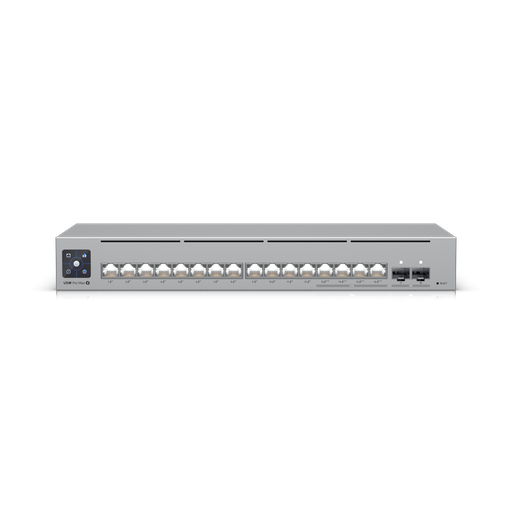
Ubiquiti USW-Pro-Max-16-PoE-AU UniFi 16 Port 180W, Layer 3 Etherlighting™ switch with 2.5 GbE and PoE++
180W budget across 12 × 1 GbE PoE+ and 4 × 2.5 GbE PoE++ ports, with 2 × 10G SFP+, mountable on a desk, wall or 1U rack.
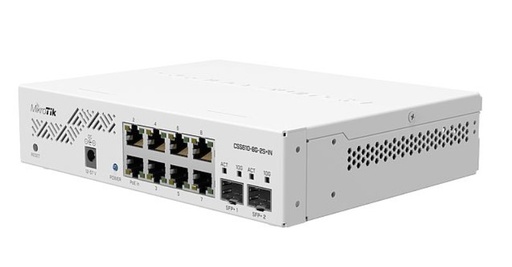
Mikrotik CSS610-8P-2S+IN POE Cloud Smart Switch 2 SFP+ and SwitchOS
8 × 1 GbE 802.3af/at PoE-out ports with 140 W total output, 2 × SFP+ uplinks, passive (fanless) cooling and rack ears included.
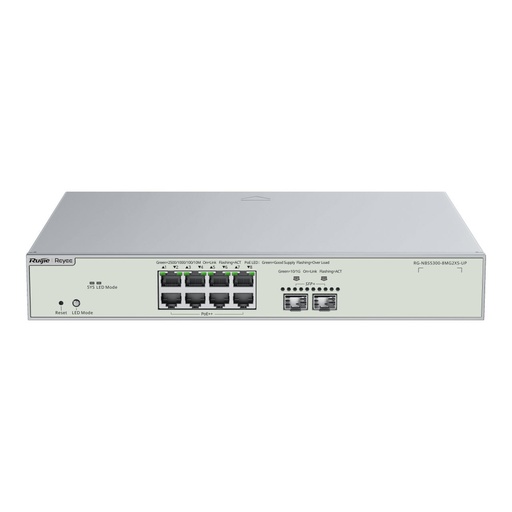
Ruijie RG-NBS3300-8MG2XS-P, 8-Port Multi-Gigabit (2.5G) PoE+ L2 Managed Switch with 2 x 10G SFP+ Uplinks, 240W
8 × 2.5G PoE/PoE+ ports with a 240 W budget and 2 × 10G SFP+ uplinks, cloud managed via Ruijie Cloud.
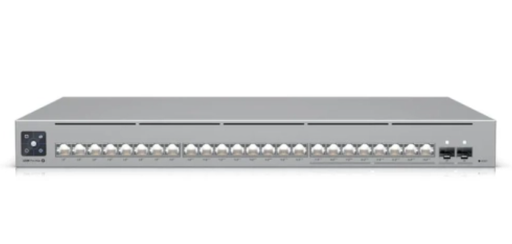
Ubiquiti USW-Pro-Max-24-POE UniFi 24-port, Layer 3 Etherlighting™ switch with 2.5 GbE and PoE++ output
24 PoE ports (8 × 2.5 GbE PoE++), 400W budget, 2 × 10G SFP+ uplinks, 1U rack with DC power backup support.

D-Link DGS-F1210-26MPS-E 26-Port Gigabit Smart Managed PoE+ Switch with 24 PoE+ Ports (8 Long Reach 250m) and 2 SFP Ports
24 PoE+ ports (up to 30 W each), 380 W budget, and 8 Long Reach PoE ports for runs up to 250 m at 10 Mbps.
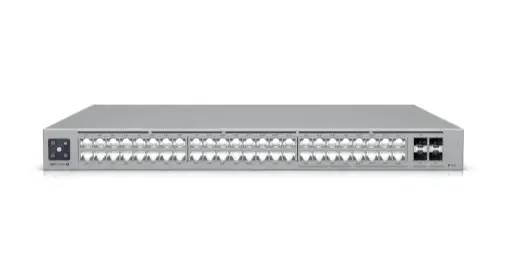
Ubiquiti USW-Pro-Max-48-POE UniFi 48-port, Layer 3 Etherlighting™ switch with 2.5 GbE and PoE++ output
48 PoE ports (16 × 2.5 GbE), 720W budget, 4 × 10G SFP+ uplinks and DC power backup support.
Ready to buy?
Shop genuine Ubiquiti at ARC IP Networks
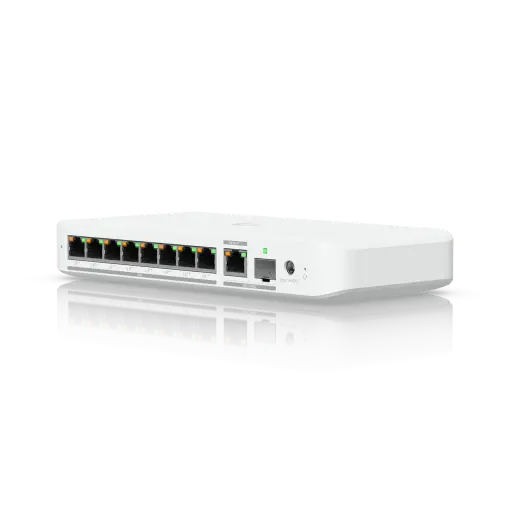
Authorised Ubiquiti reseller
Ubiquiti at ARC IP Networks
UniFi gateways, switches, Wi-Fi, Protect cameras and Access. Genuine Australian stock with the full manufacturer's warranty, competitive prices and price match available.
Frequently asked questions
PoE (IEEE 802.3af) supplies up to 15.4 W per switch port and 13 W at the device. PoE+ (802.3at) supplies 30 W at the switch and 25.5 W at the device. PoE++ (802.3bt) supplies up to 60 W (Type 3) or 90 W (Type 4) at the switch, which is 51 W or 71.3 W at the device.
Yes. The Ethernet Alliance notes that all IEEE PoE sources and devices are interoperable. The only limitation is that a higher-power device will not get its full power from an older or lower-power switch.
With a standards-based (802.3af/at/bt) switch, yes. The switch runs a detection step and only applies power when it finds a valid PoE device signature, so laptops, NAS units and other non-PoE devices just get data.
Up to 100 metres from the switch to the device, including patch leads. For longer distances, use a closer switch, a fibre link, or a long-reach PoE port such as the DGS-F1210 series' 250 m mode, which drops the port to 10 Mbps.
It is recommended. Access points such as the UniFi U7 Pro and U7 Pro Max have 2.5 GbE uplinks and would be limited to 1 Gbps on a gigabit port. 2.5GBASE-T typically runs up to 100 m on existing Cat5e and Cat6 cabling, although results can vary with the installation.
It depends on the cameras. Four UniFi G5 Turret Ultra cameras total 16 W, while four G6 Turrets total 50 W. Add any access points (a U7 Pro is 21 W each), then leave 20–30% spare.
Many PTZs are PoE+ devices. The UniFi G6 PTZ, for example, lists PoE+ with 24.5 W maximum, within the 25.5 W a PoE+ port guarantees at the device. Higher-power PTZs may list 802.3bt (PoE++), so always check the datasheet's power method.
The ACMA requires communications cabling, including data cabling in homes and offices, to be done by a registered cabler or under the direct supervision of one. Any 230 V electrical work needs a licensed electrician.
Related guides
- UniFi Switch Comparison 2026: Every Ubiquiti Switch Explained
- PoE for CCTV: 802.3af, 802.3at & 802.3bt Explained
- UniFi Access Points Compared 2026: Which Ubiquiti AP Do You Need?
- MikroTik Switch Buying Guide Australia: CRS vs CSS, PoE, 2.5G, 10G and 100G Options (2026)
- Running Yealink Phones on Ubiquiti UniFi and MikroTik Networks: PoE Budgets, VLANs and QoS
- What is a PoE NVR? The Secret to Simple Security Installation
- Home Security Camera System Buying Guide: 2, 4, 6 or 8 Cameras?
- UPS for NBN, Wi-Fi and CCTV/NVR: Keep Internet and Cameras Running
- Best UPS for Comms Racks and Network Cabinets in Australia
Who we are
About ARC IP Networks
ARC IP Networks is an Australian supplier of networking, Wi-Fi and gateway equipment, based in Blackburn, Melbourne, Victoria. We work with homeowners, installers, integrators and businesses across Australia, supplying Ubiquiti UniFi, MikroTik, TP-Link, Ruijie, Teltonika and D-Link.
We are an authorised Ubiquiti, MikroTik, TP-Link, Ruijie, Teltonika and D-Link reseller, so you get genuine Australian stock with the full manufacturer's warranty, never grey imports, at competitive prices. Our team can help you choose the right equipment, and trade customers get trade accounts and project pricing on larger jobs.
- Genuine Australian stock with the full manufacturer's warranty
- Competitive prices, price match available
- Trade accounts for installers, integrators and MSPs
- Australia-wide delivery; showroom in Blackburn, Mon–Fri 9–5 (demos by appointment)
Need help choosing?
Tell the ARC IP Networks team what you are setting up and we will recommend the right equipment and quote it as one order.