A Yealink phone system for an Australian small business is a calling service (an Australian hosted PBX or NBN business-voice provider, 3CX, or Microsoft Teams Phone), a PoE network switch, and Yealink handsets. For 5 staff: SIP-T33G phones for general desks, two SIP-T74U phones for the owner and front desk, a W73P DECT cordless for the workshop or shop floor, and an 8-port PoE switch. For 10 staff: SIP-T74U as the standard desk phone, a SIP-T85W with an EXP55 at reception, a SIP-T88W Pro for the principal, a SIP-T77U for the team leader, DECT or AX83H Wi-Fi handsets for staff on the move, WH63 E2 and WH64 headsets and a CP925 in the meeting room. For 25 staff: the same building blocks at scale, plus BH74 Bluetooth headsets for hybrid staff, a MeetingBar A40 for video meetings and a 48-port PoE switch.
Quick pick: SIP-T74U for most desks, SIP-T33G or SIP-T31G where budget matters, SIP-T85W + EXP55 for reception, SIP-T88W Pro for executives, W73P or AX83H for staff who walk, CP925 or CP935W for the meeting room. Updated October 2026 for Yealink's current T7 and T8 range. ARC IP Networks stocks every product in these kits in Australia: genuine Yealink stock with the full manufacturer's warranty, delivered Australia-wide.
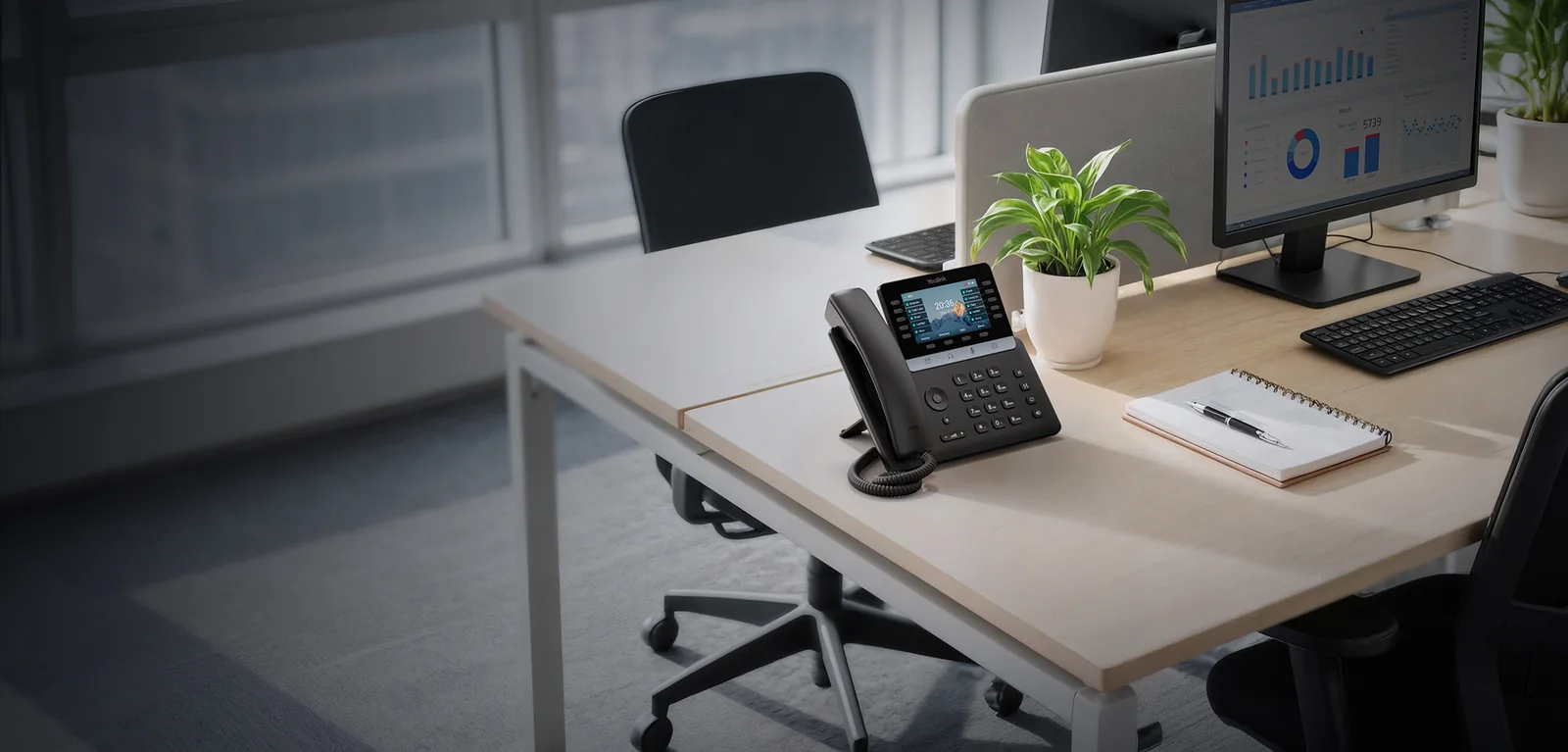
How a small business phone system fits together
Modern business phones are internet phones. Three parts make a system:
- The calling service. An Australian hosted PBX or NBN business-voice provider (what most small businesses use), 3CX (self-hosted or hosted), or Microsoft Teams Phone. This is where your numbers, call queues, voicemail and auto-attendant live, and it's billed per user or per line by the provider.
- The network. A PoE switch powers the phones over the same cable that carries data, and a router or gateway with QoS keeps calls clear when someone starts a big upload.
- The handsets. Yealink desk phones, DECT or Wi-Fi cordless handsets, headsets and meeting-room devices. This is what ARC IP Networks supplies, together with the PoE switch.
Yealink phones are widely supported by Australian hosted providers, so provisioning is usually automatic: give the provider each phone's MAC address and it configures itself the first time it's plugged in.
The current Yealink line-up for small business at a glance
Yealink's range has moved on since the first version of this guide. The T7 Series is now the mainstream desk phone, the T8 Series sits above it for reception and executives, and the T3 and T4U phones remain the budget choice. These are the products the kits below are built from.
| Role | Our pick | Budget or alternative | Detail guide |
|---|---|---|---|
| General desks | SIP-T74U | SIP-T33G, SIP-T73U or SIP-T43U | T7 Series compared |
| Team leaders and supervisors | SIP-T77U | SIP-T87W (adds Wi-Fi 6 and Bluetooth) | T7 Series compared |
| Reception | SIP-T85W + EXP55 | SIP-T74U + EXP55 | T8 Series compared |
| Executives and principals | SIP-T88W Pro | SIP-T87W | T8 Series compared |
| Staff on the move | W73P DECT | W76P DECT, AX83H Wi-Fi | DECT guide, AX83H guide |
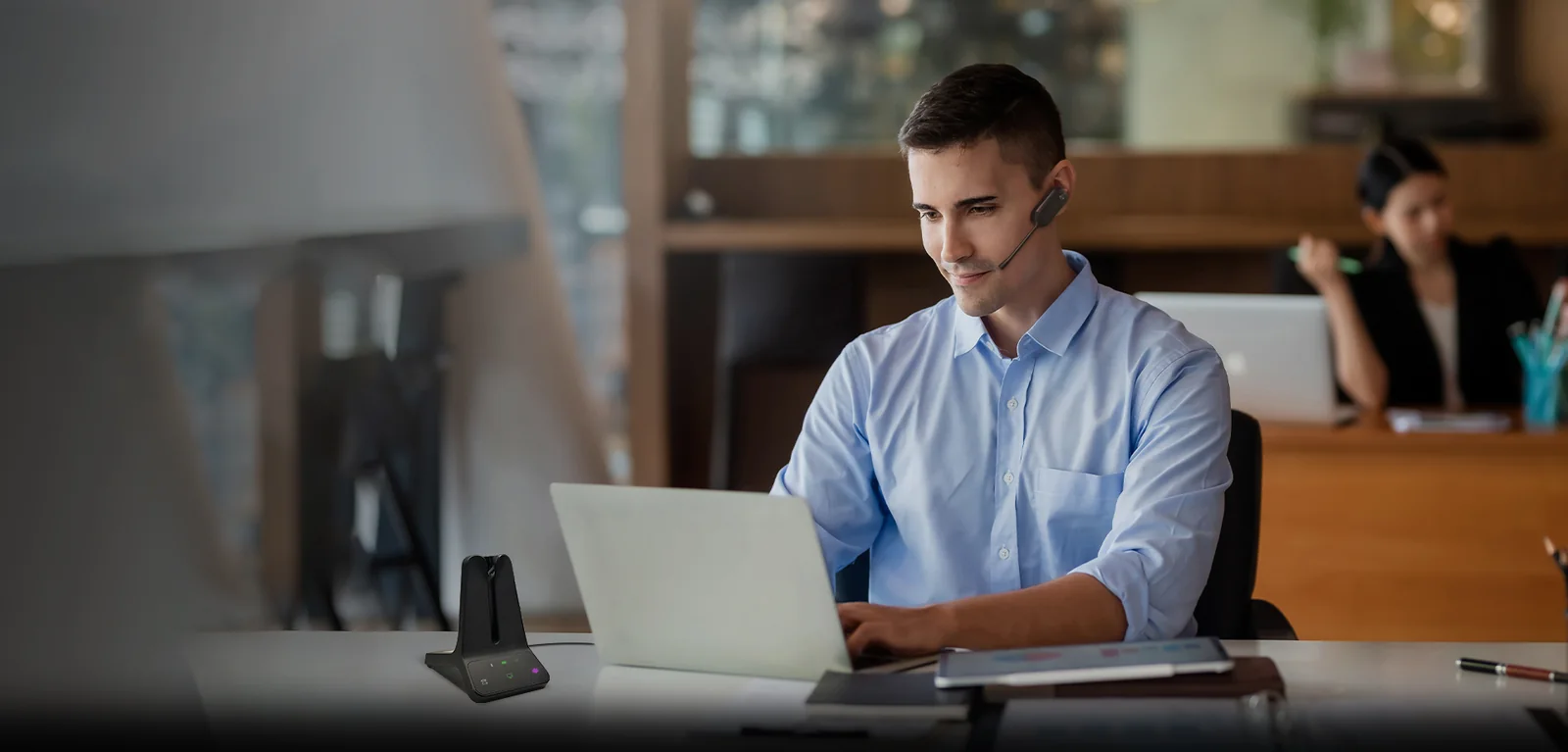
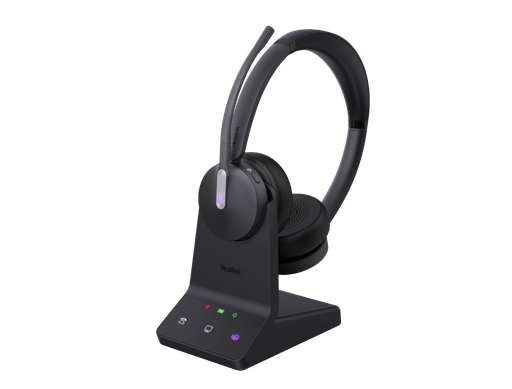
| Phone-heavy desks | WH64 DECT headset | WH63 E2 for reception | DECT headsets compared |
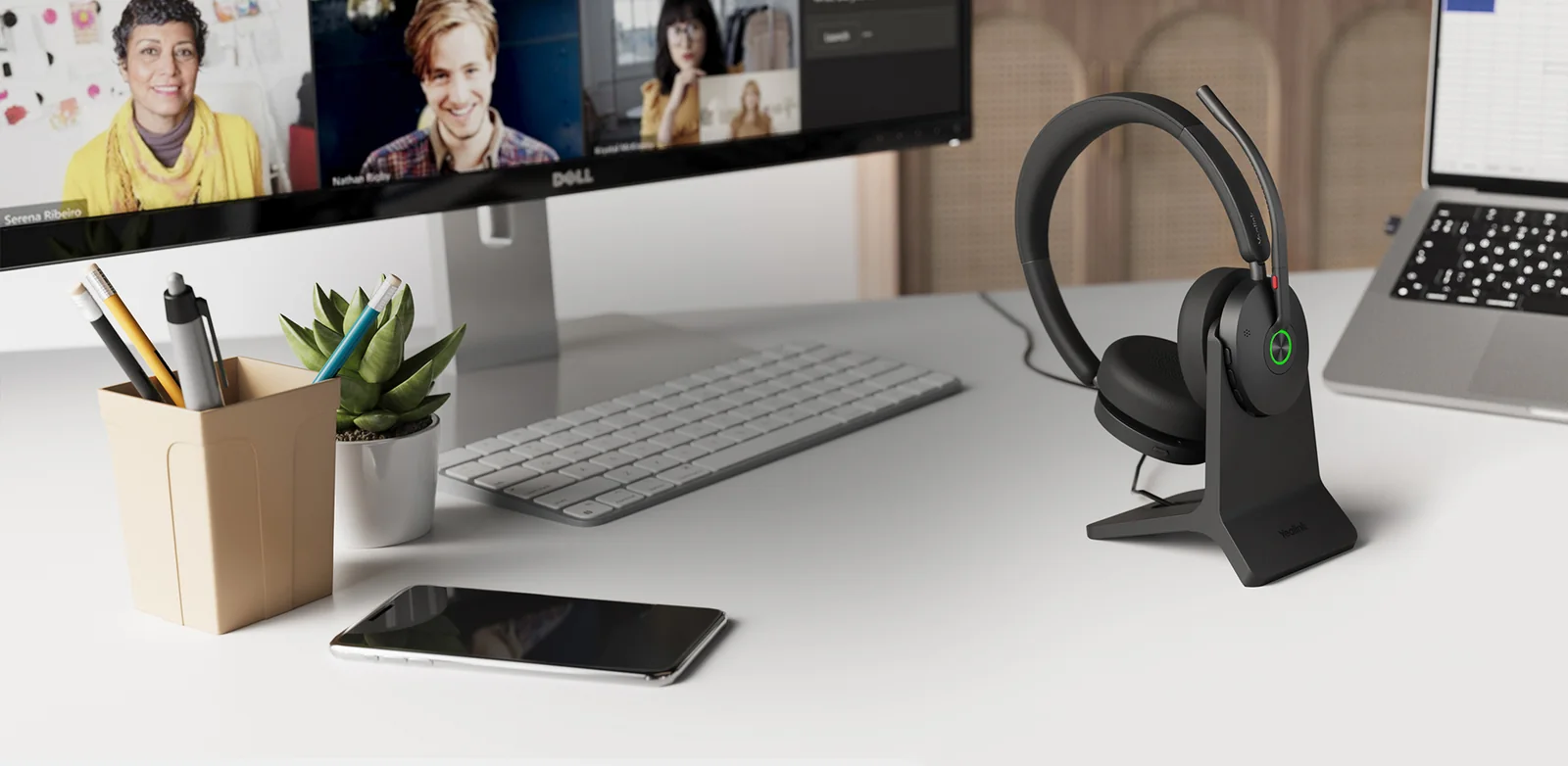
| Hybrid and mobile staff | BH74 Bluetooth headset | BH70 | Bluetooth headsets compared |
| Meeting room (audio) | CP925 | CP935W (Wi-Fi, battery) | Conference phones compared |
| Meeting room (video) | MeetingBar A40 | MeetingBar A25 for focus rooms | Teams and Zoom Rooms compared |
ARC IP Networks recommendations. Product details come from Yealink's datasheets; see each detail guide for the full comparison.



Desk phones: budget, mainstream and premium
Mainstream: the T7 Series. The SIP-T74U is the phone we now put on most desks. It has a 4.3-inch colour screen, 10 LED line keys (50 over five pages), 16 SIP accounts, dual Gigabit Ethernet and a very low PoE draw. The SIP-T73U is the smaller sibling with a 2.8-inch screen and 8 line keys. The SIP-T77U adds a 7-inch touch screen with 84 one-touch keys, so a team leader can watch everyone's line status on one screen. The Wi-Fi 6 and Bluetooth versions, the SIP-T73W and SIP-T74W, aren't in our online shop yet; call us if you need them. Our T7 Series comparison covers the range in detail.
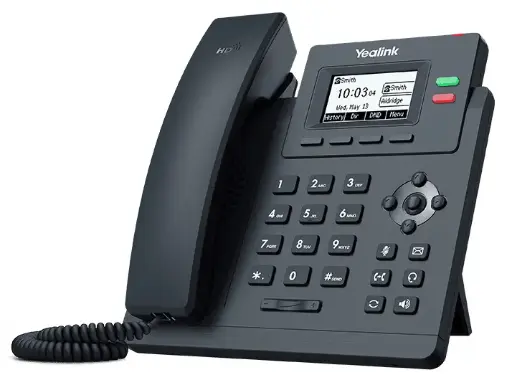
Budget: T3 and T4U. The SIP-T33G (2.4-inch colour screen, 4 line keys, 4 SIP accounts) and the SIP-T31G (2 line keys, 2 accounts) suit staff who make and take their own calls, lunchrooms and warehouse offices. Both have dual Gigabit ports and PoE. The SIP-T43U and SIP-T46U are still sold and still good phones, but for a new rollout the T7 gives you a newer design and works with the current EXP55 module.
Premium: the T8 Series. The SIP-T85W keeps 12 physical LED line keys next to a 5.5-inch screen, which is what a receptionist wants. The SIP-T87W and SIP-T88W Pro move to 7-inch touch screens, and the T88W Pro runs Android 13 and ships with the cordless BTH88 Bluetooth handset. Every T8 has Wi-Fi 6 and Bluetooth 5.0 built in. See our T8 Series comparison.
Swipe the table sideways to compare all six phones →
| Feature | SIP-T33G | SIP-T73U | SIP-T74U | SIP-T77U | SIP-T85W | SIP-T88W Pro |
|---|---|---|---|---|---|---|
| Screen | 2.4" 320 x 240 colour | 2.8" 320 x 240 colour | 4.3" 480 x 272 colour | 7" 800 x 480 touch | 5.5" 960 x 480 colour | 7" 1024 x 600 touch, Android 13 |
| Line keys | 4 (up to 12 DSS keys) | 8 (40 DSS over 5 pages) | 10 (50 DSS over 5 pages) | 84 one-touch DSS keys | 12 (60 DSS over 5 pages) | 84 one-touch DSS keys |
| SIP accounts | 4 | 12 | 16 | 16 | 16 | 16 |
| Wi-Fi and Bluetooth | No | Optional USB dongles | Optional USB dongles | Optional USB dongles | Built-in Wi-Fi 6, Bluetooth 5.0 | Built-in Wi-Fi 6, Bluetooth 5.0 |
| Ethernet | Dual Gigabit | Dual Gigabit | Dual Gigabit | Dual Gigabit | Dual Gigabit | Dual Gigabit |
| PoE class | 802.3af class 1 | 802.3af class 2 | 802.3af class 2 | 802.3af class 3 | 802.3af | 802.3af class 3 |
| PoE draw (Yealink figures) | 3.5 to 5 W | 1.4 to 1.8 W | 1.5 to 1.8 W | 2.4 to 3.2 W | 1.5 to 2.4 W | 2.8 to 5.4 W |
| Expansion module | No | EXP55, up to 3 | EXP55, up to 3 | EXP55, up to 3 | EXP55, up to 3 | EXP55, up to 3 |
| Handset | Corded | Corded | Corded | Corded | Corded | BTH88 Bluetooth (cordless) |
Figures from Yealink's official datasheets. PoE draw is the range Yealink publishes for PoE operation.
Reception and executives: where the T8 earns its place
The person on the front desk transfers more calls than everyone else combined, so give them physical keys with busy lamps. A SIP-T85W with one EXP55 expansion module covers a 25-person office: the EXP55 has a 5.5-inch colour screen and 26 keys with red and green LEDs per page, across three pages (78 keys). Yealink's datasheet says the T7 and T8 phones take up to three EXP55 modules, and two or more need the 5 V/2 A Yealink power adapter. Add a WH63 E2 DECT headset so the receptionist can walk to the door or the printer without dropping the call. It weighs 16 g and is worn on the ear, on a headband or on a neckband.
Upgrading an older reception console? The EXP43 belongs to the T4U and T5 phones; the EXP55 is the module for the T7 and T8.

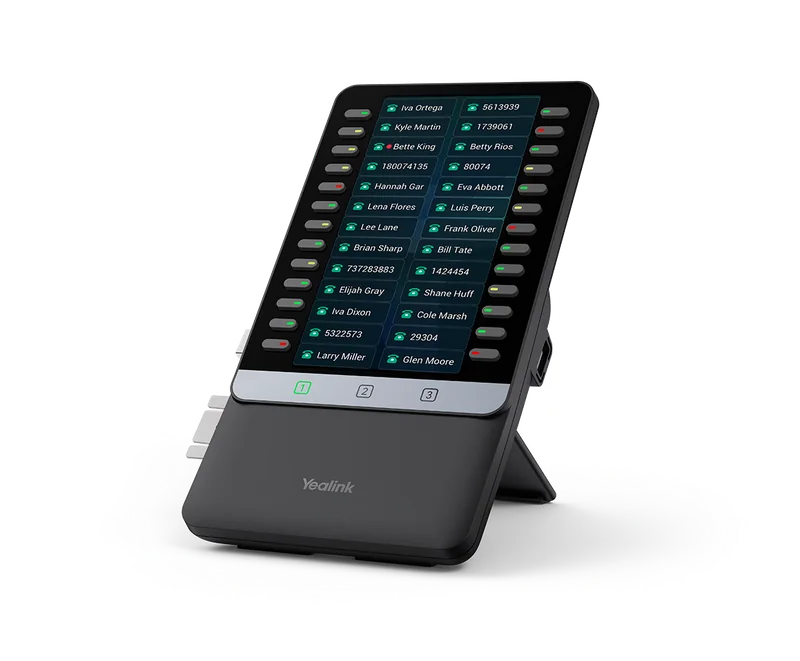
For the principal, director or practice owner, the SIP-T88W Pro is the step up. It runs Android 13 on a 7-inch 1024 x 600 touch screen, ships with the BTH88 Bluetooth handset so they can walk around the office mid-call, and has Wi-Fi 6, so it can sit on a desk without a data point. If you'd rather avoid Android, the SIP-T87W gives the same 84-key touch layout on Yealink firmware.

Staff on the move: DECT or Wi-Fi handsets
Anyone who works away from a desk (the warehouse, the workshop, the shop floor, the practice manager walking between rooms) needs a cordless handset. Yealink gives you two ways to do it:
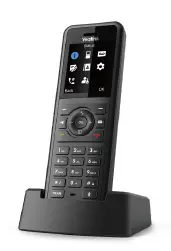
- DECT (W73P or W76P). A W70B base plugs into the network and talks to the handsets on DECT, a band reserved for voice that doesn't share airtime with your Wi-Fi. One base takes up to 10 handsets or DECT headsets and 20 simultaneous calls, with a range of up to 50 m indoors and 300 m outdoors in ideal conditions. The W73P comes with the slim W73H handset; the W76P comes with the W56H, which has a 2.4-inch screen and up to 30 hours of talk time. Add W73H or W56H handsets as you grow, and the rugged W57R for wet or dusty areas. See our DECT phone guide.
- Wi-Fi (AX83H). A 126 g handset with dual-band Wi-Fi 6, 802.11k/v/r fast roaming, Bluetooth 5.0 and 4 SIP accounts. There's no base station, but it relies on your Wi-Fi being designed for voice, with good coverage and roaming everywhere staff walk. See AX83H vs AX86R.
Our default for small offices is DECT, because it works the same on any network. Choose the AX83H when you already have well-designed business Wi-Fi and don't want another base station on the wall.


Headsets: DECT for the desk phone, Bluetooth for the laptop
Give a headset to anyone who's on the phone for more than an hour a day. It's better for necks and shoulders, and it frees both hands for typing. The choice comes down to what the headset connects to.
| Headset | Connects to | Range and battery (Yealink figures) | Best for |
|---|---|---|---|
| WH63 E2 | DECT base with USB to the desk phone and PC | Up to 185 m; 8 h talk time | Reception and short, frequent calls; light convertible wear |
| WH64 | DECT base (desk phone and PC) plus Bluetooth 5.2 in the headset for a mobile | Up to 185 m DECT; up to 14 h (mono) or 16 h (dual) DECT talk time | Sales, support and phone-heavy desks |
| BH74 | Bluetooth 5.3 with a USB-C/A dongle to the PC, plus a mobile | Up to 50 m; up to 32 h talk time | Hybrid staff who take Teams or softphone calls on a laptop |
| BH70 | Bluetooth 5.3 with a USB-C/A dongle to the PC, plus a mobile | Up to 50 m; up to 35 h talk time | Large rollouts on a budget; mono or dual |
Figures from Yealink's datasheets. UC editions suit SIP phones and softphones; Microsoft Teams (MS) editions are also available.
Compare the full ranges in Yealink DECT headsets compared and Yealink Bluetooth headsets compared.
Shopping for Yealink?
Authorised Yealink reseller: genuine Australian stock, full warranty, competitive prices and price match available.
Meeting rooms: conference phone or video bar
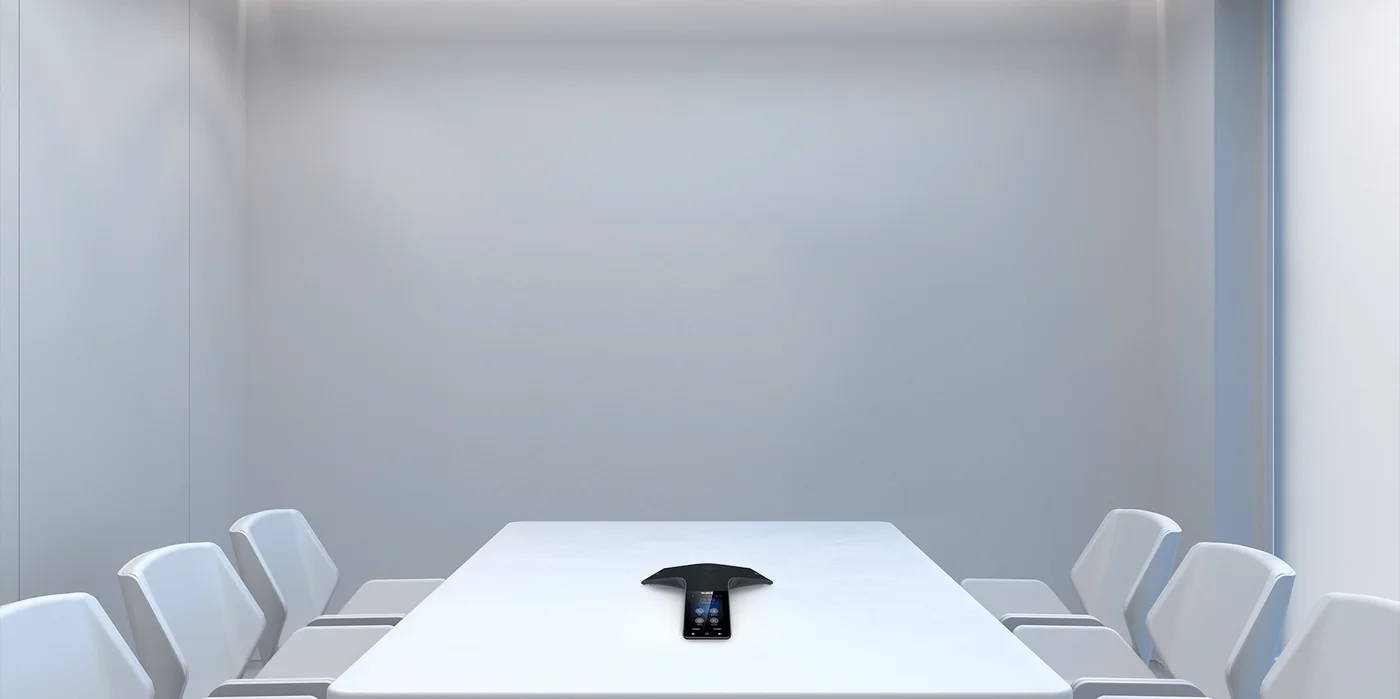
For audio calls on your phone system, the CP925 is the wired choice: one PoE cable, 360° pickup up to 6 m and a 4-inch touch screen. If there's no data point at the table, the CP935W registers over Wi-Fi and runs on its own 7800 mAh battery (up to 15 hours' talk time). The older CP930W is end of sale; the CP935W replaces it. See CP925 vs CP935W vs CP965.
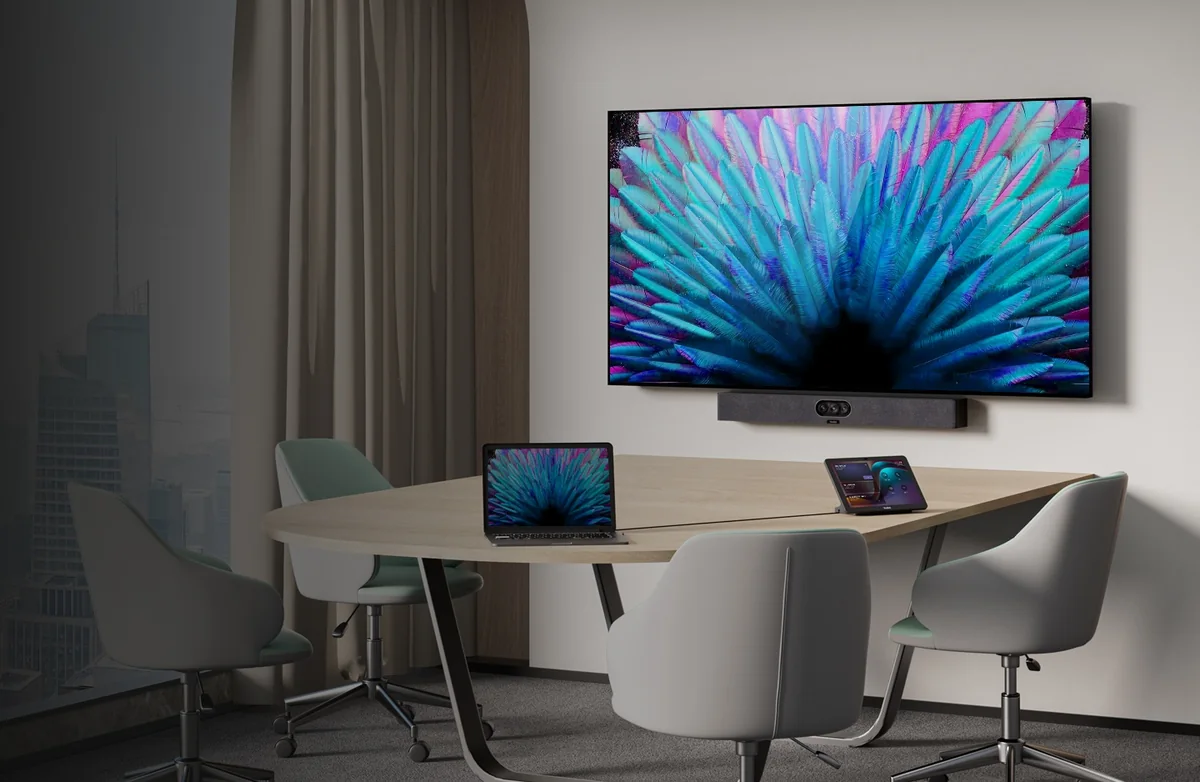
If the business runs video meetings on Microsoft Teams or Zoom, put a MeetingBar on the wall instead. The MeetingBar A25 with three 4K cameras and a 151° view suits a focus room for 2 to 4 people. The MeetingBar A40 with dual 48 MP cameras and a 6 m pickup suits a small meeting room for 4 to 6. Both run Teams Rooms or Zoom Rooms on Android and come with the CTP25 touch console in these kits. Each ships with its own power adapter, so it doesn't draw from the PoE switch. Our Teams and Zoom Rooms guide sizes every room.
What to buy for 5 staff
Typical of a trades business, a small accounting or allied-health practice, or a real estate branch: one person answers most calls, a few staff handle their own, and someone works out the back or on the shop floor.
| Role | Product | Qty | Notes |
|---|---|---|---|
| Owner or manager | Yealink SIP-T74U | 1 | 4.3" screen, 10 line keys; use the provider's mobile app when out |
| Front desk or admin | Yealink SIP-T74U | 1 | Watches the other lines with busy lamps |
| Front desk headset | Yealink WH63 E2 UC | 1 | Walk to the door or printer mid-call |
| Office staff | Yealink SIP-T33G | 3 | Budget colour phone; swap to SIP-T73U for more line keys |
| Workshop, yard or shop floor | Yealink W73P DECT system | 1 | W70B base plus W73H handset; up to 10 handsets later |
| Meeting room (optional) | Yealink CP935W | 1 | Wi-Fi and battery, so no cable to the table |
| PoE switch | Ubiquiti USW-Lite-16-PoE | 1 | 8 PoE+ ports, 45 W budget |
Starting points, not fixed bundles: every item is sold separately, so swap models by desk. Live prices (inc. GST) and stock are on each product page.
What to buy for 10 staff
Typical of a medical or dental clinic, a law or accounting firm, or a sales office: a dedicated receptionist, a principal, a team leader, a meeting room and a couple of people who don't sit still.
| Role | Product | Qty | Notes |
|---|---|---|---|
| Reception | Yealink SIP-T85W | 1 | 12 physical LED line keys, Wi-Fi 6 and Bluetooth |
| Reception console | Yealink EXP55 | 1 | 78 keys with busy lamps for every extension |
| Reception headset | Yealink WH63 E2 UC | 1 | Light convertible DECT headset |
| Principal or director | Yealink SIP-T88W Pro | 1 | Android 13, BTH88 Bluetooth handset |
| Team leader or practice manager | Yealink SIP-T77U | 1 | 7" touch screen, 84 one-touch keys |
| Staff desks | Yealink SIP-T74U | 7 | The mainstream T7 desk phone |
| Phone-heavy desks | Yealink WH64 Dual UC or Mono UC | 3 | DECT to the desk phone and PC, Bluetooth to the mobile |
| Staff on the move | Yealink W73P + W73H | 1 + 1 | Two cordless handsets; or 2 x AX83H on voice-grade Wi-Fi |
| Meeting room | Yealink CP925 | 1 | Wired PoE conference phone |
| Focus room (if you video-meet) | Yealink MeetingBar A25 + CTP25 | 1 | Teams Rooms or Zoom Rooms on Android |
| PoE switch | Ubiquiti USW-24-PoE or MikroTik CRS328-24P-4S+RM | 1 | 16 PoE+ ports and 95 W, or 24 PoE+ ports and 500 W |
Starting points, not fixed bundles: every item is sold separately, so swap models by desk. Live prices (inc. GST) and stock are on each product page.
What to buy for 25 staff
Typical of a professional-services firm, a distributor with a warehouse, or a multi-team office: reception, a couple of executives, several team leaders, a sales or support group, hybrid staff and more than one meeting space.
| Role | Product | Qty | Notes |
|---|---|---|---|
| Reception | Yealink SIP-T85W + EXP55 | 1 + 1 | Add a second EXP55 if you monitor more than 78 keys |
| Reception headset | Yealink WH63 E2 UC | 1 | Convertible DECT headset |
| Executives | Yealink SIP-T88W Pro | 2 | Android 13, cordless BTH88 handset |
| Team leaders | Yealink SIP-T77U | 3 | See every team member's line on 84 touch keys |
| Staff desks | Yealink SIP-T74U | 16 | One phone model across the floor keeps spares simple |
| Lunchroom and warehouse office | Yealink SIP-T31G | 2 | Budget common-area phones |
| Sales and support headsets | Yealink WH64 Dual UC or Mono UC | 6 | DECT plus Bluetooth 5.2 |
| Hybrid staff headsets | Yealink BH74 UC | 4 | Laptop and mobile at home and in the office |
| Warehouse and floor staff | Yealink W76P + W56H | 1 + 2 | Three handsets on one W70B base; add a W57R for rough areas |
| Main meeting room | Yealink MeetingBar A40 + CTP25 | 1 | Video for 4 to 6 people |
| Second meeting room | Yealink CP925 or CP935W | 1 | Wired or Wi-Fi audio |
| PoE switch | Ubiquiti USW-48-PoE or USW-Pro-48-PoE | 1 | 32 PoE+ ports and 195 W, or 48 PoE ports and 600 W with cameras and access points |
Starting points, not fixed bundles: every item is sold separately, so swap models by desk. Live prices (inc. GST) and stock are on each product page.

The network: sizing the PoE switch
Every desk phone, the W70B DECT base and the CP925 run on Power over Ethernet, so one cable per desk carries both data and power. Each phone also has a Gigabit pass-through port for the PC, so you don't need a second switch port per desk. The T73U and T74U draw under 2 W each by Yealink's figures, and even the Android T88W Pro peaks at about 5.4 W. The table below adds up the datasheet maximums for each kit and compares them with the planning figure of 7 W per phone from our UniFi and MikroTik networking guide.
Swipe the table sideways to see the switch picks →
| Kit | PoE devices | Datasheet maximum draw | Planning figure (7 W per phone, 12 W CP925) | Suggested switch |
|---|---|---|---|---|
| 5 staff | 5 phones + W70B base | About 23 W | 42 W | USW-Lite-16-PoE (8 PoE+, 45 W) |
| 10 staff | 10 phones + W70B + CP925 | About 40 W | 89 W | USW-24-PoE (16 PoE+, 95 W) or CRS328-24P-4S+RM (24 PoE+, 500 W) |
| 25 staff | 24 phones + W70B + CP925 | About 76 W | 187 W | USW-48-PoE (32 PoE+, 195 W) or USW-Pro-48-PoE (600 W) |
Datasheet maximums from Yealink's published PoE draw for each phone; the W70B is counted at its class 1 limit of 4 W. Switch figures as published by Ubiquiti and MikroTik. The MeetingBars use their own power adapters.
The planning figure leaves headroom for ringing, USB headsets and EXP55 modules. If the same switch also powers Wi-Fi access points or security cameras, add their draw (typically 10 to 30 W each) and step up to the Pro model. Put the phones on a voice VLAN with QoS, put the switch and NBN modem on a UPS so calls survive a short blackout, and consider a 4G or 5G backup link if the phone line is business-critical. The networking guide walks through VLANs and QoS on UniFi and MikroTik.
Choosing the phone system: 3CX, hosted PBX or Teams
| Option | How it works | Yealink phones to use | Suits |
|---|---|---|---|
| Australian hosted PBX or NBN business voice | The provider runs the system in the cloud and bills per user; phones auto-provision from their MAC address | Any T3, T4U, T7 or T8 SIP phone, W70B-based DECT, AX83H, CP925/CP935W | Most 5 to 25-person businesses that want one bill and no server |
| 3CX | Self-hosted on a small server or VM, or hosted by a 3CX partner, with SIP trunks from an Australian carrier | The same SIP phones, provisioned from the 3CX console | Businesses with an IT provider who wants control of call flows and costs |
| Microsoft Teams Phone | Calling inside Microsoft 365 with a Teams Phone licence and a calling plan or Operator Connect | MP54 E2, MP56 E2, MP58-WH E2 and Teams (MS) headsets | Offices that already live in Teams |
ARC IP Networks guidance. Check feature support with your provider before ordering.
The T7 and T8 Series are SIP phones, not native Teams phones. If you choose Teams, swap the desk phones for Yealink's MP E2 range, which runs Android 15 on Microsoft's Device Ecosystem Platform: the MP54 E2 takes the place of the T74U, and the MP58-WH E2 takes the place of the T88W Pro. Our Teams and Zoom phone guide compares the range.
Whichever platform you choose, register each site's emergency address with the provider so 000 calls show the right location, and test it after installation.
What changed since our earlier picks
If you bought from the first version of this guide, those phones are still supported. For new desks, this is what we now recommend instead:
| Earlier pick | Now | Why |
|---|---|---|
| SIP-T54W | SIP-T74U (or SIP-T85W for Wi-Fi) | Newer T7 design, 16 accounts, EXP55 support, under 2 W PoE draw |
| SIP-T43U | SIP-T73U or SIP-T74U | Colour screen and more line keys at a similar level |
| SIP-T46U + EXP43 | SIP-T85W + EXP55 | Physical line keys, Wi-Fi 6, Bluetooth, current expansion module |
| CP930W | CP935W | The CP930W is end of sale |
| BH71 Pro / BH76 Plus everywhere | BH74 for hybrid staff | Hybrid ANC at a lower step than the BH76 Plus |
ARC IP Networks suggestions. The SIP-T33G and W73P are still current and stay in the kits.
Which kit for which Australian workplace?
| Workplace | Start from | Adjust |
|---|---|---|
| Trades office or workshop | 5-staff kit | Swap the W73P for a W76P + rugged W57R handset in the yard |
| Medical, dental or allied health | 10-staff kit | WH63 E2 headsets on every reception seat, DECT for the practice manager |
| Law or accounting firm | 10-staff kit | T88W Pro for partners, MeetingBar A25 in the client interview room |
| Real estate agency | 10-staff kit | AX83H or DECT for property managers who move between desks, BH74 for agents on the road |
| Distributor with a warehouse | 25-staff kit | More DECT handsets and W57R rugged handsets; a DECT repeater for long racking aisles |
| Heritage building or short lease | Any kit | T85W, T87W or T88W Pro over Wi-Fi 6, CP935W in the meeting room, fewer new cable runs |
ARC IP Networks recommendations based on Yealink's published specifications.
Choices that save money later
- Buy PoE. A PoE switch costs more than a plain one but removes a power adapter and a power point from every desk.
- Gigabit pass-through. Every phone in these kits has dual Gigabit ports, so a PC on the phone's second port isn't capped at 100 Mbps.
- One DECT base, many handsets. A single W70B base takes up to 10 handsets or DECT headsets, so buy one W73P or W76P bundle and add handsets as you grow.
- Keep the models few. Two or three phone models across the office means one set of spares and one provisioning template. In the kits above, the T74U does most of the work.
- Buy the Pro when you want cordless. If an executive wants a Bluetooth handset, the T88W Pro includes it; adding a BTH88 to a T88W later costs more.
How ARC IP Networks helps
Send us your headcount by role, your site layout and the platform you use (or ask which Australian providers we see working well), and we'll send back a handset and network list sized to your office. Every item ships from Australian stock with the full manufacturer's warranty, with trade and project pricing for the installer or IT provider setting it up. Browse the Yealink range at ARC IP Networks.
The products in these kits, in stock at ARC IP Networks
Live Australian pricing (inc. GST) and stock levels are on each product page.
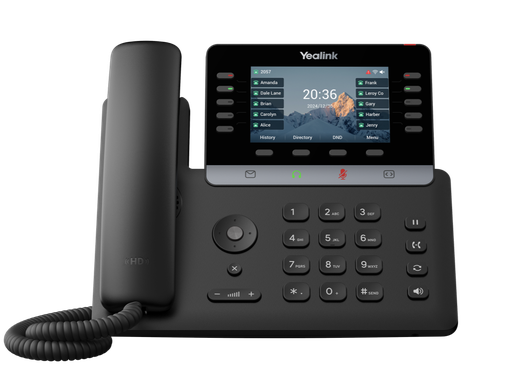
4.3" colour screen, 10 LED line keys, 16 SIP accounts. The mainstream desk phone in every kit.
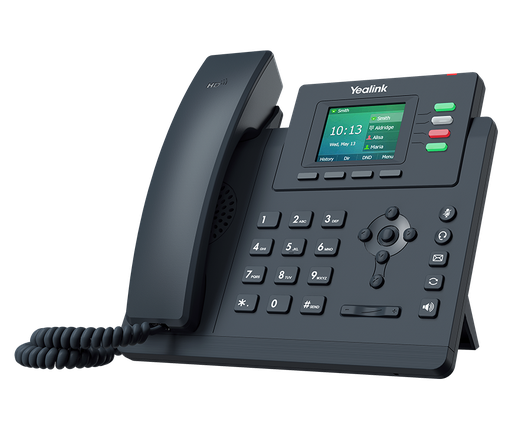
2.4" colour screen, 4 line keys, dual Gigabit, PoE. The budget desk phone.
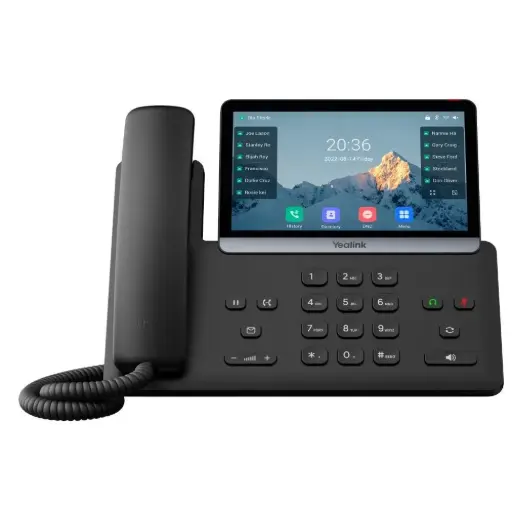
7" touch screen with 84 one-touch keys for team leaders and supervisors.
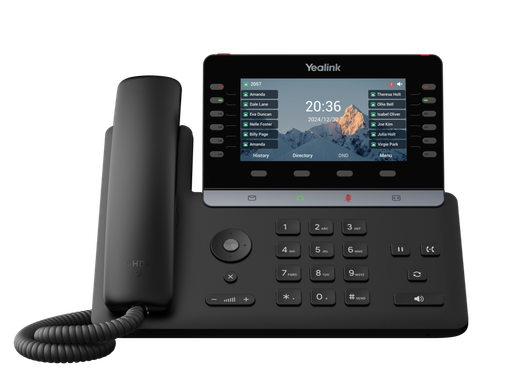
12 physical LED line keys, 5.5" screen, Wi-Fi 6 and Bluetooth 5.0. Our reception pick.
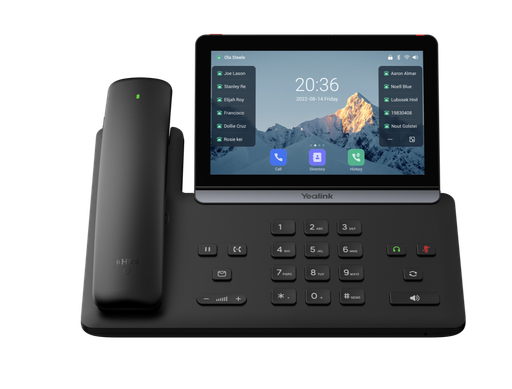
Android 13, 7" touch screen and the cordless BTH88 Bluetooth handset for executives.
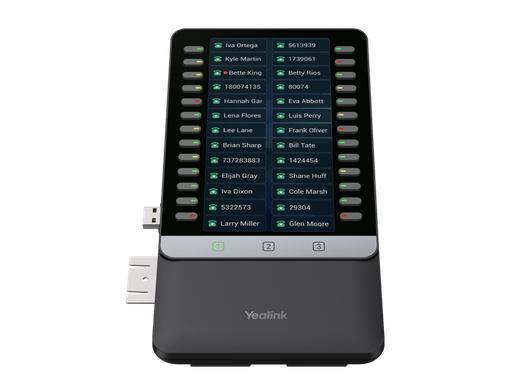
5.5" colour expansion module, 26 LED keys per page over 3 pages, for T7 and T8 phones.
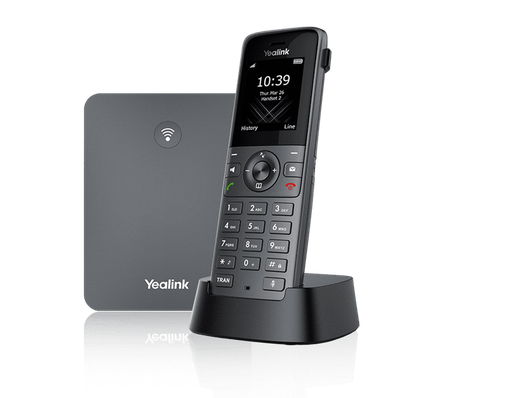
W70B base plus W73H handset. Up to 10 handsets and 20 calls per base.
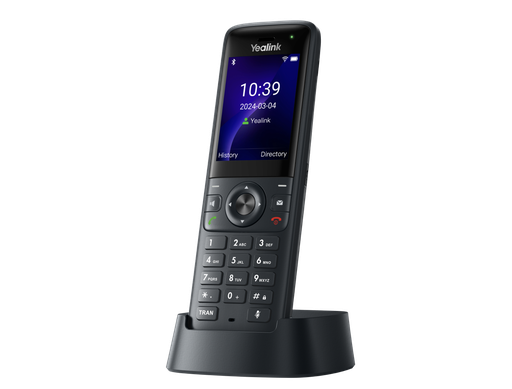
Wi-Fi 6 cordless handset with fast roaming and Bluetooth 5.0. No base station needed.
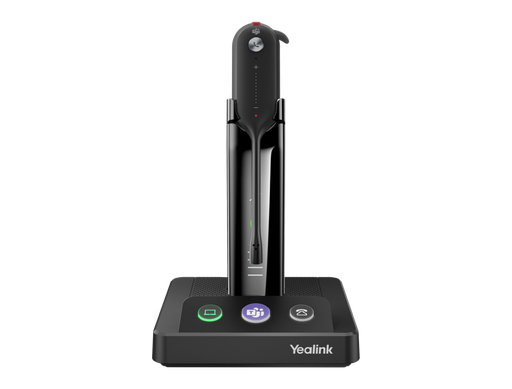
Light convertible DECT headset with up to 185 m range. Built for reception.
DECT headset with Bluetooth 5.2 for desk phone, PC and mobile. For phone-heavy desks.
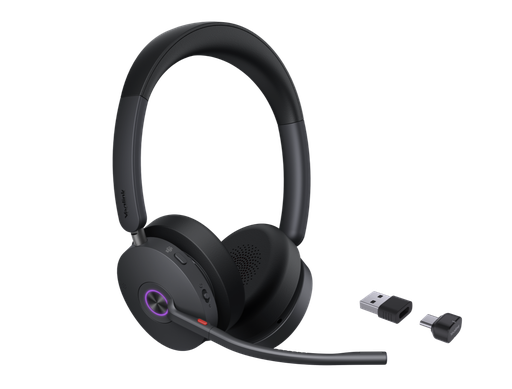
Bluetooth 5.3 headset with hybrid ANC and up to 32 hours' talk time for hybrid staff.
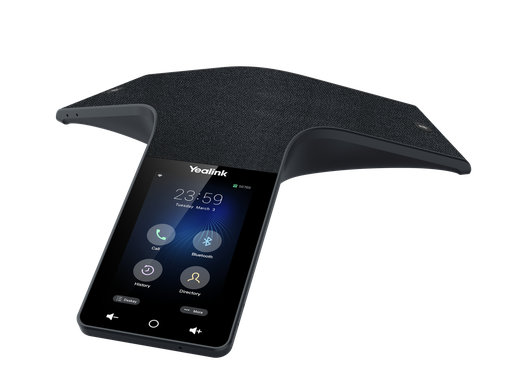
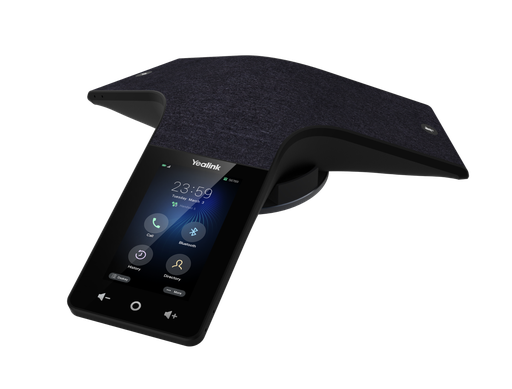
Wi-Fi conference phone with a 7800 mAh battery for tables without a cable.
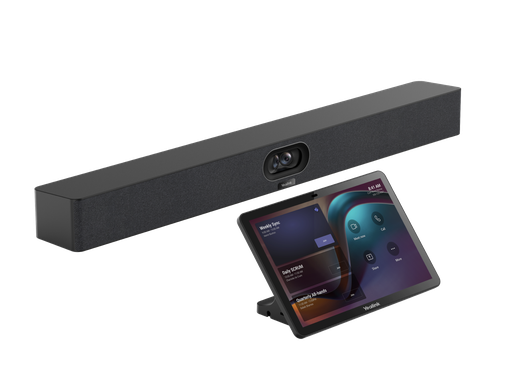
Dual 48 MP cameras and 6 m pickup for Teams or Zoom rooms of 4 to 6 people.
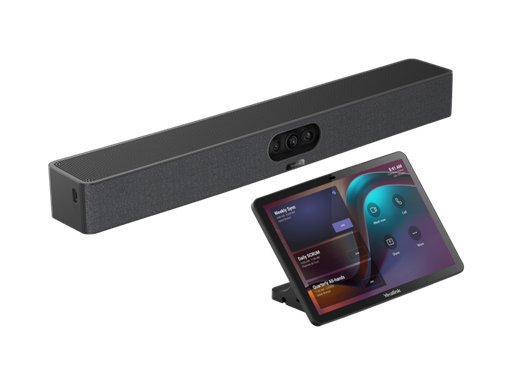
Three 4K cameras with a 151° view for focus and huddle rooms.
Ready to buy?
Shop genuine Yealink at ARC IP Networks

Authorised Yealink reseller
Yealink at ARC IP Networks
IP desk phones, DECT, headsets and meeting rooms. Genuine Australian stock with the full manufacturer's warranty, competitive prices and price match available.
Common questions
Straight answers from the ARC IP Networks team. Last reviewed October 2026.
Three things: a calling service (an Australian hosted PBX or NBN business-voice provider, 3CX, or Microsoft Teams Phone), a network with a PoE switch, and Yealink handsets: desk phones for fixed seats, DECT or Wi-Fi cordless handsets for staff who move, and headsets for phone-heavy roles. ARC IP Networks supplies the handsets and the PoE switch; the provider supplies the numbers and calling.
Two Yealink SIP-T74U phones for the owner and the person who answers most calls, SIP-T33G phones for the other desks, a W73P DECT system for anyone who works away from a desk, and a WH63 E2 headset for the front desk. An 8-port PoE switch such as the UniFi USW-Lite-16-PoE powers it all.
A SIP-T85W with an EXP55 module and a WH63 E2 headset at reception, a SIP-T88W Pro for the principal, a SIP-T77U for the team leader, SIP-T74U phones on the other desks, WH64 headsets for phone-heavy staff, a W73P DECT system or AX83H Wi-Fi handsets for staff on the move, and a CP925 conference phone in the meeting room.
The 10-person kit at scale: SIP-T74U phones on most desks, SIP-T77U for team leaders, SIP-T88W Pro for executives, a SIP-T85W and EXP55 at reception, WH64 DECT headsets for sales and support, BH74 Bluetooth headsets for hybrid staff, a W76P DECT system with extra handsets for the warehouse, a MeetingBar A40 for video meetings and a 48-port PoE switch.
For most desks, the SIP-T74U from the new T7 Series. It has a 4.3-inch colour screen, 10 LED line keys, 16 SIP accounts, dual Gigabit Ethernet and a PoE draw under 2 W by Yealink's figures, and it works with the EXP55 expansion module. For the tightest budgets, the SIP-T33G and SIP-T31G remain good choices.
DECT, such as the Yealink W73P or W76P, works the same on any network because the handsets talk to their own W70B base on a band reserved for voice. One base takes up to 10 handsets. The AX83H Wi-Fi handset needs no base station but relies on business Wi-Fi designed for voice, with good coverage and roaming wherever staff walk.
Count each phone at about 7 W and a CP925 at 12 W for planning. That suggests 45 W and 8 PoE ports for 5 staff, around 95 W and 16 ports for 10 staff, and around 195 W and 32 ports for 25 staff, before access points and cameras. Yealink's datasheet figures are much lower (the SIP-T74U draws under 2 W), so these budgets leave plenty of headroom.
Yes. Yealink T3, T4U, T7 and T8 desk phones, W70B-based DECT systems, the AX83H and the CP925 and CP935W are standard SIP devices. They work with 3CX and with hosted PBX and SIP trunk services from Australian NBN and business-voice providers, and most providers auto-provision them from the MAC address.
Yes, with Yealink's MP E2 Teams phones such as the MP54 E2, MP56 E2 and MP58-WH E2, plus Teams editions of the WH and BH headsets. The T7 and T8 Series are SIP phones, not native Teams phones.
ARC IP Networks stocks the Yealink desk phones, DECT and Wi-Fi handsets, headsets, conference phones and MeetingBars in these kits, plus Ubiquiti UniFi and MikroTik PoE switches, as genuine Australian stock with the full manufacturer's warranty. It delivers Australia-wide and offers trade pricing to installers and IT providers. Order online at arcip.com.au or call 1300 100 440.
Who we are
About ARC IP Networks
ARC IP Networks is an Australian supplier of VoIP phones and business phone systems, based in Blackburn, Melbourne, Victoria. We work with homeowners, installers, integrators and businesses across Australia, supplying Yealink and Grandstream.
We are an authorised Yealink and Grandstream reseller, so you get genuine Australian stock with the full manufacturer's warranty, never grey imports, at competitive prices. Our team can help you choose the right equipment, and trade customers get trade accounts and project pricing on larger jobs.
- Genuine Australian stock with the full manufacturer's warranty
- Competitive prices, price match available
- Trade accounts for installers, integrators and MSPs
- Australia-wide delivery; showroom in Blackburn, Mon–Fri 9–5 (demos by appointment)
Need a phone system sized for your business?
Tell us your headcount by role, your site and your calling platform. We will match the Yealink desk phones, cordless handsets, headsets, meeting-room devices and PoE switch, and quote them as one order with Australia-wide delivery and trade pricing for installers.
Related Yealink guides
- Best Yealink IP Phones in Australia: 2026 Buying Guide
- Yealink T7 Series Compared: T73U vs T73W vs T74U vs T74W vs T77U
- Yealink T8 Series Compared: T85W vs T87W vs T88W vs T88W Pro vs T88V Pro
- Running Yealink Phones on Ubiquiti UniFi and MikroTik Networks: PoE Budgets, VLANs and QoS
- Yealink Microsoft Teams and Zoom Phones in Australia: MP52 to MP58 E2 Compared
- Yealink Phones for Medical and Dental Practices in Australia